brain.md
Health Uyari
- License — License: AGPL-3.0
- Description — Repository has a description
- Active repo — Last push 0 days ago
- Low visibility — Only 6 GitHub stars
Code Basarisiz
- exec() — Shell command execution in server/src/api/auth-middleware.ts
- exec() — Shell command execution in server/src/api/auth.ts
Permissions Gecti
- Permissions — No dangerous permissions requested
Bu listing icin henuz AI raporu yok.
Local-first markdown notes with a first-class MCP server. 16 tools + 2 resources for Claude Code, Claude Desktop, Cursor and any MCP agent. Per-folder permissions, semantic RAG via LanceDB, single Bun binary. AGPL.

brain.md
A local-first second brain for you — and for your AI agents.





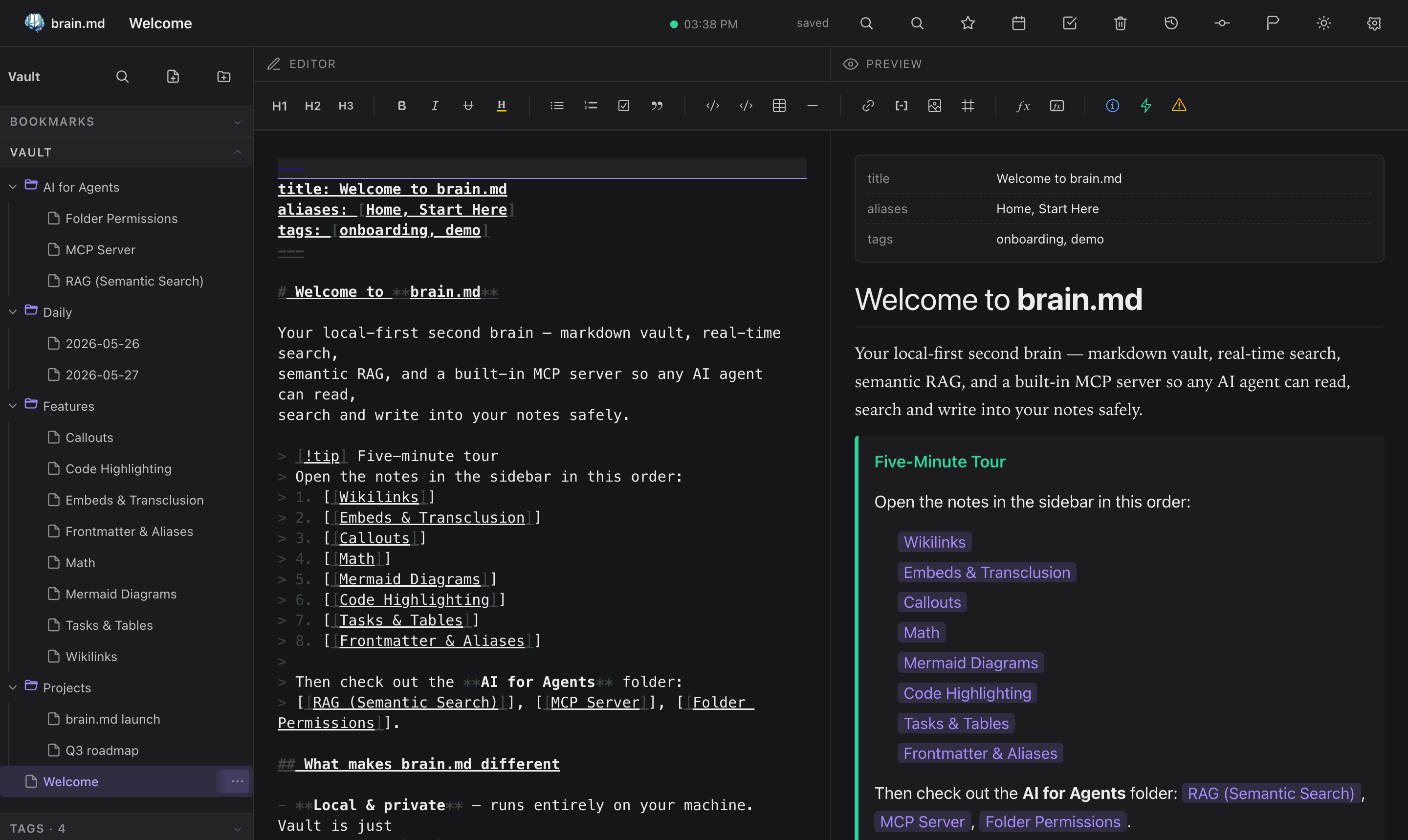
What you get
| 📝 Obsidian-compatible markdown | Wikilinks, embeds, callouts, math, mermaid, tasks, frontmatter, aliases. Open your existing Obsidian vault — it just works. |
| ⚡ Live editor + preview | CodeMirror 6 with cursor-anchored scroll sync, autosave, instant tooltips, command palette, quick switcher. |
| 🔍 Semantic search built in | Per-vault embedded vector store (pure JS, no external DB). Notes are chunked, embedded and indexed on every save. |
| 🤖 Pluggable embedders | Default: bge-small-en-v1.5 running locally via bundled WASM ONNX — works in the prebuilt single binary, zero native deps. Or point at Ollama, LM Studio, OpenAI — anything with /v1/embeddings. |
| 🛰️ MCP server (streamable HTTP) | 16 tools + 2 resources mounted on the same port. Claude Desktop, Claude Code, Cursor and any MCP-compliant agent can read, search, query and write your notes. |
| 🔒 Per-folder agent permissions | Right-click a folder → set {read, write} for the MCP surface. Keep Journal/Private/ out of agent reach without locking down the vault. |
| 🔑 Optional password auth | argon2id, bearer tokens, 24-hour TTL — gates both HTTP API and MCP. Off by default, on with one click. |
| 📜 Git autocommit | Every save lands in git. Full history, diff, restore, manual checkpoints. The vault is a real git repo on disk. |
| 🌍 No vendor lock-in | Your vault is a folder of .md files. Open it in VSCode, Obsidian, cat, anything. brain.md is just one more way to view and query it. |
| 💸 Zero API keys required | Out of the box it runs fully offline. Cloud embedders are an opt-in, not a default. |
Why brain.md
LLMs are only as smart as the context you give them. brain.md turns
your notes into that context — without dragging them into someone
else's cloud, without locking them inside a proprietary format, and
without asking you to plumb a vector database yourself.
You write markdown. brain.md gives you:
- a polished editor + live preview with the full
Obsidian-flavor dialect (wikilinks, embeds, callouts, math, mermaid,
highlights, tasks, frontmatter, aliases), - a per-vault embedded vector store (pure JS, ships in the single
binary) with a localbge-small-en-v1.5embedder by default
running via bundled WASM ONNX — switch to Ollama,
LM Studio, OpenAI, or anything else with a/v1/embeddings
endpoint with one toggle, - an MCP server (streamable HTTP) mounted on the same port, so
Claude Desktop (or any MCP client) can read, search and write your
notes safely — with per-folder read/write permissions for the
agent surface, - optional password auth and git autocommit / restore for the
whole vault.
Everything runs on your machine. The vault is a plain folder of .md
files you can open in any editor at any time.
How it compares
| Obsidian | Logseq | Notion | brain.md | |
|---|---|---|---|---|
| License | Proprietary | AGPL-3.0 | Proprietary | AGPL-3.0 |
| Local-first vault on disk | ✓ | ✓ | ✗ (cloud) | ✓ |
Plain .md files (no proprietary db) |
✓ | ✓ (block model) | ✗ | ✓ |
| Built-in MCP server | ✗ (3rd-party plugin) | ✗ | ✗ | ✓ — 16 tools |
| Vector RAG built-in | ✗ (paid plugin) | ✗ | ✓ (cloud only) | ✓ — embedded, local |
| Per-folder agent permissions | n/a | n/a | n/a | ✓ |
| Single binary, no Electron | ✗ (Electron) | ✗ (Electron) | n/a | ✓ — bun --compile |
| Works fully offline (incl. embeddings) | ✓ (no AI) | ✓ (no AI) | ✗ | ✓ — bundled WASM ONNX |
brain.md is not trying to replace Obsidian's plugin ecosystem or
Notion's databases. It's narrower on purpose: a markdown vault
designed from day one as a memory layer for AI agents over the
Model Context Protocol.
Table of contents
- Quick start
- Install
- The interface
- AI for agents
- CLI
- Defaults & paths
- Architecture
- Roadmap
- Contributing
- License
⚡ Quick start
One line. No clone, no Bun, no Node — the installer detects your OS +
arch, downloads the matching prebuilt binary from the latest GitHub
release, drops it in ~/.local/bin (or %USERPROFILE%\.brain.md\bin
on Windows), and verifies it runs.
macOS / Linux
curl -fsSL https://raw.githubusercontent.com/mi4uu/brain.md/main/install.sh | bash
Windows (PowerShell)
powershell -c "irm https://raw.githubusercontent.com/mi4uu/brain.md/main/install.ps1 | iex"
Then:
brainmd                  # serve on :3000, vault at $HOME/.local/share/brain.md/vault
open http://localhost:3000
Open http://localhost:3000. First run creates your vault at the
XDG default ($HOME/.local/share/brain.md/vault on macOS / Linux,
the equivalent on Windows).
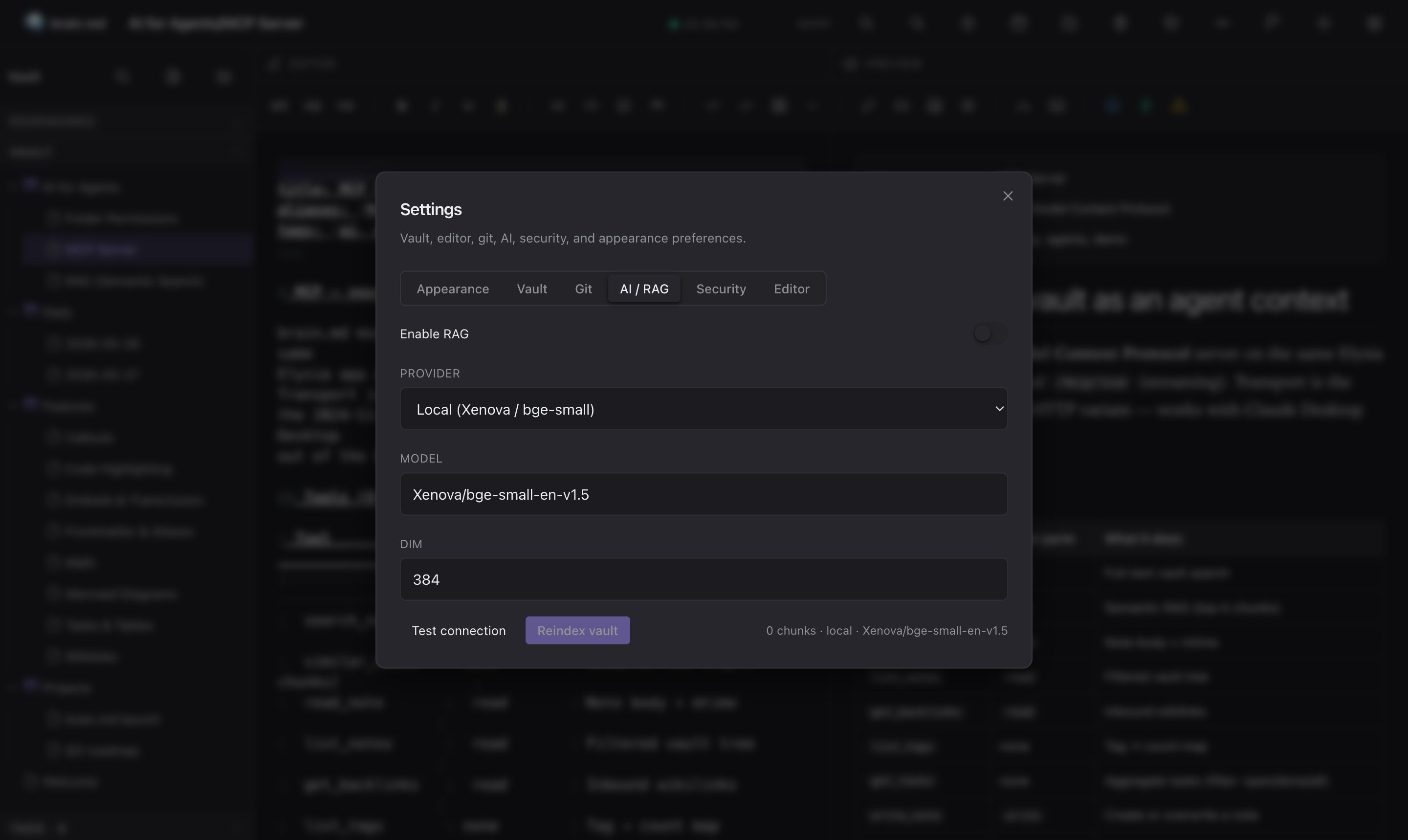
To enable semantic search and the MCP similar_notes tool, open
Settings → AI / RAG and flip the switch. Default embedder isbge-small-en-v1.5 running locally via bundled WASM ONNX (one-time
~34 MB quantized model download, then fully offline — no Ollama, no
Python, no native deps).
Want a tour? Point brain.md at the demo vault that ships with
the repo:brainmd --vault-dir ./example/vaultEvery screenshot below was taken against
example/vault/.
📦 Install
Option A — install script (recommended, see Quick start)
# macOS / Linux
curl -fsSL https://raw.githubusercontent.com/mi4uu/brain.md/main/install.sh | bash

# Windows
powershell -c "irm https://raw.githubusercontent.com/mi4uu/brain.md/main/install.ps1 | iex"
The script picks the right asset for your OS and CPU, writes it to~/.local/bin/brain (or %USERPROFILE%\.brain.md\bin\brain.exe),
chmod's it, and verifies it boots. Pin a version withBRAIN_VERSION=v0.1.0, change the install dir with BRAIN_INSTALL=….
Option B — download the binary manually
Every release ships a single-file executable per platform with
the web UI embedded inside it. No Bun runtime, no Node.js, nogit clone, no bun install — just download, mark executable, run.
Grab the file for your machine from the latest release:
👉 github.com/mi4uu/brain.md/releases/latest
| Platform | Architecture | Asset |
|---|---|---|
| 🍎 macOS — Apple Silicon | arm64 |
brain-md-darwin-arm64 |
| 🍎 macOS — Intel | x64 |
brain-md-darwin-x64 |
| 🐧 Linux | x64 |
brain-md-linux-x64 |
| 🐧 Linux | arm64 |
brain-md-linux-arm64 |
| 🪟 Windows | x64 |
brain-md-windows-x64.exe |
One-liner — macOS / Linux
# macOS Apple Silicon — swap the URL suffix for your platform from the table above
curl -L -o brainmd \
  https://github.com/mi4uu/brain.md/releases/latest/download/brain-md-darwin-arm64
chmod +x brainmd
./brainmd                                # → serves on http://localhost:3000
# Optional: drop it on your $PATH so you can run `brainmd` anywhere
sudo mv brainmd /usr/local/bin/brainmd
brainmd --help                           # see all flags
brainmd --port 4000                      # custom port
brainmd --vault-dir ~/notes/my-vault     # custom vault location
One-liner — Windows (PowerShell)
iwr https://github.com/mi4uu/brain.md/releases/latest/download/brain-md-windows-x64.exe `
    -OutFile brainmd.exe
.\brainmd.exe                            # → serves on http://localhost:3000
.\brainmd.exe --help                     # all flags
First run: brain.md creates an empty vault at the XDG default
($HOME/.local/share/brain.md/vaulton macOS/Linux, the equivalent
on Windows) and serves the editor at http://localhost:3000.
Want to try the demo vault first? Downloadexample/vault/and pass it withbrain --vault-dir ./vault.
Untagged commits also produce binaries — they live as build
artifacts on the Actions page
with 30-day retention.
Option C — from source
git clone https://github.com/mi4uu/brain.md.git
cd brain.md
bun install
bun run start            # runs the production server on :3000
For development:
bun run dev:server       # backend on :3000
bun run dev:web          # vite on :5173 (with /api proxy)
If you run bun run start from a fresh source checkout (no compiled
binary, no web/dist), the server downloads the matching web bundle
from the GitHub release into$XDG_CACHE_HOME/brain.md/web/<version>/ on first request and serves
from there. To always work offline, run bun --cwd web run build
once.
Requires Bun ≥ 1.3. brain.md uses
Bun.password
(built-in argon2id) so you don't need a native crypto build.
🖥️ The interface
Editor + preview
Two synchronised panes powered by CodeMirror 6 and a
unified / remark / rehype rendering pipeline. The active block
in the preview stays anchored to the cursor in the editor; a thin SVG
connector marks the link between them.
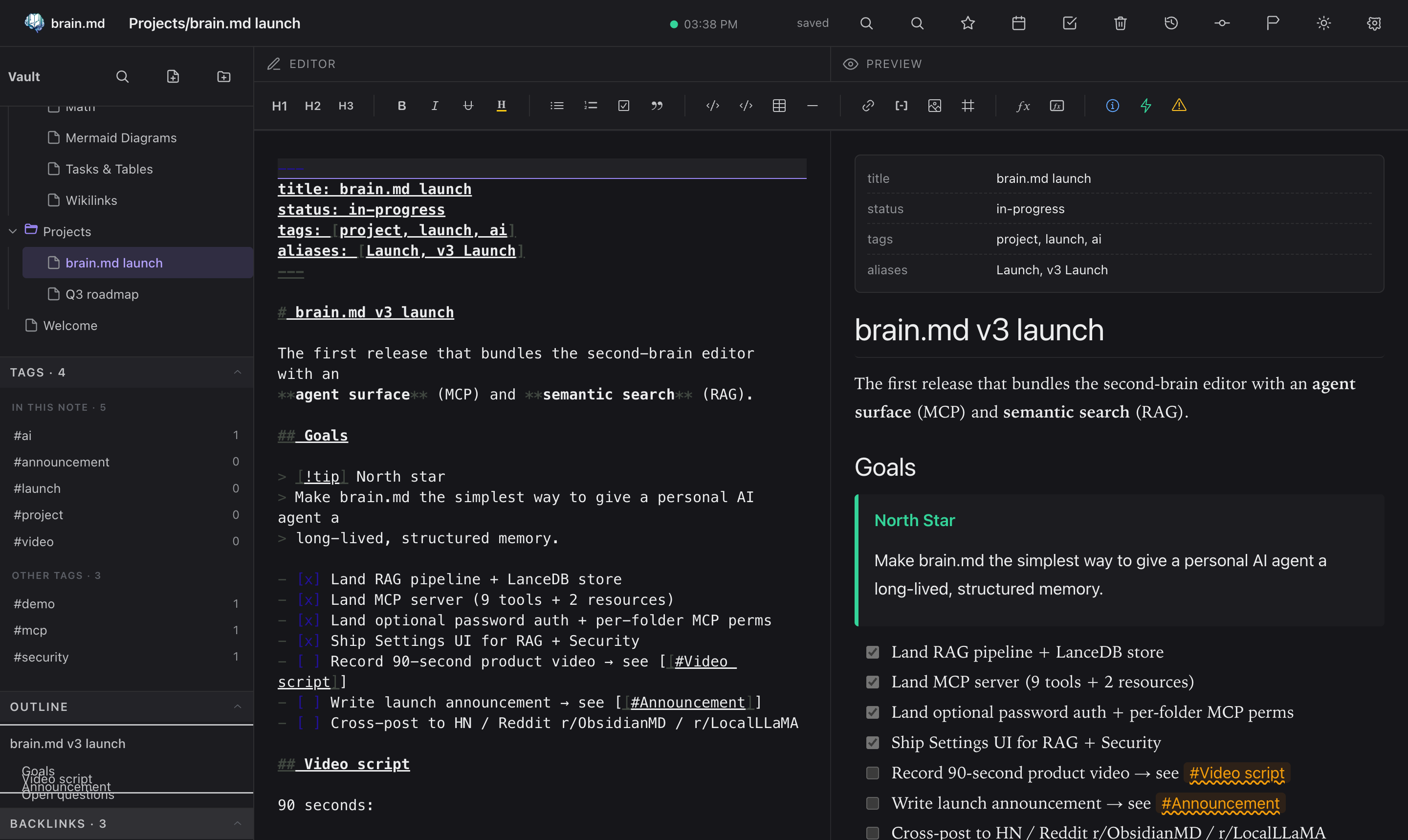
The right rail collects Bookmarks · Vault · Tags · Outline ·
Backlinks · Related. Each section is collapsible and remembers its
state per device (localStorage). The Tags panel splits into
In this note and Other tags the moment you open a note. The
Related panel powers itself from the RAG index — same engine the
agents use — and after every save brain.md quietly suggests up to three
tags borrowed from your closest semantic neighbours.
Markdown that actually does things
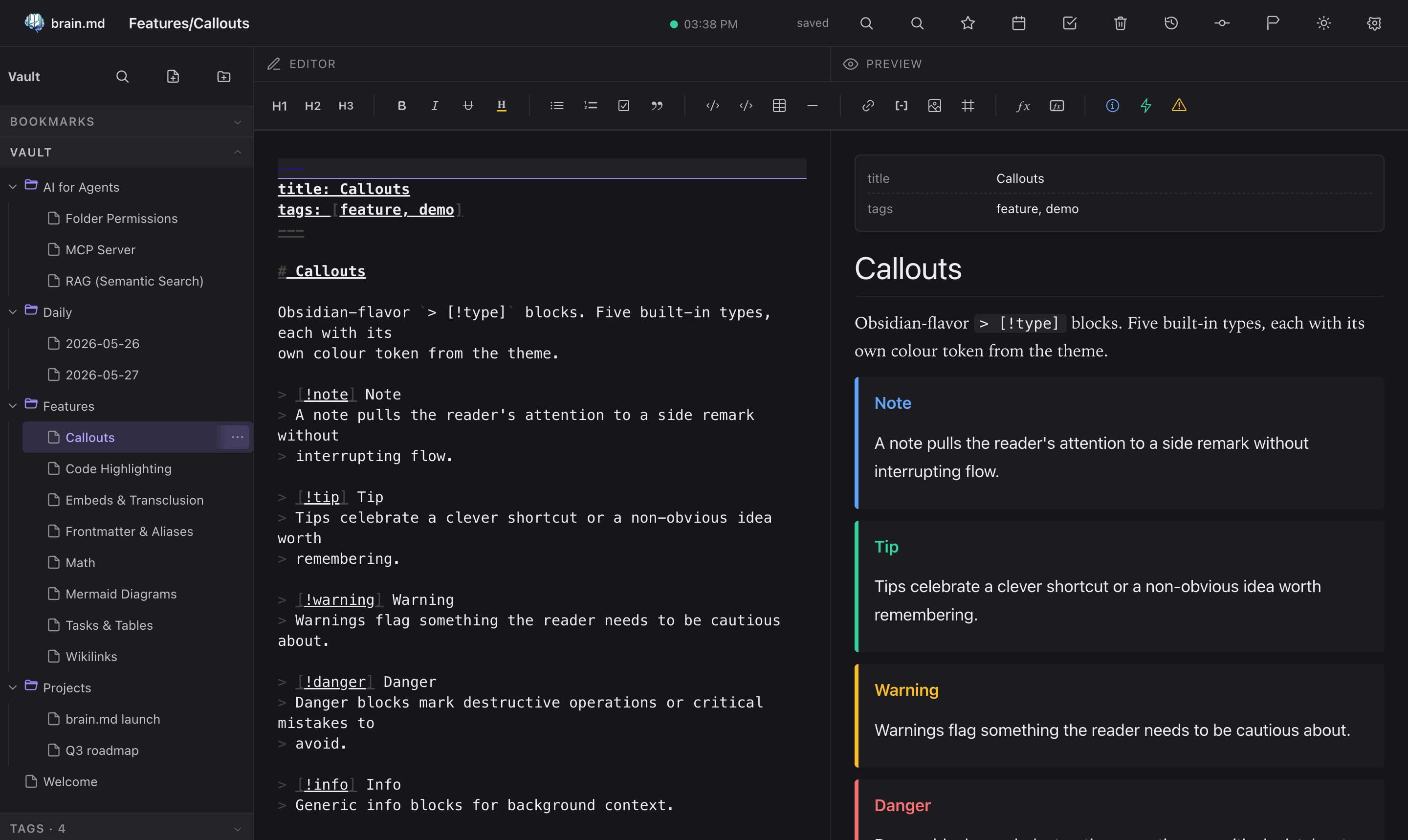
Callouts
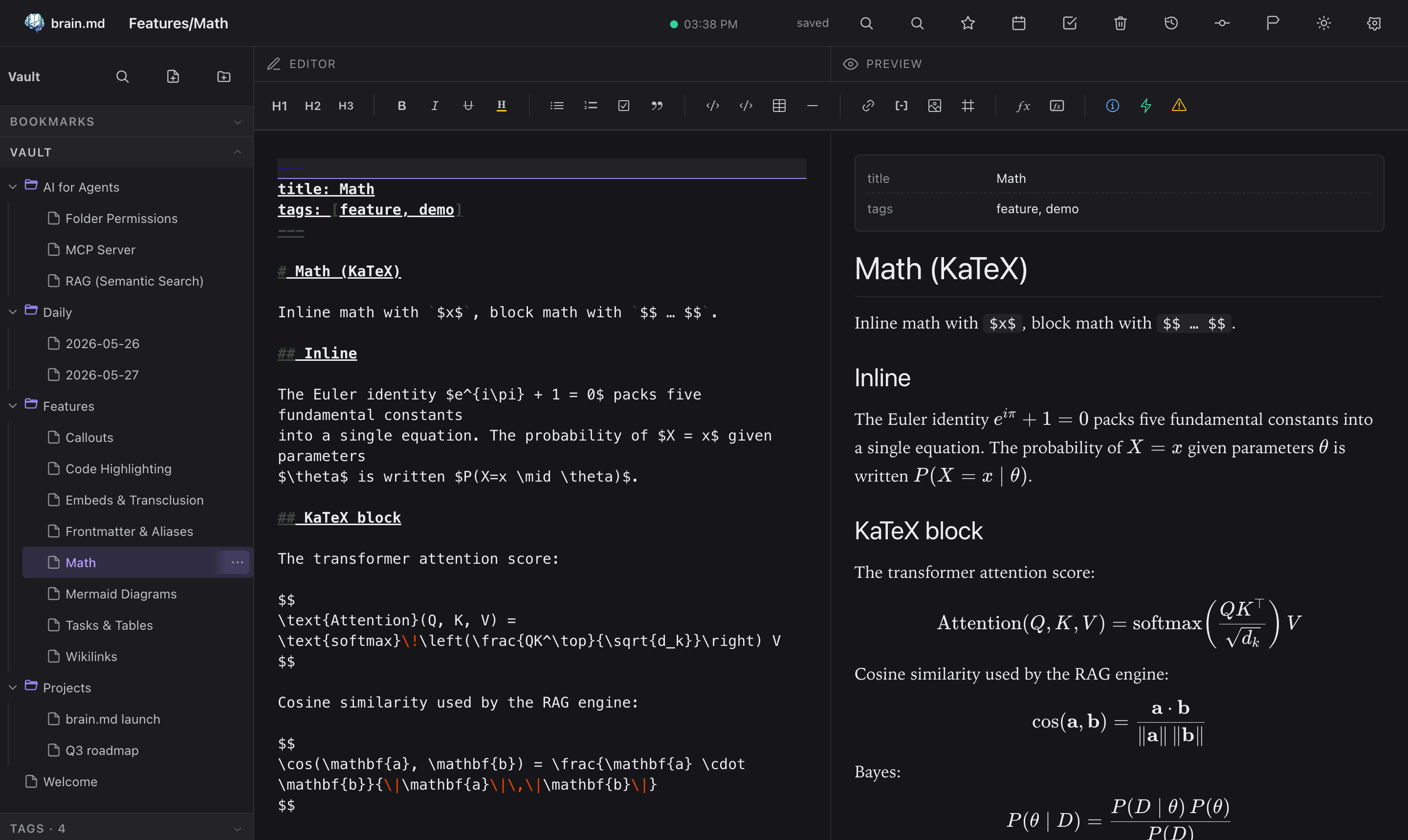
Math (KaTeX)
Mermaid diagrams
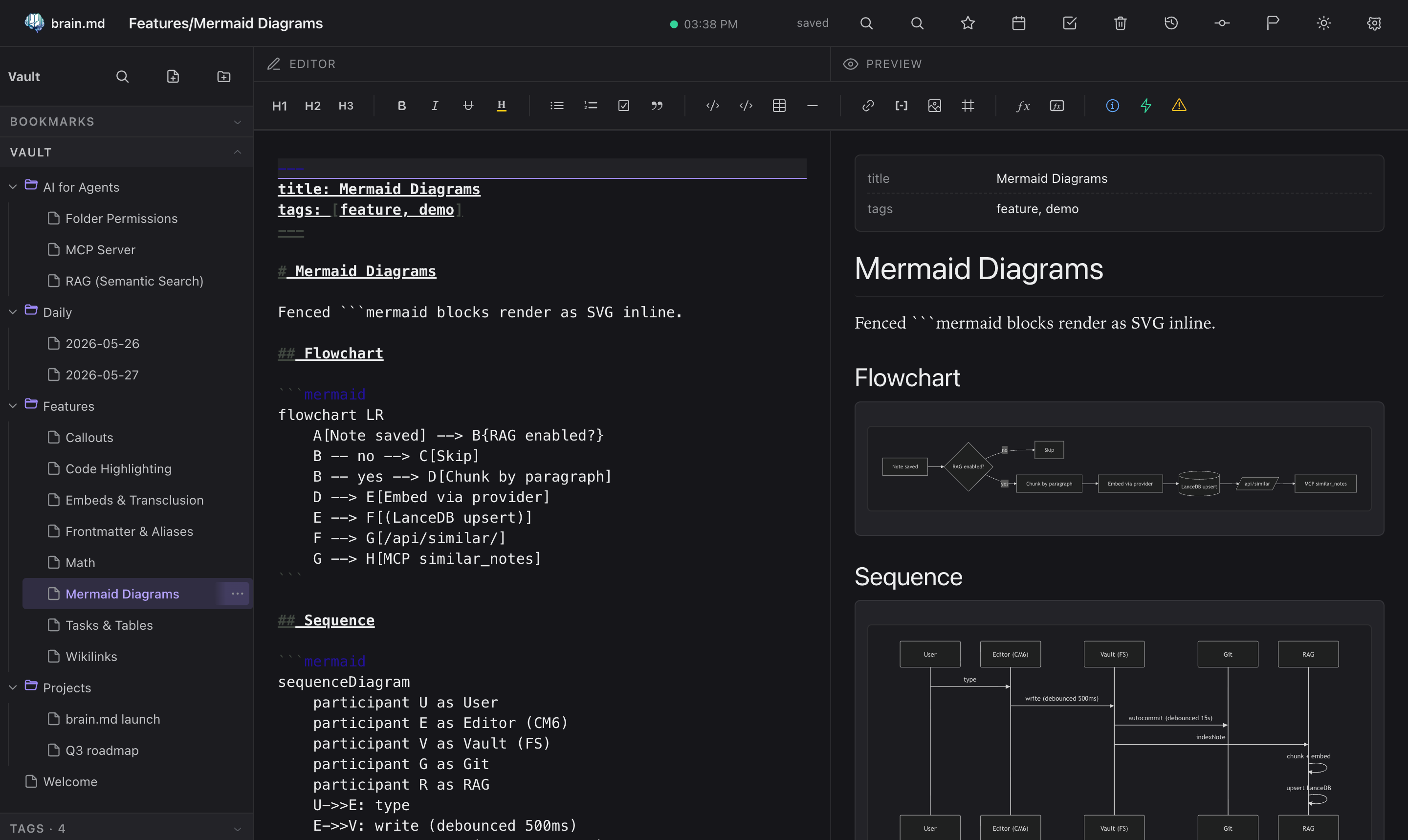
Syntax-highlighted code

Command palette + quick switcher
- ⌘P / Ctrl+P — search across titles and bodies
- ⌘O / Ctrl+O — fuzzy quick switcher
Both are powered by cmdk inside a Radix Dialog.

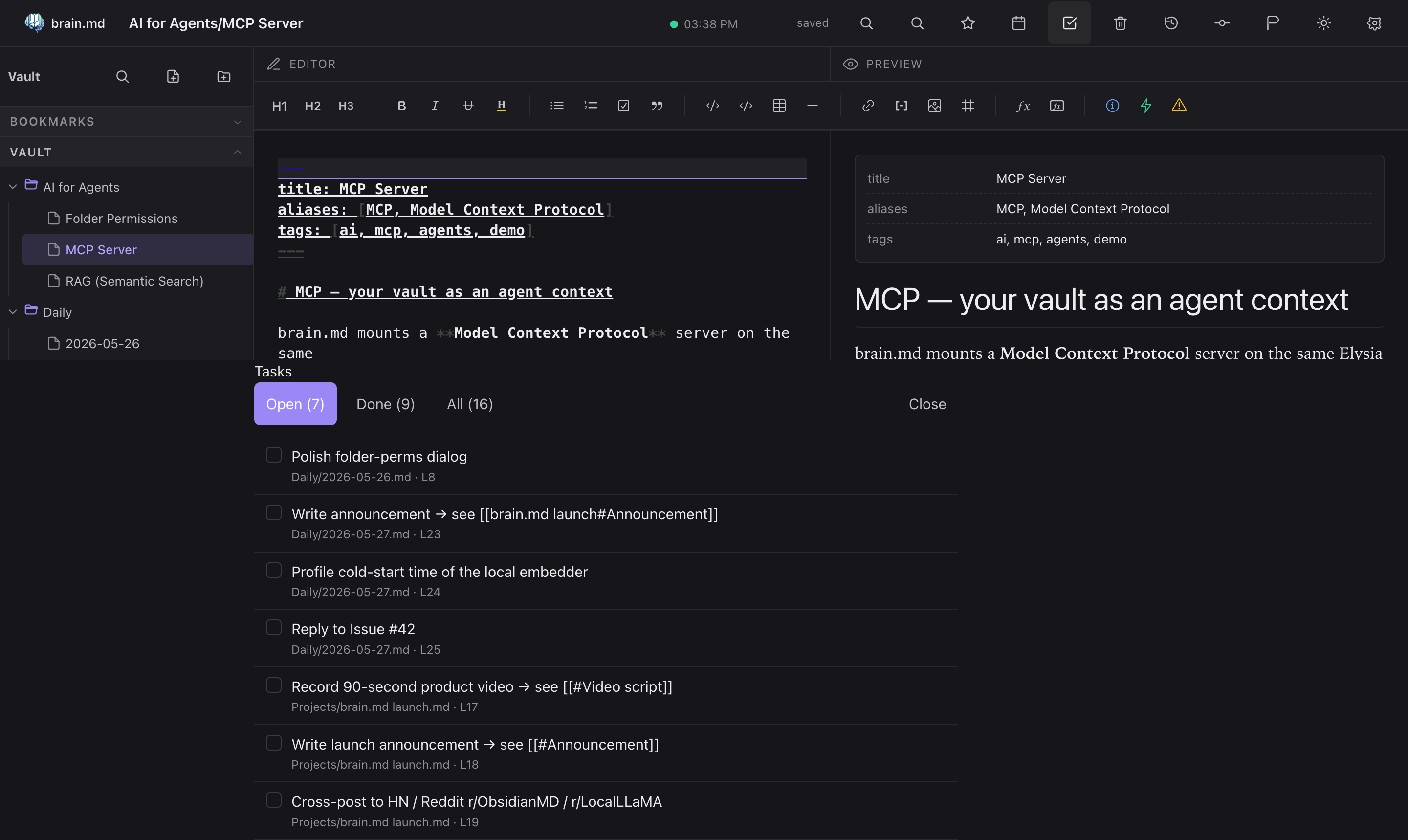
Tasks across the vault
Every - [ ] and - [x] in your notes is collected into a single
view, with filters for open / done / all and a click-through to the
source line.
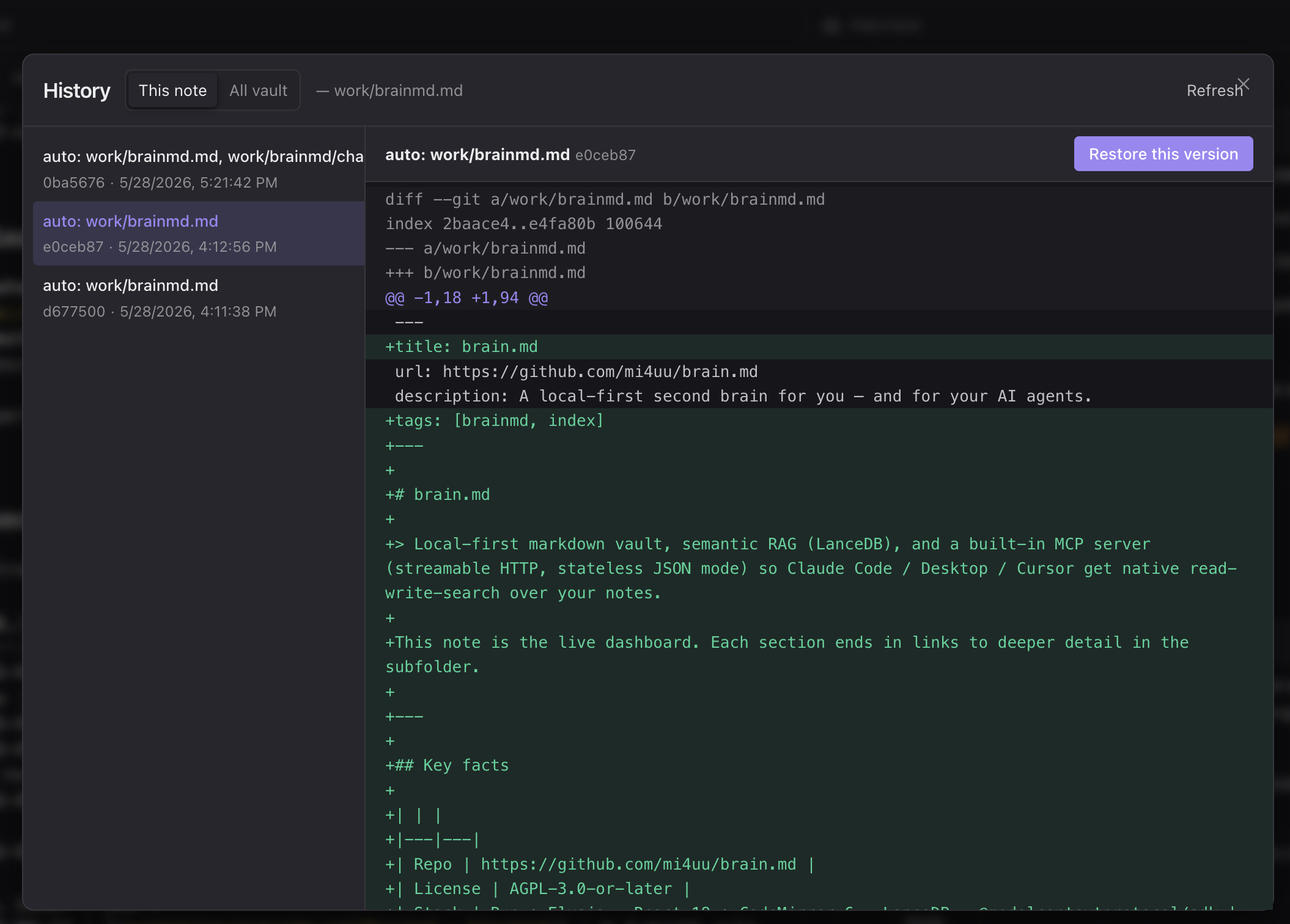
📜 Auto versioning & history
Every save is auto-committed to git in the background (debounced,
~15 s). Open any note's History panel to see every prior
revision, side-by-side unified diffs, and a one-click Restore
this version. Filter by the current note or by the whole vault.
No "save as", no daily snapshots cron — the vault is a real git
repo on disk, so git log, git blame, git diff all work from
the terminal too.
📱 Mobile
brain.md is not a desktop-only tool. The same vault, the same
self-hosted instance, the same editor — usable from your phone over
LAN, Tailscale, or a Cloudflare Tunnel (Zero Trust, no public
port, no DDNS). The server itself is tiny — a single Bun binary
that runs comfortably on the free tier of Oracle Cloud or
AWS (ARM micro instances, ≤1 vCPU / ≤1 GB RAM). Drop the binary
on a $0/month VPS, route a hostname to it through Cloudflare, and
you have a private second brain reachable from any device, anywhere.
The mobile layout adapts: editor and preview swap in place via a
bottom tab, the topbar scrolls horizontally with a sticky brand +
hamburger, the sidebar slides in as a drawer.


Real phone, not a Chrome DevTools emulator. Captures notes on the
move; the same RAG, tags, backlinks, and tasks you have on desktop.
🤖 AI for agents
This is what makes brain.md more than another markdown editor.
🔍 Semantic search (RAG)
When a note is saved, brain.md chunks it (≤ 512 tokens, ~64-token
overlap, paragraph-aligned, frontmatter excluded), embeds each chunk,
and upserts the vectors into a per-vault embedded store at<VAULT>/.brain/vectors.json (pure JS, brute-force cosine — well
under 10ms for typical vaults).
| Provider | Model | dim | Local? | API key |
|---|---|---|---|---|
| Local (default) | bge-small-en-v1.5 (WASM) |
384 | ✓ | — |
| Ollama | e.g. nomic-embed-text |
768 | ✓ | — |
| LM Studio | any served GGUF embedder | varies | ✓ | — |
| OpenAI | text-embedding-3-small |
1536 | — | ✓ |
Out of the box, in the prebuilt binary. The local embedder ships
as bundled WASM ONNX with a hand-rolled BERT tokenizer — noonnxruntime-node, nosharp, no platform-specific.node
bindings. Toggle Enable RAG in Settings → AI / RAG, brain.md
fetches the ~34 MB quantized model once and works fully offline
after that, on macOS / Linux / Windows alike. Want to keep your
existing Ollama or hosted endpoint? Switch to OpenAI-compatible
in the same panel.
REST surface:
| Method | Path | What |
|---|---|---|
| GET | /api/similar?q=…&k=… |
Top-k semantic hits with snippet + line range |
| GET | /api/related/*path?k=… |
Notes semantically close to a given path |
| POST | /api/context |
Pack top chunks into a token-budgeted markdown block |
| GET | /api/orphans?limit=… |
Notes with no backlinks AND low semantic neighbours |
| GET | /api/digest?since=7d |
Topic clusters across recently modified notes |
| GET | /api/rag/status |
Provider, model, dim, chunks, needsReindex |
| POST | /api/rag/reindex |
Walks the vault and rebuilds the index |
| POST | /api/rag/test |
Dry-run an embedder config without saving |
Related notes, in the sidebar
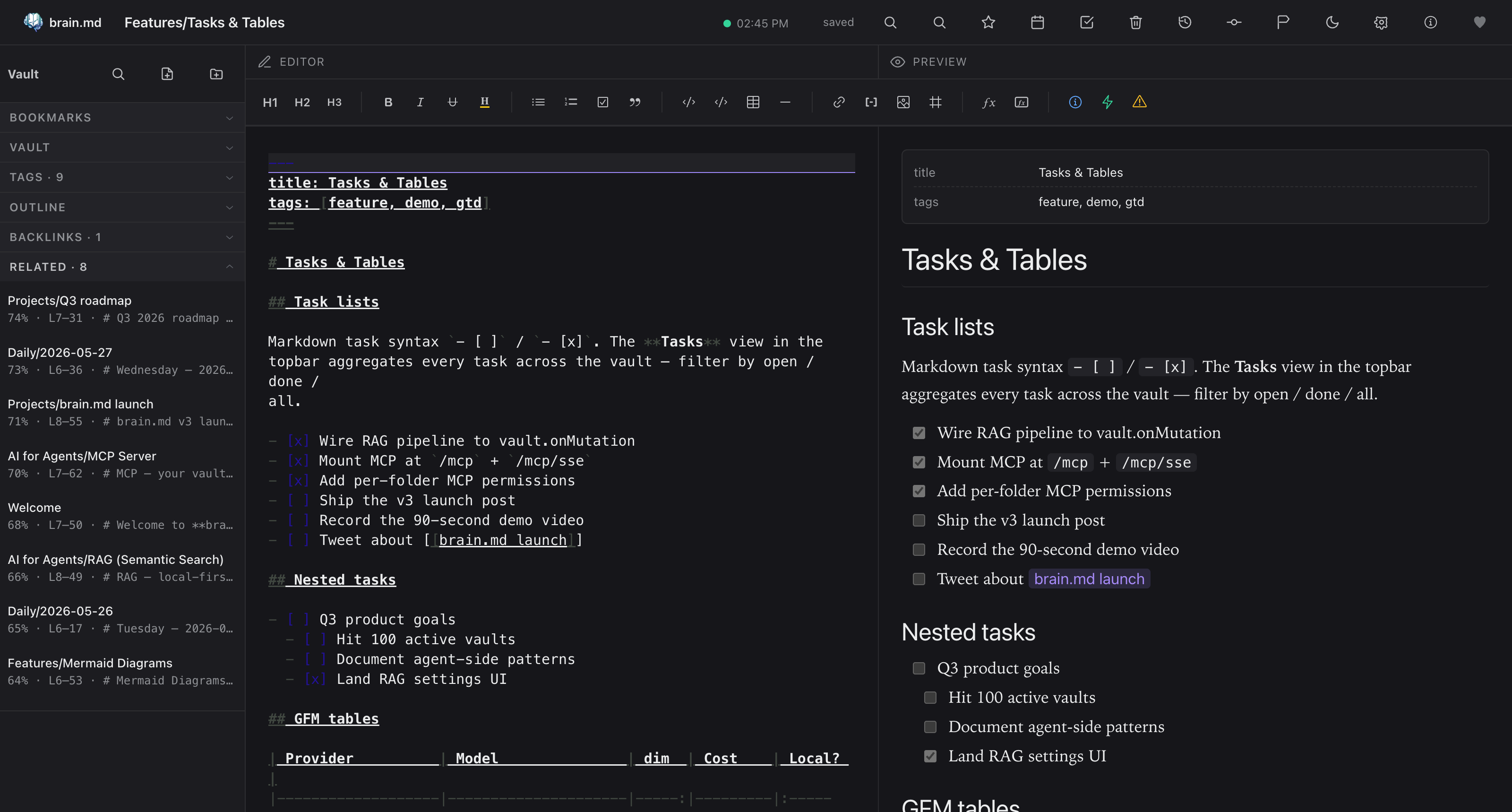
The same engine the agents use also powers a Related panel in the
sidebar. Open any note → the panel lists semantically close neighbours
with score, line range and a snippet preview. Click jumps you there.
Tag suggestions on save
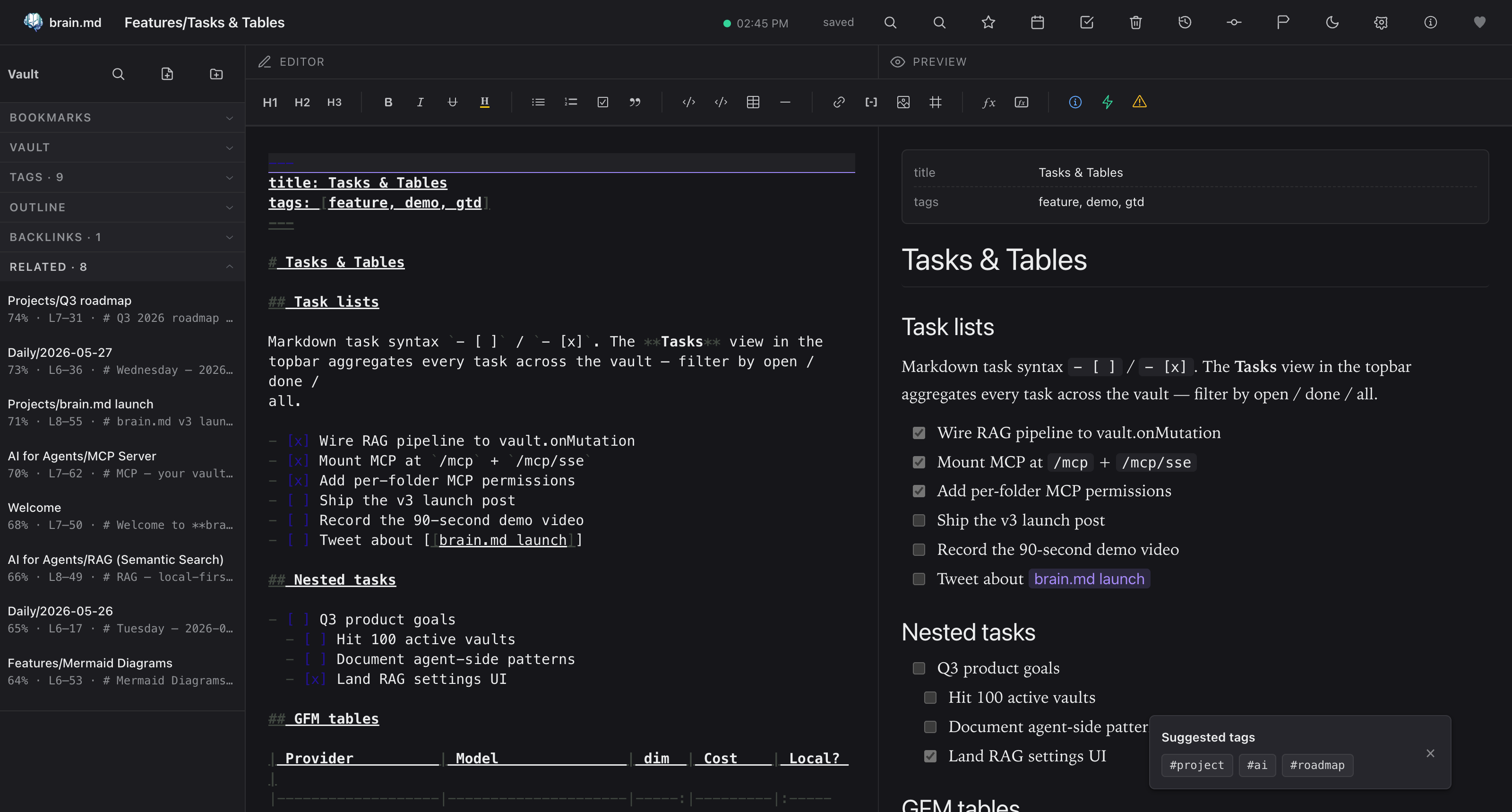
After every save, brain.md quietly looks at the closest neighbours'
frontmatter tags and suggests up to three you haven't used yet.
One click drops the tag into your frontmatter.
🛰️ MCP server
brain.md mounts a Model Context Protocol server on the same Elysia
app at POST /mcp. Transport is the 2024-11-05 streamable HTTP
variant in stateless JSON-response mode — one POST returns the
full JSON-RPC response in a single round trip, no SSE stream, a freshMcpServer + transport per request. Sounds wasteful, but it's the
only mode that survives clients that open and close a transport per
tool call (Claude Desktop and LM Studio both do this).
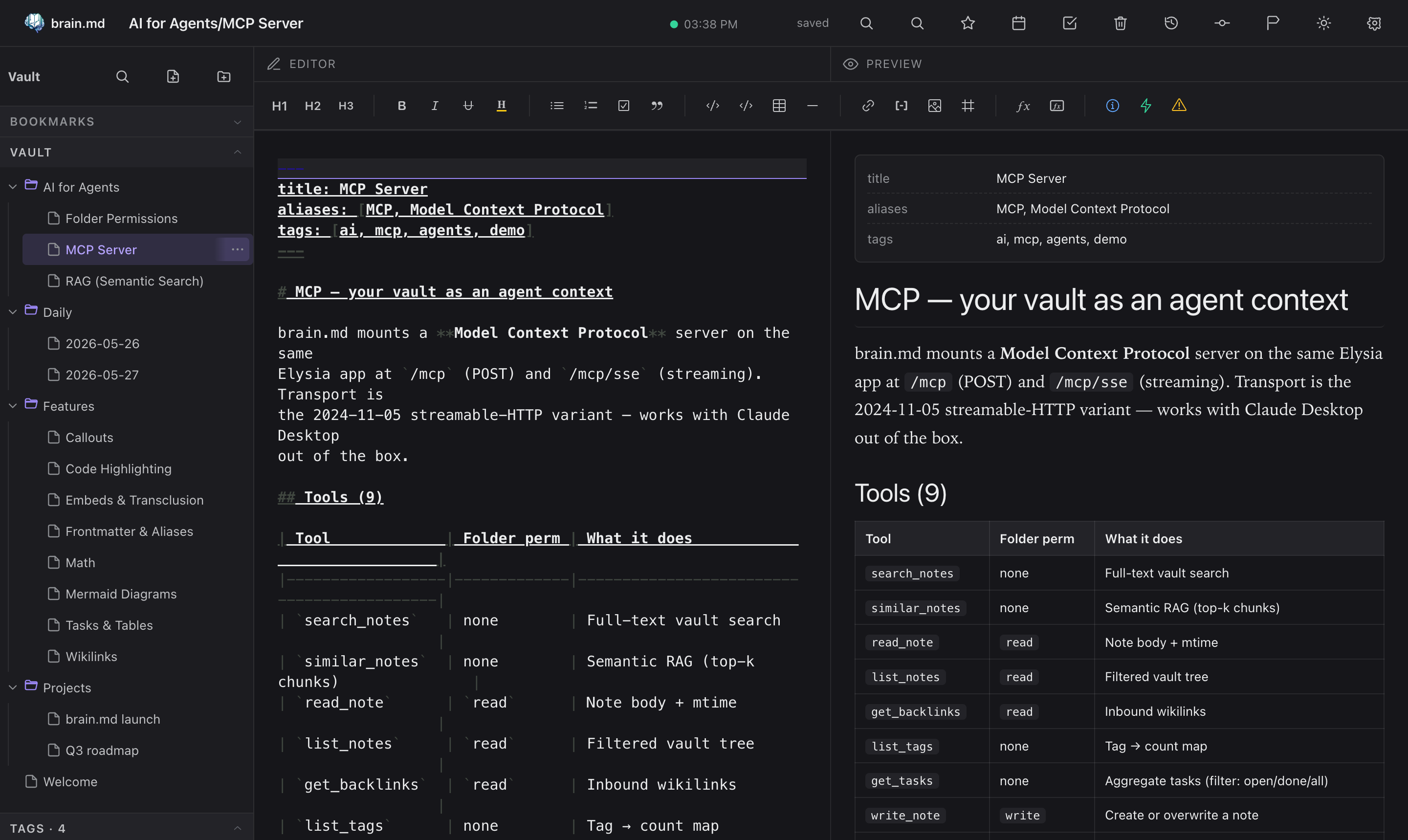
Tools (16):
| Tool | Folder perm | What it does |
|---|---|---|
search_notes |
none | Full-text vault search |
similar_notes |
none | Semantic RAG (top-k chunks) |
read_note |
read |
Note body + mtime |
list_notes |
read |
Filtered vault tree |
get_backlinks |
read |
Inbound wikilinks |
list_tags |
none | Tag → count map |
get_tasks |
none | Aggregate tasks (filter: open/done/all) |
write_note |
write |
Create or overwrite a note |
append_note |
write |
Append a paragraph (blank-line separator) |
find_related |
read |
Notes semantically close to a given path (excludes self) |
find_similar_tasks |
read |
Semantic search across task lines (filter: open/done/all) |
semantic_outline |
read |
Cluster a note's chunks into topical groups (cosine ≥ threshold) |
context_for_query |
read |
Pack top-relevant chunks into a markdown context block (token cap) |
find_orphans |
read |
Notes with 0 backlinks AND low semantic neighbour density |
weekly_digest |
read |
Topic clusters across notes modified in a recent window (e.g. 7d) |
compare_notes |
read |
Cosine sim + unified diff + shared headings between two notes |
Resources (2):
vault://tree— JSON{folders, notes}filtered by read permsvault://note/<path>— markdown body
Drop this into the MCP config of any client that speaks streamable
HTTP natively — Claude Code, Cursor, Continue, Cline, Zed, the
official @modelcontextprotocol/inspector, etc.:
{
  "mcpServers": {
    "brain.md": {
      "type": "streamable-http",
      "url": "http://localhost:3000/mcp"
    }
  }
}
Restart the client; the tools appear.
Claude Desktop — stdio bridge required
The Claude Desktop app (macOS / Windows) only speaks stdio —
streamable HTTP and SSE are not supported as of writing. Bridge it
through mcp-remote, which
runs as a stdio child of Claude Desktop and forwards every JSON-RPC
call over HTTP to your brain.md server:
{
  "mcpServers": {
    "brain.md": {
      "command": "npx",
      "args": [
        "mcp-remote",
        "http://localhost:3000/mcp"
      ]
    }
  }
}
Drop that into ~/Library/Application Support/Claude/claude_desktop_config.json
(macOS) or the equivalent on your OS, then restart Claude Desktop.
Note:
mcp-remoteupstream warns that Cursor and Claude Desktop
(Windows) have a bug where spaces insideargsaren't escaped. Keep
URL and header values quote-clean, no embedded spaces.
Full reference: docs/mcp.md.
🔒 Per-folder permissions
Right-click any folder → MCP permissions… to set explicit{read, write} flags. Resolution walks the parent chain to root;
nearest explicit override wins; default is read + write.
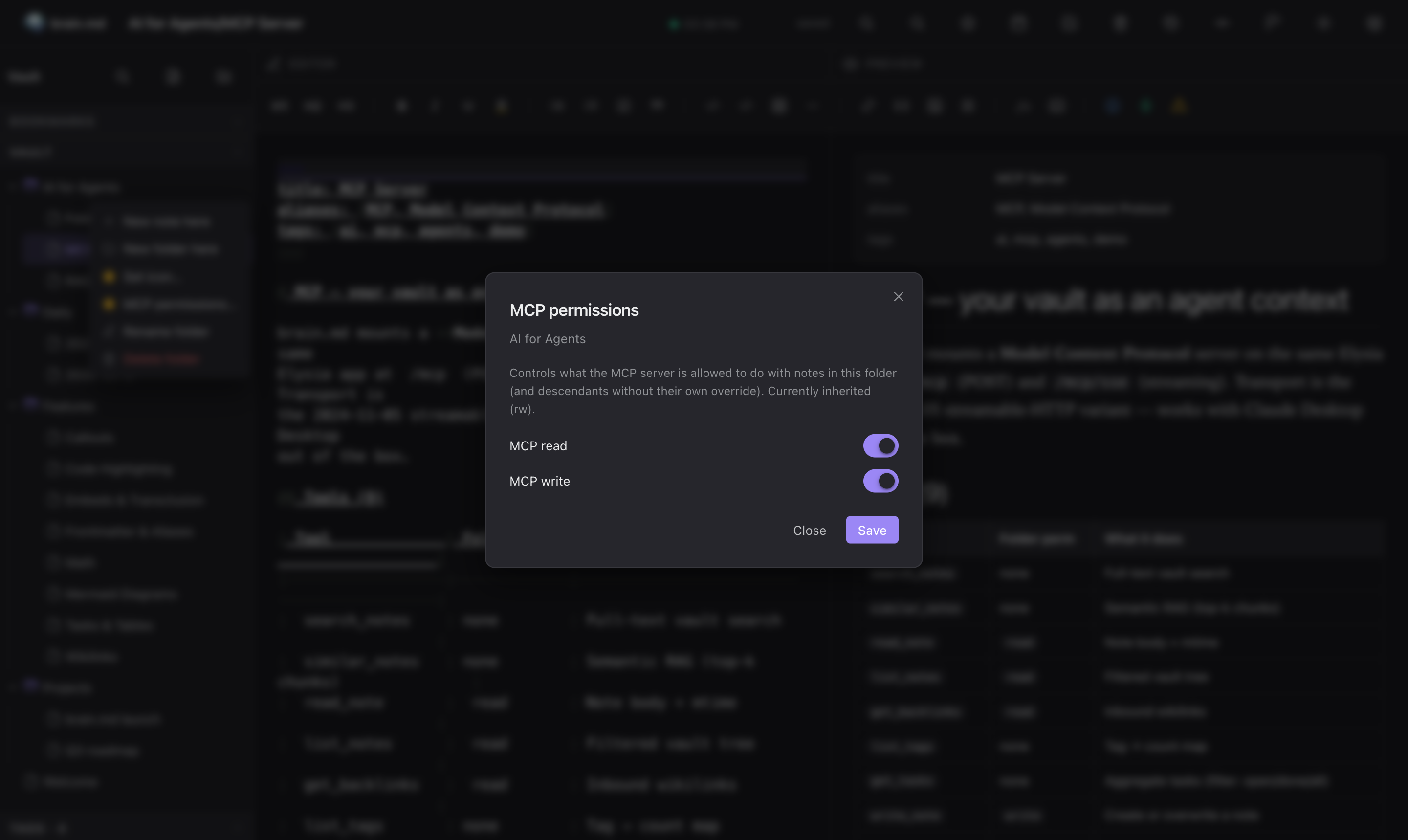
This is how you keep Journal/Private/ out of agent reach without
locking down the whole vault.
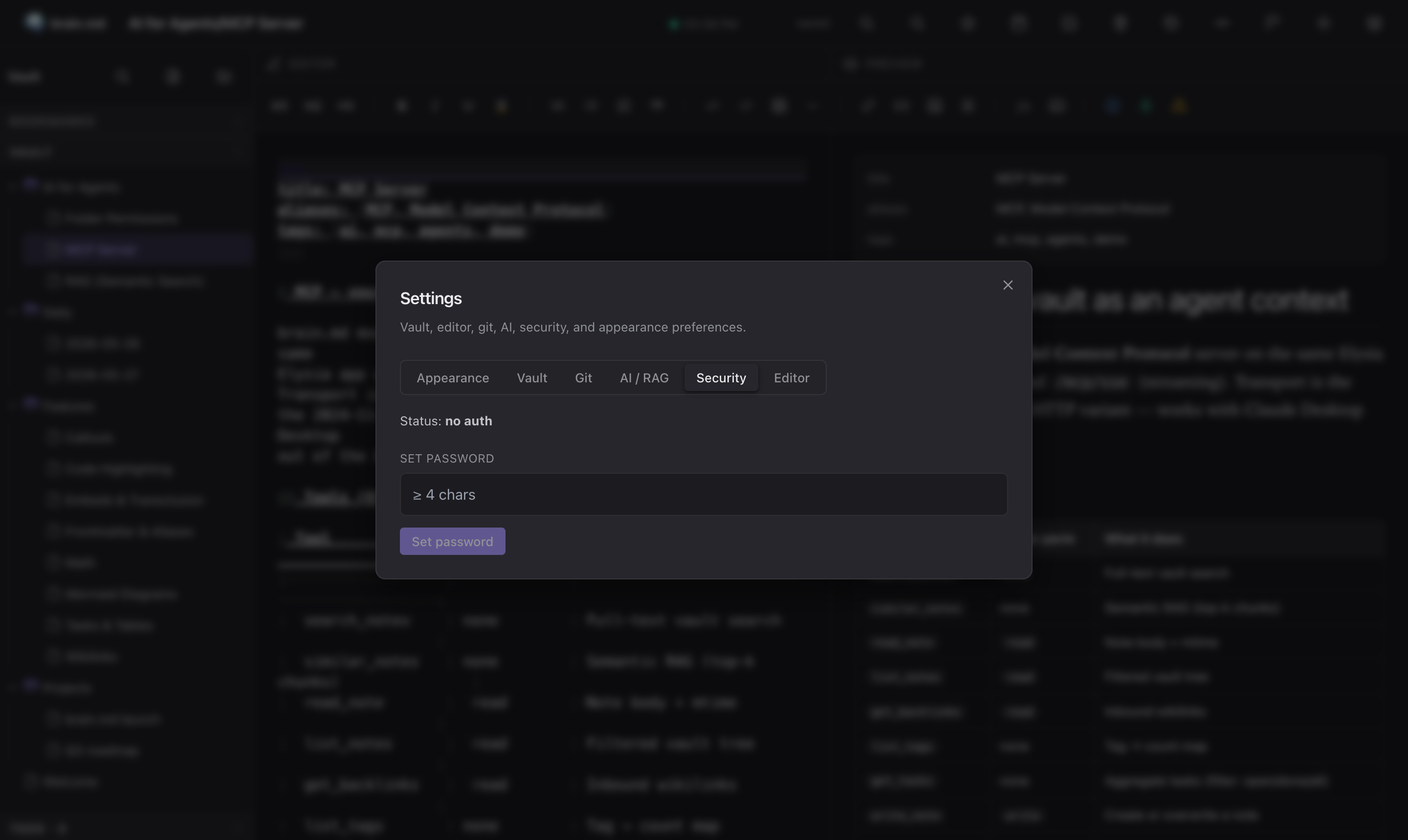
🔑 Optional password auth
Default: no auth. Set a password in Settings → Security to switch
on bearer-token authentication for both the HTTP API and the MCP
endpoints. Password is hashed with argon2id (Bun's built-inBun.password, no native crypto build needed); tokens live in memory
with a 24-hour TTL.
MCP config when auth is enabled
The plain-text MCP example earlier in the README assumes no auth.
When you turn auth on, every request to /mcp needs anAuthorization: Bearer <token> header. Most MCP clients have a
field for it:
Claude Code / Cursor / Continue / any streamable-HTTP client:
{
  "mcpServers": {
    "brain.md": {
      "type": "streamable-http",
      "url": "https://brainmd.example.com/mcp",
      "headers": {
        "Authorization": "Bearer YOUR_TOKEN_HERE"
      }
    }
  }
}
Claude Desktop (stdio-only — needs mcp-remote bridge):
{
  "mcpServers": {
    "brain.md": {
      "command": "npx",
      "args": [
        "mcp-remote",
        "https://brainmd.example.com/mcp",
        "--header",
        "Authorization: Bearer YOUR_TOKEN_HERE"
      ]
    }
  }
}
How to get a token. brain.md issues tokens throughPOST /api/auth/login. You can do it from anywhere — most useful
is a quick curl:
curl -X POST https://brainmd.example.com/api/auth/login \
  -H 'content-type: application/json' \
  -d '{"password":"YOUR_PASSWORD"}' | jq -r .token
Paste the returned token into the headers.Authorization field
above, restart the MCP client, done.
Heads-up. Tokens have a 24-hour TTL and are stored in memory only
— a server restart invalidates every token. If your agent suddenly
starts seeing401 Unauthorized, get a fresh token. Long-term: pin
the token on the client and let your agent re-login on 401 (most
MCP clients don't do this yet — patches welcome).
If you're embedding the URL itself anywhere persistent, prefer a
secret-manager / .env over hard-coding the bearer string.
⌨️ CLI
brainmd [options]            # or: bun run start
brainmd --help               # -h
brainmd --version
brainmd --vault-dir <path>   # -v <path>
brainmd --port <n>           # -p <n>
brainmd --mcp-disabled       # skip mounting MCP at /mcp/*
Precedence: CLI flag > env var > XDG default. Unknown flag →
stderr error + exit 2.
🗂️ Defaults & paths
| Purpose | Env var | Default |
|---|---|---|
| Vault | XDG_DATA_HOME |
$HOME/.local/share/brain.md/vault |
| Settings | XDG_CONFIG_HOME |
$HOME/.config/brain.md/ |
Same logic on macOS, Linux, Windows — no OS branching. The vault dir
is mkdir -p-ed on first run.
Per-vault state lives under <VAULT>/.brain/:
<VAULT>/
├── Welcome.md
├── Folder/
│   ├── Note.md
│   └── .media/
│       └── img.png
└── .brain/
    ├── index.json          # mtime-based search index
    ├── settings.json       # bookmarks, dailyDir, git autocommit, rag config
    ├── folder-meta.json    # icons, colors, per-folder MCP perms
    ├── auth.json           # argon2id hash — absent when auth is off
    ├── vectors.json        # embedded RAG store (vectors + metadata), git-ignored
    └── trash/<ts>/...      # recoverable deletes
Every env knob:
| Var | Default | Notes |
|---|---|---|
VAULT_DIR |
XDG | Overridden by --vault-dir. |
PORT |
3000 |
Overridden by --port. |
XDG_DATA_HOME |
— | Base for default vault location. |
XDG_CONFIG_HOME |
— | Base for default settings location. |
GIT_AUTOCOMMIT |
1 |
1 / 0. Bootstrap default only. |
GIT_AUTOCOMMIT_DEBOUNCE_MS |
15000 |
Bootstrap default only. |
🏗️ Architecture
+----------------+        /api/*        +-------------------+
|  React + CM6   | <------------------> |                   |
|  web client    |                      |                   |
+----------------+                      |   Elysia (Bun)    |  +-------------+
                                        |                   |  | Vault FS    |
+----------------+   /mcp HTTP+SSE      |   - Vault         |  | .brain/     |
| Claude Desktop | <------------------> |   - VaultIndex    |--|   index     |
| (or any MCP    |                      |   - GitRepo       |  |   trash     |
|  client)       |                      |   - SettingsStore |  |   vectors   |
+----------------+                      |   - AuthStore     |  |   auth.json |
                                        |   - MCP server    |  +-------------+
                                        |   - RAG pipeline  |
                                        +-------------------+
                                                  |
                                                  v
                                        +---------------------+
                                        | Embedded RAG store  |
                                        | (pure-JS, JSON)     |
                                        | WASM ONNX / OAI emb.|
                                        +---------------------+
- Runtime: Bun
- Backend: Elysia + native FS + GitRepo (libgit-free shell wrapper
with an async write mutex) - Frontend: React 18 + CodeMirror 6 + unified/remark/rehype +
highlight.js + KaTeX + mermaid (lazy) + Radix UI primitives +
Tailwind tokens (CSS vars under the hood) - Vector store: embedded pure-JS store (JSON-on-disk, brute-force
cosine) — no native binding, ships in the single binary - Embedder: bundled
onnxruntime-web(WASM) + hand-rolled BERT
WordPiece tokenizer — noonnxruntime-node, nosharp, no Python - MCP transport:
@modelcontextprotocol/sdkWebStandardStreamableHTTPServerTransport - Auth:
Bun.password(argon2id, no native build)
Per-component documentation lives next to the code; see docs/
for the MCP reference.
🛣️ Roadmap
- Daily-note templates with variable interpolation
- Snippet expansion in the editor (
/trigger) - Hybrid search (BM25 + dense), fused via RRF
- Multi-vault support behind a single server
- Encrypted vaults (age key per vault)
- Docker image (multi-arch, < 200 MB compressed)
- Notarised macOS
.appwrapping the binary - Hosted read-only demo
Want to nudge one of these up the list? Open an issue or PR.
💖 Sponsor
brain.md is a solo open-source effort. If it's useful to you and you
can chip in, sponsorship pays for the time that goes into new features,
docs and review.

The
Sponsor ❤button at the top of this repo and the small heart
in the brain.md topbar (next to About) both lead here.
🤝 Contributing
Contributions welcome.
- Open an issue first for anything non-trivial — a quick design
sketch saves a long PR rewrite. - Write the test before the implementation. Server tests run with
bun test; the suite is currently 187 green. - Open a PR. CI runs typecheck (server + web) +
bun test.
⭐ Star history
Found brain.md useful? A ⭐ helps other people running local-first
agent workflows discover it. No newsletter, no tracking, no
follow-up email — just a signal that this exists.
📄 License
GNU Affero General Public License v3.0 or later — see
LICENSE.
brain.md is, and will stay, free / libre / open-source. The AGPL was
picked over weaker permissive licenses for two specific reasons:
- It closes the SaaS loophole. If you modify brain.md and run
it as a network service for others — hosted, multi-tenant,
rebranded, whatever — you must publish your modified source under
the same AGPL. Strong copyleft for a server-side tool means the
community always gets the improvements back. - It can't be relicensed under a permissive license downstream.
Forks stay open forever. Nobody can scoop the project, slap a new
logo on it, and ship a proprietary "Pro" cut.
You're free to:
- run brain.md, personally or commercially, without limits;
- fork, modify, redistribute, even rebrand — provided your fork stays
under the AGPL and you publish the source you're running.
You're not free to:
- ship a closed-source product based on brain.md;
- host a modified brain.md as a public service without publishing
your modifications under the AGPL.
Trademarks
The name brain.md and the brain.md logo are not covered by the
AGPL. If you fork the project, you're welcome to do almost anything
with the code — but please use your own name and your own mark for
your fork so users aren't confused about which project they're
running.
brain.md — your notes, your machine, your agents.
Built by Michał Lipiński
· github.com/mi4uu/brain.md
· report a bug
Yorumlar (0)
Yorum birakmak icin giris yap.
Yorum birakSonuc bulunamadi