visionaire-engine
Health Uyari
- License — License: Apache-2.0
- Description — Repository has a description
- Active repo — Last push 0 days ago
- Low visibility — Only 5 GitHub stars
Code Uyari
- network request — Outbound network request in extension/src/background.js
Permissions Gecti
- Permissions — No dangerous permissions requested
Bu listing icin henuz AI raporu yok.
Eyes for AI coding agents: deterministic MCP server that tells the LLM which CSS rule wins, in which file, on which line — and why. Cascade verdicts, blast radius, interaction timelines, pixel-perfect audits.
Visionaire Engine
Which rule, which file, which line — and why it wins.




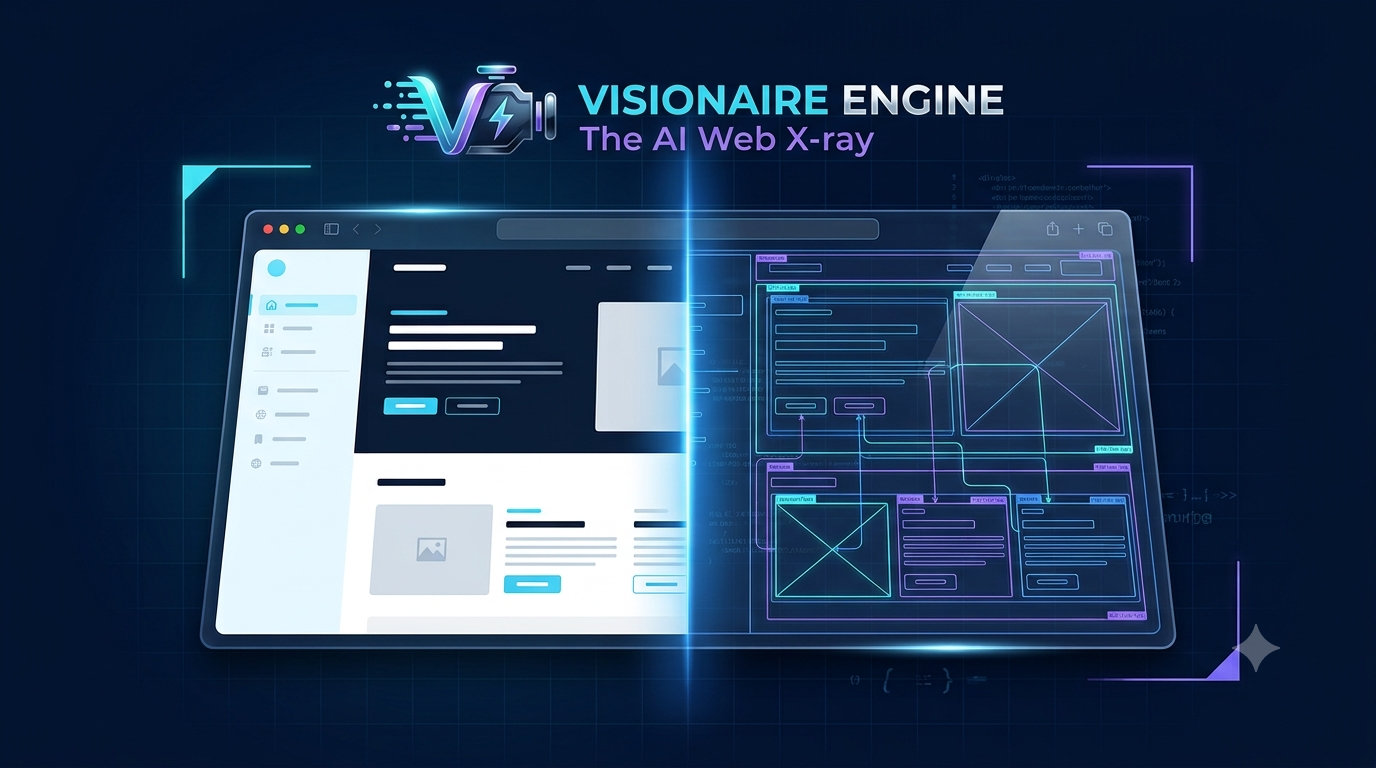
The problem: Something looks off. You screenshot it, explain it, the LLM guesses wrong, you re-explain.
The solution: Visionaire reads the live page and hands the LLM the exact rule, file, and line. Right fix, first try.
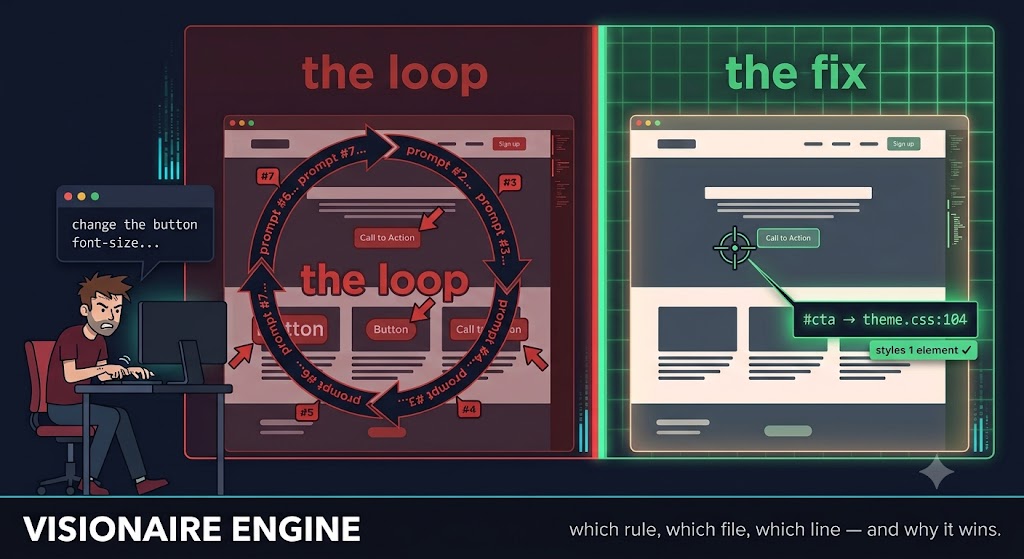
You shouldn't have to write a paragraph to explain a 2px margin bug — and now you don't. Less explaining, more fixing: built for developers, vibe coders, and anyone shipping site design changes with an LLM in the loop.
Status: v1.1 — one solve gateway over 25 engine tools, a Chrome + Firefox extension for inspecting your own browser, 526 tests (unit + end-to-end on real Chrome and Firefox), a 24-case seeded-bug benchmark (npm run bench).
- v1.1 — your own browser: the Visionaire Bridge extension for Chrome-family browsers (full engine via
chrome.debugger) and Firefox (lite engine via content scripts), paired once with a click;connect { mode: "extension" };solverebuilt — explicitscenario, experttool+argsmode, verdict-first answers with oneNEXTstep, asks with a uid outline instead of guessing - v1.0 — single gateway:
solvereplaces the 28-tool surface for agents - v0.7 — the verification layer:
assert_visual(a 17-type assertion grammar — PASS/FAIL verdicts with measured pixels, offending uids, and re-runnable named suites),visual_diff(pixel diff vs a mockup or recorded baseline, divergent regions mapped to element uids),impact_preview(blast radius + sandboxed dry-run before editing a shared selector),diagnose(ranked "why is this broken" culprits with measured evidence),responsive_sweep(one call → per-viewport verdict matrix),capture_proof(before/after evidence bundles with a verdict delta); the verify-after-edit harness for Claude Code and Cursor (npx visionaire-engine init-harness);style_diff { capture_pixels }baselines;check_alignmentdeprecated in favor ofassert_visual - v0.6 — the pixel-perfect pack:
check_alignment(group alignment / gap-rhythm / grid / pixel-snap audit) andpick_color(actual painted-pixel sampling + WCAG contrast verdicts) - v0.5:
inject_css— the live fix loop (trial a fix on the page, see what changed, converge, write source once);navigate { bypassCache }for stale-stylesheet hard reloads; blast-radius + scoped-fix reporting onexplain_styles(change the button, not all buttons) - v0.4 (field-report items):
interactto drive the UI into a state and inspect it;measure_elementfor sub-pixel glyph/text-ink centering; anevaluateescape hatch; element-scoped crops/zoom onannotated_screenshot;match:"any"/visibleOnly:falseonfind_elements; zero-config cold-start Chrome discovery - v0.3: the time dimension — event-listener attribution, animation diagnosis, source-attributed interaction timelines
- Hardened for untrusted pages: prompt-injection sanitization, fail-fast watchdog, dialog auto-dismiss
The problem, in the wild
AI coding agents are structurally blind to what they render. They emit CSS as text and never see the pixels that come back — so they guess, insist the guess worked, and loop. The community has a name for it now: "CSS gaslighting." Visionaire gives the agent deterministic eyes on the real render — measured geometry, the actual cascade winner, PASS/FAIL verdicts — so the loop ends. If you want the problem in other people's words first, start here:
Why AI Sucks At Front End — Adam Argyle on why models can't reason about layout they can't perceive.
"It's an LLM, not a rendering engine! It's notoriously bad at math, and throwing screenshots at it means very little. It's stabbing in the dark."
Is AI Causing a Repeat of Frontend's Lost Decade? — Mauro Bieg on the wider cost of AI-generated frontend.
"AI is enabling lots of AI slop — but this doesn't mean we don't still need people who know what they're doing."
The gap
Ask an LLM to fix a visual bug today and it gets one of two incomplete pictures: pixels, with no link back to code, or code, with no rendering truth about what's actually winning on screen. Existing browser MCPs make this worse for design work specifically — they ship accessibility snapshots that deliberately strip out all styling. What's missing is explanation and attribution:
- Which CSS rule wins the cascade for this property, and why did the others lose?
- Which file, which line does the winner live in — or which Elementor widget control, or which Customizer entry?
- Why is this element invisible, misaligned, or the wrong size?
Visionaire answers those questions with zero AI inside — everything is computed deterministically from the Chrome DevTools Protocol plus closed rulesets. The fuzzy part (matching "the button under the hero looks off" to an actual element) stays with the calling LLM, which gets uid-keyed snapshots, search tools, and annotated screenshots to do that cheaply.
What the output looks like
Live against wordpress.org:
why color = rgb(255, 255, 255):
  WINNER  [class*=wp-block] .wp-block-button__link { color: var(--wp--custom--button--color--text) }  spec(0,2,0)
    → themes/wporg-parent-2021/build/style.css:499  [line | theme: wporg-parent-2021 — edit themes/wporg-parent-2021/build/style.css]
  lost (specificity)  :root :where(.wp-element-button, .wp-block-button__link) { color: #fff }  spec(0,1,0)
    → global-styles-inline-css:2  [db-entity | Global Styles — Site Editor → Styles (theme.json / wp_global_styles)]
  lost (origin)  a:-webkit-any-link { color: -webkit-link }  spec(0,1,1)
    → user-agent stylesheet
Winner, losers with the decisive loss reason, and an honest edit pointer for each — including WordPress-aware answers like "Site Editor → Styles" instead of a useless path to a generated file.
Quick start
Requires Node ≥ 20 and Chrome/Chromium installed.
Fastest path — register straight from npm with Claude Code (no clone, no build):
claude mcp add visionaire -- npx -y visionaire-engine
Or run from a clone (for development or a pinned local build):
git clone https://github.com/mi60dev/visionaire-engine && cd visionaire-engine
npm install && npm run build
claude mcp add visionaire -- node "$PWD/dist/index.js"
Using GitHub Copilot, Cursor, Claude Desktop, Google Antigravity, or another client? See docs/clients.md for a copy-paste config for each, plus browser-install help for Linux/WSL/Docker.
Run it from your project's root directory — Visionaire is at its best when the agent has both the running site and its source on disk, so it can cross-reference the two.
Then, in a session, the agent needs two tools:
connect { url: "https://your-site.com" }— launches Chrome. Or{ mode: "extension", url }to use your own browser via the extension (below).solve { intent: "why is the hero CTA blue instead of white", context: { element: ".hero .btn" } }— routes to a diagnostic plan, runs it, and answers verdict-first: the winning rule with file:line, why each rival lost, visibility/overlap causes, and oneNEXT:step.elementcan be a uid, a selector, or visible text ("Subscribe button"). If it can't tell which element you mean, it returns a uid outline to pick from.
Every engine tool below is reachable through solve in expert mode: solve { intent, tool: "inject_css", args: { uid: "e17", declarations: { color: "#fff" } } }. Force a plan with scenario (e.g. "overlap-z-index"). Full guide: SOLVE_GUIDE.md.
Use your own browser (Chrome & Firefox extension)
The Visionaire Bridge extension lets the MCP inspect pages in the browser you already use — logged-in dashboards, staging behind SSO, your real profile — with no --remote-debugging-port and no separate Chrome.
npm run build:extension # → extension/dist/chrome and extension/dist/firefox
- Chrome / Edge / Brave:
chrome://extensions→ Developer mode → Load unpacked →extension/dist/chrome - Firefox:
about:debugging#/runtime/this-firefox→ Load Temporary Add-on →extension/dist/firefox/manifest.json
The first connect { mode: "extension" } returns a one-time pairing code; paste it into the Visionaire popup (once). Then connect { mode: "extension", url } opens the page in an agent tab (grouped as "Visionaire"), or connect { mode: "extension" } inspects the tab you shared with Share this tab. localhost and *.test are pre-approved; any other site asks you first (Allow once / Always / Deny).
| Chrome-family (chrome.debugger) | Firefox (content scripts) | |
|---|---|---|
| Engine | full — every tool | lite — declared limits |
| Cascade winner + losers + file:line | ✓ (source-mapped) | ✓ (CSSOM + source fetch; no UA rules) |
| Visibility / overlap / clipping / stacking | ✓ | ✓ |
| Animations, snapshots, find, screenshots | ✓ | ✓ |
| Listeners, interactions, viewport emulation, inject_css | ✓ | ✗ (no DevTools Protocol for Firefox extensions) |
Windows + WSL works too (server in WSL, extension in your Windows browser) — see WSL setup.
The agent can only touch tabs it opened or you shared, on sites you approved; the bridge is loopback-only with Host/Origin pinning, a one-time-code pairing and port-bound mutual HMAC; cookie/storage protocol methods are blocked and evaluate is off in your browser. Threat model and details: extension/README.md.
Try it without an MCP client:
npm run demo                                              # bundled fixture
npm run demo -- https://wordpress.org --selector "a.wp-block-button__link"
The engine tools (behind solve)
solve routes plain-language problems to these; call any of them directly with solve { intent, tool, args }.
Session & grounding — get connected and find the right element without guessing.
| Tool | Purpose |
|---|---|
connect / navigate / set_viewport |
Registered MCP tools: launch Chrome, attach, or use your browser via the extension; go to a URL (bypassCache for hard reloads); emulate viewports |
page_snapshot |
Pruned, uid-keyed tree of what's visible — geometry, layout hints, invisibility reasons |
page_origins |
Stylesheet inventory + platform detection (WordPress version, theme, builders, optimizers) |
find_elements |
Deterministic search by text, selector, role, or screen region — AND-combined by default, match:"any" for a union, visibleOnly:false to include hidden elements |
node_at_point |
x,y → element uid + ancestor chain |
pick_element |
Human-in-the-loop grounding: DevTools-style hover highlight, the user clicks the element that looks wrong |
Explanation — the "why," with a receipt.
| Tool | Purpose |
|---|---|
inspect_element |
The "what": box model, computed values, visibility verdict |
explain_styles |
The wedge. Cascade winner/loser per property with file:line + origin attribution, each winner's blast radius (how many other elements it styles), and a scoped-fix selector for just this element |
inspect_ancestors |
Constraint-chain walk: which ancestor constrains width/overflow/stacking |
get_listeners |
Event listeners on an element + its ancestors, with handler file:line and capture/passive/once flags |
explain_animations |
Animations/transitions touching an element: live census, declared rules with file:line, and a closed "why is it not smooth" ruleset |
Pixel-level checks — new in v0.6.
| Tool | Purpose |
|---|---|
measure_element |
Sub-pixel rendered geometry: content box + true text-ink box (glyph extents) with a centering verdict — "is this × actually centered?" |
check_alignment |
(deprecated → assert_visual) Group pixel audit: which of N elements is off-alignment by how many px, gap-rhythm outliers, size consistency, N-px grid conformance, pixel-snap warnings |
pick_color |
The actual painted pixel (composited truth: gradients, images, opacity) + computed colors + WCAG AA/AAA contrast verdict |
Interaction & time — states, not just snapshots.
| Tool | Purpose |
|---|---|
interact |
Drive the UI into a state (open a menu/popup/modal, reveal a tab) and leave it there so you can inspect the new state — reports post-action visibility + box |
record_interaction |
One interaction → a source-attributed causal timeline: handlers, mutations, cancelled transitions, layout shifts |
Fixing & verifying
| Tool | Purpose |
|---|---|
inject_css |
The live fix loop: trial declarations on an element (or a page-wide rule) without touching source — see what changed, converge, write source once, revert |
style_diff |
Record styles, compare later — verify-my-fix loops |
evaluate |
Escape hatch: run agent-authored JavaScript in the page and get the JSON result, for the genuinely bespoke case no other tool covers |
annotated_screenshot |
Screenshot with numbered marks that equal snapshot uids — or an element-scoped crop via clipTo with padding/scale zoom and optional annotate:false |
Verification & proof — new in v0.7.
| Tool | Purpose |
|---|---|
assert_visual |
The verification gate. State rendered-geometry claims (equal heights, alignment, gaps, clipping, colors, z-order — 17 assertion types) → deterministic PASS/FAIL with measured pixels and offending uids; register named suites and re-run them after every edit |
visual_diff |
Pixel-diff the live page (or one element) against a mockup PNG or a recorded baseline — MATCH/DIVERGENT with divergent regions mapped back to element uids, optional heatmap artifact |
impact_preview |
Blast-radius report before editing a shared selector: who else matches, grouped with uids, plus a sandboxed dry-run predicting exactly which elements would change |
diagnose |
One-shot "why does this look broken" — ranked culprits with measured evidence for clipping, overflow, off-center, invisibility, overlap, wrong size |
responsive_sweep |
One verification payload across many viewports → a per-viewport verdict matrix ("fixed on desktop, still broken on mobile" caught in one call) |
capture_proof |
Before/after evidence bundles: annotated screenshots + suite verdicts, with a verdict delta proving the fix flipped FAIL → PASS |
Full reference: docs/tools.md
The verify loop (stop the CSS gaslighting)
An agent edits a stylesheet, reads its own diff, and declares "now the cards are equal height" — without ever seeing a rendered pixel. Visionaire gives your agent deterministic eyes on rendered truth. The loop:
- Preview shared-class blast radius →
impact_preview. - Edit the smallest change.
- Assert your claim →
assert_visual(or re-run a namedsuite_id). You get PASS/FAIL + the actual measured pixels + the offending element uids. - Diagnose any FAIL →
diagnosereturns the ranked culprit with evidence. - Sweep responsive →
responsive_sweepreturns a per-viewport verdict matrix. - Prove it →
capture_proofbundles before/after screenshots + verdict delta.
Real output — the same suite before and after a fix:
{
 "verdict": "FAIL",
 "summary": "1 assertion: 0 PASS, 1 FAIL — registered as suite 'cards' (re-run with just {\"suite_id\":\"cards\"})",
 "results": [
  { "type": "equal_height", "verdict": "FAIL", "id": "cards-equal",
    "measured": { "values": [412, 388], "unit": "px", "delta": 24, "tolerance_px": 1 },
    "offending_uids": ["e1", "e2"] }
 ],
 "truncated": false, "suite_id": "cards"
}
…fix the CSS, re-run with just { "suite_id": "cards" }:
{
 "verdict": "PASS",
 "summary": "1 assertion: 1 PASS, 0 FAIL",
 "results": [
  { "type": "equal_height", "verdict": "PASS", "id": "cards-equal",
    "measured": { "values": [412, 412], "unit": "px", "delta": 0, "tolerance_px": 1 } }
 ],
 "truncated": false, "suite_id": "cards"
}
Run npx visionaire-engine init-harness from your project root to wire the included Claude Code hooks (or Cursor rule) so the agent physically cannot end a turn claiming "it's fixed" without a verification pass on record. How the markers, hooks, and Stop gate work: docs/harness.md.
Documentation
- docs/clients.md — install in Claude, Copilot, Cursor, Antigravity, and other MCP clients
- docs/tools.md — tool-by-tool reference with real examples
- docs/harness.md — the verify-after-edit harness (hooks, markers,
init-harness) - docs/architecture.md — how the deterministic pipeline works
- docs/wordpress.md — WordPress origin resolution guide
- docs/development.md — building, testing, extending
Design principles
- No internal LLM — deterministic, cacheable, testable, host-agnostic.
- Fuzzy grounding belongs to the calling LLM; we make it cheap.
- Complement the incumbent browser MCPs (same uid idiom), don't compete.
- Honesty ladder on every attribution:
line > file > db-entity > component > generated > unknown. - Token-budgeted output — a dossier is 300–800 tokens, never a dump.
Security posture
Visionaire is pointed at arbitrary, untrusted pages, so it treats page content as hostile:
- Prompt-injection defense. Page-derived strings (element text, class names, ids, attribute values) are sanitized at the single choke point where they enter tool output — collapsed to one line, stripped of control and bidirectional-override characters, and length-capped. A page cannot smuggle instruction-shaped text formatted as a "system message" toward the calling LLM; such content can only appear as an inert, quoted, truncated fragment.
- Fail-fast, never hang. Every tool call is wrapped in a watchdog (default 60s,
VISIONAIRE_TOOL_TIMEOUT_MSto override;pick_element/record_interactionget their declared wait plus slack). A wedged browser returns an actionable error telling you toconnectagain, instead of blocking the client. - No dead-locking dialogs. Page
alert()/confirm()/prompt()calls are auto-dismissed — otherwise they would block every evaluate-family CDP call indefinitely. In your own browser (extension mode)beforeunloadis never auto-accepted, so unsaved work is not discarded. - Extension bridge. Loopback-only WebSocket with
Host(DNS rebinding) andOriginpinning; one-time-code pairing, the key never sent in the clear, port-bound mutual HMAC afterwards; per-site consent with auto-detach on navigation to an unapproved site; a DevTools-protocol allowlist (no cookies/storage/response bodies);evaluateand resource-loading CSS disabled in your browser. Full threat model: extension/README.md. - Attach mode accepts loopback DevTools endpoints only (
VISIONAIRE_ALLOW_REMOTE_ATTACH=1to override).
Visionaire never executes page-authored code as instructions; it only reads and attributes. The calling LLM should still treat tool output as data about a page, not as commands.
Known limitations
- The full engine is Chromium-only (CDP is the only path to matched-rule source locations). Firefox, via the extension, gets the lite engine: CSSOM cascade with line numbers recovered from the stylesheet source, no user-agent rules, no listeners or input emulation.
@layer: unlayered-vs-layered ordering is exact; ordering between two different layer chains is a deterministic proxy (CDP doesn't expose layer declaration order).- Some CDP fields we rely on (
specificity,layers) are experimental; the engine feature-detects them and falls back (e.g. to its own specificity parser), and a contract smoke test intest/e2e.test.tsfails loudly if a Chrome update breaks the core protocol shape (the experimental fields are logged as present/absent).
Support
Visionaire is free and open source. If it saves you time and you'd like to help keep development going, you can chip in on Ko-fi or Patreon. Completely optional, and genuinely appreciated. Bug reports and field notes help just as much — see CONTRIBUTING.md.
License
Apache License 2.0 — free for everyone, including commercial use, with a patent grant. Copyright © 2026 mi60dev (NOTICE).
Built and maintained by @mi60dev. Contributions welcome under the Apache-2.0 terms — see CONTRIBUTING.md.
Yorumlar (0)
Yorum birakmak icin giris yap.
Yorum birakSonuc bulunamadi