nehemiah
Health Gecti
- License — License: Apache-2.0
- Description — Repository has a description
- Active repo — Last push 0 days ago
- Community trust — 298 GitHub stars
Code Uyari
- process.env — Environment variable access in apps/web/scripts/dev.mjs
Permissions Gecti
- Permissions — No dangerous permissions requested
Bu listing icin henuz AI raporu yok.
On-demand Linux computers you can hand to an AI — real Firecracker microVMs with a browser, terminal, coding agents, and an AI that drives them.
boring computers

On-demand Linux computers you can hand to an AI.
Each one is a real Firecracker microVM —
a full machine with its own kernel — that boots in milliseconds, does its thing,
and self-destructs when it's done (or stays up as long as you want).
Open source (Apache-2.0), self-hosted with your own keys.
boringcomputers.com is a showcase; you run the real
thing yourself.
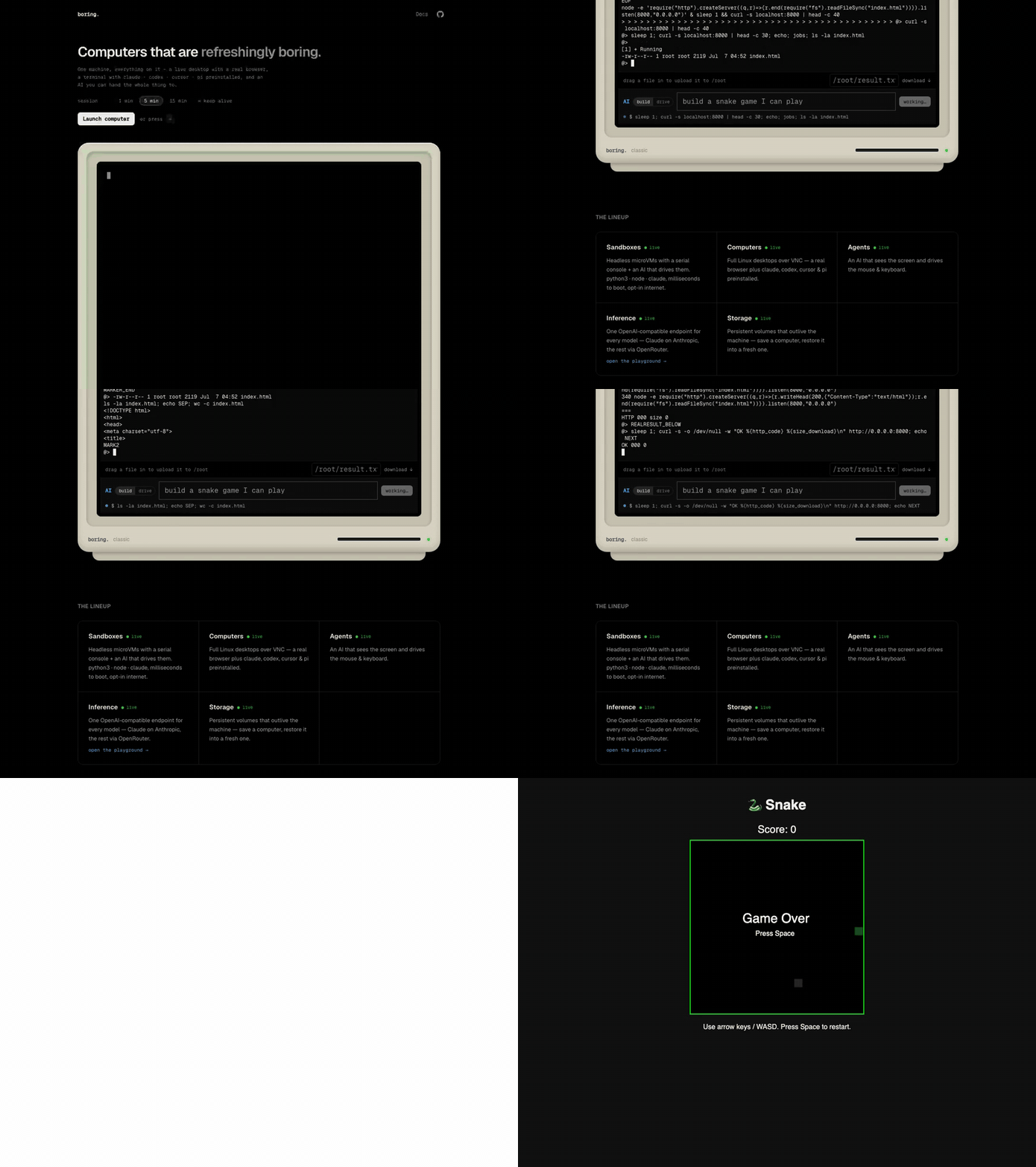
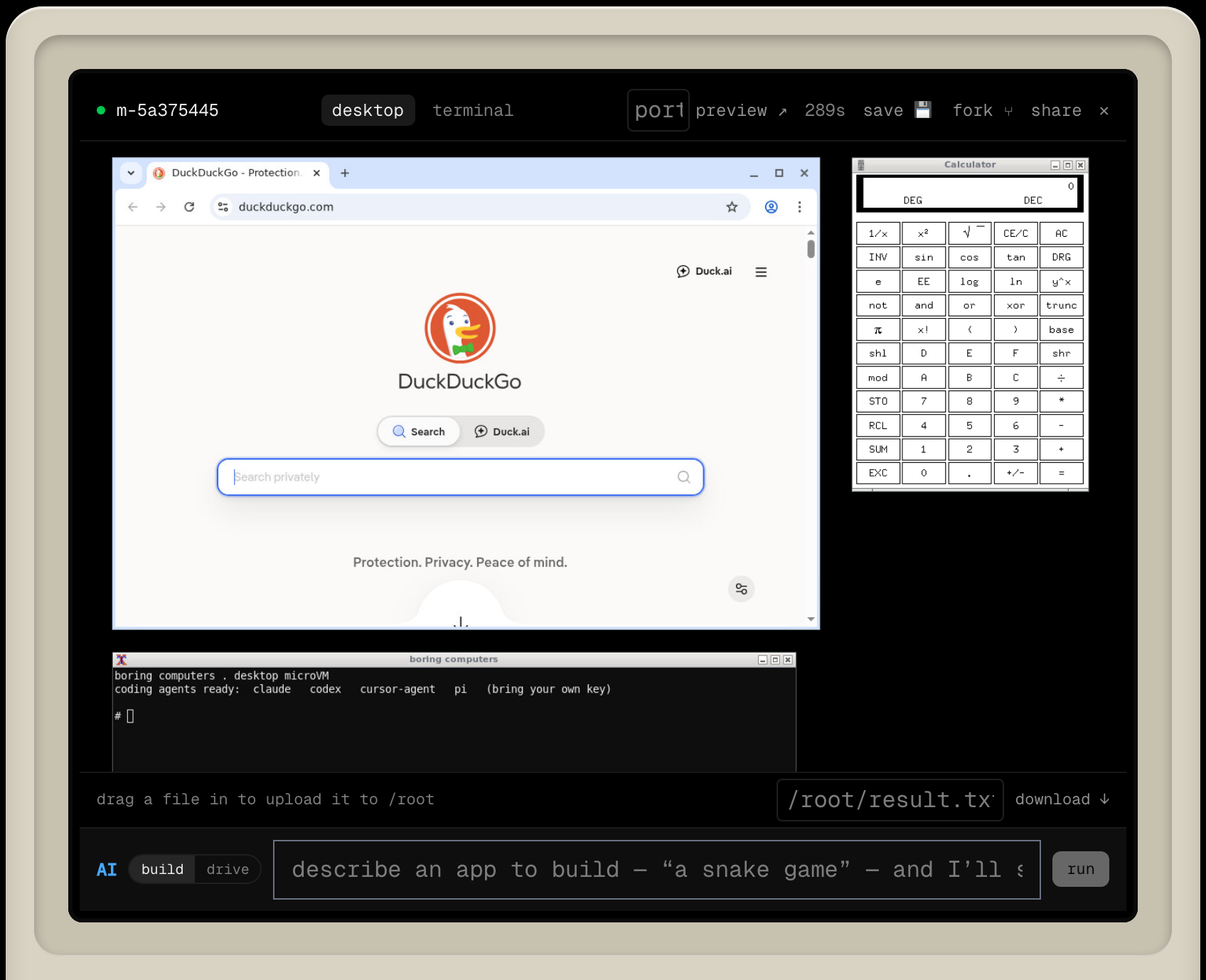
One machine, everything on it — a live desktop with a real browser, a terminal
with coding agents preinstalled, and an AI you can hand the whole thing to.
Type "build a snake game" and it writes it, runs it, and gives you a link to play.
What you get
- A computer — a full Linux desktop (browser, terminal, apps) over VNC, or a
fast headless shell. - Coding agents preinstalled —
claude,codex,cursor,pi, plus node,
python, git and internet. - An AI that drives it — say what you want. It either uses the screen
(clicks, browses) or writes + runs code and hands you a live URL. - Files & ports — drag files in and out; open any port through the daemon.
- Fork — clone a running computer, exact live state and all, in ~35 ms.
- Storage — persistent volumes (S3-backed) that outlive a machine.
- Ephemeral or not — machines self-destruct on a TTL by default; flip
keep alive and one runs until you stop it.
Run your own
You need a machine that can run Firecracker — a Linux box with /dev/kvm, or
just your Mac:
On a Linux box — Ubuntu 24.04, x86_64 or arm64, with /dev/kvm
(bare-metal, or a VM with nested virtualization) that you can root-SSH into. One
command turns it into a running boringd:
git clone https://github.com/michaelshimeles/boring-computers
cd boring-computers && npm install

# set it up on your box (installs Firecracker, builds the images, runs boringd)
BORING_ANTHROPIC_KEY=sk-ant-...  ./infra/setup.sh root@YOUR_BOX_IP
Don't have a box? If you use Latitude.sh,infra/latitude/provision.sh creates one for you
first. Any other provider works too — just point setup.sh at it.
On an Apple Silicon Mac (M3 or later) — no server needed. One command builds
the whole arm64 stack in a nested-virt Lima VM; real
microVMs boot on your laptop (a shell restores from snapshot in ~5 ms):
brew install lima
BORING_ANTHROPIC_KEY=sk-ant-...  ./infra/local/setup-local.sh
# boringd is now at http://localhost:8088 — details in infra/local/README.md
(Windows 11 via WSL2 is designed but not yet wired up — seeinfra/local/README.md.)
Then run the site against it:
# apps/web/.env
PUBLIC_BORING_URL=http://YOUR_BOX_IP:8080   # or a tunnel — see apps/web/.env.example
npm run dev -w web
setup.sh options (env): BORING_TOKEN (require auth), BORING_S3_*
(persistent volumes), BIND_LOCALHOST=1 (reach it only via SSH tunnel — most
private), SKIP_DESKTOP=1 (skip the ~8-min desktop image). Full REST + WebSocket
API in the docs.
From any AI — an MCP server
(boring-computers-mcp) lets Claude Desktop, Cursor, and other
agents spin up and drive your computers as a tool:
{
	"mcpServers": {
		"boring-computers": {
			"command": "npx",
			"args": ["-y", "boring-computers-mcp"],
			"env": { "BORING_URL": "http://localhost:8080" }
		}
	}
}
There's also an Effect-native TypeScript client,boring-computers-sdk (npm install boring-computers-sdk).
How it works
Real hardware-virtualized isolation — a kernel per machine, not a shared
container. Each VM is jailed and resource-capped, restored from a memory
snapshot in ~3 ms, and self-destructs on a TTL (or runs until you stop it, when
the server enables BORING_ALLOW_PERSISTENT). Guests are network-isolated
behind an egress firewall. The control plane is boringd/ (Go); host
setup is one command (infra/setup.sh).
Repo
A Turborepo monorepo (npm workspaces):
apps/web/          the site — SvelteKit
boringd/           the control plane — Go, runs the microVMs
packages/sdk/      boring-computers-sdk — Effect-native TypeScript client
packages/mcp/      boring-computers-mcp — MCP server
infra/setup.sh     one-command host setup (any Ubuntu + KVM box)
infra/latitude/    rootfs/kernel/image builds, networking, Caddy, Latitude helpers
npm install      # all workspaces
npm run dev      # the site
npm run build    # production build
npm run check    # type-check
npm run lint     # prettier + eslint
Contributing & license
Contributions welcome — see CONTRIBUTING.md. Licensed under
Apache 2.0.
Yorumlar (0)
Yorum birakmak icin giris yap.
Yorum birakSonuc bulunamadi