ai-ui
Health Uyari
- License — License: MIT
- Description — Repository has a description
- Active repo — Last push 0 days ago
- Low visibility — Only 5 GitHub stars
Code Gecti
- Code scan — Scanned 4 files during light audit, no dangerous patterns found
Permissions Gecti
- Permissions — No dangerous permissions requested
Bu listing icin henuz AI raporu yok.
Lightweight, accessible Astro components for AI reasoning traces, streaming state, and autonomous agent interfaces.
ai-ui
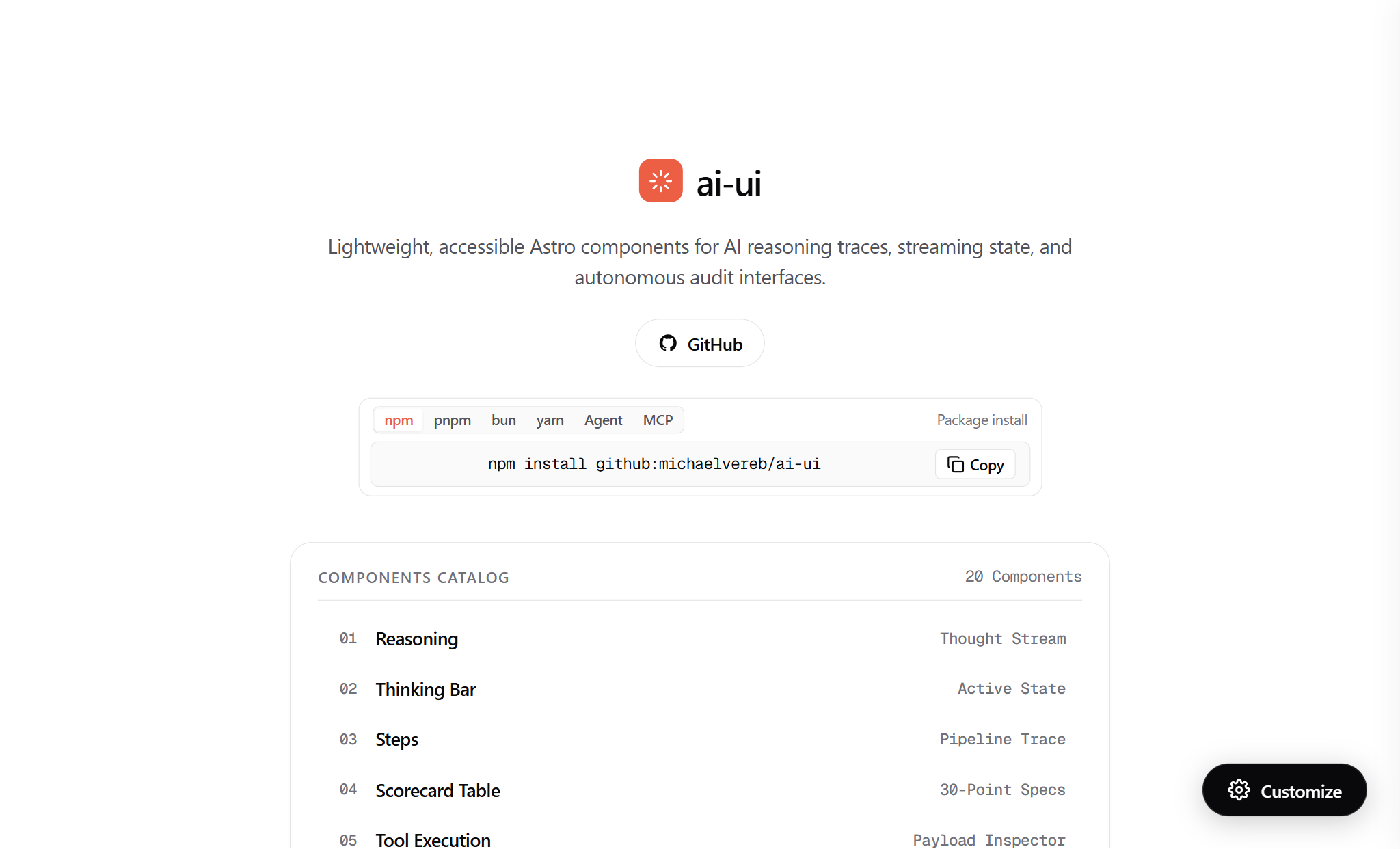



Lightweight, accessible Astro components for AI reasoning traces, streaming state, and autonomous agent interfaces. 100% native Astro, Vanilla JS, and native CSS custom properties. Zero React, zero Radix, zero Tailwind.
Live Interactive Showcase & Figma-Style Customizer:
👉 https://www.michaelvereb.com/ai-ui
Installation
Install @michaelvereb/ai-ui directly from GitHub using your preferred package manager:
npm
npm install github:michaelvereb/ai-ui
pnpm
pnpm add github:michaelvereb/ai-ui
bun
bun add github:michaelvereb/ai-ui
yarn
yarn add github:michaelvereb/ai-ui
1-Line Agent Install Prompt (Autonomous Coding Agents)
If using Claude Code, Cursor, Antigravity, or OpenAI Operator, provide this single instruction:
Fetch and execute the instructions to install @michaelvereb/ai-ui from https://www.michaelvereb.com/ai-ui/prompt.md
Direct Component Copy (Zero-Dependency CLI)
To drop components directly into your Astro repository without adding a package dependency:
git clone https://github.com/michaelvereb/ai-ui.git ./tmp-ai-ui
mkdir -p ./src/components/ai-ui ./src/components/animations ./src/styles
cp -r ./tmp-ai-ui/src/components/ai-ui/* ./src/components/ai-ui/
cp -r ./tmp-ai-ui/src/components/animations/* ./src/components/animations/
cp ./tmp-ai-ui/src/styles/theme.css ./src/styles/theme.css
rm -rf ./tmp-ai-ui
How to Use Components in Your App
Using @michaelvereb/ai-ui in your Astro project takes less than two minutes.
Step 1: Import Base Theme (One-Time Setup)
In your root layout (src/layouts/Layout.astro) or global template, import theme.css:
---
// src/layouts/Layout.astro
import '@michaelvereb/ai-ui/theme.css';

interface Props {
  title?: string;
}

const { title = 'My AI App' } = Astro.props;
---

<!DOCTYPE html>
<html lang="en">
  <head>
    <meta charset="UTF-8" />
    <meta name="viewport" content="width=device-width, initial-scale=1.0" />
    <title>{title}</title>
  </head>
  <body>
    <slot />
  </body>
</html>
Note: If you used the direct component copy method, import
./src/styles/theme.cssinstead.
Step 2: Component Import Options
You can import components in two convenient ways:
Option A: Named Imports (Clean & Concise)
---
import {
  ThinkingBar,
  Reasoning,
  Steps,
  Tool,
  PromptInput,
  Suggestions,
  Citation,
  Toaster
} from '@michaelvereb/ai-ui';
---
Option B: Direct Subpath Imports (Zero Bundle Overhead)
---
import Reasoning from '@michaelvereb/ai-ui/Reasoning.astro';
import ThinkingBar from '@michaelvereb/ai-ui/ThinkingBar.astro';
import Steps from '@michaelvereb/ai-ui/Steps.astro';
import Tool from '@michaelvereb/ai-ui/Tool.astro';
---
Step 3: Concrete Component Examples
Below are copy-paste examples for the most common AI agent patterns:
1. Collapsible Reasoning Trace (<Reasoning />)
Displays real-time or completed model thought streams with expandable steps and duration metrics.
---
import { Reasoning } from '@michaelvereb/ai-ui';

const thoughtSteps = [
  { text: 'Parsed user prompt and extracted query entities', detail: 'Identified target domain and parameter constraints.' },
  { text: 'Inspecting edge DNS, HTTP/2, and TLS 1.3 handshake', detail: 'HSTS max-age=31536000 verified. Edge TTFB: 124ms.' },
  { text: 'Validating RFC 8259 single-pass JSON-LD structured data', detail: 'Clean UTF-8 and Unicode hex escapes (zero double-escaped entities).' },
  { text: 'Synthesizing 30-point Site-Ready remediation plan', detail: 'Zero-trust headers, schema graph, and crawler discovery aligned.' }
];
---

<Reasoning
  title="Reasoning Trace"
  steps={thoughtSteps}
  defaultOpen={true}
/>
2. Streaming Thinking Indicator (<ThinkingBar />)
Shows an active animated pulse, shimmer text, and diagnostic phase rotation while an LLM is generating.
---
import { ThinkingBar } from '@michaelvereb/ai-ui';

const customPhases = [
  'Auditing edge security headers & TLS 1.3...',
  'Probing autonomous crawler reachability (Claude-User / CCBot)...',
  'Synthesizing diagnostic report...'
];
---

<ThinkingBar
  phases={customPhases}
  isStreaming={true}
  autoCycle={true}
  cycleIntervalMs={3500}
/>
3. Multi-Step Execution Pipeline (<Steps />)
Renders a structured workflow pipeline with status badges (completed, running, pending, failed), execution details, and copy-card actions.
---
import { Steps } from '@michaelvereb/ai-ui';

const pipelineSteps = [
  { id: '1', title: 'Fetch Target DOM', status: 'completed', duration: '142ms', details: 'Direct HTML fetch via edge worker; zero JS execution required.' },
  { id: '2', title: 'Validate Structured Data', status: 'running', duration: '85ms', details: 'Checking RFC 8259 compliance across all application/ld+json blocks.' },
  { id: '3', title: 'Audit Bot Reachability', status: 'pending', details: 'Verify Claude-User and GPTBot user-agents are not challenged.' }
];
---

<Steps
  title="Agent Diagnostic Pipeline"
  steps={pipelineSteps}
  defaultOpen={true}
/>
4. Structured Tool Call Inspector (<Tool />)
Inspects MCP or agent tool executions with expandable JSON inputs and outputs.
---
import { Tool } from '@michaelvereb/ai-ui';
---

<Tool
  name="cloudflare_dns_lookup"
  status="completed"
  defaultOpen={false}
  input={{ domain: "www.michaelvereb.com", type: "AAAA" }}
  output={{ address: "100::", proxied: true, ttl: "auto" }}
/>
5. AI Prompt Input Bar (<PromptInput />)
A responsive input textarea with model badge, attachment button, keyboard shortcuts (Enter to submit, Shift+Enter for newline), and submit action.
---
import { PromptInput } from '@michaelvereb/ai-ui';
---

<PromptInput
  placeholder="Audit domain (e.g. www.michaelvereb.com) or enter agent prompt..."
  selectedModel="Claude 3.5 Sonnet"
  submitLabel="Run Audit"
  allowAttachments={true}
/>
6. Clarification Questionnaire (<Questions />)
Allows AI agents to ask clarifying questions with interactive selectable cards.
---
import { Questions } from '@michaelvereb/ai-ui';

const scanOptions = [
  { id: 'opt-1', label: 'Standard Quick Scan', description: 'Checks DNS, SSL, HTTP security headers, and reachability.' },
  { id: 'opt-2', label: 'Full 30-Point Site-Ready Audit', description: 'Deep crawl of schemas, Open Graph, llms.txt, and bot rules.' }
];
---

<Questions
  question="Select audit depth level:"
  options={scanOptions}
  isMultiSelect={false}
/>
7. Interactive Suggestions Chips (<Suggestions />)
Quick-prompt recommendation pills that automatically populate the input.
---
import { Suggestions } from '@michaelvereb/ai-ui';

const sampleSuggestions = [
  'Audit www.michaelvereb.com for AI readiness',
  'Verify RFC 8259 single-pass JSON-LD',
  'Check Claude-User crawler reachability'
];
---

<Suggestions suggestions={sampleSuggestions} />
8. Source Citation Badges (<Citation />)
Clean, numbered reference badges with live domain favicons and external links.
---
import { Citation } from '@michaelvereb/ai-ui';
---

<Citation
  index={1}
  title="ai-ui — Astro AI Design System & Chat Interfaces"
  url="https://www.michaelvereb.com/ai-ui"
/>
9. Toast Notification System (<Toaster />)
Centered bottom notification pills triggered dynamically from client JavaScript.
---
import { Toaster } from '@michaelvereb/ai-ui';
---

<!-- Place in your layout or page -->
<Toaster />

<!-- Dispatch from any script, component, or event handler -->
<script>
  window.dispatchEvent(new CustomEvent('ai-toast', {
    detail: {
      message: 'Audit completed successfully!',
      type: 'success'
    }
  }));
</script>
10. Kinetic Text Animations (<AnimateText /> & <TextShimmer />)
GPU-accelerated text reveals (20 effects via WAAPI) and continuous gradient shimmers.
---
import { AnimateText, TextShimmer } from '@michaelvereb/ai-ui';
---

<!-- Continuous shimmer sweep -->
<TextShimmer text="Synthesizing 30-point remediation report..." />

<!-- High-agency WAAPI kinetic entrance -->
<AnimateText effect="soft-blur-in" text="Audit verified with 100% pass rate." />
Keeping Components Always Updated
Because @michaelvereb/ai-ui uses the direct GitHub resolver pattern, you never have to wait for npmjs registry release cycles:
Updating an External Project
To sync to the latest commits on main at any time, run:
npm update @michaelvereb/ai-ui
# or
pnpm update @michaelvereb/ai-ui
# or
bun update @michaelvereb/ai-ui
If your package manager locks the commit hash, you can force-pull the latest main branch:
pnpm add github:michaelvereb/ai-ui#main
Monorepo / Local Workspace Setup
If you are developing inside the Vereb monorepo or want real-time local file linkage, point package.json to the local path:
"dependencies": {
  "@michaelvereb/ai-ui": "file:../../packages/ai-ui"
}
Edits reflect instantly via Vite HMR with 0ms build or publish delay.
Components Catalog
Every component is modular, accessible, and self-contained with no external CSS framework requirements.
| Component | Live Preview | Description | Quick Snippet |
|---|---|---|---|
| Reasoning | Live Demo | Collapsible thought stream with sequential checkmark progression down each step | <Reasoning defaultOpen={true} /> |
| ThinkingBar | Live Demo | Floating thinking indicator with text shimmer and diagnostic phase rotation | <ThinkingBar autoCycle={true} isStreaming={true} /> |
| Steps | Live Demo | Multi-step execution pipeline with copy button on cards and technical drawer | <Steps steps={pipelineSteps} title="Pipeline" /> |
| Tool | Live Demo | Structured tool call card with JSON input & output inspector | <Tool name="probe_api" input={in} output={out} /> |
| ChainOfThought | Live Demo | Visual reasoning nodes connected by continuous flow lines | <ChainOfThought nodes={thoughtNodes} /> |
| PromptInput | Live Demo | AI prompt bar with model tag, attachment trigger, and submit action | <PromptInput placeholder="Enter prompt..." /> |
| ModelSelector | Live Demo | Dropdown for choosing orchestrator models and provider tiers | <ModelSelector selectedId="claude-3-5-sonnet" /> |
| Suggestions | Live Demo | Interactive recommendation chips for standard queries and verification runs | <Suggestions suggestions={list} /> |
| Questions | Live Demo | Interactive clarification questionnaire card with radio / selectable options | <Questions question="Select depth:" options={opts} /> |
| FeedbackBar | Live Demo | Inline rating bar with thumbs up/down, copy to clipboard, and report triggers | <FeedbackBar /> |
| Attachments | Live Demo | File chips with file type indicators, byte size badges, and delete actions | <Attachments files={files} /> |
| Citation | Live Demo | Numbered reference badge with live domain favicons and external link icons | <Citation index={1} title="RFC 8259" url="..." /> |
| Message | Live Demo | Message container with author metadata, avatars, timestamps, and copy action | <Message role="assistant">Diagnostic passed.</Message> |
| Thread | Live Demo | Conversation container grouping related user and assistant message streams | <Thread title="Audit Run">...</Thread> |
| Loader | Live Demo | Agent execution states (spinner, dots, pulse, progress bar) styled as pills | <Loader variant="spinner" size="md" /> |
| TextShimmer | Live Demo | Smooth, animated gradient sweep signaling active LLM reasoning | <TextShimmer text="Synthesizing report..." /> |
| Image | Live Demo | Framed visual container with aspect ratios, hairline border, and captions | <Image src="..." alt="..." caption="..." /> |
| Toaster | Live Demo | Centered notification pills emerging from the bottom with auto-dismiss | <Toaster /> |
| ThemeCustomizer | Live Demo | Figma-style docked side panel for base color, mode, typography & radius | <ThemeCustomizer /> |
| AnimateText | Live Demo | 20 text streaming & reveal animations via native WAAPI | <AnimateText effect="soft-blur-in" text="..." /> |
Styling & Theme Tokens
All styling is configured using CSS custom properties. You can easily override them in your project's stylesheet or :root:
:root {
  /* Brand Accent / Base Color */
  --primary: #ED5F45;
  --heat: var(--primary);

  /* Canvas & Surfaces */
  --bg: #ffffff;
  --surface: #ffffff;
  --border: #e4e4e7;
  --border-width: 1px;

  /* Radii */
  --radius: 14px;
  --radius-card: var(--radius);
  --radius-pill: 9999px;

  /* Typography */
  --font-heading: -apple-system, BlinkMacSystemFont, 'SF Pro', 'SF Pro Display', sans-serif;
  --font-sans: -apple-system, BlinkMacSystemFont, 'SF Pro', 'SF Pro Text', sans-serif;
  --tracking-ui: -0.02em;
}

/* Dark Mode is activated via .dark class or data-theme="dark" on <html> */
html.dark, html[data-theme="dark"] {
  --bg: #09090b;
  --surface: #131316;
  --border: #27272a;
}
Use the live ThemeCustomizer on the demo site to visually tweak base colors, light/dark mode, border radii, and export customized CSS directly into your clipboard.
Universal MCP (Model Context Protocol) Support
ai-ui includes a universal Model Context Protocol endpoint to let any AI agent (Claude, Cursor, Antigravity, ChatGPT Operator, etc.) inspect, fetch, and configure components programmatically:
Universal Endpoint
https://www.michaelvereb.com/ai-ui/mcp
Claude CLI
claude mcp add ai-ui -- https://www.michaelvereb.com/ai-ui/mcp
Config JSON (Claude Desktop, Cursor, Antigravity)
{
  "mcpServers": {
    "ai-ui": {
      "url": "https://www.michaelvereb.com/ai-ui/mcp"
    }
  }
}
Tech Stack & Architecture
| Layer | Technology | Details |
|---|---|---|
| Framework | Astro 5+ | Pure .astro components. 0ms client-side JavaScript execution unless interactive. |
| Logic | Vanilla JS | Micro-controllers scoped with data- attributes. Zero React, Vue, or Angular dependencies. |
| Styling | Native CSS Custom Properties | Structured tokens (--heat, --primary, --surface, --border, --radius). Strictly zero Tailwind. |
| Motion | Web Animations API (WAAPI) | GPU-accelerated text reveals and shimmer sweeps with CSS keyframe fallbacks. |
| Icons | Lucide-Compatible SVG | Clean vector line icons. Strictly zero emojis in code or UI. |
| Theming | Figma-Style Live Drawer | Real-time dynamic theme switching, base color palette mapping, and OKLCH/Hex CSS code export. |
AI Agent Integration & Autonomous Skills
ai-ui is built from the ground up to be fully machine-actionable by autonomous AI coding assistants (Claude Code, Cursor, Antigravity, OpenAI Codex, ChatGPT Operator):
- Agent Skill (Ready to Use):
.agents/skills/ai-ui/SKILL.md
Provides complete step-by-step instructions, component prop schemas, and composition workflows for agents to automatically install, configure, and compose AI UI components in any Astro workspace. - 1-Line Setup Prompt: https://www.michaelvereb.com/ai-ui/prompt.md
- Developer Guidelines: AGENTS.md
- Universal MCP Endpoint: https://www.michaelvereb.com/ai-ui/mcp
How to Activate the Agent Skill in Your Project
To equip your AI assistant (Claude Code, Cursor, Antigravity) with the ai-ui skill directly:
mkdir -p .agents/skills/ai-ui
curl -sSL https://raw.githubusercontent.com/michaelvereb/ai-ui/main/.agents/skills/ai-ui/SKILL.md > .agents/skills/ai-ui/SKILL.md
Then prompt your agent:
"Use the ai-ui skill to install and compose reasoning trace and streaming components in this Astro project."
License
MIT License © 2026 Michael Vereb.
Yorumlar (0)
Yorum birakmak icin giris yap.
Yorum birakSonuc bulunamadi