ossia
Health Pass
- License — License: GPL-3.0
- Description — Repository has a description
- Active repo — Last push 0 days ago
- Community trust — 15 GitHub stars
Code Pass
- Code scan — Scanned 12 files during light audit, no dangerous patterns found
Permissions Pass
- Permissions — No dangerous permissions requested
No AI report is available for this listing yet.
Ossia is AI-native music notation software that gives AI agents the tools and guidance they need to create scores through conversation.
AI-native music notation software, built for a great experience.



Features | Use cases | Quick start | Tips | Q&A | Development | License
English · 简体中文
Ossia is AI-native music notation software that gives AI agents the tools and guidance they need to create scores through conversation.
Ossia is open source under GPL-3.0-or-later. Commercial use, sale, and distribution are subject to the license, including requirements when distributing the software to retain copyright and license notices, provide recipients with corresponding source code, and license modified versions under the GPL. See the license and the GNU GPL FAQ for details.
| Score library | Working with an agent |
|---|---|
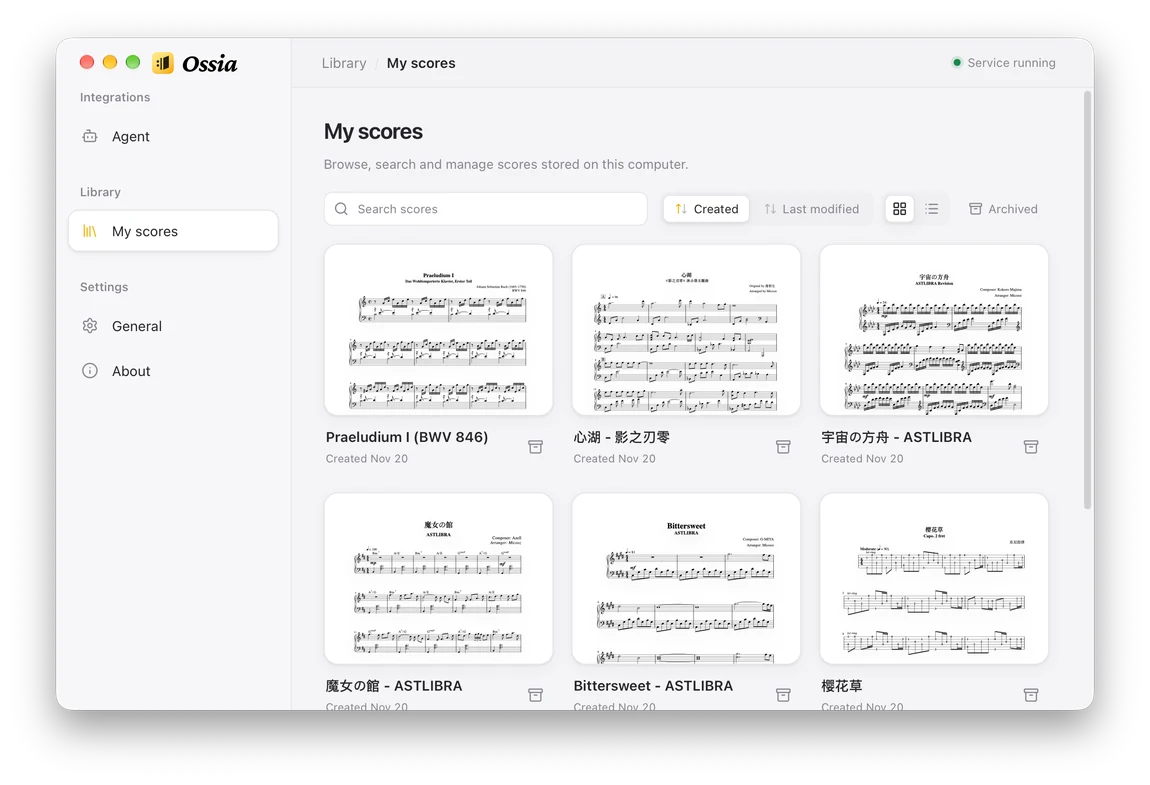 |
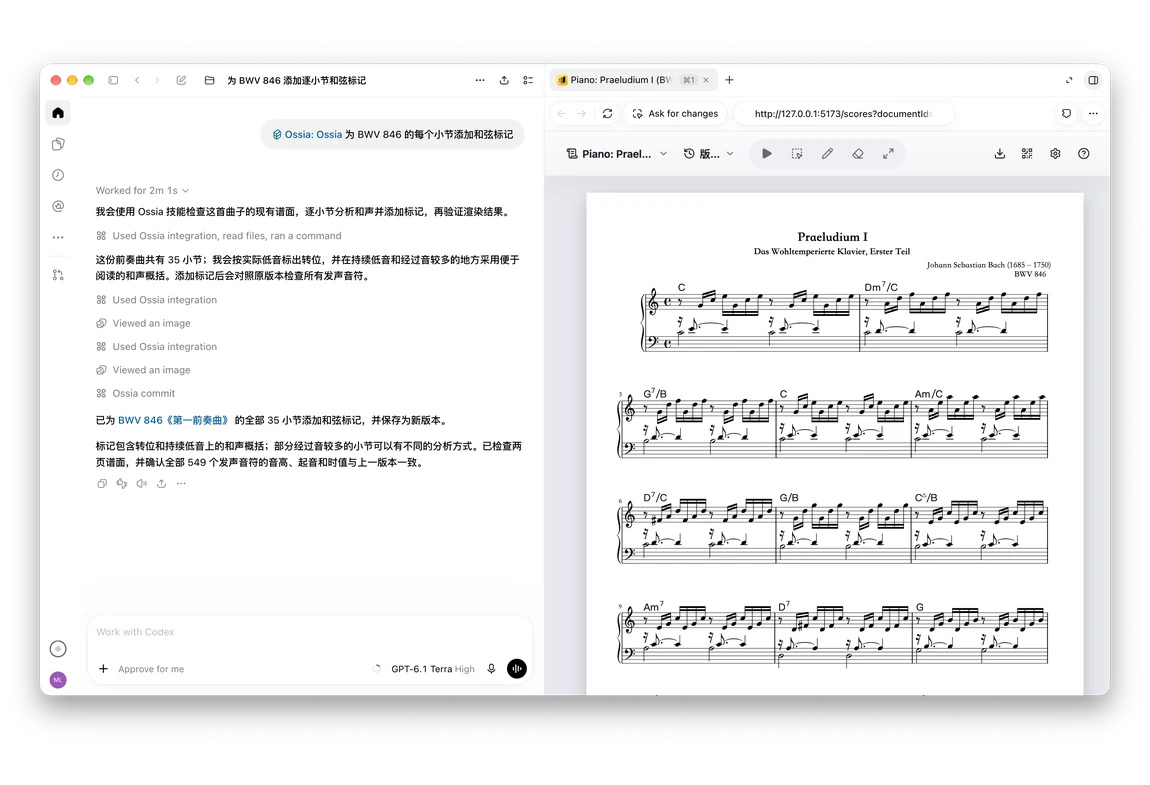 |
Features
Ossia connects to popular AI agents (see Connect an agent for the full list). It also lets you:
- Create scores for piano, guitar, ukulele, violin, ensembles, and more, including numbered notation.
- Import MusicXML, MIDI, PDF, and images of scores, with help from an Ossia OMR service where appropriate.
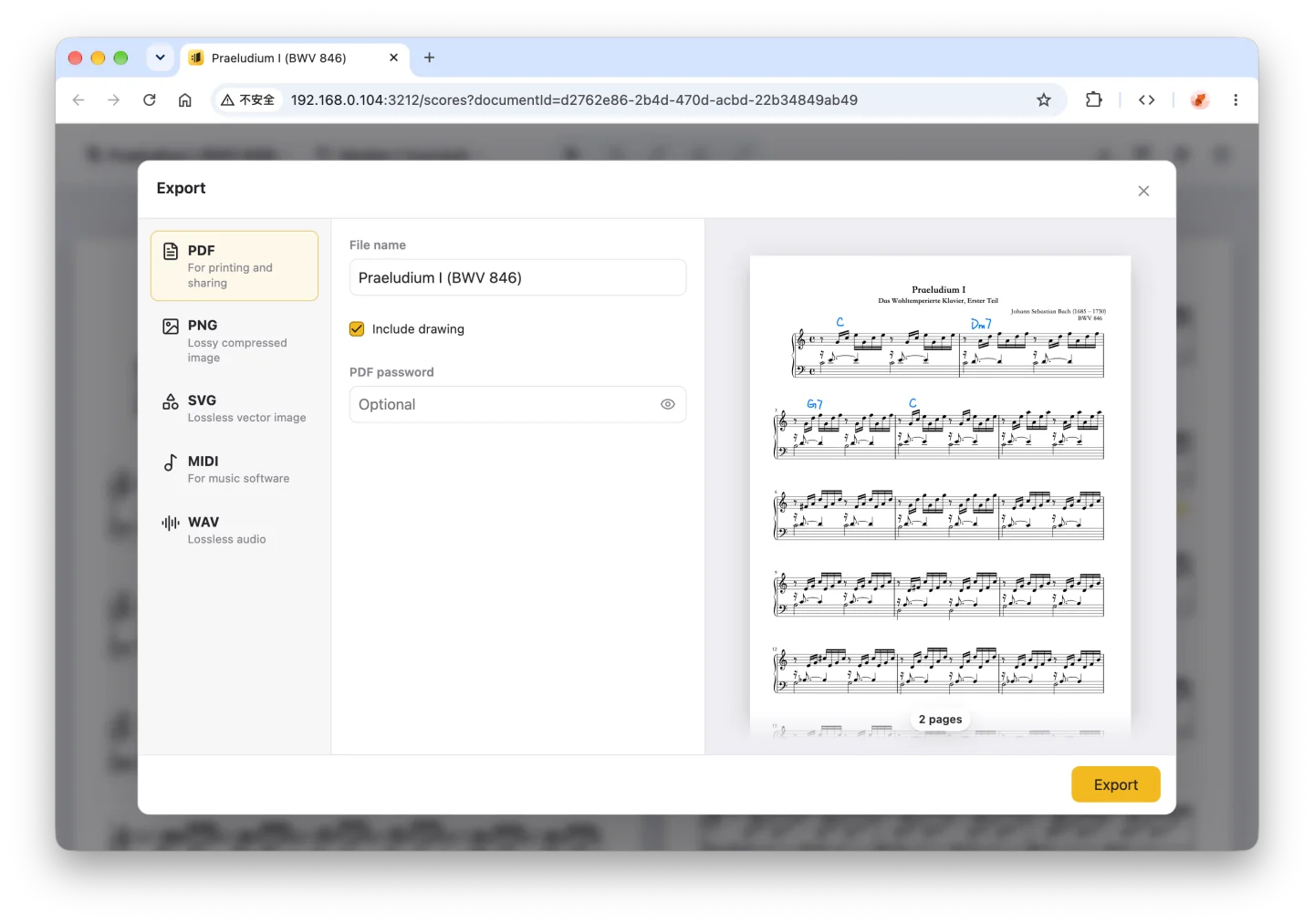
- Export scores or audio as PDF, PNG, SVG, MusicXML, MIDI, and WAV.
- Annotate individual score elements and draw freely.
- Browse scores on touchscreens.
- Share scores on your local network.
Use cases
Start with an existing score or a simple idea and work with your agent to arrange or create music for study, teaching, or professional notation.
Create scores
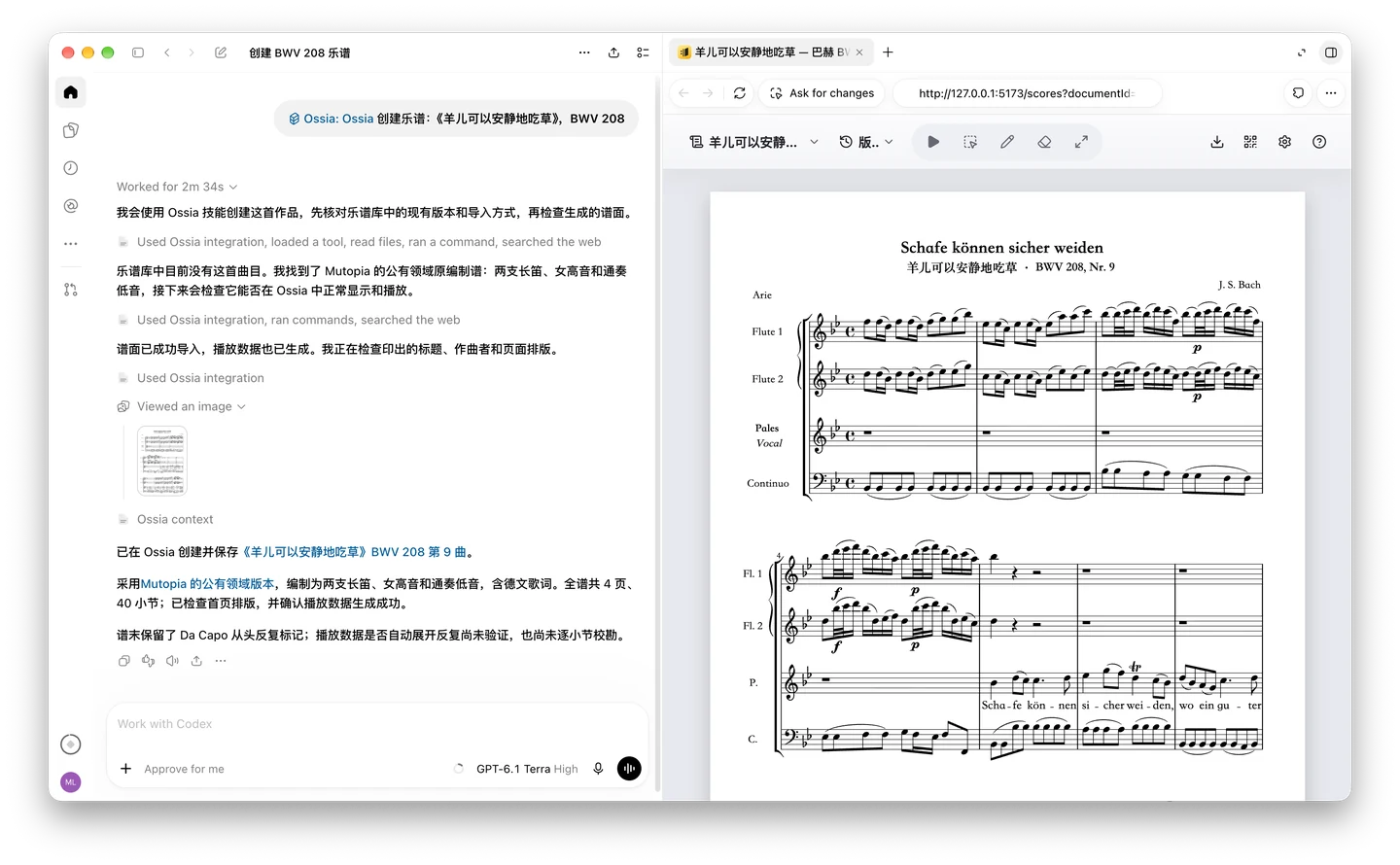
Create a score for Bach's Sheep May Safely Graze, BWV 208.
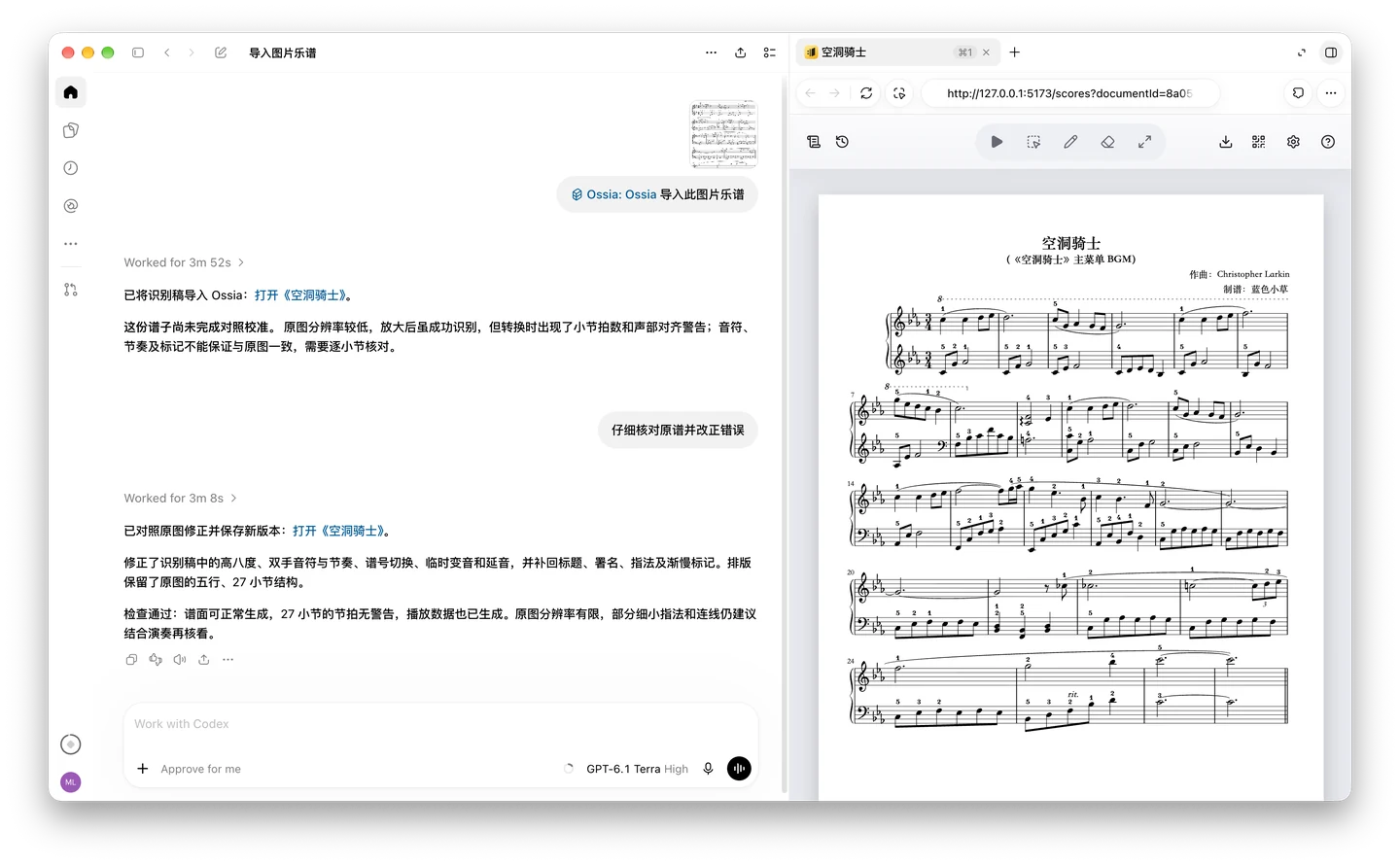
Import this score image, check it carefully against the original, and correct any errors.
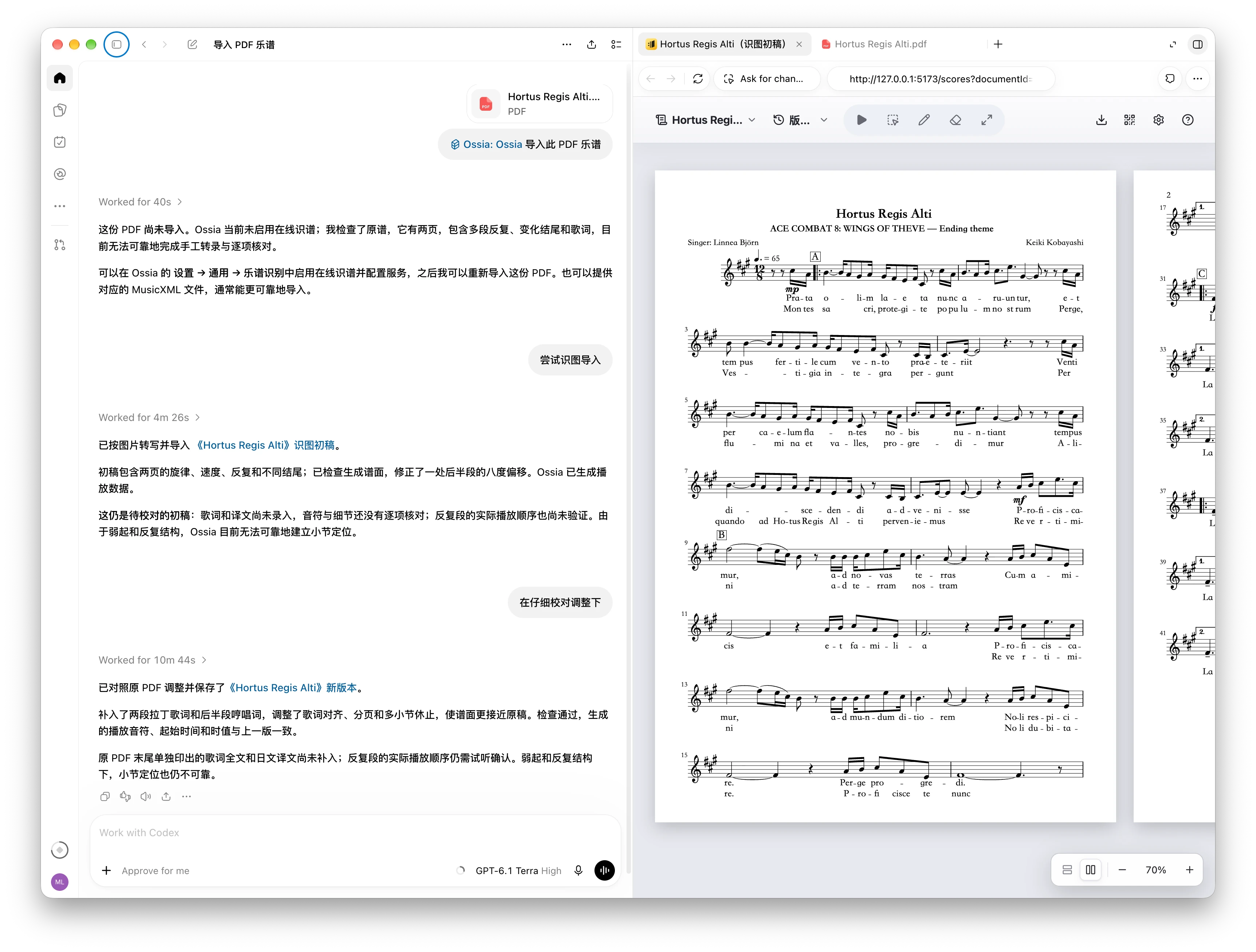
Ask an agent to transcribe a PDF score without online OMR, then check and refine the result against the original.
Arrange scores
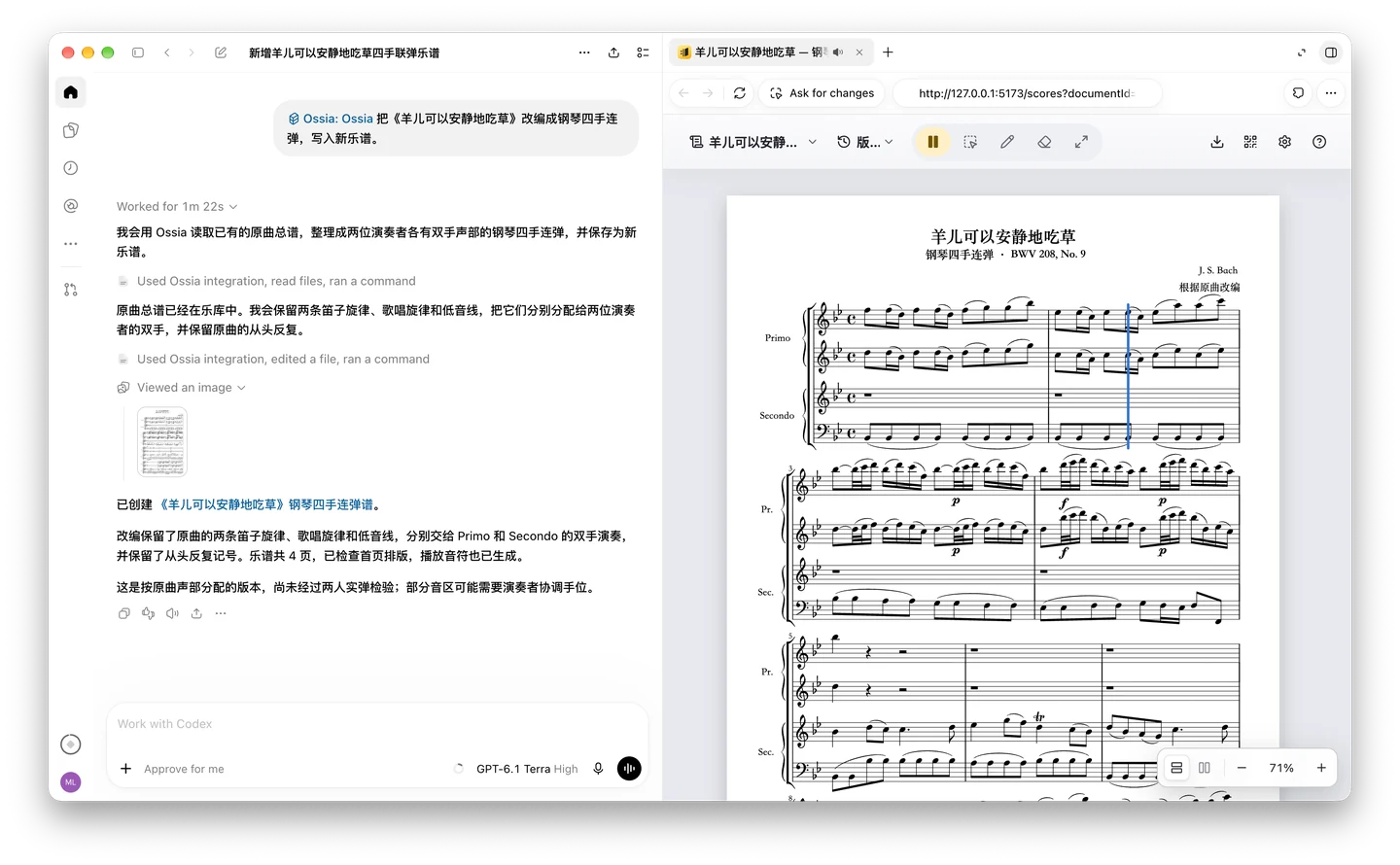
Arrange Sheep May Safely Graze for piano four hands and save it as a new score.
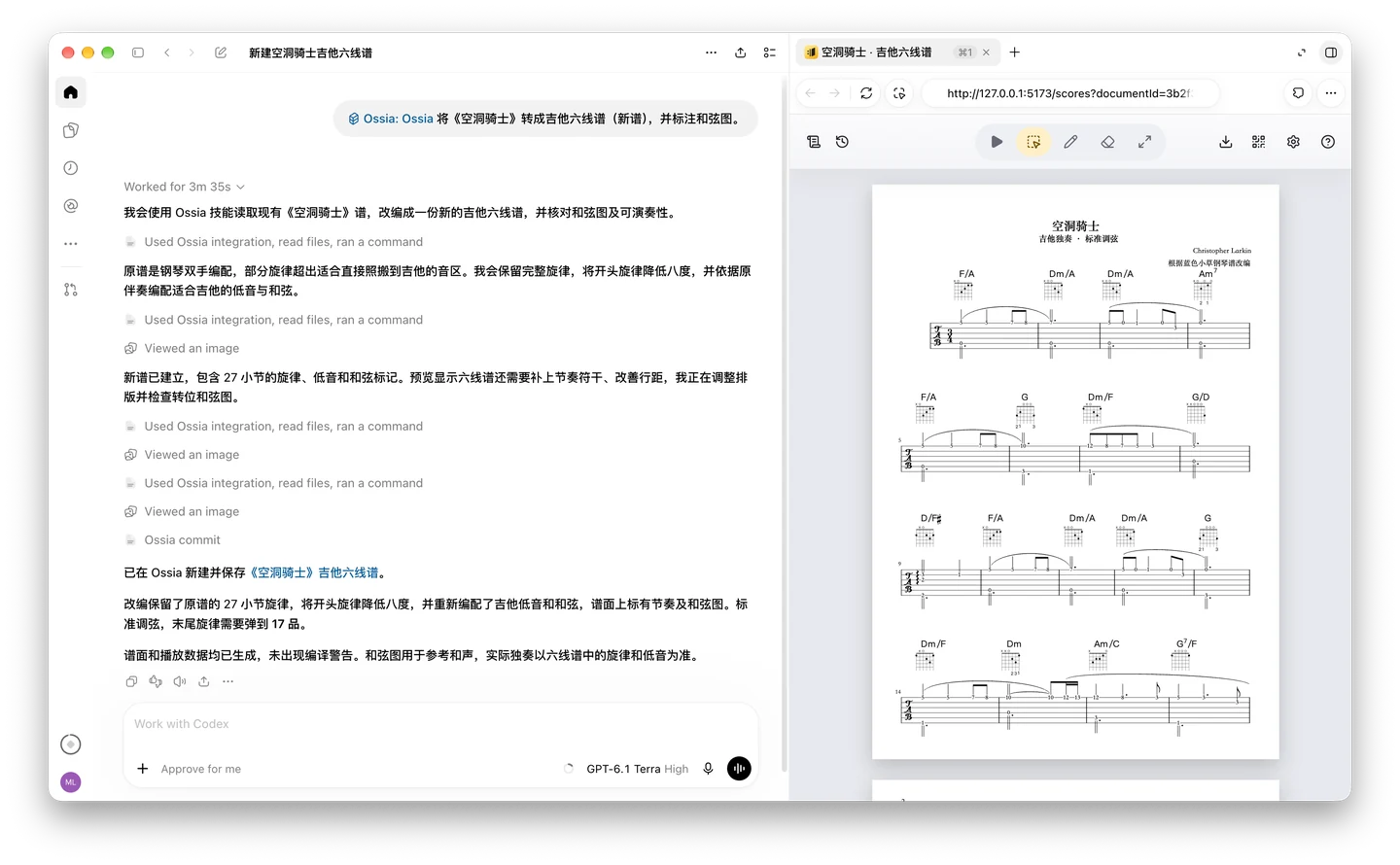
Arrange Hollow Knight as a new guitar tablature score and add chord diagrams.
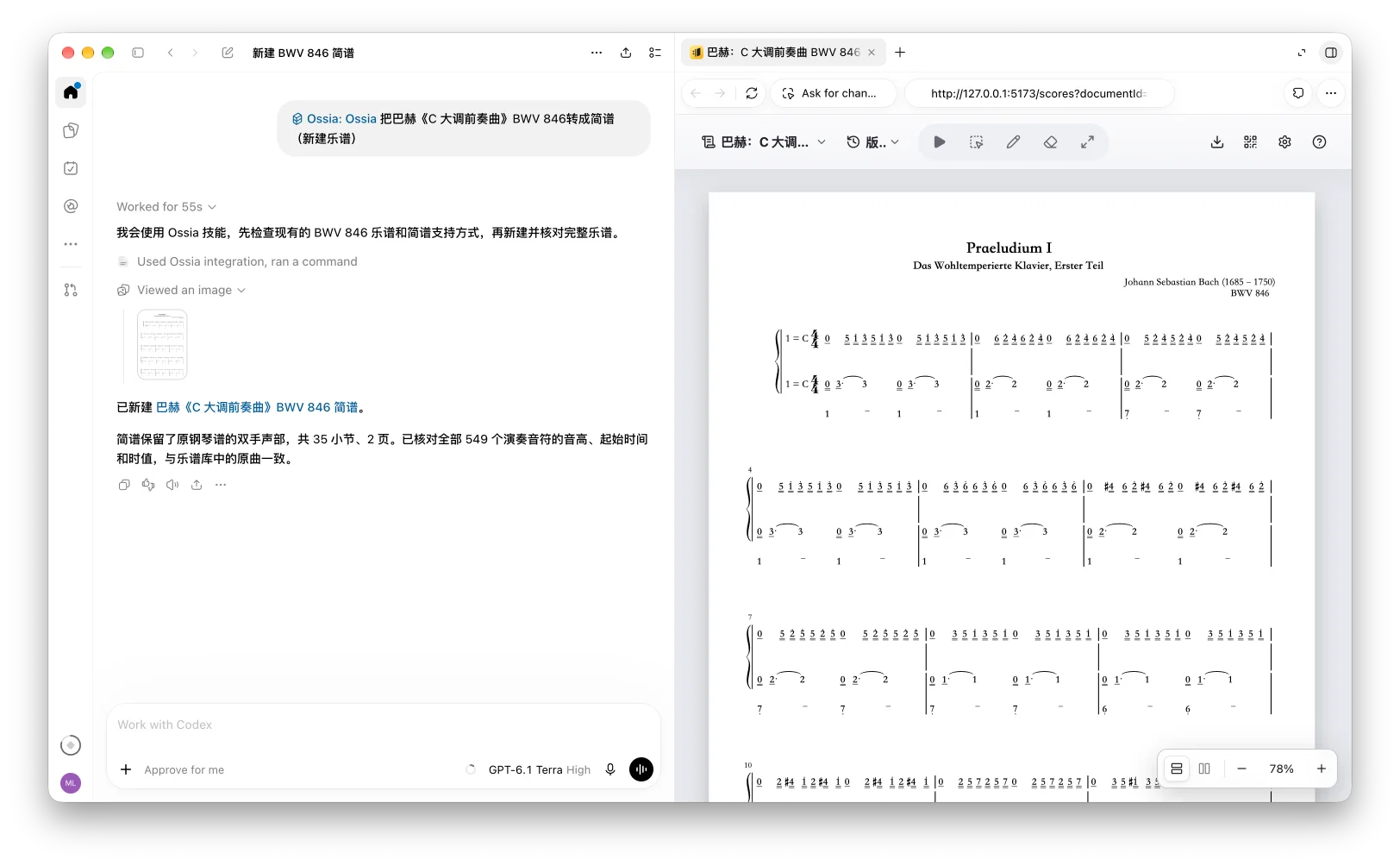
Convert Bach’s Prelude in C major, BWV 846, to numbered notation as a new score.
Compose music
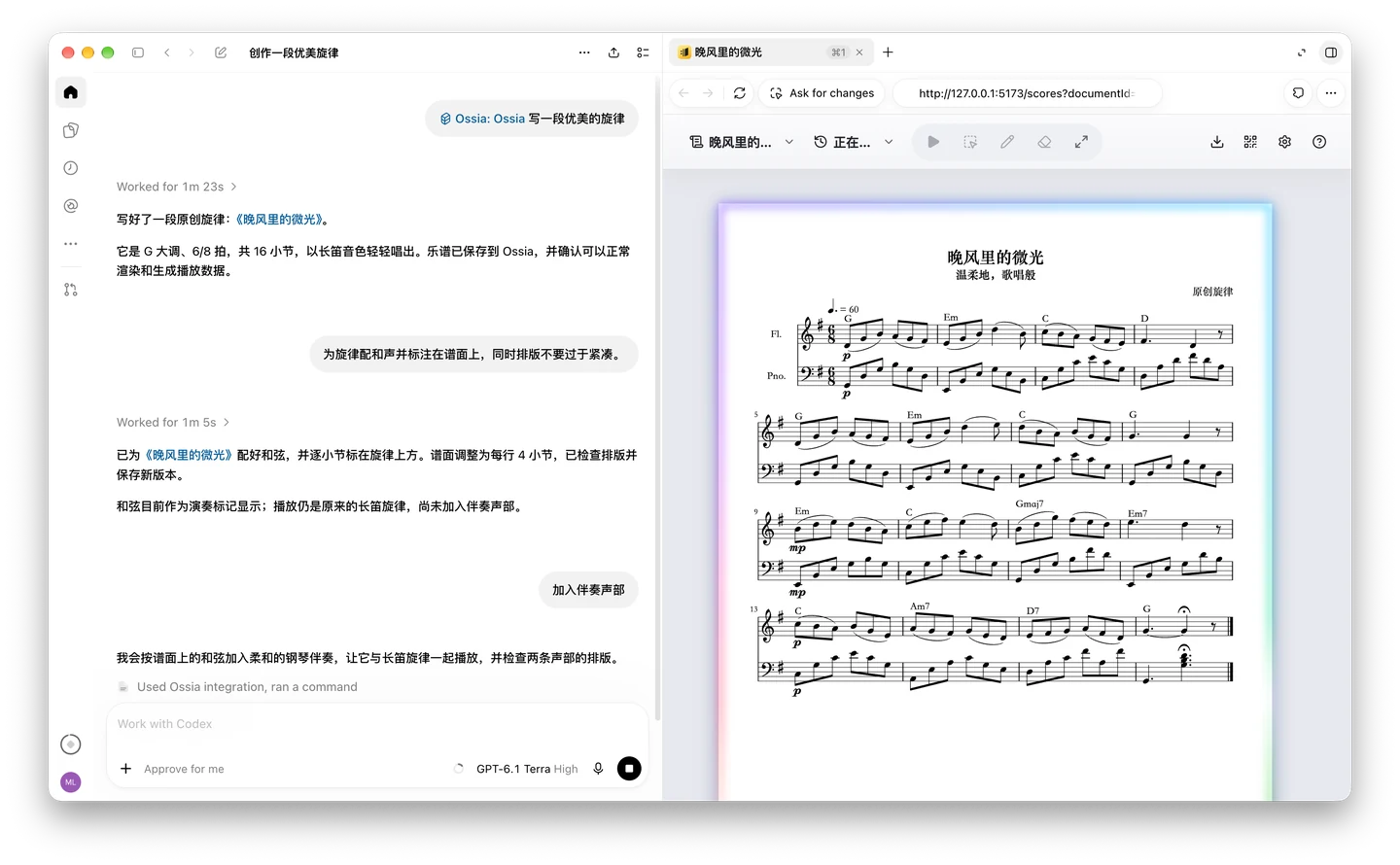
Write a beautiful melody, add harmony, and create an accompaniment part.
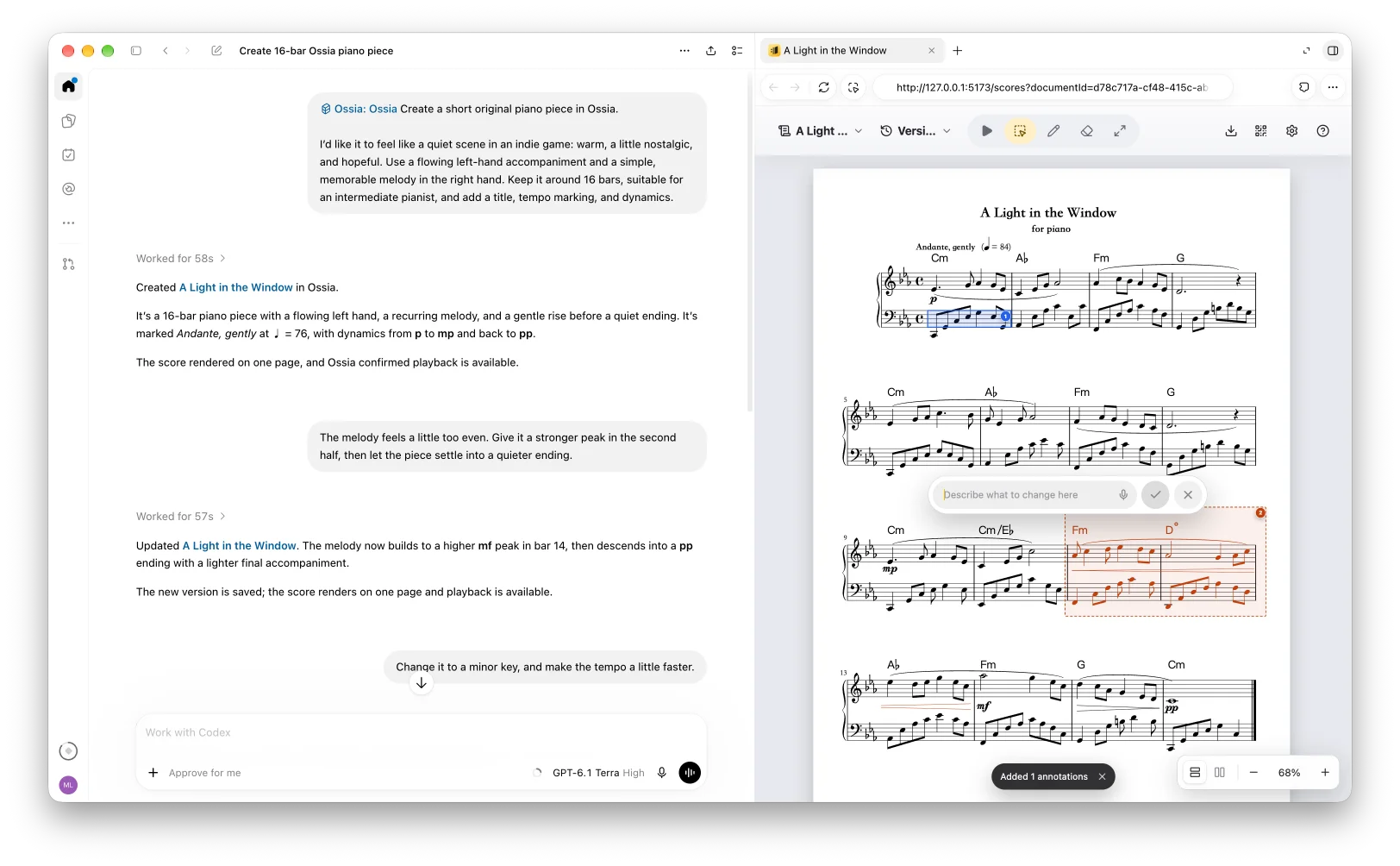
Create a 16-bar original piano piece, then refine its melody and dynamics through conversation.
Study scores
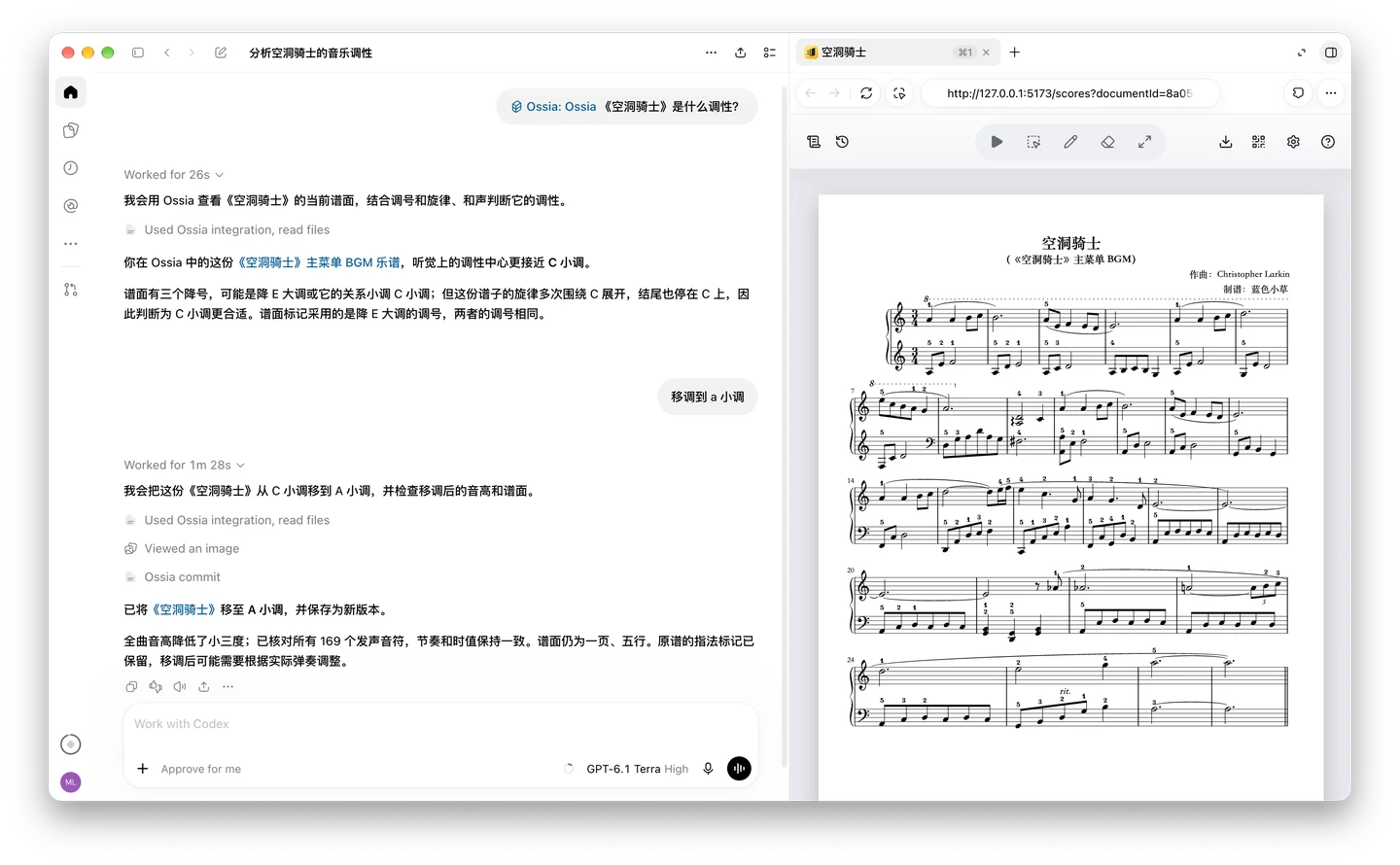
What key is Hollow Knight in? Transpose it to A minor.
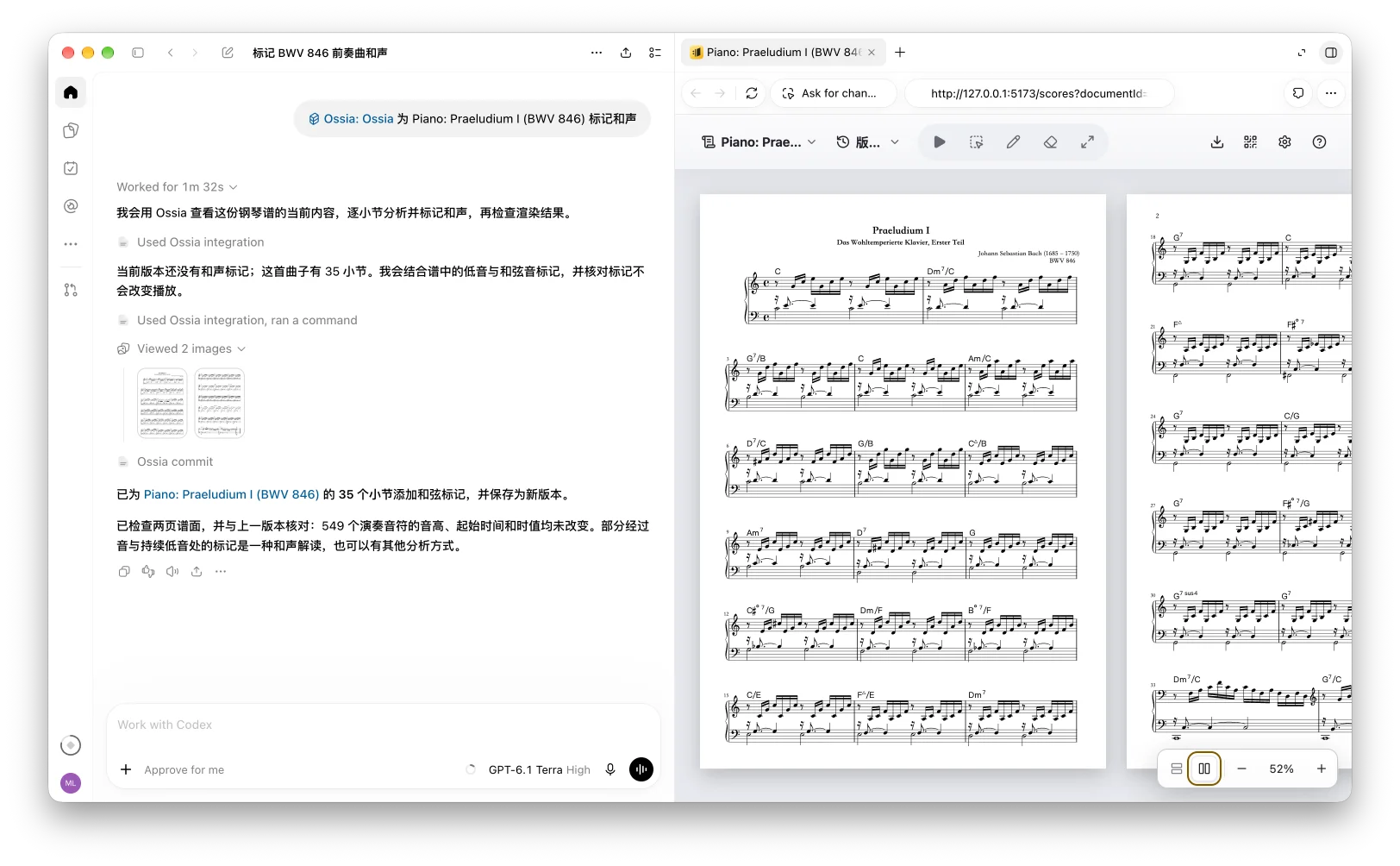
Analyze and mark the harmony in Bach’s Prelude in C major, BWV 846.
AI can make mistakes. Review the result carefully and refine it through follow-up requests.
Quick start
1. Install Ossia
⚠️ Current installers are unsigned and the macOS app is not notarized. macOS and Windows may block installation. Download from a trusted source and follow the platform instructions to allow installation; this is only needed the first time.
Download an installer for macOS (Apple Silicon) or Windows x64 from Releases.
2. Connect an agent
- Open Ossia and check that the service is running in the upper-right corner. Start it if necessary.
- Under Integrations → Agent, click the button to connect Ossia to your agent.
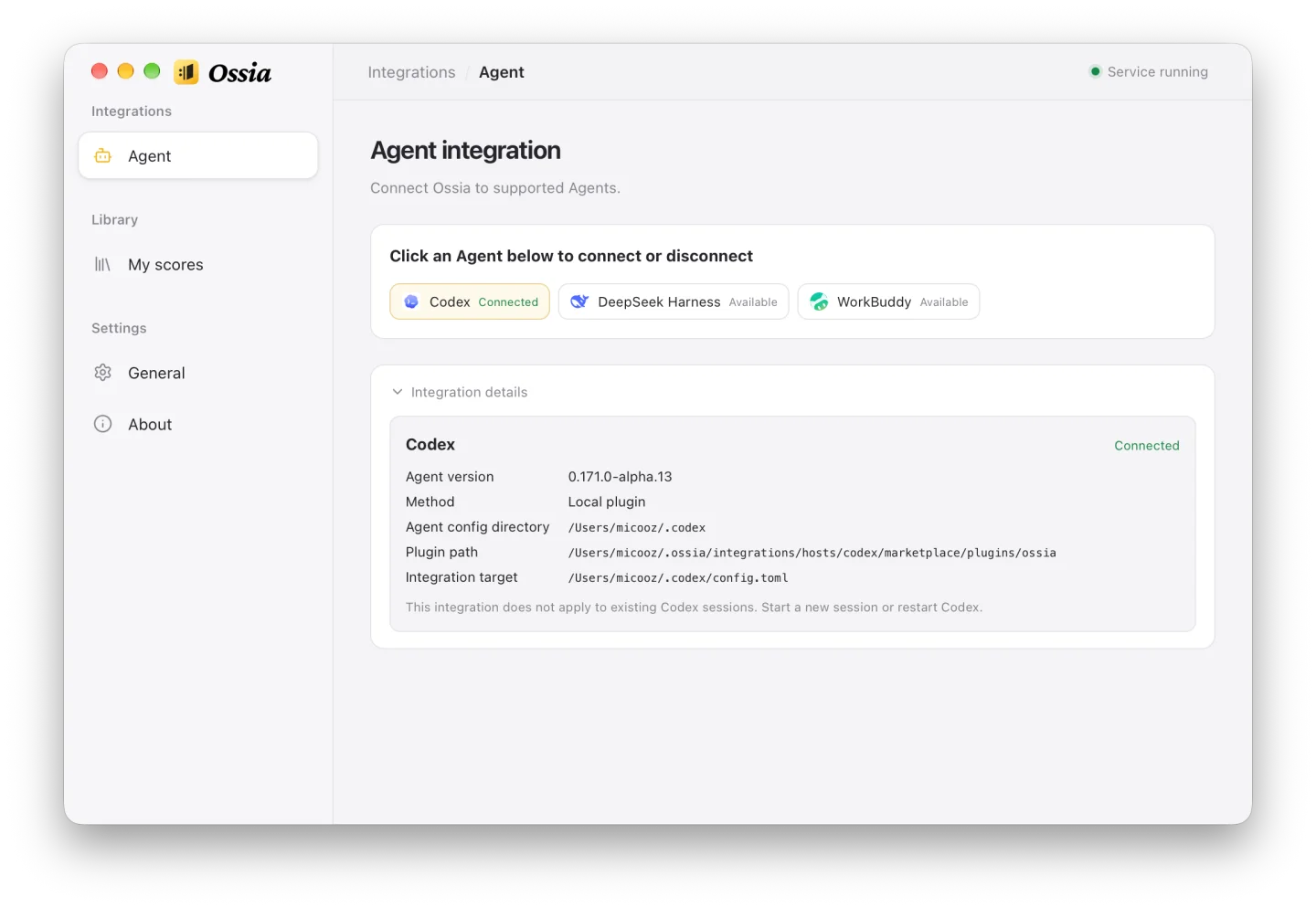
Ossia currently supports:
- Codex
- DeepSeek Harness
- Antigravity
- Antigravity CLI
- Claude Code
- Claude Desktop
- WorkBuddy
- Pi
3. Create, import, or edit a score
Start a new agent conversation and begin your task with $ossia or /ossia. We recommend using it once in each new conversation. For example:
/ossia Create an eight-measure piano exercise in C major for a beginner.
/ossia Create Bach's Prelude in C major.
/ossia Import this MusicXML score and open it for me to review.
Open the score using the agent's link or from your Ossia library.
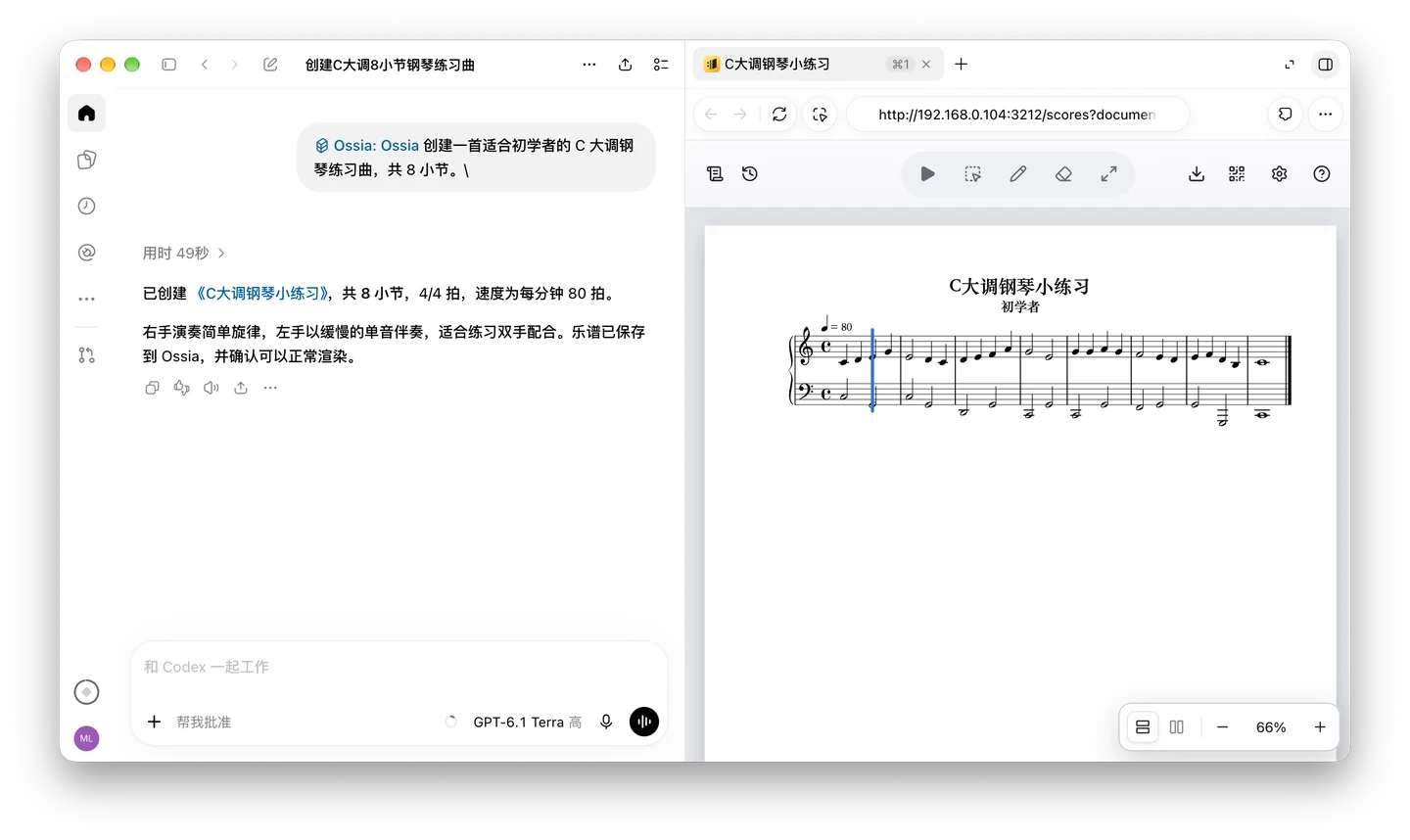
4. View the score
On the score page, you can switch scores, restore versions, play music, annotate, draw, export, and adjust score settings.
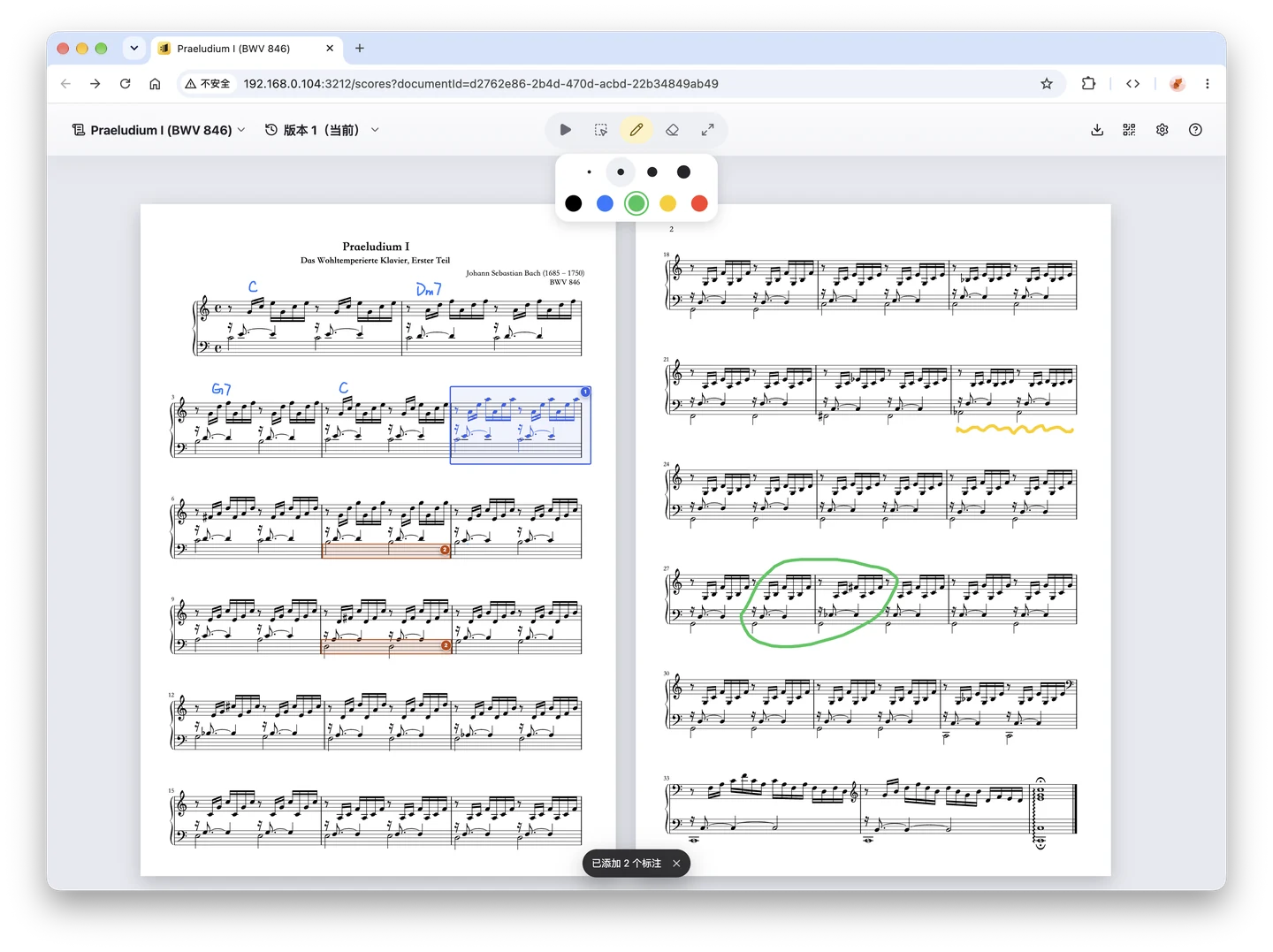
5. Export the score
Ossia supports several export formats, each with its own options.
Tips
Local data
Ossia stores your score library, imported originals, and version history locally. You can open the data directory from the management window. The default locations are:
- macOS:
~/.ossia(that is,/Users/<username>/.ossia) - Windows:
%USERPROFILE%\.ossia(usuallyC:\Users\<username>\.ossia)
Updates
Under Settings → About, you can enable automatic update downloads and choose an update source for your network:
- Ossia: optimized for mainland China.
- GitHub: available globally.
Other tips
- Use keyboard shortcuts on the desktop score page to work faster.
- Annotations and drawings sync in real time to other devices viewing the same score.
- You can also export a score through your agent conversation.
- Closing the main window normally leaves Ossia running in the system tray. Choose Quit Ossia from the tray to stop it completely. The agent integration is unavailable while Ossia is stopped.
Q&A
Can Ossia import scores from PDFs or images?
Yes. You can configure an optical music recognition (OMR) service under Settings → General → Score recognition service (OMR) to help convert PDFs or images into scores.
OMR is optional. Without it, your agent may still be able to recognize a score when using a capable model.
To run your own service, see the Ossia OMR self-hosting guide.
Can Ossia transcribe audio?
Ossia does not have built-in audio transcription, but your agent may be able to help. Try asking:
/ossia Import audio.mp3 as a score.
Why didn't my agent produce the result I expected?
Ossia has been tested and optimized for common requests, but an agent may take a longer path or be unable to complete a task in a scenario that has not been tested.
Try a more capable model, or open an issue describing your use case so we can improve it.
Development
From the repository root:
# Install dependencies and download the LilyPond engine and documentation.
pnpm setup

# Start the desktop app.
pnpm dev:desktop
- The development app uses the repository's
.ossiadirectory, separate from the release app. - Run
pnpm check,cargo test, andpnpm test:uifor the relevant checks.
Acknowledgments
Ossia is made possible by open-source software and its community. Thanks to these projects and their contributors:
| Project | Use | License |
|---|---|---|
| LilyPond | Music engraving and format conversion | The main program is GPL-3.0-or-later; documentation, fonts, and some files have other terms |
| Rust | Core application and backend development | Primarily MIT and Apache-2.0; some components use other licenses |
| Tauri | Desktop application framework | MIT or Apache-2.0 |
| React | User interface | MIT |
| Vite | Frontend build tool | MIT |
| SQLite | Local score library | Public domain |
| resvg | SVG rendering | MIT or Apache-2.0 |
| libimagequant | PNG image quantization | GPL-3.0-or-later |
- These are major projects, not a complete list.
- The installer includes
THIRD-PARTY-NOTICES.mdandlicenses/with further dependency and license information. - Audio sample sources and licenses are listed in the sample manifest.
License
Ossia is licensed under the GNU General Public License v3.0 or later.
Reviews (0)
Sign in to leave a review.
Leave a reviewNo results found