ContextWake
Health Pass
- License — License: Apache-2.0
- Description — Repository has a description
- Active repo — Last push 0 days ago
- Community trust — 10 GitHub stars
Code Pass
- Code scan — Scanned 12 files during light audit, no dangerous patterns found
Permissions Pass
- Permissions — No dangerous permissions requested
No AI report is available for this listing yet.
Terminal-native workspace and context continuity manager for AI coding CLIs.
ContextWake
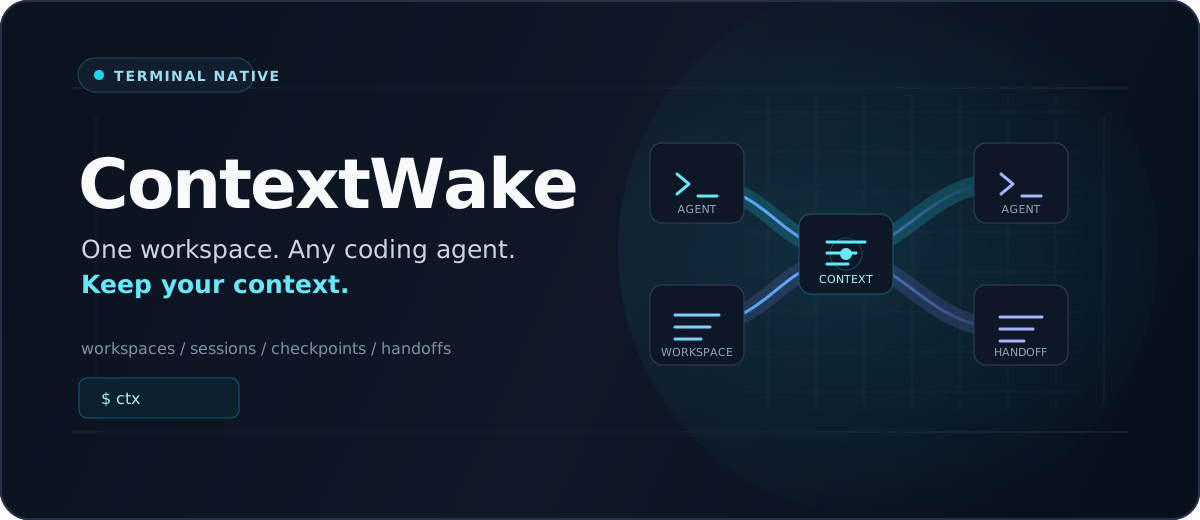
One workspace. Any coding agent. Keep your context.
ContextWake is a terminal tool that helps you move between AI coding agents
without rebuilding your project context by hand. It keeps your workspace, Git
state, tasks, decisions, checkpoints, and provider sessions organized locally.



ContextWake is in public alpha. It is ready for early adopters and feedback,
but some provider-specific capabilities are still being validated.
The primary command is ctx, which launches the terminal interface. Thectxwake command remains available as a temporary compatibility alias. Adapters
ship for Codex, Claude Code, GitHub Copilot, Cursor, OpenCode, Gemini, Kiro,
Kimi Code, and Grok Build.
Cursor --> ContextWake checkpoint --> Portable handoff --> OpenCode
Your workspace, branch, changed files, current task, decisions, and pending work
can move with you. When the same agent has a compatible provider session,
ContextWake can use that agent's native resume feature instead.
Why ContextWake?
Switching AI coding tools often means explaining the same repository all over
again. ContextWake gives you a local continuity layer for:
- workspaces and Git state;
- current tasks and completed work;
- decisions, constraints, known issues, and next steps;
- provider profiles and session metadata;
- inspectable checkpoints and portable handoffs.
ContextWake manages coding agents; it is not a model runtime. The agents remain
separately installed and own their authentication.
Supported AI Coding Agents
ContextWake currently supports these terminal coding agents:
- Codex CLI
- Claude Code
- GitHub Copilot CLI
- Cursor CLI
- OpenCode
- Gemini CLI
- Kiro CLI
- Kimi Code CLI
- Grok Build
Model availability and model selection are managed by each agent and its
provider account. Run ctx doctor to see what is installed andctx agent info <agent> for the capabilities ContextWake currently exposes.
Install ContextWake
The installers download an official GitHub release, verify its SHA-256 checksum,
and install ctx plus the ctxwake compatibility command. Rust and a repository
clone are not required.
Windows PowerShell
& ([scriptblock]::Create((irm https://raw.githubusercontent.com/mikeangelocasono/ContextWake/28922bab55ae49f95ef25a8381fb7a70e0e99d3c/scripts/install.ps1)))
The installer uses %LOCALAPPDATA%\ContextWake\bin and adds it to your userPATH when needed. Administrator access is not required.
Windows Command Prompt
powershell -NoProfile -Command "& ([scriptblock]::Create((irm 'https://raw.githubusercontent.com/mikeangelocasono/ContextWake/28922bab55ae49f95ef25a8381fb7a70e0e99d3c/scripts/install.ps1')))"
Open a new Command Prompt if the installer added ctx to PATH.
Linux x86_64
curl --proto '=https' --tlsv1.2 -fsSL https://raw.githubusercontent.com/mikeangelocasono/ContextWake/28922bab55ae49f95ef25a8381fb7a70e0e99d3c/scripts/install.sh | sh
macOS Apple Silicon
curl --proto '=https' --tlsv1.2 -fsSL https://raw.githubusercontent.com/mikeangelocasono/ContextWake/28922bab55ae49f95ef25a8381fb7a70e0e99d3c/scripts/install.sh | sh
Linux and macOS install to ~/.local/bin. Open a new terminal if the installer
adds that directory to your shell profile. The macOS build is CI validated,
unsigned, and not notarized; keep Gatekeeper enabled.
Using the VS Code terminal? Use the command matching its shell: PowerShell,
Command Prompt, Bash/WSL, or zsh.
Prefer to inspect a script before running it or choose a specific version or
install directory? Download the matching script from scripts/.
Build from source
Install Rust 1.88 or newer and Git, then:
git clone https://github.com/mikeangelocasono/ContextWake.git
cd ContextWake
cargo build --release --locked
Run target\release\ctx.exe on Windows or target/release/ctx on Linux and
macOS. Building from source is the only installation method that requires Rust.
To update, rerun the same installer command. To uninstall, runscripts/uninstall.ps1 on Windows or scripts/uninstall.sh on Linux/macOS;
only the binaries and installer-owned PATH entry are removed, while profiles,
workspaces, sessions, checkpoints, handoffs, and configuration are preserved.
Quick Start
Check ContextWake, Git, local storage, and installed coding agents:
ctx doctorLaunch the terminal interface:
ctxRegister the current project:
ctx workspace add .Review the active profile, workspace, and Git state:
ctx status
An optional agent that is not installed appears as a warning, not a fatal
error. Run ctx --help or ctx <command> --help whenever you need exact
arguments.
ContextWake in Action
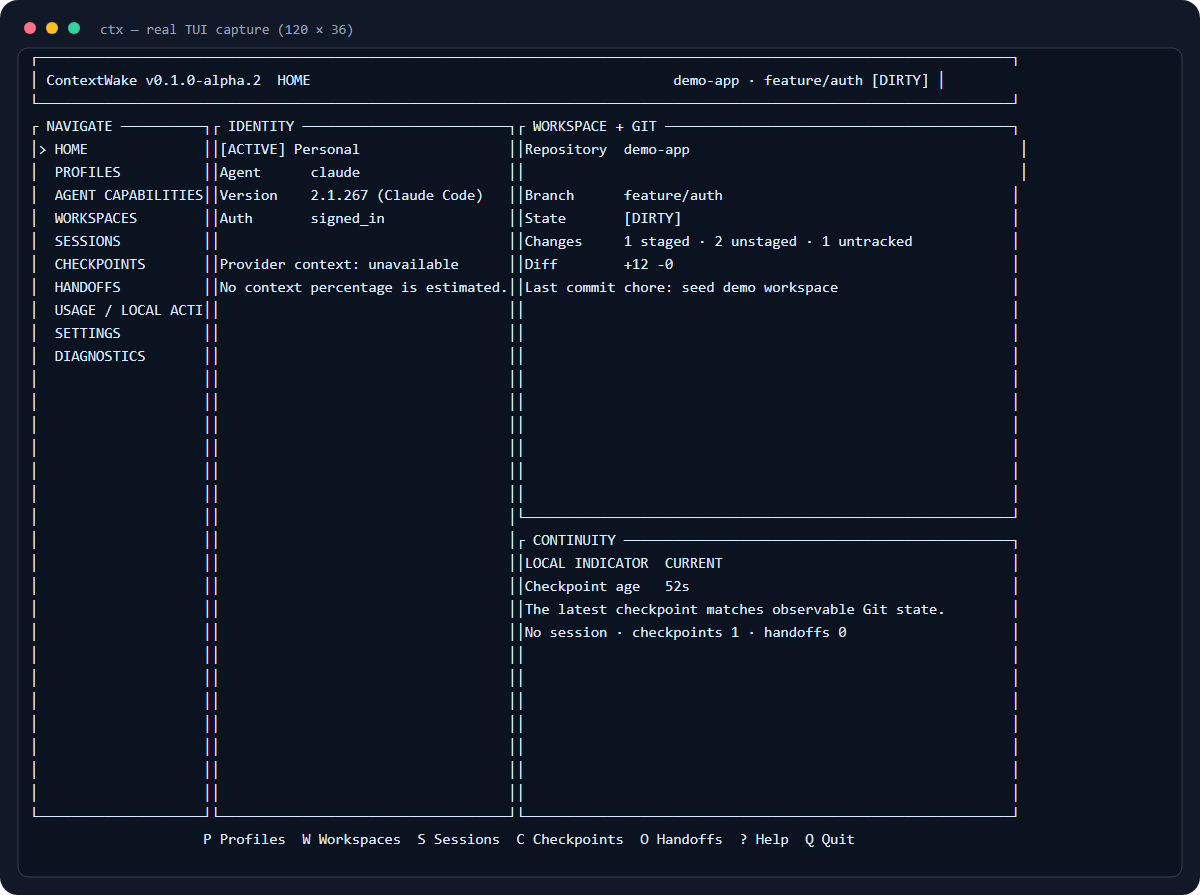
This is a real sanitized TUI capture from a disposable repository. You can also
run the deterministic continuity demo without provider credentials or paid
model usage:
./demo/continuity.ps1
The demo uses the built ctx binary, creates a disposable Git repository under
the operating-system temporary directory, and never launches a coding agent.
Basic Usage
Inspect available agents:
ctx agent detect
ctx agent list
ctx agent info cursor
Create and select a profile, then start the provider-owned login flow if needed:
ctx profile add Work --agent cursor
ctx profile use work
ctx profile login work
Manage workspaces and supported provider sessions:
ctx workspace add .
ctx session sync
ctx session list
ctx session resume <session-id>
Capture project state and create a portable handoff:
ctx checkpoint create --objective "Ship CSV export" --task "Add quoting" --pending "Tests and README example"
ctx checkpoint list
ctx handoff create <checkpoint-id>
ctx handoff preview <handoff-id>
ctx handoff continue <handoff-id>
Session listing, native resume, and model selection depend on the active agent's
reported capabilities. ContextWake reports unsupported features directly.
Example: Switching AI Coding Agents
Create profiles for two installed agents and register the project:
ctx profile add Cursor --agent cursor
ctx profile add OpenCode --agent opencode
ctx workspace add .
ctx profile use cursor
While working in Cursor, record the state you want the next agent to receive:
ctx checkpoint create --objective "Add CSV export" --task "Implement field quoting" --decision "Use a streaming writer" --pending "Tests and README example"
Switch profiles and ask ContextWake to create the handoff before activation:
ctx profile use opencode --handoff --objective "Continue CSV export" --workspace .
ctx handoff list
ctx handoff preview <handoff-id>
ctx handoff continue <handoff-id>
Cursor
  |
  v
Checkpoint
  |
  v
Portable Handoff
  |
  v
OpenCode
Previewing is separate from launching. ctx handoff continue starts a new agent
session using the handoff; it does not claim to transfer the original chat.
Native Resume vs Portable Handoff
Native Resume uses the coding agent's own resume feature for a compatible
same-agent, same-profile session.
Portable Handoff is used when moving between agents. It carries accessible
project information such as the task, decisions, Git state, known issues, and
pending work into a new session.
ContextWake does not transfer credentials, hidden model reasoning,
chain-of-thought, or inaccessible provider state.
Security & Privacy
- ContextWake is local-first.
- Provider credentials remain provider-owned.
- Plaintext provider credentials are not stored in SQLite.
- ContextWake telemetry is off by default.
- ContextWake does not bypass provider authentication, quotas, or policies.
Read the vulnerability reporting policy. ContextWake is an
independent open-source project and is not affiliated with the supported agent
vendors.
Current Limitations
- Every provider adapter is partial for the public alpha; capabilities vary by
agent and installation. Usectx doctorandctx agent info <agent>for the
current boundary. - Authenticated Kimi and Grok resume testing remains pending.
- Cursor and Kiro cannot provide isolated identities on the tested Windows host.
- Live local-model to commercial-agent continuity testing remains pending.
- Windows and macOS binaries are unsigned; macOS has CI validation but no
physical-device TUI QA.
Documentation
Contributing
Contributions are welcome. Bug reports, provider compatibility findings,
documentation improvements, tests, and carefully reviewed agent adapters are
especially useful. Start with CONTRIBUTING.md and the
Code of Conduct.
Found a bug? Open an issue
and include your ContextWake version, operating system, provider CLI and
version, and a redacted error message. Never include tokens, credentials,
private paths, or unredacted authentication output.
License
ContextWake is licensed under Apache-2.0.
Reviews (0)
Sign in to leave a review.
Leave a reviewNo results found