ork
Health Warn
- License — License: MIT
- Description — Repository has a description
- Active repo — Last push 0 days ago
- Low visibility — Only 5 GitHub stars
Code Pass
- Code scan — Scanned 12 files during light audit, no dangerous patterns found
Permissions Pass
- Permissions — No dangerous permissions requested
No AI report is available for this listing yet.
Local orchestration harness for coding agents (Claude Code, OpenCode, Command Code): hierarchical workflows in git-friendly YAML, run on your machine. Built with Ork.
Ork
An orchestration harness for coding agents (Claude Code, OpenCode, Command
Code) that runs on your machine.
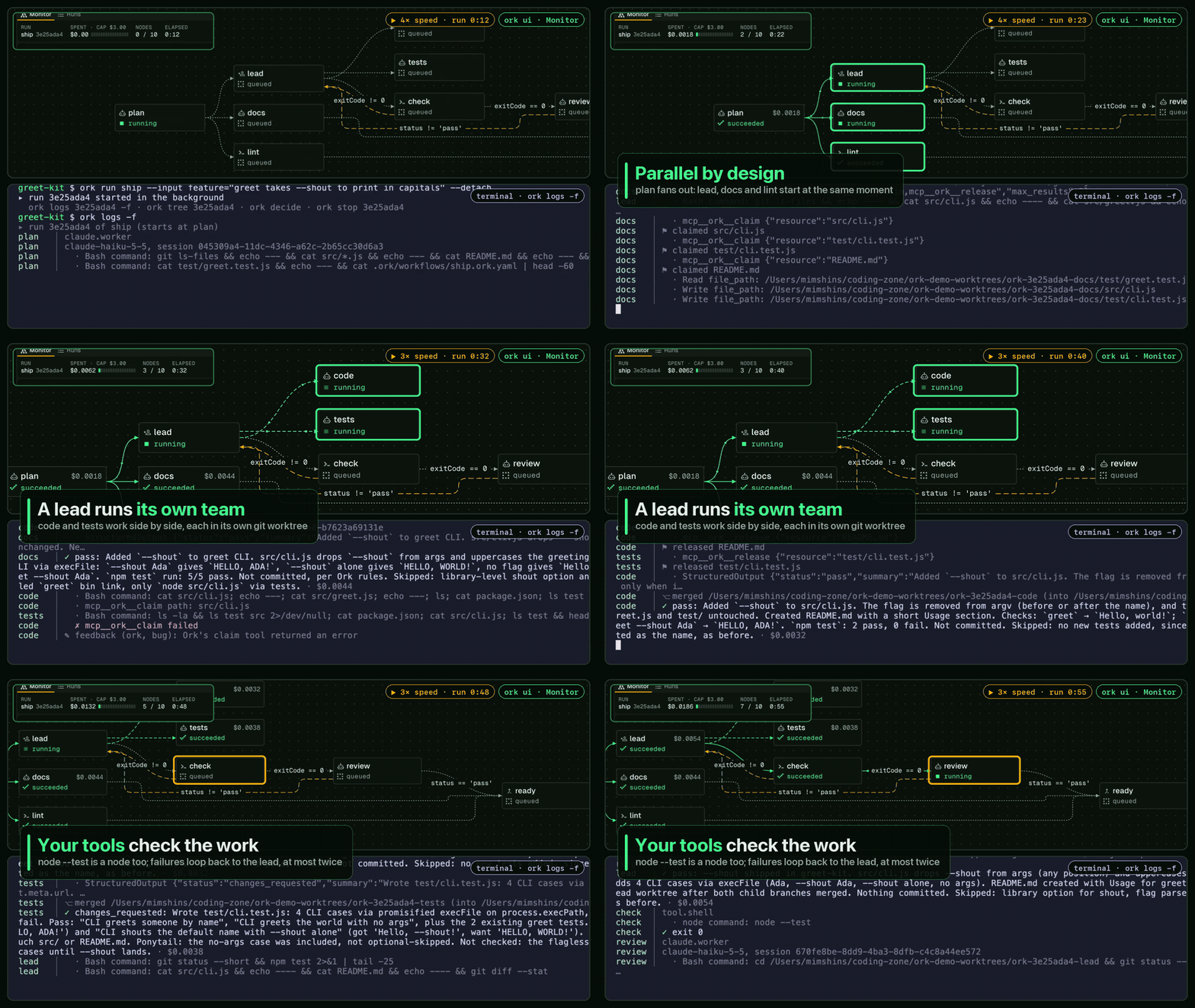
Ork lets you design workflows of agent and tool nodes, save them as plain YAML
next to your code, and run them locally with your own accounts. Think n8n, but
for agents and engineering tasks:
- Hierarchical. A leader hands each child only the brief it needs, gets a
short report back, and has the child's branch merged into its own. - Isolated. Every writing agent works in its own git worktree and branch, so
your checkout stays as it was unless you ask a step to work there. Ork never
pushes on its own. - Context-engineered. Fresh sessions per task, briefs instead of
transcripts, cache-friendly prompts, a model and effort per node, budgets, and
bounded loops. - Your agent tools. Each agent node runs a session of Claude Code, OpenCode
or Command Code, under your own login, and one workflow can mix them
(Drivers). - Yours. Your repository's
CLAUDE.md,AGENTS.mdand skills load as they
do in your agent tool, and Ork never stores a credential.
Alpha. Ork works today, from the terminal and in the browser (
ork ui),
but the workflow format and commands can still change until 1.0.0. What
changed lately: What's new.
Get started
Two ways in:
- Set it up yourself:
Installation, then the
Quickstart. The short version is
below. - Have your agent do it:
With your agent: Claude Code (or
any MCP client) installs Ork, sets up your project and writes a first
workflow, asking you before each change.
You need Node 24.20+, git, and one agent driver: your own claude login, or an
API key, Bedrock, Vertex or Foundry. Your own opencode or Command Code's cmd
work too (Drivers). gh and aws are optional,
needed only by workflows that use them. Run Ork inside a git repository with at
least one commit:
npm install --global @krapht/ork
ork doctor                                   # checks Node, git, your agent logins
ork init                                     # a starter workflow in .ork/workflows/
ork validate                                 # checks the workflow
ork run hello --input task="add a README"    # leader, worker, then your approval
ork worktrees                                # the branches it left
ork worktrees clean                          # removes the merged ones; asks first
ork ui                                       # your runs in the browser
Built with Ork
Ork is its own proof of concept and its own first user: Ork's features are
planned, built in parallel worktrees, reviewed and documented by Ork's own
workflows (.ork/workflows/), with the maintainer deciding
at the gates. Each of those runs is measured in
Benchmarks: Ork building Ork, failures included, and
compared with the same change made by hand in a plain Claude Code session.
Documentation
- Guides: everything else, from writing workflows to the browser view, is in
the documentation center. New to the ideas? Start with
How Ork works. - Benchmarks: Ork building Ork: what real features
cost and how long they took, against a plain Claude Code session. - Reference: the specs and the
JSON Schema. - Contributors: the design overview, the
interaction map and its
roadmap;
decisions (ADRs) and
proposals (RFCs); ONBOARDING.md for how
to read the project, CONTRIBUTING.md, the
Code of Conduct, and the
runbook. Report vulnerabilities as
SECURITY.md describes.
Full example workflows, such as software-factory and pr-review, are in
the examples guide.
License
MIT. Third-party notices:
THIRD_PARTY_NOTICES.md.
Reviews (0)
Sign in to leave a review.
Leave a reviewNo results found