lmsmob_chat
Health Warn
- License — License: NOASSERTION
- Description — Repository has a description
- Active repo — Last push 0 days ago
- Low visibility — Only 5 GitHub stars
Code Pass
- Code scan — Scanned 1 files during light audit, no dangerous patterns found
Permissions Pass
- Permissions — No dangerous permissions requested
No AI report is available for this listing yet.
Android chat client for LM Studio local server with OpenAI-compatible API, MCP/server tools, chat history, and LAN support.
LMSMOB Chat (LM Studio Android App)




Android chat app for LM Studio. Connect your phone to an LM Studio server
running on your PC and chat with local LLMs over your LAN. LMSMOB Chat is built
for a local-first privacy workflow: your prompts and answers are processed by
your LM Studio server on your own computer when you use local LM Studio models,
with local Supertonic read-aloud and scheduled prompt Watch Jobs for recurring
LM Studio checks.
Download the latest APK
from the GitHub releases page.
Demo
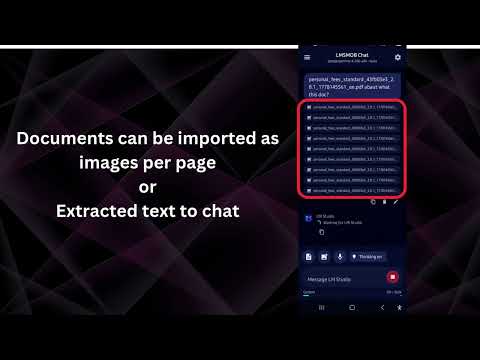
Watch the LMSMOB Chat Android demo on YouTube
Features
- Local-first chat with LM Studio: inference runs on your PC, not a hosted chat
service, when you use local LM Studio models. - Native Android app built with Kotlin and Jetpack Compose.
- Works with LM Studio's OpenAI-compatible local server at
/v1. - Supports LM Studio's native
/api/v1/chatendpoint for server tools. - Connects to LM Studio MCP/plugin integrations such as
mcp/local-web. - Tested companion LM Studio tools are published at
mindylab/lm_studio_tools. - Displays MCP image outputs in chat, including web page screenshots,
reverse image search results, and generated QR codes returned by LM Studio
tools. - Refreshes loaded LM Studio models from the app settings.
- Keeps chat sessions locally with folders, search, session switching, and
reusable chat text presets for quickly appending common instructions. - Supports copy, edit, delete, and cancel actions in chat.
- Imports and exports chat history as JSON.
- Supports image attachments for vision-capable models.
- Shares text, images, PDFs, DOC/DOCX, and XLS/XLSX files into the app from
Android share sheets. - Converts supported documents into text, and can render PDFs as image
attachments for vision-capable models. - Adds optional voice input, text-to-speech output, automatic answer read-aloud,
Supertonic TTS engine selection, and chunked local playback controls with
pause/resume for long assistant answers. For best performance, use the
MindyLab optimized Supertonic Android engine,
which includes service isolation and request-level processing controls used by
LMSMOB Chat. - Provides opt-in phone assistant tools for URL opening, map routes, email/SMS
drafts, phone dialing, calendar/reminder drafts, contact lookup, notification
digest, local file search, and device status. - Adds alarm tools for reading the next Android alarm, opening the Clock alarm
screen, and preparing alarm creation drafts. - Adds Watch Jobs: local notification monitors, scheduled notification-history
checks, and scheduled LM Studio prompt checks with filters, AI classification,
server-tool support, interval/daily/weekly/monthly/one-time scheduling,
normal notifications, alarm-style full-screen alerts, once/today/no-end
lifetimes, and confirmation before model-created jobs are saved. - Shows clickable source chips and clickable links in rich chat answers.
- Exports Markdown tables from chat answers as XLSX files.
- Appends a capability guide to prompts so the selected model knows which
server tools, phone tools, vision, reasoning, voice, document, and date/time
capabilities are currently enabled. - Shows context usage estimates and advanced generation settings including
temperature, top-p, max tokens, context length, penalties, and seed. - Includes emulator and physical-device LAN setup paths.
Privacy
LMSMOB Chat does not need a cloud chat service for normal use. The app sends
your messages to the LM Studio server URL that you configure, usually a PC on
your own Wi-Fi/LAN, and LM Studio processes those prompts locally when you run
local models. Chat history is stored on your Android device unless you export,
share, or delete it.
Voice privacy is also improved when using Supertonic TTS: assistant answers can
be spoken by the Supertonic Android TTS engine locally on your phone, instead of
depending on a cloud text-to-speech provider. LMSMOB Chat can split long answers
into local playback chunks, with quality and buffering controls for smoother
read-aloud. The
MindyLab optimized Supertonic Android engine
is recommended for better long-answer processing. If you choose the Android
system TTS engine, privacy depends on the TTS engine selected in Android
settings.
MCP/plugin tools are opt-in and can change the privacy boundary. Local tools can
stay on your PC, but web search, web fetch, YouTube transcript, maps, remote MCP,
or other network tools may send the specific URLs, queries, or task data needed
to external websites or services. Only enable integrations and allowed tools
that you trust. Scheduled prompt Watch Jobs use the configured LM Studio server
and may use those same server tools when a recurring task needs current web or
tool data.
Roadmap
The 2026 roadmap now builds on the first phone-assistant tools shipped in
v1.28, the Watch Jobs release in v1.40, and scheduled prompt Watch Jobs in
v1.59:
- Web tools already work through compatible LM Studio MCP/plugin setup, with a
tested local-web MCP server available in
mindylab/lm_studio_tools.
A packaged LMS/LM Studio web plugin is still planned to make setup easier. - Maps route drafts, contact lookup, notification digest, local file search,
device status, and confirmable phone action drafts are available now. - Alarm tools and Watch Jobs are available now for opt-in notification
monitors, scheduled LM Studio prompt checks, daily/weekly/monthly/one-time
schedules, and stronger local alerts. - Phone location tools are still planned with explicit Android permission
controls. - Broader cron-style task history, pause/resume controls, and safe follow-up
phone actions are still planned. - A signed release APK workflow is planned for wider distribution.
See the full 2026 roadmap.
Quick Setup
- Install the APK from the
latest release. - Start LM Studio on your PC.
- Load a model and start the local server from LM Studio.
- Open LMSMOB Chat settings.
- Set the LM Studio API URL and model.
- If LM Studio has authentication enabled, add your LM Studio API token.
The Android emulator default URL is:
http://10.0.2.2:1234/v1
For a physical Android device, use your PC's LAN IP address:
http://YOUR_PC_LAN_IP:1234/v1
Example:
http://192.168.1.25:1234/v1
Server Tools And MCP
LM Studio 0.4.0+ can call MCP/plugin tools through its native/api/v1/chat endpoint. In LMSMOB Chat, open settings, enable
Server tools, and add the LM Studio integration IDs you want to allow.
The tested LM Studio tools repo is
mindylab/lm_studio_tools. It
contains the local-web MCP server used with LMSMOB Chat, includingweb_search, web_fetch, web_search_and_fetch, youtube_transcript,qr_generate, qr_scan, reverse_image_search, and web_page_to_images,
plus ready-to-copy mcp.json examples.
Server-side tools require an LM Studio API token. In LM Studio, create a
permission token from Developer > Server Settings > Manage Tokens, then
paste it into the app's API token field. The token must allow the MCP/tool
permissions you want to use.
Privacy note: MCP/plugin integrations run outside the Android app, usually on
the PC running LM Studio. Some tools are local, while others intentionally access
the internet or remote services. Review each tool's behavior before enabling it,
especially tools that search the web, fetch pages, call maps, or connect to
remote MCP servers.
When Server tools is enabled, tap the refresh icon beside the model field.
The app loads model IDs from /api/v1/models and prefers currently loaded LLM
instances, which is what /api/v1/chat expects.
For an MCP server already configured in LM Studio's mcp.json, add one plugin
ID per line:
mcp/local-web
mcp/gemma4-audio-python
Bare server labels are normalized by the app. For example, local-web becomesmcp/local-web.
For broad local tools, fill Allowed tools in the app settings with one tool
name per line. The app will send:
{
  "type": "plugin",
  "id": "mcp/local-web",
  "allowed_tools": ["web_fetch"]
}
Against the tested server, mcp/local-web accepted these allowed tools:
web_search
web_fetch
web_search_and_fetch
youtube_transcript
qr_generate
qr_scan
reverse_image_search
web_page_to_images
For an ephemeral remote MCP, paste a JSON object or JSON array:
{
  "type": "ephemeral_mcp",
  "server_label": "huggingface",
  "server_url": "https://huggingface.co/mcp",
  "allowed_tools": ["model_search"]
}
When server tools are enabled, the app sends chat requests to:
http://HOST:1234/api/v1/chat
LM Studio server settings must allow the relevant MCP/plugin type.
Build
With Android Studio's JDK and SDK available:
.\gradlew.bat assembleDebug
The debug APK is generated under:
app/build/outputs/apk/debug/
To build a release APK:
.\gradlew.bat assembleRelease
The project can sign release builds when a local keystore.properties file is
present. See docs/release-signing.md. Do not commit
keystores, passwords, or keystore.properties.
Keywords
LM Studio Android app, LM Studio mobile client, Android local LLM chat, local AI
Android app, OpenAI-compatible Android client, MCP Android chat, Kotlin Jetpack
Compose AI chat, local server chat app.
License
Official LMSMOB Chat app builds are free for personal, non-commercial use.
The source code remains proprietary to MindyLab MB. Redistribution,
modification, commercialization, rebranding, company use, or source-code use
requires prior written permission. See LICENSE.md.
Reviews (0)
Sign in to leave a review.
Leave a reviewNo results found