OpenAgentCore
Health Warn
- License — License: MIT
- Description — Repository has a description
- Active repo — Last push 0 days ago
- Low visibility — Only 5 GitHub stars
Code Fail
- rm -rf — Recursive force deletion command in .github/workflows/native.yml
- rm -rf — Recursive force deletion command in .github/workflows/release.yml
- process.env — Environment variable access in apps/web/e2e/console.ts
Permissions Pass
- Permissions — No dangerous permissions requested
No AI report is available for this listing yet.
Open-source, self-hosted implementation of the OpenAI Agents API with multiple native harnesses.

OpenAgentCore
An open-source, self-hosted implementation of the OpenAI Agents API with multiple native harnesses.
Install · Call the API · Documentation · Contributing
English · 简体中文
What it is
OpenAgentCore runs AI agents on your own infrastructure behind the OpenAI Agents API.
- Same API as OpenAI. Point the official OpenAI SDK, or plain HTTP, at your
installation. No new client to learn. - Your choice of agent. Each Session runs a native harness: Codex, Claude Code or
MiniMax Code, with the model provider you configure. - Your choice of machine. Agents work in a managed sandbox (Docker, microsandbox
or E2B), or on your own Linux, macOS or Windows machine. - Every part is replaceable. Sandboxes, harnesses and model providers plug in
through defined protocols.
Screenshots
| Overview | Agent metrics |
|---|---|
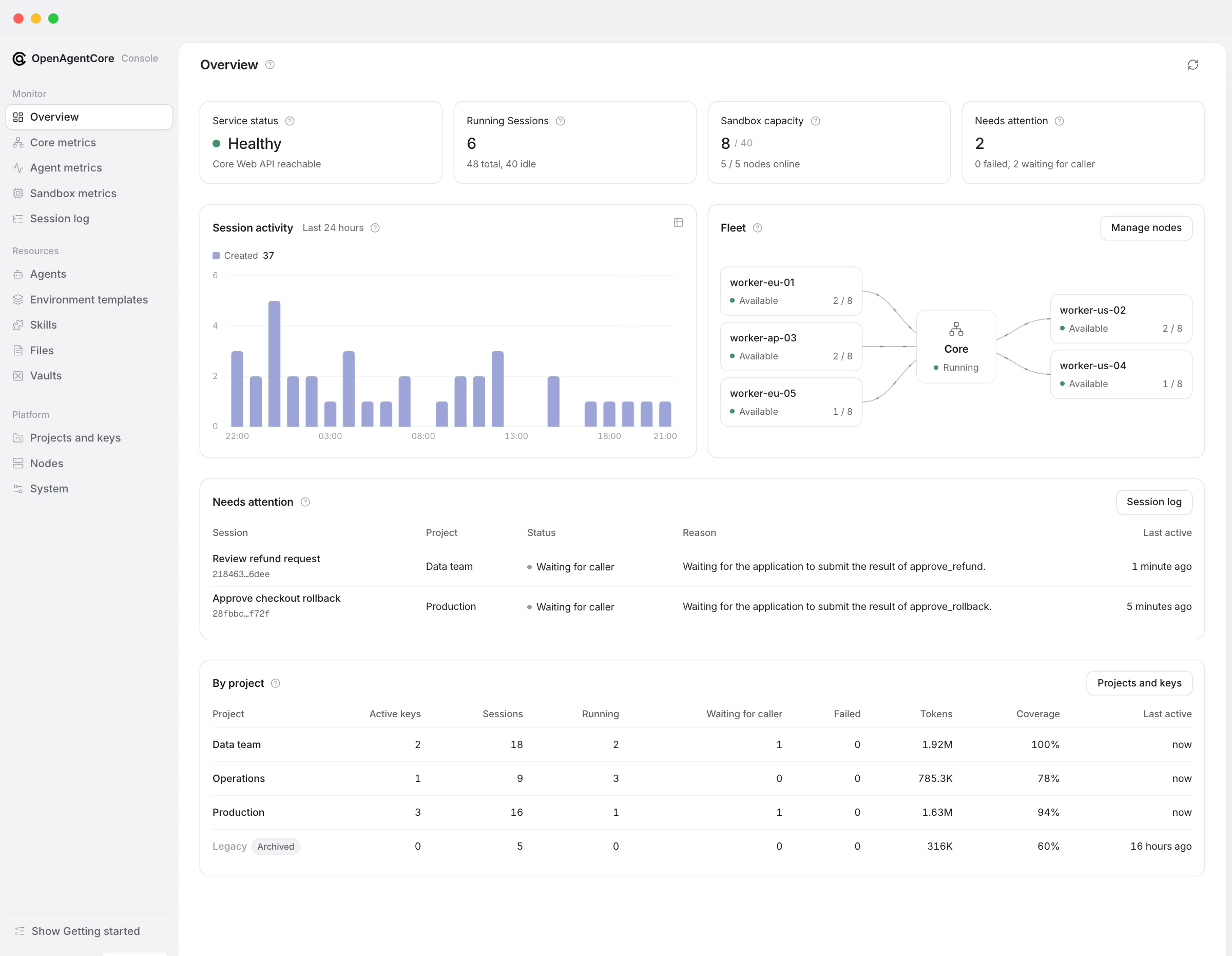 |
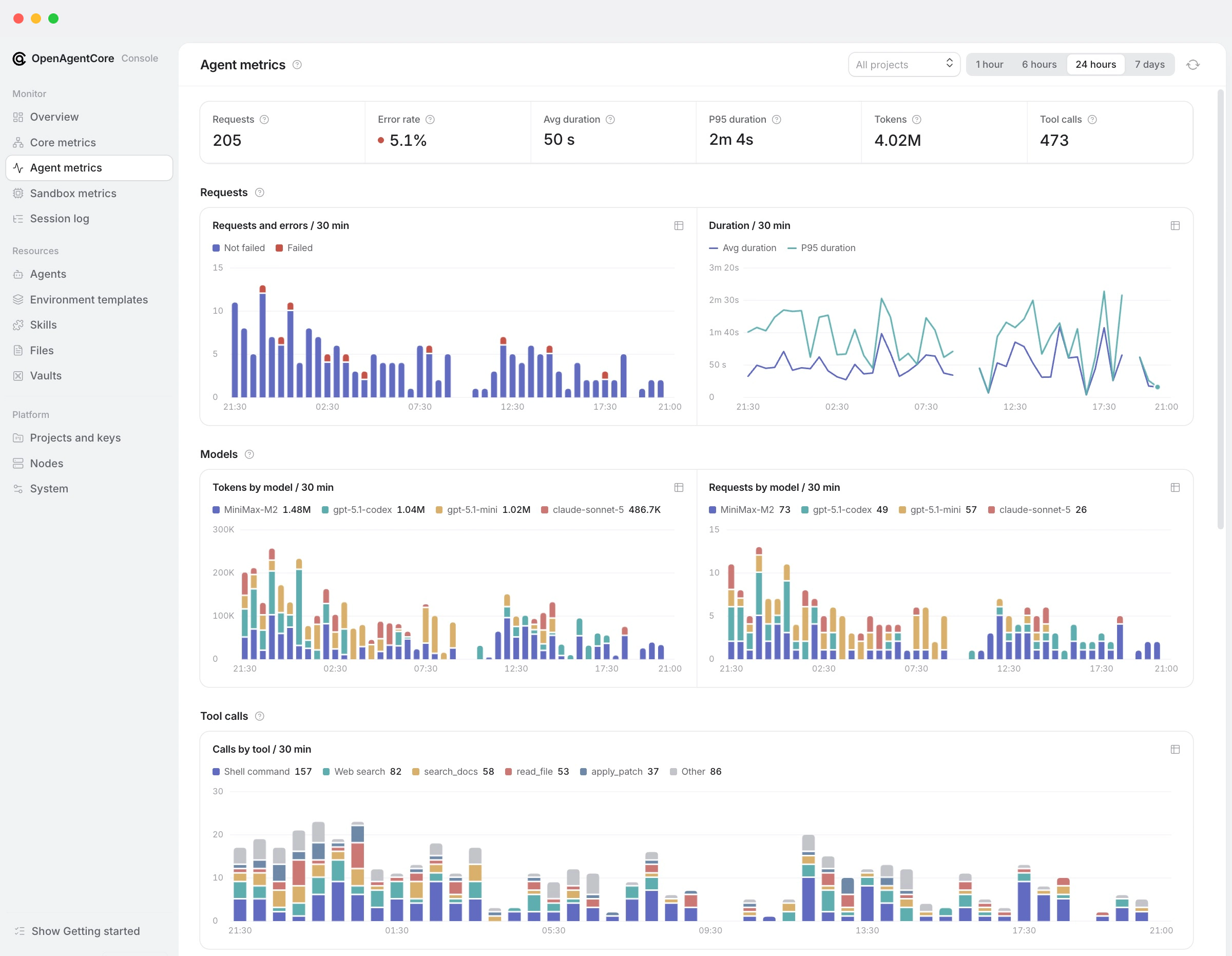 |
Install
On a Linux amd64 host with Docker and Python 3.9+:
curl -fsSL https://github.com/MiniMax-AI/OpenAgentCore/releases/latest/download/install.sh | bash
Then:
- Sign in to Web, the admin console, with the Core key the installer created.
- Set a default model and issue a Project API key.
- Add execution capacity: a node, E2B, or your own machine.
- Run your first Session with the OpenAI SDK.
The installation guide covers each step, HTTPS
and a quick local trial. Listen addresses, ports and other options: installation options.
How it fits together
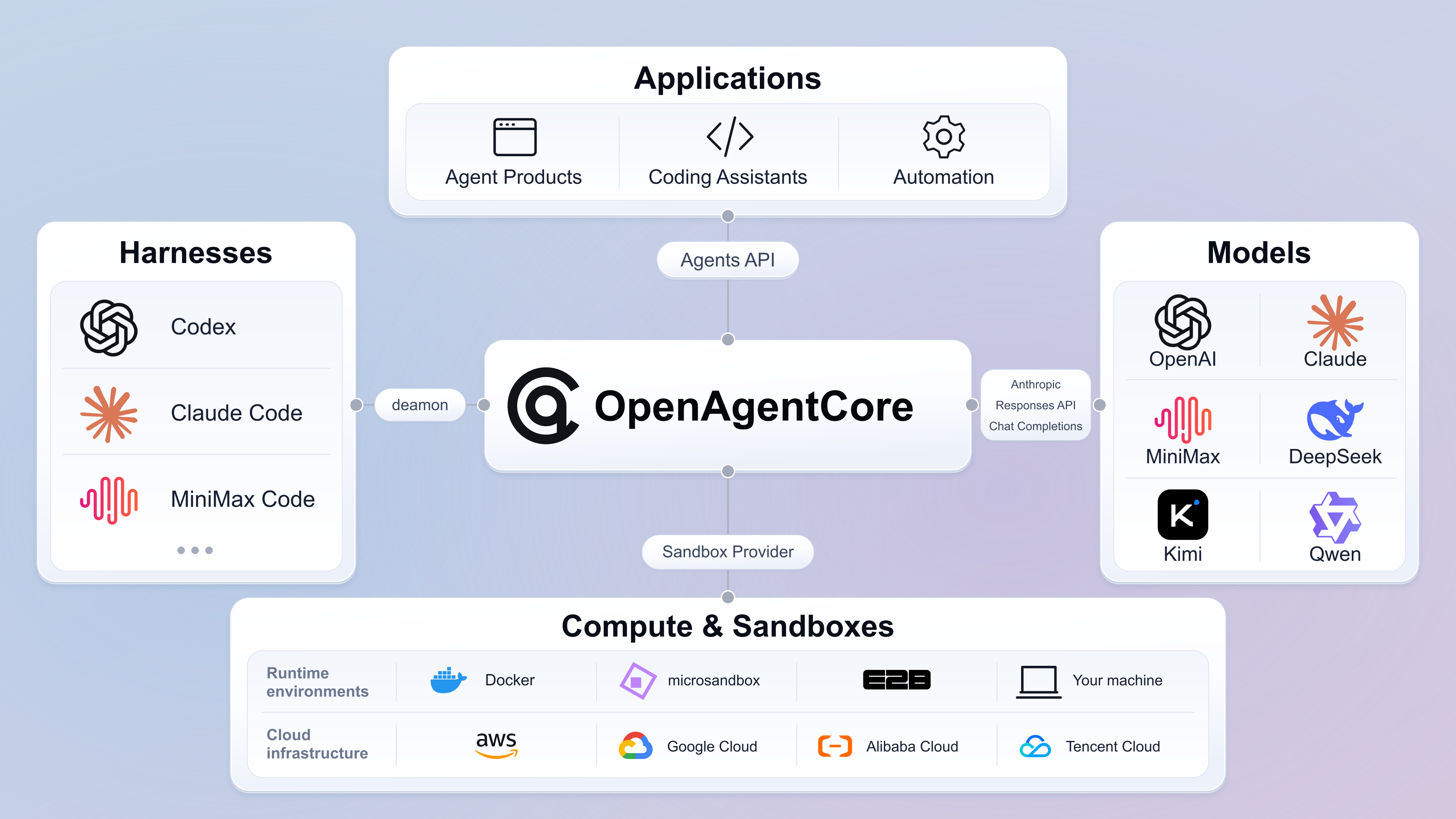
Core exposes two APIs:
| API | Path | Used by |
|---|---|---|
| Agents API | /v1 |
Your applications. Same protocol as OpenAI's Agents API |
| Core API | /core/v1 |
Operators, through Web |
Core keeps all state. The Runtime runs the chosen harness inside the Environment.
Each connection is a defined protocol, so any part can be replaced on its own. See
the architecture guide.
Documentation
| I want to | Start with |
|---|---|
| Install and operate an installation | Installation, then operations |
| Build an application on the API | Quickstart, then the Agents API guide |
| See a complete application | Examples |
| Run agents on my own machine | Self-hosted execution |
| Check verified Runtime capabilities and limits | Harness capabilities |
| Understand the design | Architecture |
| Add a sandbox, harness or other component | Developer guide |
All pages: documentation index. Before changing
code, read the contributor rules.
Reviews (0)
Sign in to leave a review.
Leave a reviewNo results found