memo-code
Health Pass
- License — License: MIT
- Description — Repository has a description
- Active repo — Last push 0 days ago
- Community trust — 24 GitHub stars
Code Warn
- fs module — File system access in .github/workflows/release.yml
Permissions Pass
- Permissions — No dangerous permissions requested
This tool is a lightweight coding agent designed for terminal and web-based workflows. It assists developers by automating tasks such as updating documentation, managing GitHub issues, and debugging projects.
Security Assessment
The tool is designed to interact with your file system, execute tasks, and make external network requests to APIs like GitHub and LLM providers. The automated audit found no hardcoded secrets and confirmed that no dangerous permissions are explicitly requested. However, there is a warning regarding file system access in the GitHub release workflow, which is typical for publishing tools but still requires standard caution. Because it is a coding agent that inherently manages code and external services, you should be aware that it will read and potentially modify local files. Overall risk is rated as Medium due to the inherent capabilities of an autonomous agent, though no malicious behavior was detected.
Quality Assessment
The project is actively maintained, with its last code push occurring today. It is protected by a standard MIT license and has a clean, informative README. With 24 GitHub stars, it is a relatively new and small project, meaning it hasn't yet received widespread community vetting. The inclusion of automated testing and code coverage badges in the documentation indicates a strong commitment to code quality and reliability.
Verdict
Use with caution. It is a promising and well-structured project, but as a newer coding agent with system-level access, it should be carefully reviewed before integrating into sensitive development environments.
A lightweight coding agent that runs in your terminal.



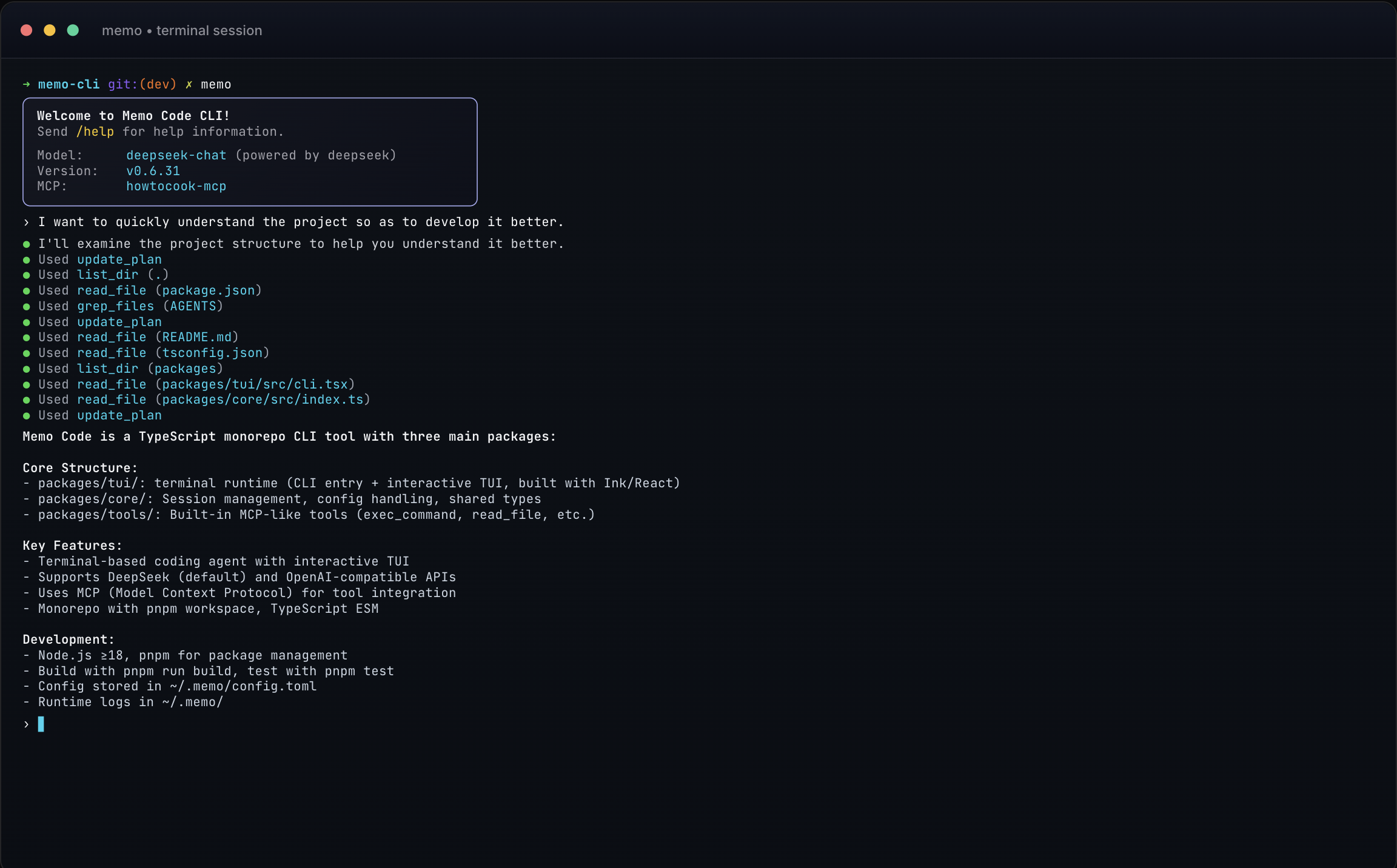
🌱 Origin
Memo started with a simple question: What does the simplest Agent look like?
In the second half of 2024, while writing my tech blog post Agent = LLM + TOOL, I began thinking about the essence of Agents — nothing more than LLM + Tool loops. But when I actually started implementing it, I discovered that behind every seemingly simple feature lies a mountain of engineering details:
- Best practices for system prompts
- Tool design and security boundaries
- Multi-model switching and compatibility
- Context management (especially long-session compaction strategies)
- Tricky TUI interactions
- Multi-workspace support for Web version
- npm package distribution and hot-reloading
- ...
This project grew from a small demo into an indispensable "productivity assistant" in my daily development — it helps me update documentation, manage GitHub Issues, debug projects... While I still use Claude Code and Codex CLI as my primary development tools, Memo quietly handles the tedious tasks in the background.
This is a personal project built from scratch. All architectural designs and technical decisions are independent explorations and trade-offs. If you're interested in the engineering implementation of Agents, I hope Memo can give you some reference.
✨ Features
| Feature | Description |
|---|---|
| Terminal + Web Dual Mode | Smooth TUI in terminal, Web Console with multi-workspace and concurrent real-time sessions (up to 20) |
| Smart Context Management | Auto-compact long session context, configurable threshold, millisecond-level token estimation |
| Skills System | Skills integration, auto-discover SKILL.md, activate by scenario |
| Deep MCP Integration | Local/remote MCP servers, OAuth login, runtime dynamic switching |
| Enterprise-Grade Security | Tool approval system (auto-approve/manual-approve), supports once/session/deny modes |
| OpenAI Compatible | Works with any OpenAI-compatible API, flexible multi-Provider configuration |
🚀 Quick Start
1. Install
npm install -g @memo-code/memo
# or pnpm / yarn / bun
2. Configure API Key
export OPENAI_API_KEY=your_key
# or configure other compatible APIs
3. Run
memo
First run will guide you through Provider/Model setup and save config to ~/.memo/config.toml.
📖 Usage Modes
| Mode | Command | Scenario |
|---|---|---|
| Interactive | memo |
Default, full TUI experience |
| One-shot | memo --once "prompt" |
Run once and exit |
| Resume Session | memo --prev |
Load latest session for current directory |
| Web Console | memo web --host 127.0.0.1 --port 5494 --open |
Browser-based operation |
🏗️ Architecture
memo-code/
├── packages/
│   ├── core/          # Core logic: Session state machine, Config handling
│   ├── tools/         # Tool routing, MCP Client management, built-in tools (exec_command, read_text_file, apply_patch...)
│   ├── tui/           # Terminal runtime: CLI entry, interactive TUI
│   ├── web-ui/        # Web frontend: React components
│   └── web-server/    # Web backend: session management, API adapter
└── docs/              # Technical documentation
Technical Highlights:
- Architecture: Clean Core / Tools / TUI separation, state-machine driven session management
- Testing: Core + Tools coverage > 70%, complete unit + integration tests
- Protocol: Native MCP (Model Context Protocol) support, can integrate any MCP tool server
- Token Estimation: Real-time context monitoring based on tiktoken, configurable auto-compaction strategy
- Distribution: npm package with pre-built Web assets, hot-reloading without perception
🔧 Built-in Tools
exec_command/write_stdin- Execute Shell commandsapply_patch- Structured patch editing (*** Begin Patch/*** End Patch)read_text_file/read_media_file/read_files/write_file/edit_file/list_directory/search_files- Filesystem read/write/searchwebfetch- Paged web fetching with markdown extraction and policy guards- MCP resource access -
list_mcp_resources,read_mcp_resource update_plan- Structured task progress managementget_memory- Persistent memory reading
⚙️ Config Example
current_provider = "openai_compatible"
auto_compact_threshold_percent = 80

[[providers.openai_compatible]]
name = "openai_compatible"
env_api_key = "OPENAI_API_KEY"
model = "gpt-4.1-mini"
base_url = "https://api.openai.com/v1"

# MCP Server
[mcp_servers.github]
command = "npx"
args = ["-y", "@modelcontextprotocol/server-github"]

# Skills
active_skills = ["./skills/doc-writing/SKILL.md"]
🛠️ Development
# Install dependencies
pnpm install

# Run locally
pnpm start

# Build for distribution
pnpm run build

# Test
pnpm test              # all tests
pnpm run test:coverage # coverage report (threshold ≥70%)

# Format
pnpm run format        # write
pnpm run format:check  # CI check
Contributors
📄 License
MIT License
Reviews (0)
Sign in to leave a review.
Leave a reviewNo results found