prism
Health Pass
- License — License: Apache-2.0
- Description — Repository has a description
- Active repo — Last push 0 days ago
- Community trust — 20 GitHub stars
Code Fail
- process.env — Environment variable access in .github/workflows/e2e.yml
- Hardcoded secret — Potential hardcoded credential in backend/src/ai/providers/amazon_bedrock/testdata/sdk_requests.mjs
Permissions Pass
- Permissions — No dangerous permissions requested
No AI report is available for this listing yet.
Self-hosted AI agent that keeps working after the chat ends: it remembers, runs scheduled checks and tasks, edits files and runs commands. Reach it from Slack, Teams, the web or the terminal. Works with your LLM provider and MCP tools.

Prism Agent is an enterprise-ready AI agent that keeps working after the
conversation ends. It remembers what you tell it, watches what you ask it to
watch, and completes tasks on the schedule you set. It does the work itself,
from editing files to running commands, and your team reaches it where they
already work: the web, the terminal, Slack and Microsoft Teams. Prism works with
the AI provider your company already uses, acts within the rules you set, and
finishes what it starts, even through a restart. It is a focused product: a
small set of features, each one tested end to end.
Built and used by Mirantis.
Why we built it
We couldn't find an autonomous agent we could trust with our own work, so we
built one for our needs. If you find it useful too, great.
As an AI company, we also need a deep understanding of agent harnesses and the
freedom to innovate without being limited by other people's concepts. Prism
keeps us at the leading edge of AI and agentic work, and lets us deliver what we
learn in a form that suits enterprise needs. That's why we built it, and why we
keep building it.
Documentation
Full user docs live in docs/ — installation (native,
and Docker), the Web UI and
Terminal UI, Slack,
Microsoft Teams, and a guide to every
feature: identity, memory,
heartbeat, scheduled tasks,
tools, and configuration.
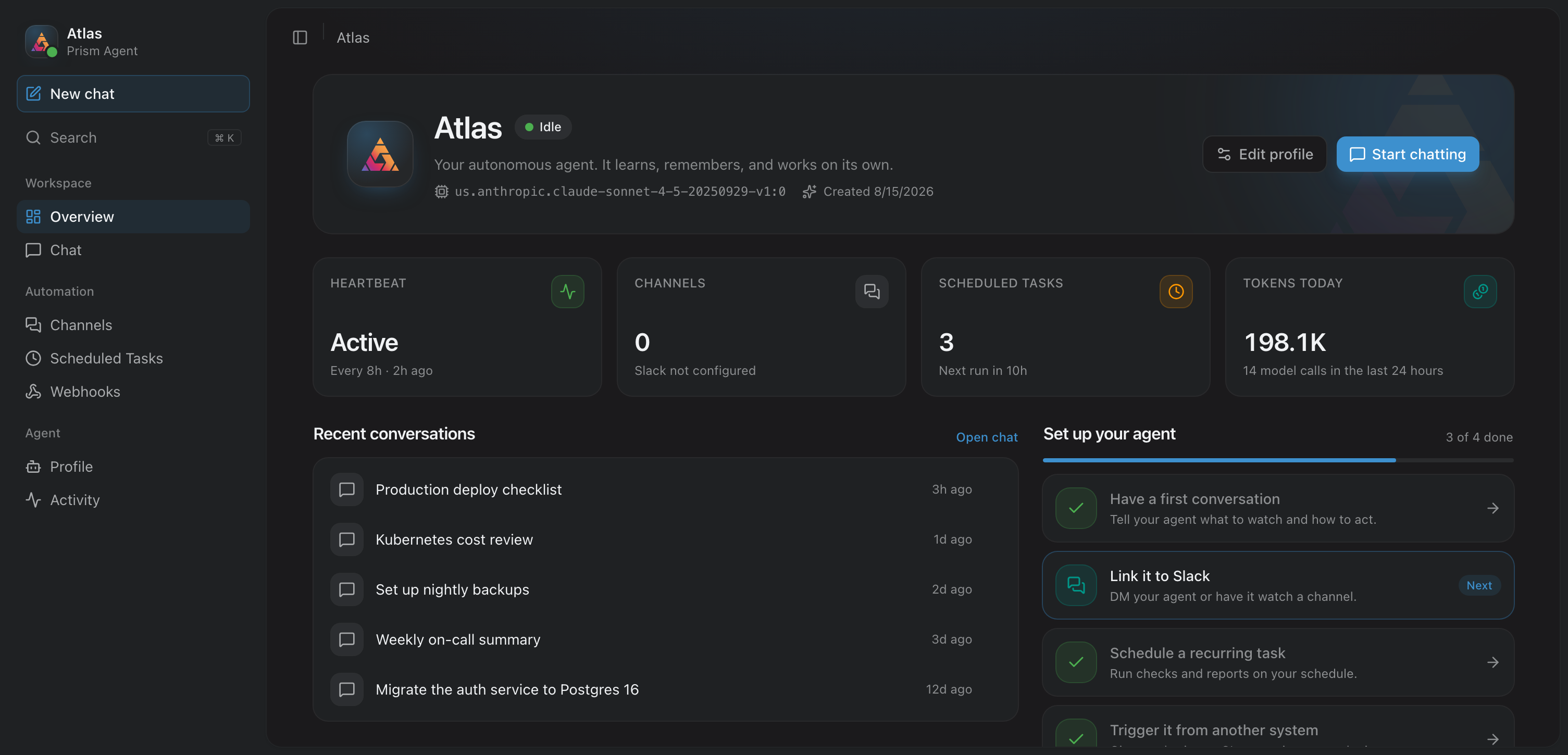
Web UI
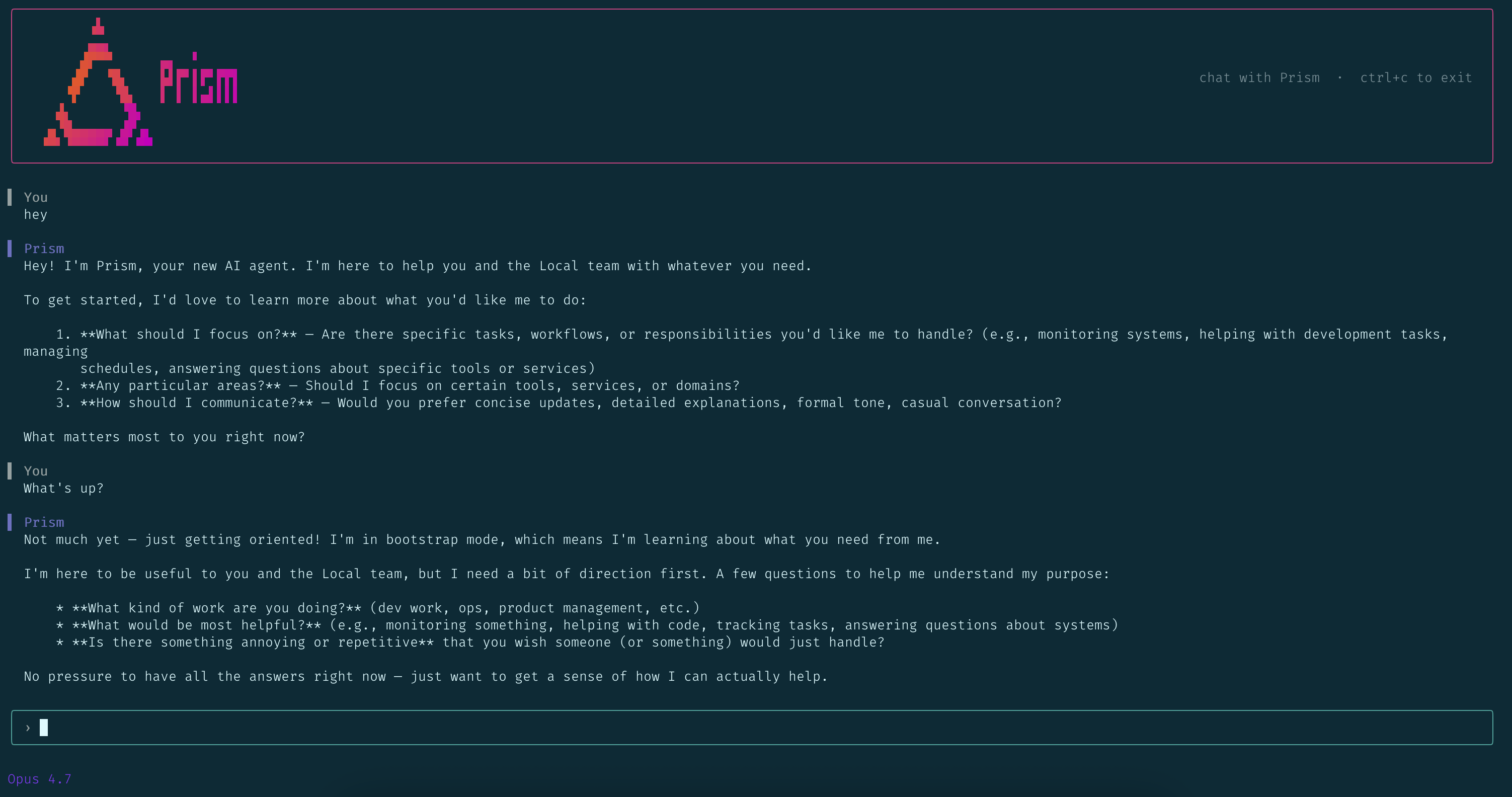
Terminal UI
Quick Start
One-line install
macOS / Linux
curl -fsSL https://raw.githubusercontent.com/Mirantis/prism/main/install.sh | bash
Windows
irm https://raw.githubusercontent.com/Mirantis/prism/main/install.ps1 | iex
Using Docker
Start the agent and boot into terminal ui:
docker run -it -p 3003:3003 -v prism-data:/data -e AWS_BEARER_TOKEN_BEDROCK ghcr.io/mirantis/prism:latest /bin/sh -c './start.sh > /dev/null 2>&1 & exec prism'
Using Mirantis Agent Platform
Create the agent from the platform's Prism template. The platform supplies
sign-in, model credentials and tools; see
Mirantis Agent Platform.
Features
Capabilities
Work that continues
- Goals — set a background goal with
/goaland the
agent pursues it across turns until it is done, paused or stopped. - Scheduling — create, list, run, and delete scheduled tasks using
natural language ("in 5 minutes","every weekday at 9am") or raw
cron expressions. - Heartbeat — run the checks in the heartbeat document on a
schedule, every 8 hours by default. The agent posts only when a check finds
something new, to the places the user allows. - Webhooks — let external systems push events to the agent
on port 3004, once Webhook receiver is on in the Web UI. Each webhook has
its own endpoint, an optional prompt template filled from the payload, and a
delivery target. A sender proves itself with a shared token or an HMAC
signature. - Memory — search, write, delete entries in its long-term memory store.
- Self-management — edit its own personality, the profile of its user,
its curated memory, vision, operating manual, heartbeat checks, and
runtime settings, all from inside the conversation.
Does the work
- Shell — run commands, read/write/edit files, spawn long-running
processes, and manage their I/O. - Coding agents — hand coding tasks to Claude Code
or Codex, on an API key or your own subscription, and follow them to the end. - Web pages — read a public page's text without opening a browser.
- Computer use — use websites and desktop apps on its own
desktop and browser, in chat, goals or scheduled tasks. Open Computer in
the Web UI to watch it work or take control. It needs the container image. - Skills — reusable instructions in the open Agent Skills format,
so skills written for other tools work unchanged. The agent loads one when a
task matches. - Plugins — skills and MCP tool servers packaged in one folder,
following the open Agent Plugins standard.
Talk to it
- Voice chat — talk to the agent directly over the chat
connection, with its tools available while you speak. It needs a Realtime
credential and works wherever chat works. - Voice meetings — join a Google Meet call on request
and take part by voice, with its tools available during the call. It needs the
container image and the same Realtime credential. Work it cannot finish in the call
becomes a one-off task whose result arrives in your chat. - Voice messages — speak into the Web UI's chat microphone,
and your words arrive in the thread as a message. It uses the same Realtime
credential, and the agent does not speak back.
Operator controls
- Tool risk gate — check each tool call
against the policy in the Agent Guide, and block the ones it classifies as unsafe. - Locked-in mode — stop the agent from
rewriting its own identity documents and long-term memory.
The agent's "self"
Each agent is defined by a small set of markdown documents:
| Document | Purpose |
|---|---|
| Soul | Personality, values, boundaries |
| User | What the agent knows about the person it's working for |
| Memory | Curated long-term knowledge |
| Vision | The user's goals for the agent |
| Agent guide | The operating manual the agent follows |
| Heartbeat | The checks the agent performs on its schedule |
| Bootstrap | First-run onboarding instructions, cleared once complete |
Together they form the agent's identity — change them and the agent changes.
LLM models
Default models:
- Main loop: Claude Opus 5
- Classification gates: Claude Haiku
- Embeddings: Amazon Titan v2 (Bedrock default; other platforms via
EMBEDDING_PROVIDER)
All three are configurable. Heartbeat and scheduled runs can each use their own
model. In Auto mode the agent picks a small, medium or large model for each
turn; see Auto model selection.
Observability
- Structured logs by default (Pino).
- Langfuse tracing for every LLM call — model, tokens, tool calls,
latency. Enabled by setting Langfuse keys; disabled otherwise. - OpenTelemetry export of product telemetry: identifiers, flags and counts,
never message content or credentials. The published container image sends it
to Mirantis; setOTEL_EXPORTER_OTLP_ENDPOINTto your own collector, or to an
empty value to turn it off. See Observability.
Interfaces
Prism Agent exposes the following surfaces:
- WebUI — a built-in browser UI served by the runtime. Chat with the
agent, browse threads, view and edit all seven identity documents,
inspect scheduled tasks,
and watch heartbeat history. Available on the same port as the runtime. - TUI — a terminal UI for chatting with the agent and managing its
state from the shell. Useful for headless servers and SSH sessions. - Editors — use the agent from Zed, a JetBrains IDE or any other
editor that supports the Agent Client Protocol. The agent works in the project the
editor has open. - Slack — runs in Socket Mode. Once the agent's Slack workspace is wired
up, DMs and channel mentions reach the agent directly without a public
webhook. - Microsoft Teams — chat with the agent in personal chats and by
@mentioning it in a channel, with threaded replies. You link an account or a
channel with a verification code, as in Slack.
License
Apache License 2.0. See LICENSE.
Some files are copied or adapted from third-party projects. See
THIRD_PARTY_NOTICES.
Reviews (0)
Sign in to leave a review.
Leave a reviewNo results found