kaydet
Health Gecti
- License — License: MIT
- Description — Repository has a description
- Active repo — Last push 0 days ago
- Community trust — 29 GitHub stars
Code Gecti
- Code scan — Scanned 12 files during light audit, no dangerous patterns found
Permissions Gecti
- Permissions — No dangerous permissions requested
Bu listing icin henuz AI raporu yok.
Never lose a solution twice. Terminal note-taking app for developers. CLI notes, work logs, daily journal, with SQLite FTS search and MCP AI integration.
Never lose a solution twice.


Kaydet ("record" in Turkish) is a terminal note-taking app for developers.
Capture work logs, daily notes, and developer journals in plain text.
Instantly search everything with SQLite FTS.
Your AI can read and write your notes too.
Install
pipx install kaydet
With AI (MCP) support:
pipx install kaydet[mcp]
Also available via:
uv tool install kaydet    # uv
brew install kaydet       # Homebrew (coming soon)
Quick Start
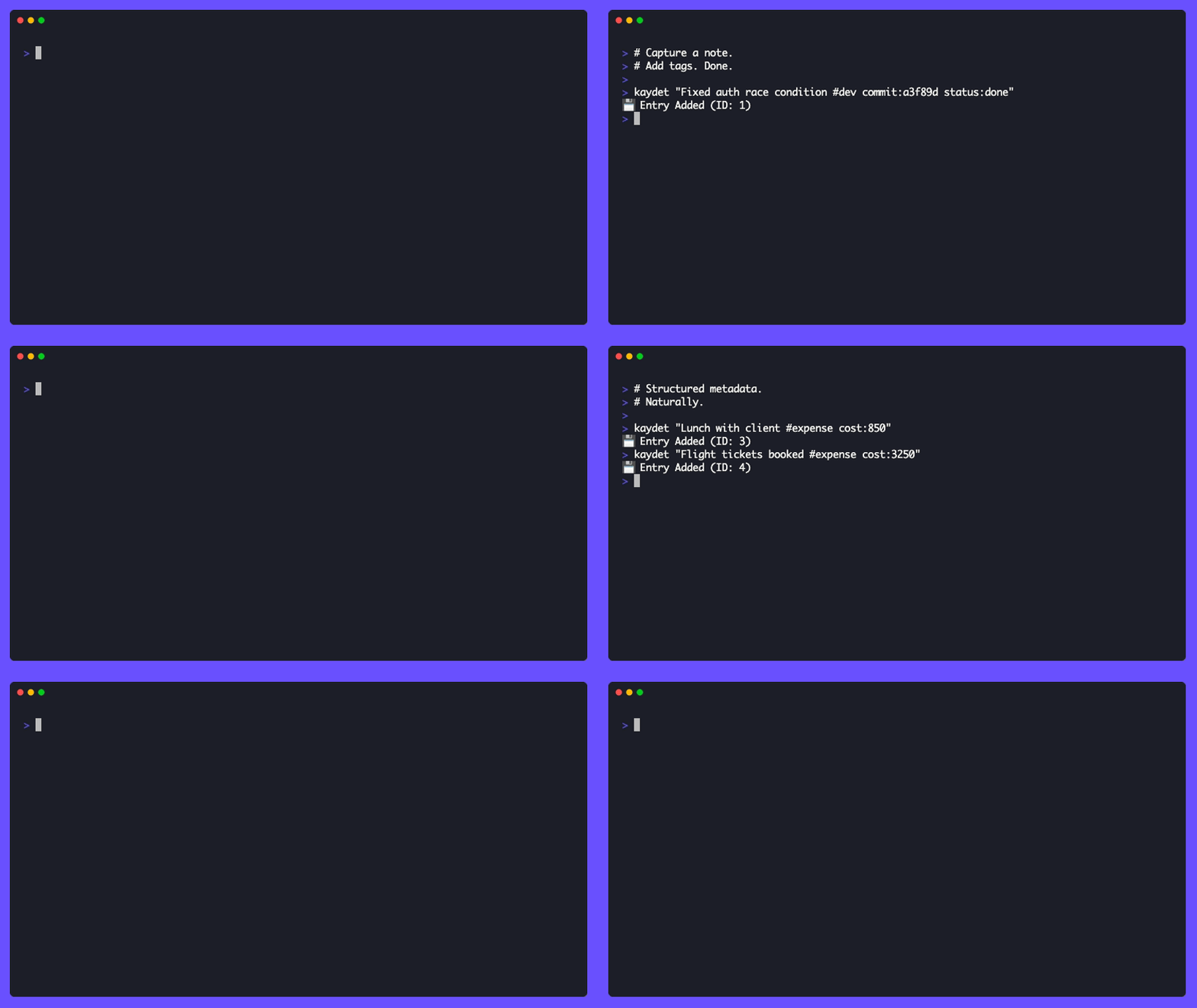
# Capture a solution (terminal notes, instantly)
kaydet "Fixed auth race condition commit:abc123 issue:312"

# 6 months later — find it
kaydet --filter auth

# Log what you worked on (work log / developer diary)
kaydet "Deep work on ETL pipeline #work time:3h focus:high"

# Todo from the command line (CLI notes + tasks)
kaydet --todo "Write unit tests priority:high"
kaydet --done 42

# Search by metadata
kaydet --filter "status:done"
kaydet --filter "time:>2"

# Open today's entry in your editor
kaydet --today

# See your stats (plain text notes, searchable)
kaydet --stats
AI Integration
Your AI assistant can search years of your notes in seconds.
Powered by MCP (Model Context Protocol). Connect Claude Desktop, Cursor, or any MCP-compatible tool:
// claude_desktop_config.json
{
  "mcpServers": {
    "kaydet": {
      "command": "kaydet-mcp"
    }
  }
}
Then ask your AI:
- "What did I work on this week?"
- "How did I fix that auth bug last year?"
- "Summarize my accomplishments from last sprint"
- "What expenses did I log in March?"
Your AI grounded in your own data. Not generic knowledge — your knowledge.
MCP Tools
16 tools including search, filter by metadata, manage todos, get stats, summarize, and more.
Architecture
┌─────────────────────┐
│   Claude Desktop    │
│  or any MCP client  │
└────────┬────────────┘
         │ MCP protocol
┌────────▼────────────┐
│     kaydet-mcp      │
└────────┬────────────┘
         │
     ┌───┴───┐
┌────▼───┐ ┌─▼────────────┐
│ daily  │ │ SQLite index │
│ .txt   │ │ (FTS5 full-  │
│ files  │ │  text search)│
└────┬───┘ └──────────────┘
     │
     ▼
Google Drive / iCloud / Dropbox
Why Kaydet?
Never lose a solution twice. How many times have you fixed a bug, then six months later faced the same problem with no memory of how you solved it? Kaydet is your external memory — a searchable notes database that lives in your terminal.
Zero friction. One command from your terminal. No app windows, no context switching, no loading screens. The fastest CLI notes workflow you'll find.
Plain text ownership. Daily .txt files you can grep, version with git, sync however you like. Your data outlives any app. True plain text notes with no lock-in.
Queryable database. SQLite FTS5 index with full-text search, structured metadata (time:>2, status:done), and numeric comparisons. Real SQLite FTS search across thousands of entries.
AI-native. Your AI can read and write your notes. It's not a chatbot with generic knowledge — it's an AI that knows your work history. The only AI notes app built for the terminal.
How Kaydet Compares
vs CLI Tools
| kaydet | jrnl | nb | Toney | |
|---|---|---|---|---|
| Terminal notes | ✅ | ✅ | ✅ | ✅ |
| Developer diary | ✅ | ❌ notebook | ❌ notebook | ❌ |
| Work log | ✅ daily files | ❌ | ❌ | ❌ |
| SQLite FTS search | ✅ FTS5 | ❌ | ❌ grep | ❌ |
| Structured metadata | ✅ time:>2 |
❌ | ❌ | ❌ |
| AI/MCP server | ✅ | ❌ | ❌ | ❌ |
| Plain text files | ✅ | ✅ | ✅ | ❌ DB-only |
| Todo management | ✅ | ❌ | ✅ | ❌ |
| Edit/delete by ID | ✅ | ❌ | ❌ | ❌ |
| Language | Python | Python | Shell | Go |
vs Knowledge Apps
| kaydet | Obsidian | Notion | |
|---|---|---|---|
| Terminal-native | ✅ | ❌ | ❌ |
| Offline first | ✅ | ✅ | ❌ |
| Plain text | ✅ | ✅ | ❌ |
| Git-friendly | ✅ | ❌ | ❌ |
| AI access (MCP) | ✅ | partial | partial |
| Structured metadata queries | ✅ | ❌ | ❌ |
| Zero friction capture | ✅ | ❌ | ❌ |
Features
- Todo management: Built-in task tracking with
--todoand--done - Structured metadata:
key:valuesyntax with numeric comparisons (time:>2,status:done,priority:high) - Smart tagging: Hashtags (
#work,#bug) and metadata in one natural string - Edit/delete by ID: Stable numeric identifiers for every entry
- File attachments: Attach files with
--attachor move with--grab - Plain text storage: Human-readable
.txtfiles, one per day - SQLite FTS5 indexing: Fast full-text search across thousands of entries
- Git-friendly: Version your journal, sync across devices
- MCP integration: Connect Claude Desktop, Cursor, and any MCP-compatible AI
Usage
Basic Commands
# Add an entry
kaydet "Morning standup went well #work"

# Add with metadata
kaydet "Deep work session #focus time:3h intensity:high project:kaydet"

# Attach files
kaydet "Meeting notes" --attach notes.pdf
kaydet "Screenshot" --grab screen.png        # copies + removes original

# Search & Filter
kaydet --filter "#work"
kaydet --filter "project:kaydet status:done"
kaydet --filter "time:>2"
kaydet --list                                # list today's entries
kaydet --today                               # open today's file in editor
kaydet --get 42                              # show entry by ID

# Todo Management
kaydet --todo "Write unit tests priority:high"
kaydet --done 42                             # Mark todo as done
kaydet --todo                                # List pending todos

# View
kaydet --tags                                # List all tags with counts
kaydet --stats                               # Show calendar and stats
kaydet --folder                              # Open log directory
kaydet --format json --filter "#work"        # JSON output

# Edit & Delete
kaydet --edit 42                             # Open in editor
kaydet --edit 42 "Updated message"           # Inline update
kaydet --delete 42                           # Delete by ID
kaydet --delete 42 --yes                     # Skip confirmation

# Management
kaydet --doctor                              # Rebuild search index
kaydet --config                              # Edit config file
kaydet --reminder                            # Show writing reminder
kaydet --at "2024-01-15:14:30" "Note"       # Backdated entry

# Version
kaydet --version
Need a literal
#in your note? Escape it as\#(e.g.,kaydet "Budget was \#1").
Entry Format
Entries are stored as plain text with this format:
14:25 [42]: Fixed auth bug commit:abc123 time:2h status:done #work #urgent
- Timestamp and unique ID
- Message
- Metadata (
key:valuepairs) - Tags (hashtags)
File Structure
~/Documents/Kaydet/          → Synced (storage)
├── 2025-10-26.txt
├── 2025-10-27.txt
├── 2025-10-28.txt
└── ...

~/.local/share/kaydet/       → Local only (index)
  └── index.db
Metadata Queries
Kaydet parses key:value pairs and supports:
- Exact match:
status:done,project:kaydet - Numeric comparison:
time:>2,time:>=1.5,time:<5 - Ranges:
time:1..3(between 1 and 3 hours) - Duration parsing:
2h→2.0,90m→1.5,2.5h→2.5
Configuration
Settings are in ~/.config/kaydet/config.ini:
[SETTINGS]
DAY_FILE_PATTERN = %Y-%m-%d.txt
DAY_TITLE_PATTERN = %Y/%m/%d - %A
STORAGE_DIR = ~/Documents/Kaydet
EDITOR = nvim
REMIND_AFTER_HOURS = 4
COLOR_HEADER = bold cyan
COLOR_TAG = bold magenta
COLOR_DATE = green
COLOR_ID = yellow
If STORAGE_DIR is omitted, Kaydet picks a sensible default on first run:
- macOS / Windows →
~/Documents/Kaydet - Linux →
~/Kaydet
Prefer hidden/XDG dirs? Change STORAGE_DIR (e.g., ~/.local/share/kaydet) inconfig.ini and rerun kaydet --config; the CLI offers to move files for you.
Color Customization
You can customize output colors by adding these to [SETTINGS] in config.ini:
COLOR_HEADER = bold cyan
COLOR_TAG = bold magenta
COLOR_DATE = green
COLOR_ID = yellow
Any Rich color string works (e.g., red, bold green, rgb(255,100,0)).
Use Cases
Work Logging / Developer Diary
kaydet "Shipped analytics feature #work commit:a3f89d pr:142 status:done time:4h"
kaydet "Investigating prod timeout #oncall status:wip time:1.5h"
Debug History (never lose a solution twice)
kaydet "Auth race condition fixed — was missing mutex on token refresh commit:abc123"
Time Tracking
kaydet "Deep work on ETL pipeline #work time:3h focus:high"
kaydet --filter "time:>2"  # Find long sessions
Personal Journaling
kaydet "Morning run felt amazing #fitness time:30m distance:5k"
kaydet "Read Atomic Habits chapter 3 #reading"
Expense Tracking
kaydet "Lunch with client #expense amount:850 currency:TRY billable:yes"
kaydet --filter "billable:yes"  # Generate invoice data
Cloud Sync
Kaydet separates storage (plain text files) from index (SQLite database). Only the plain text files are synced — each device builds its own search index locally. This means zero sync conflicts and no infrastructure cost.
Works with Google Drive, iCloud, Dropbox, Syncthing, or any folder sync tool.
See docs/sync.md for setup instructions.
Development
git clone https://github.com/miratcan/kaydet.git
cd kaydet
pip install -e .[dev]
pytest
ruff check src
Contributing
Bug reports, feature ideas, and pull requests welcome. See docs/CONTRIBUTING.md for guidelines.
License
MIT License. See LICENSE for details.
Links
- GitHub Repository
- docs/AGENTS.md — agents must read this before interacting with the repo
Star History
Built by Mirat Can Bayrak
Yorumlar (0)
Yorum birakmak icin giris yap.
Yorum birakSonuc bulunamadi