opencode-mobile
Health Gecti
- License — License: MIT
- Description — Repository has a description
- Active repo — Last push 0 days ago
- Community trust — 12 GitHub stars
Code Gecti
- Code scan — Scanned 12 files during light audit, no dangerous patterns found
Permissions Gecti
- Permissions — No dangerous permissions requested
Bu listing icin henuz AI raporu yok.
OpenCode on Android: a full OpenCode server running inside the phone. Skills, GitHub, phone tools. Unofficial client, beta.
OpenCode mobile
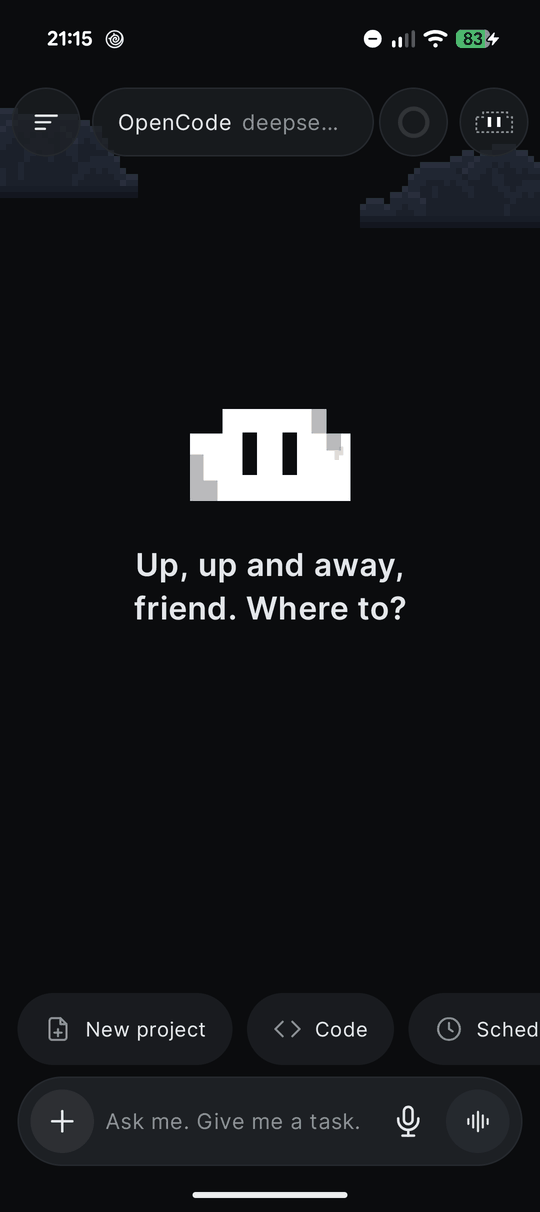
An Android app that runs its own OpenCode server on the phone. It unpacks Ubuntu 24.04 in proot (no root), starts opencode serve on 127.0.0.1 and gives it a mobile UI. You don't need a computer, but you can also connect to OpenCode running on one.
Current version: v0.0.1 beta-4. Android 8+, arm64. Unofficial client.
Features
Team of agents. Turn on a team in Settings → Capabilities → Team. Either define the helpers yourself (name, role, model) or let the main agent decide how many it needs and which models to use. Helpers run in parallel as OpenCode subagents, and the chat shows what each one is doing.
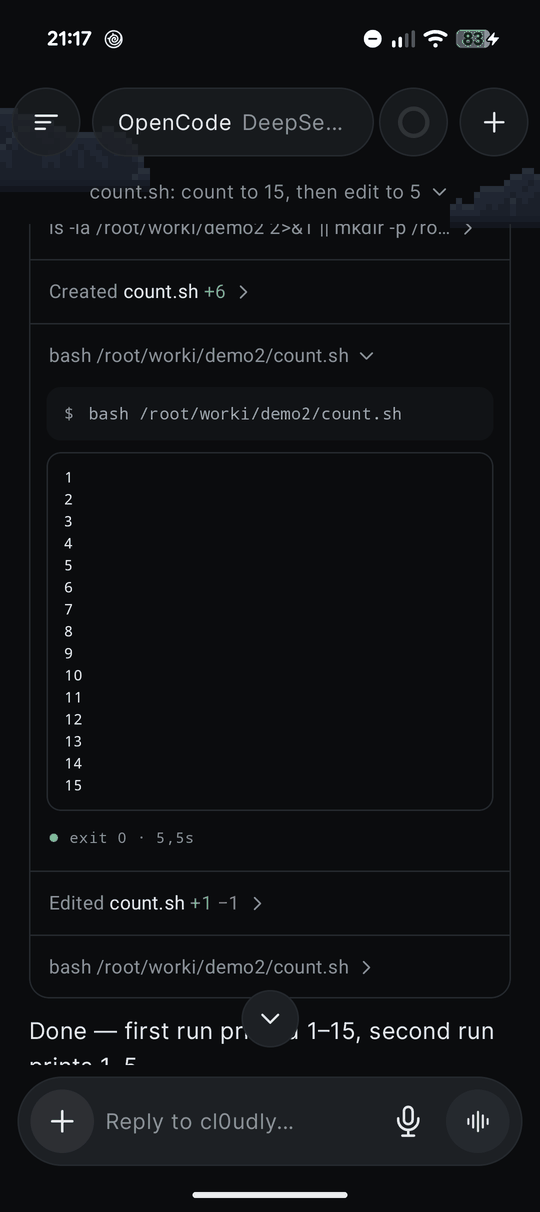
Live terminal and review. The agent's work is one summary line that opens into a card of steps, like in Claude Code; each step opens to show the command and its output, the diff or the thought. Command output appears in the chat while it runs. After a task, Changes lets you keep or undo each edited file. Search looks inside messages and memory.
Skills. Type / in the chat to pick a skill or command. Skills are regular SKILL.md folders, so you can import the ones you use in Claude or ChatGPT (.zip, .skill or SKILL.md), paste the instructions of a custom GPT or a Claude project, or ask the agent to write a new skill in the chat.
GitHub. Sign in once with a device code. The app installs git and the GitHub CLI in Ubuntu and sets git to your name and noreply email. After that the agent can clone, commit, push and open pull requests as you. It is told never to add Co-Authored-By or other AI attribution.
Phone tools. The app exposes an MCP server to the agent, so it can show notifications, set reminders and alarms, read and fill the clipboard, take a photo, get your location, save files to Downloads and share them. Each tool can be switched off. Sites the agent builds open in a live preview inside the app.
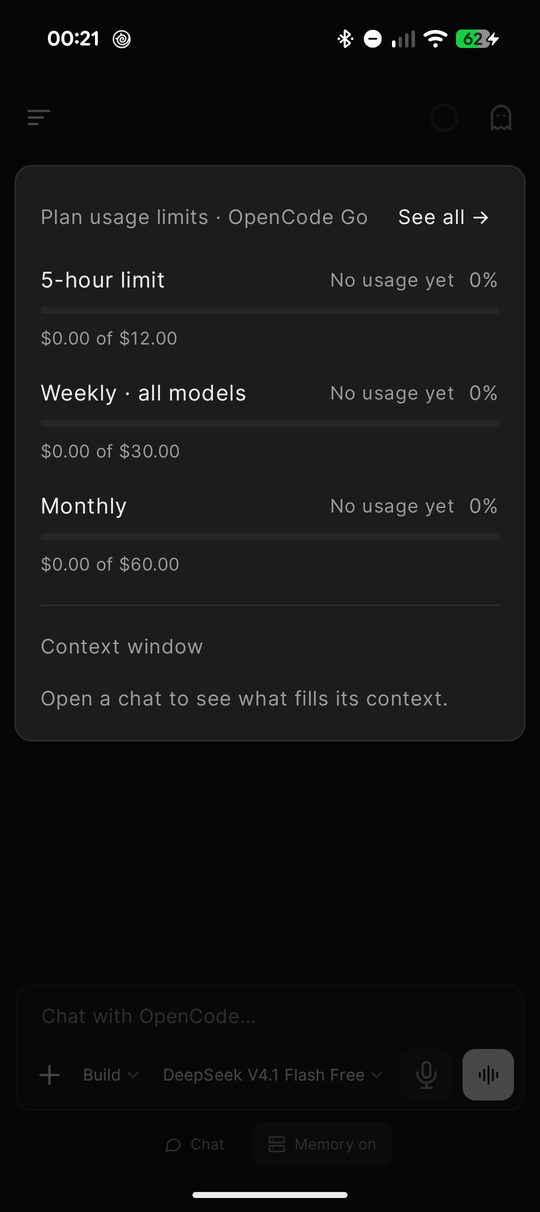
Usage. A ring in the top bar shows the 5-hour, weekly and monthly limits you set, and what fills the context window (system prompt, tools, MCP, skills, memory, messages). The composer can show an estimated cost before you send.
Interrupted tasks. If Android kills the server in the middle of a task, the chat offers Continue or Cancel when you come back. Progress can also be shown on the lock screen, with Allow and Deny buttons for permission requests.
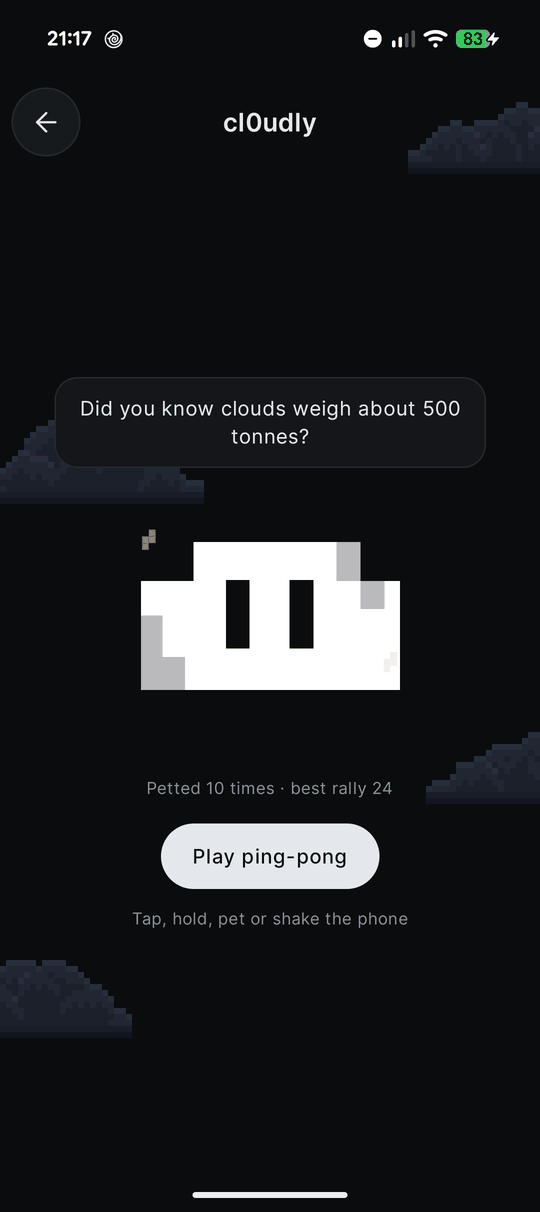
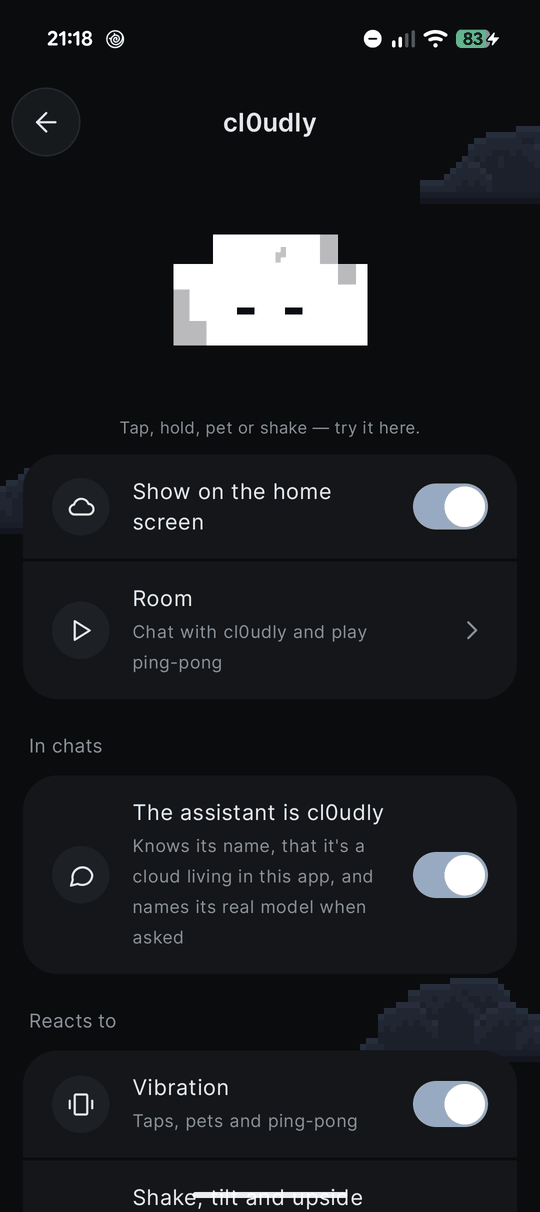
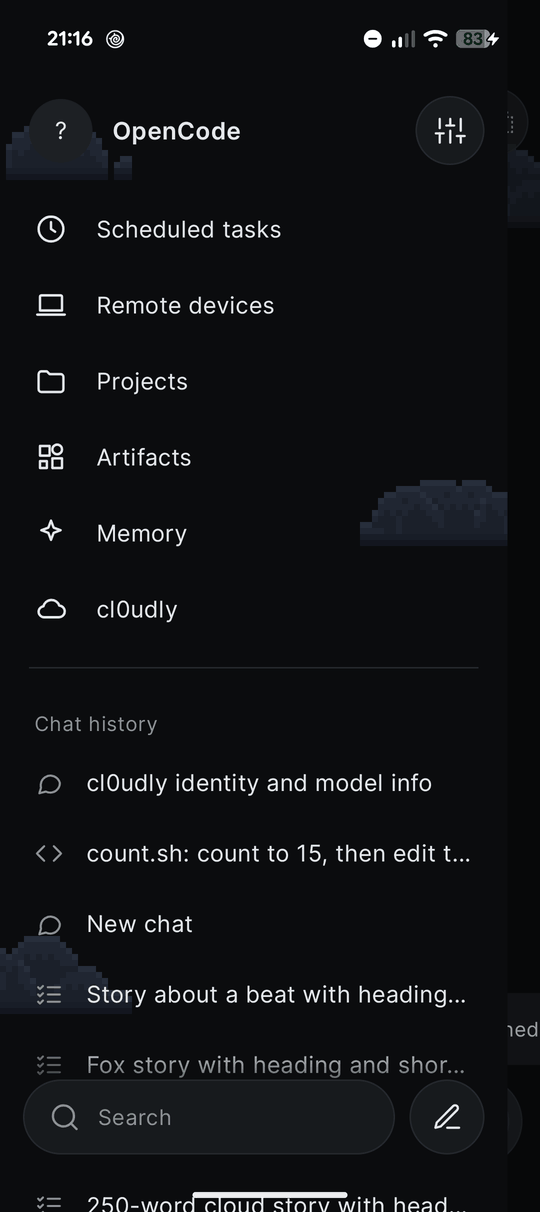
Interfaces. The default look is cl0udly: graphite with quiet pixel clouds and a small cloud that acts out what the agent is doing. It reacts to taps, petting, shaking and charging, dresses up for holidays and has its own room with ping-pong. In this look the assistant introduces itself as cl0udly and names its real model when asked. All of it can be tuned in Settings → cl0udly. Several other looks are in Settings, including OpenCode Desktop and OpenCode Terminal. The app icon can follow the look.
Your computer. Remote devices → Add device → Scan QR code. On the computer run curl -fsSL https://raw.githubusercontent.com/mistqkw/opencode-mobile/main/tools/connect-qr.sh | sh: it starts OpenCode 1.x on your local network with a new password and prints a QR code. The phone and computer need to be on the same network.
Memory. The agent keeps facts in markdown files under /root/memory and sorts them by topic. You can view and edit them in Settings → Memory.
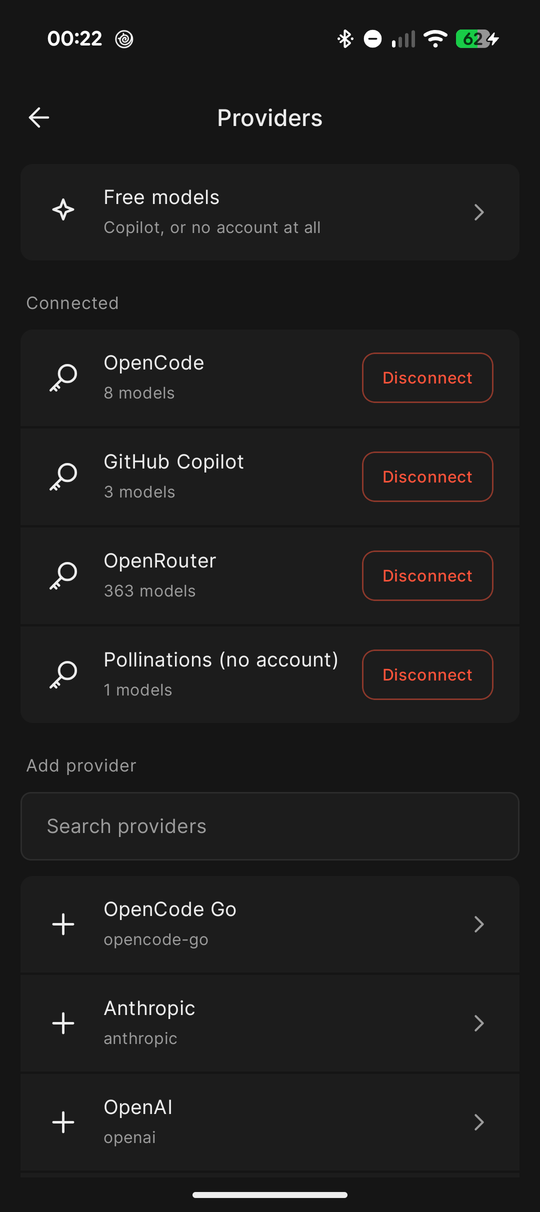
Models. OpenCode Zen and Go (sign in from the app), the free models, GitHub Copilot, Pollinations without an account, or your own key for any provider OpenCode supports.
Updates and backup. The app checks GitHub releases and installs updates with one tap. Settings → Backup & move saves chats, sign-ins, memory, skills, projects and settings into one file you can restore on another phone.
Install
- Download the APK from Releases and install it. Android will ask you to allow installs from this source.
- On first launch the app downloads Ubuntu Base and OpenCode, so you need internet and free space.
- Pick a model. The free Zen models share a limit that the OpenCode service counts on its side. When it runs out, the app offers other free options.
Next updates arrive inside the app.
This is a beta and there are bugs. Please report them in Issues.
How it works
runtime/downloads and unpacks the rootfs and OpenCode and runs them through proot (taken from Termux, shipped aslibproot.soinjniLibs).ServerServiceis a foreground service that keeps the server alive.api/is a REST and SSE client for OpenCode 1.x.data/holds chat state from SSE, the model catalog, usage tracking, memory, skills, GitHub sign-in, the phone MCP server (PhoneBridge), backup and updates.ui/contains the Compose screens. Looks are defined inui/theme/Looks.kt.tools/connect-qr.shstarts OpenCode on a computer and prints the QR code for the app.tools/promo/has the scripts that render the promo video and banners.
OpenCode is pinned to 1.19.4 (RuntimeController.OC_VERSION), the version the client is tested against.
targetSdk is 28 on purpose: from 29 on, Android does not allow running binaries from the app's data directory, and proot needs that (Termux does the same). For the same reason the app is distributed as an APK and not through Google Play.
Build
./gradlew :app:assembleDebug
JDK 21 is required. Release builds are made by GitHub Actions when a v* tag is pushed (.github/workflows/release.yml).
Not tested yet
Phones other than a Pixel, Android 14–16 on other firmware, light themes of every look, Copilot on paid plans, and restoring a backup on a different phone.
License
The app's own code is MIT (see LICENSE).
OpenCode mobile is an unofficial client and is not affiliated with the OpenCode developers. "OpenCode" is the name of their project (MIT). The app includes proot and libtalloc from Termux (GPL-2.0 / LGPL-3.0), whose sources are in the Termux project, and downloads Ubuntu Base 24.04 and OpenCode on first launch. Those components keep their own licenses. Fonts: Inter, Source Serif 4, Unbounded and JetBrains Mono, all SIL OFL 1.1.
Yorumlar (0)
Yorum birakmak icin giris yap.
Yorum birakSonuc bulunamadi