github-profile-optimizer
Health Uyari
- License — License: MIT
- Description — Repository has a description
- Active repo — Last push 0 days ago
- Low visibility — Only 5 GitHub stars
Code Gecti
- Code scan — Scanned 2 files during light audit, no dangerous patterns found
Permissions Gecti
- Permissions — No dangerous permissions requested
Bu listing icin henuz AI raporu yok.
Claude Code skill: 看真实主页样例选风格,一键生成并发布 GitHub Profile README
github-profile-optimizer
Transform your GitHub profile into a pro-level showcase in one conversation.





No README expertise required. No badge wizardry needed.
Pick a style you like from real examples, and AI handles the rest—
reading your repos, crafting your profile, adding the contribution snake, and publishing.
See Results
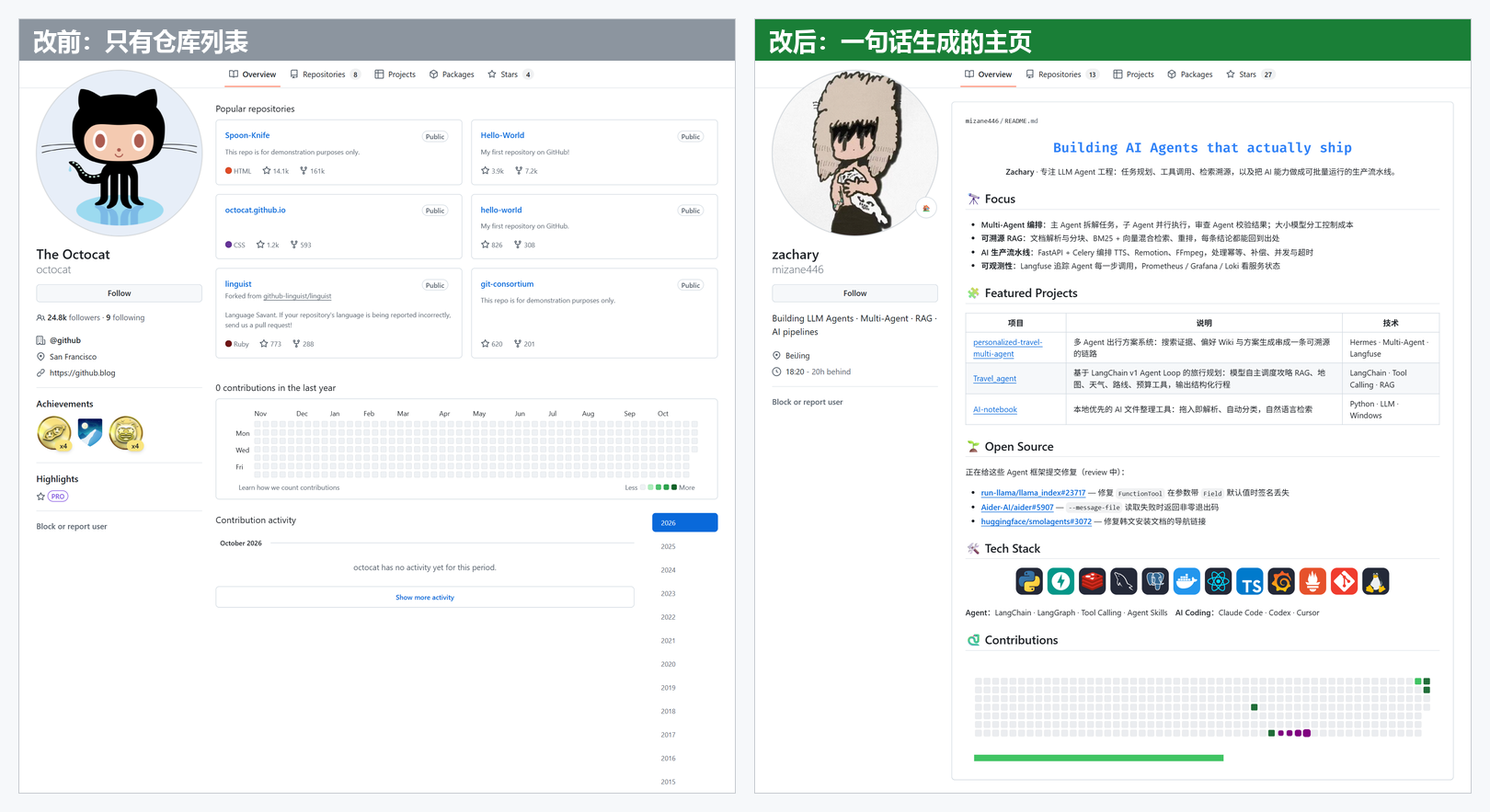
The "after" example above is the author's actual profile, generated with this skill: https://github.com/mizane446
How It Works
| You Do | AI Does |
|---|---|
| ① Pick a style: Click examples, reply with a number | Shows 4 style categories with real live profiles |
| ② Choose language: Mixed EN/ZH / Full English / Full Chinese | Reads your public repos & PRs, writes README matching the style layout, validates images & links |
| ③ Authorize: Open URL, paste device code | Creates username/username repo, updates bio, enables daily contribution snake |
Content is fact-based: merged PRs only, no invented stats, private repos excluded. Your old profile is backed up first—rollback anytime.
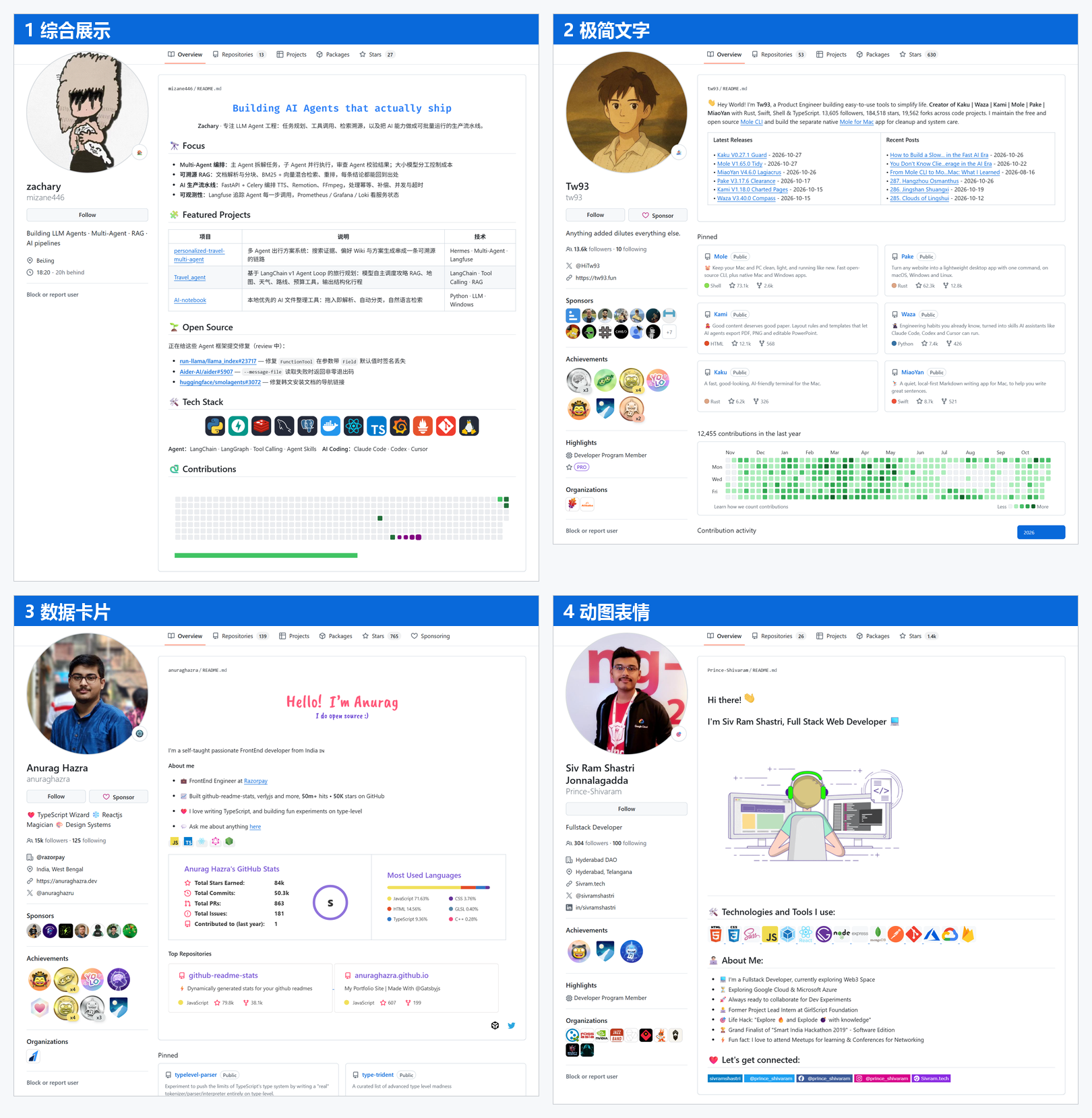
Style Showcase
| Style | Examples |
|---|---|
| 1 Comprehensive | https://github.com/mizane446 · https://github.com/DenverCoder1 |
| 2 Minimalist Text | https://github.com/tw93 · https://github.com/simonw |
| 3 Stats Cards | https://github.com/anuraghazra · https://github.com/ouuan |
| 4 GIF & Emoji | https://github.com/Prince-Shivaram · https://github.com/innng |
Want more inspiration (code art, game interactions, anime themes…)? Check awesome-github-profile-readme and paste any URL to the AI.
Installation
Easiest way: Tell your AI agent (Claude Code, Codex, etc.):
Install this skill: https://github.com/mizane446/github-profile-optimizer, then help me beautify my GitHub profile
Or clone manually into your skills folder:
# Claude Code
git clone https://github.com/mizane446/github-profile-optimizer ~/.claude/skills/github-profile-optimizer

# Codex
git clone https://github.com/mizane446/github-profile-optimizer ~/.agents/skills/github-profile-optimizer
If your agent doesn't recognize the skill, restart the session. Publishing requires gh CLI—the skill will guide installation if needed.
Usage
Tell your agent:
Help me beautify my GitHub profile
To preview without publishing:
Help me beautify my GitHub profile, dry run only
No AI Agent Yet?
Try the manual form-based generator: https://rahuldkjain.github.io/github-profile-readme-generator/
License
MIT. Example screenshots from public profiles; copyright belongs to respective authors.
Yorumlar (0)
Yorum birakmak icin giris yap.
Yorum birakSonuc bulunamadi