nimotecode
Health Warn
- No license — Repository has no license file
- Description — Repository has a description
- Active repo — Last push 0 days ago
- Community trust — 15 GitHub stars
Code Pass
- Code scan — Scanned 12 files during light audit, no dangerous patterns found
Permissions Pass
- Permissions — No dangerous permissions requested
No AI report is available for this listing yet.
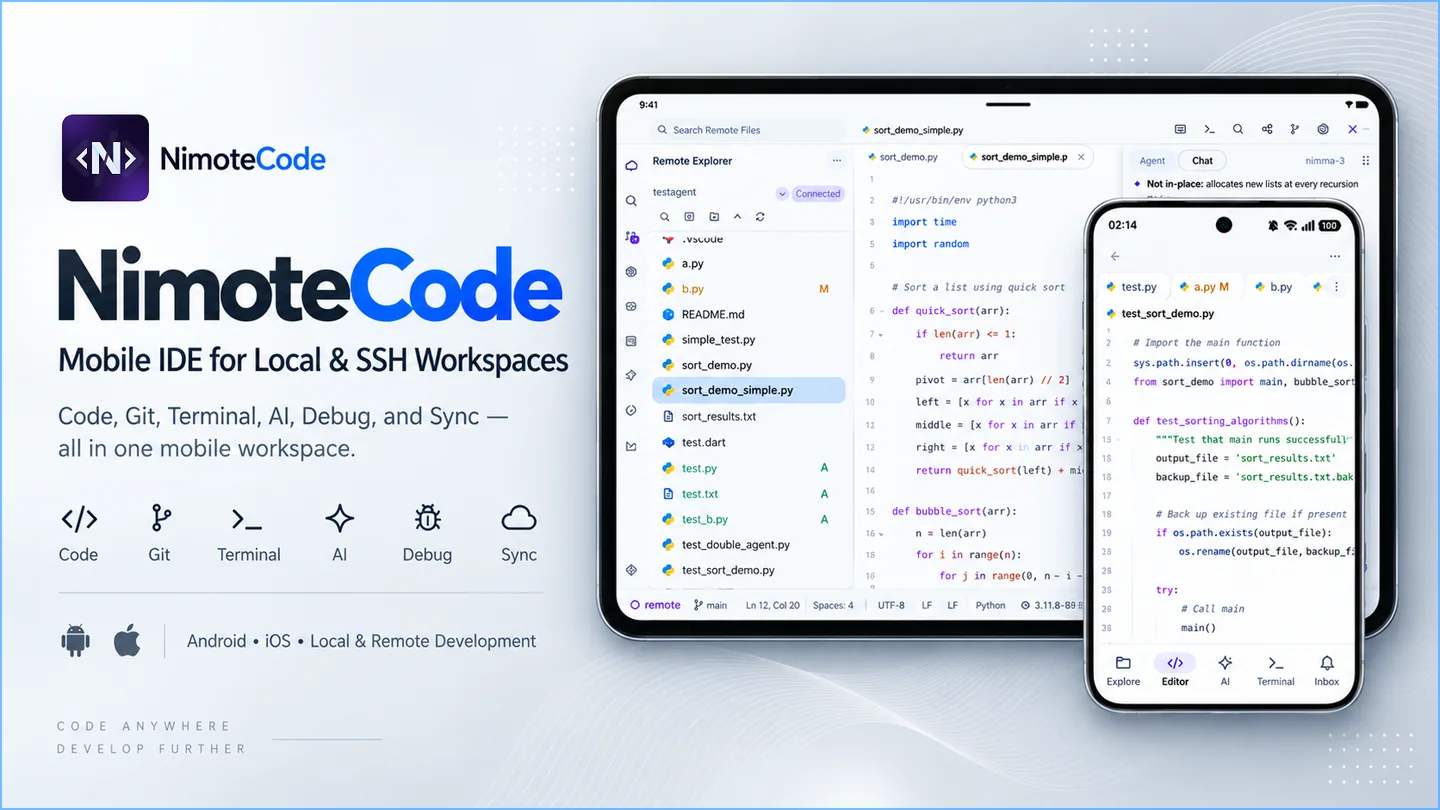
Mobile IDE for Android & iOS with SSH, code editor, terminal, Git, AI coding agents, and local Linux development.
NimoteCode
简体中文 · English
Mobile IDE for Android / iOS
Connect to your development host, edit code, run tests and review changes from your phone or tablet.
SSH · Code Editor · Terminal · Git · Debug · AI Agent
Root-free Local Linux on Android only
Commercial, closed-source app · This repository provides official docs, tutorials and community resources, not app source.


Watch demo · Quick start · Website
Early Access Pro: sign in to use all features free during Early Access.
Demo
Watch the AI Agent product demo · Alternative MP4 video
Why NimoteCode?
NimoteCode brings SSH, code editing, Terminal, Git review and AI agents into one mobile workspace, so you can inspect a project, make a change, run checks and review the result. The 1.2.1–1.2.2 release notes add access to folders outside the app sandbox, Git review in the landscape editor and Git status updates as files change. The table compares common workflows; capabilities depend on the client and host tools, and existing features are not all new in this release.
| Capability | SSH terminal workflow | AI agent terminal workflow | NimoteCode |
|---|---|---|---|
| Remote SSH | Connect to a host and run commands | Access a host-installed agent over SSH | SSH Explorer, editor and terminal share project context |
| Code editing and project folders | Use a host editor or client file tools | Agent edits files; manual inspection needs supporting tools | Built-in editor; open folders outside the app sandbox with the system picker |
| Git review | Git commands or a separate interface | Agent can invoke Git; human review still needed | Diffs, commits and conflicts in the landscape editor; Git status refreshes as files change |
| AI Agent | Install and authenticate a CLI separately | Use a configured agent CLI | Built-in Agent and compatible ACP agents; Claude Code / Codex CLI require separate host installation and authentication and are not bundled |
| Android Local Linux | Depends on the client's local runtime | Depends on CLI and local runtime compatibility | Root-free Ubuntu through PRoot on supported Android devices; unavailable on iOS |
| LSP / diagnostics | Depends on editor and language tools | Use a supporting editor or check commands | Editor diagnostics for supported languages with the required tools configured |
| Debugging | Host debugger or supporting tools | Can help investigate; interactive debugging needs other tools | Debug within the workspace with the required runtime and debugger tools |
| Web preview | Browser with the required network setup | Start a service, then inspect it in a browser | In-app web preview, including HTML snapshots |
Choose your first development task
Open a project → Edit → Run checks → Review the Git diff
| What you want to do | Start here | What you need |
|---|---|---|
| Change a remote project and verify the result | SSH remote development: connect, edit files, run tests and review the diff | Android / iOS and a reachable development host |
| Use an AI coding CLI from your phone | Claude Code on Phone or Codex on Mobile: work with the host-installed CLI over SSH | Separate CLI installation and authentication; not bundled. Provider access and charges are separate. |
| Run Linux tools on your Android device | Android Linux without root: open Ubuntu and run a script | Supported Android 8+ ARM64 / x86_64 device; uses PRoot, unavailable on iOS |
Files already on your device? Start editing in a local workspace. Language toolchains, LSP and debugger tools depend on the selected environment.
AI, your way
| Option | How it works |
|---|---|
| Built-in Agent | A project-aware assistant with file, terminal, and Git context. |
| ACP Agent | Connect a compatible external agent in an SSH workspace and follow permissions and progress in one timeline. |
| Claude Code / Codex | Run them on your own host and work with them through the terminal. |
| Area | What you can do |
|---|---|
| Explorer and Search | Browse and search a project. |
| Editor | Edit files with LSP diagnostics for supported languages. |
| Terminal | Run commands and tasks locally, on Android Local Linux, or on a remote host. |
| Tasks | Run and review project tasks. |
| Source Control | Check Git status and diffs, then commit, pull, and push. |
| Debugger | Step through code with the debugger. |
| Preview | Preview web output, including HTML snapshots. |
| AI | Use the built-in agent, an ACP agent, or Claude Code / Codex on your own host. |
Start using NimoteCode
Android — Get it on Google Play · iPhone / iPad — Download on the App Store
After installing, follow the quick start to open a local project or connect an SSH host. Supported Android devices can also choose Local Linux.
Mobile Development Guides
Technical notes for developing away from a desk, covering local, remote, Android Linux, Git, and AI workflows.
- Mobile development resources — the full guide index
- Workflow examples — SSH, Codex, Claude Code, and Android Local Linux setups
- NimoteCode documentation — setup and feature reference
Linux Presets
Optional Android Local Linux environments, with versioned manifests and verification scripts, live in a separate repository.
Linux Presets · Preset overview · Android Local Linux docs
What's New
1.2.2 highlights
- Open project folders outside the app sandbox with the system picker.
- Review Git diffs, commits and conflicts in the landscape editor.
- See Git status refresh in Explorer and Source Control as files change.
1.2.1–1.2.2 highlights
- Open project folders outside the app sandbox: on Android and iPadOS/iPhone, open a project directory outside the app's own documents folder with the system picker. NimoteCode remembers the grant across relaunches and reads and writes through the secure file provider.
- Git in the landscape editor: Git diffs, commit diffs, and conflict resolution now open in the editor area of a docked landscape workspace, in the same place as Settings and Markdown preview.
- Near real-time Git status: Explorer decorations and Source Control update as files change from the terminal, Explorer, or external tools, instead of waiting for the next poll.
- A calmer, more focused IDE: panels, tabs, editor chrome, terminal surfaces, and AI views now share one visual system, with a more focused landscape workspace and better large-screen readability.
- Refined defaults and reliability: denser Explorer defaults, a "/" terminal preset that no longer dismisses the soft keyboard, SSH sessions that survive short interruptions, and new installs that default to English.
1.1.5–1.2.0 highlights
From 1.1.5 through 1.2.0, NimoteCode added major mobile-development capabilities across Android and iOS:
- A more complete mobile workspace: split editor panes, in-app browser and media preview, Git history and Diff review, plus more dependable Terminal and SSH workflows.
- AI and agent workflows: richer workspace context and recent tasks, a persistent agent-status indicator, external ACP agents, slash commands, and consistent remote-environment support for tools such as Claude Code and Codex.
- Android Local Linux: on supported Android devices, run a root-free Ubuntu environment with Bash, Git, and SSH directly from the workspace. This feature is not available on iOS.
- A refined mobile interface: layouts adapt to the available space; interface scale, Explorer display preferences, themes, and the AI timeline make work easier to scan and control.
- Better touch and keyboard editing: Android tablets and iPad can use Monaco; phones retain Nimote Editor, with stronger selection, clipboard, Diff, external-keyboard, CJK-input, and soft-keyboard handling.
Community
NimoteCode is actively developed. Share questions, bugs or ideas to help shape the next improvements.
💬 Discord · GitHub Issues · X
⭐ Star the repository to follow NimoteCode and new mobile development resources.

About this repository
NimoteCode is a commercial, closed-source application. This public repository is the official home for:
- Product documentation
- Mobile development guides
- Workflow examples
- Android Linux presets
- Release notes
- Community issues and feedback
The NimoteCode application source code is not published in this repository. Published Local Linux source bundles and license notices cover third-party components; they do not make the NimoteCode app open source.
Maintain the website and docsBuild the website and docs locally:
npm ci
npm run docs:build
npm run docs:check
Use npm run docs:dev to preview locally.
License
Website and docs unless stated otherwise. Local Linux source and licenses · Linux Presets: MIT.
Reviews (0)
Sign in to leave a review.
Leave a reviewNo results found