better-design
Health Gecti
- License — License: MIT
- Description — Repository has a description
- Active repo — Last push 0 days ago
- Community trust — 25 GitHub stars
Code Basarisiz
- rm -rf — Recursive force deletion command in demo/build.sh
- exec() — Shell command execution in demo/compare/with/app.js
Permissions Gecti
- Permissions — No dangerous permissions requested
Bu listing icin henuz AI raporu yok.
UI/UX and frontend design skill for AI coding agents: Codex, Claude Code, Cursor. Art direction, DESIGN.md, design tokens, motion, accessibility, and real interface validation.
BETTER DESIGN
Better Design — UI/UX Design Skill for AI Coding Agents
Give your AI coding agent a repeatable process for designing interfaces: product-specific art direction, a shared DESIGN.md, measured layout, controls that actually answer the finger, accessible interactions, and checks against the real UI.



▶ Live demo: one prompt built with and without the skill, side by side, plus the bundled live pages. Try it before you install.
Install · Example prompts · How it works · Validation · Changelog · Русский
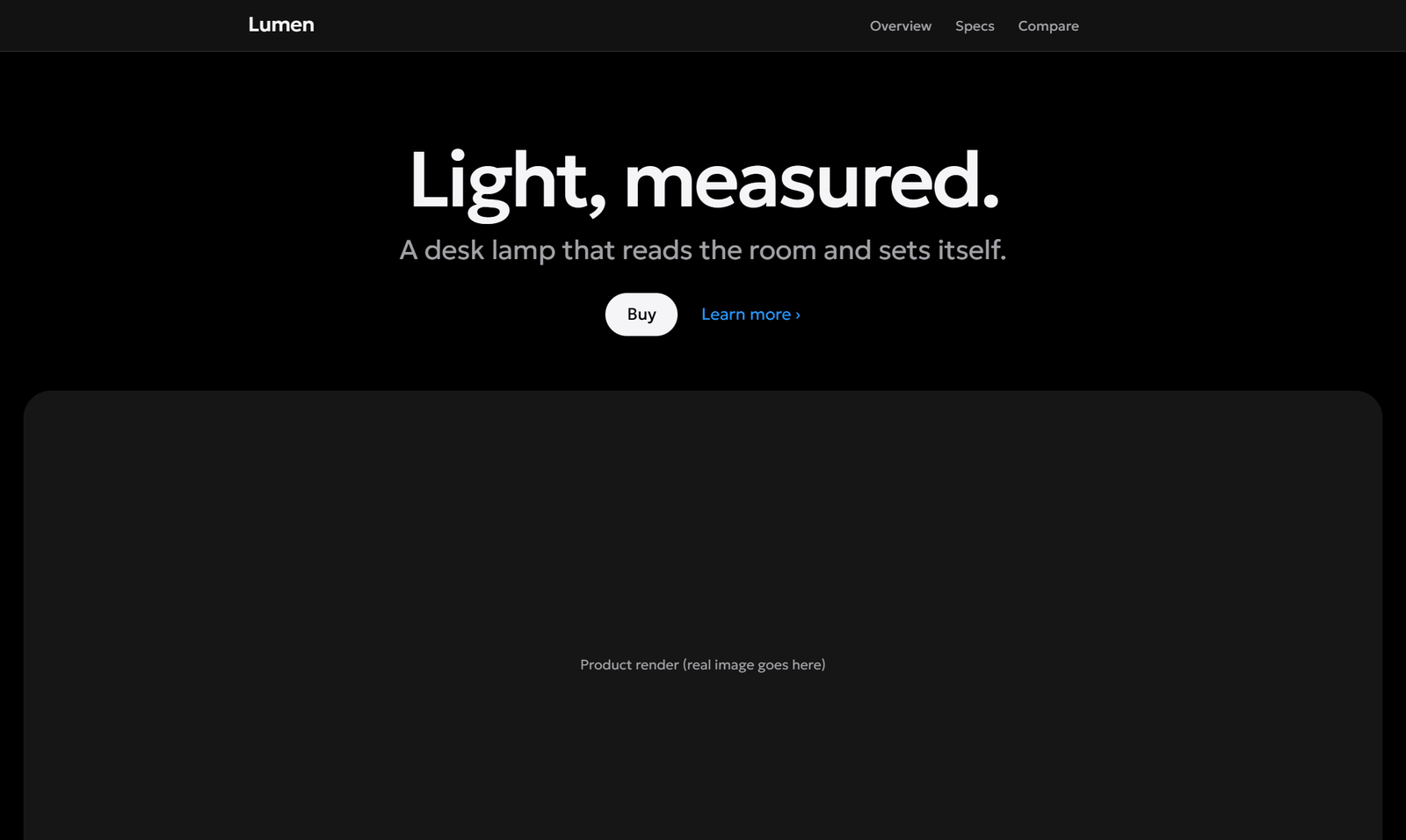
The reference page for the default style, rendered from assets/house-style.html. Placeholder product; the agent replaces copy and imagery with real content.
Better Design is an open-source frontend design and UI/UX skill for workflows in Codex, Claude Code, Cursor, and other agents that support Agent Skills. It covers websites, web apps, native interfaces, desktop applications, and game UI. It guides the agent within your existing stack and design system.
Quick start
From your project directory:
npx skills add Moddingflow/better-design --skill better-design
Choose your agent in the installer. Then ask:
Use better-design to improve the checkout flow. Read DESIGN.md first,
preserve the existing brand, handle validation and network errors,
and check the result on mobile and desktop. Report what you actually tested.
The skill itself needs no API key, MCP server, or runtime package. The installer needs Node.js and Git. The optional checks need Python 3.10+ (contract, token, and layout validators) and Node.js 22+ with Chrome, Chromium, or Edge (motion probe). Your AI coding agent and its normal access requirements are separate.
What it helps your agent do
| Area | What the skill asks for |
|---|---|
| Art direction | Derive a visual concept from the product, study real references, compare directions, and explain the choice. |
| Default style | With no brief and no existing system, build in a premium ultra-minimal style instead of guessing: black canvas, near-white Geologica type, two grays, one blue for links and focus. |
| Design systems | Read the project's DESIGN.md, reuse semantic tokens, and keep documented values and code aligned. |
| Layout geometry | Equal gaps, shared alignment lines, content centered by its visible ink, nothing clipped or touching its container edge — measured, not eyeballed. |
| Interaction and motion | Every control ships with real press feedback, hover, focus, and state transitions from a bundled interaction kit, verified by a headless-browser probe. |
| Accessibility | Check keyboard access, names, focus, contrast, text scaling, reduced motion, and alternatives to drag gestures. |
| File uploads | Include a visible drop zone, a file picker, rejection feedback, progress, preview, and retry. |
| Signature effects | An opt-in pool of tested effects (dither fields, dot language, scroll scenes) for surfaces whose direction asks for them. |
| AI design patterns | Review recurring generic compositions using a catalog of signals, replacements, and legitimate exceptions. |
| UI copy | Remove page narration, descriptions that repeat labels, duplicated facts on one screen, and default filler. |
| Evidence | Inspect current renders and real interactions; distinguish completed checks from plans and unavailable checks. |
Installation
The Skills CLI installs the full skill folder and its supporting files. Pick one of these commands:
# Codex — current project
npx skills add Moddingflow/better-design --skill better-design --agent codex

# Claude Code — current project
npx skills add Moddingflow/better-design --skill better-design --agent claude-code

# Cursor — current project
npx skills add Moddingflow/better-design --skill better-design --agent cursor

# Make it available across projects for your selected agent
npx skills add Moddingflow/better-design --skill better-design --agent codex --global
For Windows copy-based installs, add --copy if symlinks are unavailable. Run project installation commands from your application's root directory.
Full installation guide covers manual installation, version pinning, updates, removal, and troubleshooting. Support here refers to the skill format and installer targets; model quality and host-specific behavior need verification in your environment.
How it works
- Inspect. Read project instructions,
DESIGN.md, the existing interface, components, and tokens. - Define. Identify the user's task, affected states, supported surfaces, and observable acceptance criteria.
- Choose. Follow the user's visual brief, inherit an existing system, or — when there is neither — use the default style. For a new identity, derive art direction from the domain.
- Build. Adopt the interaction kit first, then implement layout, content, interaction, and motion from shared decisions.
- Verify. Check the code, rendered surface, layout geometry, every control's press/hover/focus response, keyboard flow, recovery paths, responsive behavior, and reduced motion.
- Report. State what changed, what was tested, and what remains unverified.
A focused fix stays focused. An audit stays read-only. A plan stays a plan. Existing project conventions and your explicit scope govern the work.
Four ways to use it
| Mode | Example request |
|---|---|
| Create | “Use better-design to build a booking page for a climbing gym. Include mobile layouts and real form states.” |
| Improve | “Use better-design to fix the upload interaction. Preserve the layout and add drag feedback, rejection messages, and retry.” |
| Audit | “Use better-design to audit this settings screen. Do not edit code. Rank findings by impact and show evidence.” |
| Plan | “Use better-design to plan an inventory UI redesign with mouse, keyboard, and gamepad navigation. Do not implement yet.” |
More prompts and expected outputs
The default style
When you give no visual direction and the project has no DESIGN.md, brand, tokens, or UI to inherit, the agent builds in the house style: premium ultra-minimal, in the spirit of Apple's product pages and system apps. Any visual cue from you — colors, mood, theme, a reference site, a brand, "playful", "for kids" — replaces it, and an existing product is never restyled into it unless you ask.
|
|
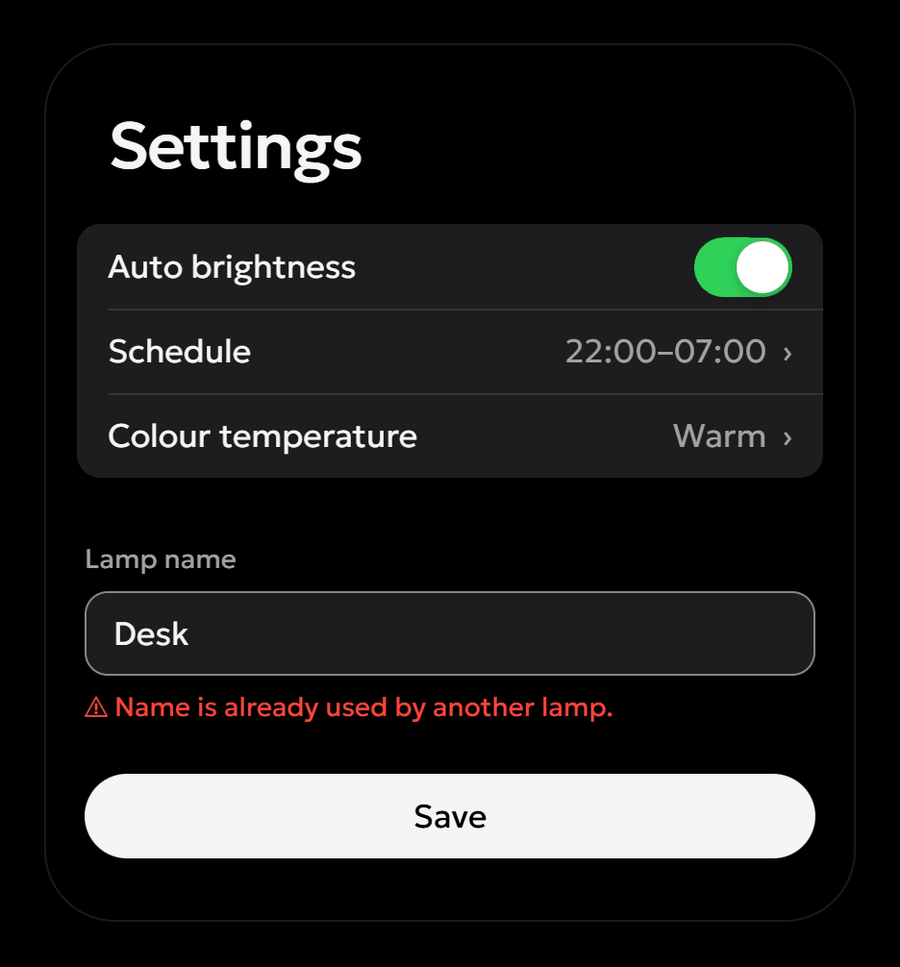
Controls that answer the finger
Left alone, agents ship buttons that do nothing on press, or that nudge 1 px and snap back. Better Design makes interaction motion part of the build, not a polish pass: the agent adopts the bundled interaction kit before building components.

- Three-layer press: the control compresses by about 4 px of its perimeter within 90 ms (depth scales with size), its fill shifts one step, a soft bloom spreads from the touch point, and on release it springs back with a ~1% overshoot before settling (~450 ms).
- Quick taps stay visible: the pressed state is held at least 90 ms, so a 40 ms tap on a phone still shows; Space and Enter mirror it.
- The rest of the set: hover without lift, a focus ring that grows into place, switches whose thumb stretches under the finger, self-drawing checkboxes, sliding segmented indicators, pending → done → error buttons that keep their width, icon swaps, menus that grow from their trigger, and height-animated disclosures. Reduced motion keeps every response that is not movement.
Then the motion probe proves it. It drives headless Chrome, hovers, presses (releasing outside the element, so nothing activates), and keyboard-focuses every control:
$ node skills/better-design/scripts/motion_probe.mjs page-without-motion.html
elements: 4  errors: 5  warnings: 10
  ---  control     button "Dead button"
  P--  control     button "1px button"
  -H-  control     button "All-transition button"
  …
ERRORS
  button "Dead button": no press feedback within 60 ms
  button "Dead button": no visible focus style
  …
WARNINGS
  button "1px button": weak press: only a 1–2 px move or a tiny scale; add a fill step or bloom and a spring release (interaction kit)
  button "1px button": release snaps back instantly; let it spring back (≈400–600 ms). If a spring is declared, a second transition shorthand on the element is overriding it
  button "All-transition button": transition: all
  …

$ node skills/better-design/scripts/motion_probe.mjs skills/better-design/assets/motion/kit.html
elements: 20  errors: 0  warnings: 0
The skill treats probe errors, or a probe that was never run on a created page, as failed acceptance.
Optional effects pool
For expressive surfaces whose art direction asks for a signature detail, the effects library offers tested, dependency-free recipes with rules for when they fit, budgets per page, fallbacks, and reduced motion. Nothing in it is a default. Patterns were studied on Cloudflare, Linear, and Apple product pages and rewritten from their observed behavior.

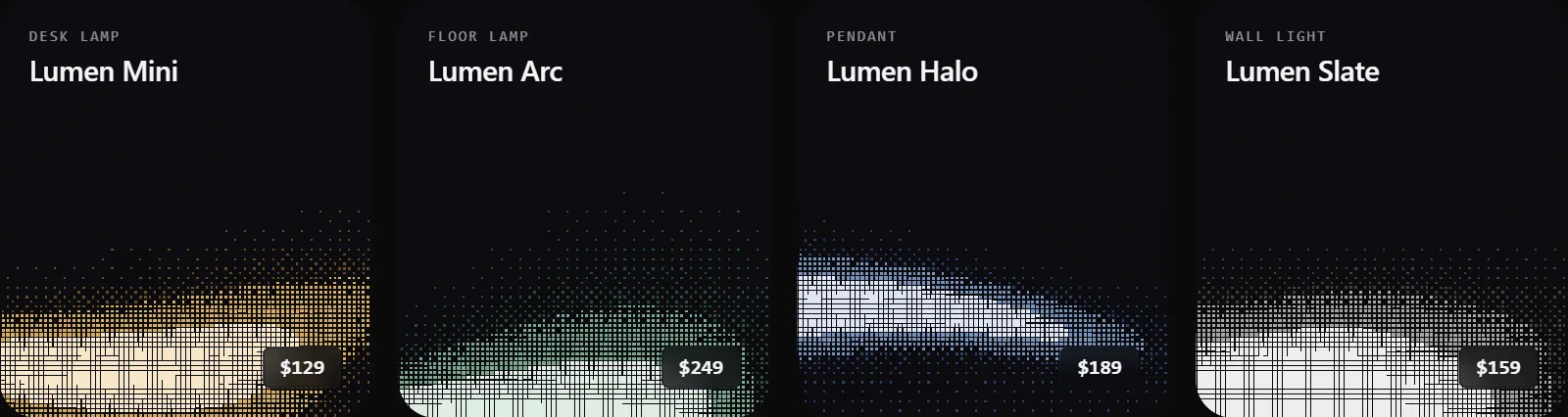

- Dither: a live WebGL ordered-dither field and a zero-runtime baked halftone for card sets.
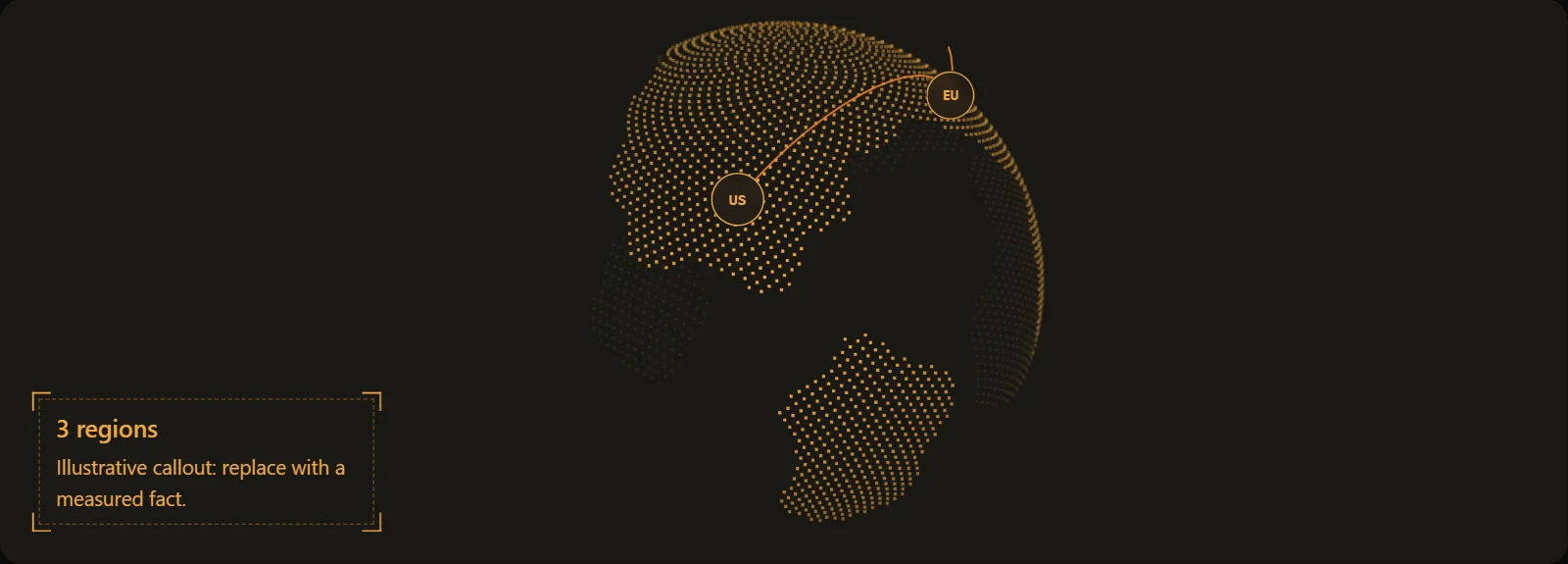
- Dot language: dot-grid fields with a pointer spotlight, any image or text rebuilt from dots, a dotted globe with routes, pulsing dot bands, data as dot columns, and 5×5 LED status icons.
- Structure and light: blueprint rails, bolted plates and corner brackets, a comet on the active card, a light orbiting the primary button, brushed-metal words, film grain.
- Interaction and scroll: a header that morphs into a capsule, a distance-driven coverflow, a barcode ruler scrubber, a swipe story stack, timed dot navigation, edge fades on overflow rows, media that settles into a frame, and section theme flips.
Every effect has a bench page: assets/effects/gallery.html.
What is included
skills/better-design/
├── SKILL.md                       Agent entry point and workflow
├── LICENSE                        MIT license included with the installed skill
├── agents/openai.yaml             Codex display metadata
├── assets/
│   ├── DESIGN.template.md         Project design-system template
│   ├── DESIGN.house-style.md      Filled DESIGN.md for the default style
│   ├── house-style.html           Reference render of the default style
│   ├── house-style.tokens.json    Default palette with 44 contrast pairs
│   ├── motion/                    Interaction kit (CSS + JS), bench page, adoption guide
│   ├── effects/                   Optional effects pool (CSS + JS) and gallery
│   ├── layout-dump/               Layout dumpers for the web, Unity, and Godot
│   ├── layout.example.json
│   ├── design-contract.example.json
│   ├── design-contract.create.example.json
│   └── tokens.example.json
├── references/                    14 guides: art direction, default style, layout, motion, effects, UX, platforms, checks
└── scripts/
    ├── validate_design.py         Offline contract and token checks
    ├── check_layout.py            Offline layout-geometry checks
    ├── motion_probe.mjs           Headless-browser press/hover/focus probe
    ├── test_validate_design.py    Validator regression tests
    └── test_check_layout.py       Layout checker regression tests
Reference map
| Guide | Use it for |
|---|---|
| Art direction | Concept, references, typography, and distinctiveness |
| Default style | When the house style applies, its palette, type, components, and motion |
| DESIGN.md | Shared tokens and consistency across screens |
| Layout geometry | Spacing, alignment lines, optical centering, containment, and how to measure them |
| Motion | Press model, transitions, choreography, reduced motion, and verification |
| Effects library | Optional signature effects, their fit, budgets, and checks |
| AI design pattern catalog | Detecting generic decisions and choosing contextual replacements |
| Behavior and content | Actions, states, loading, forms, and drag and drop |
| Web quality | Responsive UI, accessibility, and browser checks |
| Platform adapters | Apple, Android, desktop, and games / Unity |
| Design contract | Scope, state coverage, and acceptance criteria |
| Validation | Every bundled checker: formats, commands, and limits |
| Evaluation | Evaluating agent output against tasks and evidence |
| Sources | Attribution, standards, and limits of claims |
Language: the entire installable skill is in English, including all 14 reference guides, templates, examples, and agent metadata. The Russian README is a separate guide for readers. Unicode literals in the Python regression tests intentionally test multilingual input and file paths. Ask your agent to produce interface copy in your product's language.
Useful copy, without a running commentary
A settings page should open on its settings. A toggle labeled “Dark mode” does not need “Turn dark mode on or off” beneath it. Better Design asks what specific information each explanation adds, and removes semantic repetition even when the wording differs — including the same fact shown twice on one screen.
Keep verified limits, consequences, prerequisites, unfamiliar concepts, and recovery steps. For example, an actual auto-save interval or a deletion's effect on other members can change a user's decision. Do not invent details just to fill a description slot. See the copy rules and examples.
Optional checks
Clone the repository, then run these commands from its root:
# Contracts and tokens (Python 3.10+, standard library only)
python -B -X utf8 skills/better-design/scripts/validate_design.py contract skills/better-design/assets/design-contract.example.json --json
python -B -X utf8 skills/better-design/scripts/validate_design.py tokens skills/better-design/assets/house-style.tokens.json --require-contrast --json

# Layout geometry of a rendered screen (dump it with assets/layout-dump first)
python -B -X utf8 skills/better-design/scripts/check_layout.py skills/better-design/assets/layout.example.json

# Press, hover, and focus of every control (Node.js 22+ and Chrome/Chromium/Edge)
node skills/better-design/scripts/motion_probe.mjs skills/better-design/assets/motion/kit.html
node skills/better-design/scripts/motion_probe.mjs http://localhost:5173 --width 390 --height 844 --reduced-motion

# Regression tests
python -B -X utf8 skills/better-design/scripts/test_validate_design.py
python -B -X utf8 skills/better-design/scripts/test_check_layout.py
The Python helpers read explicit JSON files and do not access the network or modify your project. The motion probe opens the page you name in a temporary headless browser profile, never clicks anything, and removes the profile when it finishes.
A passing result does not certify UX quality, rendered contrast, full WCAG compliance, or production readiness. Browser, device, assistive-technology, and user-task checks still require appropriate tools and evidence. See the validation guide.
FAQ
Is this a component library or a Figma plugin?
It is an instruction package for an AI agent. The agent works with your project's components, framework, and tools. The interaction kit and effects are small plain CSS/JS recipes that the agent copies or ports into your components; there is no package to install and no Figma integration.
Does it require React, Tailwind CSS, or a particular animation library?
No. It asks the agent to preserve the current stack. The interaction kit is framework-free CSS and JavaScript with porting notes for React, Vue, Svelte, SwiftUI, and Compose; platform-specific guidance covers native and game interfaces.
Will every project look the same?
No. The default style applies only when there is no brief and nothing to inherit. Any visual direction from you replaces it, an existing design system is always inherited, and even inside the default style the agent derives imagery, composition, and a signature detail from your product.
Will it replace my existing design system?
It instructs the agent to read and reuse that system. A missing DESIGN.md should be derived from real code tokens when the task warrants it. A small one-element fix should not turn into a design-system migration.
Does it guarantee better designs?
Results depend on the model, brief, project, references, and available runtime tools. The skill supplies a process, recipes, and review criteria. There is no published cross-agent quality benchmark or guaranteed percentage improvement.
Can I use it commercially?
Yes, under the MIT license. Preserve the license notice when redistributing. Third-party sources linked in the references retain their own terms; Geologica is licensed under the SIL Open Font License 1.1.
Contributing and credits
See CONTRIBUTING.md for focused changes, reproducible reports, and validation commands, and CHANGELOG.md for releases.
The references record the original skill's sources and conceptual influences, including Impeccable and Taste Skill. Effect recipes were written from behavior observed on Cloudflare, Linear, and Apple; no code was copied from those sites. Agent Skills, the Skills CLI, and supported agent products are maintained by their respective authors. This is an independent project.
Maintained by Moddingflow. MIT.
Yorumlar (0)
Yorum birakmak icin giris yap.
Yorum birakSonuc bulunamadi