lovtokens
Health Warn
- License — License: AGPL-3.0
- Description — Repository has a description
- Active repo — Last push 0 days ago
- Low visibility — Only 5 GitHub stars
Code Fail
- process.env — Environment variable access in apps/web/drizzle.config.ts
- process.env — Environment variable access in apps/web/e2e/public-seo.spec.ts
- process.env — Environment variable access in apps/web/playwright.config.ts
- spawnSync — Synchronous process spawning in apps/web/scripts/seed-local.mjs
Permissions Pass
- Permissions — No dangerous permissions requested
No AI report is available for this listing yet.
Privacy-first AI coding token portfolio for Codex and Claude Code
LovTokens
你的 AI Token 资产组合。 / Your AI Token Portfolio.
简体中文 · English · 项目截图 / Screenshots
项目截图 / Screenshots
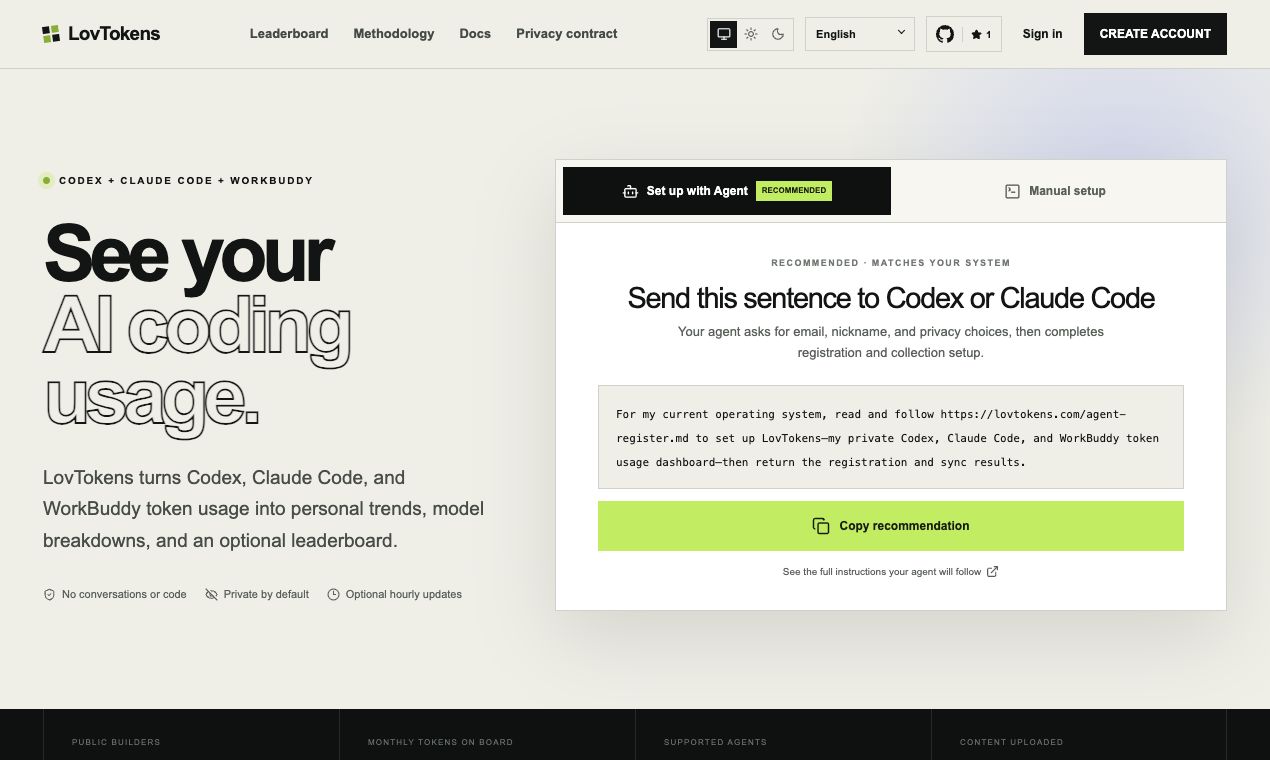
首页 / Home
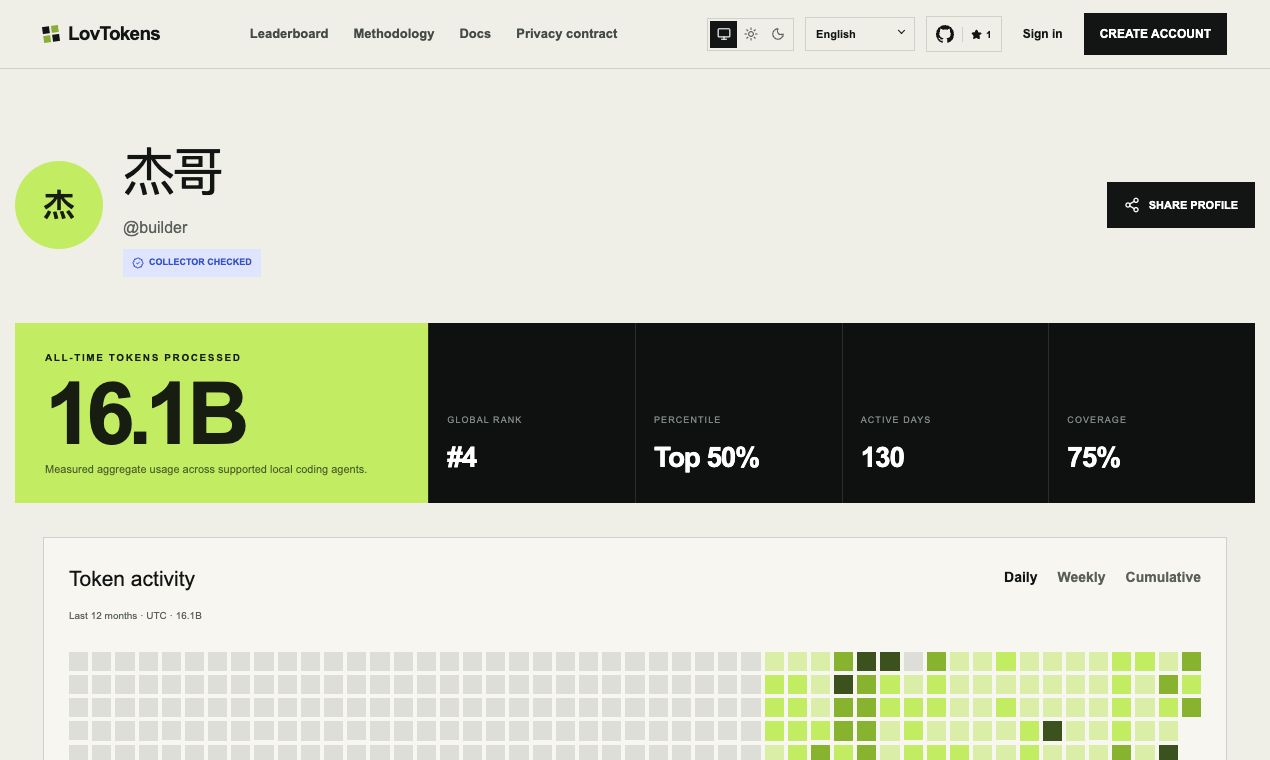
公开主页 / Public profile
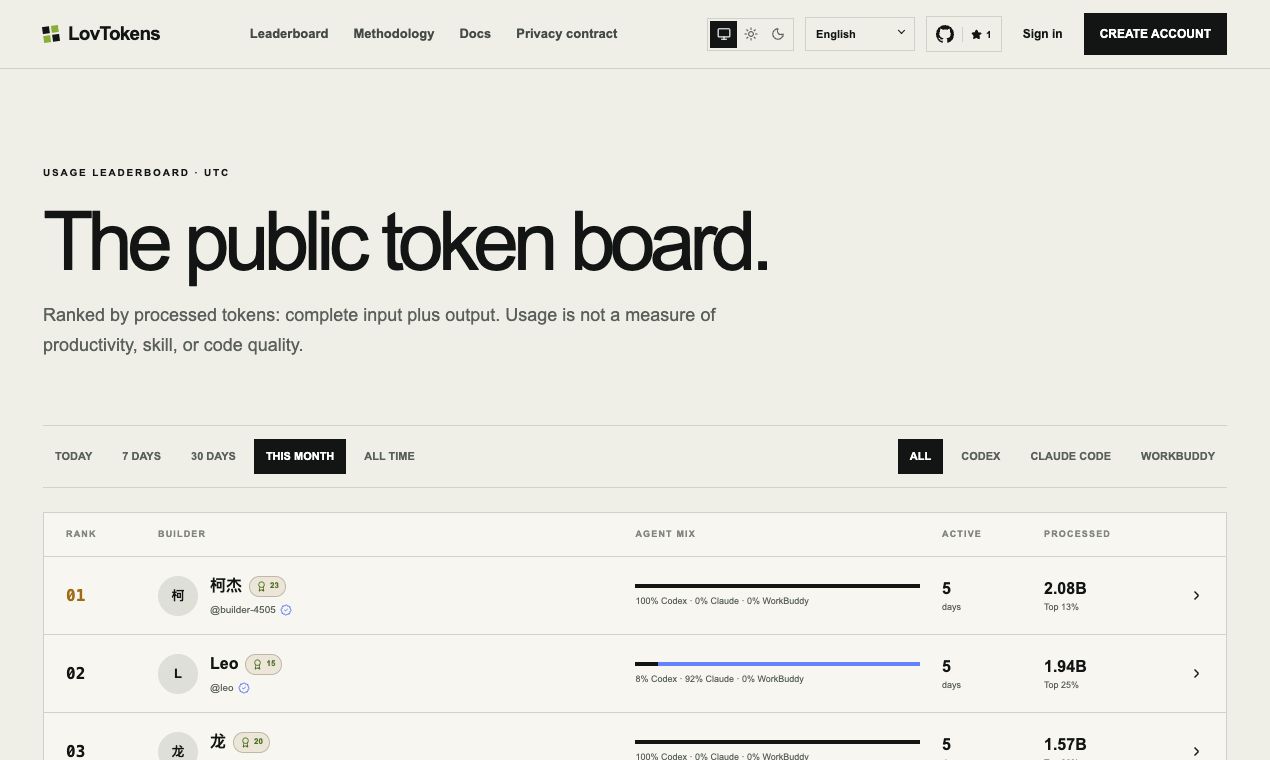
排行榜 / Leaderboard
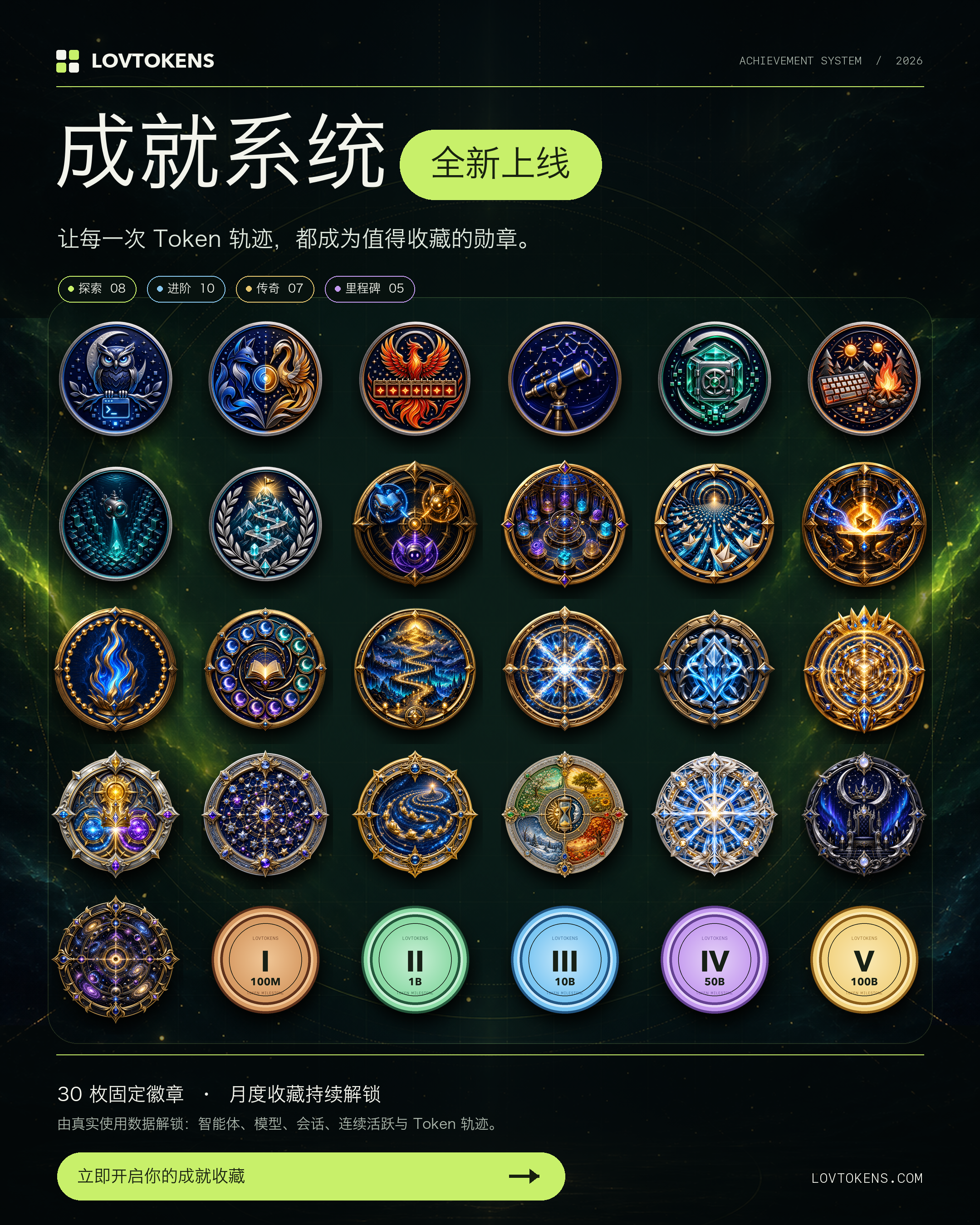
成就徽章 / Achievement badges
30 枚固定徽章与持续解锁的月度收藏,让每一次 Token 轨迹都成为值得收藏的勋章。
30 permanent badges and continuously unlocked monthly collectibles turn every
token journey into an achievement worth keeping.
简体中文
LovTokens 会读取本地 Codex、Claude Code 和 WorkBuddy 会话文件中的汇总用量,
构建私有仪表盘,并提供用户主动加入的公开排行榜、公开主页、分享卡片和用量证书。
LovTokens 绝不会上传提示词、回复、源代码、仓库名称或文件路径。采集器完全开源,
你可以在发送数据前通过 lovtokens show-data 查看完整的上传内容。
工程结构
apps/web:Next.js 应用与 Cloudflare API 路由。packages/collector:跨平台lovtokens命令行工具。packages/token-schema:带版本管理的用量数据结构与标准化工具。migrations:Cloudflare D1 数据库结构。
本地开发
pnpm install
cp apps/web/.env.example apps/web/.env.local
pnpm db:migrate:local
pnpm dev
本地 Web 应用和采集器默认使用 http://localhost:3100。浏览器端到端测试使用
独立的 3107 端口,不会复用已有服务。
在 localhost 环境中,邮箱和密码注册会自动启用,无需配置 GitHub OAuth。
生产环境中,在配置邮件验证服务之前,请保持 EMAIL_PASSWORD_AUTH_ENABLED
未设置或为 false;只有在明确需要启用此登录方式时,才将其设为 true。
账户相关路由包括 /login、/register、/forgot-password 和/settings/account,并提供对应的 /zh/* 路由。配置 RESEND_API_KEY
和已验证发件人的 AUTH_EMAIL_FROM 后,即可启用验证邮件和密码重置邮件。
邮件服务配置完成后,新注册的邮箱和密码账户必须先验证邮箱才能登录。
如果没有 D1 绑定,公开页面会如实展示空状态。LovTokens 不会创建演示用户,
也不会伪造排行榜数据。
采集器
pnpm --filter lovtokens build
node packages/collector/dist/index.js show-data
node packages/collector/dist/index.js sync --dry-run
完整的 Agent 操作流程保存在 apps/web/public/agent-register.md,并发布在/agent-register.md。首页仅提供一段简短说明,引导 Codex、Claude Code 或
WorkBuddy 读取该线上文档。面向 Agent 的 agent-register 命令会创建邮箱账户、
应用明确的私有/摘要/公开策略、绑定当前设备、执行首次同步,并可按需安装每小时
运行的后台任务;该任务每天检查一次并安装新版本。
初始密码在本地生成且只显示一次;设备令牌通过操作系统现有的凭据存储机制保存。
验证
pnpm check
pnpm test:e2e
pnpm cf-build
生产部署
创建一个 D1 数据库和两个 R2 存储桶,在 apps/web/wrangler.jsonc 中更新绑定 ID,
按需配置 GitHub OAuth,并设置 apps/web/.env.example 中列出的密钥。
公开地址和 OAuth 回调地址由 PUBLIC_SITE_URL 生成。
部署对应版本的应用之前,请先应用全部 D1 迁移。个人仪表盘依赖排名历史迁移:
pnpm db:migrate:local
# 生产环境:pnpm --filter @lovtokens/web exec wrangler d1 migrations apply lovtokens-db --remote
Worker 每十分钟运行一次 Cron 触发器,仅重建数据版本或 UTC 时间窗口变化的排行榜,
并为符合条件的用户签发尚不存在的冻结证书。无数据变化时跳过成就统计;每轮任务内
同一时间范围的证书排名最多计算一次,已有证书及签名保持不变。生产部署前,请配置 CRON_SECRET 和CERTIFICATE_PRIVATE_JWK 中的 ECDSA P-256 私有 JWK;开放公开排行榜之前,
请先完成 D1 迁移并验证生产环境的查询计划。
查询优化依赖 0010_derived_data_state.sql,必须先迁移再发布 Worker。迁移新增处理状态表
和用量版本触发器,不修改历史用量或证书;首次运行会补建状态。版本与真实用量变更原子更新,
重复同步不更新用量行,部分批次失败也不会把旧统计标记为最新。触发器会给每条实际变更增加
一次用户版本更新,发布后应同时比较 D1 读取行数和写入行数。回滚应用时可保留这些新增表和触发器。
排行榜退出/用户删除会立即使快照失效,空榜单也可复用;跨 UTC 日期保留每日排名历史。
修改证书/成就资格规则时同步递增 ELIGIBILITY_RULE_VERSION,以重新检查未变更的用户。
许可证
版权所有 © 2026 LovTokens 贡献者。
LovTokens 仅按 GNU Affero General Public License v3.0
(AGPL-3.0-only)授权。你可以将 LovTokens 用于商业用途,但副本和修改版本必须
保留适用的版权与许可证声明。如果你修改 LovTokens 并通过网络向用户提供交互服务,
则必须依照许可证第 13 节免费向这些用户提供完整的对应源代码。
English
LovTokens reads aggregate usage from local Codex, Claude Code, and WorkBuddy
session files, builds a private dashboard, and creates opt-in public
leaderboards, profiles, share cards, and usage certificates.
LovTokens never uploads prompts, responses, source code, repository names, or
file paths. The collector is open source and lovtokens show-data prints the
exact payload before it is sent.
Workspace
apps/web: Next.js application and Cloudflare API routes.packages/collector: cross-platformlovtokensCLI.packages/token-schema: versioned usage schema and normalization helpers.migrations: Cloudflare D1 schema.
Local development
pnpm install
cp apps/web/.env.example apps/web/.env.local
pnpm db:migrate:local
pnpm dev
The local web app and collector use http://localhost:3100 by default. Browser
E2E tests use the isolated 3107 port and never reuse an existing service.
Email/password registration is enabled automatically for localhost and does
not require GitHub OAuth. Keep EMAIL_PASSWORD_AUTH_ENABLED unset or false
in production until an email-verification provider is configured; set it totrue only when you intentionally want that login method.
Account routes are available at /login, /register, /forgot-password, and/settings/account, with matching /zh/* routes. Configure RESEND_API_KEY
and a verified AUTH_EMAIL_FROM sender to enable verification and password
reset delivery. When email delivery is configured, new email/password accounts
must verify their address before signing in.
Without D1 bindings, public pages render an honest empty state. LovTokens does
not create demo users or fabricated leaderboard totals.
Collector
pnpm --filter lovtokens build
node packages/collector/dist/index.js show-data
node packages/collector/dist/index.js sync --dry-run
The complete Agent workflow is stored at apps/web/public/agent-register.md and
is published as /agent-register.md. The homepage copies only a short handoff
that tells Codex, Claude Code, or WorkBuddy to read that production URL. The
agent-facing agent-register command creates the email account, applies an
explicit private/summary/public policy, binds the current device, runs the first
sync, and optionally installs an hourly background task that checks for and
installs newer versions once per day.
The initial password is generated locally and shown once; the device token is
stored through the existing operating-system credential path.
Verification
pnpm check
pnpm test:e2e
pnpm cf-build
Production
Create a D1 database and two R2 buckets, update the binding IDs inapps/web/wrangler.jsonc, optionally configure GitHub OAuth, and set the secrets
listed in apps/web/.env.example. Public URLs and OAuth callbacks are derived
from PUBLIC_SITE_URL.
Apply every D1 migration before deploying the matching application build. The
rank-history migration is required by the personal dashboard:
pnpm db:migrate:local
# production: pnpm --filter @lovtokens/web exec wrangler d1 migrations apply lovtokens-db --remote
The Worker runs a ten-minute Cron trigger that rebuilds leaderboard snapshots
only when their data revision or UTC window changes and issues missing eligible
certificates. Unchanged users skip achievement evaluation; certificate ranks
are calculated at most once per range per invocation. Existing certificates and
signatures remain frozen. Configure CRON_SECRET and
an ECDSA P-256 private JWK in CERTIFICATE_PRIVATE_JWK before production. Run
the D1 migration and verify the production query plans before opening the
public board.
Apply 0010_derived_data_state.sql before deploying this optimization. It adds
processing state tables and usage-version triggers without changing historical
usage or certificates; the first run populates the state. Versions advance
atomically with real usage changes, including partially completed syncs.
Identical syncs leave usage rows unchanged. Each changed usage row adds a profile
version write, so compare both D1 rows read and rows written after deployment.
The additive tables/triggers can remain during an application rollback. Hiding
or deleting a user invalidates public ranks immediately; empty boards are cached,
and UTC date changes preserve daily rank history. Bump ELIGIBILITY_RULE_VERSION
when changing certificate/achievement eligibility rules to recheck unchanged users.
License
Copyright © 2026 LovTokens contributors.
LovTokens is licensed under the GNU Affero General Public License v3.0
only (AGPL-3.0-only). You may use LovTokens commercially, but
copies and modified versions must preserve the applicable copyright and
license notices. If you modify LovTokens and let users interact with it over a
network, you must offer those users the complete corresponding source code at
no charge, as required by section 13 of the license.
Reviews (0)
Sign in to leave a review.
Leave a reviewNo results found