MiniFy
Health Uyari
- License — License: MIT
- Description — Repository has a description
- Active repo — Last push 0 days ago
- Low visibility — Only 5 GitHub stars
Code Uyari
- fs module — File system access in .github/workflows/release-desktop.yml
- process.env — Environment variable access in apps/desktop/scripts/clear-auth.js
Permissions Gecti
- Permissions — No dangerous permissions requested
Bu listing icin henuz AI raporu yok.
MiniFy is an enhanced Spotify mini player

MiniFy
A lightweight desktop mini player for Spotify, built with Tauri, React, and Rust.




Overview
MiniFy is a compact Spotify companion for the desktop. It runs as a native
Tauri app, shows the current track in small always-available layouts, and keeps
playback controls, settings, themes, and AI-assisted recommendations close at
hand.
The repository also contains the public website and documentation site.
Features
- Spotify OAuth PKCE login with automatic token refresh
- Secure OS keyring storage for Spotify tokens and AI provider keys
- Compact player layouts with playback controls, progress, and track metadata
- Built-in themes plus a JSON-based Theme Studio for custom themes
- AI DJ chat for recommendations and playback-aware music prompts
- Provider settings for Spotify, YouTube Music, and AI services
- Native desktop shell powered by Tauri and Rust
Screenshots
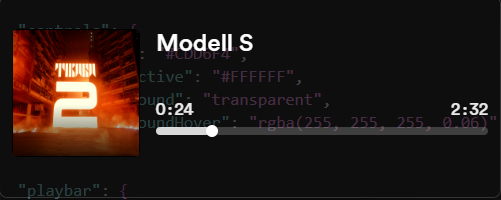 Compact Player: horizontal overlay with cover art, track metadata, progress, and time |
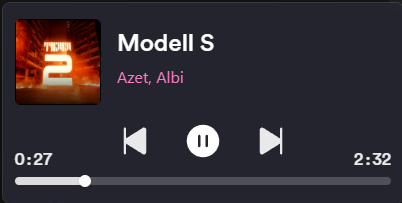 Card Player: larger controller layout with prominent transport controls |
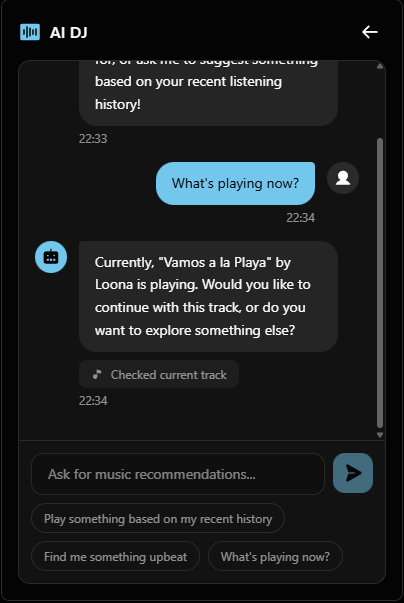 AI DJ: chat-based music assistant that can inspect playback and suggest tracks |
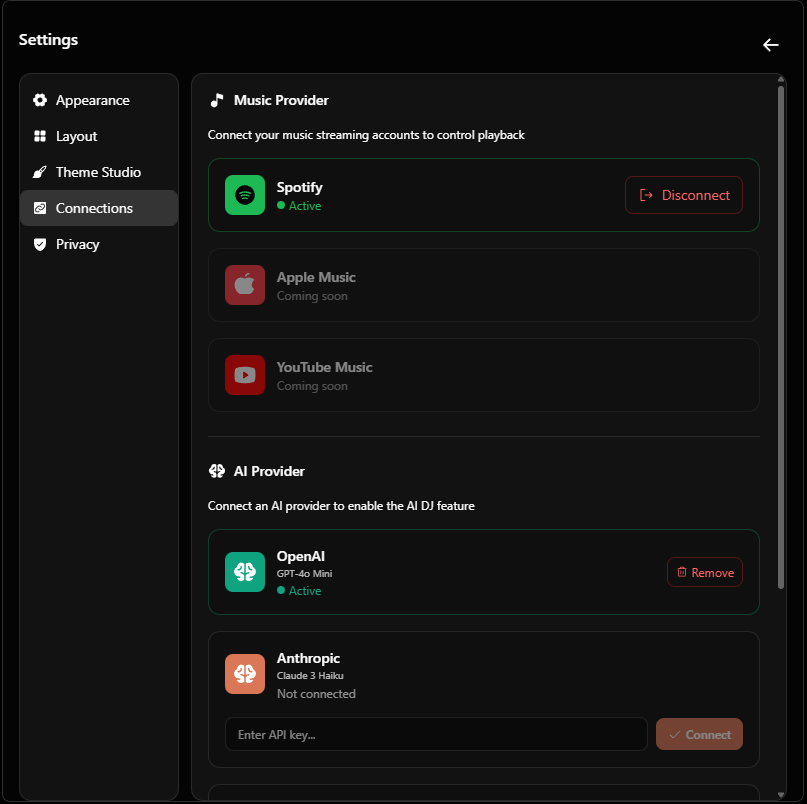 Connections: manage music providers and AI provider credentials in one place |
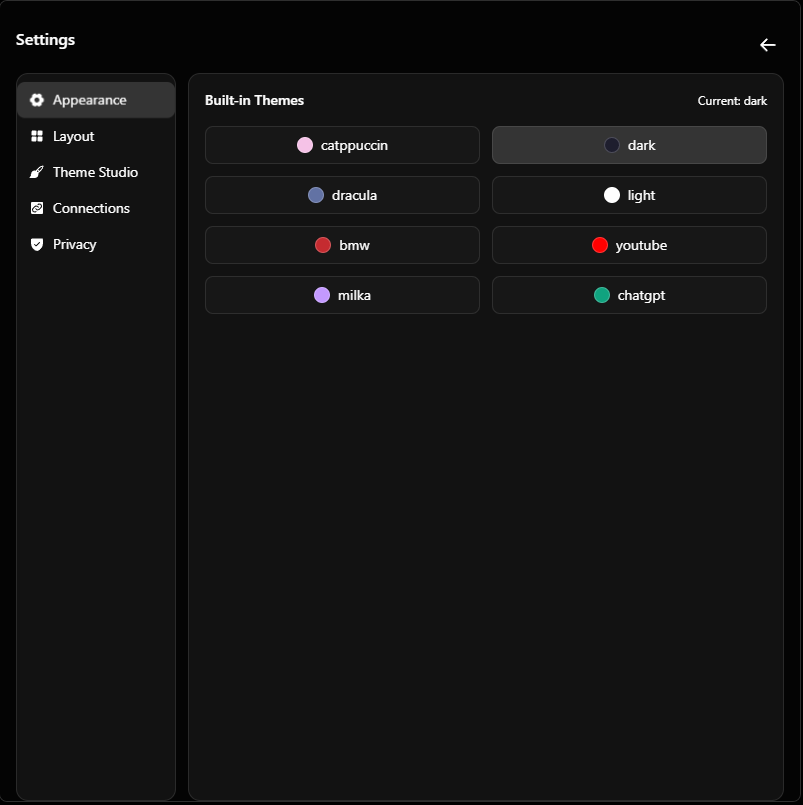 Themes: switch between built-in visual styles from the settings screen |
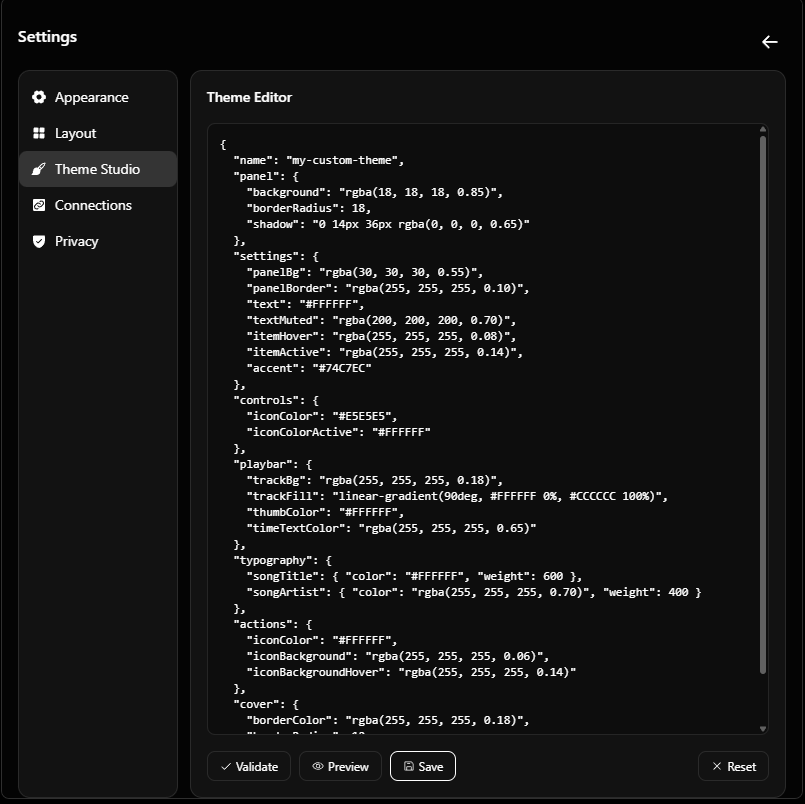 Theme Studio: edit, validate, preview, and save custom JSON themes |
Architecture
apps/desktop: Tauri 2 desktop app with React, Vite, Tailwind CSS, and Rust.apps/www: Next.js site for the project website and downloads.apps/docs: Astro Starlight documentation site.- Rust commands handle OAuth, local callback handling, keyring access, settings,
and desktop integration. - The renderer talks to Spotify and AI providers through typed clients and
Tauri commands.
Getting Started
Prerequisites
- Node.js
>=20.19.0 - pnpm
10.26.2 - Rust toolchain with the platform-specific Tauri prerequisites
- Spotify Developer app Client ID for local development builds
Setup
pnpm install
Development
pnpm desktop:dev
pnpm www:dev
pnpm docs:dev
On first desktop launch, MiniFy asks for a Spotify Client ID and starts the
browser-based OAuth flow.
Scripts
| Command | Description |
|---|---|
pnpm desktop:dev |
Start the Tauri desktop app |
pnpm desktop:build |
Build the desktop app |
pnpm desktop:clear |
Clear desktop credentials and settings |
pnpm www:dev |
Start the Next.js website |
pnpm docs:dev |
Start the documentation site |
pnpm lint |
Run workspace Biome checks |
pnpm test |
Run the Oxlint quality gate |
pnpm format |
Format with Biome |
Security
MiniFy does not store Spotify tokens or AI API keys in plain text files.
Credentials are kept in the operating system credential store:
| Platform | Storage |
|---|---|
| Windows | Credential Manager |
| macOS | Keychain |
| Linux | Secret Service |
Spotify authentication uses OAuth 2.0 with PKCE. Desktop/open-source builds
must not embed a Spotify Client Secret.
Links
- Website: minify.skeptic.run
- Documentation: minify-docs.skeptic.run
- Releases: GitHub Releases
- Issues: GitHub Issues
- Roadmap: Project Board
- Discord: discord.gg/haNyuz2zQ5
License
Licensed under the MIT License. See LICENSE for details.
Yorumlar (0)
Yorum birakmak icin giris yap.
Yorum birakSonuc bulunamadi