nestlens
Health Gecti
- License — License: MIT
- Description — Repository has a description
- Active repo — Last push 0 days ago
- Community trust — 47 GitHub stars
Code Uyari
- process.env — Environment variable access in .github/actions/setup-node/action.yml
- process.env — Environment variable access in .github/workflows/ci.yml
- fs module — File system access in .github/workflows/ci.yml
- network request — Outbound network request in .github/workflows/ci.yml
Permissions Gecti
- Permissions — No dangerous permissions requested
Bu listing icin henuz AI raporu yok.
Laravel Telescope-inspired debugging and monitoring for NestJS. Track requests, queries, exceptions, jobs, and 14 more watchers with a beautiful real-time dashboard.

NestLens
Debug NestJS Like Never Before
Laravel Telescope-inspired debugging and monitoring for NestJS.
Track requests, queries, exceptions, jobs, and 15 more watchers
with a beautiful real-time dashboard.







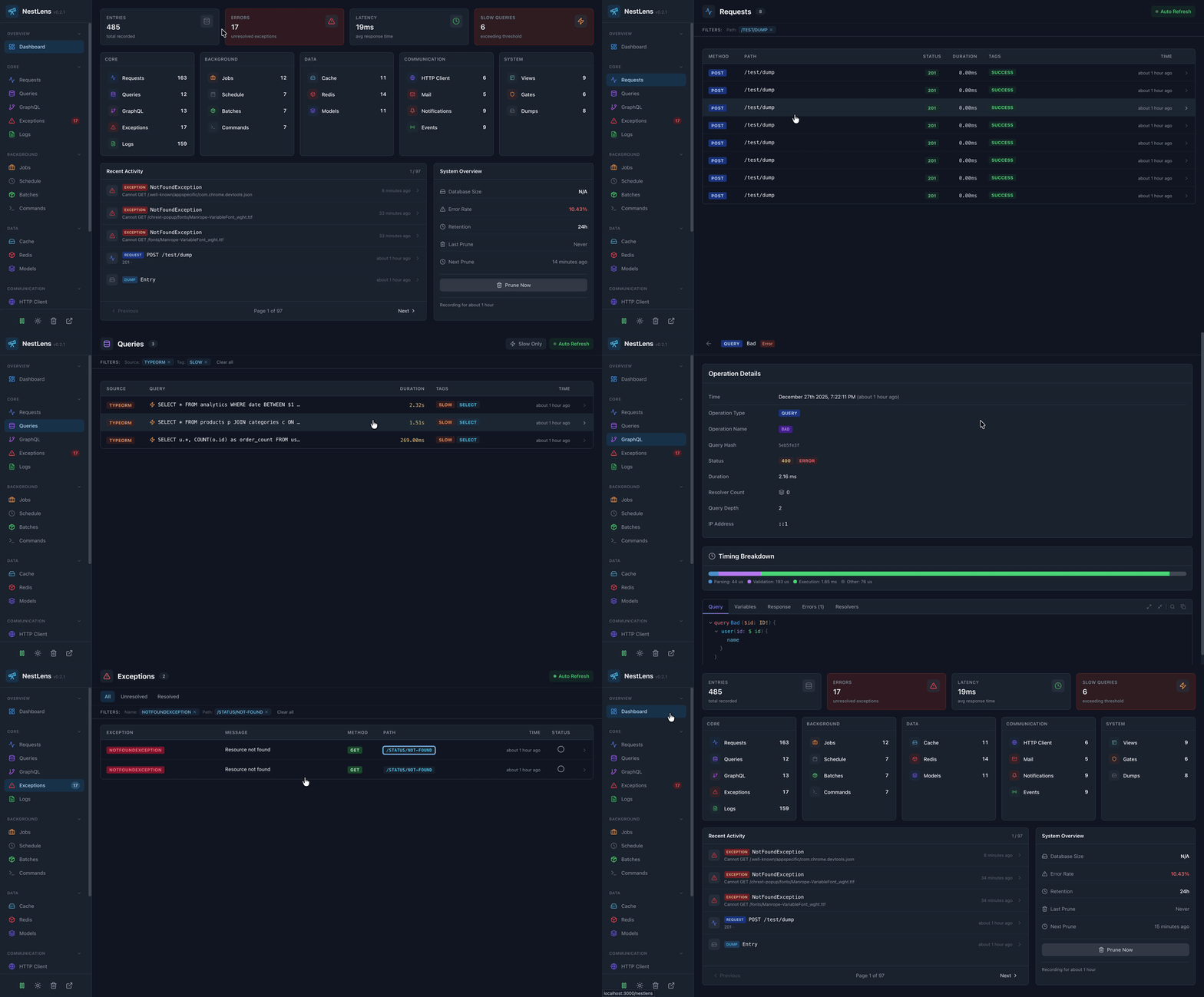
Why NestLens?
⚡ Real-time MonitoringWatch requests, queries, and exceptions as they happen. No more console.log debugging. |
✨ Zero ConfigurationImport and go. Works with Express & Fastify. Finds your TypeORM queries, GraphQL server and scheduled tasks on its own; Prisma, Bull and the rest take one line each. |
🔒 Security Built-inIP whitelist, role-based access, and automatic data masking for production safety. |
Install
npm install nestlens
Upgrading? 0.8.0 removes the configuration fields deprecated in 0.4.0
(storage.type,storage.filename, top-levelallowedIps/canAccess) and
keeps NestLens's own responses out of your global interceptors. 0.6.0 moved
the REST API underpath:/__nestlens__/api/*became/nestlens/__nestlens__/api/*. Both are covered in the
upgrade guide.
Quick Start
import { NestLensModule } from 'nestlens';

@Module({
  imports: [
    NestLensModule.forRoot({
      enabled: process.env.NODE_ENV !== 'production',
    }),
  ],
})
export class AppModule {}
forRoot belongs in the root module, once. It is global: a feature module takesCollectorService or a watcher such as GateWatcher in its constructor without
importing NestLensModule again.
Visit http://localhost:3000/nestlens and start debugging.
Let an AI agent read it
nestlens-mcp is an MCP server over a running NestLens, published as its own package with the MCP SDK included. It is a hub of two tools — one lists everything NestLens can do, the other runs it — read from your application each time, so a new endpoint is available to an agent without a new release. It is read-only unless you pass --allow-write.
claude mcp add nestlens -- npx -y nestlens-mcp --url http://localhost:3000/nestlens
For a NestLens on a development or production server, run nestlens-mcp --http next to it and give the agent a URL. Setup for Claude Code, Cursor, VS Code and Claude Desktop is in the MCP guide.


Made by Lütfü Öğretici for the NestJS community
Yorumlar (0)
Yorum birakmak icin giris yap.
Yorum birakSonuc bulunamadi