botctl
Health Uyari
- No license — Repository has no license file
- Description — Repository has a description
- Active repo — Last push 0 days ago
- Community trust — 80 GitHub stars
Code Gecti
- Code scan — Scanned 5 files during light audit, no dangerous patterns found
Permissions Gecti
- Permissions — No dangerous permissions requested
This tool is a process manager for autonomous AI agents. It allows developers to create, configure, and manage persistent AI bots via a terminal dashboard, web UI, or declarative configuration files.
Security Assessment
Risk: Medium. While a light code scan found no dangerous patterns or hardcoded secrets, the installation method (`curl | sh`) requires blind trust in the external server. More importantly, the tool's core function is to execute and manage autonomous AI agents. It inherently executes shell commands, interacts with local files, and makes network requests. The `botctl update` command also introduces a self-update vector that relies on external infrastructure. No dangerous OS-level permissions were explicitly requested.
Quality Assessment
The project appears to be in active development, with repository activity as recent as today. It has garnered a respectable level of community trust with 80 GitHub stars, indicating that peers have found it useful. The documentation is comprehensive and provides clear instructions for both installation and usage. However, the repository lacks a designated open-source license. This is a significant drawback for enterprise or commercial use, as it legally reserves all rights to the author and strictly limits how the code can be used or modified.
Verdict
Use with caution. The tool is active and functional, but the complete lack of a software license poses legal risks, and its nature as an autonomous AI agent runner requires strong trust in its execution boundaries.
Manage persistent AI bots with a terminal dashboard, web UI, and declarative configuration.
botctl
Process manager for autonomous AI agent bots. Run persistent agents from a single CLI with a terminal dashboard, web UI, and declarative configuration.
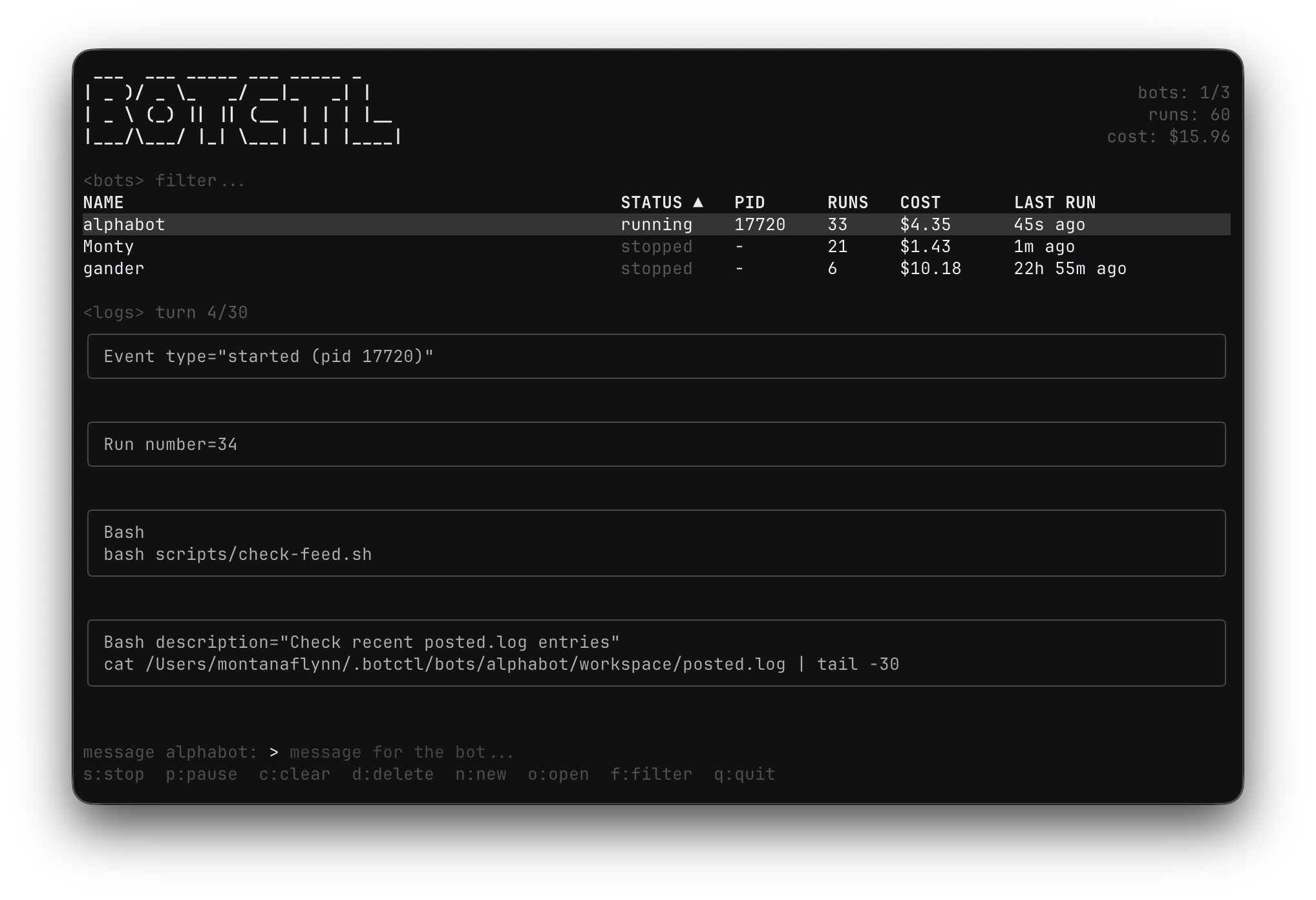
Install
curl -fsSL https://botctl.dev/install.sh | sh
Or with Go:
go install github.com/montanaflynn/botctl@latest
Pre-built binaries for macOS, Linux, and Windows are on the releases page.
Quick Start
# Create a bot (interactive)
botctl create my-bot

# Start the TUI dashboard
botctl

# Or start a specific bot in the background
botctl start my-bot --detach

# Send a message to a running bot
botctl start my-bot --message "check the error logs"

# Run once and exit
botctl start my-bot --once

# View logs
botctl logs my-bot -f

# Pause a running bot (preserves session)
botctl pause my-bot

# Resume a paused bot
botctl play my-bot --turns 20

# Stop (kills process, loses session)
botctl stop my-bot
CLI Commands
| Command | Description |
|---|---|
botctl |
Open the TUI dashboard (--web-ui for web dashboard, --port to set port) |
botctl create [name] |
Create a new bot via Claude (-d description, -i interval, -m max turns) |
botctl start [name] |
Start a bot (-d detach, -m message, --once single run) |
botctl stop [name] |
Stop a bot (no args = stop all) |
botctl pause [name] |
Pause a running/sleeping bot (preserves session) |
botctl play [name] |
Resume a paused bot (-t turns) |
botctl list |
List bots with status |
botctl status |
Detailed status of all bots |
botctl logs [name] |
View logs (-n lines, -f follow) |
botctl delete <name> |
Delete a bot and its data (-y skip confirmation) |
botctl skills list |
List discovered skills (--bot to filter by bot) |
botctl skills search <query> |
Search skills.sh for community skills (-n limit) |
botctl skills add <owner/repo> |
Install skills from a GitHub repo (--skill, --bot, --global) |
botctl skills view <name> |
View a skill's SKILL.md and list its files |
botctl skills remove <name> |
Remove an installed skill |
botctl update |
Self-update to the latest release |
TUI Keybindings
| Key | Action |
|---|---|
s |
Start/stop selected bot |
p |
Pause/play (pause if running/sleeping, play if paused) |
m / enter |
Send message to bot |
n |
Create new bot |
c |
Clear bot context (restart) |
d |
Delete bot (with confirmation) |
o |
Open bot directory |
f / tab |
Focus filter bar |
j / k |
Navigate bot list |
q |
Quit |
BOT.md Configuration
Each bot is defined by a BOT.md file with YAML frontmatter and a markdown body:
---
name: my-bot
id: my-bot-001
interval_seconds: 300
max_turns: 20
workspace: local
skills_dir: ./skills
log_retention: 30
---

You are an autonomous agent that...
Frontmatter Fields
| Field | Type | Default | Description |
|---|---|---|---|
name |
string | required | Display name |
id |
string | folder name | Stable database key (survives folder renames) |
interval_seconds |
int | 60 | Seconds between runs |
max_turns |
int | 0 (unlimited) | Turn limit per run |
workspace |
string | local |
local (per-bot) or shared (~/.botctl/workspace/) |
skills_dir |
string | — | Relative path to skill directories |
log_retention |
int | 30 | Number of run logs to keep |
env |
map | — | Environment variables (supports ${VAR} references) |
The markdown body becomes the bot's system prompt. Claude sees it every run.
How It Works
Bots have four states: running (executing Claude API call), sleeping (waiting between runs), paused (waiting for play/message), and stopped (no process).
┌─────────────────────────────────────────┐
│              Harness Loop               │
│                                         │
│  1. Reload BOT.md config    → running   │
│  2. Check message queue                 │
│  3. Run Claude task (up to max_turns)   │
│  4. Record stats (cost, turns, session) │
│  5. Write log file                      │
│  6. If max_turns hit       → paused     │
│  7. Sleep for interval_seconds          │
│     (woken early by messages/play)      │
│                              → sleeping │
│  8. Repeat                              │
│                                         │
└─────────────────────────────────────────┘
Config changes (including max_turns) take effect on the next run without restarting.
Pause / Play
- Pause interrupts a running bot or transitions a sleeping bot to paused. The session context is preserved.
- Play resumes a paused bot with an editable turn count. Use Start to run a stopped bot.
- Stop kills the process and loses the session. Use pause to preserve context.
- When a run hits
max_turns, the bot automatically enters paused state. Presspin the TUI to play.
Skills
Skills are directories containing a SKILL.md file with YAML frontmatter (name and description) and a markdown body. The harness parses frontmatter from all discovered skills and lists them by name and description in the system prompt. Claude loads full skill content on-demand via the Skill tool.
Skills are discovered from three locations (first occurrence of a name wins):
~/.agents/skills/— cross-agent shared skills~/.botctl/skills/— botctl-wide shared skills- Bot's
skills_dir— per-bot skills
my-bot/
  BOT.md
  skills/
    api-access/
      SKILL.md
    safety-rules/
      SKILL.md
  workspace/
File Layout
~/.botctl/
  botctl.db              # SQLite database
  workspace/             # Shared workspace
  bots/
    my-bot/
      BOT.md             # Bot config + prompt
      skills/            # Skill directories (optional)
        my-skill/
          SKILL.md
      workspace/         # Local workspace
      logs/              # Per-run log files
Web Dashboard
botctl --web-ui              # default port 4444
botctl --web-ui --port 8080  # custom port
Updates
botctl update
Checks for new releases and replaces the binary in-place.
License
MIT
Yorumlar (0)
Yorum birakmak icin giris yap.
Yorum birakSonuc bulunamadi