cchub
mcp
Warn
Health Warn
- No license — Repository has no license file
- Description — Repository has a description
- Active repo — Last push 0 days ago
- Low visibility — Only 5 GitHub stars
Code Pass
- Code scan — Scanned 12 files during light audit, no dangerous patterns found
Permissions Pass
- Permissions — No dangerous permissions requested
Purpose
This application is a visual management platform for the Claude Code ecosystem. It allows users to configure MCP servers, manage plugins, and orchestrate workflows through a graphical user interface instead of manually editing JSON files.
Security Assessment
Overall risk: Low. The automated code scan reviewed 12 files and found no dangerous patterns or hardcoded secrets. The tool does not request inherently dangerous permissions. However, because it functions as a management utility for developer tools, it inherently reads local configuration files, likely makes network requests to fetch marketplace data or health statuses, and facilitates the installation of external tools. The code itself appears safe to use directly, but the MCP servers it helps you install could introduce their own risks.
Quality Assessment
The project is actively maintained, with its most recent updates pushed today. Despite being a very new project with low community visibility (only 5 stars), the README is highly detailed and professional. The project claims to be MIT licensed in the documentation, though an automated check flagged that the actual license file might be missing or improperly linked in the repository. Given the low star count, community trust is still establishing itself, but initial quality indicators are positive.
Verdict
Safe to use, though users should remain cautious about which external MCP servers they choose to install through the platform.
This application is a visual management platform for the Claude Code ecosystem. It allows users to configure MCP servers, manage plugins, and orchestrate workflows through a graphical user interface instead of manually editing JSON files.
Security Assessment
Overall risk: Low. The automated code scan reviewed 12 files and found no dangerous patterns or hardcoded secrets. The tool does not request inherently dangerous permissions. However, because it functions as a management utility for developer tools, it inherently reads local configuration files, likely makes network requests to fetch marketplace data or health statuses, and facilitates the installation of external tools. The code itself appears safe to use directly, but the MCP servers it helps you install could introduce their own risks.
Quality Assessment
The project is actively maintained, with its most recent updates pushed today. Despite being a very new project with low community visibility (only 5 stars), the README is highly detailed and professional. The project claims to be MIT licensed in the documentation, though an automated check flagged that the actual license file might be missing or improperly linked in the repository. Given the low star count, community trust is still establishing itself, but initial quality indicators are positive.
Verdict
Safe to use, though users should remain cautious about which external MCP servers they choose to install through the platform.
CCHub - Claude Code Ecosystem Management Platform (MCP, Skills, Hooks, Config)
README.md

CCHub
Stop editing JSON files. Manage your Claude Code ecosystem from one app.


Windows · macOS · Linux | 中文 · English
The Problem
The Claude Code ecosystem is exploding — MCP Servers, Skills, Plugins, Hooks, Workflows — but management is stuck in the stone age:
- Editing
settings.jsonby hand, hoping you don't break the syntax - Copy-pasting MCP configs between machines
- No idea which of your 30 MCP servers are actually working
- Switching between Claude / Codex / Gemini / Hermes configs = nightmare
- Zero visibility into security risks from your installed tools
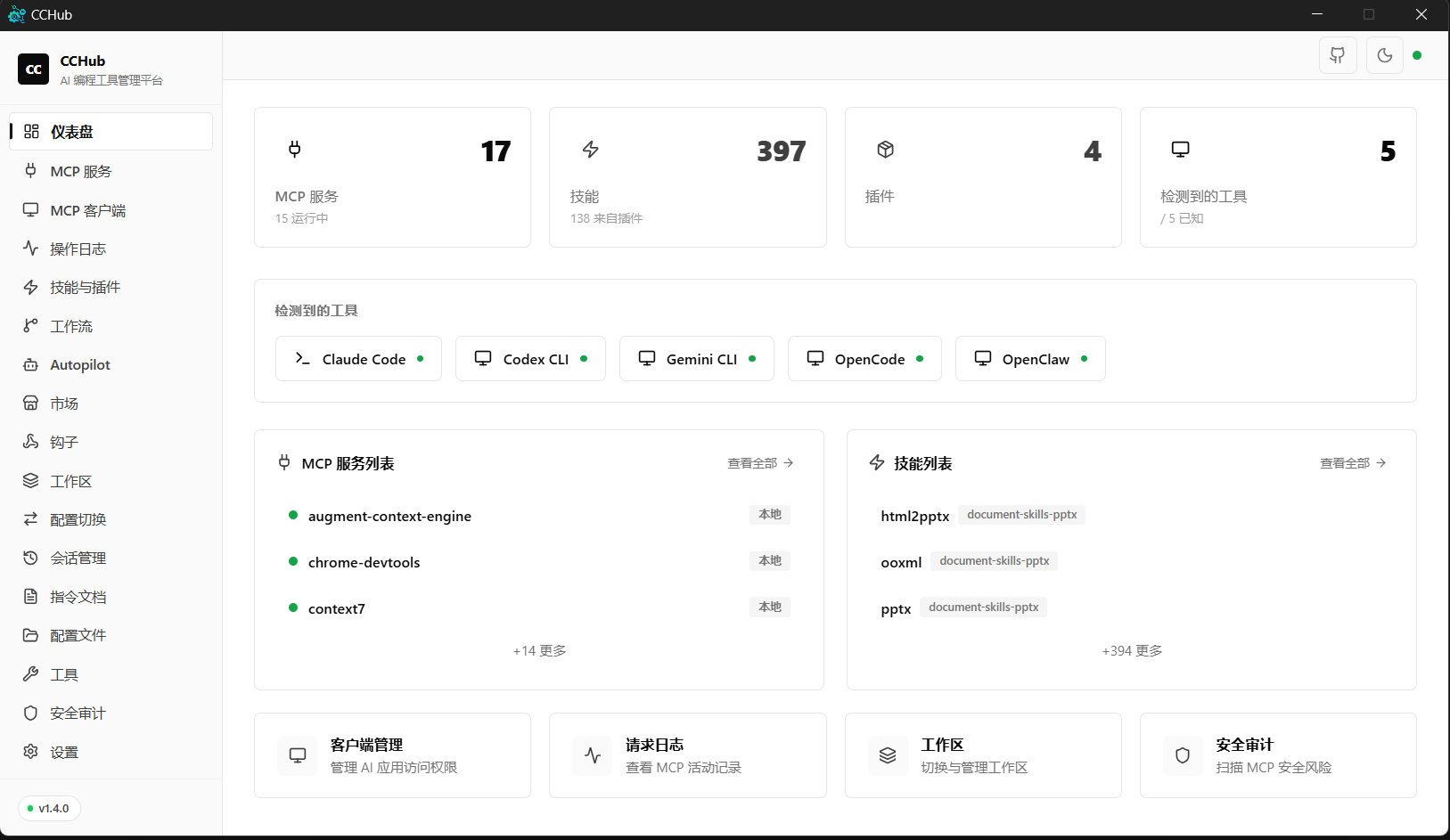
CCHub puts everything in one GUI. Install MCP servers in one click. Switch configs instantly. Monitor health. Audit security. Done.
Screenshots
Light Theme
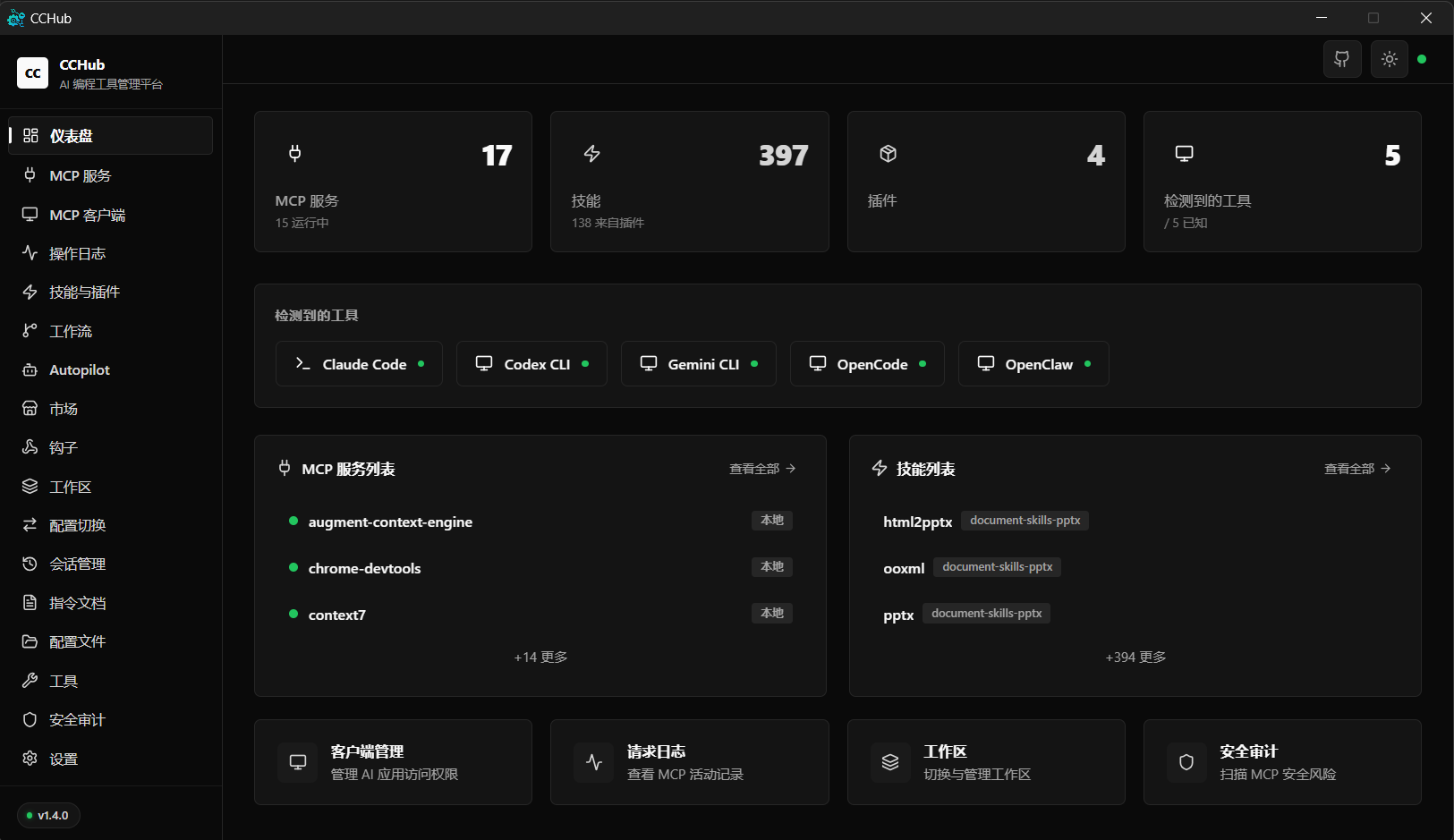
Dark Theme
Features
Core Management
| Feature | Description |
|---|---|
| MCP Server Management | Auto-scan Claude Code, Claude Desktop, Cursor configs. Enable/disable, edit, delete — no JSON editing |
| MCP Marketplace | Built-in registry with categories. One-click install with env config. Custom source support |
| MCP Health Monitor | Command check, process spawn test, latency measurement. Know which servers are broken |
| Config Profiles | One-click switch between Claude Code, Codex, Gemini CLI, OpenCode, OpenClaw, and Hermes configs |
| Skills & Plugins | Browse, edit (MDXEditor rich-text), cross-tool sync |
| Workflows | 12 built-in templates (Code Review, TDD, Bug Diagnosis, Security Audit...). One-click install |
| Hooks Visualizer | See all hooks: event types, matchers, commands — at a glance |
Developer Experience
| Feature | Description |
|---|---|
| CLAUDE.md Manager | Visual editor for project instructions with templates |
| Autopilot | Task orchestration for Claude / Codex auto-execution with real-time monitoring |
| Command Palette | Ctrl+K to navigate anywhere instantly |
| Security Audit | Env secrets, shell execution risks, npx auto-install risk scanning |
| StatusLine (claude-hud) | One-click install, proxy support, China mirror, display config |
Platform
| Feature | Description |
|---|---|
| Cross-platform | Windows 10/11, macOS 10.15+, Linux |
| Dark / Light Theme | Glassmorphism UI with system-aware theme |
| Backup & Restore | Export all configs as SQL, import with legacy format support |
| Auto Update | Built-in updater with GitHub Releases fallback |
| i18n | Chinese, English, Japanese |
| System Tray | Minimize to tray on close |
Quick Comparison
| Task | Without CCHub | With CCHub |
|---|---|---|
| Install an MCP server | Edit JSON, find npm package, configure env vars manually | One click from Marketplace |
| Switch from Claude to Codex config | Copy files, rename, edit paths | One click in Profiles |
| Check if MCP servers are healthy | Run commands manually, check logs | Health dashboard with latency |
| Audit security risks | Read JSON files, grep for secrets | Automated scan with risk report |
| Manage CLAUDE.md | Open in text editor, remember syntax | Rich visual editor with templates |
Download
| File | Platform | Description |
|---|---|---|
CCHub_x64-setup.exe |
Windows | Recommended — NSIS installer with auto-update |
CCHub_x64_en-US.msi |
Windows | MSI format for enterprise deployment |
CCHub_x64_portable.exe |
Windows | No install needed — double-click and run |
CCHub_aarch64.dmg |
macOS | Apple Silicon (M1/M2/M3/M4) |
CCHub_x64.dmg |
macOS | Intel |
CCHub_amd64.deb |
Linux | Debian / Ubuntu |
CCHub_amd64.AppImage |
Linux | Universal AppImage |
CCHub_x86_64.rpm |
Linux | Fedora / RHEL |
Tech Stack
| Layer | Technology |
|---|---|
| Framework | Tauri 2.0 — Rust backend + Web frontend, ~20MB binary |
| Frontend | React 19 + TypeScript + Tailwind CSS 4 |
| Backend | Rust — High perf, memory safe, single binary |
| Database | SQLite (rusqlite) — Zero-dependency local storage |
| Build | Vite 6 + pnpm |
| Data Layer | TanStack React Query — Unified caching & state |
| UI | shadcn/ui + Framer Motion + cmdk |
Development
Prerequisites
- Node.js >= 18
- pnpm >= 8
- Rust >= 1.70
- Tauri 2.0 Prerequisites
Quick Start
git clone https://github.com/Moresll/cchub.git
cd cchub
pnpm install
pnpm tauri dev
Build
pnpm tauri build
Supported Config Sources
CCHub auto-scans MCP server configs from:
| Path | Source |
|---|---|
~/.claude/plugins/**/.mcp.json |
Claude Code plugins (recursive) |
%APPDATA%/Claude/claude_desktop_config.json |
Claude Desktop |
~/.cursor/mcp.json |
Cursor |
~/.codex/config.toml |
Codex CLI |
~/.gemini/settings.json |
Gemini CLI |
~/.hermes/cli-config.yaml + ~/.hermes/.env |
Hermes Agent (NousResearch) — YAML + dotenv |
Roadmap
- MCP Server management (scan, toggle, edit, delete)
- MCP Marketplace (registry, one-click install, custom sources)
- MCP Health monitoring (command check, spawn test, latency)
- Skills & Plugins browser (MDXEditor, cross-tool sync)
- Workflows (12 templates, Markdown editing, multi-tool install)
- Hooks visualization
- Config Profiles (structured editor, multi-tool switching)
- CLAUDE.md manager (editor, templates)
- Tools page (permissions, StatusLine, Codex settings)
- StatusLine (claude-hud) integration
- Security audit (permission scanning, risk detection)
- Backup & restore (SQL export/import)
- Auto-update (Tauri Updater + GitHub fallback)
- Autopilot (Claude / Codex task orchestration)
- Command Palette (Ctrl+K)
- hello2cc plugin management
- Dark / Light / System theme
- i18n (Chinese + English + Japanese)
- Cross-platform (Windows, macOS, Linux)
- System tray
- Config change detection (security timeline)
- Hooks editor (create/edit hooks from UI)
- WebDAV cloud sync
- Plugin ecosystem (community MCP templates)
Contributing
Contributions welcome! See issues for ideas.
Fork → Branch → Commit → Push → Pull Request
Star History
If CCHub saves you time, consider giving it a star. It helps others discover the project.
License
MIT License — see LICENSE for details.
Acknowledgments
- Tauri — Lightweight desktop framework
- Claude Code — AI coding assistant
- MCP — Model Context Protocol
Reviews (0)
Sign in to leave a review.
Leave a reviewNo results found