Shehata-Git
Health Uyari
- License — License: MIT
- Description — Repository has a description
- Active repo — Last push 0 days ago
- Low visibility — Only 5 GitHub stars
Code Gecti
- Code scan — Scanned 12 files during light audit, no dangerous patterns found
Permissions Gecti
- Permissions — No dangerous permissions requested
Bu listing icin henuz AI raporu yok.
A local-first Git identity manager that maps every repository to the right GitHub account—built for developers and AI coding agents.
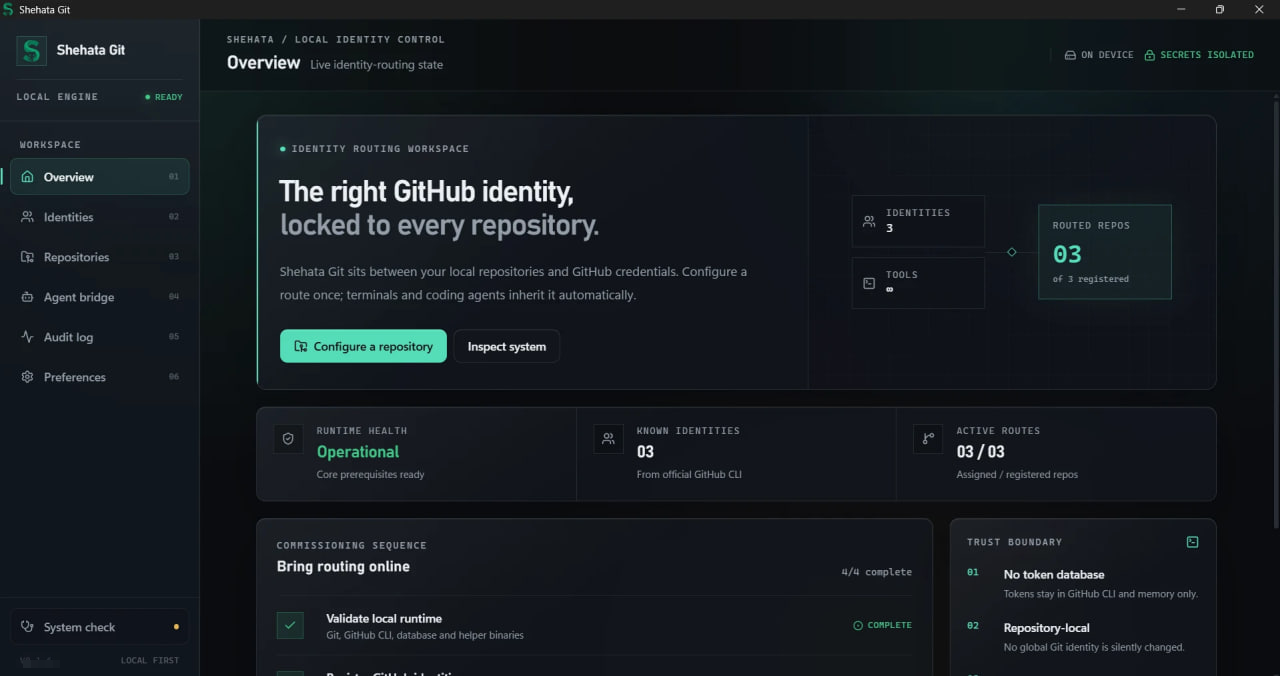
Shehata Git

Stop pushing GitHub repositories with the wrong account.
Shehata Git pins every local repository to one GitHub identity — so your work account never pushes to your personal repo, and your coding agent never pushes as you by accident.


Windows 10/11 · macOS (Apple Silicon) · MIT licensed · no cloud account or subscription
[!IMPORTANT]
Shehata Git is an early preview and the installers are not code-signed yet.
Windows shows a SmartScreen notice (More info → Run anyway) and macOS
needs right-click → Open the first time. Use disposable repositories while
evaluating it and review every assignment before confirming it.
Why Shehata Git?
Git separates commit authorship from remote authentication, while GitHub CLI
can hold more than one account for the same host. That flexibility is useful,
but it also makes it easy for a terminal or coding agent to push with the wrong
identity.
Shehata Git assigns one authenticated GitHub identity to each local repository.
The route is repository-scoped, works outside the desktop UI, and fails closed
when the assigned account is unavailable.
Key features
- Discover accounts from the official GitHub CLI without importing passwords
or persisting tokens. - Assign an exact GitHub account and optional commit author to each repository.
- Route HTTPS credentials per repository through
git-credential-shehata. - Review changes, stage selected files, commit, pull with
--ff-only, and run
normal policy-checked pushes. - Expose a bounded MCP server for Codex, Claude Code, Cursor, and other coding
clients without exposing arbitrary shell execution. - Record a redacted local activity trail that the user can search or clear.
- Diagnose Git, GitHub CLI, WebView2, PATH, helper, database, and MCP readiness.
- Restore the previous repository-local Git configuration when unlinking.
Screenshots
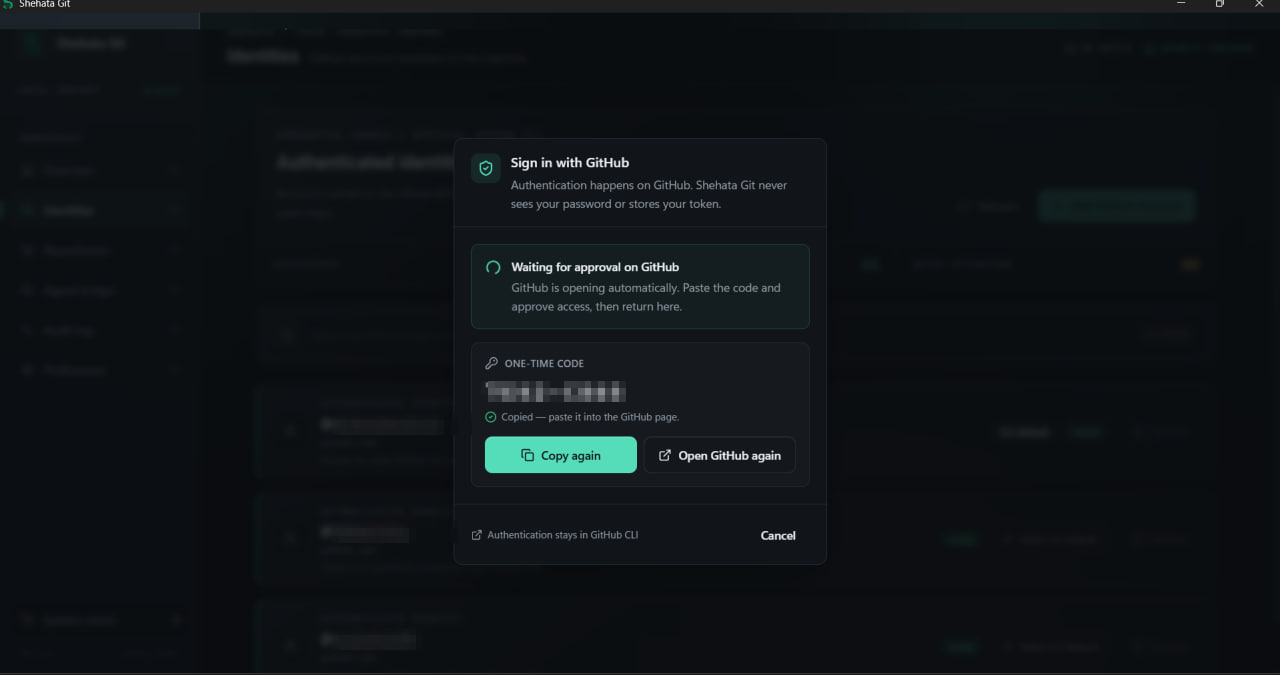
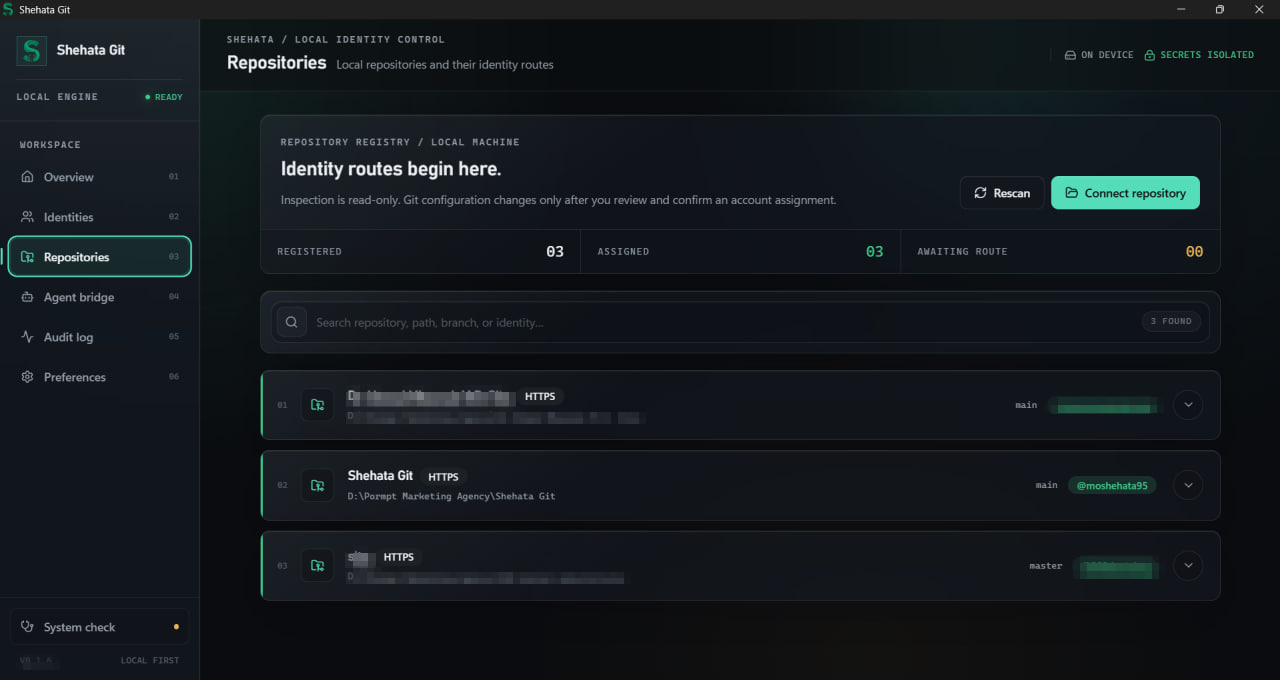
Local paths, private account names, and the build version are blurred.
| Accounts | Repository routing | Agent bridge |
|---|---|---|
 |
 |
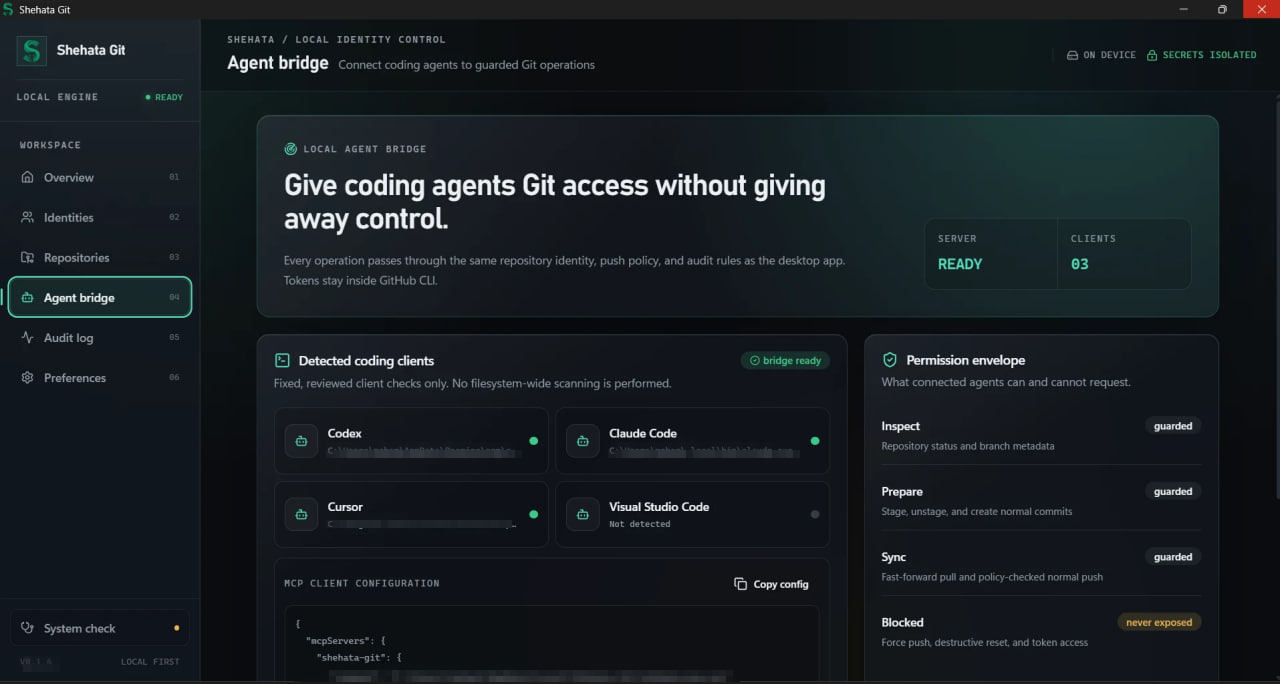 |
| Sign in through GitHub itself. The app never sees a password and never stores a token. | Every repository is pinned to one identity — enforced in the terminal too, not just in the app. | Coding agents get guarded Git access: force push, destructive reset, and token access are never exposed. |
Requirements
To run the preview
- Windows 10 or 11 (x64), or macOS on Apple Silicon
- Git for Windows
- GitHub CLI
- Microsoft Edge WebView2 Runtime (normally already installed on supported
Windows versions) - One or more GitHub accounts authenticated through GitHub CLI
The System Check page can install missing Git and GitHub CLI packages through
Windows Package Manager after explicit confirmation.
To build from source
- Node.js 20 or newer
- pnpm 9 or newer
- Stable Rust toolchain
- Platform prerequisites required by Tauri 2
On Windows, install the MSVC C++ Build Tools and a Windows SDK.
Installation
Download the installer (recommended)
Grab the latest build from the
releases page:
| Platform | File |
|---|---|
| Windows 10/11 (x64) | Shehata-Git-windows-x64-setup.exe |
| macOS (Apple Silicon) | Shehata-Git-macos-apple-silicon.dmg |
Neither installer is code-signed yet, so the first launch needs one extra
click: More info → Run anyway on Windows, right-click → Open on macOS.
Build from source
git clone https://github.com/moshehata95/Shehata-Git.git
cd Shehata-Git
pnpm install --frozen-lockfile
pnpm prepare:sidecars
cargo build --workspace
pnpm dev
prepare:sidecars builds the CLI, credential helper, and MCP executable that
Tauri validates and bundles beside the desktop app.
Build the Windows NSIS installer with:
pnpm build
The installer is written totarget/release/bundle/nsis/Shehata Git_<version>_x64-setup.exe.
Usage
- Open System Check and resolve any missing prerequisites.
- Open Identities and sign in through GitHub's browser flow.
- Open Repositories, choose a local Git worktree, and review the detected
remote. - Assign the intended GitHub identity and optional local commit author.
- Confirm Connect and verify. Shehata Git backs up the relevant local Git
configuration, enables the route, and performs a read-only remote test. - Use Git normally from the app, a terminal, or an approved coding agent.
CLI default in the Identities page means the account used by ordinary gh
commands for that host. Use Make CLI default to change it after an in-app
confirmation. It does not override repository routes.
CLI examples
shehata doctor
shehata accounts list
shehata repos add "C:\path\to\repository"
shehata repos list
shehata repos assign "C:\path\to\repository" --account octocat
shehata status "C:\path\to\repository"
shehata test "C:\path\to\repository"
shehata push "C:\path\to\repository" --yes
Add --json before the subcommand for machine-readable output. Every failure
prints one object with a stable error.code, so a script can branch on the
cause rather than on message text.
Exit codes:
| Code | Meaning |
|---|---|
0 |
The command succeeded. |
1 |
The command failed; see error.code for the cause. |
4 |
shehata doctor ran, but a prerequisite needs attention. |
shehata gh is the exception: it returns whatever the GitHub CLI returned, so
wrapping a command does not change how a script reads its result.
Architecture
React desktop UI ──Tauri IPC──▶ shehata-core ──▶ shehata-git
shehata CLI ──────────────────▶      │         ├─▶ shehata-github
shehata MCP server ───────────▶      │         └─▶ shehata-storage
Git credential protocol ──────▶ git-credential-shehata
Business rules live in Rust, not in React or Tauri handlers. SQLite stores
repository mappings, configuration backups, and redacted audit metadata—but no
credential values. See Architecture and the
decision records.
Security
- Tokens stay in the official GitHub CLI credential store and are requested
just in time by the Rust backend. - Tokens never cross Tauri IPC, enter SQLite, or appear in MCP responses.
- Processes launched by the app use fixed executables, argument arrays,
timeouts, and validated inputs. Git's required!helper entry is generated
only from a canonical executable path and validated UUID. - Force push, destructive reset, clean, rebase, amend, remote deletion, and
arbitrary shell execution are intentionally unavailable. - Repository routing fails closed instead of falling through to another
account.
Read the security model and report vulnerabilities through
the process in SECURITY.md. Never post credentials in an issue.
Roadmap
Windows and macOS installers now ship from CI on every tagged release. The
immediate focus is trust: code signing on both platforms, macOS notarization,
an Intel macOS build, two-account acceptance testing, and clean-machine
verification.
See the complete roadmap.
Contributing
Issues and focused pull requests are welcome. Start with
CONTRIBUTING.md, follow the
Code of Conduct, and use the provided issue/PR templates.
The required quality gate is:
cargo fmt --all -- --check
cargo clippy --workspace --all-targets -- -D warnings
cargo test --workspace
pnpm --filter @shehata/desktop lint
pnpm --filter @shehata/desktop typecheck
pnpm --filter @shehata/desktop test
Author
Created and maintained by Dr Mohamed Shehata — Nephrologist | Freelance
Medical Branding & Marketing Expert | AI Enthusiast.
- GitHub: @moshehata95
License
Shehata Git is available under the MIT License.
Yorumlar (0)
Yorum birakmak icin giris yap.
Yorum birakSonuc bulunamadi