claude-settings-editor
Health Uyari
- License — License: MIT
- Description — Repository has a description
- Active repo — Last push 0 days ago
- Low visibility — Only 5 GitHub stars
Code Basarisiz
- rm -rf — Recursive force deletion command in tools/automode.test.js
- fs module — File system access in tools/build-schema-map.js
- network request — Outbound network request in tools/build-schema-map.js
- new Function() — Dynamic code execution via Function constructor in tools/extract.js
- exec() — Shell command execution in tools/extract.js
- fs module — File system access in tools/extract.js
Permissions Gecti
- Permissions — No dangerous permissions requested
Bu listing icin henuz AI raporu yok.
A visual editor for Claude Code settings.json that runs as a single HTML file in your browser.

Claude Settings Editor
A visual editor for Claude Code settings.json that runs as a single HTML file in your browser.



Quick start
Try it online: mrspot-dev.github.io/claude-settings-editor
The hosted version runs entirely in your browser. Your settings.json is read and written on your own machine through the File System Access API, and nothing is uploaded.
For regular use, keep a local copy of claude-settings-editor.html. A downloaded file changes only when you replace it, while a hosted page always serves whatever is currently deployed. That matters for a file that may contain API keys.
Option A: open the file
- Download
claude-settings-editor.html. - Open it in a Chromium browser (Chrome, Edge, Arc).
- Click Open and pick your
settings.json. - Edit, then click Save to write it back to disk.
Option B: let the script find your files
- Download the repo, or just
claude-settings-editor.htmlandopen-editor.py. - Run the companion script:
python open-editor.py - It lists the
settings.jsonfiles it finds, you pick one, and the editor opens with it loaded.
  Claude Settings Editor: Auto-Detect
  ========================================

  Found 3 settings files:

    [1] User (global)
        Your personal settings, apply to ALL projects
        C:\Users\you\.claude\settings.json

    [2] Project (shared)
        Project settings, committed to git. Shared with team.
        /repo/.claude/settings.json

    [3] Local (gitignored)
        Personal project overrides, NOT committed.
        /repo/.claude/settings.local.json

  Priority: Local > Project > User > Defaults
On Windows you can also double-click open-editor.bat.
Features
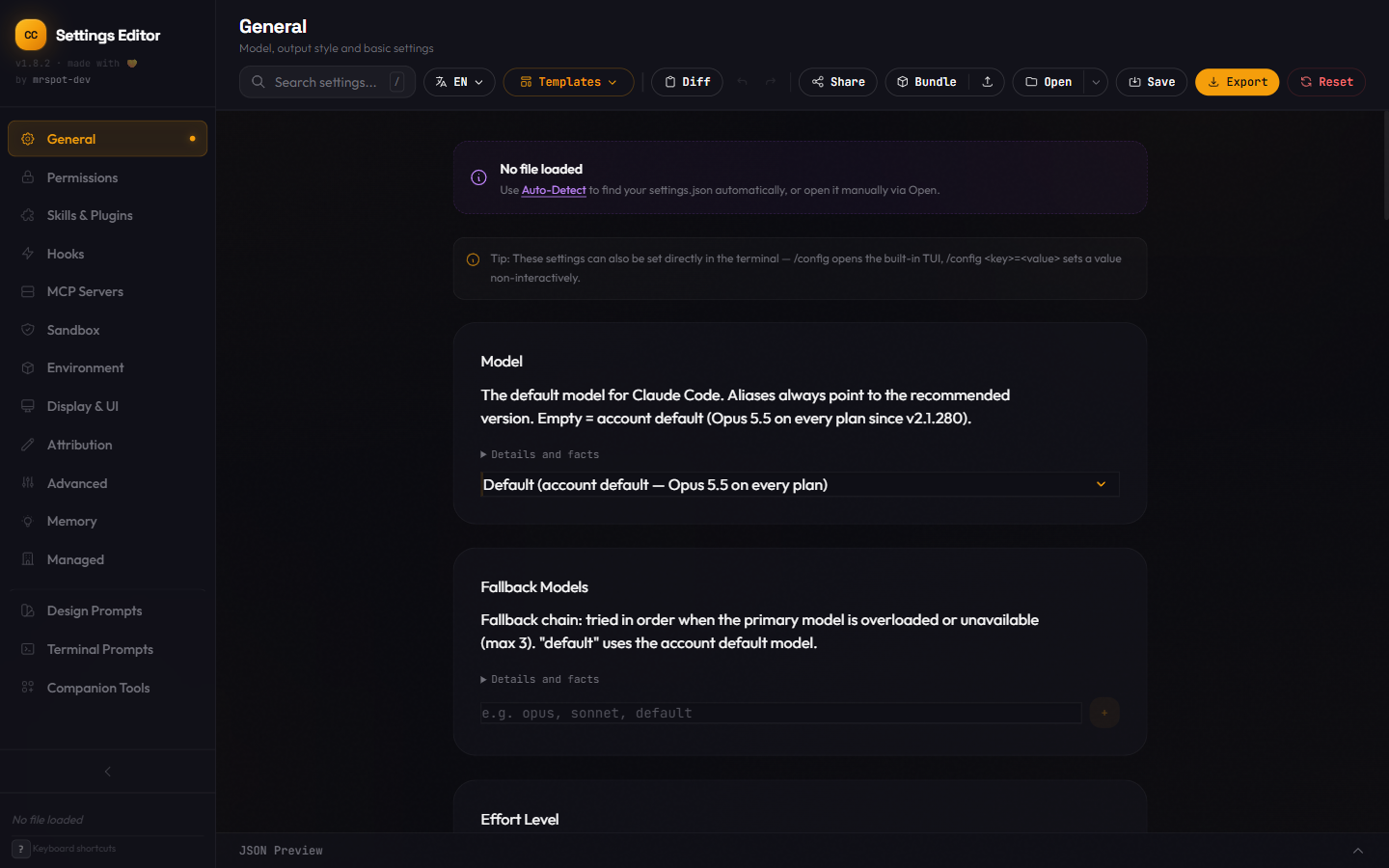
Every setting has a form. Fifteen tabs cover the whole file, from model and permissions to hooks, MCP servers and the sandbox. Each setting carries a collapsible "Details and facts" block with its scope, type, allowed values and default.
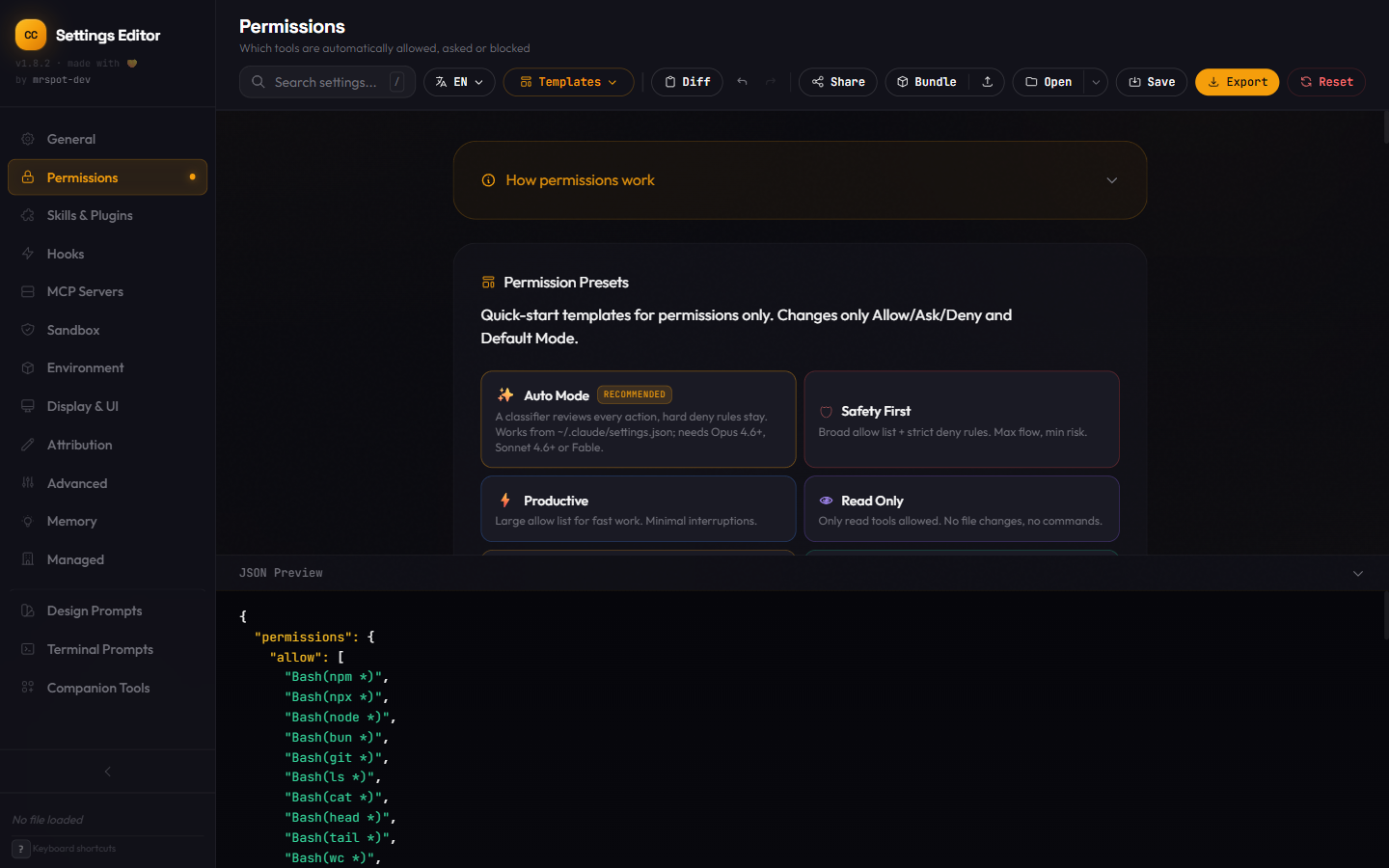
Permission presets with conflict detection. Presets from "Read Only" to "Full Send" fill the allow, ask and deny lists in one click. The editor warns when an allow rule and a deny rule overlap.
Live JSON preview. The bottom panel shows the file as it will be written while you edit. Properties the editor does not know are kept on save, so a round trip does not lose anything.
Settings Doctor. It flags unknown, deprecated, mistyped and managed-only keys and offers a fix for each. One click compares the embedded key table with the official schema.
Templates, bundles and share links. Save your own templates, export settings with templates and spinner packs as one JSON file, or put a configuration into a URL to pass it on.
Six languages. Deutsch, English, Español, Français, 日本語 and Português, switchable at any time.
All tabs| Tab | What it covers |
|---|---|
| General | Model, effort level, output style, language, thinking mode, fast mode, voice, vim mode, theme, update channel, model overrides |
| Permissions | Allow, ask and deny rules, default mode, presets, conflict detection, auto mode |
| Skills & Plugins | Toggle plugins by category with search and availability badges, custom skills |
| Hooks | 25 events in 7 groups, 4 handler types (command, http, prompt, agent), conditional if and shell |
| MCP Servers | stdio, http and sse configuration, environment variables, headers, quick-add presets, status check |
| Sandbox | On and off switch, filesystem paths, network domains |
| Environment | Custom environment variables, with a flag when one overrides a key in the same file |
| Display & UI | Spinner verbs, status line, motion preferences |
| Attribution | Commit and pull request attribution strings and the session link in commits |
| Advanced | API key helper, plans directory, cleanup period, available models, privacy and telemetry |
| Memory | Auto memory, memory history with retention presets, session memory, CLAUDE.md overview |
| Managed | Keys that only act from managed settings, grouped by purpose |
| Companion Tools | Recommended tools for the Claude Code workflow |
| Design Prompts | Curated design styles with prompts and color palettes |
| Terminal Prompts | Prompts in 9 categories and a CLAUDE.md builder |
- Drag and drop to reorder permission rules, hook groups and sandbox paths
- Validation while you type: invalid values, missing fields, duplicates
- Diff view against the defaults or a template
- Global search across all tabs
- Undo and redo with 50 steps
- Guided setup for first use
| Shortcut | Action |
|---|---|
Ctrl+S |
Save file |
Ctrl+Z / Ctrl+Y |
Undo / Redo |
Ctrl+1-9 |
Switch tabs |
Ctrl+Shift+P |
Toggle JSON preview |
/ |
Focus global search |
? |
Show shortcuts |
Esc |
Close dialogs |
Limits
- Direct open and save needs the File System Access API, which only Chromium browsers have. Firefox and Safari fall back to a file input and cannot save in place.
- The page loads Tailwind CSS and Alpine.js from a CDN, so the first start needs a network connection.
- The model list and the key table are a snapshot. Claude Code ships faster than this editor, so a very new setting can be missing until the next release. Unknown keys in your file are kept either way.
- This is a community project and not an official Anthropic tool.
How it works
One HTML file with Tailwind CSS for styling and Alpine.js for state. There is no build step, no server and no package.json. Your file never leaves the browser tab.
The editor embeds a compact fact table (SCHEMA_MAP) generated by tools/build-schema-map.js. Regenerate it with node tools/build-schema-map.js --fetch. The schema version and fetch dates are shown in the Advanced tab.
License and data sources
MIT, see LICENSE.
The embedded fact table comes from two sources:
- SchemaStore,
claude-code-settings.json, Apache License 2.0. The English key descriptions shown by the Settings Doctor come from this file. Seetools/sources/NOTICE-schemastore.txt. - Claude Code settings reference (
code.claude.com/docs/en/settings-reference). Only facts are taken from it (scope, type, allowed values, default, minimum version, environment variable). No text from the reference is embedded.
Yorumlar (0)
Yorum birakmak icin giris yap.
Yorum birakSonuc bulunamadi