claude-for-designers
Health Gecti
- License — License: MIT
- Description — Repository has a description
- Active repo — Last push 0 days ago
- Community trust — 16 GitHub stars
Code Uyari
- Code scan incomplete — No supported source files were scanned during light audit
Permissions Gecti
- Permissions — No dangerous permissions requested
Bu listing icin henuz AI raporu yok.
A working repository for designers who use Claude as a collaborator. Skills, principles, project templates, and a career vault.
created: 2026-07-27
type: reference
status: complete
tags: [ostad, claude-for-designers, readme, onboarding]
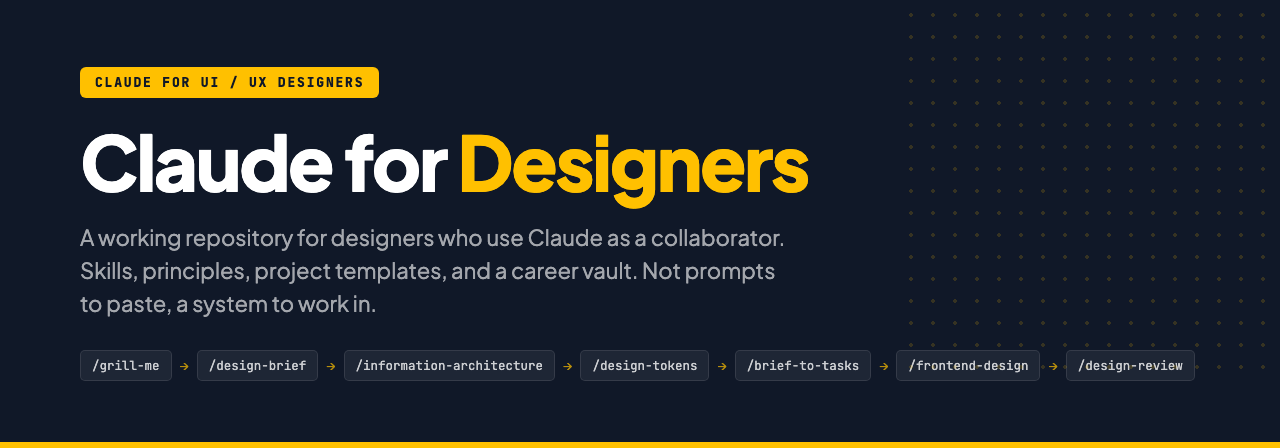





Claude for Designers
A working repository for designers who use Claude as a collaborator. Skills, principles, project templates, and a career vault. Not a pile of prompts to paste, a system to work inside.
Read this before you start
- This is not a beginner UX course. It assumes you already know UX fundamentals: research, flows, hierarchy, critique. What it teaches is how to get your Claude setup right so you direct AI instead of operating Figma.
- What it costs. Claude Pro, about $20 a month, plus the free Claude Desktop app. That is the honest number. There is no free path that does what this course needs.
- Your account must be your own. Never share a login, never buy a seat in someone else's account, never split one subscription between friends. Shared accounts get flagged by IP and held, and you lose access mid-course. Two students learned this the hard way last batch.
Where to start
Download the folder, open it in Claude Code, and type:
explain this folder to me
Claude reads CLAUDE.md, works out which class you are on by looking at which files are still blank, and tells you which file is today's. That is the fastest orientation available. Do it before reading the rest of this page.
Why this exists
Claude with no context produces work any agency in any city could ship with the same prompt. That is the commodity end of design, and it is the part AI is eating fastest.
The designers who stay valuable bring what Claude structurally cannot: a real brief, a real user, a real market, and the judgment to push back. This repo is the scaffolding for that. It makes the context permanent so you stop re-briefing Claude every conversation, and it keeps the decisions yours.
How the folder grows
You do not get a finished workspace. You build it one file at a time. Each class: open one file, learn why it exists, fill it in for your own project, bring it back.
| # | Class | The file you fill in |
|---|---|---|
| 1 | What Claude Is and Why This Matters Now | principles/bd-defaults.md (you fill it in; it IS your context block) |
| 2 | The Working Agreement | principles/claude-contract.md and projects/edubridge/claude-contract.md |
| 3 | The New Brief | projects/edubridge/brief-v3-interrogated.md |
| 4 | Claude as Critic | projects/edubridge/critique-notes.md |
| 5 | Figma as Source of Truth | projects/edubridge/tokens.md |
| 6 | Claude Code and Building One Real Flow | projects/edubridge/my-booking-screen.html |
| 7 | How to Sell Yourself: Brand and Portfolio | career-vault/01-positioning.md, 02-portfolio-story.md |
| 8 | How to Sell Yourself: The Interview | career-vault/03-resume.md, 04-interview-answers.md, 05-linkedin-content.md |
Every file you fill in carries the same shape: what it is for, why Claude needs it, a filled EduBridge example, then a ## YOUR TURN section you answer in place. When you are done, delete the scaffolding above YOUR TURN. What is left is your real working file.
The repo you downloaded contains the finished version of everything. That is the answer key, not this week's homework. Only touch the current week's file.
Two rules about where files go
- Root versus project. Root holds what is true about you: how you work, your taste, your voice, your skills. A project folder holds what is true about that client: their brief, their users, their constraints. Test: if it would still be true on your next job, it goes at root.
- Select a Folder is a decision. Open Claude Code at the root when the work spans projects (writing your contract, building a skill). Open at the project folder when you are doing client work. Opening at the wrong level is how you get generic output, or one client's context leaking into another's.
The nine-step process
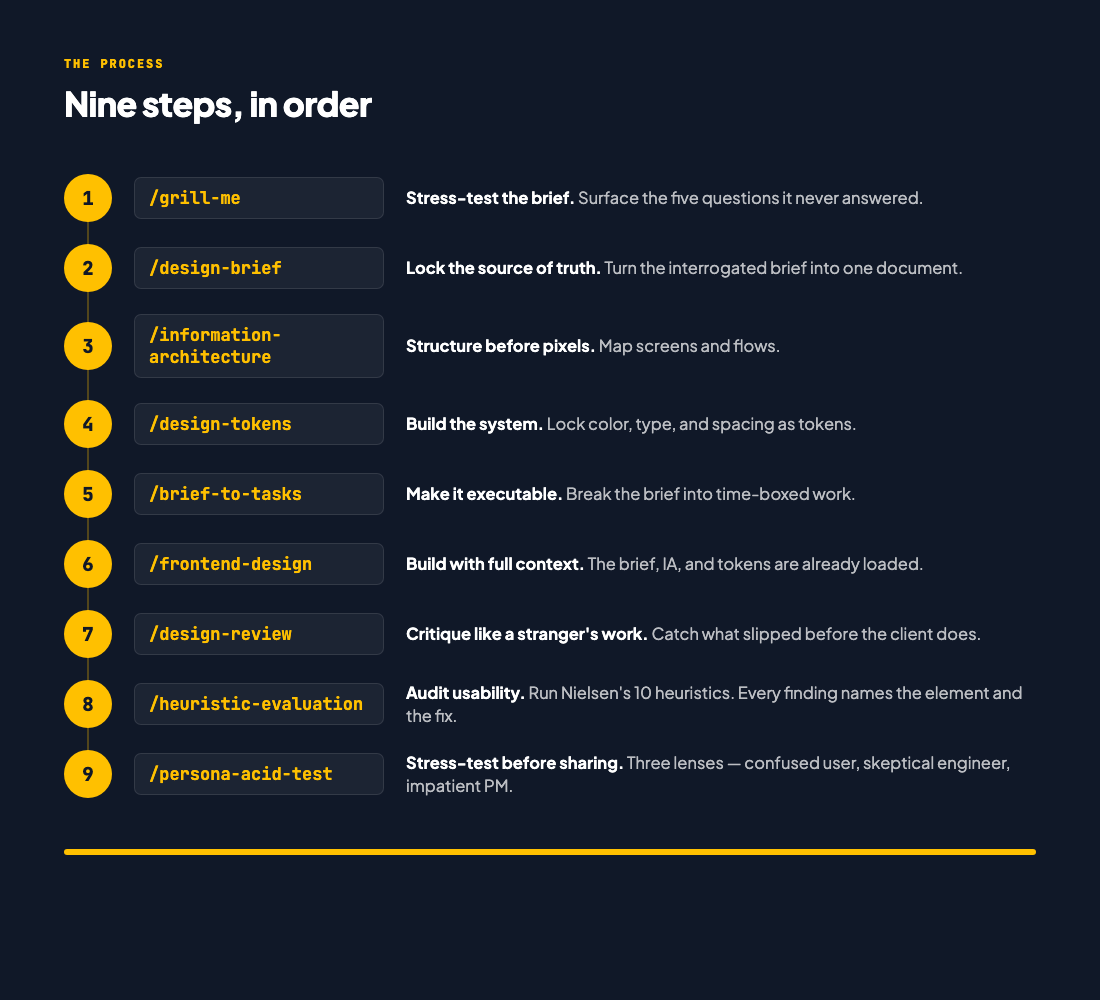
Run them in order on any project. Skip a step and the next one does that step's work badly.
What's in here
claude-for-designers/
├── CLAUDE.md              what Claude reads when you open this folder
├── principles/            the knowledge layer: how you work
│   ├── claude-contract.md     your working contract with Claude
│   ├── design-taste.md        taste principles for designers using AI
│   ├── anti-ai-slop.md        patterns to refuse to ship
│   └── bd-defaults.md         market context block (swap for your market)
├── skills/                the capability layer: the nine commands
├── projects/              where work happens, one folder per project
│   └── edubridge/             the worked example, brief through built screen
└── career-vault/          positioning, portfolio stories, interview prep
principles/ is the part most people skip and the part that makes the difference. Claude reads it before it does anything, so the first draft already sounds like your work instead of everyone's.
Install
Getting the repo. The green Code button on GitHub gives you a ZIP: download and unzip it, no Git needed. Or clone it if you know Git. The contents are identical. The unzipped folder may be named claude-for-designers-main, which is fine.
Model settings. Sonnet 5 at medium effort, for everything in this course. Do not spend your session budget on a bigger model.
Turning the nine skills into slash commands. You need this from Class 2, which is the first class that runs one (/grill-me). Open a terminal in your unzipped or cloned folder and run:
mkdir -p ~/.claude/skills
for f in grill-me design-brief information-architecture design-tokens brief-to-tasks frontend-design design-review heuristic-evaluation persona-acid-test; do
  mkdir -p ~/.claude/skills/$f
  cp skills/$f.md ~/.claude/skills/$f/SKILL.md
done
Restart Claude Code, type /, and the nine commands appear. If the terminal is unfamiliar, that is normal; bring it to the class or the office hour rather than guessing.
Start your own project
cp -r projects/edubridge projects/your-project
cd projects/your-project
Replace the brief, run /grill-me, and work down the nine steps. The folder is the process, not just the output of it.
Going deeper
claudecodeguide.dev/for-designers has bite-sized guides for specific design workflows: brief decoding, critique gathering, research synthesis, handoff. Use it as your reference library once the skills are installed.
Ostad: Claude for UI/UX Designers is the eight-class course that walks through this workspace with EduBridge Bangladesh as the running example.
License
MIT. Use these in your work, change them, share them. Attribution appreciated, not required.
Built by
Shadman Rahman. Product manager, former designer. These skills came out of real design work across Bangladesh and EU clients, then got road-tested with junior designers in the Ostad course.
Yorumlar (0)
Yorum birakmak icin giris yap.
Yorum birakSonuc bulunamadi