mercari-jp-mcp
Health Pass
- License — License: MIT
- Description — Repository has a description
- Active repo — Last push 0 days ago
- Community trust — 14 GitHub stars
Code Pass
- Code scan — Scanned 5 files during light audit, no dangerous patterns found
Permissions Pass
- Permissions — No dangerous permissions requested
No AI report is available for this listing yet.
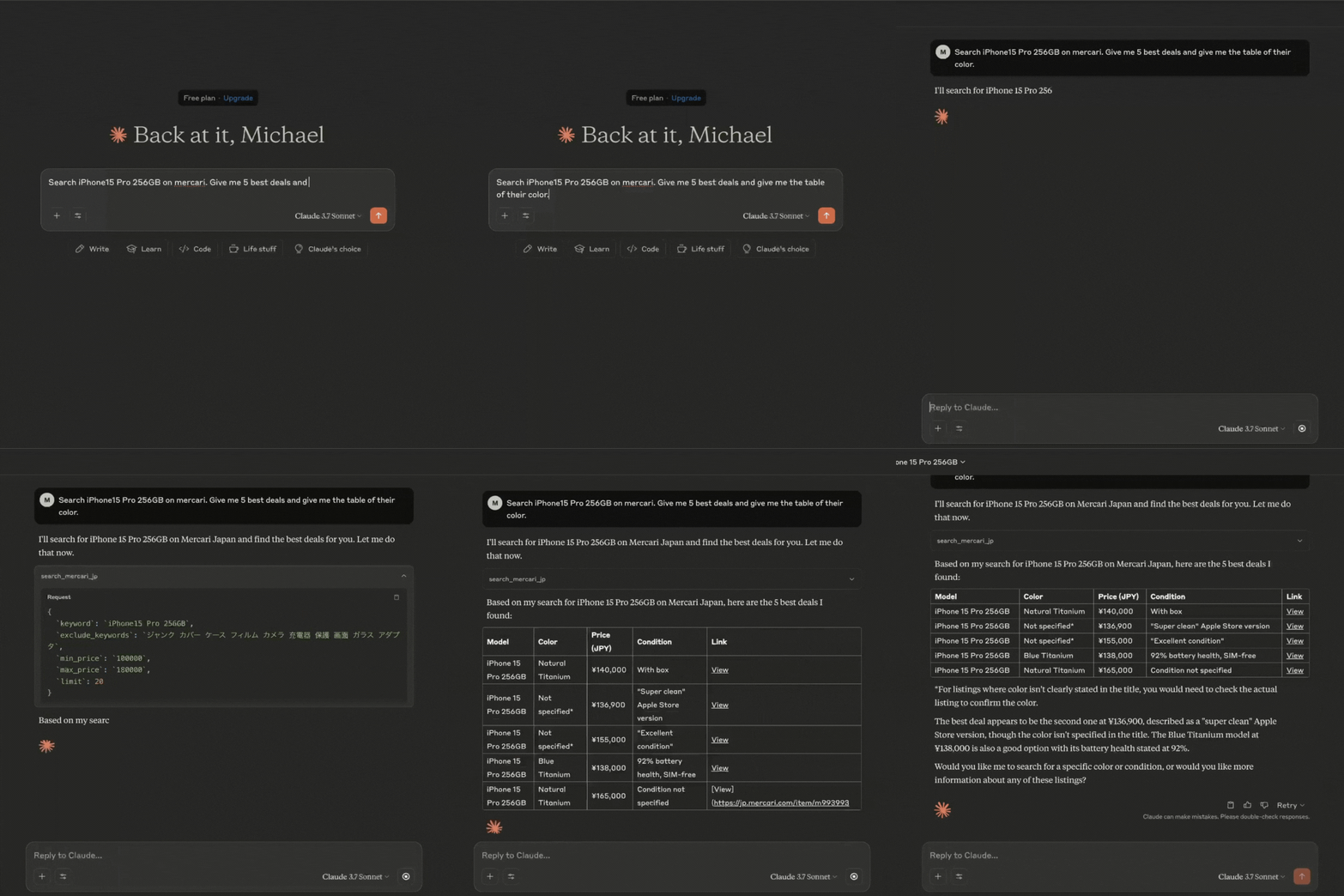
This is a Model Context Protocol (MCP) server that provides real time data from Japan’s Mercari (jp.mercari.com). It allows you to retrieve information about product and prices (more to come) to be analyzed by LLM.
Demo
Requirements
- Python 3.11 or higher
- Dependencies as listed in
pyproject.toml, including:- mcp
- mercari
- pydantic
Pre-setup
Microsoft C++ Build Tools (For Windows)
https://visualstudio.microsoft.com/visual-cpp-build-tools/
Setup
Clone this repository:
git clone https://github.com/msr2903/mercari-jp-mcp.git
cd mercari-jp-mcp
Create and activate a virtual environment and install dependencies:
uv venv
source .venv/bin/activate  # On Windows: .venv\Scripts\activate
uv pip install -e .
Usage
Development Mode
You can test the server with MCP Inspector by running:
uv run server.py
You can also test to input manually the query, exclude keywords, min and max price by running:
uv run check_server.py
This will start the server and allow you to test the available tools.
Integration with Claude for Desktop
To integrate this server with Claude for Desktop:
Install Claude for Desktop to your local machine.
Install VS Code to your local machine. Then run the following command to open the
claude_desktop_config.jsonfile:- MacOS:
code ~/Library/Application\ Support/Claude/claude_desktop_config.json - Windows:
code $env:AppData\Claude\claude_desktop_config.json
- MacOS:
Edit the Claude for Desktop config file, located at:
macOS:
{
  "mcpServers": {
    "mercari": {
      "command": "uv",
      "args": [
        "--directory",
        "/ABSOLUTE/PATH/TO/PARENT/FOLDER/mercari-jp-mcp",
        "run",
        "server.py"
      ]
    }
  }
}
Windows:
{ "mcpServers": { "mercari": { "command": "uv", "args": [ "--directory", "C:\\ABSOLUTE\\PATH\\TO\\PARENT\\FOLDER\\mercari-jp-mcp", "run", "server.py" ] } } }Note: You may need to put the full path to the uv executable in the command field. You can get this by running
which uvon MacOS/Linux orwhere uvon Windows.
Restart Claude for Desktop
Thanks
This work would not have been possible without amazing open source projects, including (but not limited to):
- jlowin/fastmcp (https://github.com/jlowin/fastmcp)
- marvinody/mercari (https://github.com/marvinody/mercari/)
Thank you to the authors of these projects for making them available to the community!
Reviews (0)
Sign in to leave a review.
Leave a reviewNo results found