pulse
Health Uyari
- License — License: MIT
- Description — Repository has a description
- Active repo — Last push 0 days ago
- Low visibility — Only 8 GitHub stars
Code Uyari
- process.env — Environment variable access in convex-backend/convex/http.ts
- process.env — Environment variable access in convex-backend/convex/setup.ts
- network request — Outbound network request in skills/digest/digest.py
Permissions Gecti
- Permissions — No dangerous permissions requested
Bu listing icin henuz AI raporu yok.
A memory layer for your Claude Code work. It captures every session and writes your daily notes into files you own.
Pulse
A memory layer for your work with Claude Code. It quietly remembers every session and turns it into a knowledge base you own.
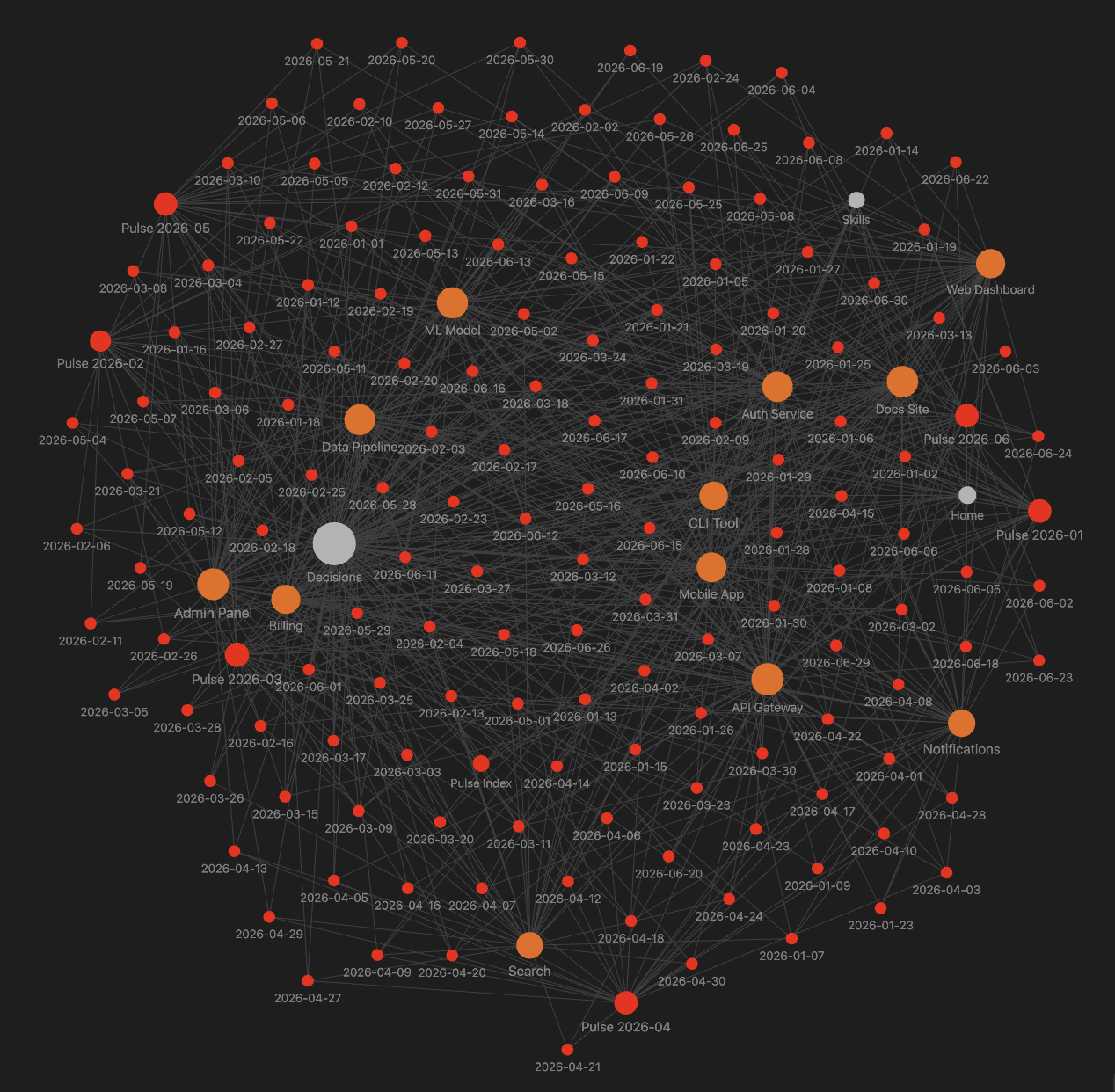
Every session becomes a linked note. Over months it builds a connected map of what you have built, shown here as an Obsidian graph.
You finish a week of building and most of it is already gone. What did I ship on Tuesday? Why did I redo that whole feature? It is buried in old chat history you will never scroll through again.
Pulse fixes that. It records every Claude Code session to a database you own, and each night it writes up your day, grouped by project, ready to open in Obsidian. It writes the way you would write a journal, plain and clear, so it still makes sense to you months later. Your work stops disappearing.
Your data lives in your own Convex deployment (free tier) and your own notes repo. There is no Pulse server, and no account to create with us. For what is captured and how it is protected, see SECURITY.md.
A day looks like this:
---
date: "2026-06-02"
tags: [pulse, daily]
source: claude-code
---

# Tuesday, June 2, 2026

## Summary

Made the app open much faster, fixed a bug that was dropping some notifications, and decided to keep people signed in for longer.

## Work log

### [[Web App]]

- Made the home page load in about 1 second instead of 4.
- Added a "preview before you publish" button so you can check a change before it goes live.

### [[Notifications]]

- Fixed the bug where some emails and alerts were getting lost.
- Let people choose which alerts they get, by email or on their phone.

## Decisions & signals

- Decided to keep people signed in for 30 days instead of asking every time. See [[Decisions]].
- Came up all week: anything that deletes data should ask "are you sure?" first.

## Next

- Test the notification fix under heavy load before turning it on for everyone.
- Add the new preview button to the mobile app too.
More than a journal
Pulse is built from small skills. The daily note is the first one: it reads your day and writes it up like you would.
Every other skill just reads those notes. Once your days are written down, you can add more:
- A weekly recap of what you got done.
- A devlog or a brag document for your manager or a review.
- LinkedIn and X posts about your week, in your own words.
- A helper that applies to jobs for you, using the work you have actually done.
The daily note and the weekly recap work today. The rest are more of the same: small skills that read your notes. They are all possible because your history is plain files you own, not locked inside an app.
How it works
Your Claude Code work  ->  Pulse captures it  ->  your own database
                                                        |
                                  every night           |
                                                        v
              a clear daily note  ->  your notes folder  ->  open in Obsidian
- It captures every Claude Code session while you work. You do not lift a finger.
- Every night it writes one clear note for the day, grouped by project, in plain English so it still makes sense months later.
- Your notes stay yours. They are plain files in your own folder, easy to read, search, and reuse.
Requirements
- Claude Code
- Node.js 18 or newer (for the Convex CLI)
- A free Convex account
- A git repo for your notes (any GitHub repo works, and you can open it in Obsidian)
Setup
Clone the repo and ask Claude to set it up:
git clone https://github.com/muhammademanaftab/pulse.git
cd pulse
Then, in Claude Code, say "set up pulse". Claude follows the runbook
(skills/setup/SKILL.md) and walks you through three steps:
- Capture: deploys your Convex backend, stores your credentials, wires the hook. You log in to Convex in your browser once, when Claude asks.
- Daily notes: Claude asks where your notes should live (it can create
~/pulse-notes, or use a path you give), writes the config for you, and shows you a first note. - Nightly routine (optional): Claude walks you through the cloud routine so notes build every night on their own.
If you would rather run the mechanical parts yourself:
python3 skills/setup/install.py                                       # capture
python3 skills/setup/install.py notes --repo ~/pulse-notes --create   # notes config
After setup, capture is on and every session is recorded.
Where the notes live
The digest writes into your notes repo, never into this one:
<your-notes-repo>/
|- Pulse/
   |- Daily/
   |  |- Pulse Index.md
   |  |- 2026-06/
   |     |- Pulse 2026-06.md   (month hub)
   |     |- 2026-06-25.md      (a daily note)
   |- Weekly/
   |  |- Pulse Weekly Index.md
   |  |- 2026-06/
   |     |- Pulse Weekly 2026-06.md  (month hub)
   |     |- 2026-06-28.md            (a weekly note, week ending Sunday)
   |- Projects/
The nightly digest and the weekly synth both run as claude.ai routines and work with
your machine off. See routines/ for the routines and the exact fields to
fill in.
Configuration
Copy config.example.yaml to ~/.pulse/config.yaml and point it at your notes:
| Key | Meaning |
|---|---|
timezone |
your timezone, for grouping a day's work |
notes_repo |
path to your notes git repo |
vault_subfolder |
folder inside it for daily notes (default Pulse/Daily) |
hub_prefix |
name prefix for the monthly index |
Status
Pulse is early (0.x). Capture, the daily-note digest, and the weekly recap work today. Per-project notes and the output agents (devlog, brag document, LinkedIn and X drafts, skill-aware agents) are planned, not built yet. Expect rough edges and breaking changes until 1.0.
License
MIT.
Yorumlar (0)
Yorum birakmak icin giris yap.
Yorum birakSonuc bulunamadi