whatsapp-mcp-server
Health Uyari
- No license — Repository has no license file
- Description — Repository has a description
- Active repo — Last push 0 days ago
- Low visibility — Only 5 GitHub stars
Code Basarisiz
- process.env — Environment variable access in bin/cli.mjs
- process.env — Environment variable access in scripts/test-tools.mjs
- exec() — Shell command execution in src/db/index.ts
Permissions Gecti
- Permissions — No dangerous permissions requested
Bu listing icin henuz AI raporu yok.
Local MCP server that exposes WhatsApp as 4 tools for Claude — send, read, and search messages via Baileys + SQLite. Single-user, no cloud, QR-based auth.
whatsapp-mcp-server
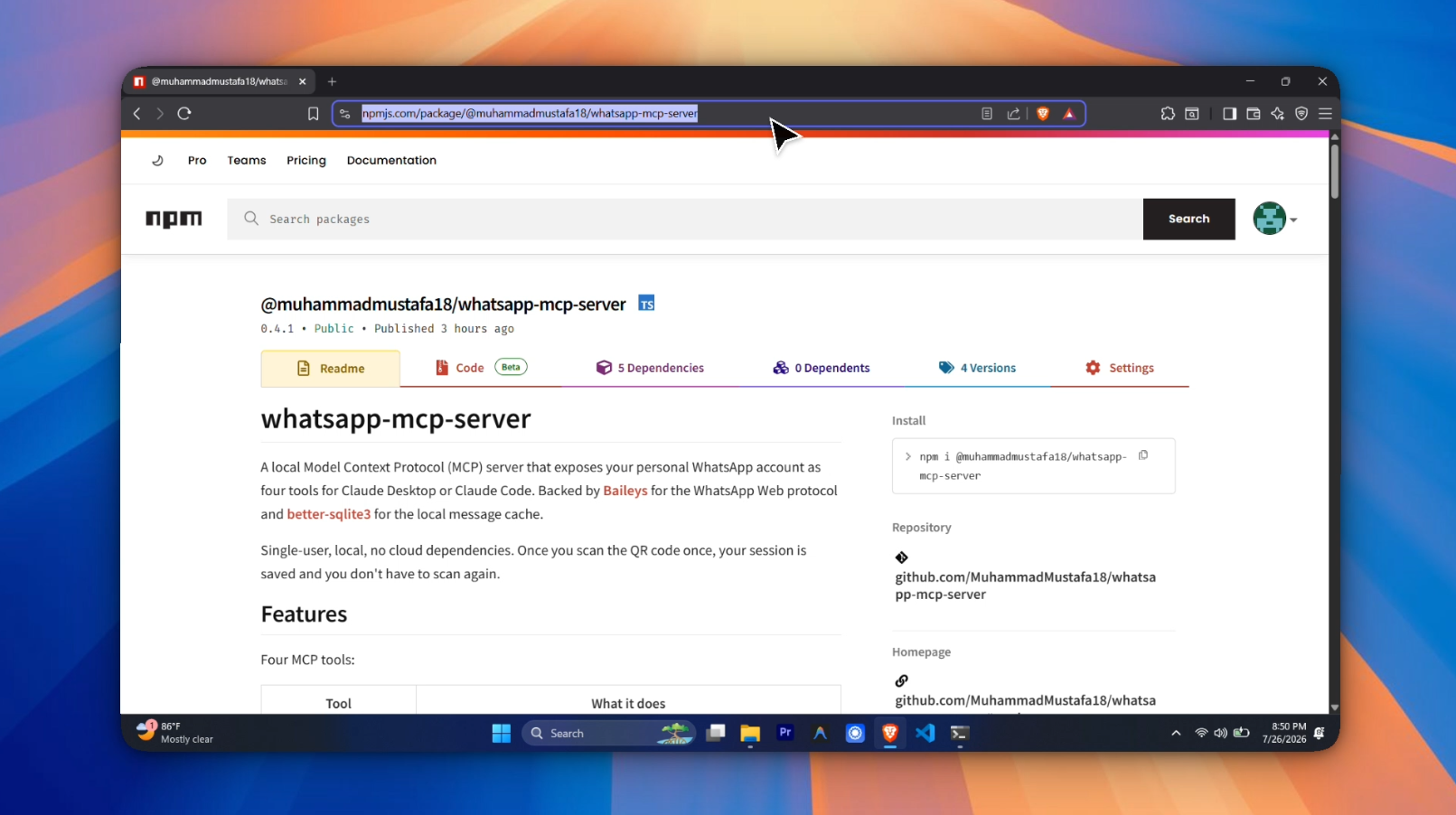
A local Model Context Protocol (MCP) server that exposes your personal
WhatsApp account as four tools for Claude Desktop or Claude Code.
Backed by Baileys for the
WhatsApp Web protocol and better-sqlite3
for the local message cache.
Single-user, local, no cloud dependencies. Once you scan the QR code
once, your session is saved and you don't have to scan again.
Features
Four MCP tools:
| Tool | What it does |
|---|---|
list_chats |
Recent WhatsApp conversations, newest first. Optional JID-prefix filter (e.g. 120363 for groups). |
read_messages |
Last N messages from a chat. Pagination via beforeTimestamp. Optional sender filter. |
search_messages |
FTS5 full-text search over message history with relevance ranking. Supports pizza, pizza OR burger, piz*, "exact phrase". |
send_message |
Send a text message via WhatsApp. The sent message is also persisted locally so subsequent reads/searches return it. |
Architecture
┌─────────────┐
│ Claude Code │  JSON-RPC over stdio
└──────┬──────┘
       │
┌──────▼──────────────┐
│  src/index.ts       │  MCP server (4 tools registered)
│  src/db/queries.ts  │  Read side: listChats, readMessages, searchMessages
│  src/wa/send.ts     │  Write side: sendMessage
└──────┬──────────────┘
       │
┌──────▼─────────────────┐
│  src/wa/persist.ts     │  persistMessage, persistChat, attachPersistence
│  src/wa/socket.ts      │  connectToWhatsApp (Baileys socket + QR)
│  src/wa/auth.ts        │  loadAuthState
└──────┬─────────────────┘
       │
┌──────▼──────────┐
│  data/history.db│  SQLite (chats + messages + FTS5)
│  auth/          │  Baileys session files (gitignored)
└─────────────────┘
Prerequisites
- Node.js 18+ (this project uses ESM and modern Node APIs)
- A WhatsApp account on your phone (you'll scan a QR code once)
- A C/C++ toolchain for
better-sqlite3native build:- macOS: Xcode Command Line Tools (
xcode-select --install) - Linux:
build-essential+python3 - Windows: Visual Studio Build Tools with the "Desktop development with C++" workload
- macOS: Xcode Command Line Tools (
Install
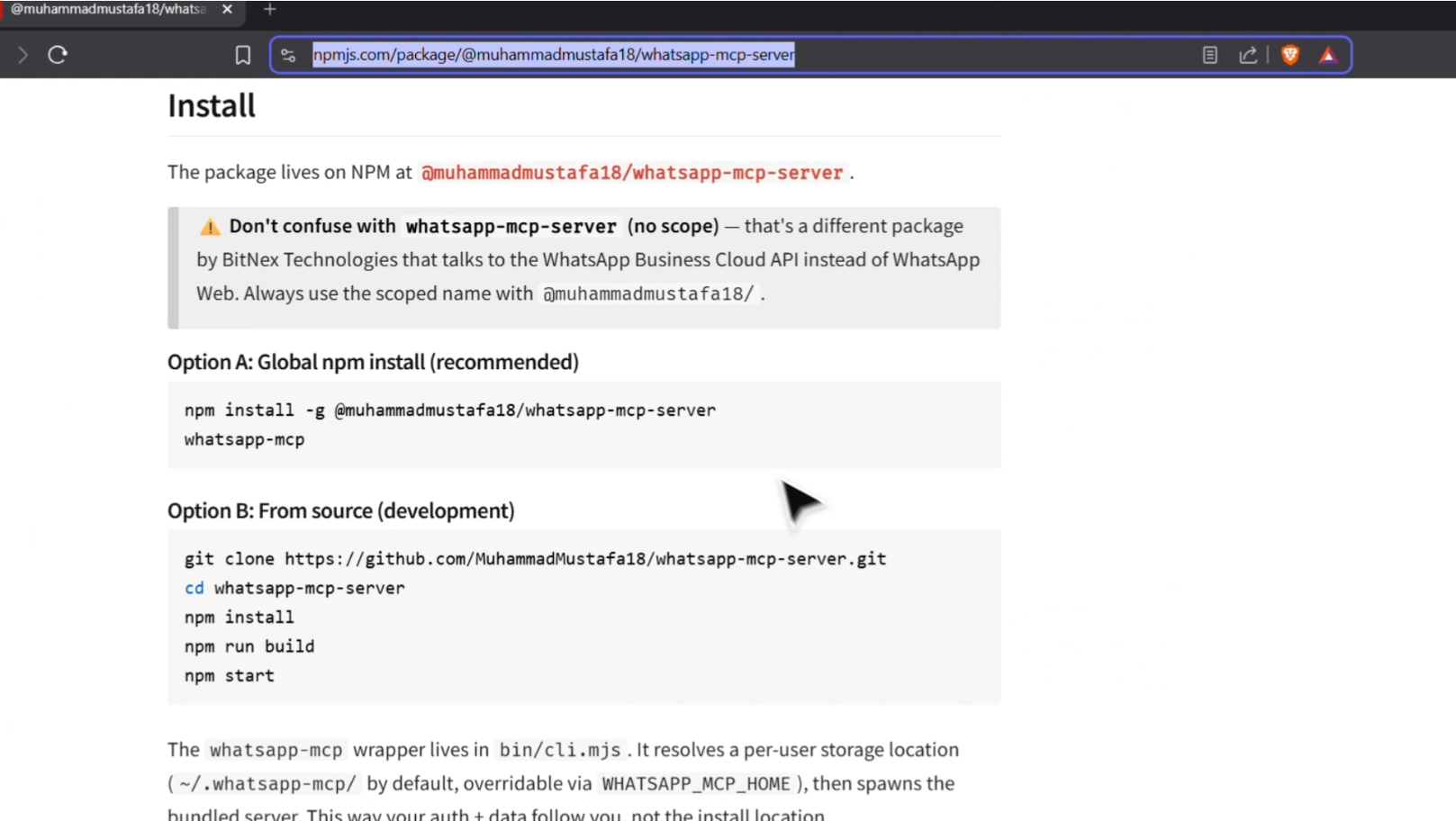
The package lives on NPM at@muhammadmustafa18/whatsapp-mcp-server.
⚠️ Don't confuse with
whatsapp-mcp-server(no scope) — that's a
different package by BitNex Technologies that talks to the WhatsApp
Business Cloud API instead of WhatsApp Web. Always use the scoped
name with@muhammadmustafa18/.
Option A: Global npm install (recommended)
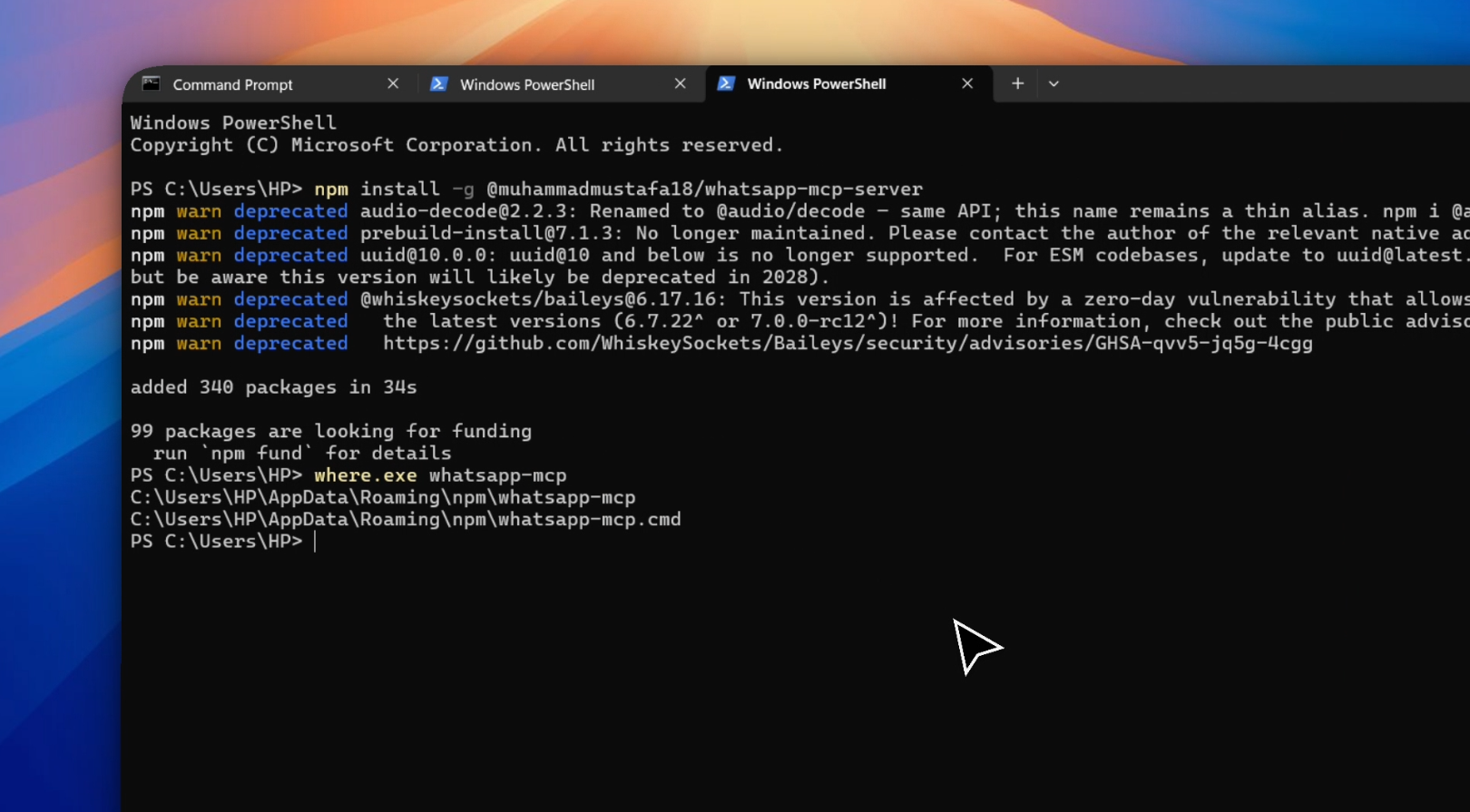
npm install -g @muhammadmustafa18/whatsapp-mcp-server
whatsapp-mcp
Option B: From source (development)
git clone https://github.com/MuhammadMustafa18/whatsapp-mcp-server.git
cd whatsapp-mcp-server
npm install
npm run build
npm start
The whatsapp-mcp wrapper lives in bin/cli.mjs. It resolves a
per-user storage location (~/.whatsapp-mcp/ by default, overridable
via WHATSAPP_MCP_HOME), then spawns the bundled server. This way
your auth + data follow you, not the install location.
First run
The first time you start the server, WhatsApp will need to authenticate
you. The server prints a QR code to its stderr (not stdout — stdout
is reserved for JSON-RPC).
npm start          # Option A
# or
whatsapp-mcp       # Option B (if globally installed)
You'll see something like:
[wa-mcp] starting...
[wa-mcp] db ready at .../data/history.db
[wa-mcp] QR code (scan with WhatsApp):
[QR code here]
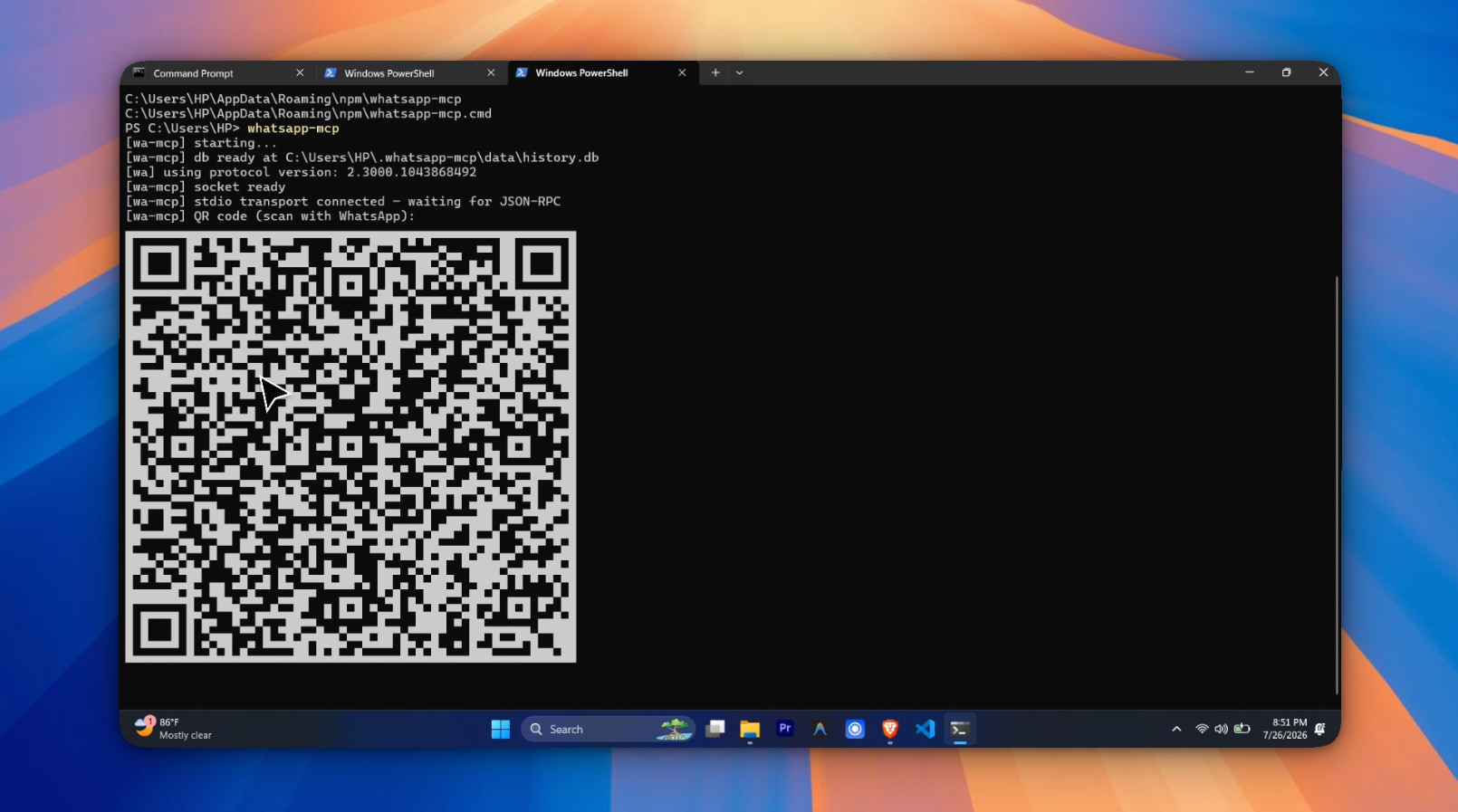
Open WhatsApp on your phone → Settings → Linked Devices → Link a Device,
then scan the QR code. The session is saved and reused on subsequent
runs — no need to scan again unless you log out.
When installed globally, the session is stored at ~/.whatsapp-mcp/auth/.
When running from a source clone, it's stored at <project>/auth/.
Override either with the WHATSAPP_MCP_HOME env var.
Wire it up to Claude
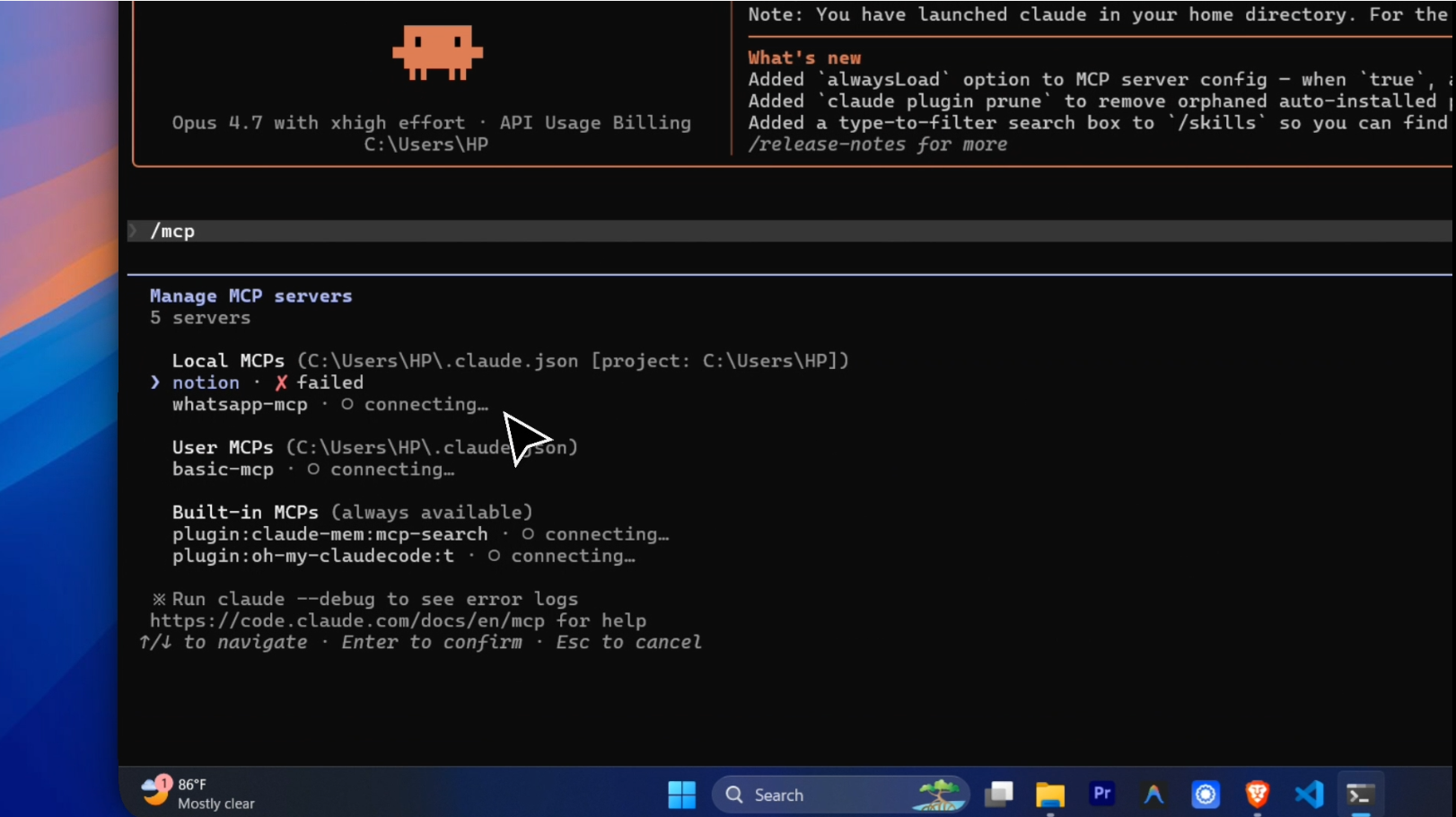
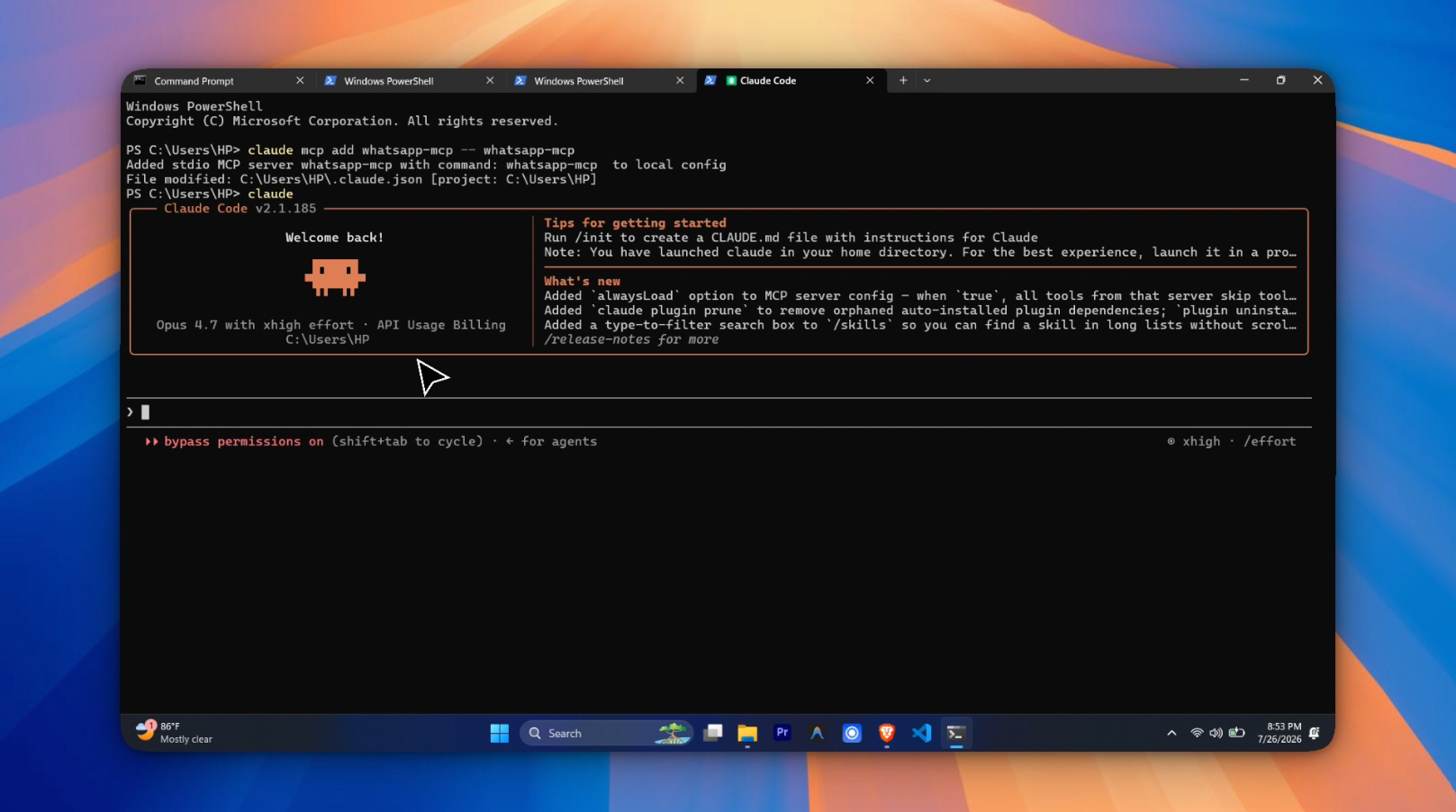
Claude Code
# Source clone
claude mcp add whatsapp-mcp -- node /path/to/whatsapp-mcp-server/bin/cli.mjs

# Global install
claude mcp add whatsapp-mcp -- whatsapp-mcp
Claude Desktop
Add this to your Claude Desktop config file:
macOS: ~/Library/Application Support/Claude/claude_desktop_config.json
Windows: %APPDATA%\Claude\claude_desktop_config.json
{
  "mcpServers": {
    "whatsapp": {
      "command": "node",
      "args": ["/path/to/whatsapp-mcp-server/bin/cli.mjs"]
    }
  }
}
Restart Claude Desktop. You should see "whatsapp" listed in the tools
panel (bottom-left hammer icon).
Usage examples
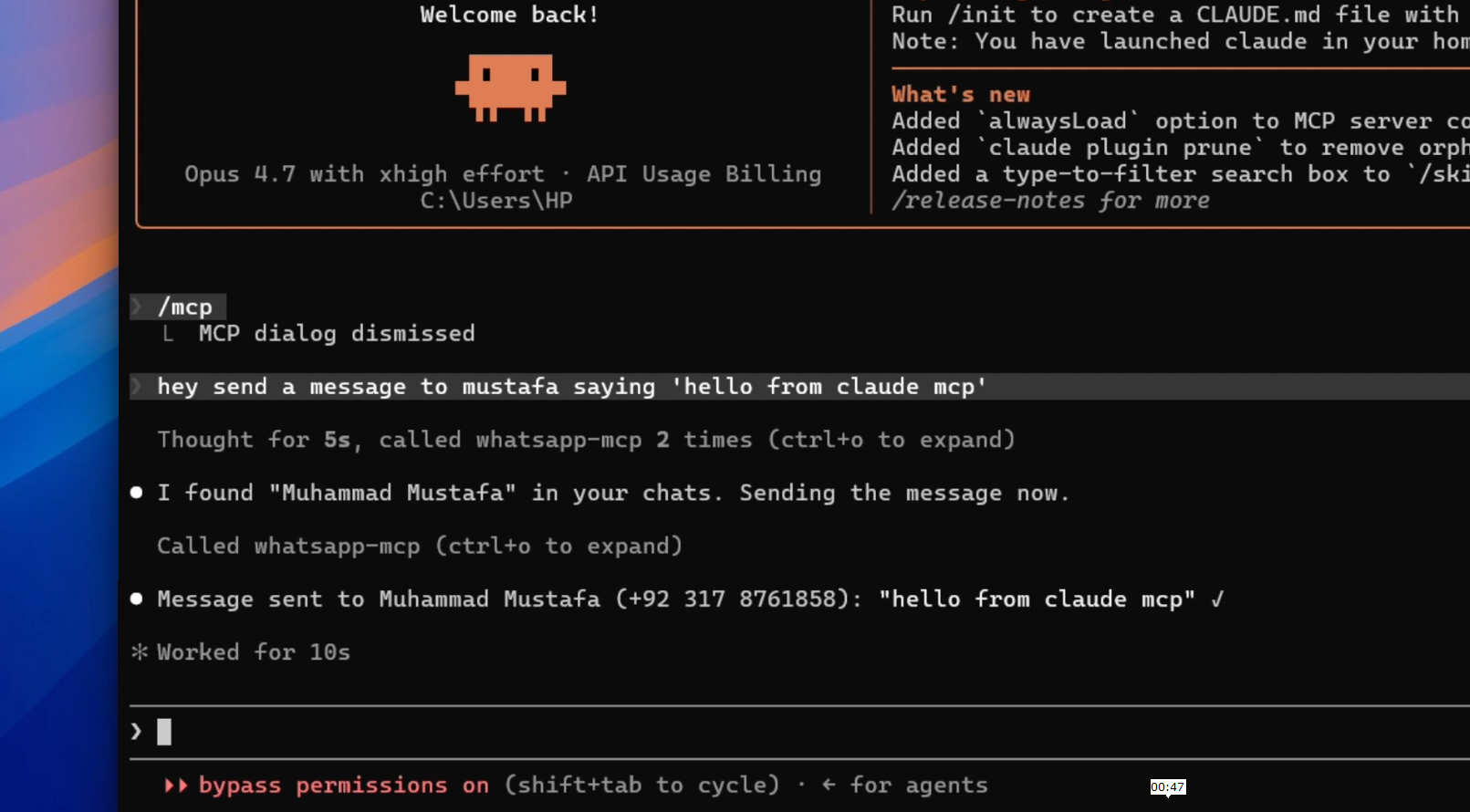
Once connected, Claude can use the tools naturally. Some examples:
- "List my recent WhatsApp chats"
- "Show me the last 20 messages with Ali"
- "Search my messages for 'pizza'"
- "Send Ali a message: lunch at 8?"
The tools' full JSON-Schema input definitions are visible to Claude
automatically. See src/index.ts for the schema.
How messages are stored
- Incoming messages (
messages.upsertevent) are persisted intomessagesand the parentchatsrow is updated withlast_message_at
and a shortlast_message_preview. - Chat metadata changes (
chats.update— name, mute, archive) update
thechatsrow. - Initial sync (
chats.upsert) seeds thechatstable. - Outgoing messages are also persisted, so
read_messagesreturns
both sent and received. - FTS5 over
messages.textis kept in sync via SQLite triggers.
Troubleshooting
Cannot find module '...dist/db/schema.sql'
You forgot to copy the SQL asset. Run npm run build (not just tsc).
QR code doesn't show
Make sure you're looking at the stderr output, not stdout. stdout
is the JSON-RPC stream. If you redirected both to the same place, the
QR code text would corrupt the protocol.
send_message returns "Cannot read properties of undefined"
The socket isn't actually connected to WhatsApp. This happens if:
- The saved session in
auth/expired (log out + log in again) - The phone lost internet connectivity mid-session
- WhatsApp Web is rate-limiting
Restart the server and rescan the QR if needed.
First-run errors about "no such file or directory" for auth/
The auth/ directory is created automatically on first run. If you're
running the built version (dist/index.js), make sure you're running
it from the project root, not from inside dist/.
Uninstall
The package, your auth session, and your message history are all
separate. Pick what you want to remove:
# Remove the global `whatsapp-mcp` command
npm uninstall -g @muhammadmustafa18/whatsapp-mcp-server

# Remove the MCP entry from Claude Code
claude mcp remove whatsapp-mcp

# Wipe your saved WhatsApp session (forces QR re-scan on next run)
rm -rf ~/.whatsapp-mcp/auth

# Wipe your local message history
rm -rf ~/.whatsapp-mcp/data

# Full reset (everything above + the home folder itself)
rm -rf ~/.whatsapp-mcp
On Windows PowerShell use Remove-Item -Recurse -Force instead of rm -rf,
and $env:USERPROFILE\.whatsapp-mcp instead of ~/.whatsapp-mcp.
If you installed via source clone (with npm link) instead of the
global npm install, also drop the local link:npm unlink -g @muhammadmustafa18/whatsapp-mcp-server.
Development
The project was built one function at a time, with one commit per
function. The git history reads as a tutorial:
git log --oneline
Project structure
src/
├── index.ts              # MCP server entrypoint + 4 tool registrations
├── db/
│   ├── index.ts          # initDb
│   ├── queries.ts        # listChats, readMessages, searchMessages
│   └── schema.sql        # SQLite schema (chats, messages, FTS5 + triggers)
└── wa/
    ├── auth.ts           # loadAuthState
    ├── socket.ts         # connectToWhatsApp
    ├── persist.ts        # persistMessage, persistChat, attachPersistence
    └── send.ts           # sendMessage
Build artifacts
dist/                     # Compiled JS + copied schema.sql
data/history.db           # SQLite (gitignored)
auth/                     # Baileys session (gitignored)
Design notes
- Statement caching: every
db.prepareis cached on the db handle
via aSymbol.forkey, scoped to the db's lifetime. SeegetOrPrepareinpersist.ts. - FK race in
attachPersistence: Baileys sometimes deliversmessages.upsertbeforechats.upsertfor a brand-new chat. We
wrap the batch indb.transaction(...)andpersistChatfirst, so
the FK onmessages.chat_jidis satisfied by the time commit
happens. - Dynamic UPSERT in
persistChat: built per-call so the SET
clause only touches the fields the caller actually has data for.
Avoids the NOT-NULL-sentinel trap that bit us on the first attempt. - FTS5 contentless + triggers: the
messages_ftsvirtual table
is kept in sync via INSERT/UPDATE/DELETE triggers onmessages,
so we never have to remember to update the search index manually.
License
ISC
Yorumlar (0)
Yorum birakmak icin giris yap.
Yorum birakSonuc bulunamadi