token-anatomy
Health Uyari
- License — License: MIT
- Description — Repository has a description
- Active repo — Last push 0 days ago
- Low visibility — Only 5 GitHub stars
Code Gecti
- Code scan — Scanned 9 files during light audit, no dangerous patterns found
Permissions Gecti
- Permissions — No dangerous permissions requested
This tool is a local analytics dashboard that reads Claude Code session files to provide developers with a detailed breakdown of token usage, costs, and behavioral patterns across their AI sessions.
Security Assessment
The overall risk is Low. The tool is entirely local and designed to keep everything on your machine. Its primary function is reading potentially sensitive session files located in the `~/.claude` directory. However, the automated code scan found no dangerous patterns, no hardcoded secrets, and no requests for dangerous system permissions. It operates as a Python-based web server on localhost and does not execute hidden shell commands or route your data to external networks.
Quality Assessment
The project has a high baseline quality. It is actively maintained, with the most recent code push occurring today. It uses the permissive and standard MIT license, meaning there are no restrictive legal concerns for developers. The only notable drawback is its low community visibility. Having only 5 GitHub stars indicates that the tool has not been widely peer-reviewed by the broader developer community yet. Despite the low visibility, the repository is well-documented, clearly explaining its zero-dependency setup and how to customize token rates.
Verdict
Safe to use — the zero-dependency local architecture and clean code scan make it a secure and helpful utility for analyzing AI costs.
A local dashboard for analyzing your token usage in AI models -- sessions, token costs, cache performance, tool calls, daily breakdowns and AI insights and suggestions
⬡ Token Anatomy
Local analytics dashboard for Claude Code — pure Python, zero dependencies, zero installs.
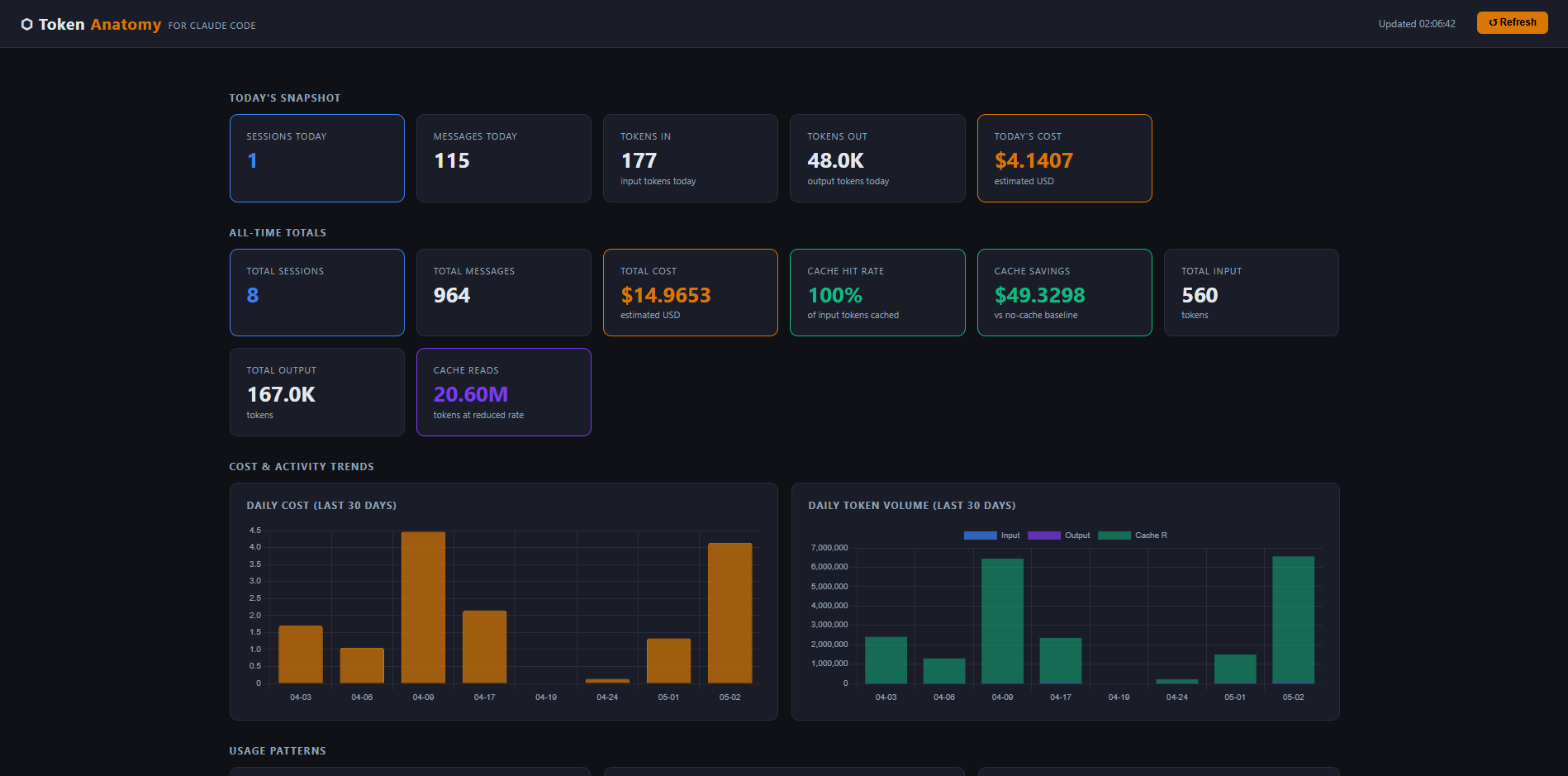
Token Anatomy reads your Claude Code session files and shows you exactly where your tokens and money are going.
Quick Start
No install needed. Run directly:
git clone https://github.com/Muhit1204/token-anatomy.git
cd token-anatomy
python run.py
Then open http://localhost:3456. Dashboard opens automatically.
Requirements: Python 3.8+ · Claude Code CLI · That's it.
What You Get
| Panel | What it shows |
|---|---|
| Today's Snapshot | Sessions, messages, tokens in/out, cost today |
| All-Time Totals | Total cost, cache hit rate, savings, lifetime token usage |
| Cost & Activity Trends | Daily cost + token volume (last 30 days) |
| Usage Patterns | Hourly heatmap, model usage, cache performance |
| Retrospective | Topic clusters (where your work concentrates) + behavioral working styles |
| Tool Call Frequency | Which tools Claude reaches for most |
| Insights & Advisor | 7 plain-English diagnoses — what you're doing and how to improve |
| Per-Project Breakdown | Which projects cost the most |
| Daily Breakdown | Per-day token and cost history (last 60 days) |
| Chat Cost Browser | Search, filter, sort every session — find your most expensive chats |
| Hover Tooltips | Hover any number to see what it means in plain English |
Auto-refreshes every 60 seconds. No page reload needed.
Navigation
Sticky header with jump-nav pills — click any section name to jump directly to it. Active section highlights as you scroll. Back-to-top button appears at the bottom of the page.
How It Works
Claude Code saves a log file for every session here:
~/.claude/projects/<project>/
    <session-id>.jsonl
Token Anatomy reads those files, calculates costs, and serves a dashboard at localhost:3456. Everything stays on your machine — no data leaves your computer.
Windows Users
git clone https://github.com/Muhit1204/token-anatomy.git
cd token-anatomy
python run.py
Custom Token Rates
Defaults match the Anthropic API (Claude Sonnet pricing). Override with environment variables:
macOS / Linux
RATE_INPUT=3.0 RATE_OUTPUT=15.0 python run.py
Windows (PowerShell)
$env:RATE_INPUT="3.0"; $env:RATE_OUTPUT="15.0"; python run.py
AWS Bedrock (ap-southeast-2)
RATE_INPUT=5.0 RATE_OUTPUT=25.0 RATE_CACHE_READ=0.5 RATE_CACHE_WRITE=6.25 python run.py
All variables
| Variable | Default | Description |
|---|---|---|
CLAUDE_DIR |
~/.claude |
Path to your Claude data folder |
PORT |
3456 |
Port to run the dashboard on |
RATE_INPUT |
3.0 |
Input token price (USD per 1M tokens) |
RATE_OUTPUT |
15.0 |
Output token price (USD per 1M tokens) |
RATE_CACHE_READ |
0.30 |
Cache read price (USD per 1M tokens) |
RATE_CACHE_WRITE |
3.75 |
Cache write price (USD per 1M tokens) |
License
MIT — see LICENSE
Yorumlar (0)
Yorum birakmak icin giris yap.
Yorum birakSonuc bulunamadi