buoy
Health Uyari
- License — License: GPL-2.0
- Description — Repository has a description
- Active repo — Last push 0 days ago
- Low visibility — Only 7 GitHub stars
Code Gecti
- Code scan — Scanned 12 files during light audit, no dangerous patterns found
Permissions Gecti
- Permissions — No dangerous permissions requested
Bu listing icin henuz AI raporu yok.
A living pill for the GNOME Shell top bar. Lights up when it matters.

Buoy
A living pill for the GNOME top bar.
Say it "BOO-ee" (or "boy", if you're British). The mascot is Bu, the first half of the name.





Islands sit still and wait for you to visit. A buoy floats, stays quiet, and lights
up only when something is happening on the water. Buoy turns the centre of your top
bar into exactly that: a small black pill that grows when music plays, a file copies,
a charger connects or a coding agent asks for permission — and shrinks back the
moment it's over. You never open a buoy; there is nothing inside. Glance at it and
you know whether something is up. Come closer, and hover, to read what it is. Click,
and you look at the water under it: a single home panel with what's going on, no
assistant to talk to, no setup. Just a mark on the surface telling you what's
happening underneath.
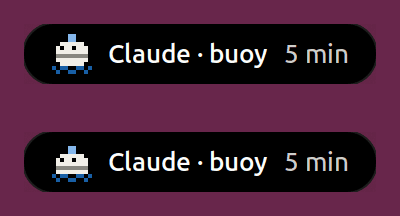
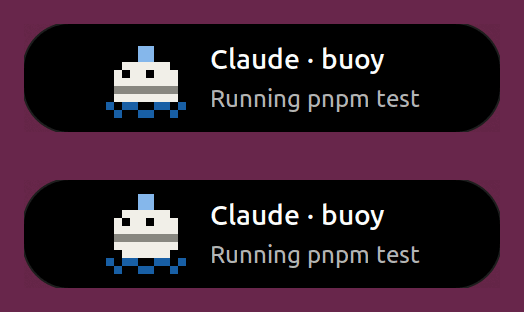
What's in 0.1
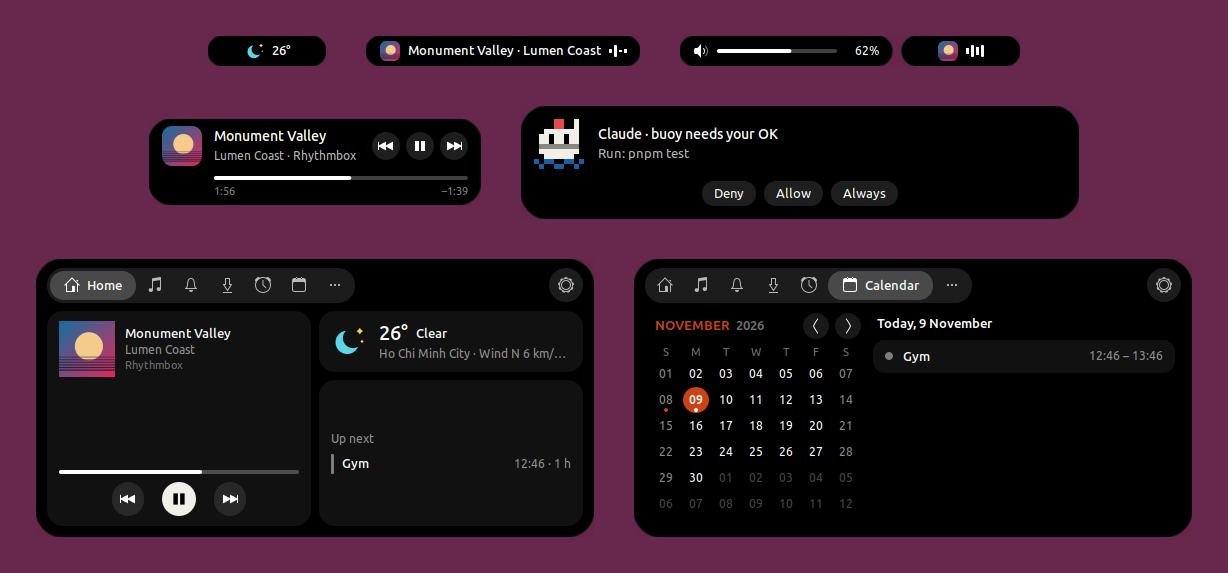
- In the pill: music from any player, file copies and browser downloads, volume,
brightness and Caps Lock, notifications, and your Claude Code sessions — permission
prompts answered right from the pill. - When nothing is going on: the next event, the weather or the time of day, whichever
matters most. - Home (click the pill): what you missed, what's running, Now playing, the weather and
the rest of today; tabs for media, notifications, transfers and the calendar. - The top bar: the app and the system menu on rounded backgrounds that follow your
wallpaper, and rounded corners on maximized windows.
Everything in it: release notes.
Requirements
- GNOME Shell 50 — tested on Ubuntu 26.04. Older or newer Shells are refused by the
installer (--forcetries anyway). - Nothing else to install: Buoy is a plain GNOME Shell extension, with no daemon and no
background program.
Install
From extensions.gnome.org
Buoy has been submitted to extensions.gnome.org and is
waiting for review. Its page, extensions.gnome.org/extension/11684/buoy, opens to
everyone once it is accepted; then it installs from there or from the Extensions app, with
updates from there too. Until then, use one of the ways below.
With one command
curl -fsSL https://murilegus.dev/buoy/install.sh | bash
It downloads the latest release from GitHub and installs it for your user only — no sudo,
nothing outside ~/.local/share/gnome-shell/extensions and GNOME's settings. Then log
out and back in: GNOME on Wayland loads new extensions at login.
The script is install.sh in this repository; read it first if you like, or
run it with --help. A given version: … | bash -s -- --version 0.1.
From a zip
Download [email protected] from the
latest release, then:
gnome-extensions install --force [email protected]
gnome-extensions enable buoy@murilegus
and log out and back in. (./install.sh --zip [email protected] does the
same and checks your GNOME version.)
From source
git clone https://github.com/murilegus/buoy.git
cd buoy
./install.sh --from-source
It builds the zip with gnome-extensions pack and installs it. To work on Buoy instead, see
CONTRIBUTING.md.
Update
curl -fsSL https://murilegus.dev/buoy/install.sh | bash -s -- --update
It installs the latest release only if it is newer than yours, then asks you to log out and
back in. Once Buoy is on extensions.gnome.org, the Extensions app keeps it up to date — the
same extension, so nothing to reinstall.
First run
Bu says hello in the pill the first time and walks you through the basics: hover the pill
to read more, click it for Home, scroll on it when idle to flip through what it can show.
After an update, Bu tells you what's new — once.
Settings
Click the pill, then ⚙ in Home — or run gnome-extensions prefs buoy@murilegus.
- Island — what the pill shows when nothing is going on, and how it behaves.
- Modules — turn each part on or off (music, transfers, notifications, Claude Code…)
and tune it. - Apps — per-app tweaks: an app's icon, name, priority or what it shows.
- Panel — the left and right clusters of the top bar.
- Windows — maximized windows under the top bar, and the Dock and Clock settings (the
same ones as Ubuntu's Dock and GNOME's Date & Time, synced both ways). - About — the version, Bu, and links.
Claude Code
Buoy shows each Claude Code session in the pill — what it is doing and for how long — and
lets you answer its permission prompts (Deny · Allow · Always) from the pill or the
keyboard.
Turn it on in Settings → Modules → Claude Code → Show my Claude Code sessions. That
adds Buoy's hooks to ~/.claude/settings.json (or $CLAUDE_CONFIG_DIR/settings.json),
keeps everything else in the file, and saves the old one as settings.json.bak. Turning
it off removes exactly Buoy's hooks. Running sessions pick the change up by themselves.
If Buoy is off or removed, the hooks do nothing and Claude Code carries on as without it.
Privacy
- Nothing is sent anywhere by Buoy itself. No account, no telemetry, no server.
- The weather comes from GNOME's own weather service (GWeather, the same one as the
date menu and GNOME Weather). - "Use my location" (on by default, Settings → Island → Weather) asks GNOME's location
service, Geoclue, for your city when the weather refreshes. Turn it off and pick a city
to keep your location to yourself. Geoclue only answers when Location Services is on in
GNOME Settings. - Album covers are loaded from the address the music player gives, as GNOME's own media
controls do. - Claude Code talks to Buoy over your session's local D-Bus. The prompt you type is
never shown, and Buoy keeps no transcript or permission of its own; "Always" writes the
rule Claude Code suggested into Claude Code's own settings.
GNOME settings Buoy sets
The first time it runs, Buoy writes a few defaults into GNOME's own settings — only the
ones you never changed yourself, and only once:
| Where | Setting | Buoy's value |
|---|---|---|
| Date & Time (top bar clock) | weekday, date, seconds | off |
| clock format | 24-hour | |
| Ubuntu Dock | auto-hide | on |
| panel mode (edge to edge) | off | |
| icon size | 32 px | |
| position | bottom | |
| show on | primary display only | |
| trash, volumes and devices | hidden | |
| GNOME Weather units | temperature, wind speed | °C, km/h |
Change any of them back in GNOME Settings (or in Buoy's settings, which show the same
values). Removing Buoy leaves them as they are; the uninstaller prints thegsettings reset commands for the ones still at Buoy's value.
Uninstall
curl -fsSL https://murilegus.dev/buoy/install.sh | bash -s -- --uninstall
(or ./install.sh --uninstall in a clone). It switches Buoy off, removes it and its Claude
Code hooks, and lists the GNOME settings above that are still at Buoy's value with the
command to reset each. Buoy's own settings are kept for a reinstall; add --purge to
reset them too.
Installed from extensions.gnome.org? Remove it in the Extensions app — turn off
Show my Claude Code sessions first if you use it (left behind, the hooks just do
nothing).
Troubleshooting
Nothing in the top bar after installing — log out and back in. Then check it is on:
gnome-extensions info buoy@murilegusshould sayState: ACTIVE; if it saysDISABLED, rungnome-extensions enable buoy@murilegus. Also check that the Extensions
app's Use Extensions switch is on."needs GNOME Shell 50" —
gnome-shell --versionshows yours. Buoy 0.1 is made for 50
only.Claude Code sessions don't show — the switch in Settings → Modules → Claude Code says
what it found: hooks installed, Claude Code not found, or asettings.jsonthat is not
valid JSON (Buoy never writes into a file it cannot read).Something looks wrong — look for Buoy's lines in GNOME Shell's log and attach them to
an issue:journalctl -b -o cat /usr/bin/gnome-shell | grep -i buoy
Known limits
- GNOME Shell 50 only.
- The pill lives on the primary display.
- Installing or updating needs a new login (GNOME on Wayland loads extensions at login).
- Downloads from Chrome and Firefox show their size and speed but no percentage —
browsers don't tell the desktop how big a download will be. Buoy watches your Downloads
folder (more folders in Settings → Modules → Transfers). - Fn Lock shows only where the laptop's driver reports it: today Lenovo IdeaPads
(ideapad-laptop, tested on an IdeaPad Slim 3). Caps Lock and Num Lock work everywhere. - Calendar colours are not shown: GNOME's calendar service doesn't pass them on.
- Coding agents: Claude Code only, for now.
Contributing
Bug reports and ideas are welcome in issues.
To build and change Buoy, see CONTRIBUTING.md. Security problems:
SECURITY.md. Accessibility: ACCESSIBILITY.md. Everyone
taking part follows the code of conduct.
Inspired by Dynamic Island, Notchy and Islet. Licensed under GPL-2.0.
Yorumlar (0)
Yorum birakmak icin giris yap.
Yorum birakSonuc bulunamadi