hand-drawn-diagrams
Health Pass
- License — License: NOASSERTION
- Description — Repository has a description
- Active repo — Last push 0 days ago
- Community trust — 28 GitHub stars
Code Fail
- rm -rf — Recursive force deletion command in install.sh
Permissions Pass
- Permissions — No dangerous permissions requested
No AI report is available for this listing yet.
Hand-drawn diagram skill for Claude Code and Codex. Generates monochrome architecture, workflow, and UX blueprint diagrams as PNGs.
hand-drawn-diagrams
AI skill for turning ideas, notes, systems, and flows into hand-drawn diagrams — with a hosted edit URL, animated video, and PNG, all from a single prompt.
Jump to: What this is · Output · Quick start · Credits

Example output
Static PNG — exported on request:
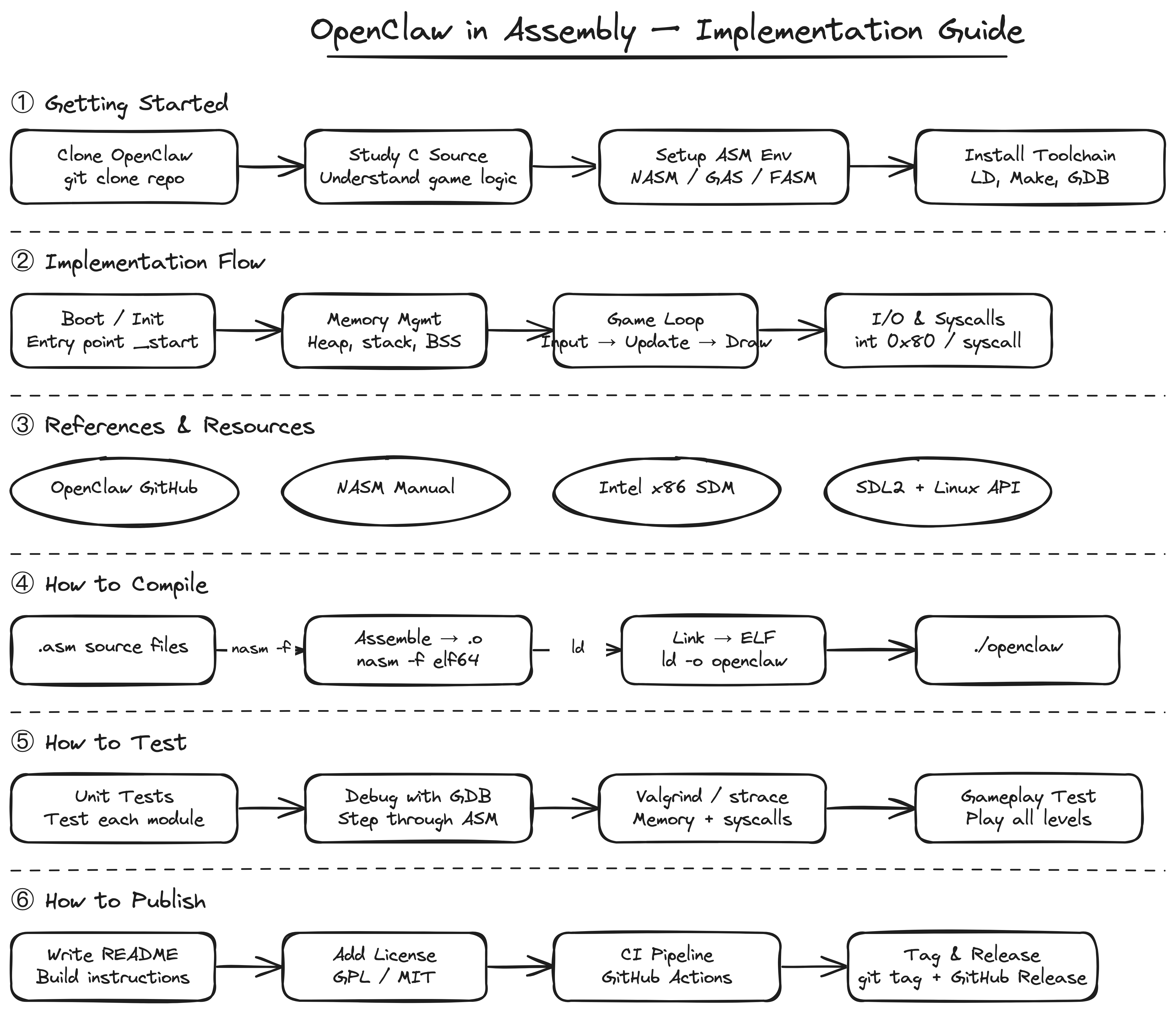
Animated SVG — draws itself stroke by stroke (view):

What this is
hand-drawn-diagrams is an AI skill (for Claude Code, Codex CLI, and compatible agents) that takes a natural language prompt and produces a hand-drawn diagram you can edit, animate, and share — without opening any app.
You describe what you want. The AI picks the right diagram type, draws it in Excalidraw's sketch style, validates the layout, and hands you a live hosted URL. From there you can edit it in a browser, watch it animate, download the source, or export a PNG.
How it's different from using Excalidraw directly
| Excalidraw | hand-drawn-diagrams | |
|---|---|---|
| Starting point | Blank canvas, you draw | Natural language prompt |
| Diagram type | You decide | AI picks the right route (teaching, UX, architecture, funnel…) |
| Layout | You position everything | AI assigns non-overlapping coordinates |
| Animation | Manual or none | Auto-generated animation spec, renders in browser |
| Output | File on disk | Hosted edit URL + animated SVG + PNG on request |
| Workspace | You open the app | Files stay in /tmp/ by default — workspace stays clean |
This skill is not a replacement for Excalidraw — it sits on top of it. Every diagram it produces is a standard .excalidraw file you can open, edit, and own.
Best for
- students: study notes and exam revision maps
- teachers: lesson explainers and concept breakdowns
- architects: system and API flow diagrams
- builders: sequence diagrams and integration maps
- designers: UX flows and wireframes
- product: idea maps and feature flows
- sales: funnel and conversion visuals
- doctors: process and patient-facing explainers
Output
The agent infers what you want from your prompt and routes to the right output automatically:
| What you ask for | What you get |
|---|---|
| "create a diagram" / default | Browser opens to hosted Excalidraw editor — edit, tweak, download |
| "open the animation" | Browser opens animated view — diagram draws itself stroke by stroke |
| "save as excalidraw" | .excalidraw source file saved to your project |
| "save the animation" | .animated.svg saved to your project — plays in any browser |
| "save image" | .png saved to your project |
| "show image" | .png rendered and opened with your system viewer |
Source files go to /tmp/hand-drawn-diagrams/ by default — your workspace stays clean.
Quick start
npx skills add muthuishere/hand-drawn-diagrams
Works for Claude Code, Codex, OpenCode, Windsurf, GitHub Copilot, Cursor, Gemini CLI, and 40+ more agents. Detects which agents you have installed automatically.
For all install options, global vs project scope, and uninstall — see INSTALL.md.
Credits and acknowledgements
This skill stands on the shoulders of excellent open-source work:
Excalidraw — the open-source virtual whiteboard that powers the hand-drawn visual style and the hosted editor. All diagrams produced by this skill are standard Excalidraw files.
GitHub: excalidraw/excalidrawexcalidraw-animate by @dai-shi — the animation library that renders Excalidraw diagrams as SVGs that draw themselves stroke by stroke. The animated SVG output in this skill is powered by this library.
License
MIT — see LICENSE.
Reviews (0)
Sign in to leave a review.
Leave a reviewNo results found