keirouter
Health Gecti
- License — License: MIT
- Description — Repository has a description
- Active repo — Last push 0 days ago
- Community trust — 72 GitHub stars
Code Gecti
- Code scan — Scanned 12 files during light audit, no dangerous patterns found
Permissions Gecti
- Permissions — No dangerous permissions requested
Bu listing icin henuz AI raporu yok.
Your friendly, blazing-fast, self-hostable AI gateway

KeiRouter 🚀
Your friendly, blazing-fast, self-hostable AI gateway.




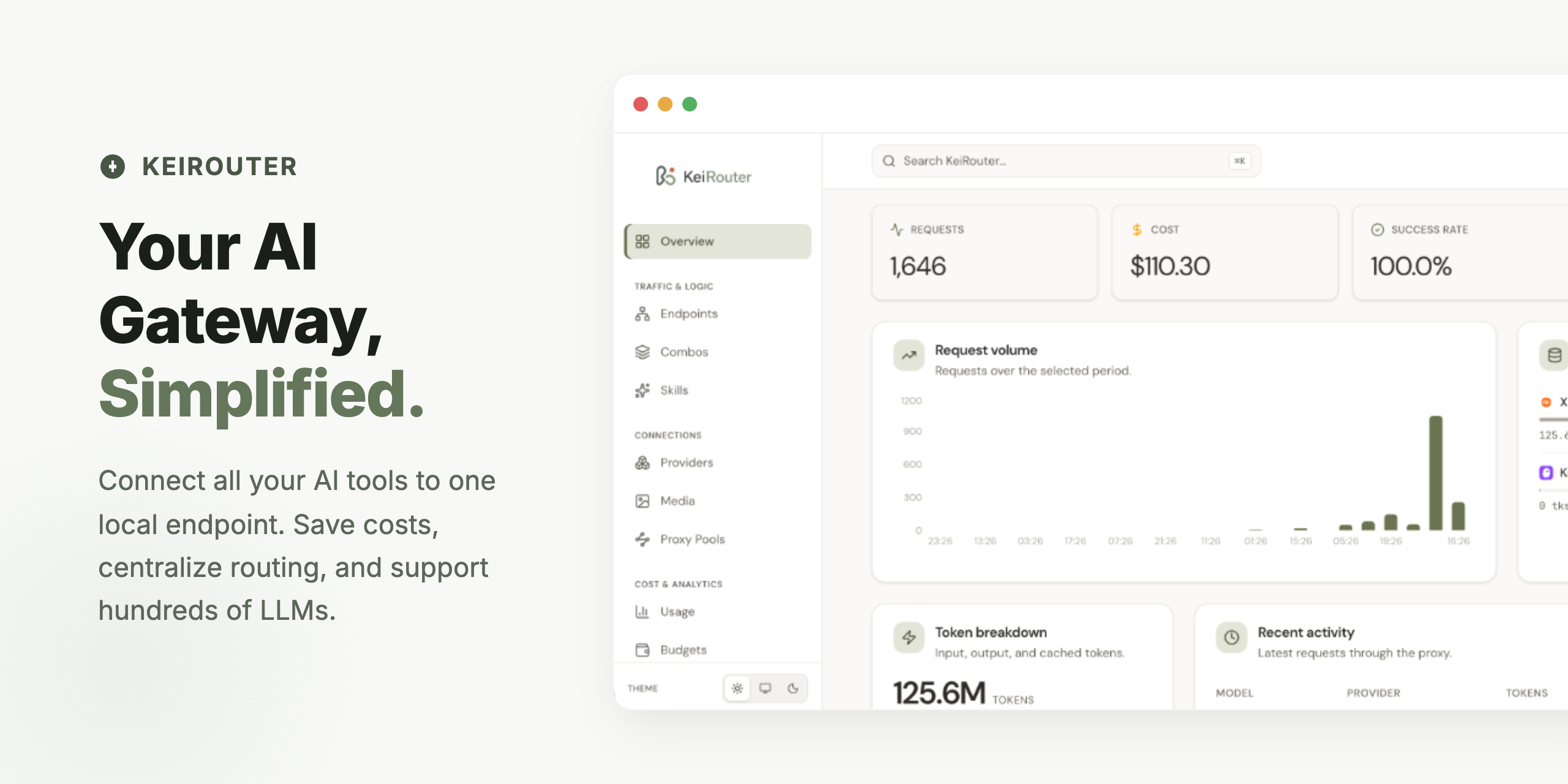
So, what's the deal? 🤔
You use AI coding tools — Claude Code, Cursor, Cline, or honestly anything that talks to OpenAI or Anthropic. And you know the headaches: a drawer full of API keys, rate limits that hit at the worst time, and a token bill that keeps creeping up.
KeiRouter is the smart middleman that makes all of that someone else's problem. Point your tools at one local endpoint and let it handle the boring stuff — routing each request to the right model, failing over the moment a provider taps out, caching repeat questions, and squeezing oversized prompts down before they ever cost you a token.
Oh, and it's written in Go. So it sips memory (~20 MB), boots instantly, ships as a single binary, and comes with a dashboard that's actually nice to look at. ✨
Heads up: KeiRouter is under active development. Peek at Architecture to see what's wired up today.
📑 What's inside
- Highlights
- Quick Start
- Token Savings
- Smart Routing (Chains)
- Beyond Chat
- Connect via OAuth
- Plans & Budgets
- Rate Limiting
- Guardrails
- Branding & White-Label
- CLI Tools Auto-Config
- Usage Portal
- Supported Providers
- Configuration
- Architecture
- Security
- Development & Contributing
- License
⭐ The good stuff
Routing & reliability
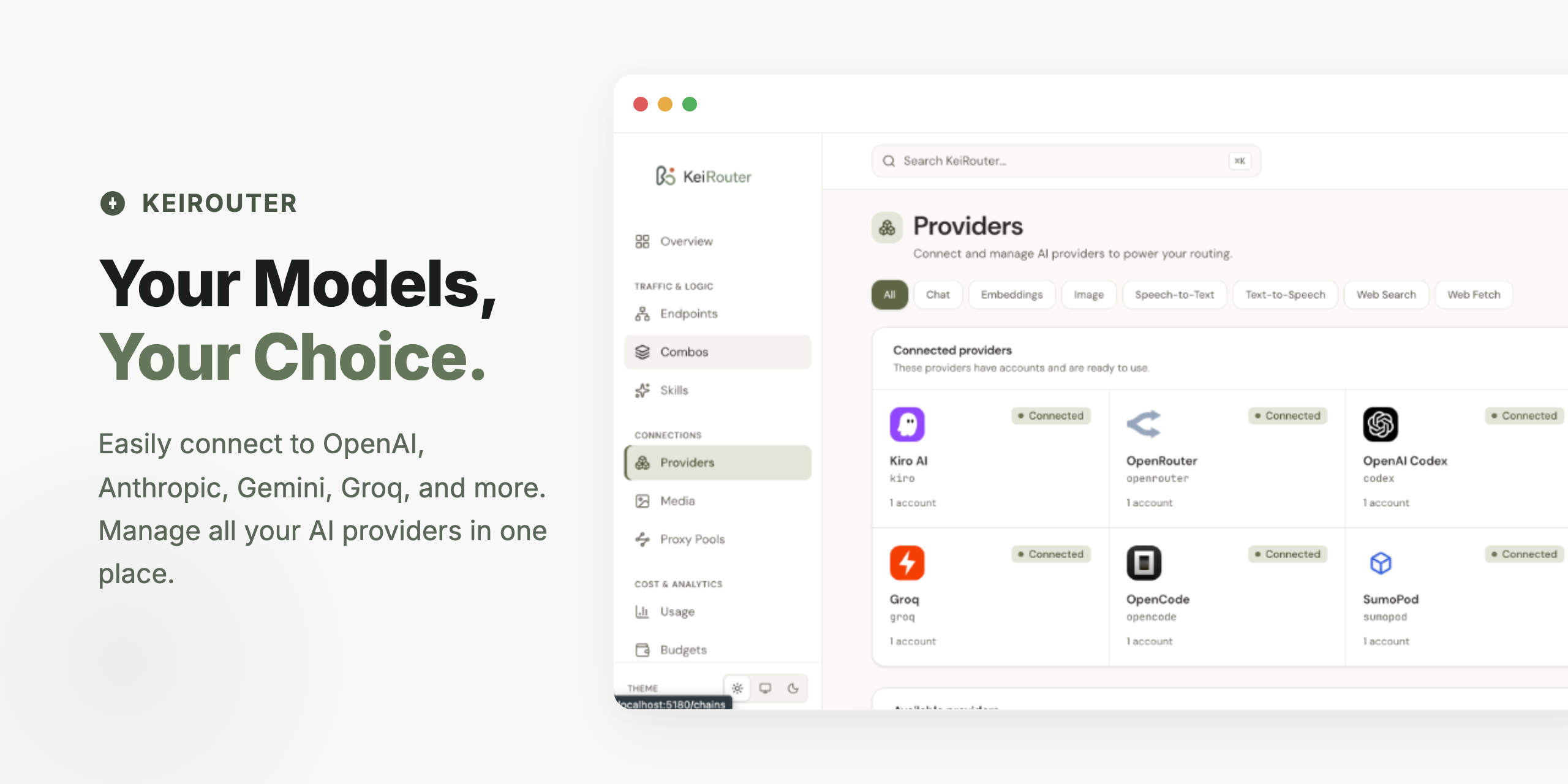
- 🔀 One endpoint, every provider — Your apps speak OpenAI or Anthropic; KeiRouter quietly translates to whatever you actually want to use.
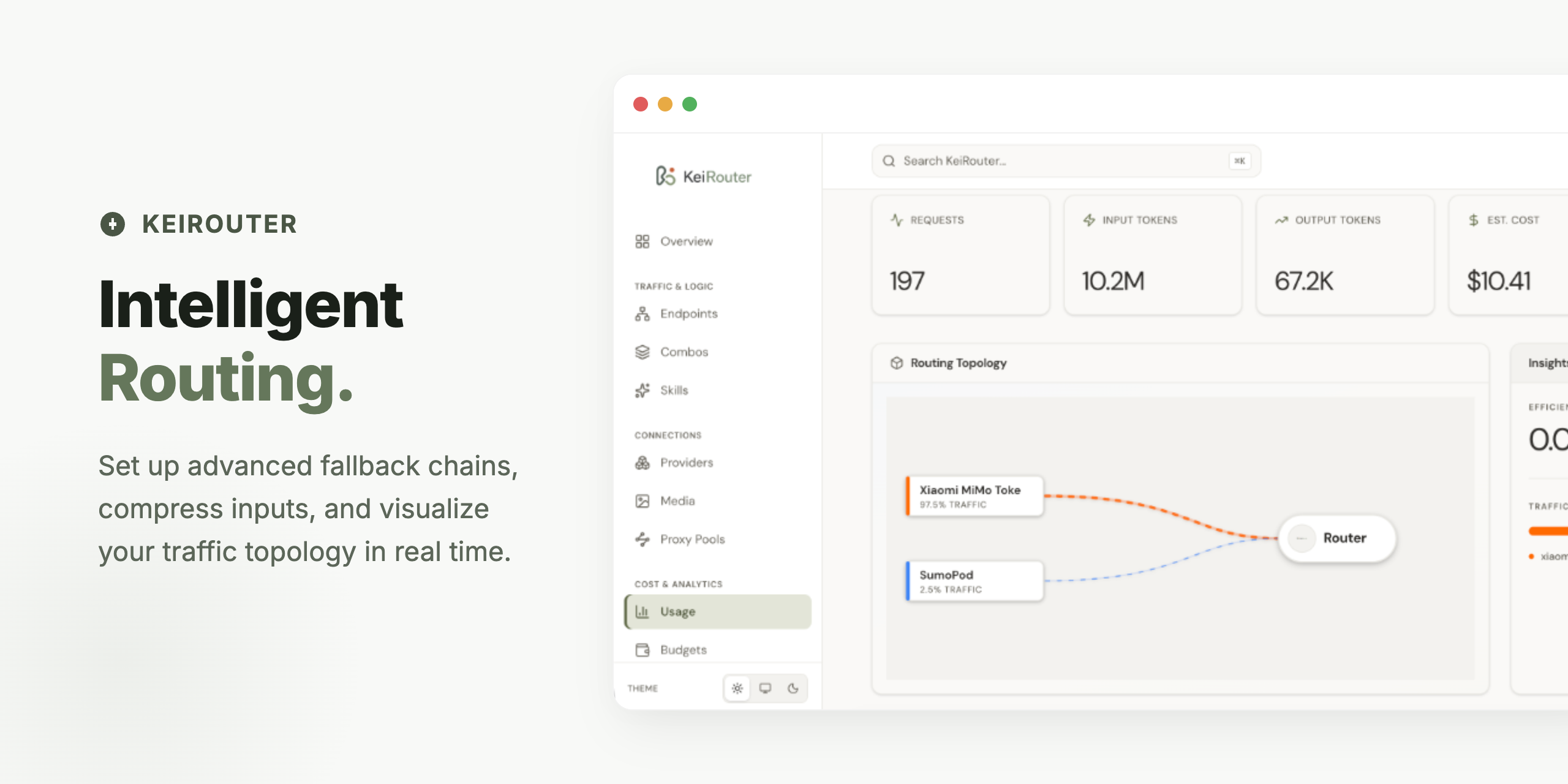
- 🛡️ Never stop coding — Provider down? Rate limited? Fallback chains keep you moving like nothing happened.
- ⚡ Semantic cache — Ask the same thing twice and the embedding-powered cache hands it back instantly, for a glorious $0.00.
Cost control
- 💸 Five token savers — Two on the way in, three on the way out, all on a live savings dashboard. Details in Token Savings.
- 💰 Budget engine — Per-key or per-org USD and token hard limits, with an auto-cutoff so surprise bills stay fictional.
- 🚦 Rate limiting — Per-key RPM, TPM, and concurrency caps via global defaults or reusable plans.
- 📋 Plans & templates — Set the rules once, slap them on any key.
Safety & governance
- 🛡️ Guardrails — PII, prompt-injection, toxicity, topics, and bias detectors layered global → provider → model → chain → key, with mid-stream output scanning and a fully-offline mode.
- 🔐 Locked down by default — AES-256-GCM envelope encryption for credentials, a password-gated dashboard, HMAC sessions, and SSRF protection on outbound calls.
Operations & UX
- 📊 See everything — Quota tracker, provider breakdowns, live key monitoring, TTFT metrics, and per-key summaries.
- 🎨 White-label it — Rebrand the dashboard and portal with your own name, logo, and palette.
- 🛠️ Skills & CLI auto-config — Built-in skills plus copy-paste configs for 12+ coding tools.
- 🌐 Usage portal — A no-admin-needed view so teammates can track their own usage and savings.
🚀 Quick Start
Prerequisites
Grab whichever path matches what's already on your machine — no need to install things you won't use:
| Method | You'll need | Great for |
|---|---|---|
| Homebrew | macOS or Linux with Homebrew | The fastest way to a prebuilt binary |
| Windows | Windows 10/11 with PowerShell | Prebuilt binary, no Go/Node |
| From source | Go 1.24+ and Node.js 20+ | Local hacking / latest main |
| Docker | Just Docker | Clean, isolated runs |
| Docker Compose | Docker + Docker Compose | VPS / production / Coolify |
Pick your install
Option A — Homebrew (macOS & Linux) · the easy buttonbrew tap mydisha/keirouter https://github.com/mydisha/keirouter
brew install keirouter
keirouter -bootstrap # mint your first API key (printed once — don't blink)
keirouter start # fire up the server on :20180
Needs Go 1.24+ and Node.js 20+. No cloning, no .env, no config wrangling:
curl -fsSL https://raw.githubusercontent.com/mydisha/keirouter/main/scripts/quickstart.sh | bash
It clones the repo to ~/keirouter, installs everything, and starts the backend on :20180 and the dashboard on :5180.
Option C — Docker · no Go/Node, no problemAlready cloned it? Just
make setupfrom the project root and you're off.
curl -fsSL https://raw.githubusercontent.com/mydisha/keirouter/main/scripts/install.sh | bash -s -- --docker
git clone https://github.com/mydisha/keirouter.git
cd keirouter
cp .env.example .env       # set KEIROUTER_MASTER_KEY before going to prod
docker compose up -d --build
VPS, PostgreSQL, and Coolify notes live in deploy/README.md.
Option E — Windows · prebuilt, no Go/Node neededOpen PowerShell and run:
irm https://raw.githubusercontent.com/mydisha/keirouter/main/scripts/install.ps1 | iex
It downloads the latest prebuilt binary, drops it (plus the dashboard) into %LOCALAPPDATA%\KeiRouter, and adds it to your PATH. Open a new terminal afterwards, then:
keirouter -bootstrap   # mint your first API key (printed once)
keirouter start        # start the server on :20180
Pin a version or change the location with
$env:KEIROUTER_VERSION/$env:KEIROUTER_DIRbefore running the one-liner.
First login
| How you installed | Open this | Password |
|---|---|---|
From source (quickstart / make setup) |
http://localhost:5180 | keirouter |
| Homebrew / Docker / production | http://localhost:20180 | keirouter |
It'll nudge you to change that password the second you log in (please do 🙏). Allergic to UIs? Mint a key straight from the terminal:
keirouter -bootstrap # prints a kr_ key, once
Connect your tools
In your AI tool of choice (Cursor, Claude Code, Cline, you name it), set:
- Base URL:
http://localhost:20180/v1 - API Key: the
kr_key from the dashboard or-bootstrap - Model: a provider model like
openai/gpt-4o, or the name of a fallback chain you cooked up
That's it. You're routing.
💸 Token Savings (where the money hides)
Every request runs through a deterministic token-saving pipeline before it gets translated to the provider's format — so the savings work the same no matter which provider you land on. There are five savers, each independently toggleable from Settings → Token Saving, and a dashboard that shows you exactly how much you clawed back.
| Saver | Side | The pitch |
|---|---|---|
| RTK / Slimmer | Input | Shrinks chunky tool output (diffs, greps, listings, build logs) locally before it ever leaves your machine. |
| Headroom | Input | Routes request messages through an external Headroom proxy for deeper compression. Fail-open — if the proxy sneezes, your request sails through untouched. Also sniffs out "phantom savings" so only real wins get counted. |
| Terse | Output | Drops a concise-output directive so the model skips the small talk and gives you the goods. |
| Caveman | Output | Terse's stronger cousin (Wenyan / 文言文 levels included) — trims output tokens by 65–75%. |
| Ponytail | Output | Injects a "lazy senior dev" system prompt (lite / full / ultra) that nudges the model toward the smallest possible change. Stacks on top of Terse or Caveman. |
Terse and Caveman both inject a system directive, so they're mutually exclusive — pick one. Ponytail happily layers on top of either.
Pipeline order: normalizer → RTK → Headroom → Terse / Caveman → Ponytail → provider translation.
Getting Headroom running
Headroom is its own open-source compression proxy. KeiRouter just calls its /v1/compress endpoint, so you spin it up locally first. One gotcha worth shouting about: the headroom CLI lives in the Python package — the npm package is a library only, so npm install -g headroom-ai will leave you staring at command not found. Don't say we didn't warn you. 😉
# The clean way: pipx isolates the CLI and sorts out your PATH (needs Python 3.10+)
pipx install "headroom-ai[all]"
pipx ensurepath               # puts headroom on your PATH — then restart your shell

headroom proxy --port 8787    # start the proxy
headroom doctor               # make sure it's actually happy
On Ubuntu and pip is fighting you (PEP 668 blocks global installs)? Go --user and make sure ~/.local/bin is on your PATH:
pip install --user "headroom-ai[all]"
export PATH="$HOME/.local/bin:$PATH"   # drop this in ~/.zshrc or ~/.bashrc
Then over in Settings → Token Saving → Headroom: flip it on, set the Proxy URL to http://localhost:8787, and hit Test connection to confirm the handshake. Green check? You're golden.
🧠 Smart Routing (Chains)
Why bet on one model when you can have a backup plan? Build a chain in the dashboard. Say you name one coding:
openai/gpt-4o— your first pickdeepseek/deepseek-chat— steps in if the first one rate-limits or face-plants
Then just set your app's model to chain:coding (or plain coding) and let KeiRouter sweat the failover.
🔌 It does more than chat
Chat completions are just the start. KeiRouter proxies the whole buffet:
| Capability | Endpoint |
|---|---|
| Image generation | /v1/images/generations |
| Speech-to-text | /v1/audio/transcriptions |
| Text-to-speech | /v1/audio/speech |
| Embeddings | /v1/embeddings |
| Web search | /v1/search |
| Web fetch | /v1/web/fetch |
🔑 Skip the keys: OAuth
Copy-pasting API keys gets old fast. Connect providers straight from the Connections page with OAuth — sign in once, and KeiRouter quietly refreshes your tokens in the background.
| Provider | Flow |
|---|---|
| Claude | Anthropic OAuth |
| GitHub Copilot | GitHub device flow |
| Gemini CLI | Google device flow |
| KiloCode | Custom device-auth |
| Qoder | PKCE device-token flow |
| CodeBuddy (Tencent) | Browser-poll flow |
| Cursor | Token import flow |
📋 Plans & Budgets
Plans are reusable budget policies you can stamp onto any API key — write the rules once, apply them everywhere. Each plan covers:
- Spend limit — USD cap (micro-dollar precision, because pennies add up)
- Token limit — max token usage
- RPM / TPM / Concurrency limits — per assigned key (
0= unlimited) - Reset period —
daily,weekly,monthly, ortotal - Allowed models — wildcard patterns like
claude-*,gpt-4*(empty = everything's fair game) - Alert threshold — get pinged at 1–100% of budget
- Hard cutoff — block requests when the budget's gone, or just track and let it ride
Every tenant gets a default plan out of the box. Manage them on the Plans page and assign them in Keys settings.
🚦 Rate Limiting
Keep your gateway (and your upstream quotas) from getting hammered with per-key RPM, TPM, and concurrency caps. For a single-instance setup, the in-memory limiter is all you need:
limits:
  enabled: true
  backend: memory
  default_rpm: 600
  default_tpm: 200000
  default_concurrency: 50
  window: 1m
  cleanup_interval: 1m
Those defaults only apply to keys without a plan. The moment a key has one, the plan's rpm_limit, tpm_limit, and concurrency_limit take over (0 = unlimited).
🛡️ Guardrails
A built-in content-safety layer runs detectors against every request and response. Policies stack global → provider → model → chain → API key and merge at request time, so the most specific rule wins.
| Detector | Catches | Default engine | Optional engine |
|---|---|---|---|
| PII | Email, phone, credit card, IBAN, IP, URL, NIK / NPWP / Indonesian passport | Native Go (Presidio-compatible) | Microsoft Presidio HTTP sidecar |
| Prompt Injection | Ignore-previous, role override, DAN, prompt-leak, safety bypass | Native regex catalog | — |
| Topics | Allow-list / block-list of topics | Keyword + n-gram | Embedding similarity |
| Toxicity | Profanity, hate, harassment, violence, sexual (id + en) | Native catalog | OpenAI Moderation API |
| Bias (outbound) | Political, gender, ethnic, religious bias in responses | Native bilingual lexicon | — |
- Actions:
log_only,warn,mask(rewrite it), orblock(refuse it). Strictest action across detectors wins. - PII strategies:
redact,replace,mask,hash,anonymize, orblock. - Streaming-safe: a sliding 256-char buffer scans assistant output as it streams and pulls the plug mid-sentence if something leaks.
- Observability: every decision shows up in Audit Logs (live via SSE); Prometheus serves
keirouter_guardrail_decisions_totalandkeirouter_guardrail_eval_secondsat/metrics. - Compliance: a per-tenant
allow_external_enginesflag forces every detector offline;KEIROUTER_GUARDRAILS__AUDIT_RETENTION_DAYScontrols retention; the test endpoint is capped at 10 req/min.
Starter templates ship in the dashboard's "From template" picker (Indonesia PII · Strict safety · Compliance audit · Public chatbot · Alerts-only), and you can export/import policies as a JSON bundle.
Want NER-based PII detection (PERSON, LOCATION, full multilingual)? Spin up the optional Presidio sidecar:
docker compose -f compose.yaml -f compose.postgres.yaml -f compose.presidio.yaml up -d
Then flip any PII policy's engine to presidio in the dashboard.
🎨 Make it yours: Branding
Rebrand the admin dashboard and the public Usage Portal from Settings → Branding:
- App name — swap "KeiRouter" for your own
- Logo & favicon URLs — your SVG/PNG, your vibe
- Tagline — the line on the portal login screen
- Color palette —
sage-terra,ocean,midnight, and friends
🔧 CLI Tools Auto-Config
The CLI Tools page spits out ready-to-paste config snippets for the usual suspects:
Claude Code · Cursor · Cline · GitHub Copilot · DeepSeek · KiloCode · OpenCode · OpenClaw · Hermes · JCode · Droid · CodeBuddy
Copy, paste into your tool's config, done.
🌐 Usage Portal
A dedicated, no-admin-required view at /portal where teammates keep an eye on their own usage — quota and spend, token usage over time, compression savings, and plan limits. All it asks for is the API key. No keys to the kingdom required.
🌐 Supported Providers (60+)
🧠 LLM / Chat
| Category | Providers |
|---|---|
| Major Cloud | OpenAI, Anthropic, Google Gemini, Vertex AI, Azure OpenAI, AWS (Kiro) |
| Free / Free Tier | OpenRouter (27+ free models), NVIDIA NIM, Ollama (Cloud & Local), Cloudflare Workers AI, BytePlus ModelArk |
| China / Asia | DeepSeek, Qwen (Alibaba), GLM, Kimi (Moonshot), MiniMax, Volcengine Ark, Xiaomi MiMo, SiliconFlow, iFlow |
| OAuth / IDE | Claude Code, GitHub Copilot, Cursor IDE, Cline, Kilo Code, OpenAI Codex, CodeBuddy (Tencent), Kimi Coding |
| Performance | Groq, Cerebras, SambaNova, DeepInfra |
| Specialized | xAI (Grok), Mistral, Perplexity, Cohere, AI21 Labs, Reka AI |
| Aggregators | Together AI, Fireworks AI, Nebius AI, OpenCode, AIML API, Vercel AI Gateway |
| Emerging | Blackbox AI, Chutes AI, Hyperbolic, Lepton AI, Kluster AI, MorphLLM, LongCat, Puter AI, GLHF, SumoPod, Scaleway, NLP Cloud, and many more |
| Custom | Any OpenAI- or Anthropic-compatible endpoint (self-hosted, proxy, etc.) |
🎨 Media & Search
| Type | Providers |
|---|---|
| Image Generation | OpenAI DALL·E, Gemini Imagen, Cloudflare, Fal.ai, Stability AI, Black Forest Labs, Recraft, Topaz, Runway ML, NanoBanana, HuggingFace, SD WebUI, ComfyUI |
| Text-to-Speech | OpenAI TTS, NVIDIA NIM, ElevenLabs, Deepgram, Cartesia, PlayHT, AWS Polly, Google TTS, Edge TTS, Inworld, Coqui, Tortoise |
| Speech-to-Text | OpenAI Whisper, Groq Whisper, Deepgram, AssemblyAI, Gemini STT, HuggingFace |
| Embeddings | OpenAI, Gemini, Mistral, Together AI, Fireworks AI, Nebius, Voyage AI, Jina AI, OpenRouter |
| Web Search | Tavily, Exa, Serper, Brave Search, SearXNG, Perplexity, xAI, Google PSE, Linkup, SearchAPI, You.com, OpenAI |
| Web Fetch | Tavily, Exa, Firecrawl, Jina Reader |
⚙️ Configuration
Out of the box, KeiRouter runs on an embedded SQLite database — zero config, zero fuss. Running it for a team? Switch to PostgreSQL: copy config.example.yaml and run with -config, or use environment variables like KEIROUTER_SERVER__PORT=8080. Docker/Coolify examples are in deploy/README.md.
🛠️ Architecture
Curious what happens after you hit send? Here's the life of a request:
- Gateway — takes your HTTP request and figures out the dialect (OpenAI, Anthropic, Gemini, …).
- Guardrails (inbound) — runs PII / injection / toxicity / topics detectors; block → refuse, mask → rewrite the prompt on the spot.
- Pipeline — runs the token savers (RTK → Headroom → Terse/Caveman → Ponytail) and checks your budget.
- Dispatch — picks the best provider account and juggles fallbacks.
- Connector & Transform — calls the provider, then translates the answer back into your tool's format.
- Guardrails (outbound) — scans the response (or each stream chunk) for leaked PII, bias, or toxicity; block → cancel, mask → rewrite.
- Meter — logs token usage and savings so the dashboard has something pretty to show.
🔒 Security
- The admin API (
/api/*) only listens to localhost by default. Exposing it? Put it behind a reverse proxy and set a stablemaster_key. - Guard your master key with your life — it's the root of trust for every encrypted credential.
- Credentials sit behind AES-256-GCM envelope encryption; the dashboard uses password auth + HMAC session cookies; outbound requests get SSRF protection.
Found a security issue? Please follow SECURITY.md instead of opening a public issue. 🙏
🧑💻 Hack on it
make setup   # first time: installs deps + starts backend (:20180) and dashboard (:5180)
make dev     # after that: just start the servers
make test    # run the backend test suite
make build   # build the backend binary + frontend assets
PRs and ideas are always welcome — start with CONTRIBUTING.md.
📄 License
MIT — see LICENSE. Go build something cool. 🛠️
Yorumlar (0)
Yorum birakmak icin giris yap.
Yorum birakSonuc bulunamadi