code-notify
Health Pass
- License — License: MIT
- Description — Repository has a description
- Active repo — Last push 0 days ago
- Community trust — 164 GitHub stars
Code Pass
- Code scan — Scanned 12 files during light audit, no dangerous patterns found
Permissions Pass
- Permissions — No dangerous permissions requested
No AI report is available for this listing yet.
Cross-platform desktop notifications for Claude Code, Codex, and Gemini CLI. Install via Homebrew, npm, or script.
Code-Notify
Official downloads: https://github.com/mylee04/code-notify/releases
Homebrew:
brew install mylee04/tools/code-notifynpm:
npm install -g code-notify
Desktop notifications for AI coding tools - get alerts when tasks complete or input is needed.
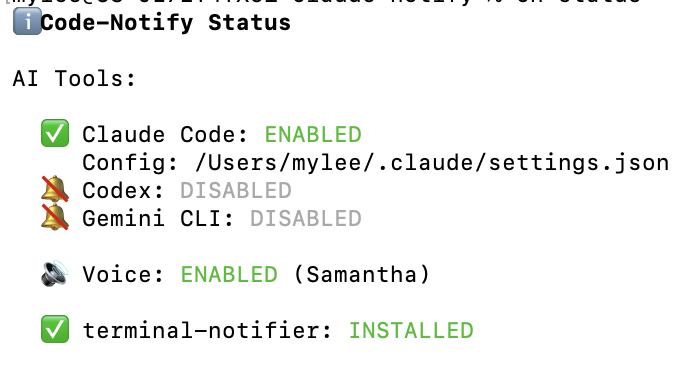
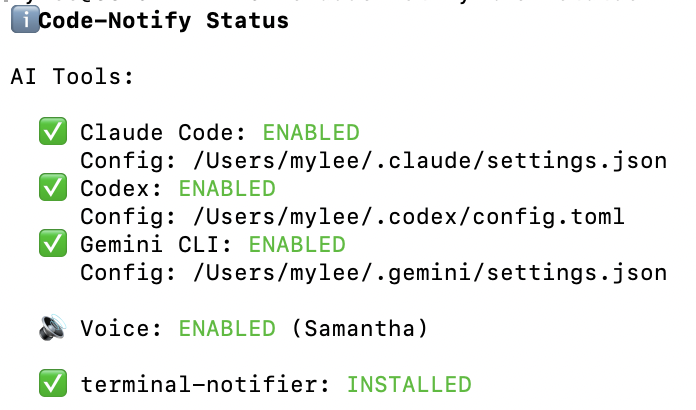





What's New in v1.7.0
- New macOS click-through commands: use
cn click-throughto choose which app opens when you click a notification - Embedded terminal support is much better: IDE terminals such as PhpStorm can now map their runtime terminal key to the app bundle that should be activated
- Reviewer edge cases are covered: click-through lookup now handles empty
TERM_PROGRAMcases and search-based adds now prefer the live runtime terminal key
Features
- Multi-tool support - Claude Code, OpenAI Codex, Google Gemini CLI
- Works everywhere - Terminal, VSCode, Cursor, or any editor
- Cross-platform - macOS, Linux, Windows
- Native notifications - Uses system notification APIs
- macOS click-through control - Choose which app notification clicks activate
- Sound notifications - Play custom sounds on task completion
- Voice announcements - Hear when tasks complete (macOS, Windows)
- Tool-specific messages - "Claude completed the task", "Codex completed the task"
- Project-specific settings - Different configs per project
- Quick aliases -
cnandcnpfor fast access
Installation
For Humans
macOS (Homebrew)
brew tap mylee04/tools
brew install code-notify
cn on
macOS (Homebrew, Already Installed)
cn update
code-notify version
If you were using the older claude-notify hook layout, supported upgrades now repair those Claude hooks automatically. On Windows, that repair also covers older notify.ps1 hook layouts and alternate Claude settings locations such as %USERPROFILE%\.config\.claude\settings.json.
Linux / WSL
curl -sSL https://raw.githubusercontent.com/mylee04/code-notify/main/scripts/install.sh | bash
npm (macOS / Linux / Windows)
npm install -g code-notify
cn on
Windows
irm https://raw.githubusercontent.com/mylee04/code-notify/main/scripts/install-windows.ps1 | iex
For LLM Agents
Paste this to your AI agent (Claude Code, Cursor, etc.):
Install code-notify by following:
https://raw.githubusercontent.com/mylee04/code-notify/main/docs/installation.md
Or fetch directly:
curl -s https://raw.githubusercontent.com/mylee04/code-notify/main/docs/installation.md
Usage
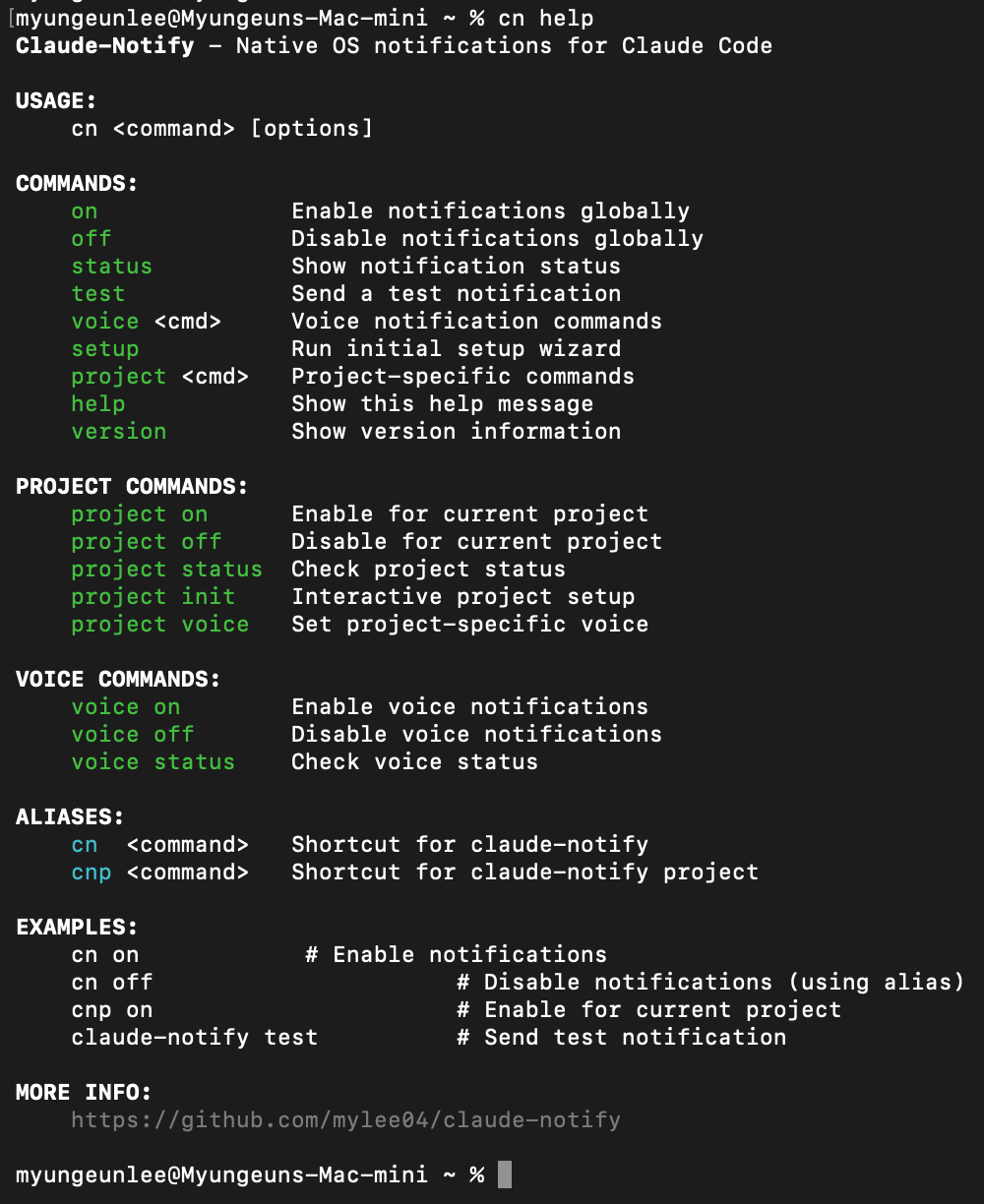
| Command | Description |
|---|---|
cn on |
Enable notifications for all detected tools |
cn on all |
Explicit alias for enabling all detected tools |
cn on claude |
Enable for Claude Code only |
cn on codex |
Enable for Codex only |
cn on gemini |
Enable for Gemini CLI only |
cn off |
Disable notifications |
cn off all |
Explicit alias for disabling all tools |
cn test |
Send test notification |
cn status |
Show current status |
cn update |
Update code-notify |
cn update check |
Check the latest release and show the update command |
cn click-through |
Show current macOS click-through mappings |
cn click-through add <app> |
Add a macOS click-through mapping |
cn alerts |
Configure which events trigger notifications |
cn sound on |
Enable sound notifications |
cn sound set <path> |
Use custom sound file |
cn voice on |
Enable voice (macOS, Windows) |
cn voice on claude |
Enable voice for Claude only |
cnp on |
Enable for current project only |
When enabling project notifications with cnp on, Code-Notify warns if Claude project trust does not appear to be accepted yet.
Project-scoped Claude hooks override the global mute file, so cn off will not suppress a project where cnp on is enabled.all is also accepted as an explicit alias for global commands such as cn on all, cn off all, and cn status all.
How It Works
Code-Notify uses the hook systems built into AI coding tools:
- Claude Code:
~/.claude/settings.json - Codex:
~/.codex/config.toml - Gemini CLI:
~/.gemini/settings.json
For Codex, Code-Notify configures notify = ["/absolute/path/to/notifier.sh", "codex"] and reads the JSON payload Codex appends on completion.
Codex currently exposes completion events through notify; approval and request_permissions prompts do not currently arrive through this hook.
When enabled, it adds hooks that call the notification script when tasks complete:
{
  "hooks": {
    "Stop": [
      {
        "matcher": "",
        "hooks": [{ "type": "command", "command": "notify.sh stop claude" }]
      }
    ],
    "Notification": [
      {
        "matcher": "idle_prompt",
        "hooks": [
          { "type": "command", "command": "notify.sh notification claude" }
        ]
      }
    ]
  }
}
Alert Types
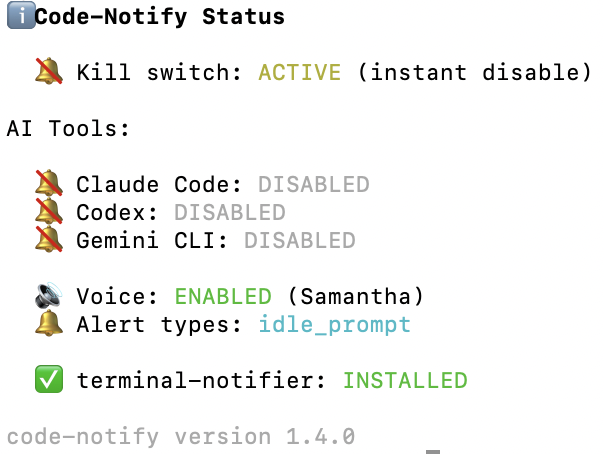
By default, notifications only fire when the AI is idle and waiting for input (idle_prompt). You can customize this:
cn alerts                          # Show current config
cn alerts add permission_prompt    # Also notify on tool permission requests
cn alerts remove permission_prompt # Remove permission notifications
cn alerts reset                    # Back to default (idle_prompt only)
| Type | Description |
|---|---|
idle_prompt |
AI is waiting for your input (default) |
permission_prompt |
AI needs tool permission (Y/n) |
auth_success |
Authentication success |
elicitation_dialog |
MCP tool input needed |
Alert-type matching currently applies to Claude Code and Gemini CLI notification hooks. Codex currently uses completion events from notify, so permission_prompt and idle_prompt settings do not change Codex behavior.
Troubleshooting
Command not found?
exec $SHELL # Reload shell
No notifications?
cn status     # Check if enabled
cn test       # Test notification
brew install terminal-notifier  # Better notifications (macOS)
Notification click opens the wrong macOS app?
cn click-through add PhpStorm
cn test
Installed with npm?
cn update # Runs: npm install -g code-notify@latest
Project Structure
code-notify/
├── bin/           # Main executable
├── lib/           # Library code
├── scripts/       # Install scripts
├── docs/          # Documentation
└── assets/        # Images
Links
License
MIT License - see LICENSE
Reviews (0)
Sign in to leave a review.
Leave a reviewNo results found