clopen
Health Pass
- License — License: MIT
- Description — Repository has a description
- Active repo — Last push 0 days ago
- Community trust — 18 GitHub stars
Code Fail
- exec() — Shell command execution in backend/database/migrations/001_create_projects_table.ts
Permissions Pass
- Permissions — No dangerous permissions requested
This is an all-in-one workspace environment designed to streamline workflows for various AI coding agents. It acts as a centralized hub providing integrated terminals, git management, database clients, and live browser previews for multi-session development.
Security Assessment
The overall risk is Medium. The tool inherently interacts with highly sensitive developer data, including direct database connections (PostgreSQL, MySQL, MongoDB, Redis) and full SSH tunneling capabilities. It also features a live browser preview and integrated terminal.
A major flag was raised during the automated audit: shell command execution was detected inside a backend database migration file (`001_create_projects_table.ts`). While this may simply be part of a standard local database setup script, it warrants a manual code review before deploying the server in a production environment. The rule-based scan found no hardcoded secrets and no dangerously broad permissions requested at the root level.
Quality Assessment
The project is actively maintained, with its most recent code push occurring today. It utilizes the permissive and standard MIT license. Community trust is currently very early-stage; it has a relatively small footprint with 18 GitHub stars, meaning it has not yet been widely battle-tested by a massive audience.
Verdict
Use with caution — the tool offers powerful features that naturally require access to sensitive systems, and while actively maintained, the detected shell execution and low community footprint call for a manual review of the codebase before use.
All-in-one workspace for AI coding agents

Clopen
Build more. Switch less.
All-in-one workspace for AI coding agents


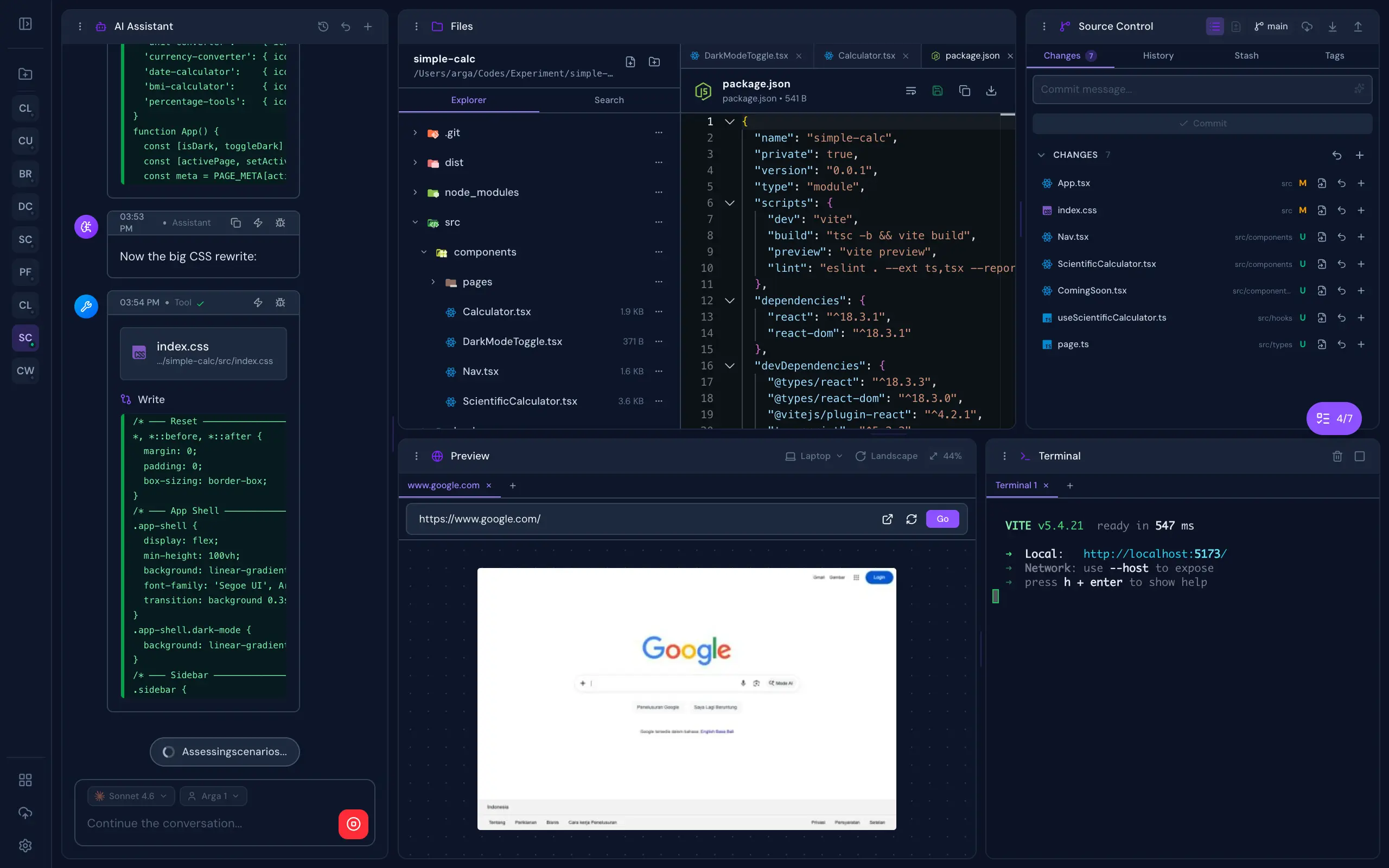
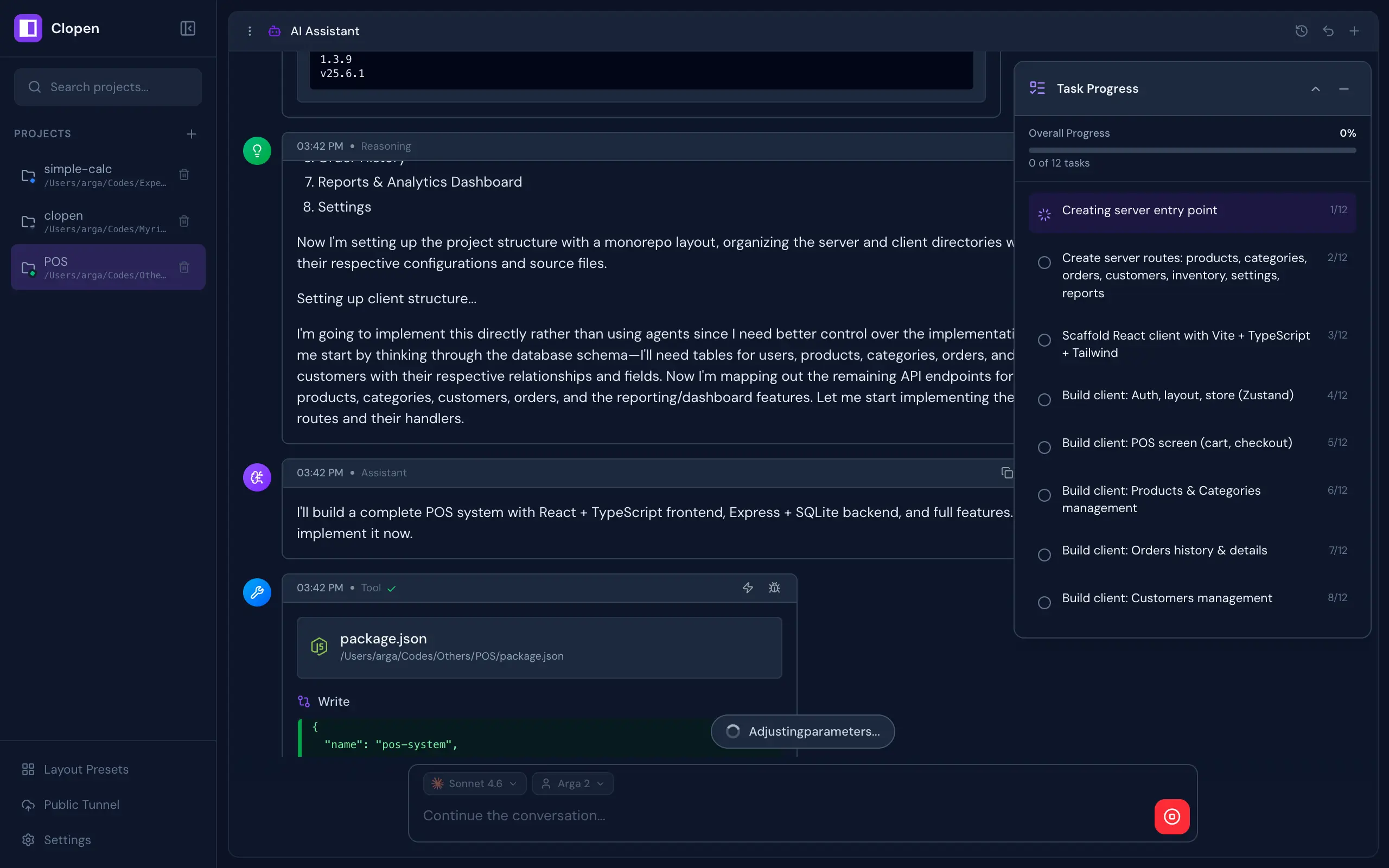
All-in-one workspace for AI coding agents — Claude Code, OpenCode, Codex, Copilot, and Qwen Code. Chat, terminal, git, browser preview, database client, and real-time collaboration, built for multi-project and multi-session workflows.
Screenshots
Features
A complete development environment designed around AI-assisted workflows, built to disappear into the background and just work.
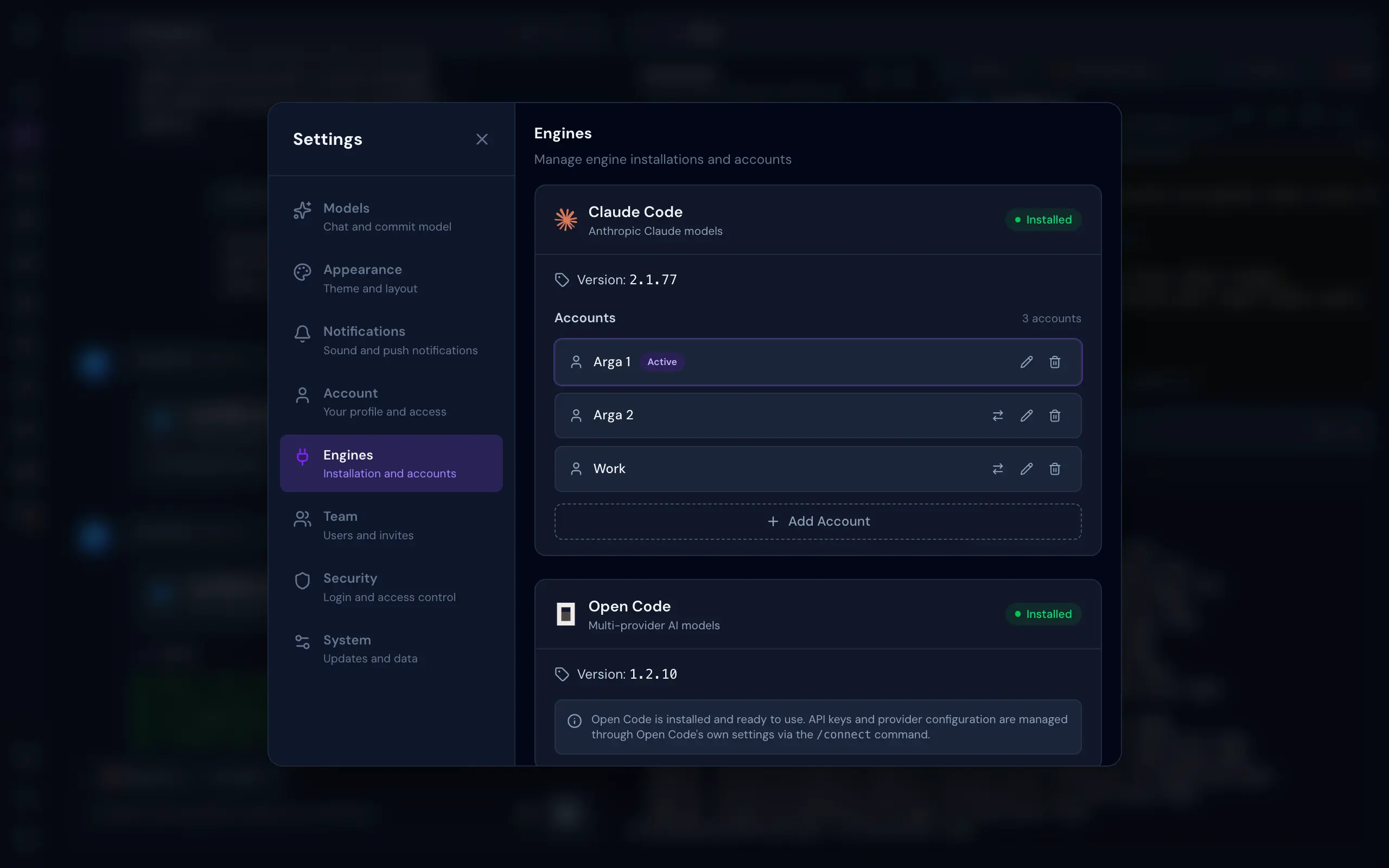
- Multi-Engine Support — Switch between Claude Code, OpenCode, Codex, GitHub Copilot, and Qwen Code as your AI engine, per session
- Multi-Account Per Engine — Manage multiple accounts per engine (personal, work, or team) and switch between them instantly per chat session
- Integrated Terminal — Multi-tab xterm.js terminal with full keyboard control and complete ANSI/VT support, right inside your workspace
- Full Git Management — Stage, commit, branch, push, pull, stash, log, and resolve conflicts, all from a clean UI
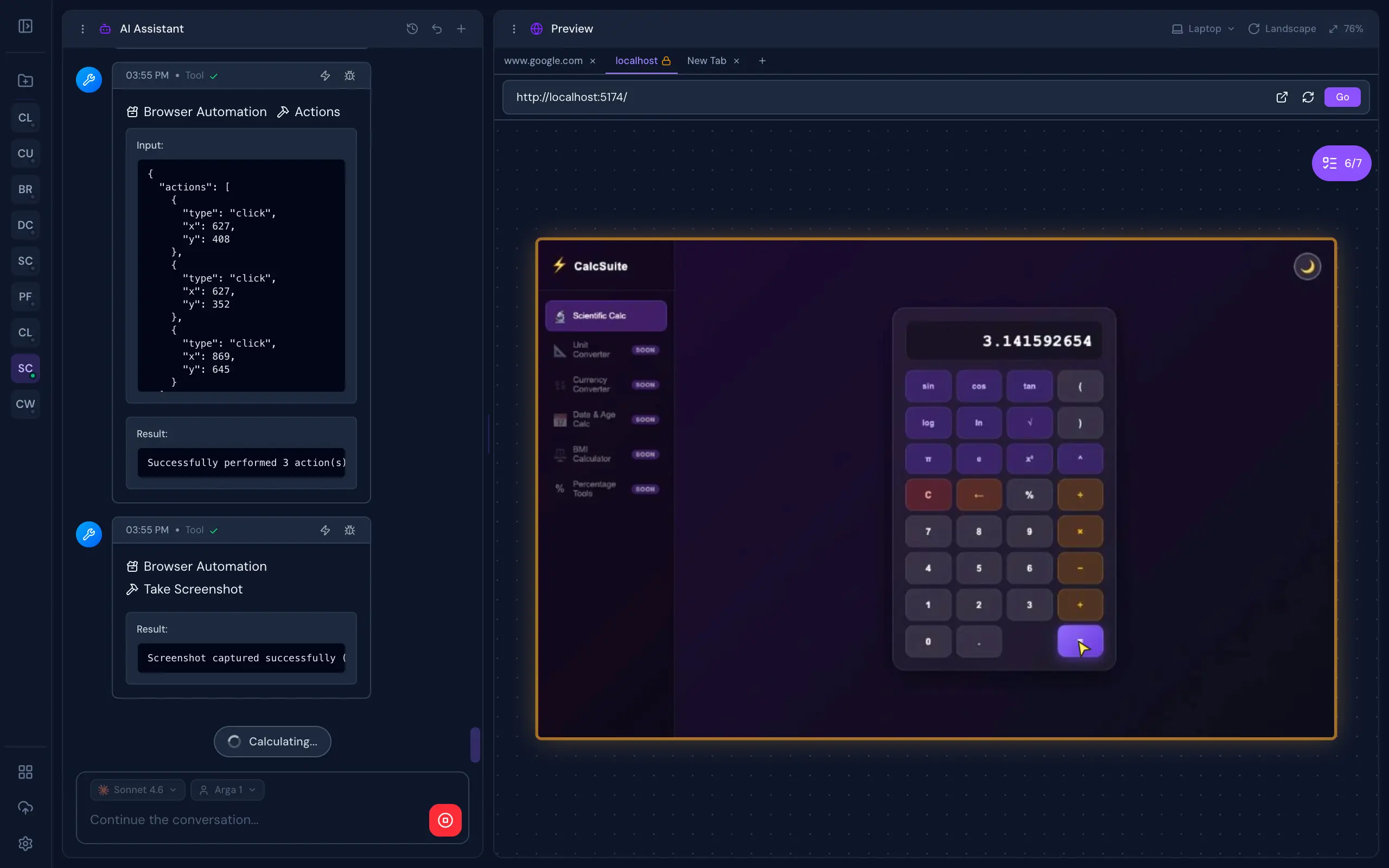
- Real Browser Preview — A live browser preview streams directly into your workspace. Interact with your app manually, or let the AI drive: clicking, typing, and scrolling for autonomous visual testing
- Database Client — Connect to PostgreSQL, MySQL, SQLite, MongoDB, and Redis. Browse schemas, run queries, and inspect data, with optional SSH tunneling for databases behind a bastion
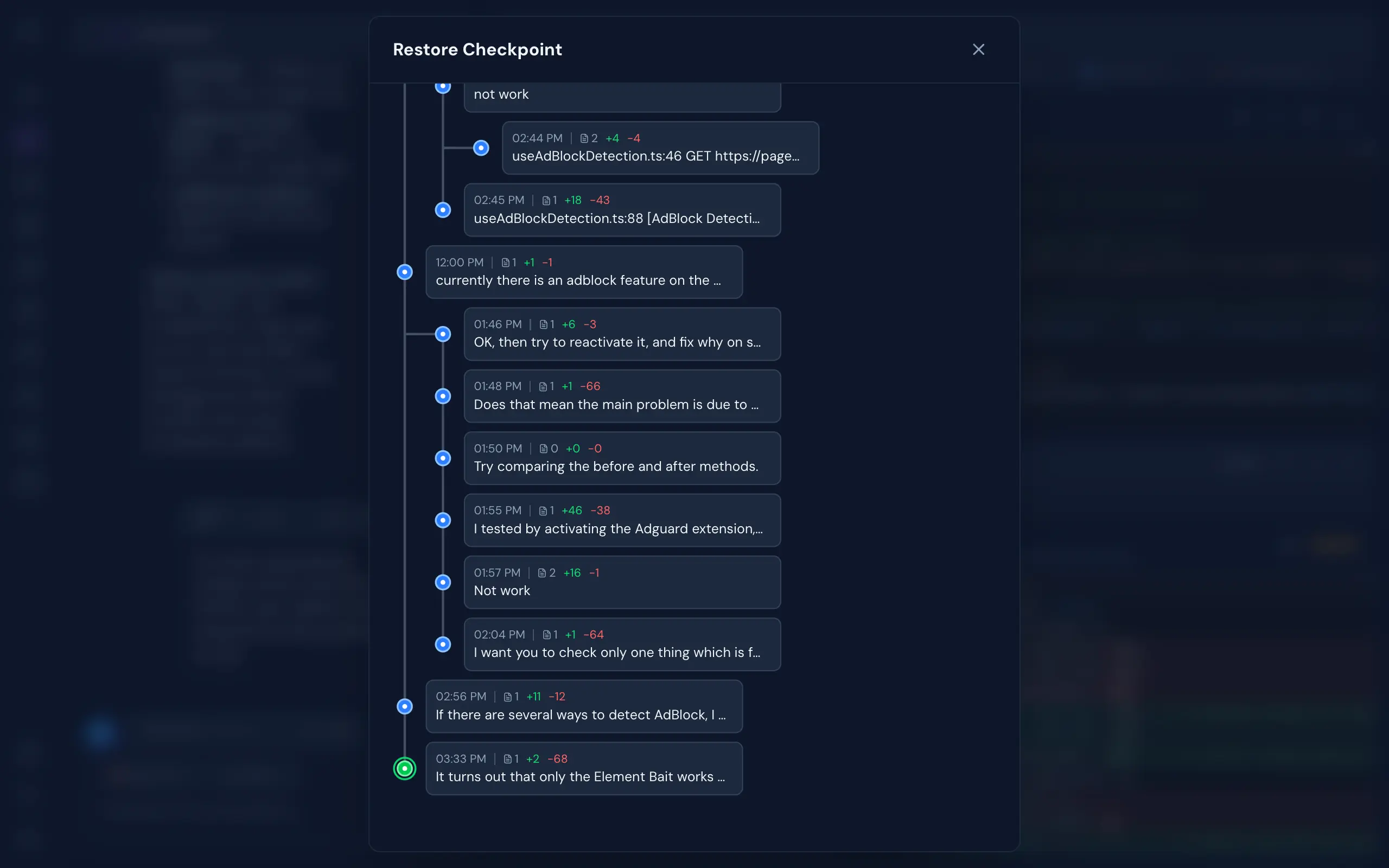
- Git-Like Checkpoints — Multi-branch undo/redo with full file snapshots. Roll back to any point in your AI conversation without touching your actual git history
- Real-Time Collaboration — See who's working on which project, and collaborate live in the same codebase
- Monaco File Editor — VS Code's editor right in the browser. Full syntax highlighting, autocomplete, and live file watching, beside your AI chat
- Cloudflare Tunnel — One-click public HTTPS URL for your local dev server. Built-in QR code for instant mobile access. Share your work without deploying
- MCP Support — Full Model Context Protocol integration. Connect AI tools, external APIs, and custom capabilities to your AI agents with zero friction
- Flexible Authentication — No Login or With Login mode with admin/member roles, invite links, rate-limited login, and CLI token recovery
- System Tools Installer — Install Git, Claude Code, OpenCode, Codex, Copilot, Qwen Code, Chrome, and Cloudflared (for Public Tunnel) from a one-click admin panel
- Background Processing — Chat, terminal, and other processes continue running even when you close the browser — come back later and pick up where you left off
Quick Start
Prerequisites
- Bun.js v1.2.12+
- At least one supported AI engine — Claude Code, OpenCode, Codex, GitHub Copilot CLI, or Qwen Code. All are installable from Settings → System Tools after first launch
Installation
bun add -g @myrialabs/clopen
Update
clopen update
Or manually via Bun:
bun add -g @myrialabs/clopen
You can also update from the Settings → Maintenance → Updates section in the web UI.
Usage
clopen
Starts the server on http://localhost:9141.
First-Time Setup
On first launch, a setup wizard guides you through:
- Authentication mode — Choose between No Login (no authentication required, ideal for personal/local use) or With Login (login with Personal Access Token, supports team collaboration)
- Admin account — If With Login mode is selected, create your admin account and save the generated PAT
- System Tools — Install Git, Chrome, Cloudflared, and any AI engine you don't have yet — straight from the wizard, no terminal needed
- AI Engines — Check installation status for Claude Code, OpenCode, Codex, Copilot, and Qwen Code, and sign in to the engines you'll use
- Preferences — Set dark mode, font size, sound notifications, and message layout (Classic cards or Compact lines)
You can change the authentication mode anytime in Settings → Security → Authentication.
To invite team members (With Login mode), go to Settings → Team → Invite and generate an invite link (valid for 15 minutes).
If you lose your admin token:
clopen reset-pat
This regenerates and displays a new admin PAT.
Contributing
Clopen is open source and contributions are welcome! Whether it's a bug fix, new feature, or improvement to docs — feel free to open an issue or submit a pull request.
git clone https://github.com/myrialabs/clopen.git
cd clopen
bun install
bun run dev     # Start development server
bun run check   # Type checking
When running in development mode, Clopen uses ~/.clopen-dev instead of ~/.clopen, keeping dev data separate from any production instance.
See CONTRIBUTING.md for guidelines and DECISIONS.md for architectural decisions.
Architecture
| Layer | Technology |
|---|---|
| Runtime | Bun.js |
| Frontend | Svelte 5 (runes) + Vite |
| Backend | Elysia + WebSocket |
| Styling | Tailwind CSS v4 |
| Database | SQLite with migrations |
| Terminal | bun-pty |
| AI Engines | Claude Code, OpenCode, Codex, Copilot, Qwen Code |
| DB Client | Postgres, MySQL, SQLite, MongoDB, Redis (+ SSH tunnel) |
Troubleshooting
Port 9141 Already in Use
clopen --port 9145
Or kill the existing process:
# Unix/Linux/macOS
lsof -ti:9141 | xargs kill -9

# Windows
netstat -ano | findstr :9141
taskkill /PID <PID> /F
License
MIT License - see LICENSE for details.
Acknowledgments
- Claude Code by Anthropic
- OpenCode by Anomaly
- Codex by OpenAI
- GitHub Copilot CLI by GitHub
- Qwen Code by Alibaba Qwen
- Bun runtime
- Svelte framework
Support
If Clopen is useful to you, consider supporting its development:
| Method | Address / Link |
|---|---|
| Bitcoin (BTC) | bc1qd9fyx4r84cce2a9hkjksetah802knadw5msls3 |
| Solana (SOL) | Ev3P4KLF1PNC5C9rZYP8M3DdssyBQAQAiNJkvNmPQPVs |
| Ethereum (ERC-20) | 0x61D826e5b666AA5345302EEEd485Acca39b1AFCF |
| USDT (TRC-20) | TLH49i3EoVKhFyLb6u2JUXZWScK7uzksdC |
| Saweria | saweria.co/myrialabs |
Repository: github.com/myrialabs/clopen · Issues: Report a bug or request a feature
Reviews (0)
Sign in to leave a review.
Leave a reviewNo results found