nope-marketplace
Health Uyari
- License — License: MIT
- Description — Repository has a description
- Active repo — Last push 0 days ago
- Low visibility — Only 7 GitHub stars
Code Gecti
- Code scan — Scanned 4 files during light audit, no dangerous patterns found
Permissions Gecti
- Permissions — No dangerous permissions requested
Security Assessment: Risk: Medium. The code scan passed with no dangerous patterns, hardcoded secrets, or dangerous permission requests found across its 4 scanned files. However, the core mechanic inherently involves highly sensitive interactions. It drives a live Chrome browser via the `chrome-devtools-mcp` integration, meaning it interacts directly with your authenticated web sessions. While it explicitly states it does not handle your credentials, the tool still requires you to be logged into your Google accounts to automate infrastructure changes and access proprietary SEO data.
Quality Assessment: The project is very new and currently has low community visibility with only 7 GitHub stars, so it has not been extensively battle-tested by a wide audience. That said, it is actively maintained, with recent repository activity. The codebase is standard and properly licensed under the MIT license. The developers clearly outline what the tool does and how it operates.
Verdict: Use with caution. The code itself is clean and open source, but because it requires access to an active, authenticated browser session to automate critical cloud infrastructure and SEO tasks, you should carefully supervise its actions.
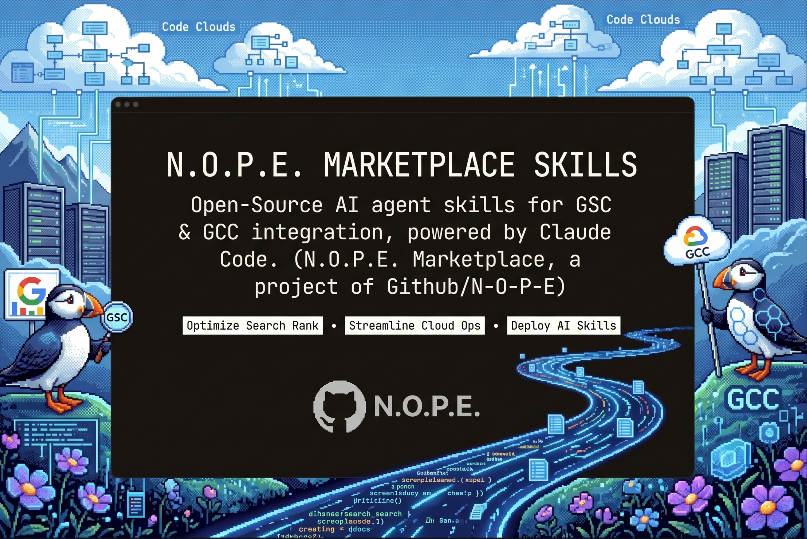
Open-source Claude Code plugins by Studio N.O.P.E. Automate Google Cloud Console setup and Search Console audits via Chrome browser automation.
Studio N.O.P.E. Claude Marketplace
We are Not Of Planet Earth
About Studio N.O.P.E.
Creative Solution Engineers using AI's infinite possibilities to help humans realise their dreams.
We're @tijsluitse and @basfijneman — two guys who believe the best tools are the ones that get out of your way. We built this marketplace because setup shouldn't require clicking through a dozen consoles and copy-pasting from stale docs. It should be one command, some sensible defaults, done — with tools you can read, fork, and shape.
We made this open source because we think everybody deserves useful tools, not just the people who can afford them. When you can automate the boring parts without friction, you ship more of what actually matters. Open source means the community can shape this into exactly what they need.
Want to work with us? We help teams build smarter workflows with AI-powered tooling, Shopify development, and creative engineering. Reach out at [email protected] or visit studionope.nl.
Plugins
All plugins drive a real Chrome browser through chrome-devtools-mcp — they click, type, and screenshot the actual dashboards so you don't have to. They never handle your credentials; you sign in once in Chrome and the plugins take it from there.
gcp-setup — Google Cloud Console, automated
Setting up a GCP project means clicking through a dozen consoles: create project, enable APIs, make service accounts, grant IAM roles, link billing, configure OAuth, deploy to Cloud Run. This plugin does all of that for you.
- Auto-detects what you need — Scans your codebase (dependencies, config, env vars, CI files) to figure out which GCP services your project requires. Only asks about what it can't determine itself.
- Plans before acting — Presents every step upfront, flags which ones need manual input (sign-in, billing, 2FA), then drives Chrome through the console step by step.
- Writes a summary — Drops a
.gcp-setup.mdin your project with project ID, enabled APIs, service account emails, and follow-up notes. Future runs read this to avoid duplicate work.
Good for: spinning up a new project from scratch, adding Cloud Run + Secret Manager to an existing app, creating CI/CD service accounts with GitHub Actions keys, or anything else that normally involves tab-switching between six GCP pages.
search-console — GSC audits and fixes
Reads every report in Google Search Console that actually matters, returns a prioritised fix list, and helps you implement fixes for common structured data issues on any stack.
- Full audit — Walks through Indexing, Sitemaps, Shopping, Core Web Vitals, and Security. Drills into each issue to get the exact affected URLs, not just counts.
- Prioritised report — P0 → P3 list with root causes, fixes, and verification steps. Manual actions and security issues always surface as P0.
- Structured data fixes — When GSC flags missing fields like
priceValidUntil,aggregateRating, oravailability, finds where your JSON-LD is emitted (CMS template, framework component, SEO plugin, custom SSR), adds the fields, and verifies with the Rich Results Test before triggering GSC validation.
Good for: diagnosing why pages aren't ranking, catching sitemap/indexing gaps before they hurt traffic, fixing merchant listing errors, or just understanding what's actually happening in GSC without clicking through 15 reports.
cloudflare-connect — Subdomains wired to Railway, Vercel, and more
Pointing a subdomain at a hosting platform means jumping between three tabs and copy-pasting CNAME targets. This plugin drives both sides — the platform's custom-domain form AND the Cloudflare DNS editor — end-to-end.
- Platform-first flow — Opens Railway (or Vercel) first, attaches the subdomain, reads the CNAME target the platform reveals. Then opens Cloudflare and adds the DNS record with the captured target. No copy-paste.
- TXT verification handled — When Vercel asks for a
_vercelTXT challenge, the plugin adds it automatically, waits for verification, then continues with the CNAME. - Safe defaults — Defaults to DNS-only (grey cloud) because Railway and Vercel issue their own Let's Encrypt certs. Won't silently overwrite existing DNS records — always prompts.
- Writes a summary — Drops a
.cloudflare-setup.mdin your project with links to both dashboards and the live URL.
Good for: wiring a new subdomain to a Railway service, attaching a custom domain to a Vercel project, or any time you'd otherwise be alt-tabbing between Cloudflare and a deploy dashboard with a CNAME in your clipboard.
Install
Add the marketplace to Claude Code:
/plugin marketplace add n-o-p-e/nope-marketplace
Install a plugin:
/plugin install gcp-setup@nope-marketplace
/plugin install search-console@nope-marketplace
/plugin install cloudflare-connect@nope-marketplace
Chrome DevTools MCP
All plugins drive Chrome via chrome-devtools-mcp. Set it up once:
Add to ~/.claude/settings.json:
{
  "mcpServers": {
    "chrome-devtools-mcp": {
      "command": "npx",
      "args": ["chrome-devtools-mcp@latest"]
    }
  }
}
Or via Claude Code:
/mcp add chrome-devtools-mcp -- npx chrome-devtools-mcp@latest
Chrome launches automatically on first use. If something goes wrong, see the troubleshooting guide.
Star History
Security
Found a vulnerability? See SECURITY.md for how to report it.
License
Yorumlar (0)
Yorum birakmak icin giris yap.
Yorum birakSonuc bulunamadi