nalarupa
Health Uyari
- License — License: MIT
- Description — Repository has a description
- Active repo — Last push 0 days ago
- Low visibility — Only 7 GitHub stars
Code Basarisiz
- rm -rf — Recursive force deletion command in .github/actions/claude-setup/action.yml
- rm -rf — Recursive force deletion command in .github/runner/job-completed.sh
Permissions Gecti
- Permissions — No dangerous permissions requested
Bu listing icin henuz AI raporu yok.
AI design editor on an infinite canvas: Rust core, GPU-native UI, Claude design agents

Nalarupa
An infinite-canvas design editor with AI agents.
Rust core, GPU-native UI (GPUIX: React on top of GPUI).
Download · Features · Installation · Development
Nalarupa comes from the Indonesian words nalar (reason, thought) and rupa (form): ideas given shape.
The logo combines a wayang gunungan that doubles as a pen nib (the pen tool), a kawung flower, and a
parang batik texture.
Features
AI design agents
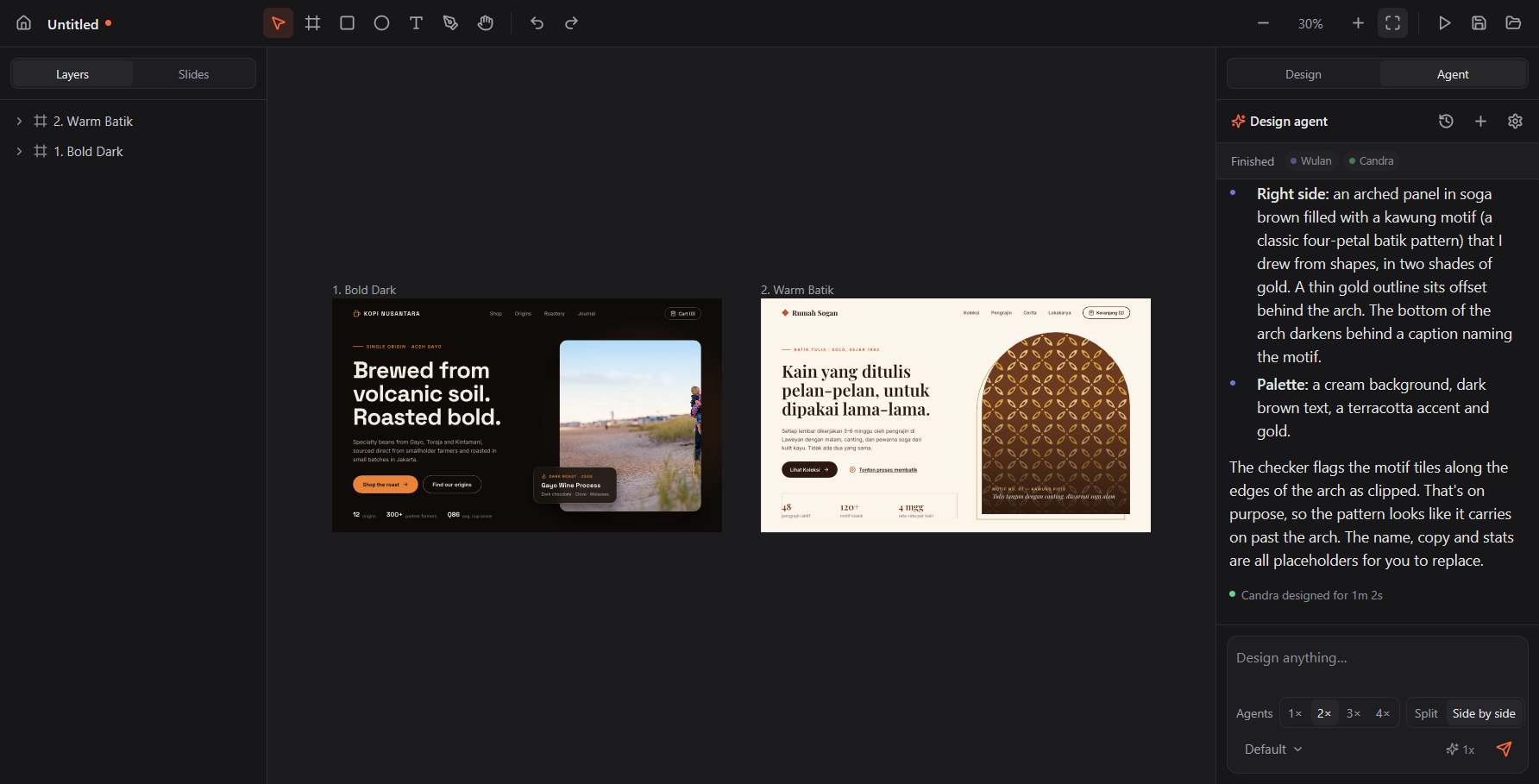
- Design chat in the right panel: describe what you want and the agent builds it directly on the canvas.
- Designs appear while the agent writes: every step shows up immediately, then commits as a single undo step.
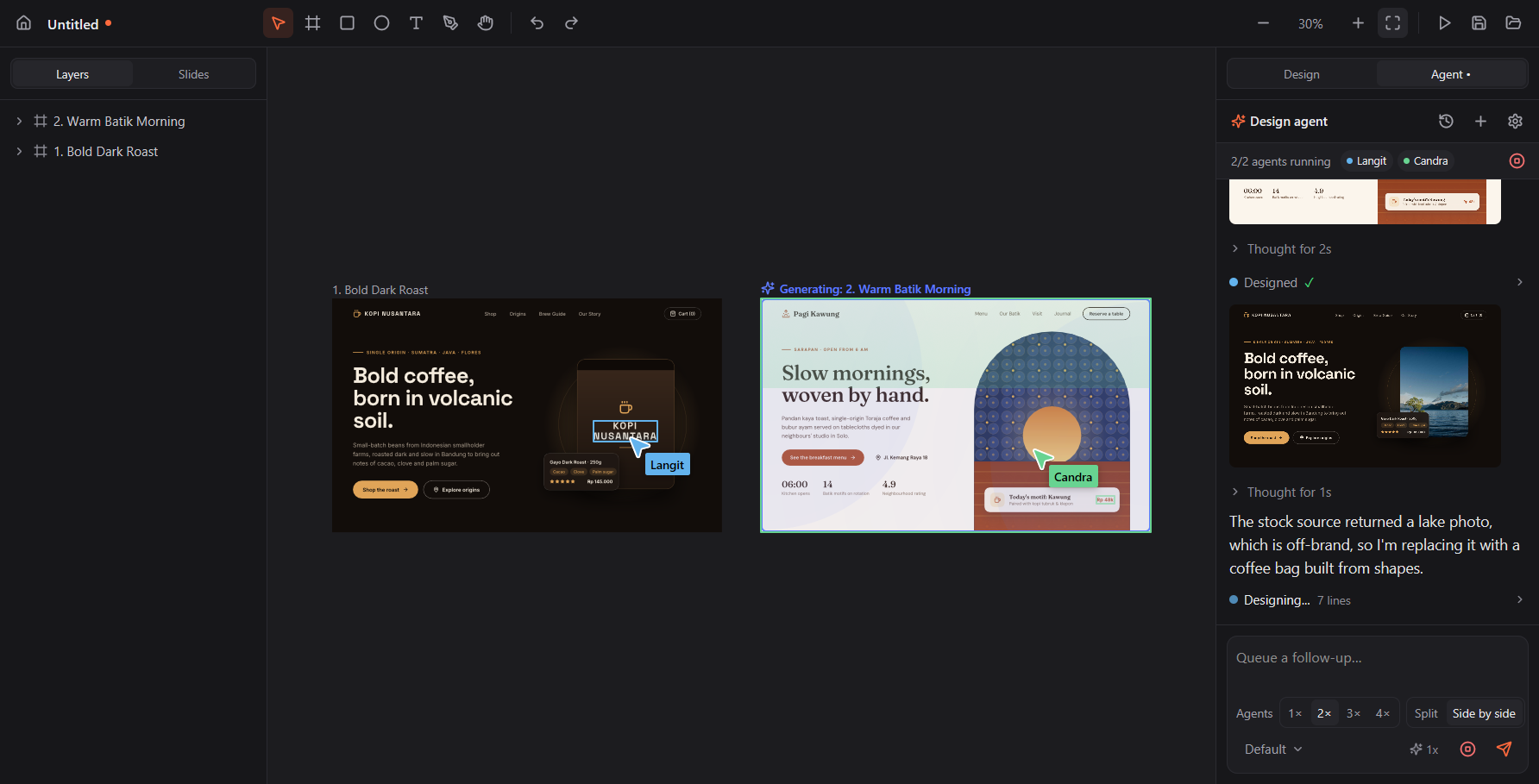
- Agent cursors with names and colors fly to the nodes they touch, with highlight flashes and a
Generating glow on the frame being worked on. - 1–4 parallel agents: split the work (Split) or create several variants side by side (Side by side).
- Let it cook: once a design is done, the agent keeps producing variations (layout or style) on its own.
- Model picker (Opus 5.5, Sonnet 5.5, Haiku 5.5, Fable 5.1) and Fast mode where the model supports it.
- Two backends: Claude Code (uses your existing Claude Code login) or the Claude API (API key).
- Saved chat history, expandable thinking, inline screenshots, a work plan (TODO), message queue, and a
permission card before the agent runs tools outside the canvas. - AI Pen: SVG illustrations drawn progressively into a frame.
Canvas and editor
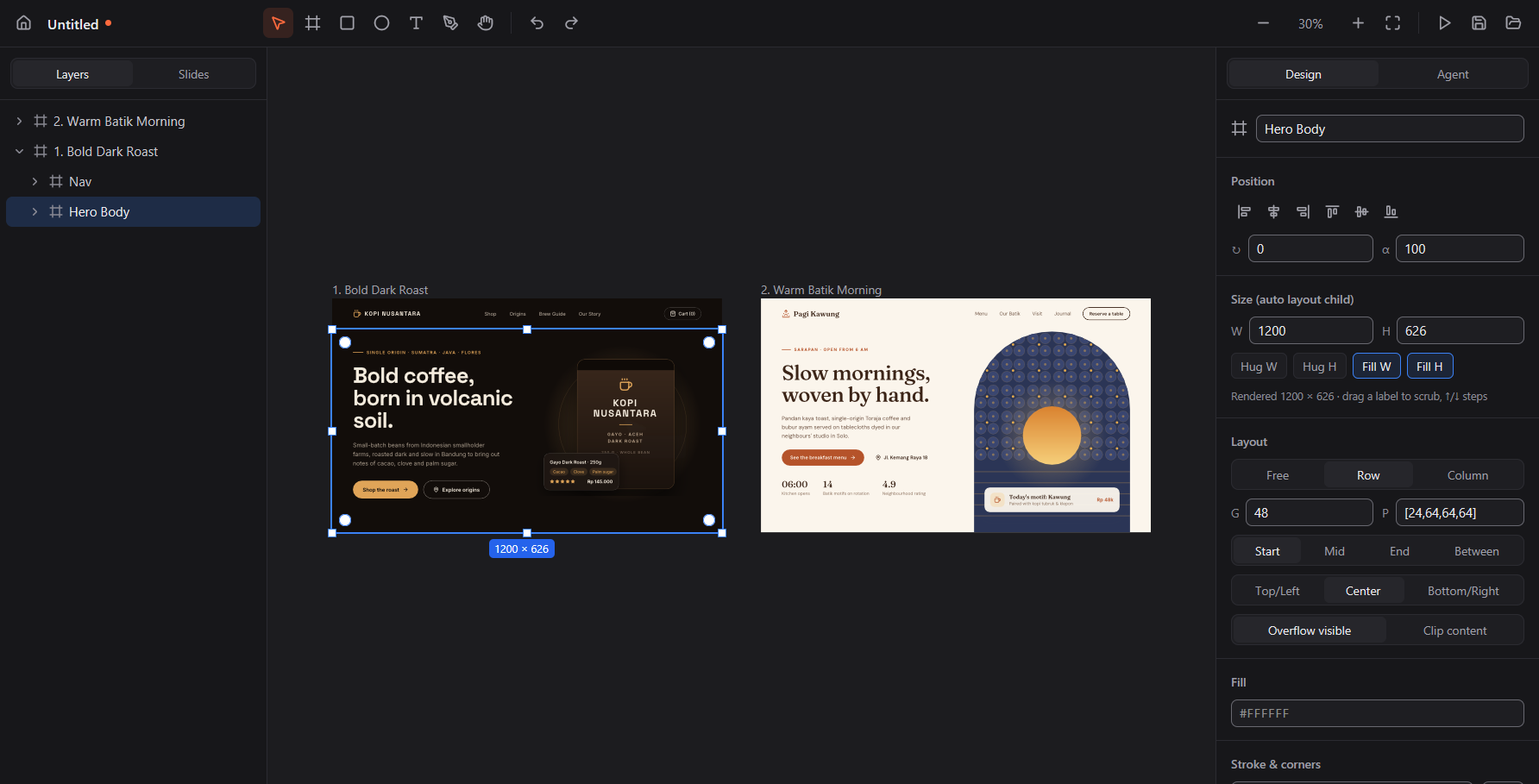
- Infinite canvas: pan (Space, middle button, Hand), zoom (Ctrl+scroll, Shift+1 fit, Shift+2 selection).
- Frame, Rectangle, Ellipse, Text, Pen tool (click = corner, drag = curve, double-click to edit points).
- Selection: click → frame child, double-click → enter, Ctrl+click → deepest; marquee; Shift to add.
- 5 px snapping to parent and siblings with guide lines; Alt+hover measures distances.
- Auto layout (flexbox: Hug/Fill, gap, padding, alignment); drag inside a layout to reorder, drop on
another frame to reparent. - Group (Ctrl+G), duplicate (Ctrl+D, Alt-drag), align (Alt+W/A/S/D/H/V), resize keeping ratio or from the
center, rotation, on-canvas corner radius, undo/redo, copy/paste (including text and SVG). - Paste from Figma: frames, auto layout, text, vectors, components and variables come along.
- Layers: rename, drag to reorder or reparent, hide, hover highlights on the canvas.
- Inspector: position, size, layout, text, fill, stroke, radius, effects (shadow, blur), components;
drag a label to scrub a value, ↑/↓ for small steps. - Fills: color, gradients, mesh gradients, images, shaders (GLSL), icons (Lucide, Feather, Material
Symbols, Phosphor), and Google Fonts downloaded once and cached. - Components and instances, variables and themes, and script nodes that generate designs from JavaScript.
Slides and presenting
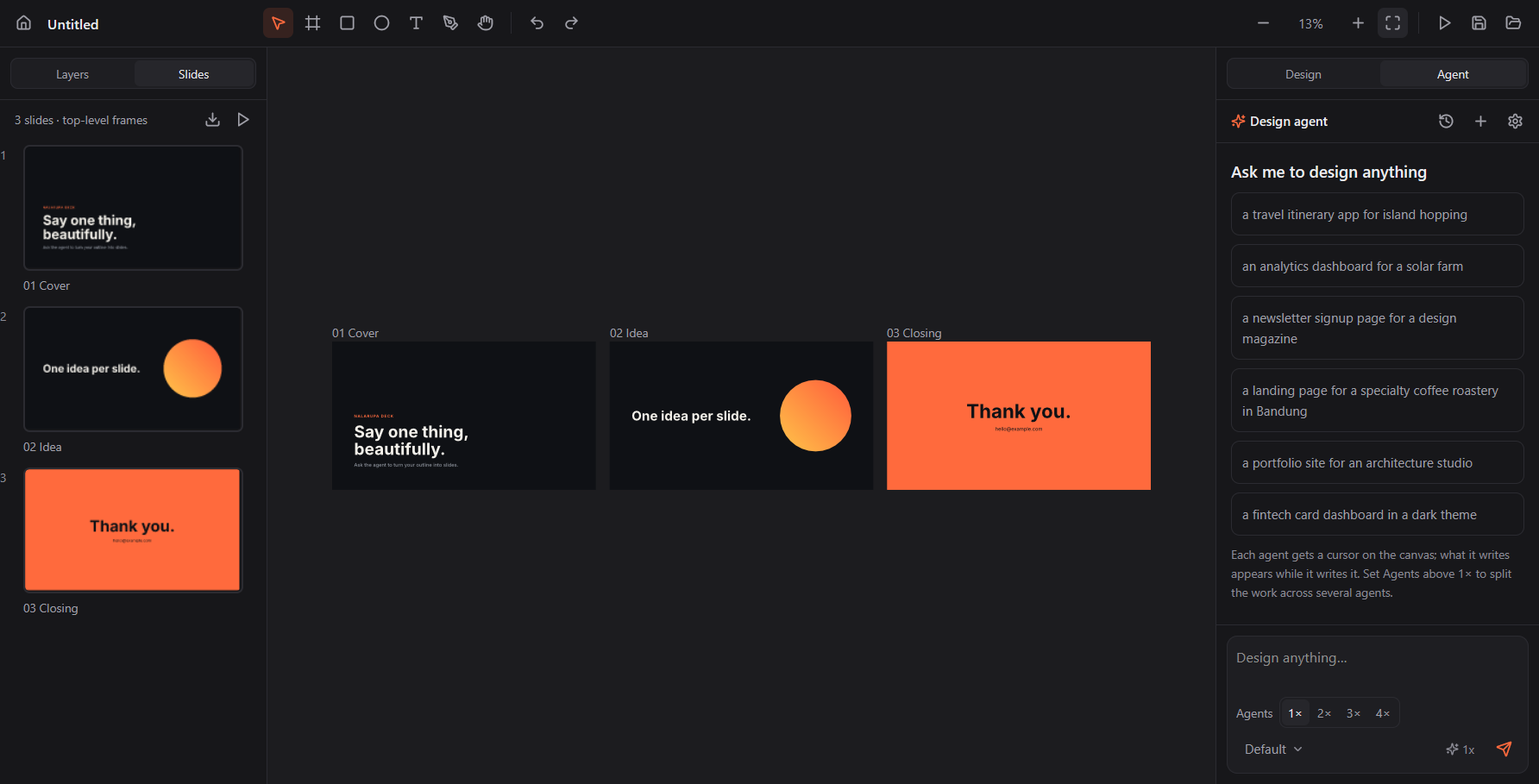
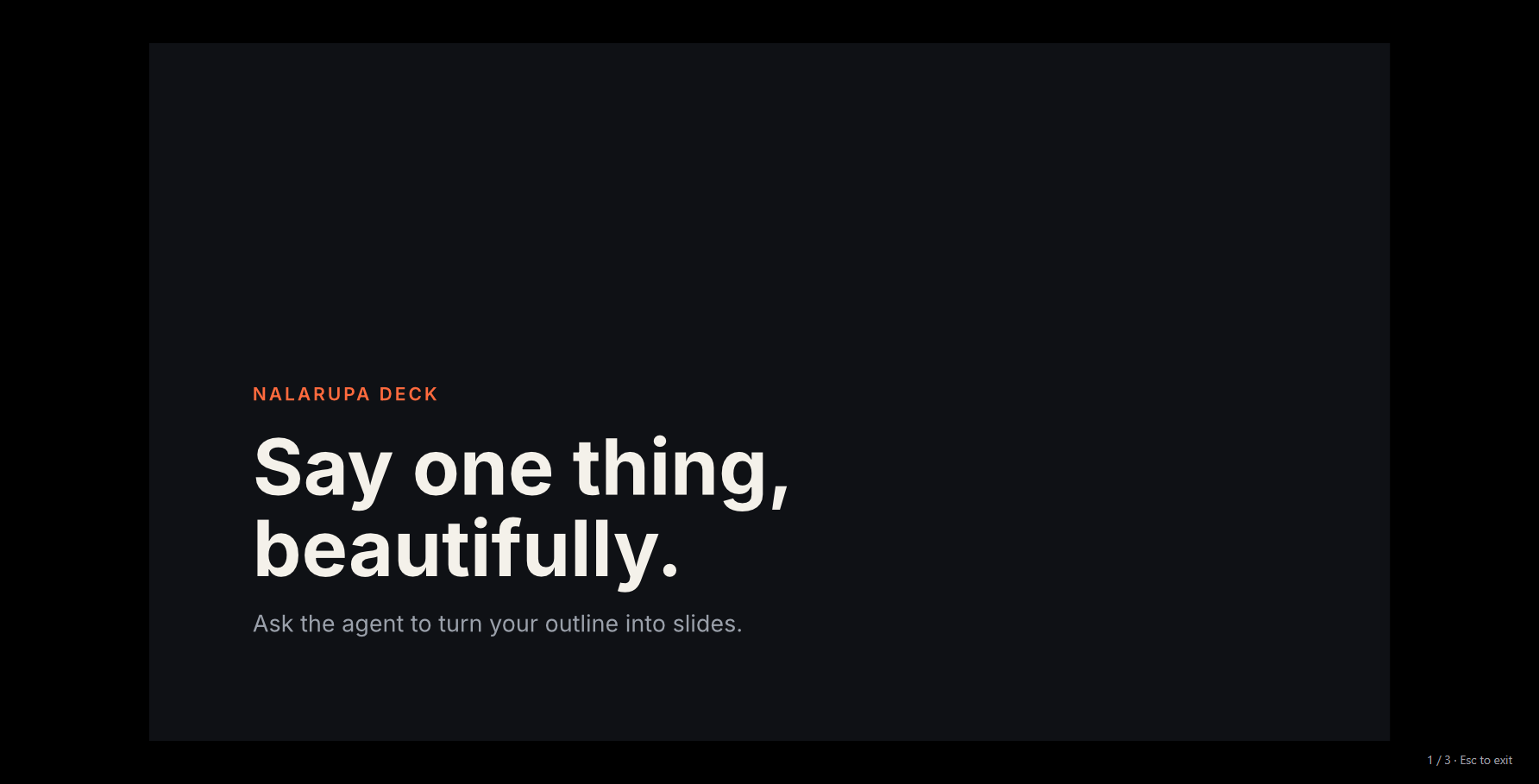
- Every top-level frame is a slide; the Slides tab shows thumbnails and their order.
- Full-screen Present mode with keyboard navigation.
- Export a whole deck to one multi-page PDF (text stays selectable).
Export and integrations
- Export nodes to PNG, JPEG, WebP, SVG, HTML+CSS, and decks to PDF.
- Built-in MCP server (
http://127.0.0.1:47700/mcp) for external agents: Claude Code, Cursor, Codex.
The Connect button writes their config only when you click it. - Headless
nalarupa-clifor rendering and exporting without the UI. .naladocument format (readable JSON);.pendocuments open too.
Accessibility
- Every control is reachable with Tab and works with Enter/Space, with a clear focus ring.
- Every control has a screen-reader name (Windows UI Automation / Narrator).
- Text contrast meets WCAG AA; animations stop when the OS asks for reduced motion.
Installation
Download the files for your system from Releases
(<version> is the release number, e.g. 0.1.0).
Windows 10/11 x64: run Nalarupa-<version>-windows-x64-setup.exe. It installs for all users, with Start menu
and desktop shortcuts and an uninstaller. Or extract Nalarupa-<version>-windows-x64-portable.zip to any folder,
keeping its files together, and run nalarupa.exe.
macOS 13+ (Apple Silicon): open Nalarupa-<version>-macos-arm64.dmg and drag Nalarupa to Applications. A release
that is not notarized (its notes say so) is blocked by macOS the first time you open it: try to open Nalarupa once,
then open System Settings > Privacy & Security and click Open Anyway next to it, or runxattr -dr com.apple.quarantine /Applications/Nalarupa.app in Terminal.
Linux x64: unpack Nalarupa-<version>-linux-x64.tar.gz, cd Nalarupa-<version>-linux-x64, and run./install.sh (it installs into ~/.local; ./install.sh --uninstall removes it), or run ./nalarupa in place.
It needs a Wayland session and Vulkan drivers.
For the AI agents, install and sign in to Claude Code (claude on your
PATH), or enter an Anthropic API key in the agent settings. App data (settings, chat history, font cache)
lives in %LOCALAPPDATA%\Nalarupa on Windows, ~/Library/Application Support/Nalarupa on macOS and${XDG_DATA_HOME:-~/.local/share}/Nalarupa on Linux.
Development
Requirements: Rust stable and Bun ≥ 1.3.
cd core && cargo build --release
cd app && bun install && bun run dev
bun run dev opens the window with hot reload (bun --hot app.tsx); bun run start runs it without.
Building the binary
cd app && bun run build
The output goes to app/dist/: nalarupa.exe with the Nalarupa icon, nalarupa_core.dll, the GPUI addon,
and nalarupa.ico. Releases are automatic: pushing to main runs .github/workflows/release.yml,
which takes the latest v* tag, bumps its minor number, builds and packages all three platforms (packaging/),
then tags the commit and attaches the files to a draft GitHub Release to review and publish. Run the workflow
by hand to pick a patch, minor or major bump, and whether to tag the commit and create the draft release;
pushing a canonical v<major>.<minor>.<patch> tag (for example v1.4.0) releases that version.
Architecture
app/  (Bun + @gpuix/react)                core/  (Rust, nalarupa_core.dll)
┌──────────────────────────────┐  bun:ffi  ┌───────────────────────────────────────────────┐
│ Home · Editor · Present      │──────────▶│ nr_call(json) → json   nr_render(...) → RGBA  │
│ Layers/Slides · Inspector    │           │ doc.rs      document model (lossless)         │
│ Agent chat · Canvas (<img>)  │◀── RGBA ──│ resolve.rs  components/refs, variables+themes │
│ setImagePixels per frame     │           │ layout.rs   flexbox auto layout               │
└──────────────────────────────┘           │ text.rs     rustybuzz + UAX #14, Google Fonts │
                                           │ svg.rs → usvg 0.47 → raster.rs (vello_cpu)    │
 Claude Code / Cursor / Codex              │ render.rs   view cache + dirty rect + culling │
   ── HTTP MCP 127.0.0.1:47700/mcp ───────▶│ script.rs   `execute` in QuickJS-NG (rquickjs)│
                                           │ editor.rs   snap, marquee, layout, pen tool   │
                                           │ mcp.rs      MCP streamable-HTTP + installer   │
                                           │ agent.rs    Claude API loop │ Claude Code CLI │
                                           │ html.rs     HTML+CSS export, PDF (krilla 0.8) │
                                           └───────────────────────────────────────────────┘
The agent guides live in core/guide/*.md (document schema, the execute API, components, slides, design,
code).
Checks
cd core && cargo test
cd app && bun run typecheck && bun run smoke && bun run e2e
cd app && bun run editor-check && bun run editor-e2e
cd app && bun run mcp-check && bun run doc-check && bun run file-e2e
cd app && bun run script-check && bun run chat-check && bun run mcp-install-check
cd app && bun run drag-check && bun run viewport-check && bun run issues-check
cd app && bun run layout-check && bun run text-check && bun run scriptnode-check
cd app && bun run shader-check && bun run paint-check && bun run component-check
text-check depends on the installed fonts and runs only in the Linux CI job for now.
cd app && bun run a11y-check && bun run motion-check && bun run window-check
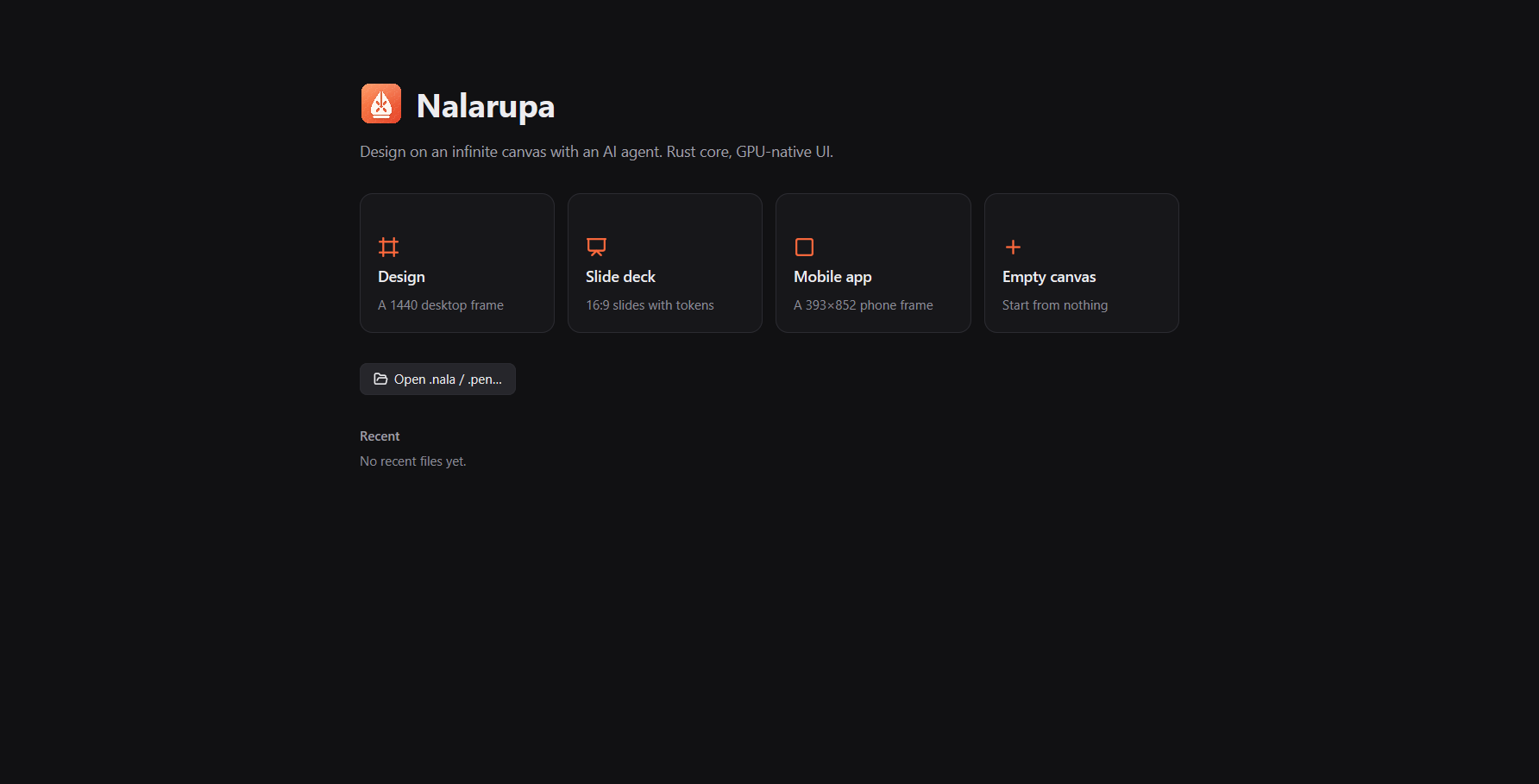
e2eopens a GPU window in the background: Home → slides template → drawing → an external agent adds a
slide over MCP → Present.editor-e2etests editor interactions (snapping, marquee, group, auto layout, rename, pen tool).mcp-checkcovers the MCP HTTP contract external agents rely on (status codes, foreign-origin guard,
JSON-RPC errors, every tool);doc-checkcovers save/open round trips, exports, variables, settings and
edit commands; both run without a window in a throwaway data folder.file-e2esaves and reopens through
the window (toolbar Save → Home → Recent).script-checkcovers the agentexecuteAPI (Copy, Update, Replace, Move, Delete, Get, variables,
FindEmptySpace, rollback and editId repair);chat-checkcovers the saved chat history (list, load, delete,
clear, the 20-day expiry and the running-agent guards);mcp-install-checkcovers "connect an agent" (Cursor,
Codex and Claude Code config) against a throwaway home. All three run without a window;mcp-install-check
is skipped on Windows.drag-checkcovers the canvas drag gestures (drag_begin/drag_end: a move, resize, rotate or pen drag is one
undo step, an unchanged drag none);viewport-checkcovers the camera the agent is told about ([user visible]/[outside viewport]marks and visible-first order in the editor state);issues-checkcovers the feedback after anexecutecall (the "Issues detected" warnings,Generateerrors,ExportandTakeScreenshotlines). All three run
without a window.layout-checkcovers auto layout as the document is edited (gap, padding, alignment,fill_container,fit_content, absolute children, reorder, delete, undo, save and reopen);text-checkcovers text sizing
(textGrowth, line height, letter spacing, wrapping, re-measuring after an edit, font fallback);scriptnode-checkcovers script nodes (inputs and their clamping, re-running on a new input or size, the
error shown in the node, children never saved). All three run without a window;text-checkis Linux-only for
now (it depends on the installed fonts).shader-checkcovers shader fills (.glsluniforms and their defaults,@resolution,@sdf, opacity, an edited
file, the red hatch for a missing or broken file, save and reopen);paint-checkcovers fills and strokes read
back as pixels (image modes, mesh, linear, radial and angular gradients, stacked and blended fills, stroke
alignment);component-checkcovers instances (root anddescendantsoverrides,enabled: false, a replacingtype, component edits reaching instances, nested instances, undeletable instance children, a deleted
component). All three run without a window;shader-checkneeds a Vulkan device (lavapipe on CI).a11y-checkreads the Windows UI Automation tree and fails on any unnamed control;motion-checkmakes
sure animations stop under reduced motion;window-checkmakes sure the window fits the screen and its
frame carries the Nalarupa icon (bun run window-check dist/nalarupa.exefor the built exe).exe-checkruns the built binary;model-checkruns two real agent turns.design-evalmeasures the design agent:bun run design-eval runsends eight fixed eval briefs (pages, mobile
screens, slide decks, and one document with an existing style) through the agent and keeps the eval run (PNGs,
documents, transcripts,metrics.json,summary.md; by default in~/nalarupa-eval/), andbun run design-eval compare <runA> <runB>puts two eval runs side by side and flags unrelated briefs that look
alike. It uses the Claude Code backend unless given--backend api. It spends model tokens, so it runs by hand,
not in CI: once before a change to the agent's instructions and once after.- On a Linux server without a display, prefix each windowed check (
e2e,editor-e2e,file-e2e) withbash scripts/wl-run.shfromapp/, e.g.cd app && bash scripts/wl-run.sh bun run file-e2e, to run the window under a headless
Wayland compositor (needssway,grim,mesa-vulkan-drivers). CI does this on GitHub-hosted Ubuntu, and also runs the Windows-only checks on a Windows runner. bun run shotsregenerates the README screenshots indocs/screenshots/.
Canvas performance:
cd core && cargo run --release --example bench -- file.nala 1600 1000
The logo lives in app/assets/brand/ (nalarupa.svg, plus nalarupa-small.svg for 16–48 px). Regenerate
the PNGs and nalarupa.ico with:
cd core && cargo run --release --example icon -- ../app/assets/brand/nalarupa.svg ../app/assets/brand/nalarupa-small.svg ../app/assets/brand
Connecting external agents
While the app is running, MCP is available at http://127.0.0.1:47700/mcp (the next port if that one is
taken). Tools: get_editor_state, read_guide, get_style, execute, open_document. With Claude Code:
claude mcp add --transport http --scope user nalarupa http://127.0.0.1:47700/mcp
Known limitations
- Background blur in exports (through resvg) only blurs content of the same top-level frame.
executeis limited to 30 s, 64 MB of memory and a 512 KB stack.- The system clipboard is Windows-only; on macOS/Linux copy/paste works only inside the app.
- AI/stock image generation inserts placeholder photos; there is no image generation backend yet.
- PDF export uses krilla 0.8: 1 px = 1 pt, and filters (blur, shadows) are embedded as bitmaps.
- WebP is always lossless; JPEG has no alpha (transparent areas become white).
- The Claude API key is stored as-is in
%LOCALAPPDATA%\Nalarupa\settings.json.
License
MIT. core/vendor/resvg is resvg 0.47.0 (Apache-2.0 OR MIT) with two layer clamp fixes; UI
icons are from Lucide (ISC, app/assets/icons/LICENSE).
Yorumlar (0)
Yorum birakmak icin giris yap.
Yorum birakSonuc bulunamadi