reseed
Health Gecti
- License — License: MIT
- Description — Repository has a description
- Active repo — Last push 0 days ago
- Community trust — 10 GitHub stars
Code Basarisiz
- rm -rf — Recursive force deletion command in install.sh
Permissions Gecti
- Permissions — No dangerous permissions requested
Bu listing icin henuz AI raporu yok.
A CLI tool for managing and distributing agent skills across projects

A CLI tool for managing and distributing agent skills across projects


reseed manages your agent skills across projects. Keep all your skills in one central library, pull in open source ones from GitHub, and install exactly what each project needs. Instead of global skills that bloat every project, skills live in each project so every teammate has access to them.
Install
macOS and Linux:
curl -fsSL https://raw.githubusercontent.com/nattergabriel/reseed/main/install.sh | sh
Windows: download the binary from the latest release and add it to your PATH.
Getting started
Your library is a directory where all your skills live. It can be any folder on your machine (and can itself be a git repo to version and share your collection). From there, you install skills into any project's .agents/skills/ directory.
Using Claude Code? Run reseed config dir .claude/skills once so skills install into .claude/skills/ instead.
1. Create your library
This only needs to be done once.
reseed init ~/skills
2. Add skills to your library
Write your own skills (any folder with a SKILL.md file) or install open source ones straight from a GitHub URL. Use --pack to group related skills together.
reseed install https://github.com/pbakaus/impeccable/tree/main/source/skills --pack impeccable
3. Browse and manage your library
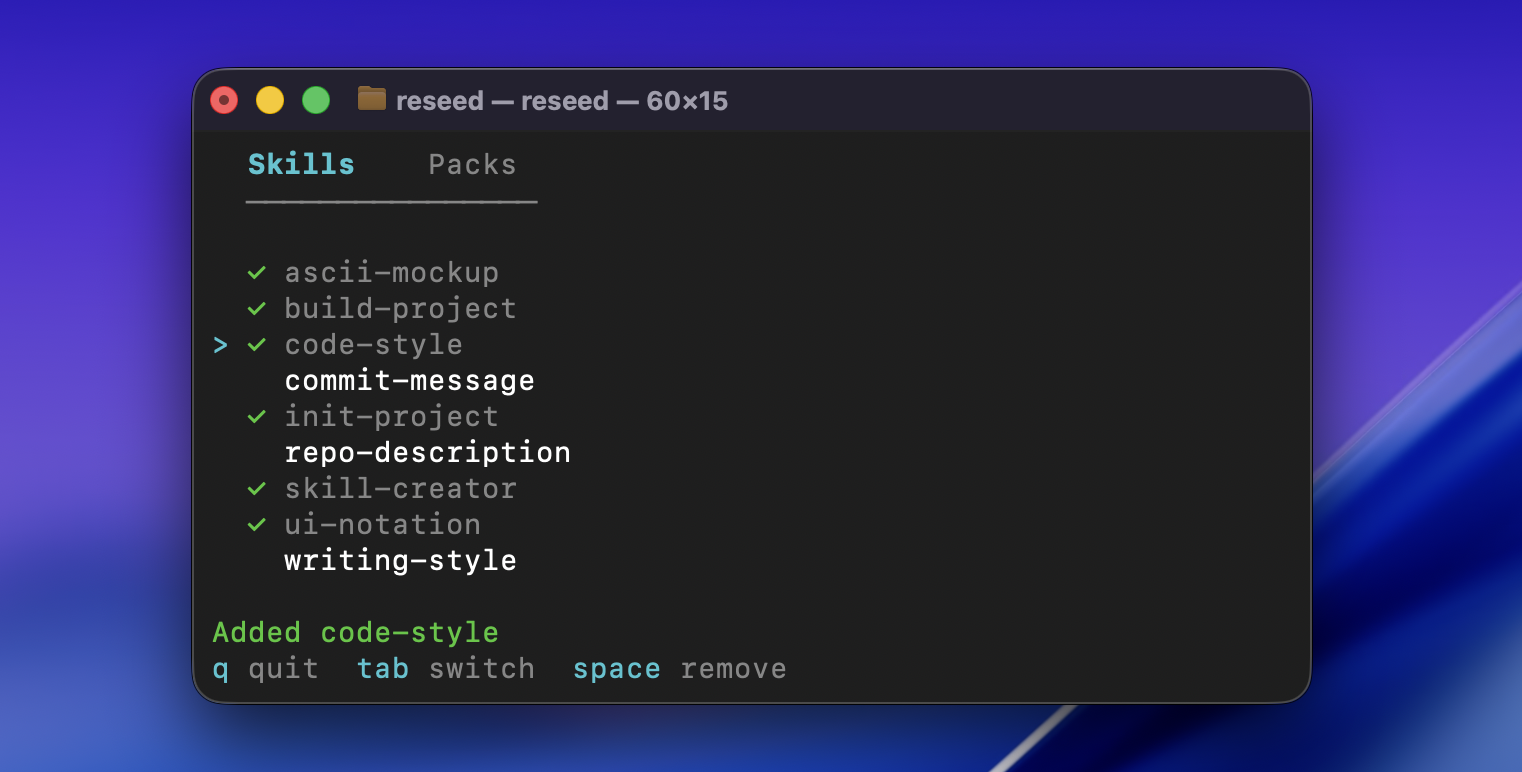
Running reseed without any args opens an interactive TUI where you can browse your skills and packs, and add or remove them from the current project.
4. Keep things up to date
Update the current project with the latest versions from your library:
reseed sync
CLI commands
All operations available in the TUI also work as standalone commands for scripting and automation:
reseed add <skills...>  # add skills or packs to the project
reseed remove <skills...>  # remove skills from the project
reseed list  # list library contents
reseed status  # show skills installed in the project
For the full walkthrough, see the quickstart guide. Browse the docs for details on every command.
LLM integration
This repo includes a skill that teaches LLMs how to use reseed. Install it and your agent can manage skills on your behalf, like finding and installing skills that fit your project:
reseed install nattergabriel/reseed/skills
Contributing
Requires Go 1.24+ and golangci-lint. Run make setup to enable pre-commit hooks.
License
MIT. Free to use, modify, and distribute.
Yorumlar (0)
Yorum birakmak icin giris yap.
Yorum birakSonuc bulunamadi