frameflow
Health Gecti
- License — License: NOASSERTION
- Description — Repository has a description
- Active repo — Last push 0 days ago
- Community trust — 43 GitHub stars
Code Basarisiz
- eval() — Dynamic code execution via eval() in scripts/drive.mjs
- process.env — Environment variable access in scripts/drive.mjs
- network request — Outbound network request in scripts/drive.mjs
- spawnSync — Synchronous process spawning in scripts/fetch-ffmpeg.mjs
- fs.rmSync — Destructive file system operation in scripts/fetch-ffmpeg.mjs
- process.env — Environment variable access in scripts/fetch-ffmpeg.mjs
- network request — Outbound network request in scripts/fetch-ffmpeg.mjs
Permissions Gecti
- Permissions — No dangerous permissions requested
Bu listing icin henuz AI raporu yok.
AI video editor for desktop. Edit by chat on a real timeline: cut filler, sync multicam, add motion graphics, captions and thumbnails. macOS, Windows, Linux.
FrameFlow
Talk to your video editor.
FrameFlow is an AI video editor for macOS, Windows and Linux.
Drop in your footage and say what you want. It builds the cut on a real timeline,
so you can still change anything by hand.



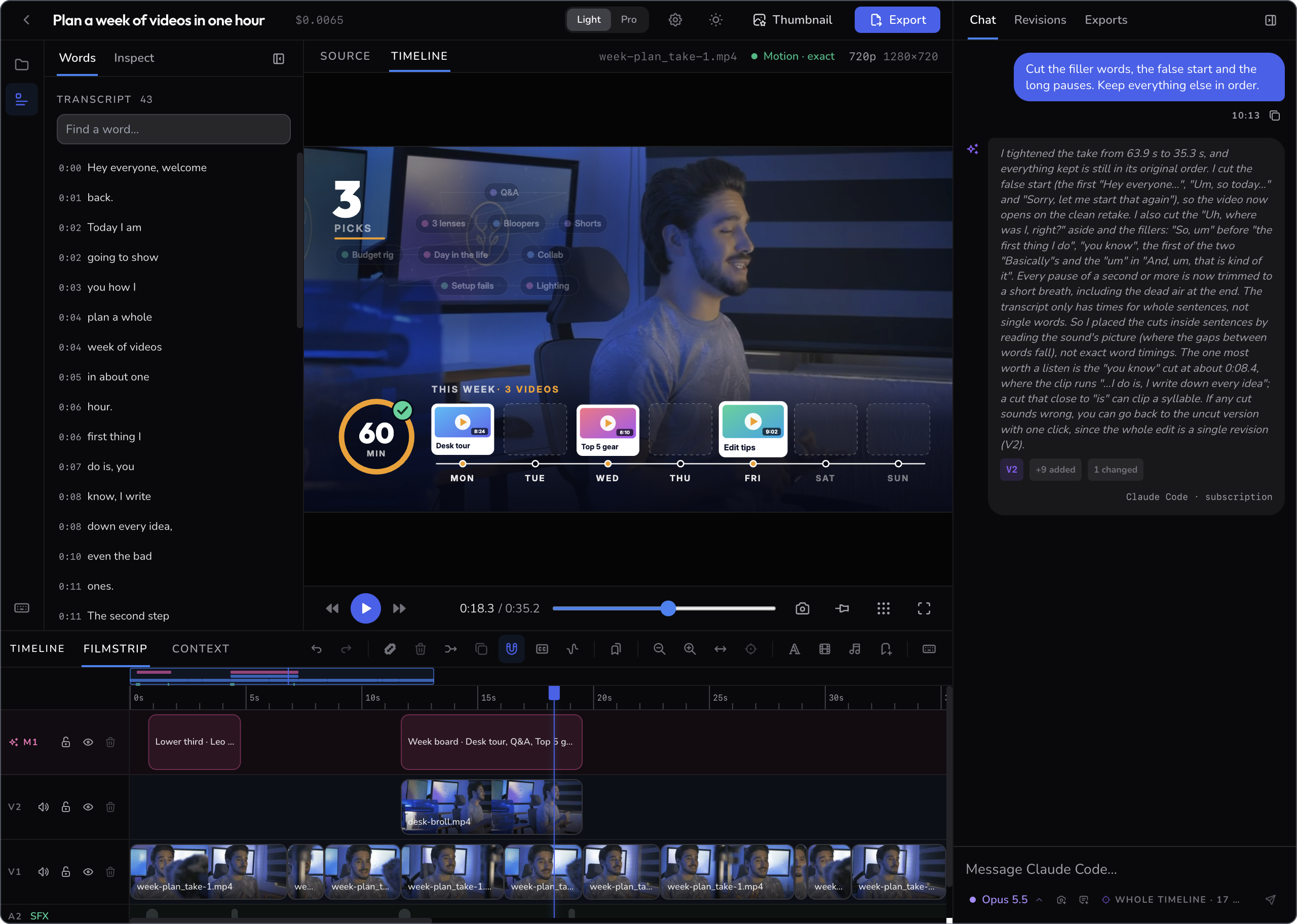
A desktop app for macOS, Windows and Linux · Free for personal and other noncommercial use
What people make with it
1 · Clean up a talking video
For vloggers, teachers and anyone who records themselves.
Type one sentence:
Cut the filler words, the false start and the long pauses. Keep everything else in order.
FrameFlow listens to the recording, finds the slips and gives back a tighter cut. Here a 64-second take became 35 seconds.
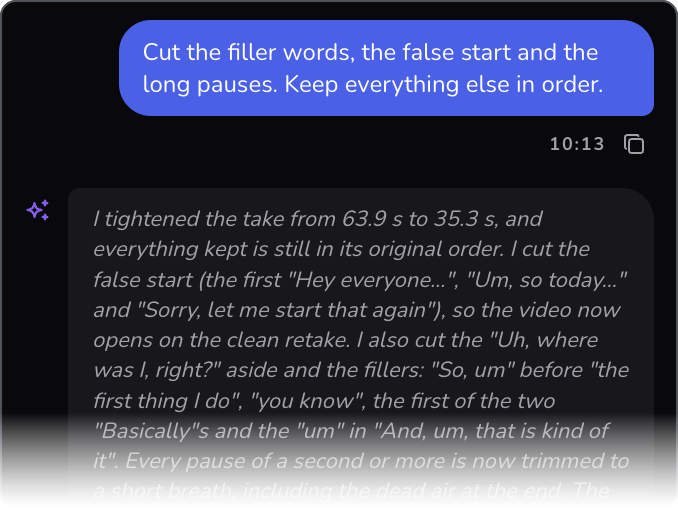
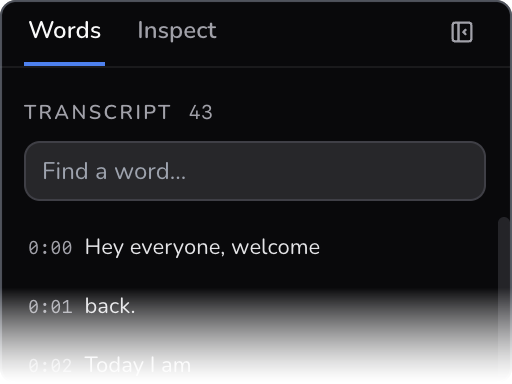
The answer tells you what was cut, and why. The Words panel shows what is left, and lets you cut more by reading.

Every cut is marked on the timeline. Drag any edge to change it, or go back to the version before with one click.
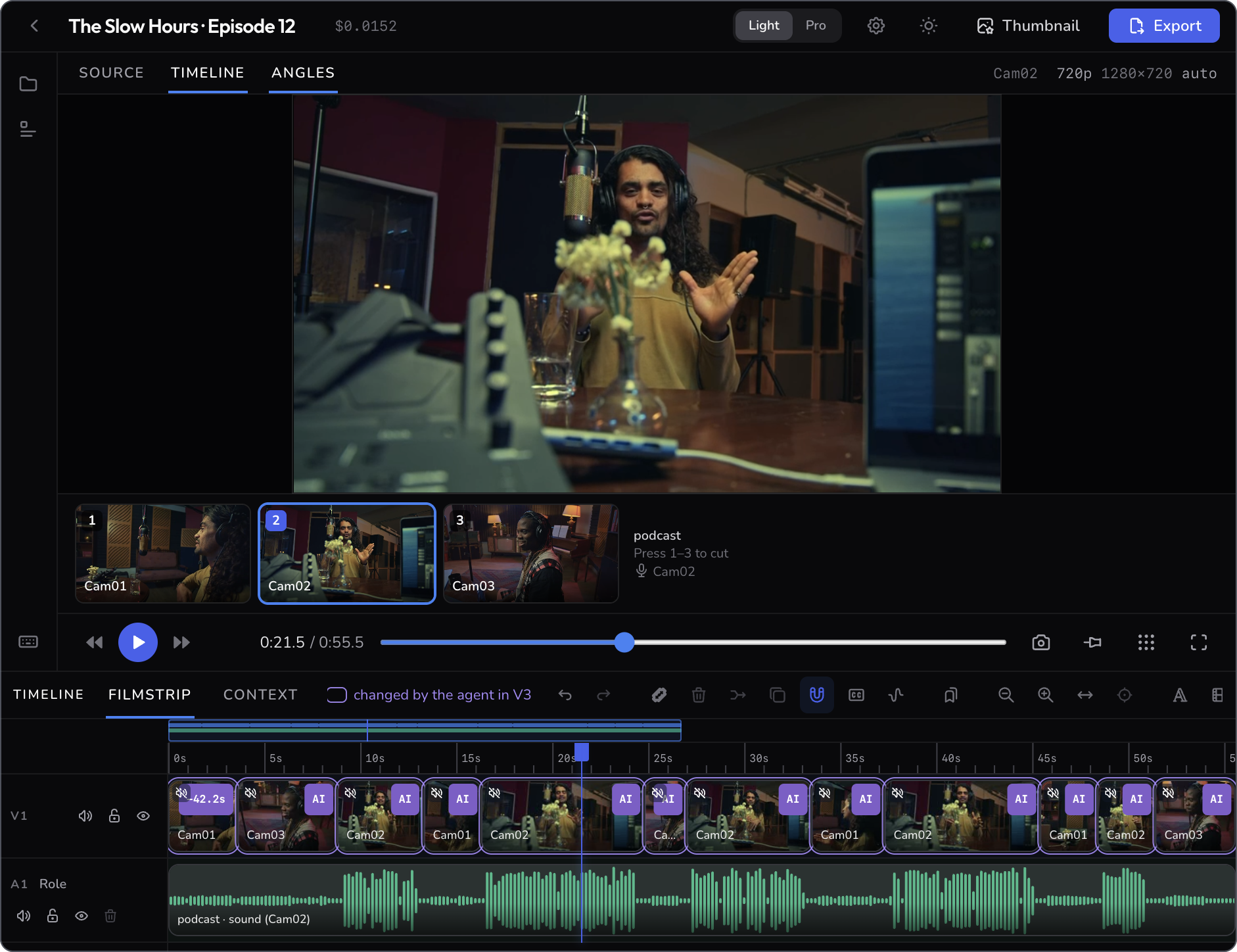
2 · Cut a two-camera podcast
For podcasts, interviews and panels.
Add the files from every camera. FrameFlow notices they are one recording and lines them up by their sound.
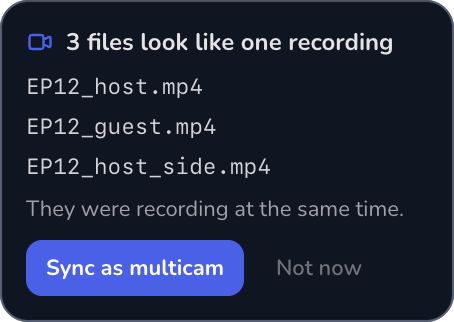
Then every angle sits under the picture. Ask for the cut, or press 1, 2, 3 to switch cameras yourself while it plays.
Cut between the cameras so we always see whoever is speaking.
3 · Add motion graphics
For explainers, tutorials and channel branding.
Not just a name tag over a video. A motion layer in FrameFlow is a small page drawn frame by frame, so it can be a whole animated scene: a board that fills up, a chart that grows, a map, a character.
One motion layer, exported from FrameFlow. Twelve ideas pop in, three are picked and fly to their days, and a ring counts the hour.
Start from a template (name tags, chapter cards, quotes, counters, callouts), write your own scene, or ask the assistant to make one. Then change it without touching code: every scene shows its own words, colours and timing.
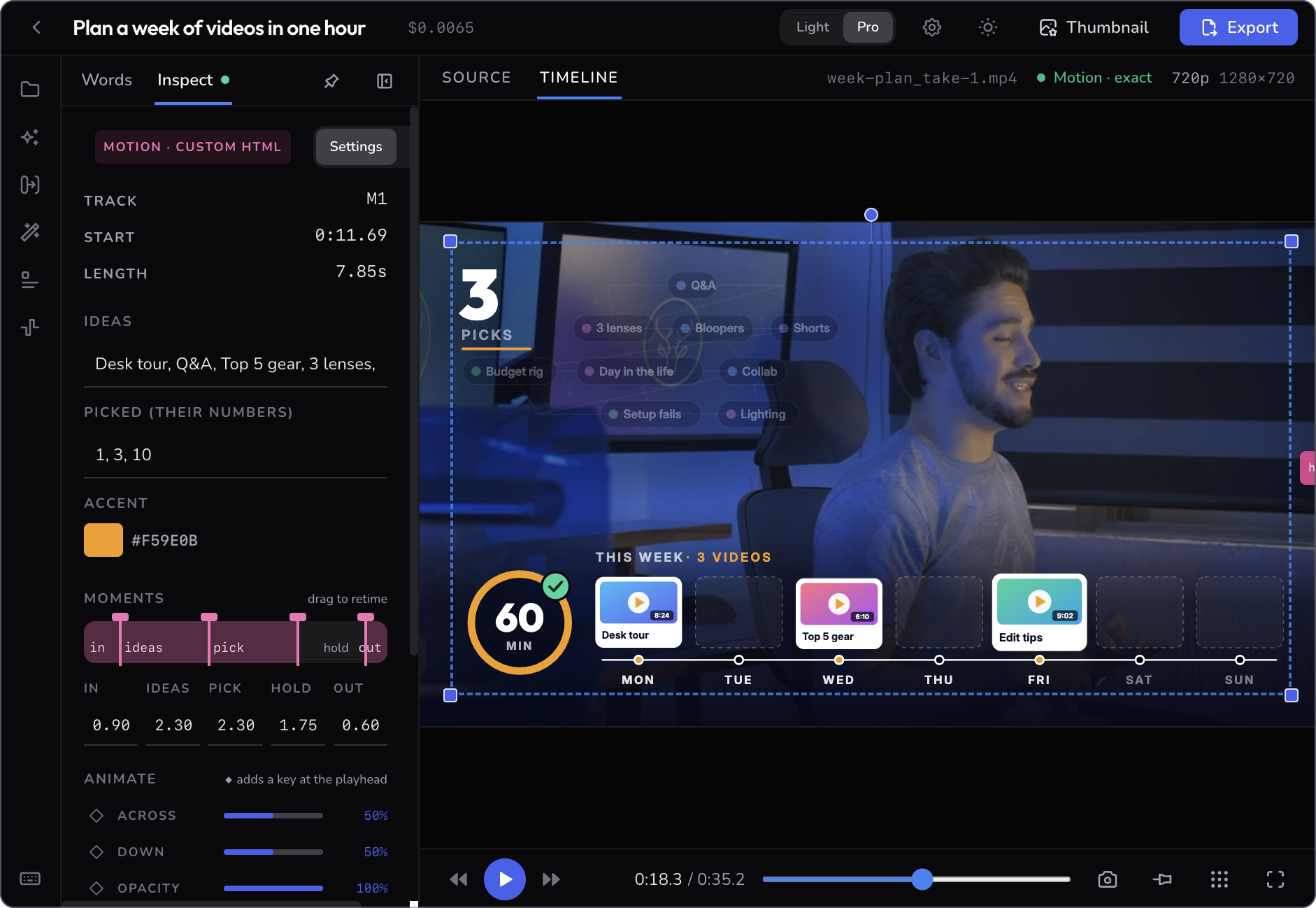
These tools live in Pro mode. FrameFlow checks every scene before it draws it, so the export matches the preview frame for frame.
4 · Make the thumbnail
For anyone who posts the video afterwards.
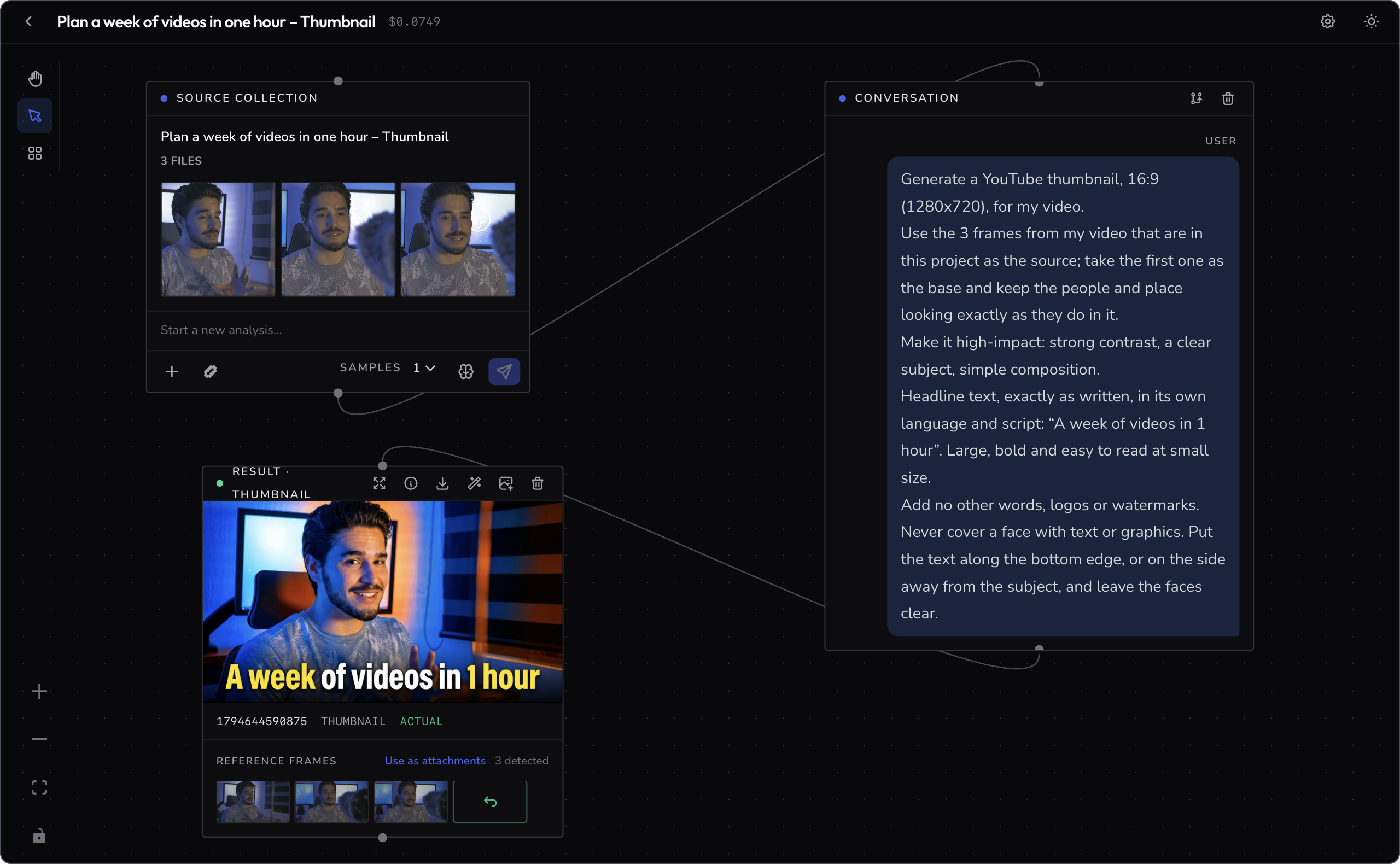
Press Thumbnail. FrameFlow picks frames from your video, writes a first request from its title and what is said in it, and makes a cover image. Every version stays on a board, so you can compare them and continue from the one that worked.
How it works
- Add your footage. Files from your computer, or a link from YouTube or Google Drive.
- Say what you want. Or cut by hand. The assistant and your mouse work on the same timeline.
- Export. MP4 for posting, or ProRes to hand to another editor.
All features
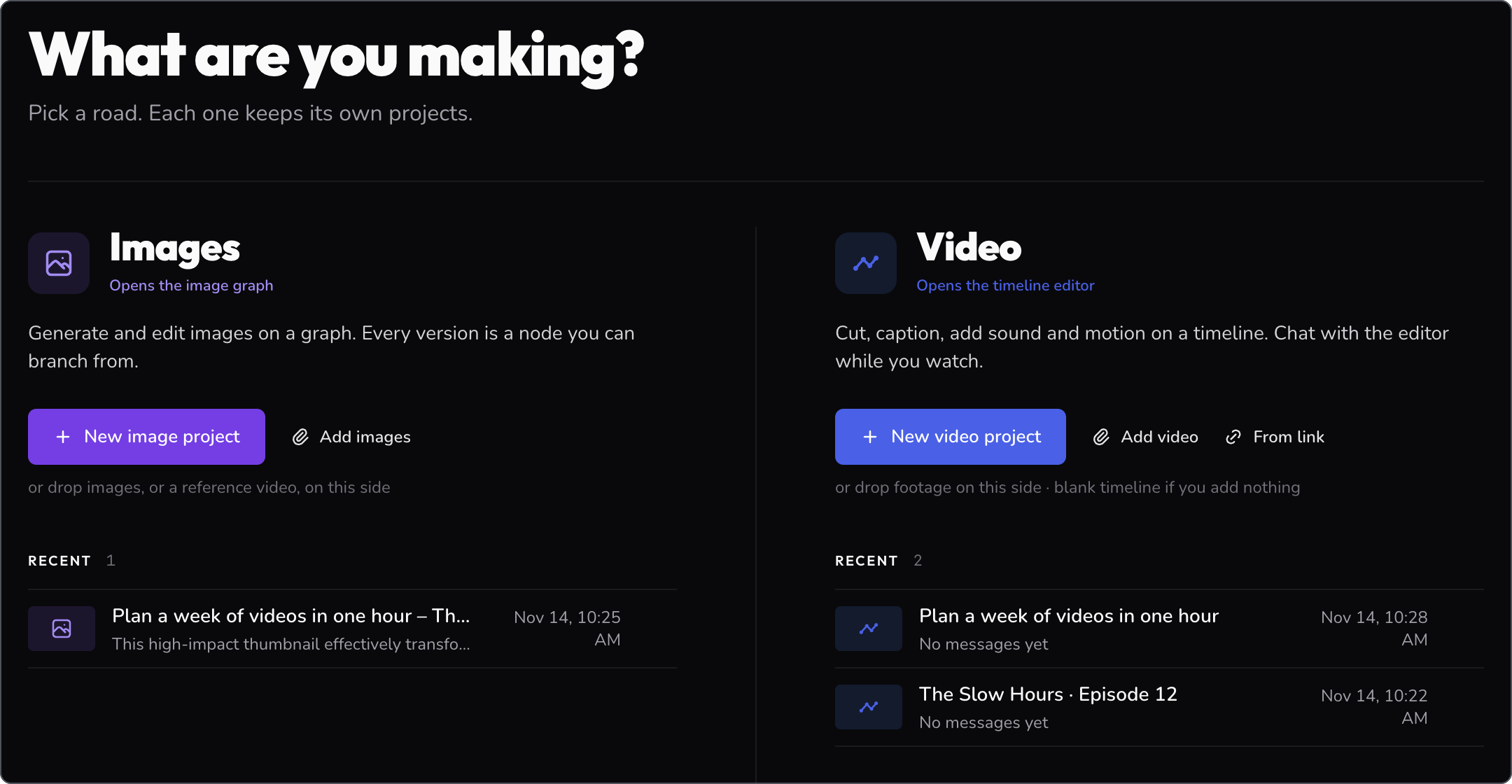
FrameFlow has two workspaces. Video opens the timeline editor; Images opens the image board.
Video
| Area | What you can do |
|---|---|
| Assistant | Ask for an edit in plain words. Choose Claude Code or Gemini to do it. Point it at a selection or the whole timeline, and attach a frame from the video to show what you mean. |
| Import | Files, whole folders, or a link from YouTube or Google Drive. Footage is split into scenes and transcribed for you. |
| Timeline | Several video and audio tracks. Split, trim, ripple delete, close gaps, duplicate, copy and paste, snapping, markers and chapters, undo and redo. A silence finder for long pauses. |
| Words | The transcript as a list. Search what was said, cut a word, or cut every match at once. |
| Captions | Made from the transcript and burned into the export. |
| Multicam | Sync cameras by sound. See every angle live and cut with the number keys. Pick the best microphone. Find who speaks when. |
| Motion graphics Pro | Eight templates and your own HTML scenes, checked before they are drawn. Named moments you drag to retime. Keyframes and motion paths. |
| Titles and backgrounds | Plain titles in both modes. Generated backgrounds (solid, gradient, noise, bars) in Pro. |
| Transitions Pro | 58 transitions, dropped on a cut. |
| Effects Pro | Exposure, contrast, saturation, gamma, warmth and hue. Eight looks, plus packs of your own. Sharpen, vibrance and blur. |
| Picture | Move, scale and rotate on the picture itself. Picture-in-picture on a second track. Green-screen keying. Landscape, vertical or square frames, up to 4K. Change speed and keep the pitch. |
| Sound | Waveforms, clip level and fades. Tracks know if they are voice, music or effects, and music ducks under speech. Loudness is set on export. Repair: denoise, remove rumble, even out level, compress. |
| Sound design Pro | 17 built-in sounds, and one button that adds a sound to each title. With an ElevenLabs key: generated voice, music and effects. |
| Tracking | Ask the assistant to follow a face or an object, and keep an emoji, a blob or a box on it. |
| Versions | Every AI turn is saved as a version. See them as a list or a graph, go back, branch, or save a checkpoint of your own. |
| Monitor | Safe-area guides, an exact-frame view that matches the export, fullscreen, and the cost of the project's AI use. |
| Export | MP4 (H.264 or H.265) or ProRes 422 HQ, at the project's size or as a fast preview. Every export is listed in the project. |
| Light and Pro | Light keeps the essentials. Pro adds the rows marked Pro. Switch in the top bar. |
Images
| Area | What you can do |
|---|---|
| Start | A request in plain words, your own images, or a reference video. |
| Board | Every request and every result is a box on a board. Branch from any box, delete a branch, and group boxes into named frames. |
| Variations | Ask for several samples at once and compare them side by side. |
| References | A result keeps the frames it was built from. Reuse them, or refine a result using all of them. |
| Improvise | Let the AI rewrite your request into a fuller, more detailed one. |
| Upscale | Enlarge a result ×2 or ×4. |
| Thumbnail from a video | One button in the editor picks frames from your video, drafts the request and opens the board. |
| Models | Choose the model for each job: understanding, generating, upscaling. |
| Save | View a result full screen and save it as a file. The cost of the project's AI use is shown. |
Bring your own AI agent
Already use Claude Code or Codex? Turn on Agent access and it can work on the project you have open, with the same tools as the built-in assistant. Each change it makes is saved as a version you can undo.
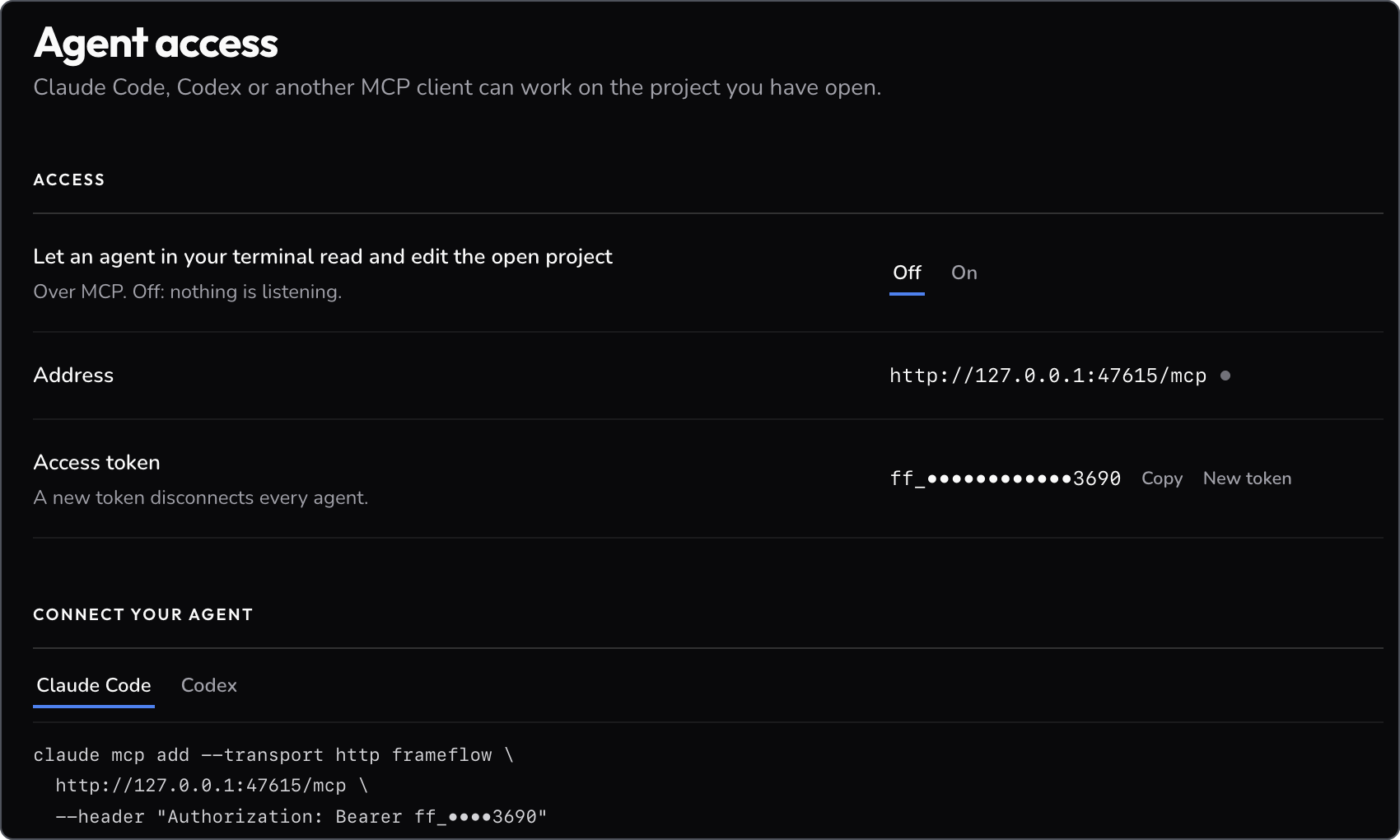
Off until you switch it on. It listens on this computer only and needs the token shown here.
Get FrameFlow
Installers are on the Releases page.
| Platform | File |
|---|---|
| macOS (Apple Silicon) | .dmg, signed and notarised |
| Windows (x64) | .exe, not signed yet, so SmartScreen will warn |
| Linux (x64) | .AppImage or .deb |
What you need
- A Google Gemini API key. FrameFlow asks for it on first launch and uses it for transcripts, scene descriptions and images. You get one at Google AI Studio.
- Optional: Claude Code, if you want it to do the editing. It runs on your own Claude plan.
- Optional: an ElevenLabs key for generated voice, music and sound.
Your projects stay in a folder on your computer. AI features send the sound or frames they need to the AI service you chose.
For developers
Run from sourceYou need Node.js 24 (22.12 at the least). FFmpeg, scene detection and yt-dlp ship with the app.
git clone https://github.com/navidshad/frameflow.git
cd frameflow
npm install
npm run dev
Use npm, not yarn. More in the setup guide.
Build for an Intel MacThere is no prebuilt Intel installer. On an Intel Mac, or on Apple Silicon (it cross-builds), from a clone of this repo:
npm_config_arch=x64 npm ci
npm run build && npx electron-builder --mac --x64
The installer lands in dist/. Without a Developer ID certificate it is unsigned, so macOS asks you to right-click and choose Open the first time.
FrameFlow is an Electron app (Vue 3, FFmpeg). The AI never touches your media: it proposes edits as checked operations on a timeline, and each turn becomes a version you can undo. A local MCP server (off by default, 127.0.0.1 only, with a token) gives outside agents the same tools the built-in assistant uses.
| Topic | Read |
|---|---|
| The two workflows and the editor's AI contract | Architecture |
| AI agents, MCP and motion layers | Agents and motion |
| Syncing cameras and finding who speaks | Multicam |
| What happens when you import a file | Import lanes |
| Frontend components | UI overview |
| Cutting a release, signing and notarising | Releasing |
Supported inputs: .mp4 .mov .avi .webm video, .mp3 .wav .m4a .aac .flac .ogg audio, .jpg .png .webp images, and links through yt-dlp.
Contributions are welcome. See CONTRIBUTING.md.
License
FrameFlow is source-available, not open source. You can read, run, modify and share
the code for noncommercial purposes under the
PolyForm Noncommercial License 1.0.0. Commercial use needs a separate license:
contact [email protected].
Releases up to and including v1.1.23 were published under the MIT License and remain
available under those terms. The MIT notice and all other third-party attributions are in
THIRD-PARTY-NOTICES.md, which must ship with every binary.
Original project created by navidshad, Somayeh Roohani and
Esat Can Karabag at Vilnius Gediminas Technical University (VGTU).
The footage in the screenshots is free stock video from Mixkit, with a scripted voice track added for the demo. The edits, transcripts and thumbnail shown were made in FrameFlow; the animated scene is a custom motion layer written for this demo.
Yorumlar (0)
Yorum birakmak icin giris yap.
Yorum birakSonuc bulunamadi