Pawboard
Health Gecti
- License — License: MIT
- Description — Repository has a description
- Active repo — Last push 0 days ago
- Community trust — 27 GitHub stars
Code Uyari
- Code scan incomplete — No supported source files were scanned during light audit
Permissions Gecti
- Permissions — No dangerous permissions requested
Bu listing icin henuz AI raporu yok.
A whiteboard that lives on your Windows desktop, behind your icons 🐾

Pawboard 🐾
A whiteboard on your Windows desktop. It sits behind your icons as your wallpaper, so you can
scribble notes, lists and doodles right where you'll see them.
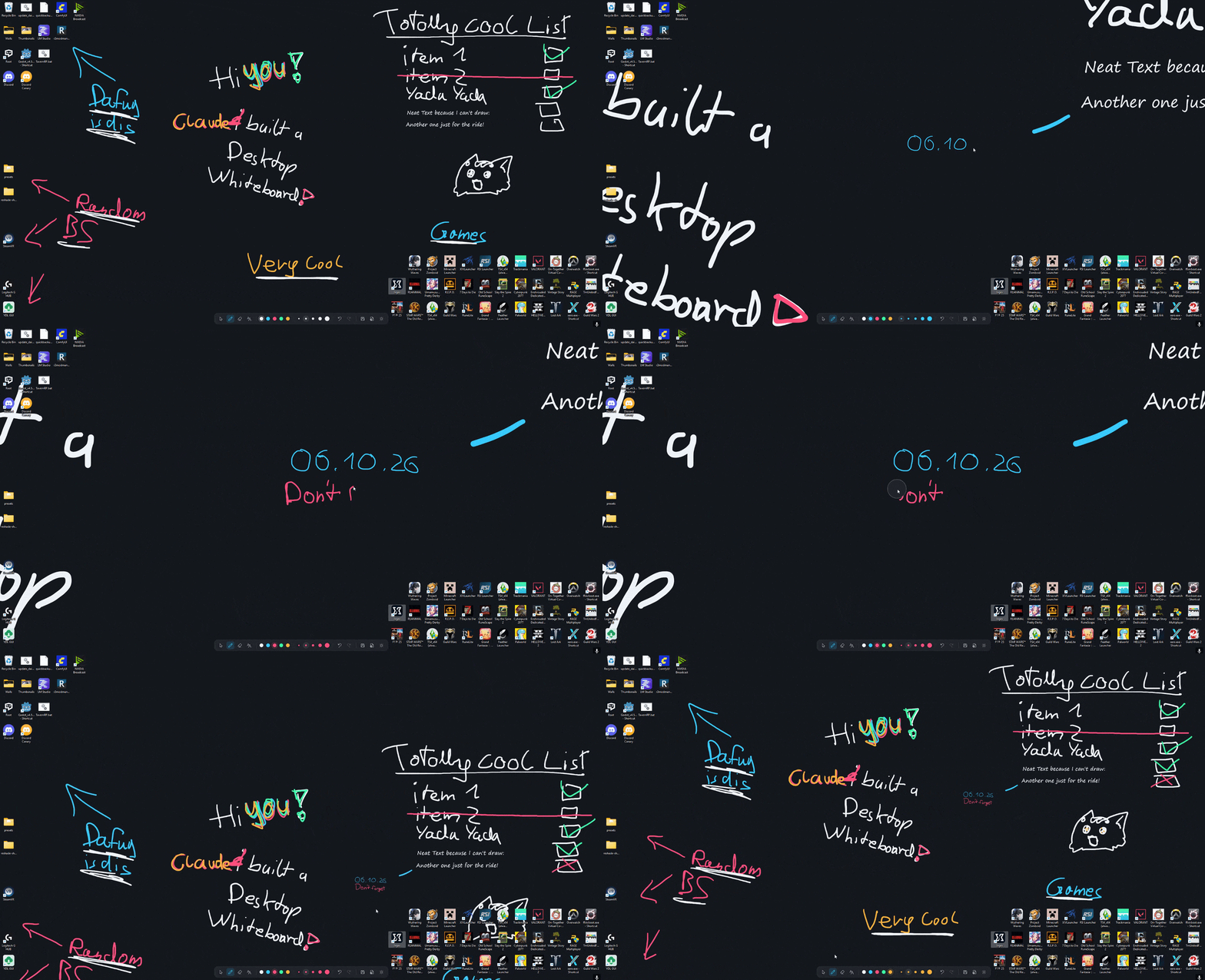
Made with Claude (Opus 5.5). I came up with the idea and tested it, Claude wrote the code.
Download
Grab Pawboard-0.3.0-win-x64.exe from Releases
and run it. Windows 11, 64-bit.
It isn't code-signed, so Windows will warn you: click More info → Run anyway.
To quit, right-click the paw in the tray → Exit Pawboard.
How it works
Pick a tool from the toolbar at the bottom: pen, highlighter, eraser, text, lasso, or the arrow to
use your desktop normally. Right-click a tool (or click it again) for its colours and sizes. Scroll
to zoom in, middle-drag to move around, right-drag to erase. The ⌄ button shrinks the toolbar down
to just the arrow and the pen. The ☰ menu has save/open, save as picture, dark mode, backgrounds
(including your own wallpaper), Lock zoom and Start with Windows.
It saves by itself and uses no CPU when you're not drawing.
Controls
| Right-click a tool, or click it again | Its colours and sizes |
| Scroll wheel | Zoom in / out |
| Middle-drag | Move around (when zoomed in) |
| Right-drag | Erase. With Smart erasing on (☰), the pen erases only pen ink and the highlighter only highlights |
| ↶ ↷ on the toolbar | Undo / redo |
| Lasso: draw a loop | Pick up ink and text, then drag to move, drag a corner to resize, click a colour to recolour, or the bin to delete |
In a text box:
| Enter | New line |
| Esc | Done |
| Ctrl+A / C / X / V | Select all / copy / cut / paste |
| Ctrl+Z / Ctrl+Y | Undo / redo typing |
| Arrows, Home, End | Move the cursor (Ctrl: by word, or to the very start / end) |
| Shift + any of those, or drag | Select |
| Double-click | Select a word |
| Drag the dots above the box | Move it |
Privacy
No internet access at all. To catch clicks on the desktop it watches the mouse, and it only reads
the keyboard while you're typing in one of its text boxes. Nothing you draw or type is logged. Your board is saved in%LOCALAPPDATA%\Pawboard. With Show my wallpaper on, it reads which picture Windows uses as your
wallpaper, to draw it under the board.
Build it yourself
Needs the .NET 10 SDK:
git clone https://github.com/NeatoPurrito/Pawboard.git
cd Pawboard/Pawboard
dotnet build -c Release
License
MIT. Uses perfect-freehand and
Vortice, see THIRD-PARTY-NOTICES.md.
Yorumlar (0)
Yorum birakmak icin giris yap.
Yorum birakSonuc bulunamadi