oh-my-hi
Health Uyari
- License — License: MIT
- Description — Repository has a description
- Active repo — Last push 0 days ago
- Low visibility — Only 9 GitHub stars
Code Basarisiz
- execSync — Synchronous shell command execution in scripts/generate-dashboard.mjs
- process.env — Environment variable access in scripts/generate-dashboard.mjs
Permissions Gecti
- Permissions — No dangerous permissions requested
Bu listing icin henuz AI raporu yok.
👋 Claude Code harness insights dashboard — visual catalog and token analytics for skills, agents, plugins, hooks, memory, and more!
👋 oh-my-hi (Oh My Harness Insights)

Harness Insights — A visual dashboard for your Claude Code harness.
Parses your entire Claude Code configuration and usage data, then generates an interactive single-file HTML dashboard you can open locally.
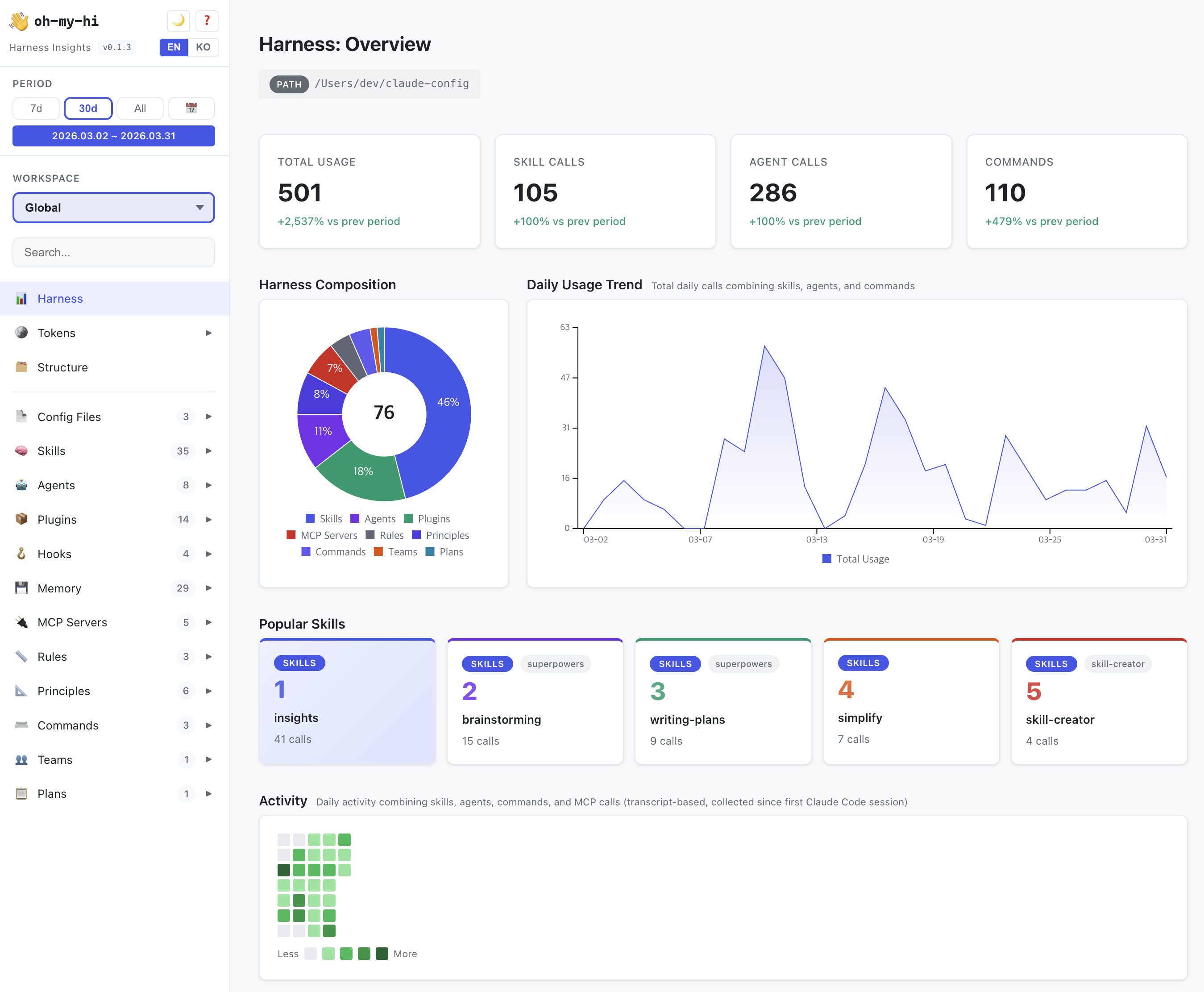
What it shows
- Harness overview — skills, agents, plugins, hooks, memory, MCP servers, rules, principles, commands, teams, plans
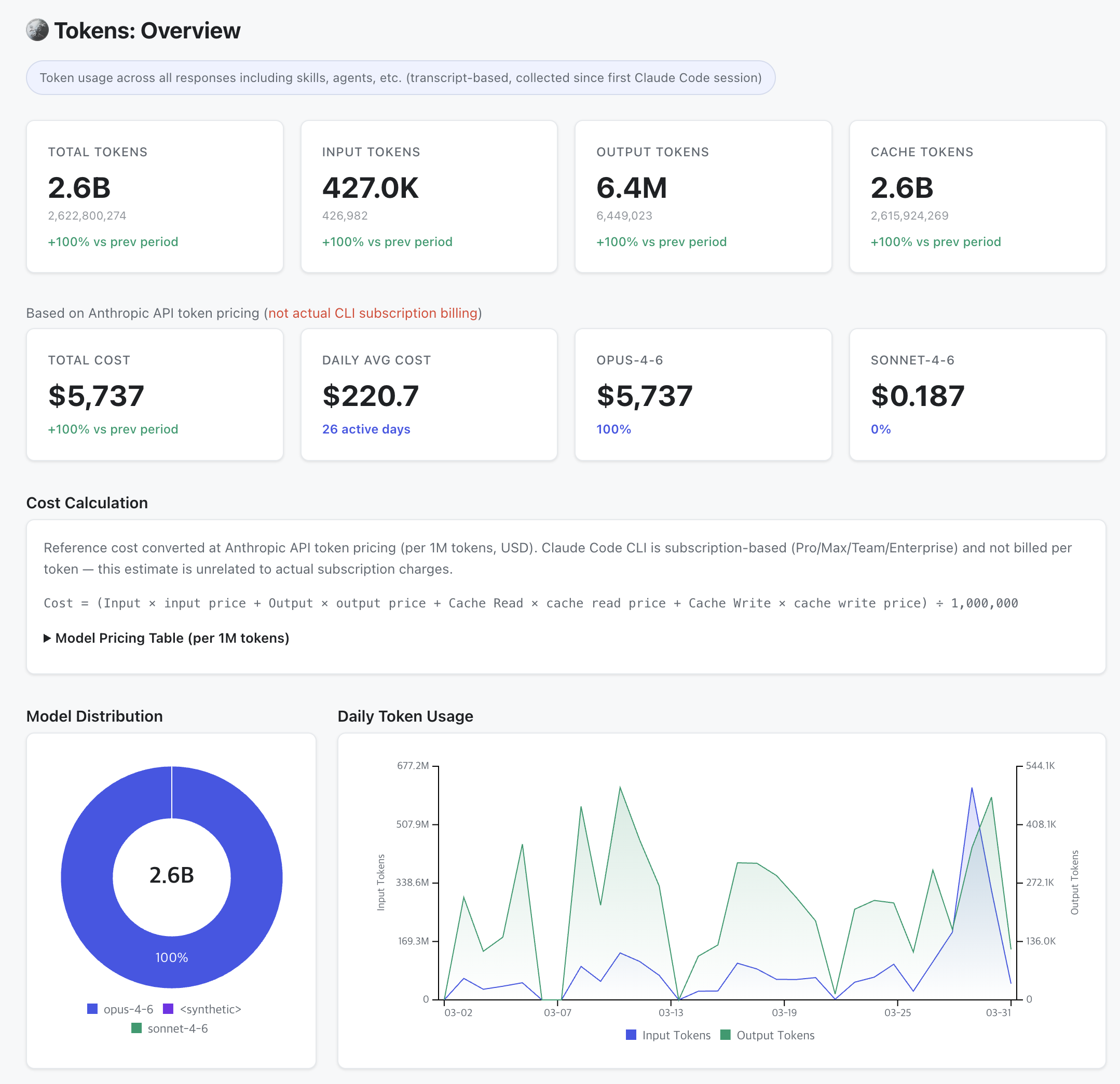
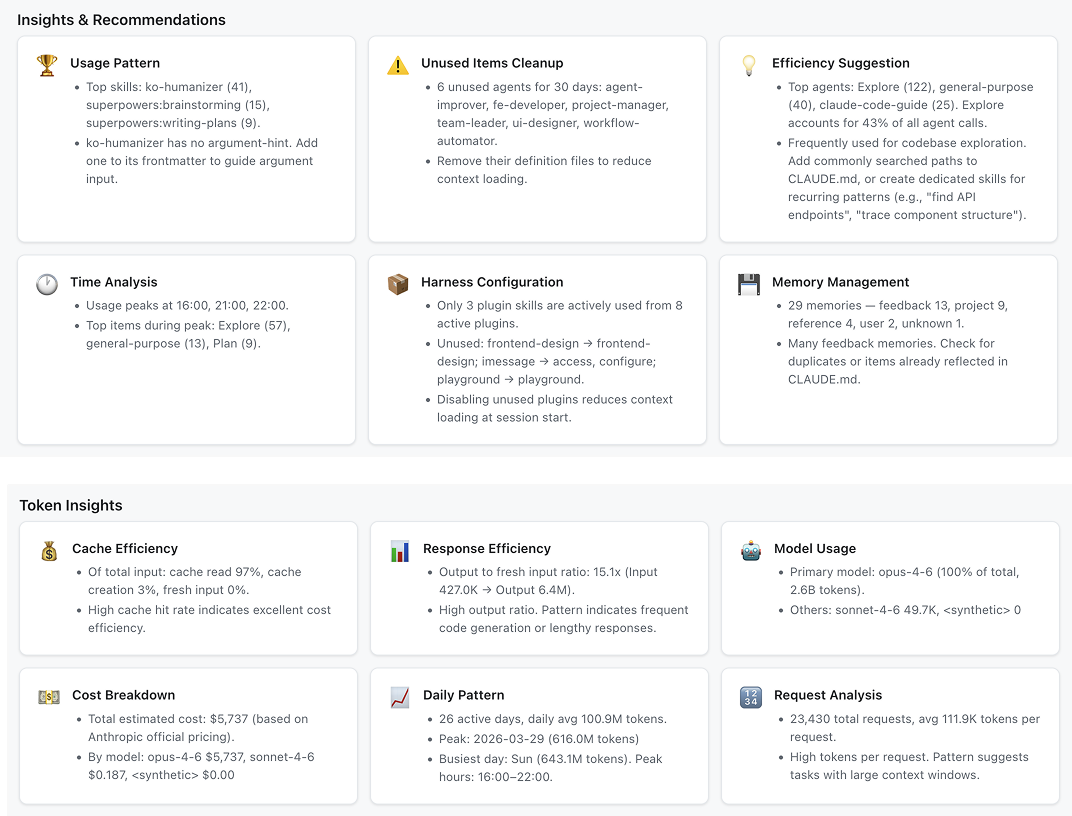
- Token analytics — usage by model, daily trends, cache efficiency, prompt statistics, response latency
- Activity heatmaps — daily usage patterns across skills, agents, and commands
- Task categories — auto-classified token usage by work type (code editing, docs, planning, etc.)
- Multi-workspace — switch between global and per-project scopes
Installation
From the Command Line
# 1. Add marketplace
claude plugin marketplace add netil/oh-my-hi

# 2. Install plugin
claude plugin install oh-my-hi
Claude Code (via Plugin Marketplace)
/plugin marketplace add netil/oh-my-hi
/plugin install oh-my-hi@oh-my-hi-marketplace
Update
To update to the latest version, run the same install command:
# From the Command Line
$ claude plugin install oh-my-hi

# Claude Code (in-session)
/plugin install oh-my-hi@oh-my-hi-marketplace
Usage
Run in Claude Code:
/omh
This will parse your harness data, build the dashboard, and open it in your browser.
Parameters
| Command | Description |
|---|---|
/omh |
Full build — parse data, build web-ui, open in browser |
/omh --data-only |
Regenerate data + web-ui without opening browser |
/omh --enable-auto |
Auto-rebuild on session end (registers Stop hook) |
/omh --disable-auto |
Disable auto-rebuild |
/omh --status |
Check auto-rebuild status |
/omh <path> |
Build with specific project paths only |
Auto-refresh
Enable automatic data refresh so the dashboard stays up to date:
/omh --enable-auto
This registers a Stop hook that rebuilds the dashboard data whenever a Claude Code session ends. Refresh the browser tab to see the latest data.
Guide
See GUIDE.md for a detailed walkthrough of each dashboard section — overview, token analytics, cost estimation, structure view, category pages, and more.
How it works
- Parse — Reads your Claude Code config directory for skills, agents, plugins, hooks, memory, MCP servers, rules, principles, commands, teams, plans, and usage transcripts
- Analyze — Extracts token usage, prompt stats, response latency, activity patterns from
.jsonltranscripts - Classify — Auto-categorizes token usage into work types (code editing, docs, planning, etc.) based on skill/agent descriptions. Saves to
task-categories.jsonfor user customization - Build — Generates a single
index.htmlwith all data, CSS, JS, and locale inlined (works withfile://protocol, no server needed) - Open — On macOS, reuses an existing browser tab if found (AppleScript). On Windows/Linux, opens a new tab
i18n
- English: Built-in default
- Other languages: A template locale file is auto-generated on first build. Translate it and rebuild
Privacy
All data stays on your machine. oh-my-hi reads only local Claude Code config files and transcripts — nothing is sent to external servers. The generated dashboard is a standalone HTML file opened via file:// protocol, with no network requests. Your usage data, token statistics, and configuration details never leave your local environment.
Browser support
The dashboard opens as a local file:// HTML file. No web server required.
On macOS, subsequent builds will refresh the existing browser tab instead of opening a new one (Chrome and Safari supported).
License
Yorumlar (0)
Yorum birakmak icin giris yap.
Yorum birakSonuc bulunamadi