watch-video-skill
Health Uyari
- License — License: MIT
- Description — Repository has a description
- Active repo — Last push 0 days ago
- Low visibility — Only 7 GitHub stars
Code Gecti
- Code scan — Scanned 6 files during light audit, no dangerous patterns found
Permissions Gecti
- Permissions — No dangerous permissions requested
This is a Claude skill (agent) that enables AI models to "watch" and analyze videos. It works by extracting a time-synced transcript and still frames, aligning them together, and feeding them to Claude to generate structured markdown notes.
Security Assessment
The overall risk is Medium. The tool requires external network requests to function properly, as it relies on the `yt-dlp` library to download videos from platforms like YouTube or Vimeo, and it makes API calls to external services like Groq or OpenAI for audio transcription. Because processing video requires heavy computing resources, it likely executes local shell commands to manage `ffmpeg` frame extraction. The automated code scan found no dangerous patterns, no hardcoded secrets, and the tool does not request dangerous system permissions. However, because it automatically pulls data from external URLs and processes local files, users should be careful to only analyze trusted videos to avoid feeding malicious media content into their AI environment.
Quality Assessment
The project is very new but shows active maintenance, with its last code push happening today. It is properly licensed under the standard MIT license, making it safe and flexible for open-source and commercial use. However, community trust is currently minimal. The repository has a very low visibility with only 7 GitHub stars, meaning the codebase has not been widely reviewed or battle-tested by a large developer audience yet.
Verdict
Use with caution — the code appears safe and is clearly licensed, but its low community adoption and reliance on processing untrusted external media warrant a careful review before integrating it into sensitive workflows.
A Claude skill (Claude Code, Claude Desktop, Claude Agent SDK) that lets Claude watch videos by extracting a time-synced transcript plus still frames — onboard Claude to new tools, learn from tutorials, show-don't-tell for content generation, clone an editor's style for programmatic video editing.
watch-video skill
A Claude skill that lets Claude "watch" videos by extracting a time-synced transcript plus auto-scaled still frames, then reading them together to produce structured markdown notes.
Works with any Claude surface that supports the skill format — Claude Code, Claude Desktop, and apps built on the Claude Agent SDK.
Watch the tutorial
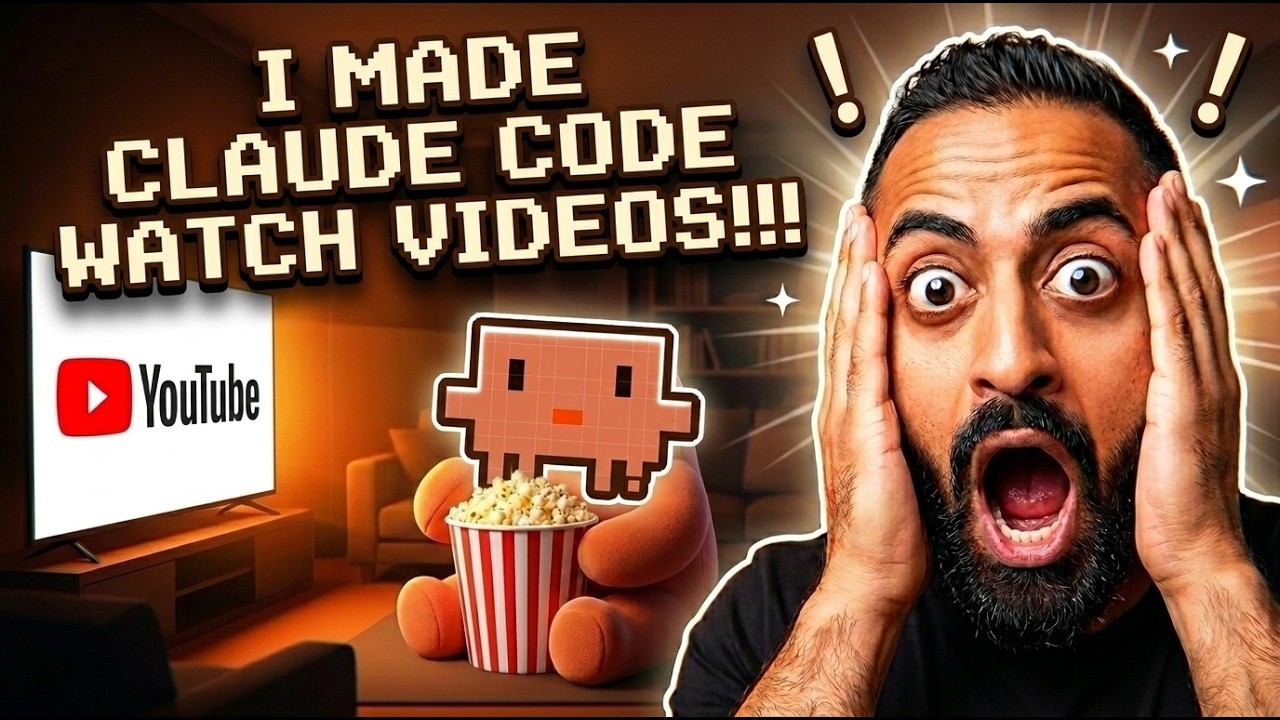
Note: the linked tutorial covers the original (v1) version of this skill. The pipeline has since been re-engineered around bradautomates/claude-video — see "What's new in v2" below.
What it does
Claude models can see images but can't stream video. This skill fakes video comprehension:
- Pulls a transcript — YouTube captions first, Groq Whisper API (or OpenAI Whisper) as the fallback for videos with no captions.
- Extracts still frames at an auto-scaled rate based on video duration — short videos get dense coverage, long videos get sparse coverage, hard-capped at 100 frames / 2 fps so token cost stays bounded.
- Aligns each frame with the spoken text at that timestamp.
- Claude reads frames + transcript and writes a structured markdown notes file (one-line summary, TL;DR, timestamped timeline, key quotes, visual notes).
Works with YouTube URLs, every other site yt-dlp supports (Vimeo, TikTok, X, Twitch clips, Loom, Instagram, etc.), and local video files (.mp4, .mov, .mkv, .webm, .avi, etc.).
Use cases
1. If you don't understand a tool or concept, you can make Claude watch a video and then plan from there on out; Claude Code will have a much clearer understanding. I saw a custom extension being built for downloading courses and started vibe-coding Claude on that, and it's doing a really, REALLY good job ;)
2. Someone was giving me screenshots and walking me through a video on how to do a funnel better. In trying to make Claude learn it, it was much easier for it to just watch the whole video, including the screenshots of the conversations that were being had. This gave it a real, live example of how DM conversations go.
3. I'm creating my own Opus Clip Claude Code skill. The difference between the first example that Claude Code made versus the final example it produced is significant, because I was able to show it a demo of what my perfect reel actually looks like.
4. If you like a certain YouTuber's style of editing videos, you can make Claude Code watch two or three of their videos to understand their editing style!
Now, with the new video editing tools like Remotion and Hyperframes, you can actually edit your entire videos through Claude Code in exactly that manner. Since it can see what is on screen and understand how it works along with the timestamps, it can replicate that specific style for you.
What's new in v2
The pipeline that does the actual download / frame extraction / transcription was rewritten in v2 by replacing our original local extractor with the engine from bradautomates/claude-video (MIT). Big upgrades:
- Auto-scaled frame budget — picks a sensible frame count based on duration (≤30s → ~30 frames; 1–3min → ~60; 3–10min → ~80; >10min → 100 sparse). No more hand-tuning
--interval. - Whisper API fallback (Groq or OpenAI) instead of the old local
openai-whisperinstall — cloud-fast transcription, no Python pip pain, works on every platform without compiled deps. - Focused mode (
--start/--end) — zoom into one section of a long video at higher frame density. Far more useful than a sparse scan when the user asks "what happens at 2:30?". - Hard token-cost caps — 100 frames / 2 fps maximum, so a 60-minute video doesn't accidentally burn 50k tokens of frames.
- Pure stdlib HTTP — no
pip install groqorpip install openaineeded for the API calls.
What this skill adds beyond bradautomates/claude-video
- Slash-command-only invocation guard — Brad's skill auto-fires on any video URL or "watch this" phrasing, which can accidentally trigger heavy pipelines you didn't ask for. This skill ONLY fires on the literal
/watch-videoslash command. (You can switch back to auto-trigger behavior by editing thedescription:line in SKILL.md — see the note in that file.) - Structured persistent notes file — Brad's skill answers the user's question in chat. This skill always writes a Title / TL;DR / Timeline / Key quotes / Visual notes markdown file you can come back to later, link from other notes, or feed into another agent.
- Mandatory cleanup workflow — explicit, opinionated cleanup of the temp work dir after the
.mdis written. - Full sampling guidance — opinionated rules for which frames to read for short / medium / long videos so Claude doesn't brute-force every frame into context.
If you want the pure Brad pipeline without the wrapper, install bradautomates/claude-video instead — it's excellent.
Install
Clone into your Claude skills folder:
# macOS / Linux
git clone https://github.com/Newuxtreme/watch-video-skill.git ~/.claude/skills/watch-video

# Windows (Git Bash / WSL)
git clone https://github.com/Newuxtreme/watch-video-skill.git ~/.claude/skills/watch-video

# Windows (PowerShell / cmd)
git clone https://github.com/Newuxtreme/watch-video-skill.git "$env:USERPROFILE\.claude\skills\watch-video"
For Claude Desktop or Claude Agent SDK apps, clone into whatever folder that environment loads skills from.
Dependencies
- ffmpeg + ffprobe — download, or
brew install ffmpeg(macOS) /winget install Gyan.FFmpeg(Windows) /apt install ffmpeg(Linux) - yt-dlp —
winget install yt-dlp.yt-dlp(Windows),brew install yt-dlp(macOS), orpipx install yt-dlp(Linux). Must be onPATHas a standalone binary. - Python 3.9+ on
PATHaspython(orpython3on macOS/Linux). The scripts usefrom __future__ import annotations, so 3.9 is enough. - Optional: Whisper API key. For videos without native captions. Get one at:
- Groq (recommended — cheaper, faster, runs
whisper-large-v3): console.groq.com/keys - OpenAI (fallback): platform.openai.com/api-keys
- Groq (recommended — cheaper, faster, runs
Run the included setup wizard to scaffold the .env and check dependencies:
python scripts/setup.py
It creates ~/.config/watch/.env with placeholder lines for both keys. Edit the file and paste in whichever key you want to use. Without a key, the skill still works on any video that has captions (i.e. most of YouTube).
Usage
Once installed, invoke the skill with the slash command:
/watch-video https://www.youtube.com/watch?v=...
/watch-video /path/to/local/video.mp4
/watch-video https://youtu.be/abc123 — focus on the 2:00 to 3:00 mark
The skill is configured slash-only by default to prevent accidental invocation. To switch to auto-trigger (Claude fires the skill on any "watch this video" / URL request), edit the description: line at the top of SKILL.md — there's an inline note explaining how.
Direct CLI usage
The pipeline can run standalone:
python scripts/watch.py "<url-or-path>" [flags]
Flags:
--start T/--end T— focus on a section (SS,MM:SS, orHH:MM:SS)--max-frames N— cap on frame count (default 80, hard max 100)--resolution W— frame width in px (default 512)--fps F— override auto-fps (clamped to 2 fps max)--whisper groq|openai— force a specific Whisper backend--no-whisper— disable Whisper fallback (frames-only if no captions)--out-dir DIR— keep working files somewhere specific (default: tmp)
The script prints a markdown report to stdout listing every extracted frame path, the timestamped transcript, and the working directory.
Troubleshooting
Whisper request returns 403: whisper.py sets a custom User-Agent already to clear Cloudflare's default-Python-UA block. If you still see 403s, your key is likely invalid — check it at the provider's console.
python command not found on Windows: the Microsoft Store stub python3 doesn't run scripts. Install Python 3.9+ from python.org and use python (or py -3.9).
yt-dlp fails on YouTube Shorts / age-gated content: the bundled download.py lets yt-dlp pick its own player client. Members-only and region-locked content may still fail — yt-dlp will surface a clear error.
No transcript and no Whisper key: the report will say Transcript: none available. Either install a Whisper key (instructions above) or use --no-whisper for frames-only output.
Long videos (>10 min) come back sparse: that's intentional — frame budget caps at 100. For dense coverage of one section, pass --start/--end to use focused mode.
Credits
- Pipeline engine — bradautomates/claude-video (MIT). Brad wrote the auto-scaled frame extractor, the Whisper API client, and the setup wizard. Vendored under
scripts/. See THIRD_PARTY_NOTICES.md for the upstream license. - Wrapper skill (slash-only guard, structured notes template, install + usage docs, original v1 local-Whisper pipeline) — Newuxtreme.
License
MIT — see LICENSE. Bundled scripts under scripts/ retain their original MIT license; see THIRD_PARTY_NOTICES.md.
Yorumlar (0)
Yorum birakmak icin giris yap.
Yorum birakSonuc bulunamadi