claude-code-hub
Health Uyari
- No license — Repository has no license file
- Description — Repository has a description
- Active repo — Last push 0 days ago
- Low visibility — Only 5 GitHub stars
Code Basarisiz
- network request — Outbound network request in public/app.js
- network request — Outbound network request in public/sw.js
- child_process — Shell command execution capability in server.js
- process.env — Environment variable access in server.js
Permissions Gecti
- Permissions — No dangerous permissions requested
This unified hub acts as a single-window Progressive Web App (PWA) to launch and manage multiple Claude Code utilities. It provides an interface to browse a marketplace, track tasks via a Kanban board, monitor usage costs, and explore memory.
Security Assessment
The tool presents a High overall security risk. The most critical finding is its use of `child_process` within `server.js` to execute shell commands and spawn sub-applications. While this is its intended function ("spawns both sub-apps as child processes"), it introduces severe risks if the server or its inputs are compromised, potentially allowing attackers to execute arbitrary commands on your machine. Additionally, the server accesses environment variables (`process.env`), and the frontend makes outbound network requests (`public/app.js`, `public/sw.js`). No hardcoded secrets were detected, and it does not explicitly request dangerous OS-level permissions, but the ability to execute shell code remains a significant concern.
Quality Assessment
The project is very new and currently has low community visibility with only 5 GitHub stars. While it is actively maintained—with repository activity as recent as today—it lacks a proper license file. According to the README badge, it is distributed under a license, but the repository itself is missing this file. This means the legal terms of use and modification are ambiguous. Developers should proceed with caution regarding long-term maintenance and contribution legality.
Verdict
Use with caution — while the application appears functional and actively updated, its ability to execute shell commands alongside low community adoption and missing legal licensing makes it a high-responsibility tool that should be run in isolated or sandboxed environments.
Unified hub for Claude Code tools — Marketplace + Kanban + Cost in one PWA
Claude Code Hub



Unified launcher for Claude Code tools — browse plugins in Marketplace, track tasks in Kanban, monitor costs in Cost, and explore memory in Memory, all from a single chromeless PWA.
Kanban:
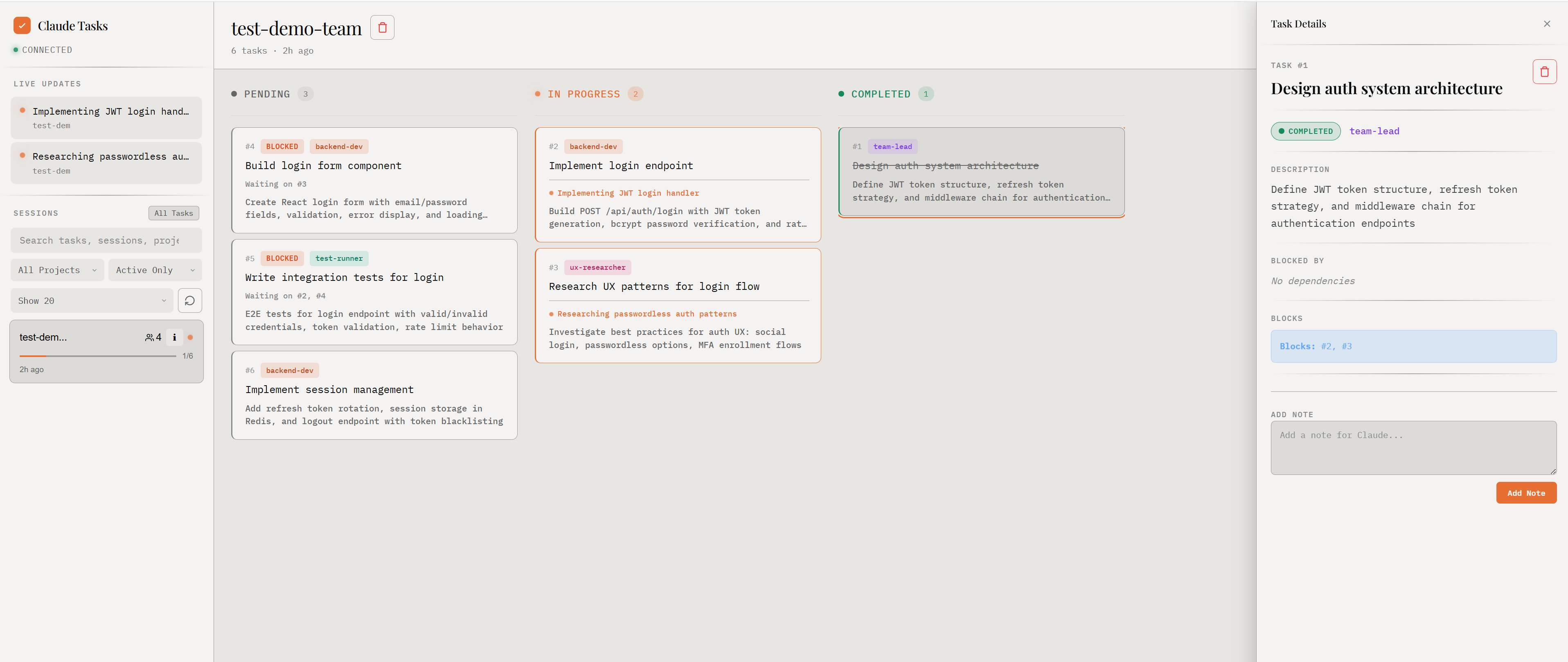
Marketplace:
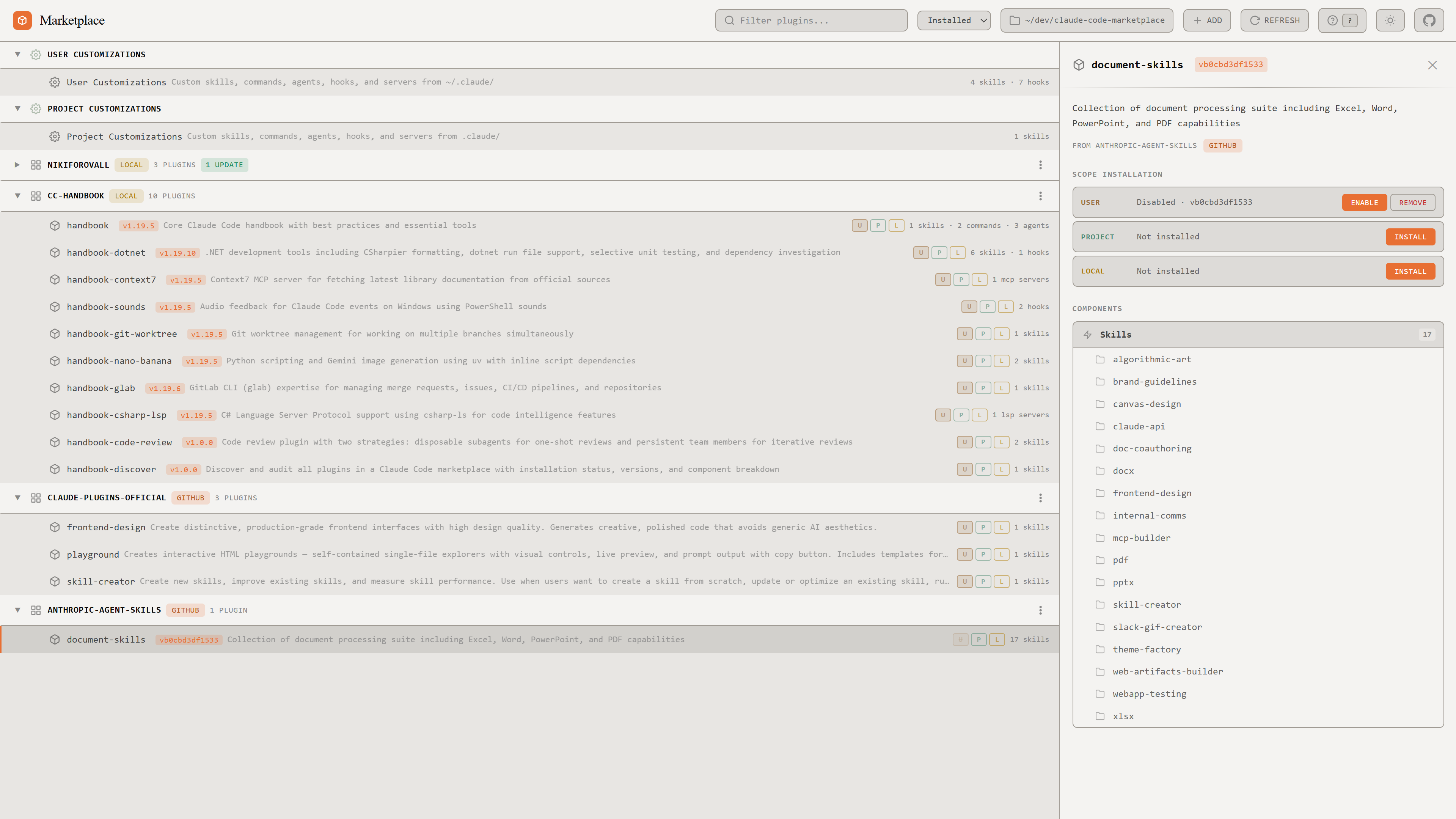
Cost:
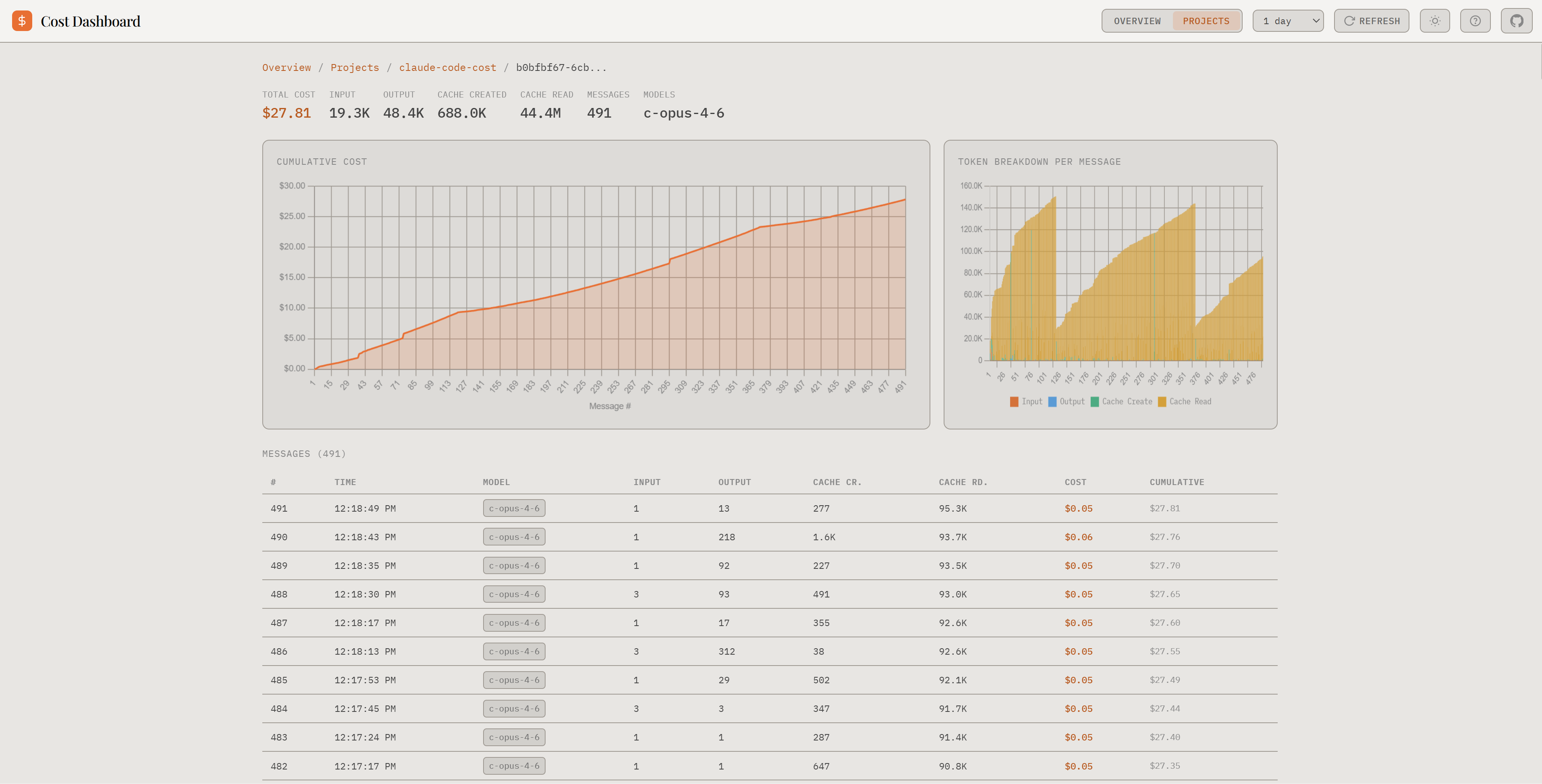
Memory:
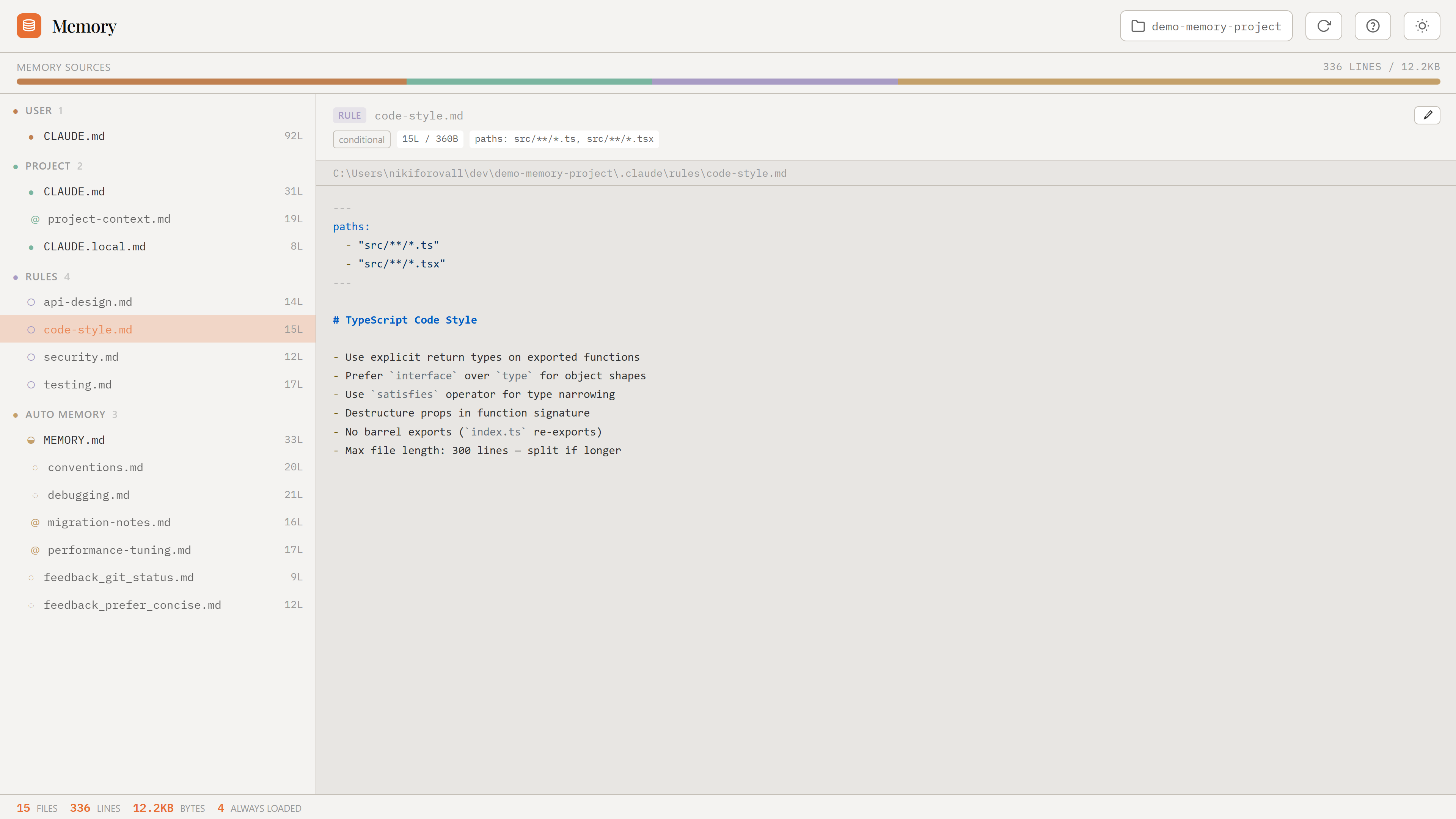
Quick Start
npx claude-code-hub --open
From Source
git clone --recurse-submodules https://github.com/NikiforovAll/claude-code-hub.git
cd claude-code-hub
npm install && npm install --prefix marketplace && npm install --prefix cck && npm install --prefix memory
npm start        # http://localhost:3455
Agent Observability (one-time setup)
For the full Kanban experience — agent log, live subagent tracking, waiting-for-user indicators, and context window monitoring — install the hooks:
npx claude-code-kanban --install
Without hooks you still get the task board, but no agent activity or live indicators. See the Kanban README for details.
Keyboard Shortcuts
| Shortcut | Action |
|---|---|
Alt+1 |
Switch to Kanban |
Alt+2 |
Switch to Marketplace |
Alt+3 |
Switch to Cost |
Alt+4 |
Switch to Memory |
Ctrl+M |
Open Memory for current session (Kanban) |
Ctrl+Alt+Right |
Switch to next tool |
Ctrl+Alt+Left |
Switch to previous tool |
How It Works
The hub server spawns both sub-apps as child processes, each on its own port. A minimal shell page embeds them in iframes and switches visibility on tab change — zero UI chrome, just keyboard shortcuts.
Included Tools
| Tool | Submodule | Default Port |
|---|---|---|
| Marketplace | marketplace/ |
3457 |
| Kanban | cck/ |
3456 |
| Cost | cost/ |
3458 |
| Memory | memory/ |
3459 |
CLI Flags
--port <n>              Hub port (default: 3455)
--marketplace-port <n>  Marketplace port (default: 3457)
--kanban-port <n>       Kanban port (default: 3456)
--cost-port <n>         Cost port (default: 3458)
--memory-port <n>       Memory port (default: 3459)
--open                  Auto-open browser
License
MIT
Yorumlar (0)
Yorum birakmak icin giris yap.
Yorum birakSonuc bulunamadi