deft
Health Uyari
- License — License: GPL-3.0
- Description — Repository has a description
- Active repo — Last push 0 days ago
- Low visibility — Only 7 GitHub stars
Code Basarisiz
- rm -rf — Recursive force deletion command in build.sh
- rm -rf — Recursive force deletion command in release.sh
Permissions Gecti
- Permissions — No dangerous permissions requested
Bu listing icin henuz AI raporu yok.
Windows habits for your Mac — window snapping, Snap Layouts, live Alt+Tab previews, Windows keyboard, system & Claude Code usage monitor. Free, native, open source.
Deft
Give your Mac the Windows habits you miss — free, native, and open source.


Deft is a lightweight macOS menu-bar app that brings the window-management and keyboard behaviour of Windows to your Mac, without changing anything permanently.
Features
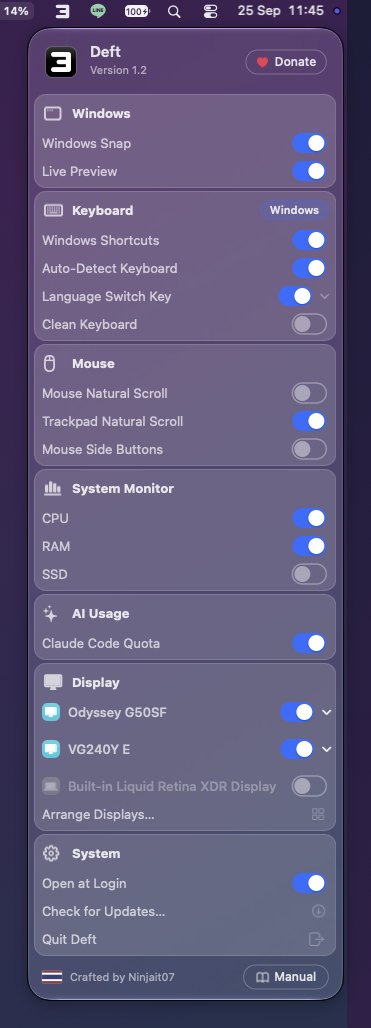
- Windows Snap — drag windows to edges/corners to snap them; Snap Layouts, Snap Assist, shared resize dividers, and
Win+arrow keys. A maximized window shrinks to half size the moment you drag it, like Windows. - Live Preview — real, moving window thumbnails in the switcher (
Alt+Tabin Windows mode,Cmd+Tabin Mac mode), Snap Assist, and when hovering the Dock. - Windows keyboard —
Ctrlacts asCmd, theWinkey, F-keys, Home/End, Explorer keys in Finder, a Windows-style language switch key, and auto-detection of Windows vs Mac keyboards. - Cut & paste files in Finder —
Ctrl+X(or⌘+Xon a Mac keyboard) thenCtrl/⌘+Vmoves files, like Explorer. - Mouse & scroll — independent natural-scroll for mouse and trackpad, side-button back/forward, and
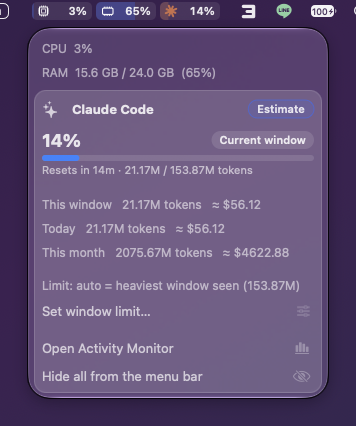
Ctrl+scroll to zoom (sent as⌘+scroll to apps that zoom that way,⌘+/⌘−to the rest). - System Monitor — live CPU, RAM, SSD, and temperature cells in the menu bar with smooth animation; click for details (CPU, SSD and battery temperatures).
- AI Usage — a Claude Code cell next to CPU/RAM with the same session and weekly percentages
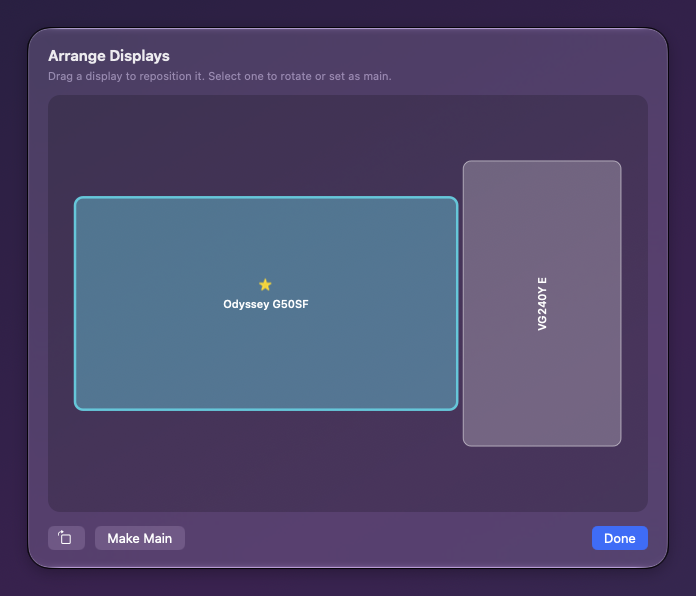
/usageshows, read from the file Claude Code keeps on your Mac (no account, nothing leaves your Mac). Click for weekly and per-model limits, reset times, tokens, and approximate cost. - Display controls — resolution, refresh rate, rotation, set main display, power a display off, and a drag-to-arrange window.
- Clean Keyboard — lock every key so you can wipe the keyboard.
- Glass slider — choose how see-through the menu and windows are, from clear Liquid Glass to frosted; the menu updates as you drag.
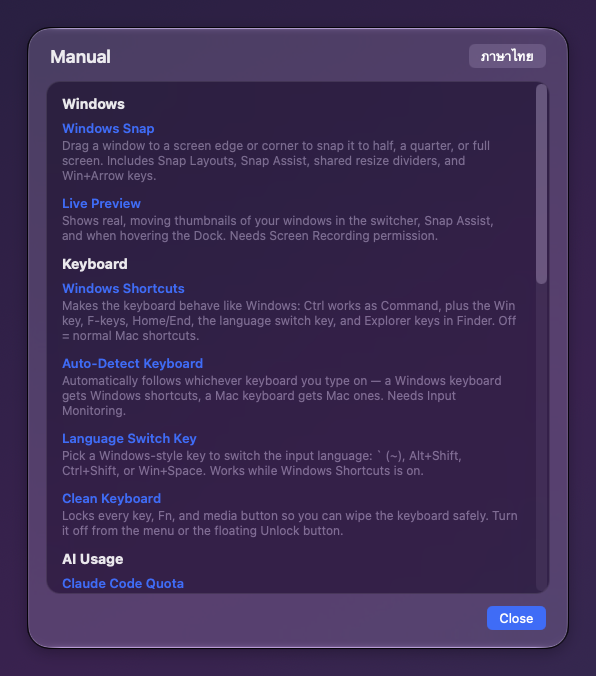
- Manual — a built-in guide to every feature, in English and Thai.
See it move
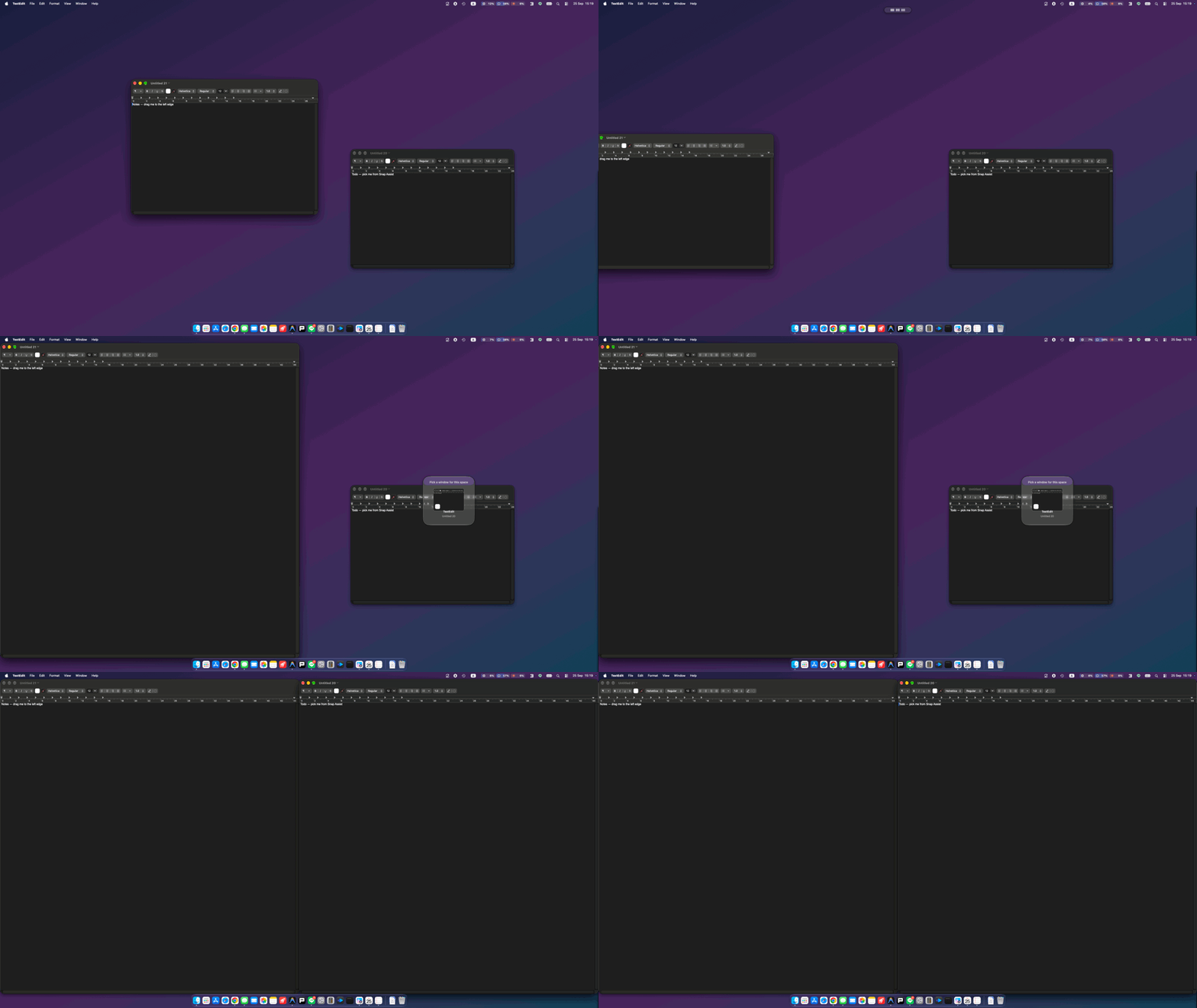
Drag to an edge to snap — Snap Assist fills the rest
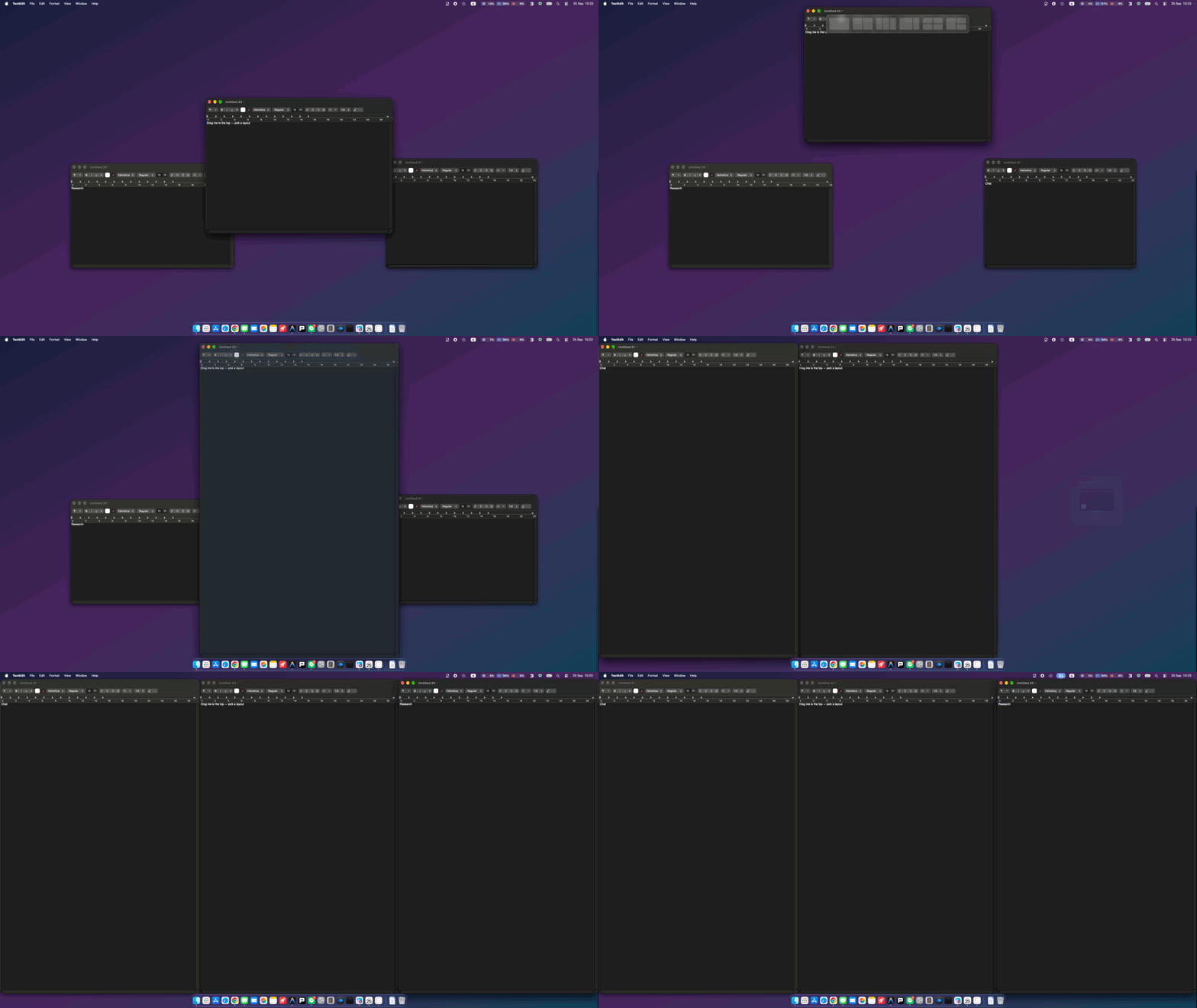
Snap Layouts — drag to the top and pick a layout
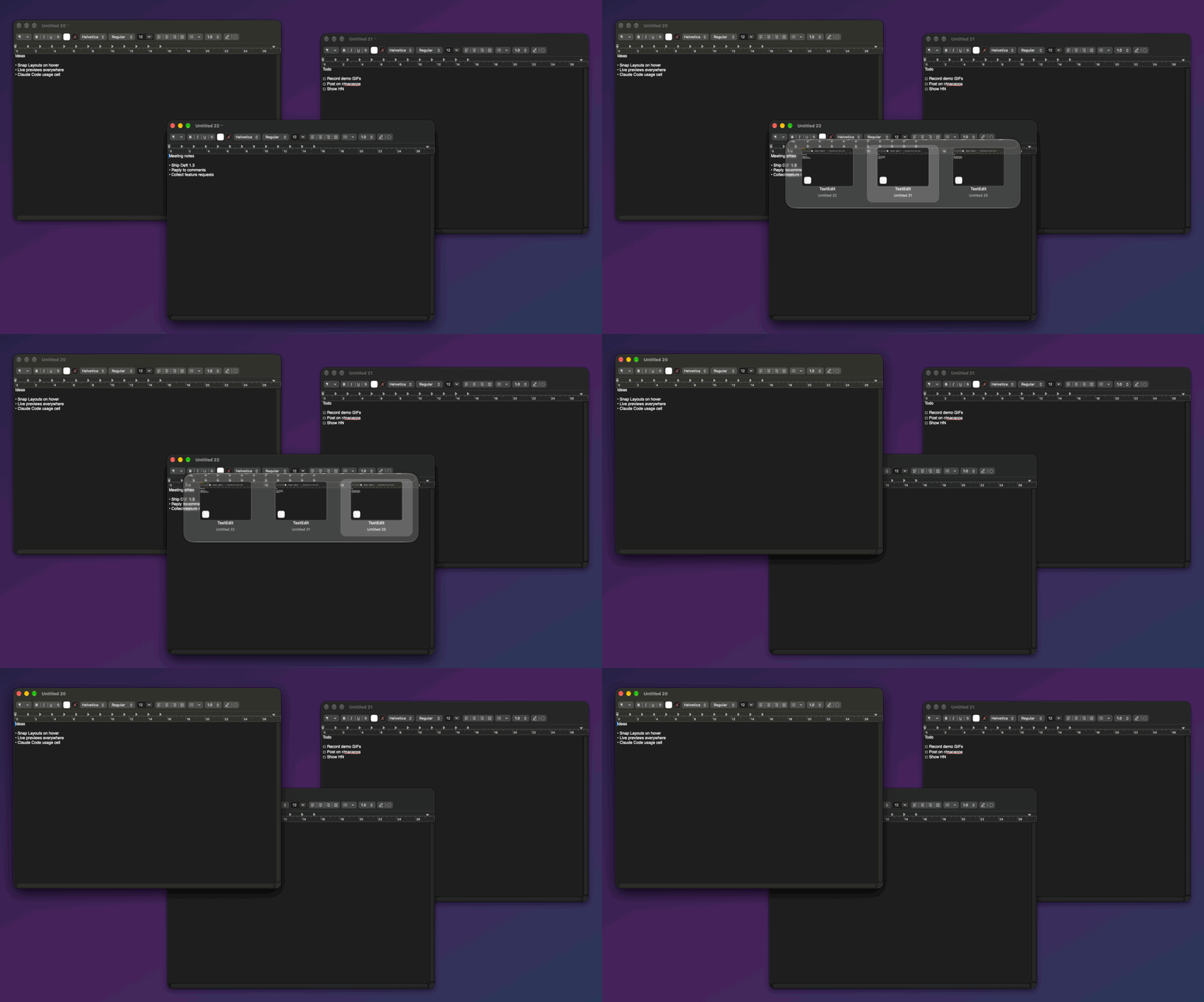
Alt+Tab with live window previews
Screenshots
| Menu bar | System Monitor & Claude Code usage |
|---|---|
 |
 |
| Arrange Displays | Manual |
|---|---|
 |
 |
Install
- Download the latest Deft.dmg from Releases.
- Open it and drag Deft to Applications.
- Launch Deft and grant the permissions it asks for (see below).
The app is signed with a Developer ID and notarized by Apple, so it opens without security warnings.
Or with Homebrew:
brew tap ninjait07/deft https://github.com/ninjait07/deft
brew trust ninjait07/deft
brew install --cask deft
Permissions & privacy
Deft works entirely on your Mac and collects nothing. It uses:
- Accessibility — move/resize windows and translate shortcuts.
- Screen Recording — draw live window previews (nothing is recorded or sent).
- Input Monitoring — tell a Windows keyboard from a Mac one.
The only network request Deft makes is checking for updates (a small public file on GitHub). See PRIVACY.md.
Build from source
./build.sh                 # build + sign + launch (dev)
KNACK_VERSION=1.0 KNACK_BUILD=1 ./release.sh 1.0 1   # notarized release dmg
Requires macOS 13+, Xcode command-line tools, and a Developer ID for signing/notarizing. The whole app is a single Swift file: Deft.swift.
Follow
Updates, demos and new projects are posted on the NonDev Facebook page — follow along, ask questions, or suggest features there.
Support
Deft is free. If it makes your Mac feel like home, you can tip via PromptPay (in-app) or GitHub Sponsors. Thank you!
License
GPL-3.0 — crafted by Non Bannawat 🇹🇭
Yorumlar (0)
Yorum birakmak icin giris yap.
Yorum birakSonuc bulunamadi