prompt-line
Health Gecti
- License — License: MIT
- Description — Repository has a description
- Active repo — Last push 0 days ago
- Community trust — 143 GitHub stars
Code Gecti
- Code scan — Scanned 12 files during light audit, no dangerous patterns found
Permissions Gecti
- Permissions — No dangerous permissions requested
Bu listing icin henuz AI raporu yok.
Prompt Line is a macOS app developed to improve the prompt input experience in the terminal for CLI-based AI coding agents such as Claude Code, Gemini CLI, OpenAI Codex CLI, and Aider.
🧑💻 Prompt Line

English |
日本語
Overview
Prompt Line is a macOS app developed to improve the prompt input experience in the terminal for CLI-based AI coding agents such as Claude Code, Gemini CLI, OpenAI Codex CLI, and Aider.
It addresses UX challenges related to CJK (Chinese, Japanese, Korean) character input by providing a dedicated floating input interface. It also features context search and autocomplete with / and @.
This greatly reduces stress when entering text in the following cases in particular.
- Prompt input for CLI-based AI coding agents in the terminal
- Chat apps where pressing Enter sends the message at an unintended time
- Text editor with slow input response (e.g., large Confluence documents)
Features
Quick Launch, Quick Paste
Quick launch with shortcut (Cmd+Shift+Space).
Type text and quick paste (Cmd+Enter).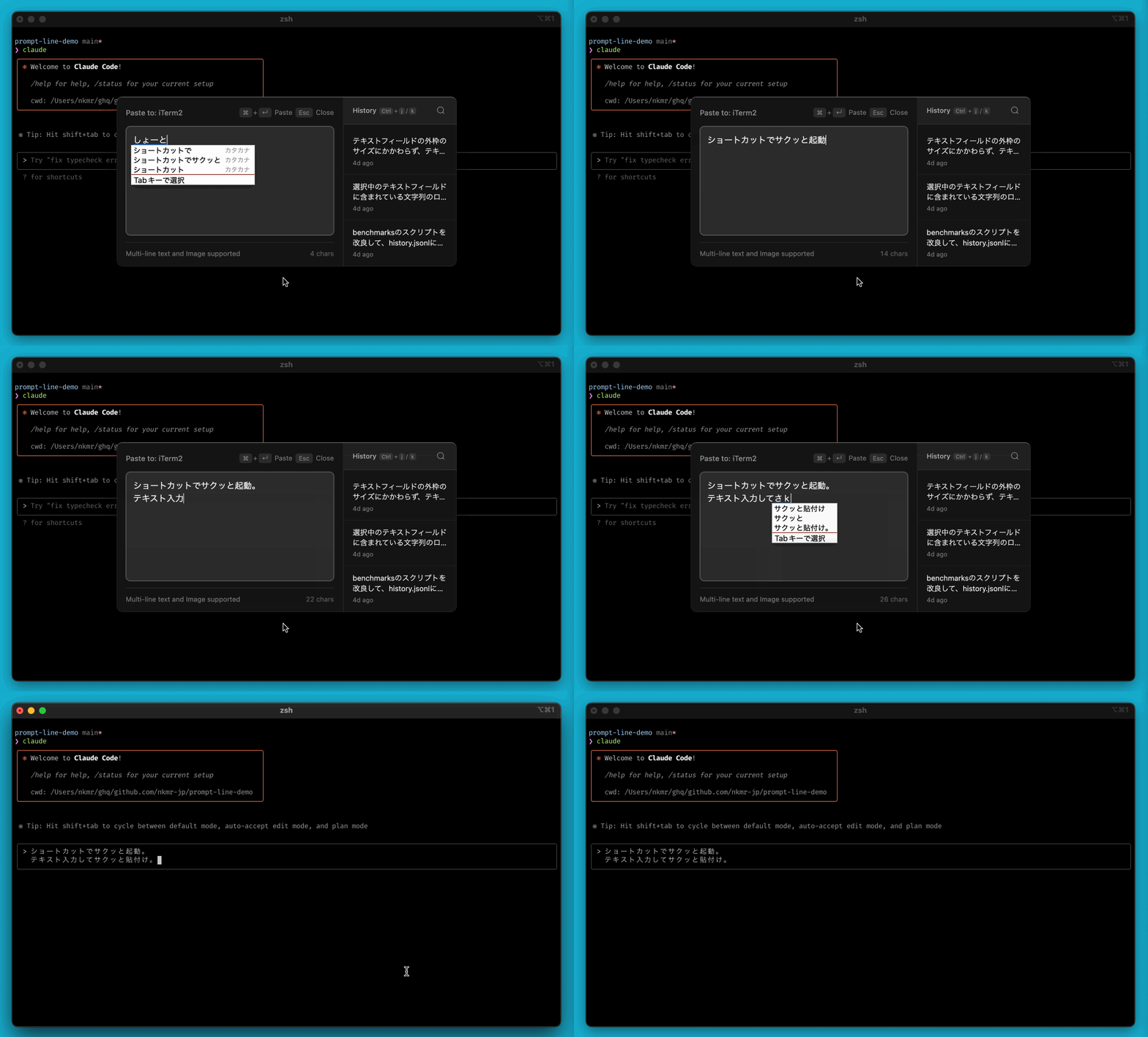
Perfect for Editing Voice-Inputted Text
The operation is the same as a typical text editor.
Of course, you can also use it in combination with a voice input app.
Pressing Enter will not automatically send the text, so you don't have to worry about line breaks.
It is also ideal for editing text entered by voice.
(This video uses superwhisper.)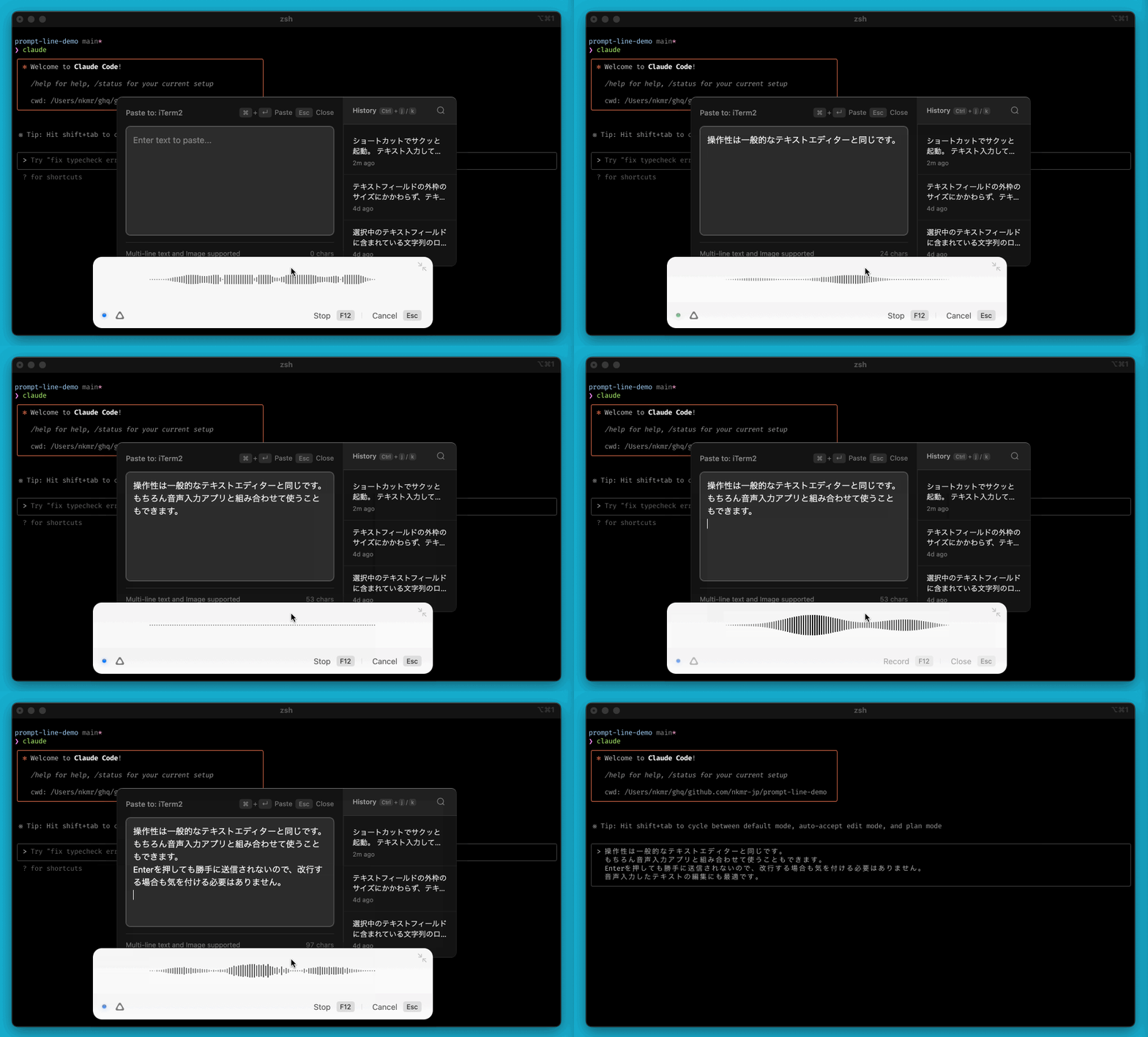
Search and Reuse Prompt History
Prompt history is saved and can be reused from the right menu.
Search is also available. (Cmd+f)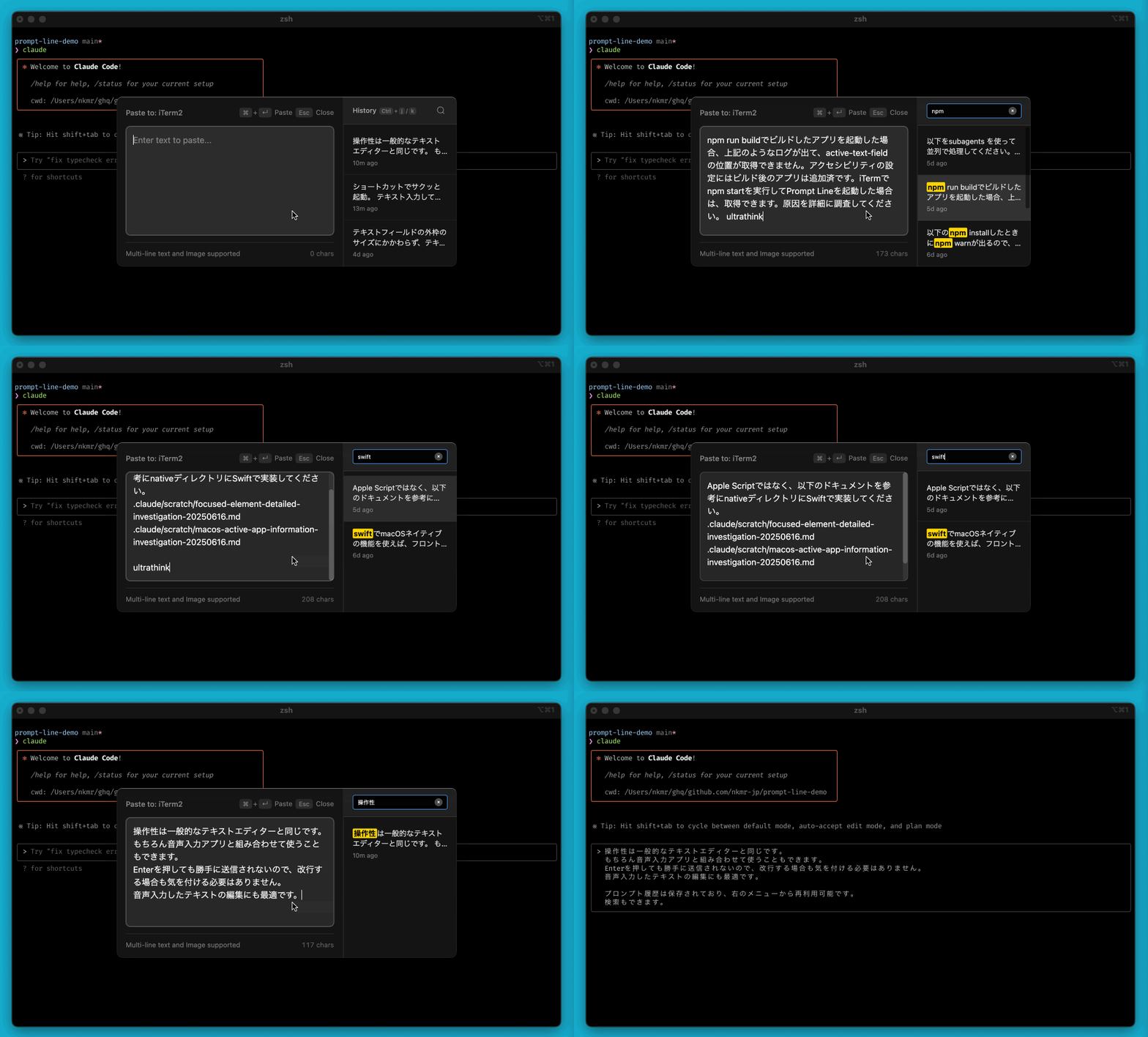
Launch Anywhere
Can be launched anywhere there's a text input field.
Also convenient when you want to reuse the same prompt in other apps.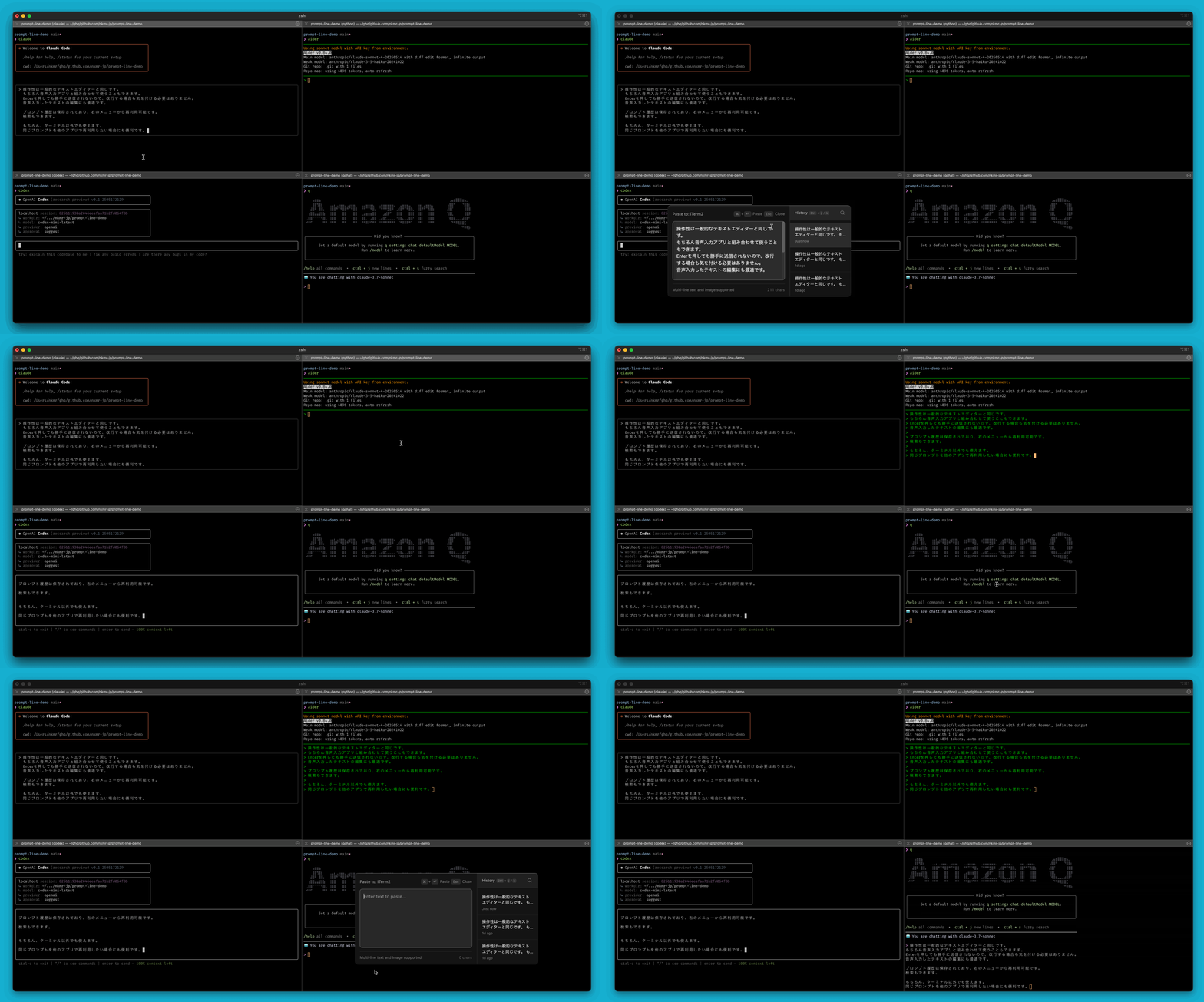
Of course, it also works with apps other than Terminal.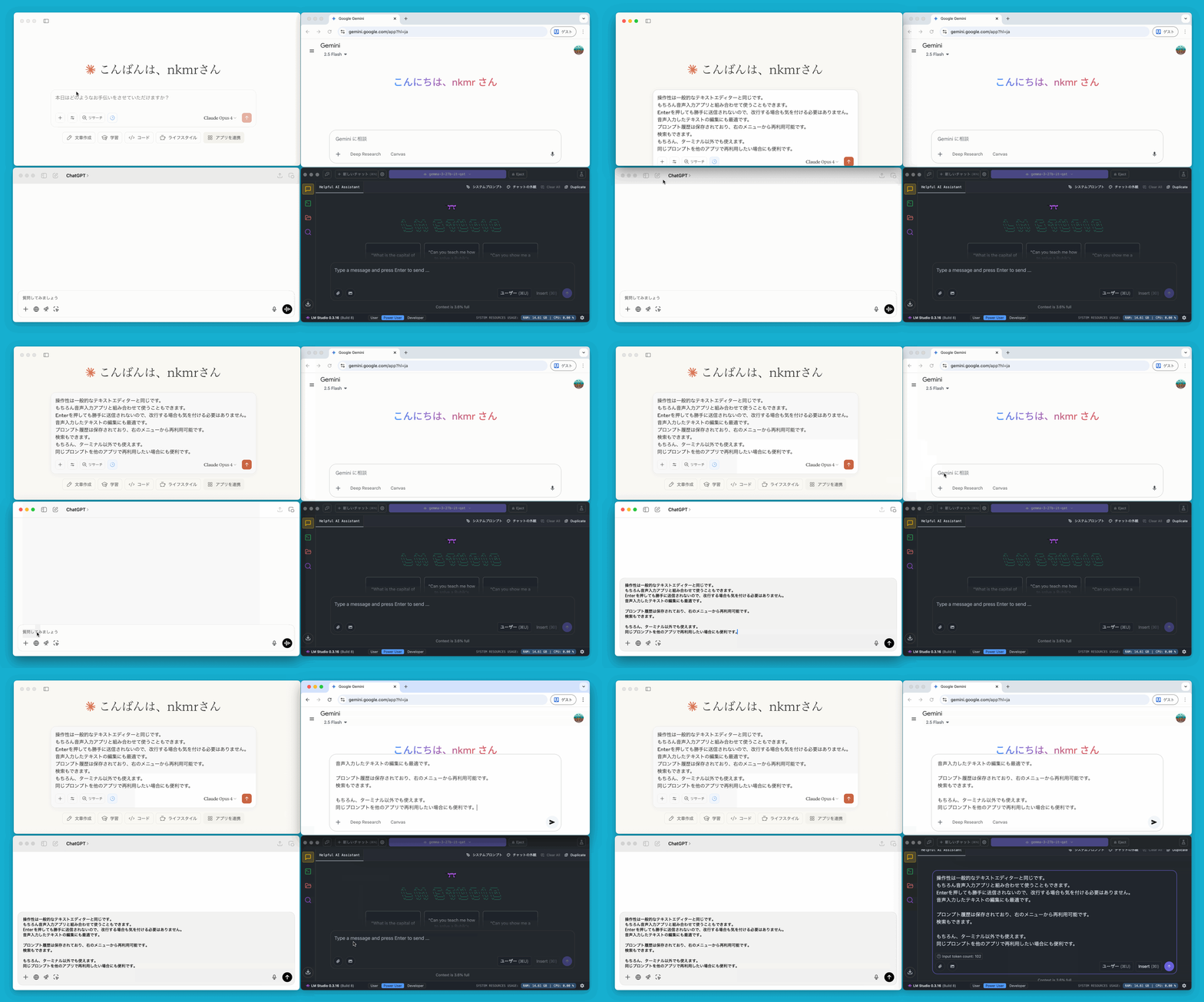
Context Search and Autocomplete
Type / or @ to search and autocomplete contexts such as Agent Skills, Built-in Commands, files, and symbols.
These can be customized in the settings file (~/.prompt-line/settings.yml). See: settings.example.yml
Agent Skills and Built-in Commands 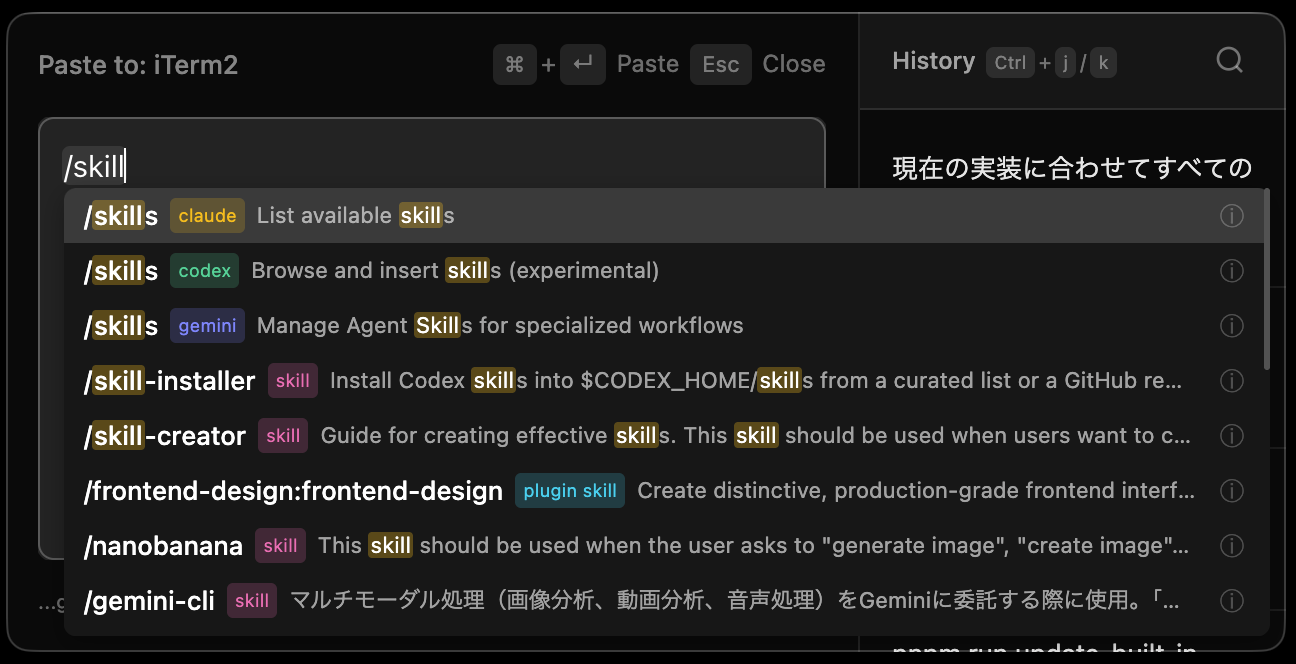 |
File and Directory Search 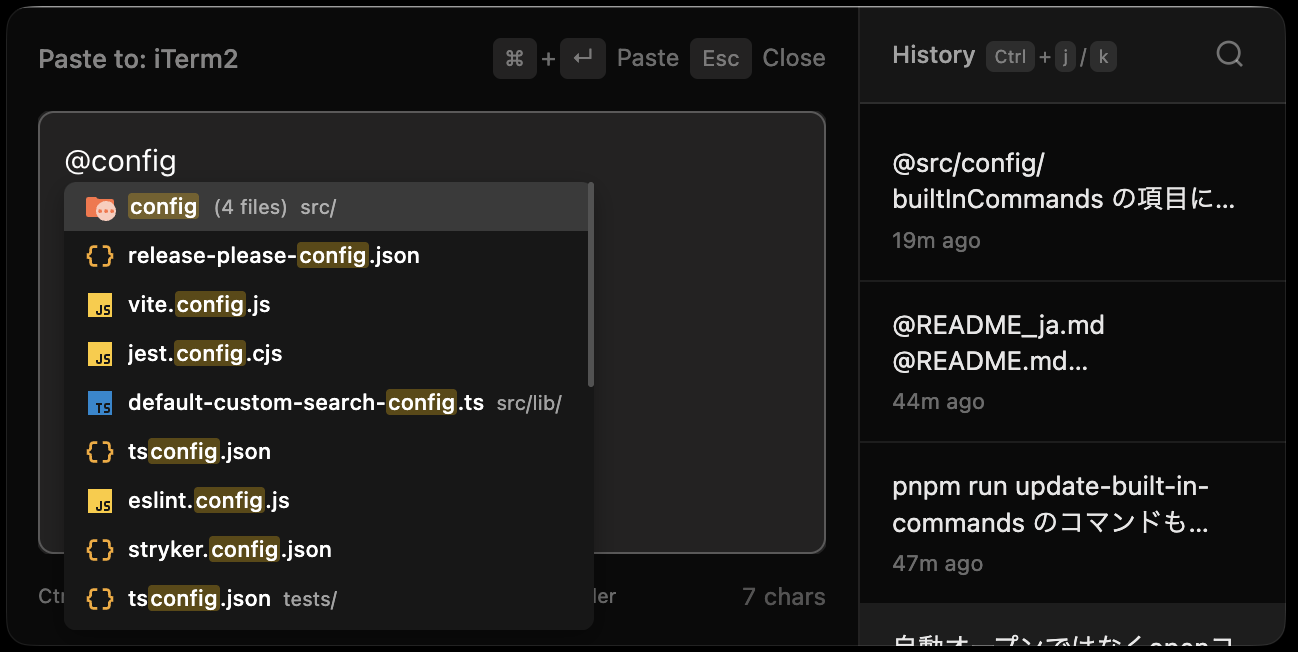 |
Symbol Search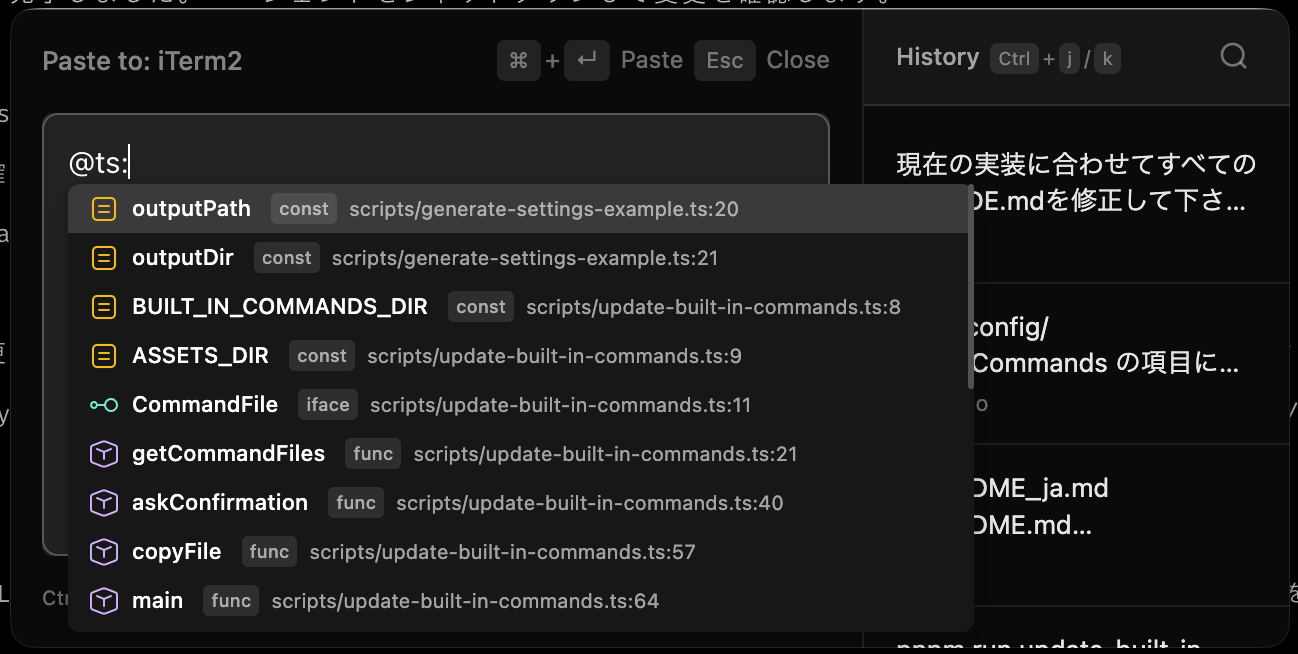 |
Subagents Search (~/.claude/agents) 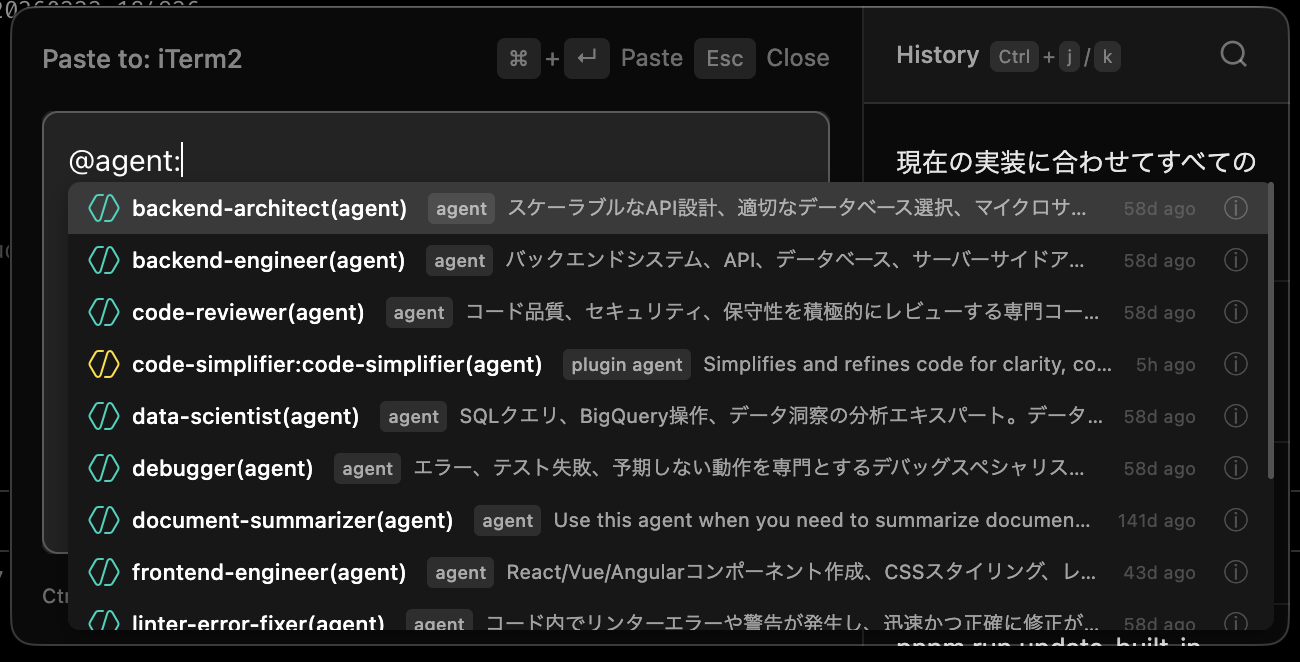 |
Plans Search (~/.claude/plans) 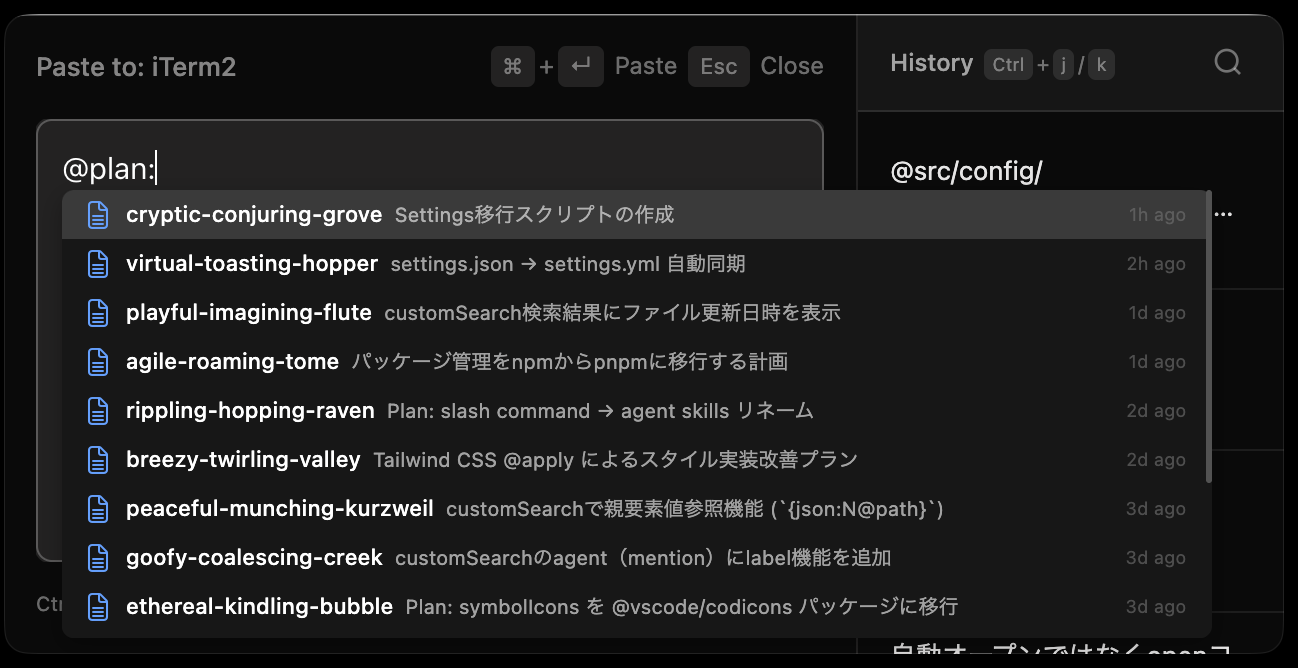 |
Agent Teams Search (~/.claude/teams) 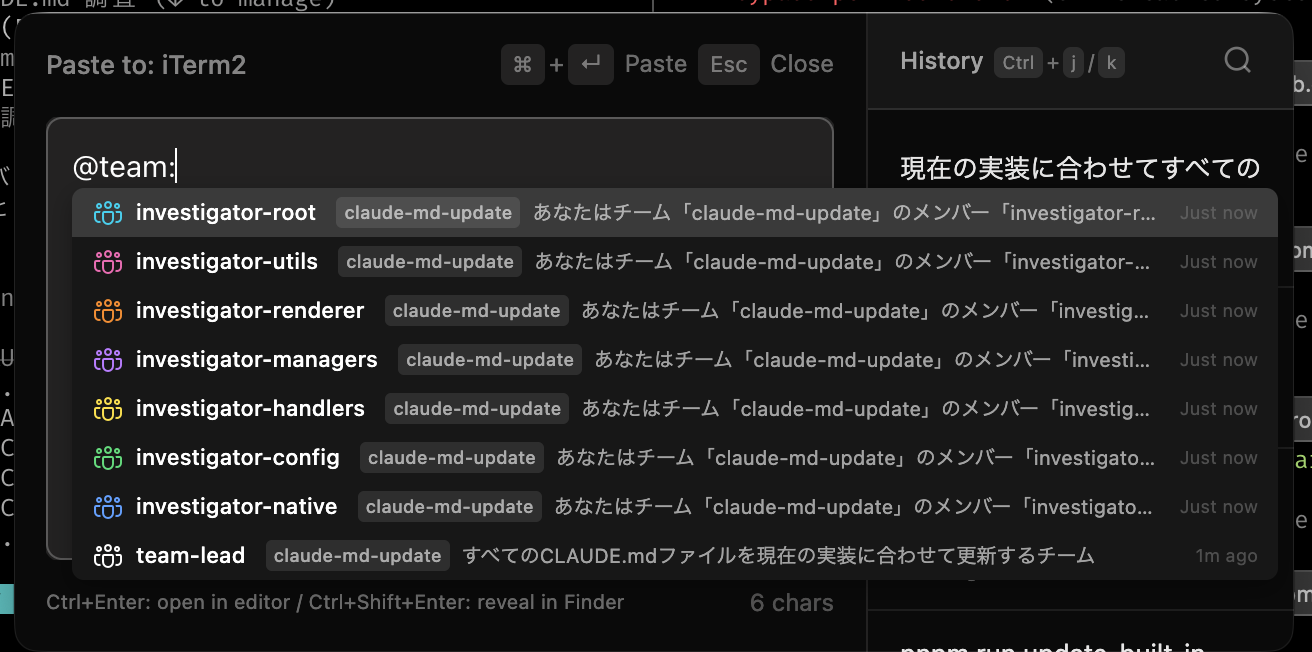 |
📦 Installation
System Requirements
- macOS 10.14 or later
- Node.js 20 or later
- pnpm
- Xcode Command Line Tools or Xcode (for compiling native tools)
- fd and rg (ripgrep) (for file search and symbol search features)
Prompt Line Installation
git clone https://github.com/nkmr-jp/prompt-line.git
cd prompt-line
git checkout v0.x.x  # Optional: replace with desired version tag
pnpm install
pnpm run setup-codesign # One-time: setup code signing certificate
pnpm run install-app    # Build and install to /Applications
Launch Prompt Line. An icon will appear in the system tray.
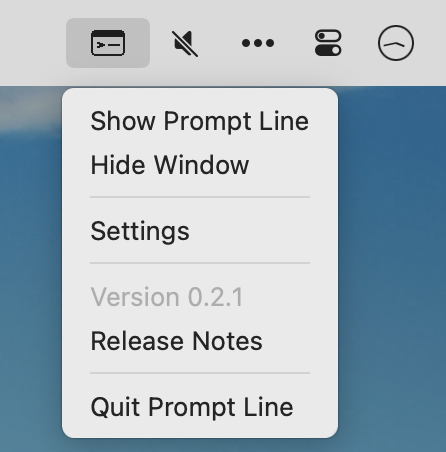
You can start using it with Cmd+Shift+Space.
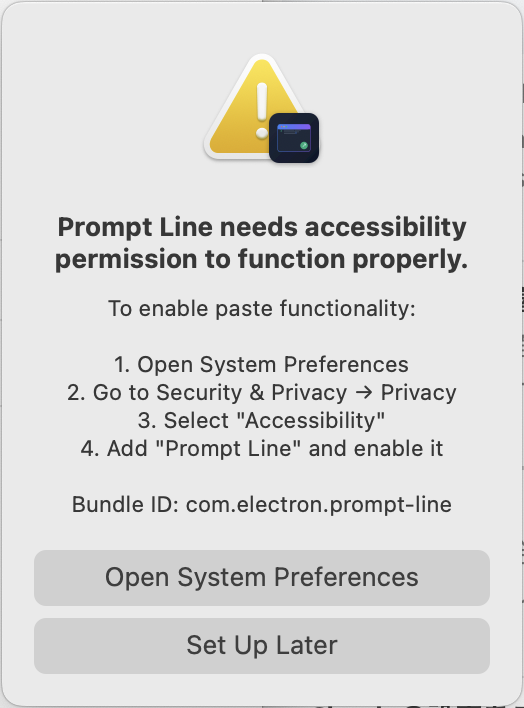
Accessibility Permissions
Prompt Line requires accessibility permissions to paste text into other applications.
A dialog box will appear on first use, so follow the instructions to set it up.
Troubleshooting
If the accessibility permissions dialog box does not appear
- Open System Settings → Privacy and Security → Accessibility.
- Find “Prompt Line” in the list and enable it.
- If it is not in the list, add Prompt Line from Applications using the “+” button.
If “Prompt Line” is enabled in Accessibility Permissions but you still cannot paste
- Open System Settings → Privacy and Security → Accessibility
- Delete “Prompt Line” from Applications using the “-” button to reset permissions
- The issue should be resolved after reconfiguring settings.
Accessibility permissions can also be reset using the following command:
pnpm run reset-accessibility
📦 Update
If you already have an older version installed and want to update to the latest version:
git pull
pnpm install
pnpm run install-app
pnpm run migrate-settings        # Migrate settings to latest defaults (auto-backup)
pnpm run update-built-in-commands # Update built-in commands to latest version
Usage
Basic Workflow
- Move to where you want to input
- Press
Cmd+Shift+Spaceto open Prompt Line - Type your text
- Press
Cmd+Enterto paste text - Continue working
Features
- History Panel - Click previous entries to reuse. Search is also available. (
Cmd+f) - Draft Autosave - Automatically saves your work
- Image Support - Paste clipboard images with
Cmd+V - File Opener - Open files from file path text (
Ctrl+EnterorCmd+Click) - File Search - Search files by typing
@ - Symbol Search - Search code symbols by typing
@<lang>:<query>(e.g.,@ts:Config) - Custom Search - Search Slash Commands and Agent Skills by typing
/, or search sub-agents by typing@
⚙️ Settings
You can customize Prompt Line's behavior by creating a settings file at ~/.prompt-line/settings.yml.
For the full configuration example with all available options and comments, see:
settings.example.yml
Quick Overview
| Section | Description |
|---|---|
shortcuts |
Keyboard shortcuts (main, paste, close, history navigation, search) |
window |
Window size and positioning mode |
fileOpener |
Default editor, extension-specific and directory-specific (glob) applications |
builtInCommands |
Built-in slash commands to enable (claude, codex, gemini, etc.) |
agentSkills |
Agent Skills search functionality (supports custom triggers like $) |
customSearch |
Custom search triggered by @prefix: (supports keyboard shortcut activation) |
fileSearch |
File search settings (@path/to/file completion) |
symbolSearch |
Symbol search settings (@ts:Config, @go:Handler) |
Prompt History
- All data stored locally on your Mac
- No internet connection required
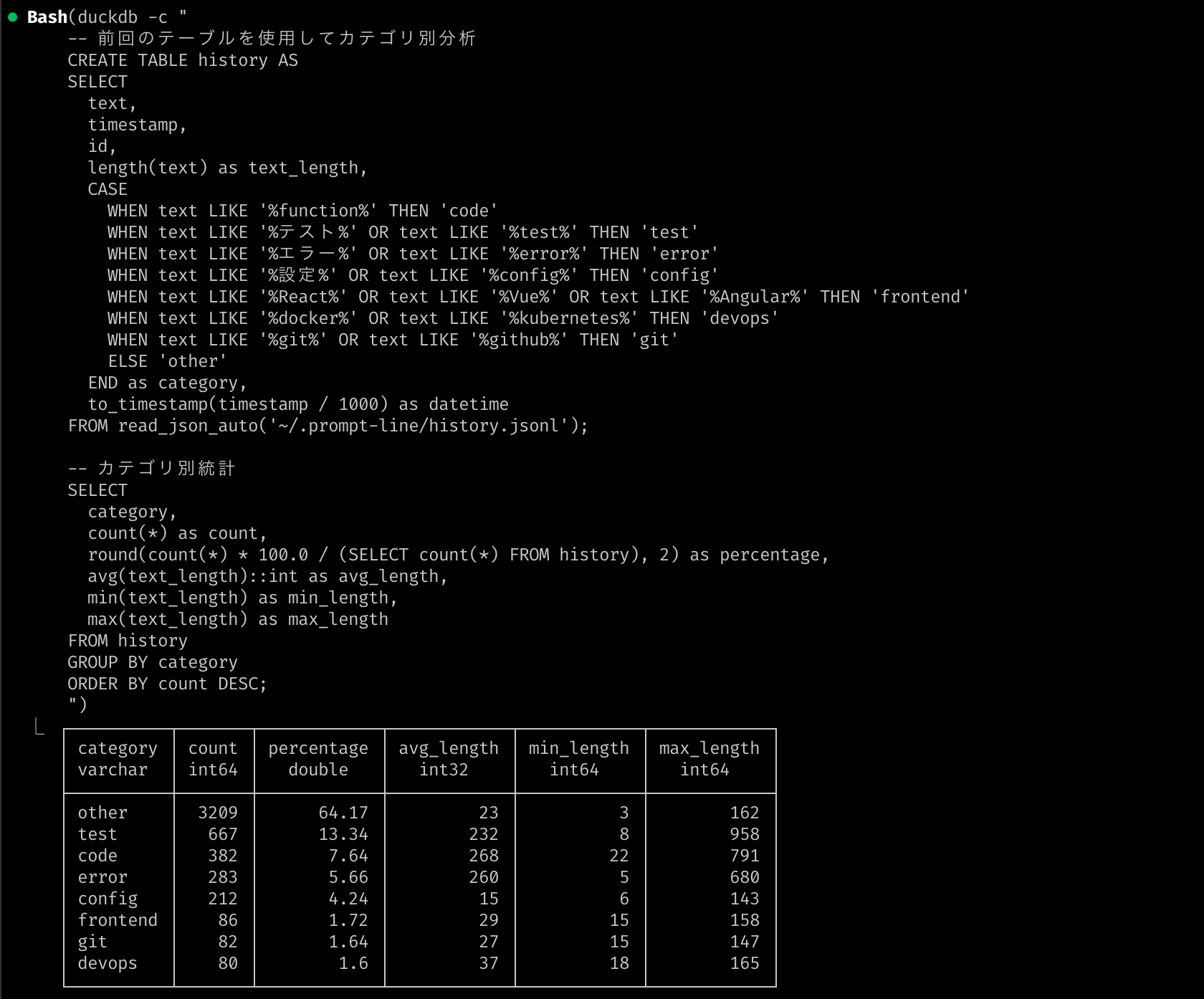
- Prompt history saved in
~/.prompt-line/history.jsonl - Saved in JSON Lines format, so you can analyze it using DuckDB
Contributing
See Contribution Guide for details.
License
MIT License - see LICENSE for details.
Yorumlar (0)
Yorum birakmak icin giris yap.
Yorum birakSonuc bulunamadi