policyNIM
Health Uyari
- License — License: MIT
- Description — Repository has a description
- Active repo — Last push 0 days ago
- Low visibility — Only 5 GitHub stars
Code Gecti
- Code scan — Scanned 12 files during light audit, no dangerous patterns found
Permissions Gecti
- Permissions — No dangerous permissions requested
Bu listing icin henuz AI raporu yok.
PolicyNIM is a policy-aware engineering preflight layer for AI coding agents.
PolicyNIM

PolicyNIM is a policy-aware engineering preflight layer for AI coding agents.
It helps an agent retrieve grounded policy evidence, generate implementation
guidance with citations attached, and fail closed when the available grounding
is too weak to trust.
PolicyNIM currently ships with two main user-facing surfaces:
- a JSON-first CLI for local developer workflows
- an MCP server for integrations such as Codex and Claude Code
What Works Today
- Deterministic Markdown ingest with heading-aware chunking and source line spans.
- Ingest-time compilation of
runtime_rulesfrontmatter into the persisted runtime rules artifact. - NVIDIA-hosted embeddings and reranking for retrieval.
- Local sqlite-vec storage for the retrievable policy index.
- Task-aware policy routing with citation-preserving selected-policy packets.
- Policy compilation into citation-backed planning and generation constraints.
- Grounded preflight synthesis with compiled plan steps, citation validation, and
fail-closed fallback. - Opt-in preflight evidence traces that link chunks, selected policies, compiled
constraints, generated guidance, and conformance checks. - Opt-in policy-backed regeneration for preflight and eval preflight cases,
reusing the same compiled packet and typed conformance failures as retry
triggers. - Eval backend selection with optional policy-conformance scoring for compiled
plans and preflight outputs, with compact traces embedded in eval result
artifacts and local Phoenix reporting for non-headless runs. - Runtime-rule decisions plus SQLite-backed evidence for allowed, confirmed,
blocked, and failed runtime actions. - Interactive
init,quickstart, anddoctorsetup plus JSON-first CLI
commands foringest,dump-index,search,route,compile,preflight,eval,mcp,mcp-config,mcp-smoke,support-bundle,beta-admin,runtime, andevidence. - MCP tools for
policy_preflightandpolicy_search. - Hosted HTTP
streamable-httpwith/healthz, a self-serve/betaportal,
and bearer auth on/mcp.
The MCP server supports protocol 2026-07-28 and legacy clients through the
official Python SDK 2.2.0, with typed tool outputs and stateless HTTP. SetPOLICYNIM_MCP_MAX_CONCURRENT_OPERATIONS to bound expensive tool calls per server
(default 10). Excess calls receive a retry-later error. See the
MCP workflow for transport and public-origin configuration.
What To Run First
If you want the shortest path to a real preflight run, start withpolicynim quickstart --target hosted-mcp instead of cloning the repo.
Install The CLI Without Cloning
Use the Python package path when you already have Python 3.11 or 3.12 and wantpipx or uv to manage an isolated CLI environment:
pipx install --python 3.11 policynim
uv tool install --python 3.11 policynim
policynim --help
policynim init
policynim ingest
If your default Python is already supported, the shorterpipx install policynim and uv tool install policynim forms are also valid.
Use --python 3.12 instead when Python 3.12 is your managed runtime. If your
machine does not expose 3.11 or 3.12 by name, pass the full path to that
Python executable.
Use the GitHub release installers when you want a standalone policynim binary
without managing Python dependencies yourself:
curl -fsSL https://github.com/nnennandukwe/policyNIM/releases/latest/download/install.sh | sh
irm https://github.com/nnennandukwe/policyNIM/releases/latest/download/install.ps1 | iex
Both installer paths verify release checksums before installing. After install,
run policynim init, then policynim ingest, then policynim --help whenever
you need to confirm the entrypoint is available.
If you want the CLI to print a no-network first-run plan for your setup, run:
policynim quickstart --target hosted-mcp
policynim quickstart --target local-cli
policynim quickstart --target local-mcp
Self-Serve Hosted Beta
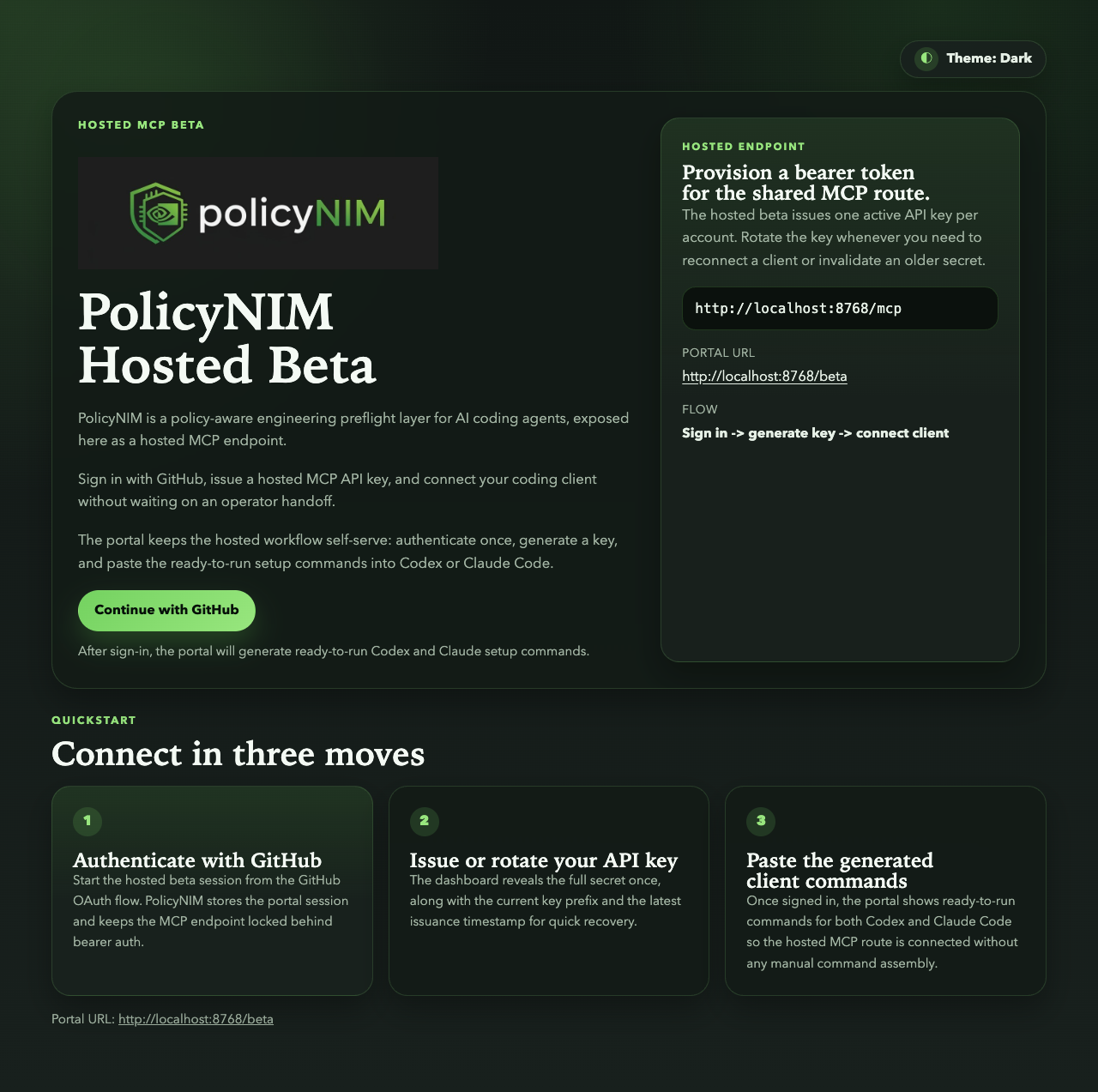
- Open
https://<railway-domain>/beta. - Sign in with GitHub.
- Generate or rotate your hosted API key.
- Export the token and add the hosted MCP server to your client.
export POLICYNIM_TOKEN=<generated-beta-token>
codex mcp add policynim --url https://<railway-domain>/mcp --bearer-token-env-var POLICYNIM_TOKEN
claude mcp add --transport http policynim https://<railway-domain>/mcp --header "Authorization: Bearer $POLICYNIM_TOKEN"
Then ask your client to call the MCP tools directly:
Use policy_preflight for: Implement a refresh-token cleanup background job.Use policy_search for: refresh token cleanup background job
Use docs/hosted-beta-operations.md for:
- hosted beta recovery topics
- container build and local hosted-image checks
- Railway deploy setup and smoke-test notes
Local Contributor Setup
Use this path only if you want to run PolicyNIM from a local checkout.
uv sync --group test --group dev
export NVIDIA_API_KEY=<your-nvidia-api-key>
uv run policynim ingest
uv run pytest -q
If you want the CLI to prompt for the required values and write the local config
file for you, run:
uv run policynim init
In a source checkout, init writes the checkout .env file that PolicyNIM
loads by default. Installed copies should keep using the direct policynim init
entrypoint described below.
If you want a quick local readiness check after setup, run:
uv run policynim doctor
uv run policynim mcp-smoke --format json
If you prefer to manage .env manually, copy the template first:
cp .env.development.example .env
After the index is built, the fastest local sanity checks are:
uv run policynim search --query "refresh token cleanup background job" --top-k 5
uv run policynim route --task "Implement a refresh-token cleanup background job" --top-k 5
uv run policynim compile --task "Implement a refresh-token cleanup background job" --top-k 5
uv run policynim preflight --task "Implement a refresh-token cleanup background job" --top-k 5
uv run policynim preflight --task "Implement a refresh-token cleanup background job" --top-k 5 --trace
uv run policynim preflight --task "Implement a refresh-token cleanup background job" --top-k 5 --regenerate --backend nemo
Use docs/contributor-guide.md for environment
templates, runtime settings, optional NVIDIA eval and Guardrails extras, and
contributor quality gates. The launcher path is installable in-project withuv sync --extra nvidia-eval --extra nvidia-eval-launcher --group test --group dev;
the internal Guardrails output-rail wrapper uses uv sync --extra nvidia-guardrails.
If you are using an installed copy instead of a source checkout, runpolicynim init once first so PolicyNIM can write the standalone config file
and data-path defaults before policynim ingest. Use uv run only when running
commands from the source checkout's uv-managed project environment.
Use docs/workflows.md for the CLI, MCP, runtime, eval, and
troubleshooting handbook.
Docs Map
Start here when you want the longer version of a specific path:
- docs/index.md: documentation hub by audience and task
- docs/contributor-guide.md: local setup, env vars,
model references, and quality gates - docs/workflows.md: CLI surfaces, first-run
quickstart/diagnostics, ingest/search/route/compile/preflight, eval, MCP,
runtime/evidence, and troubleshooting - docs/hosted-beta-operations.md: hosted beta
quickstart, recovery, container build flow, and Railway deploy notes - docs/release.md: CLI packaging, GitHub release, PyPI
publish, and smoke-test checklist - docs/architecture.md: package boundaries, runtime flow,
and interface rules - docs/architecture-diagram.md: Mermaid diagram
of the current package layout and runtime flow - docs/demo-script.md: step-by-step demo for the hero use case
- docs/limitations.md: current product limits and non-goals
- docs/public-source-grounding.md: provenance
notes for the shipped sample corpus - tests/README.md: current automated coverage
- examples/codex/README.md: Codex MCP setup example
- examples/claude-code/README.md: Claude Code
MCP setup example
Talks And Workflow Notes
- docs/ai-engineer-miami-context-plane.md: centralized context-plane talk notes and project framing
- docs/extreme-programming-with-agents.md: XP, TDD, and agent workflow notes
Limits And Scope
Current limitations are intentional:
- the system is local-first and aimed at a single developer workflow
- CI is offline-only and does not run live NVIDIA end-to-end checks by default
- the sample corpus is narrow and synthetic, not a broad enterprise handbook
- grounded answers may fail closed even when raw retrieval finds useful chunks
See docs/limitations.md for the full list and future
expansion areas.
Yorumlar (0)
Yorum birakmak icin giris yap.
Yorum birakSonuc bulunamadi