Monoloth
Health Uyari
- License — License: MIT
- Description — Repository has a description
- Active repo — Last push 0 days ago
- Low visibility — Only 5 GitHub stars
Code Uyari
- fs module — File system access in frontend/app.renderer-policy.test.cjs
- fs module — File system access in frontend/dialog.test.cjs
- fs module — File system access in frontend/file-picker.test.cjs
Permissions Gecti
- Permissions — No dangerous permissions requested
Bu listing icin henuz AI raporu yok.
Agent-agnostic desktop shell for CLI coding tools
Monoloth
Agent-agnostic desktop shell for CLI coding tools
Run OpenCode, Claude Code, and other CLI agents in a real desktop window instead of a bare terminal.





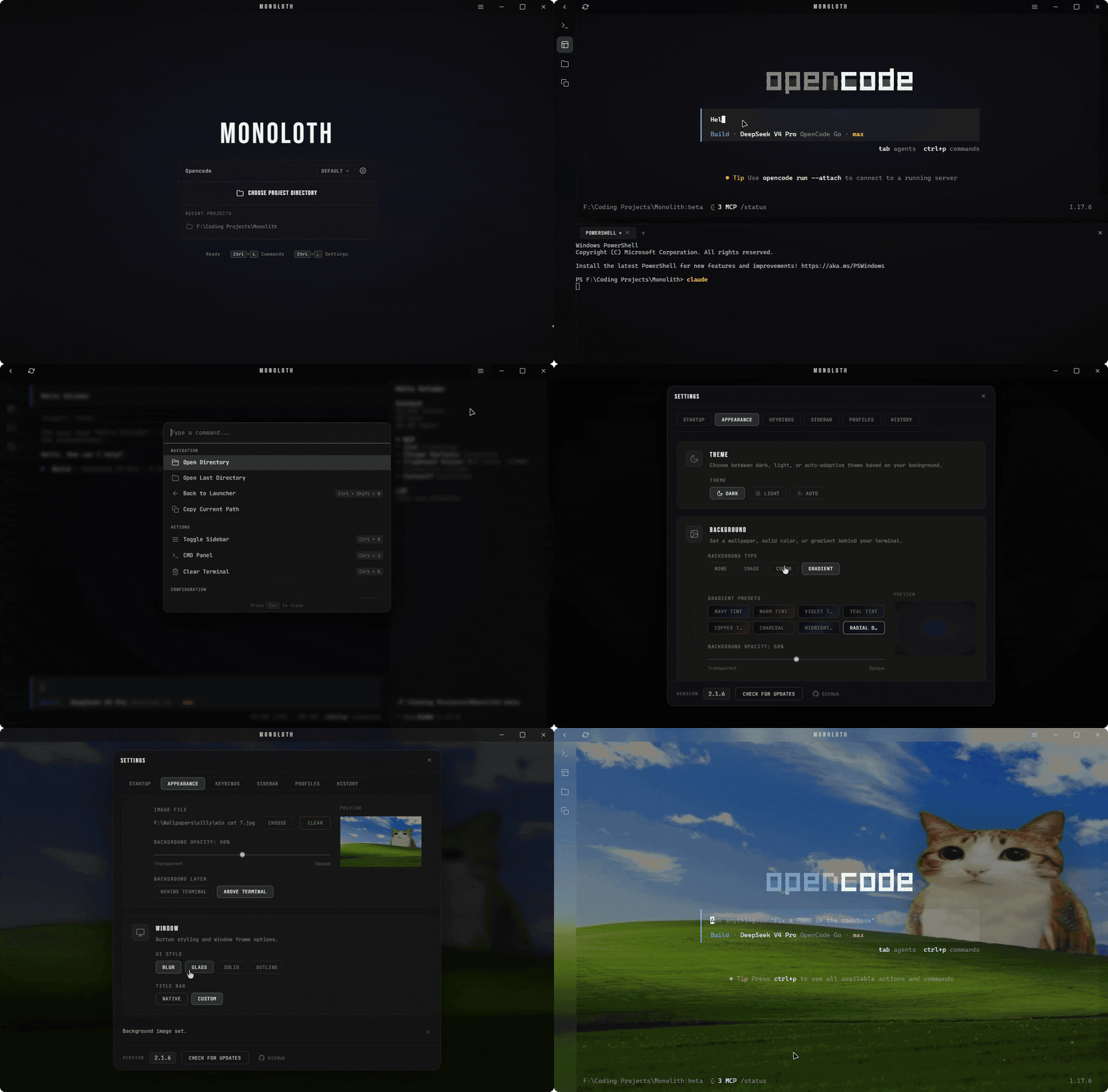
Monoloth wraps CLI coding agents (like OpenCode and Claude Code) in a native desktop shell on Windows, macOS, and Linux. Choose a project directory to start a session with integrated terminal emulation and session history tracking.
We built the backend with Tauri 2 and Rust, and the frontend with vanilla JavaScript. The project does not use a bundler, a package.json file, or a Node.js build process.
Download
Grab a prebuilt binary from the latest release. No toolchain required.
Which file?
- Windows:
x64-setup.exeto install, orx64_portable.exeto run without installing. - macOS:
aarch64.dmgfor Apple Silicon (M1 and newer),x64.dmgfor Intel. - Linux:
.AppImageruns on any distro; grab the.debor.rpmif you prefer your package manager.
Ignore the .sig and .app.tar.gz files. The auto-updater uses those, and you don't need them for a manual download.
| Platform | Download | Notes |
|---|---|---|
| Windows | .msi or -setup.exe installer |
WebView2 installs on first run |
| Windows (portable) | _x64_portable.exe |
Single file, no install |
| macOS | .dmg (Apple Silicon or Intel) |
Pick the build that matches your chip |
| Linux | .AppImage |
Mark it executable and run; .deb and .rpm also ship |
The app updates itself after that: it checks the release feed, verifies the minisign signature, and installs the new version on your confirmation.
Build & Run
Ensure you have the Rust toolchain installed, then compile the application.
# Clone the repository
git clone https://github.com/noahain/Monoloth.git
cd Monoloth

# Verify the setup
cd src-tauri
cargo check

# Run in development mode
cargo tauri dev

# Build the release executable
cargo tauri build
The system serves frontend assets directly from the frontend/ directory, requiring no package manager.
Features
- Terminal emulator
- Uses xterm.js with WebGL rendering
- Manages multiple session PTYs via
portable-pty - Includes a secondary CMD panel with drag-to-resize handles
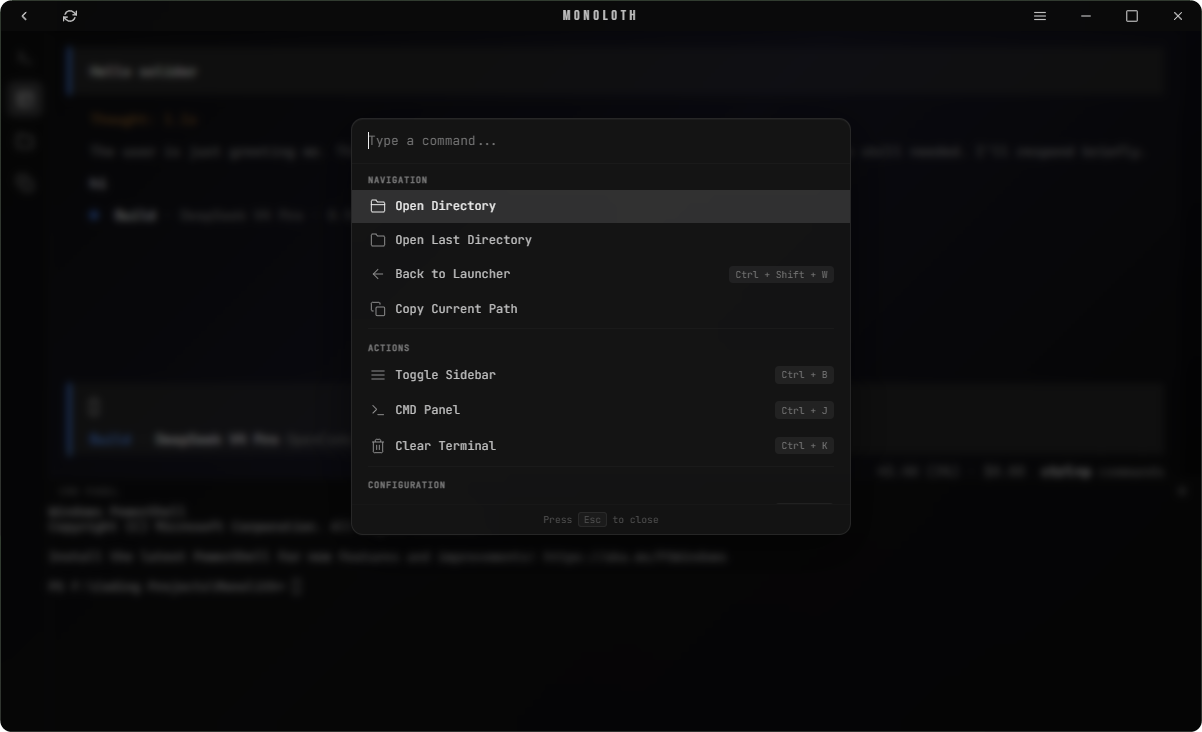
- Command palette (
Ctrl+P)- Provides grouped commands and directory navigation
- Allows users to trigger custom secondary actions
- Custom sidebar
- Supports background commands and external terminal execution
- Offers reorderable buttons and multiple icon options
- Visual theme configuration
- Updates color themes based on wallpaper brightness
- Applies blur or solid styling to UI elements
- Profile system
- Keeps user settings separate while sharing global window states
- Session tracking
- Saves session times and per-tool usage breakdowns
Visual Gallery
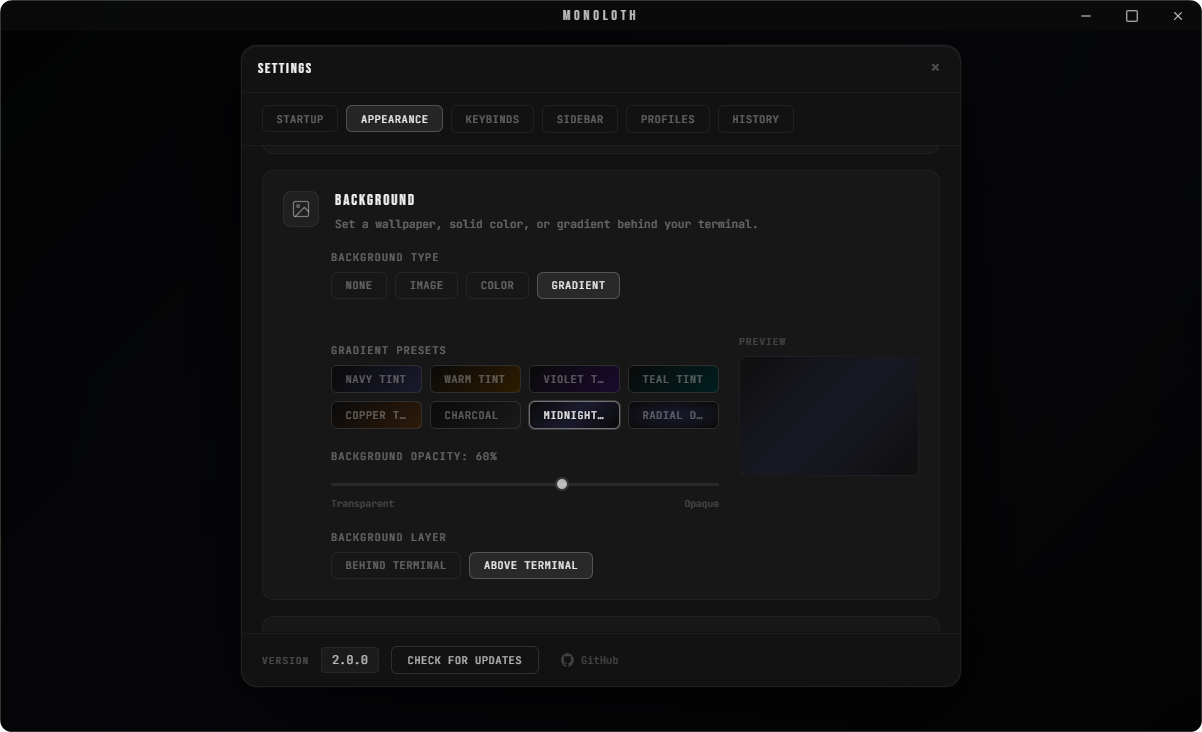
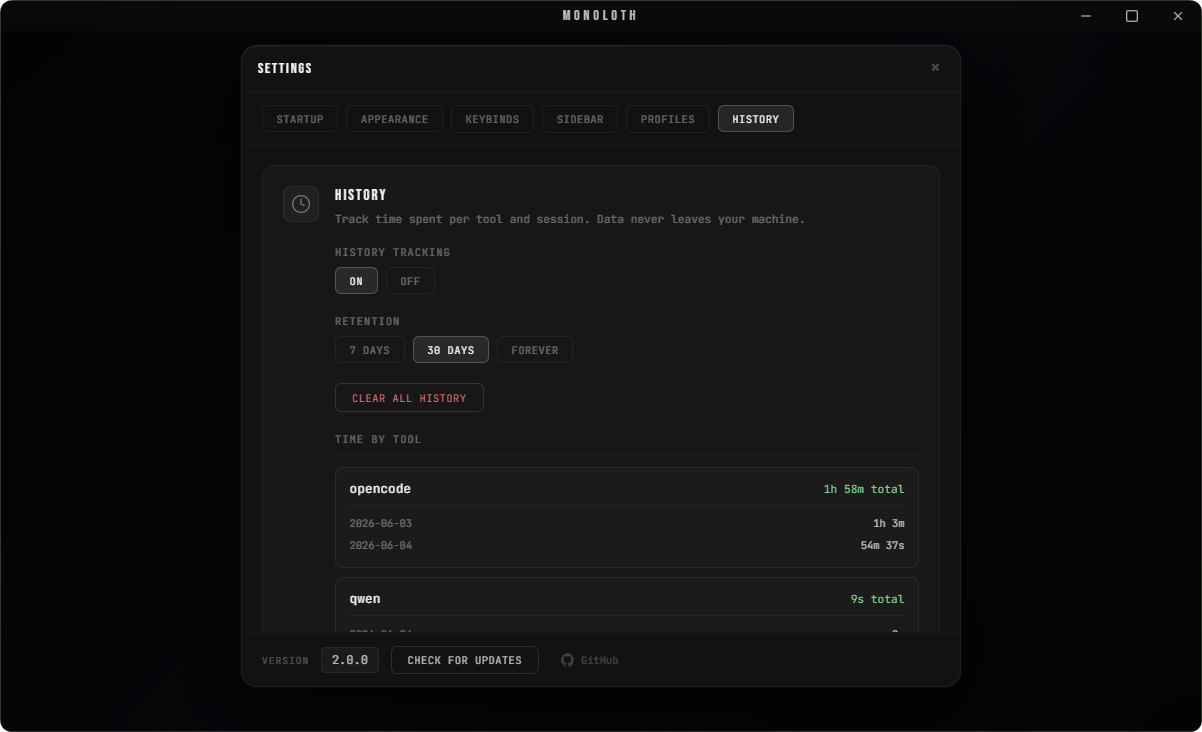
Customization Presets
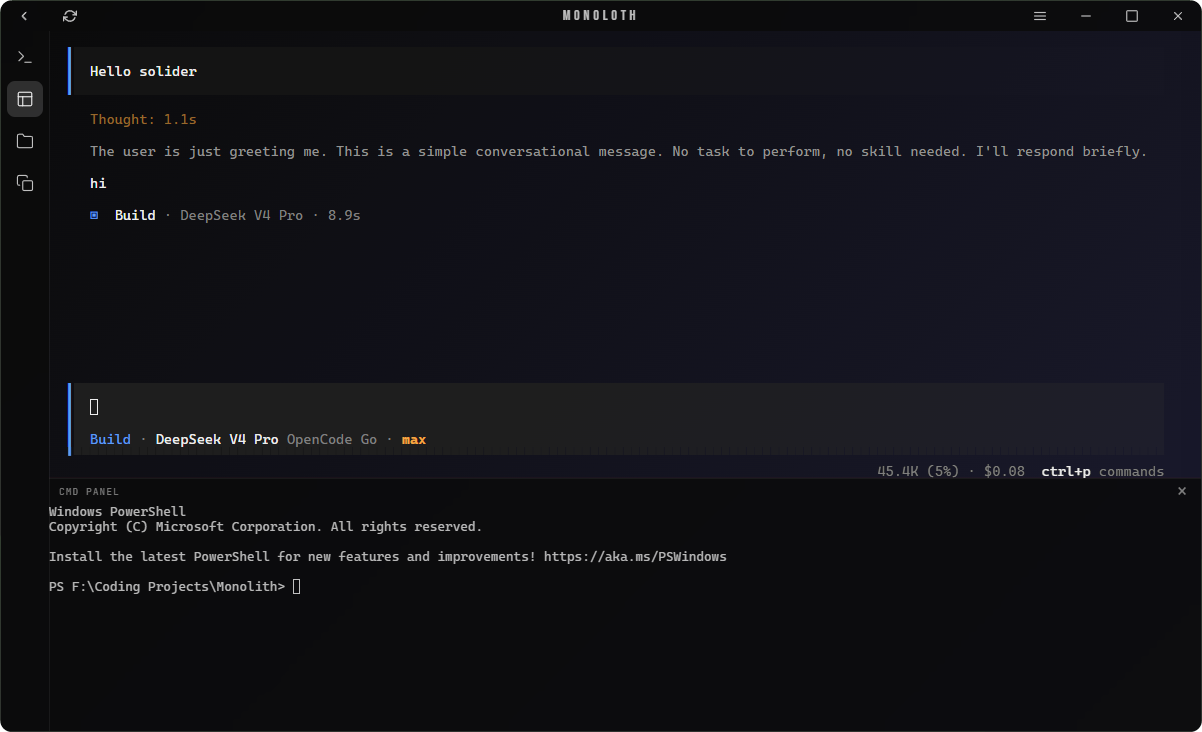
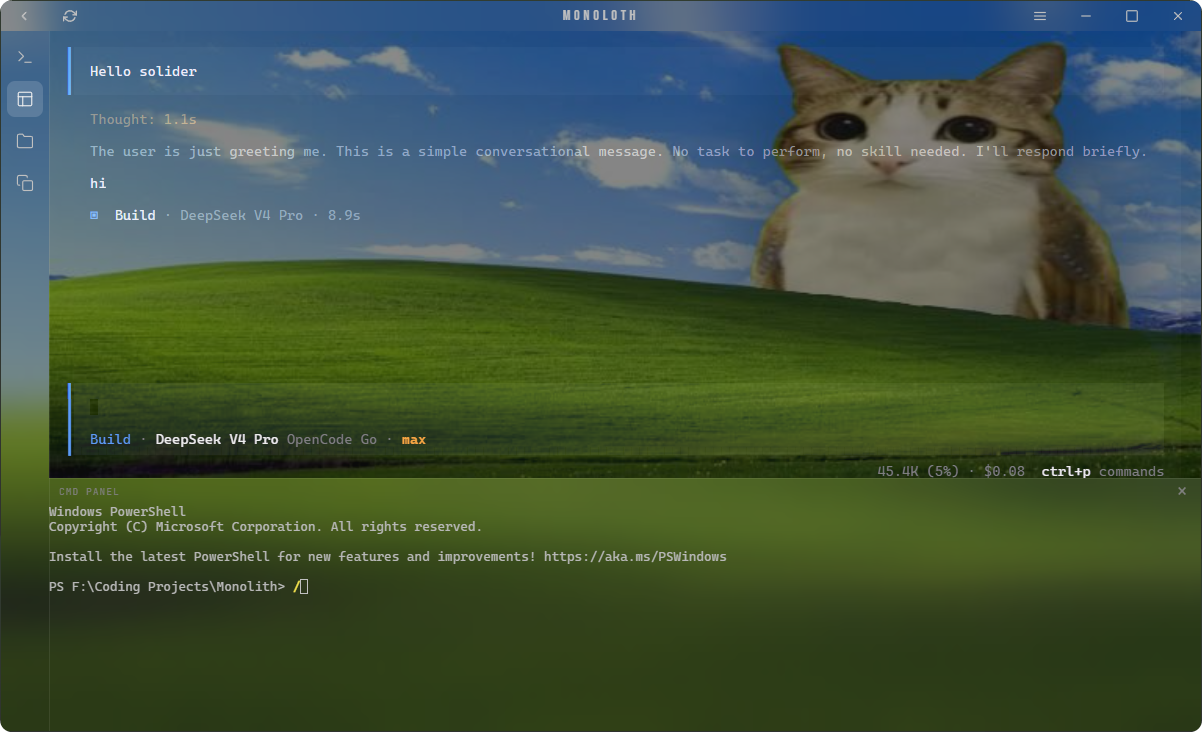
Prerequisites
- Rust toolchain 1.77.2 or newer
- Windows: Windows 10 or newer (the installer fetches the WebView2 runtime) and C++ Build Tools
- macOS / Linux: builds are supported; on Linux install the webkit2gtk development packages (see the dependency list in
.github/workflows/release.yml)
Project Structure
View Directory LayoutMonoloth/
├── src-tauri/ # Rust backend configuration
│ ├── src/
│ │ ├── main.rs # Execution entry point
│ │ ├── lib.rs # Tauri setup and window events
│ │ ├── commands/ # Tauri IPC commands
│ │ │ ├── config.rs # Profile and background configurations
│ │ │ ├── fs.rs # File operations and previews
│ │ │ ├── history.rs # Session history queries
│ │ │ ├── image.rs # Image reading and analysis
│ │ │ ├── profile.rs # Profile operations
│ │ │ ├── shell.rs # External execution handling
│ │ │ ├── terminal.rs # Terminal session management
│ │ │ └── window.rs # Window controls
│ │ ├── config.rs # Profile serialization and sanitization
│ │ ├── history.rs # History tracking
│ │ └── pty.rs # Terminal manager interface
│ ├── Cargo.toml
│ └── tauri.conf.json
├── frontend/
│ ├── index.html # HTML structure
│ ├── app.js # Main application controller
│ ├── sidebar.js # Sidebar logic
│ ├── tauri-bridge.js # IPC layer
│ ├── dom-utils.js # User interface utilities
│ ├── tooltip.js # Custom tooltips
│ ├── style.css # Application stylesheet
│ └── lib/
│ ├── xterm.js # Terminal rendering library
│ ├── xterm-addon-fit.js # Terminal fit plugin
│ ├── xterm-addon-webgl.js# Terminal WebGL acceleration
│ ├── plugin-updater.js # Updater wrapper
│ ├── plugin-process.js # Process wrapper
│ └── updater-toast.js # Update notifications
├── assets/
│ ├── icon.png
│ ├── icon.ico
│ └── screenshots/
├── .github/
│ ├── ISSUE_TEMPLATE/ # Bug report + feature request forms
│ └── workflows/release.yml # Cross-platform build & release
├── ARCHITECTURE.md # How the system fits together
├── CONTRIBUTING.md # Build, style, and PR guide
├── CHANGELOG.md # Release history
└── SECURITY.md # Reporting + what the app accesses
Configuration
The application stores settings in config.json and saves user profiles in a profiles/ folder, both under the platform's standard config location:
| Platform | Location |
|---|---|
| Windows | %APPDATA%\Monoloth\ |
| macOS | ~/Library/Application Support/Monoloth/ |
| Linux | ~/.config/Monoloth/ |
| Parameter | Default Value | Description |
|---|---|---|
startup_command |
opencode |
Default CLI command |
theme_mode |
dark |
Default theme configuration |
bg_type |
none |
Background image type |
cta_button_style |
blur |
Visual theme styling |
active_profile |
Default |
Loaded settings profile |
use_custom_titlebar |
true |
Frame display configuration |
Settings Tabs
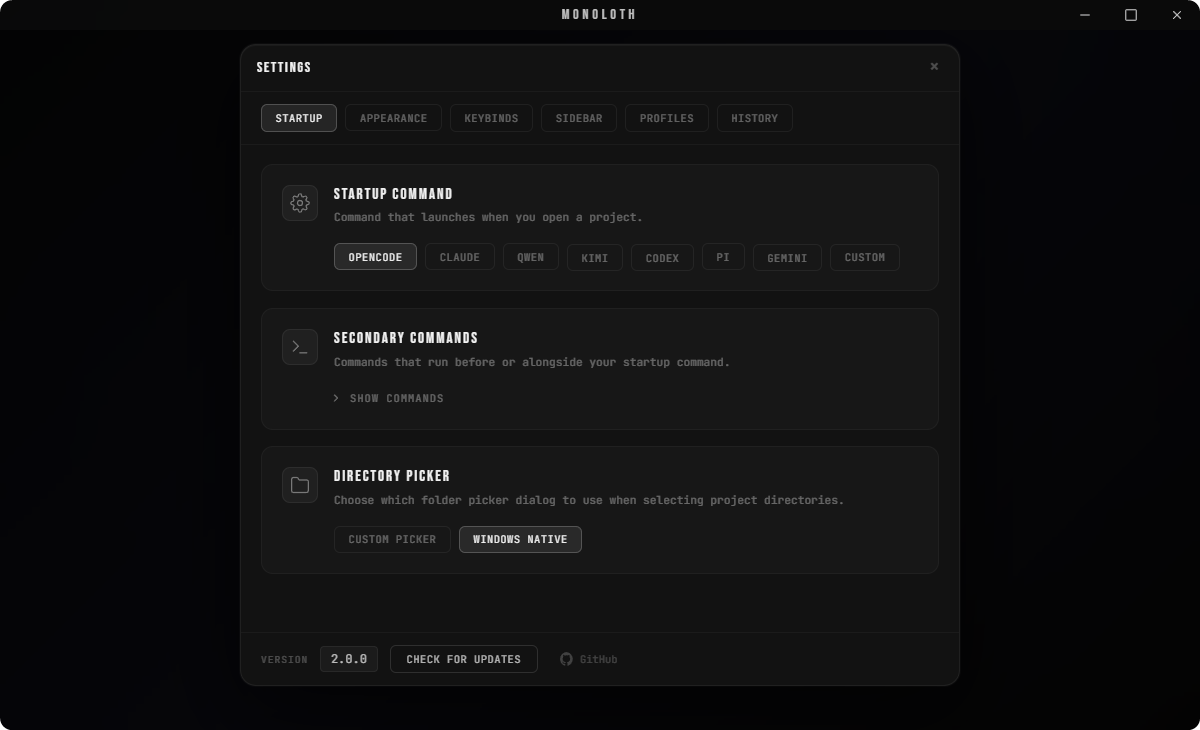
- Startup: Configures startup commands and default directories.
- Appearance: Controls visual themes and background styles.
- Keybinds: Rebinds command palette shortcuts.
- Profiles: Manages active user profiles.
- History: Controls session retention rules.
- Sidebar: Reorders sidebar buttons and action layouts.
Tech Stack
Rust 1.77.2 • Tauri 2.11.1 • portable-pty • xterm.js • WebGL • Vanilla JS • HTML5 • CSS3
Contributing
Contributions are welcome. See CONTRIBUTING.md for build
instructions and ARCHITECTURE.md for a tour of the codebase.
Security & Updates
Monoloth checks for updates through the Tauri updater and notifies you when one
is available. Update artifacts are signed with a minisign key, and the app
verifies that signature before installing.
As a shell for CLI agents, Monoloth spawns terminal sessions and runs the
command you configure, and it reads the project directory you choose. Settings
and profiles stay local in your platform's config directory. For the full
picture and how to report a vulnerability, see SECURITY.md.
License
MIT
Yorumlar (0)
Yorum birakmak icin giris yap.
Yorum birakSonuc bulunamadi