double-shot
Health Uyari
- License — License: MIT
- Description — Repository has a description
- Active repo — Last push 0 days ago
- Low visibility — Only 9 GitHub stars
Code Basarisiz
- rm -rf — Recursive force deletion command in scripts/build-app.sh
Permissions Gecti
- Permissions — No dangerous permissions requested
Bu listing icin henuz AI raporu yok.
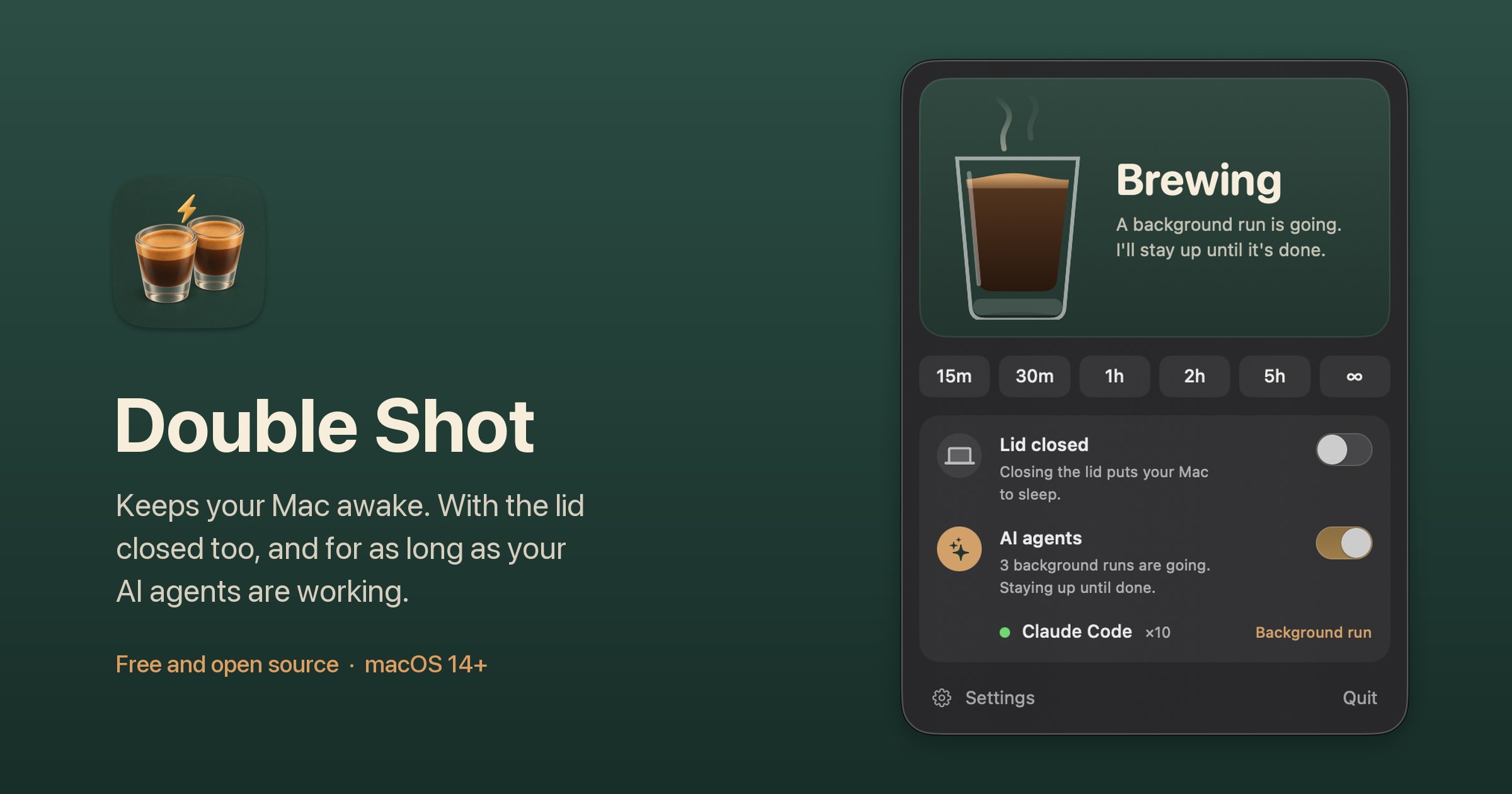
Keeps your Mac awake. With the lid closed too, and for as long as your AI agents are working. Menu bar app for macOS.
Download
·
brew install --cask noahelhadedy/tap/double-shot
·
Made by Noah Elhadedy
Why
You start a long Claude Code or Codex run, close the lid, put the Mac in your bag, and the work stops. On battery with no external display, macOS sleeps the moment the lid closes. caffeinate and most keep-awake apps only stop idle sleep, and the ones that handle a closed lid don't know when your agents are done.
Double Shot handles both:
- Stays awake while your agents work. It notices when Claude Code, Codex, Gemini CLI, Cursor Agent, Copilot CLI, OpenCode, Amp or Aider are actually working, not just open. Background runs like
claude -porcodex execcount until they end. A few minutes after everything is quiet, your Mac sleeps like normal again. No setup, no hooks. - Keeps going with the lid closed. After a one-time admin password, close the lid and the work carries on, on battery too. When it's done, Double Shot puts the Mac to sleep for you.
- Looks after the Mac. A closed Mac in a bag can't cool down, so Double Shot stops at the first warm level, turns the dark display fully off, switches on Low Power Mode on battery, and lets go when the battery gets low.
It still does the simple thing too: keep your Mac awake for a while, or until you turn it off.
First run
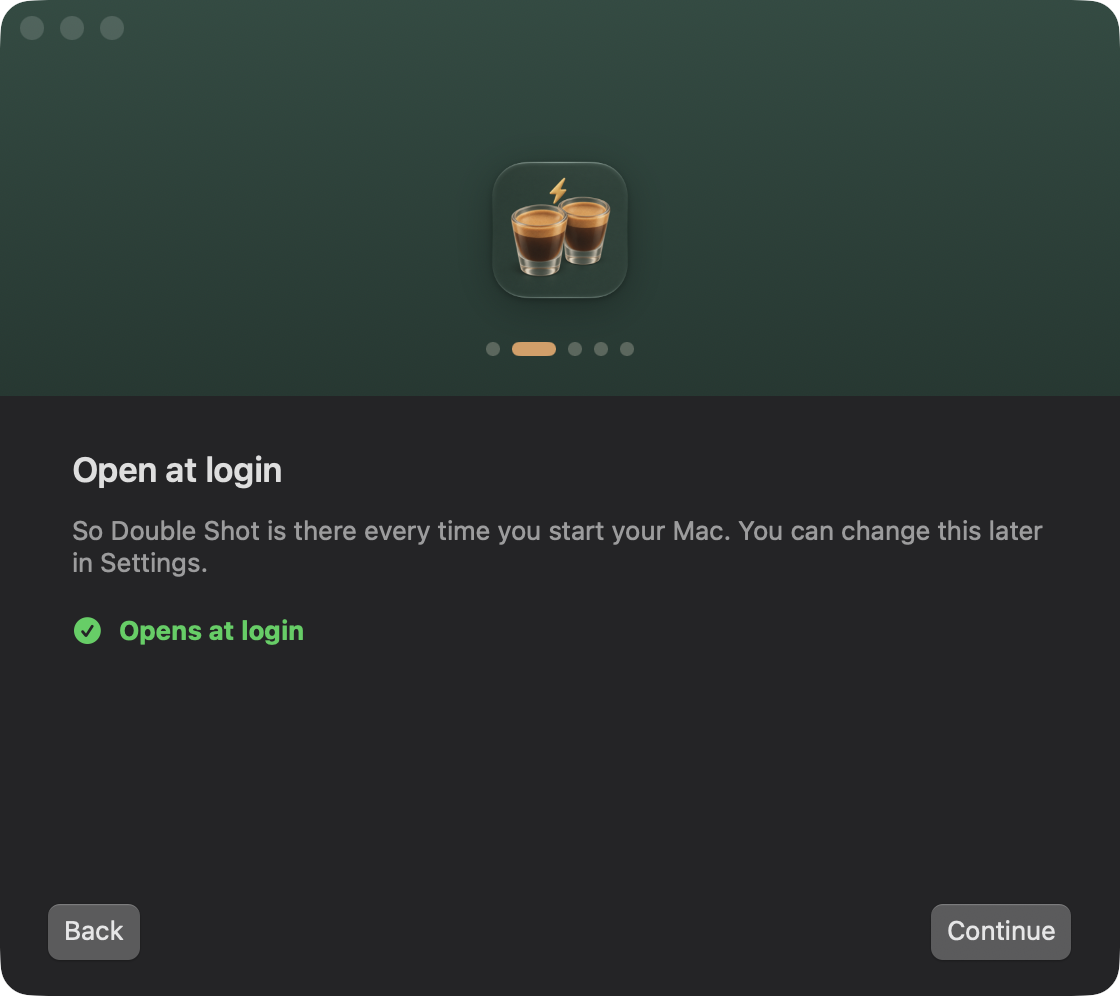
The first time you open Double Shot, a short welcome walks you through everything it needs, one step at a time: open at login, lid closed mode (your password once), and AI agents. Skip anything you like and turn it on later. You can see the welcome again from Settings > About.
Using it
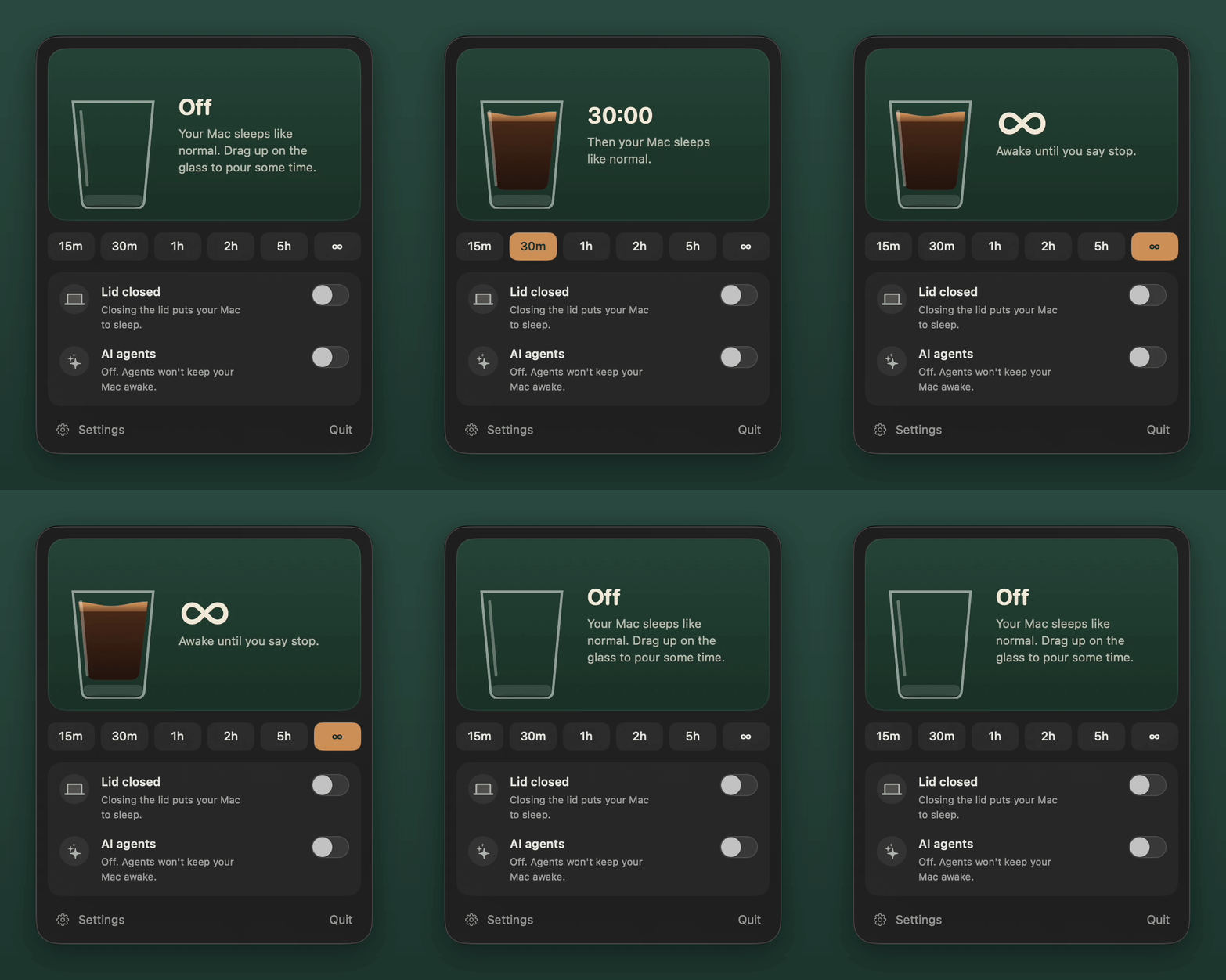
The mug in the menu bar is empty when Double Shot is off and full when it's keeping your Mac awake.
Click the mug to open the panel:
- The glass. The coffee level is the time left and drains as it runs. Drag up on the glass to pour a duration, or click it to switch on and off.
- Quick picks. 15 minutes, 30 minutes, 1 hour, 2 hours, 5 hours, or until you turn it off.
- Lid closed. Keep working when the lid is shut. Needs a one-time setup (below).
- AI agents. Stay awake by itself while agents work. Each switch has a line under it that says what's happening right now.
- Sleep Now. Shows up while the lid hold is on, because Apple menu > Sleep does nothing then.
Option click the mug to switch it on or off without opening the panel. You can swap these in Settings > General.
Install
With Homebrew, one line and it's ready to open:
brew install --cask noahelhadedy/tap/double-shot
Or by hand:
Download
DoubleShot-x.y.z.zipfrom Releases and unzip it.Move Double Shot.app to your Applications folder.
Open it. The app isn't notarized by Apple yet, so the first time macOS says it "could not verify Double Shot is free of malware". Click Done, not Move to Trash. Then go to System Settings > Privacy & Security, scroll down, click Open Anyway and enter your password. Downloads from the browser need this again for each new version (the Homebrew cask clears the quarantine flag for you). Or run:
xattr -dr com.apple.quarantine "/Applications/Double Shot.app"
Lid closed mode
macOS has no public switch for "don't sleep when the lid closes". The only way is pmset disablesleep, which needs root. So the first time, Double Shot asks for your password once (panel > Lid closed > Set up, or Settings > Lid Closed) and adds one rule to /etc/sudoers.d/doubleshot. The rule lets your user run exactly these four commands without a password, nothing else:
/usr/bin/pmset -a disablesleep 1
/usr/bin/pmset -a disablesleep 0
/usr/bin/pmset -b lowpowermode 1
/usr/bin/pmset -b lowpowermode 0
Low Power Mode is only changed for battery power, so your settings for the power adapter stay as they are.
With an external display connected, a closed lid is a normal desk setup, so the lid rules (display off, Low Power Mode, heat cutoff, sleep when done) step aside.
Safety
- If Double Shot crashes or is force quit while it holds the lid, a small watchdog it left running turns sleep back on within a few seconds.
- The next time it opens, it also undoes anything an earlier run left behind.
- Heat: it stops when the Mac gets hot, and at the first warm level when the lid is closed in a bag.
- Battery: it stops at 20% on battery by default (Settings > Safety).
- Updates: once a day it asks GitHub whether a newer version is out and shows a small note in the panel. It's a plain request with no personal data. Turn it off in Settings > General.
If your Mac won't sleep
Check whether sleep is disabled:
pmset -g | grep -i sleepdisabled
If it says 1, turn sleep back on:
sudo pmset -a disablesleep 0
If Low Power Mode stayed on, run sudo pmset -b lowpowermode 0.
Uninstall
- Open Double Shot, go to Settings > Lid Closed and click Remove Permission. This removes the sudoers rule and turns sleep back on.
- In Settings > General, turn off Open Double Shot when you log in.
- Quit Double Shot and move it to the Trash, or with Homebrew run
brew uninstall --cask --zap double-shot.
If you already deleted the app, clean up by hand:
sudo rm -f /etc/sudoers.d/doubleshot
sudo pmset -a disablesleep 0
sudo pmset -b lowpowermode 0
rm -rf ~/Library/Application\ Support/DoubleShot
defaults delete com.noahelhadedy.DoubleShot
How agent detection works
No hooks and nothing to set up per tool. Every 10 seconds Double Shot looks for known agent processes and judges each session on its own:
- A one-shot background run (
claude -p,codex exec,gemini -pand the like) counts as working for as long as it runs, even while it waits on the model. If it shows no sign of life of its own for 20 minutes, it's treated as stuck. - Any other session counts as working when, since the last check, it used real CPU itself or through the tool calls it started, or a tool call it started is still running (up to 30 minutes). Its MCP servers, browsers and language servers are left out.
- A session also counts as working for 90 seconds after its session log changes (
~/.claude/projects,~/.codex/sessions,~/.gemini/tmpand so on, watched with FSEvents). Claude Code keeps one log folder per project, so each Claude session only counts its own writes. For the other agents a write counts for all their sessions.
A session sitting at the prompt, or waiting for you to approve something, does none of this, so it lets your Mac sleep. When everything has been quiet for the grace period (3 minutes by default), Double Shot lets go. Turning it off by hand during a run is respected until the agents go quiet.
Cursor Agent means the cursor-agent command line tool. The agent inside the Cursor editor isn't detected.
Want another agent supported? Add it to AgentKind.swift and open a pull request.
Automation
open -g "doubleshot://on?minutes=30"   # on for 30 minutes
open -g "doubleshot://on"              # on with your default duration
open -g "doubleshot://off"
open -g "doubleshot://toggle"
open -g "doubleshot://panel"           # open the panel
open -g "doubleshot://settings"        # open Settings
open -g "doubleshot://welcome"         # show the welcome again
Build from source
Needs macOS 14 or later and Xcode 16 or later, selected with sudo xcode-select -s /Applications/Xcode.app.
git clone https://github.com/noahelhadedy/double-shot.git
cd double-shot
scripts/build-app.sh          # builds dist/Double Shot.app (Apple Silicon + Intel) and a zip
Quit the installed app before running a development build, since only one copy runs at a time. For quick runs: swift run. Logs:
log stream --predicate 'subsystem == "com.noahelhadedy.DoubleShot"'
scripts/make-icon.py turns a square artwork into the app icon and needs Pillow (pip3 install pillow).
Credits
Inspired by KeepingYouAwake by Marcel Dierkes and Amphetamine by William Gustafson. Double Shot is its own code, written from scratch in Swift.
License
MIT © 2026 Noah Elhadedy
Yorumlar (0)
Yorum birakmak icin giris yap.
Yorum birakSonuc bulunamadi