backpack-ontology
Health Uyari
- License — License: Apache-2.0
- Description — Repository has a description
- Active repo — Last push 0 days ago
- Low visibility — Only 5 GitHub stars
Code Basarisiz
- exec() — Shell command execution in src/auth/oauth.ts
- network request — Outbound network request in src/auth/oauth.ts
- process.env — Environment variable access in src/bin/backpack-sync.ts
- network request — Outbound network request in src/bin/backpack-sync.ts
- process.env — Environment variable access in src/core/author-name.ts
Permissions Gecti
- Permissions — No dangerous permissions requested
This tool provides a persistent, structured knowledge graph for LLMs, allowing an AI to remember context, projects, and preferences across multiple conversations and sessions.
Security Assessment
Overall Risk: Medium. The code contains a failing audit check for shell command execution (`exec()`) within the OAuth authentication module. The same module also makes outbound network requests, likely to handle cloud account sign-ins via `app.backpackontology.com`. While no dangerous system permissions or hardcoded secrets were found, the combination of remote code execution capabilities and active network calls warrants caution. Additionally, it accesses environment variables for configuration and background syncing processes. The local/offline installation option mitigates the network and authentication risks.
Quality Assessment
The project is actively maintained, with its most recent code push happening today. It is legally sound for integration, utilizing the permissive Apache-2.0 license. However, community trust and visibility are currently very low, as the repository has only 5 GitHub stars. This means the codebase has not been widely peer-reviewed or battle-tested by the broader developer community.
Verdict
Use with caution — the active code execution and network features warrant a manual review of the OAuth code before adopting, especially if handling sensitive data.
Persistent knowledge base for LLMs — structured learning graphs that carry forward across conversations. Works with Claude Code, Cursor, Windsurf, Codex, and more.
Backpack
Carry your knowledge forward.
LLMs are incredible at reasoning but have zero memory of your world. Every new conversation starts from scratch — you repeat clients, projects, decisions, and preferences over and over.
Backpack fixes that. It gives your AI a persistent, structured knowledge base that carries forward across every session.
What it does
Tell your AI something once, and it remembers — next conversation, next week, next month.
You: "We just signed Acme Corp, they're on the Enterprise tier, main contact is Sarah Chen"

Claude: [saves to backpack → clients learning graph]

--- weeks later, different conversation ---

You: "What do we know about Acme Corp?"

Claude: "Acme Corp is on the Enterprise tier, main contact is Sarah Chen..."
No copy-pasting. No re-explaining. Your knowledge carries forward.
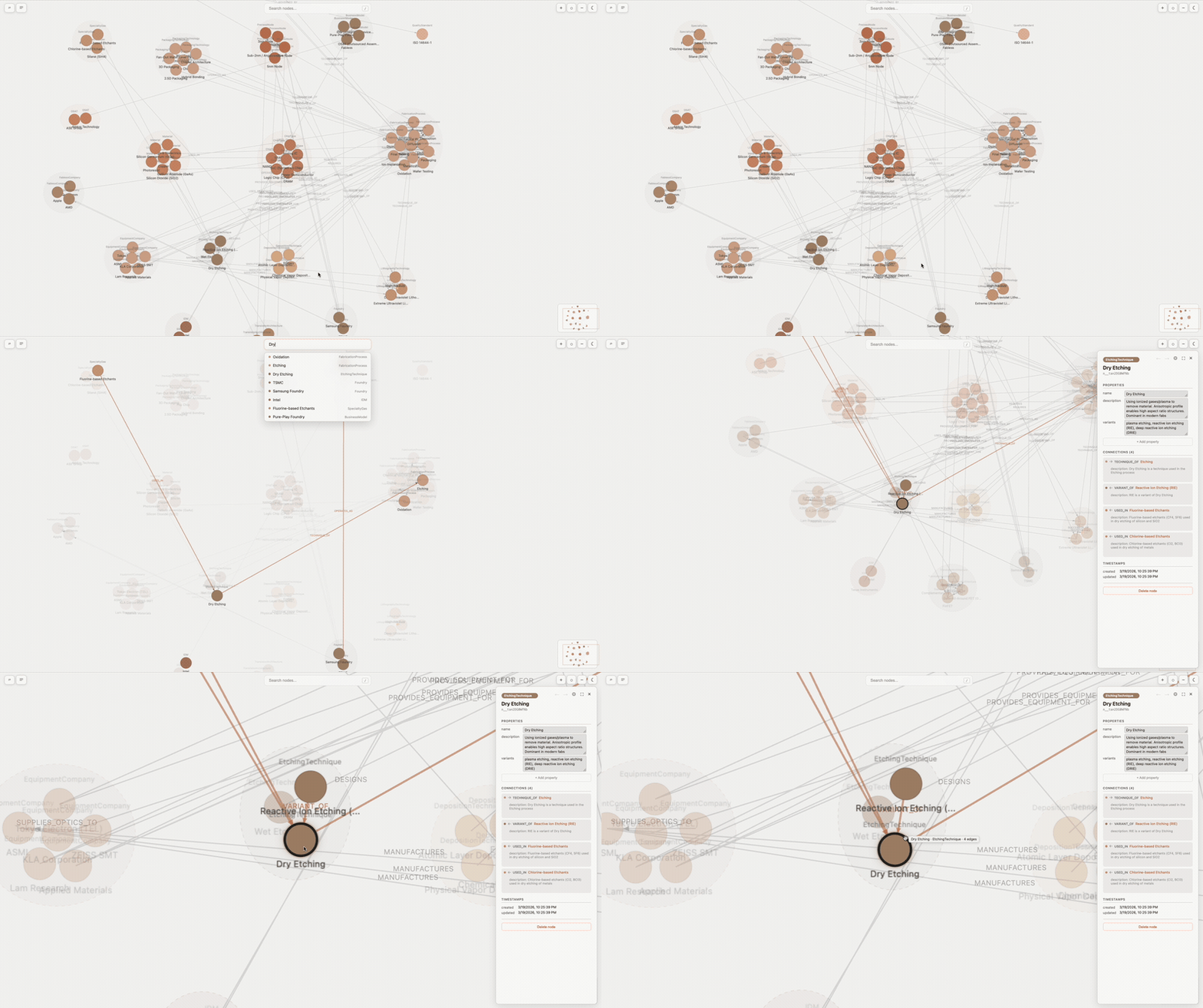
The graph viewer
An interactive canvas where you can actually see and explore your knowledge base.
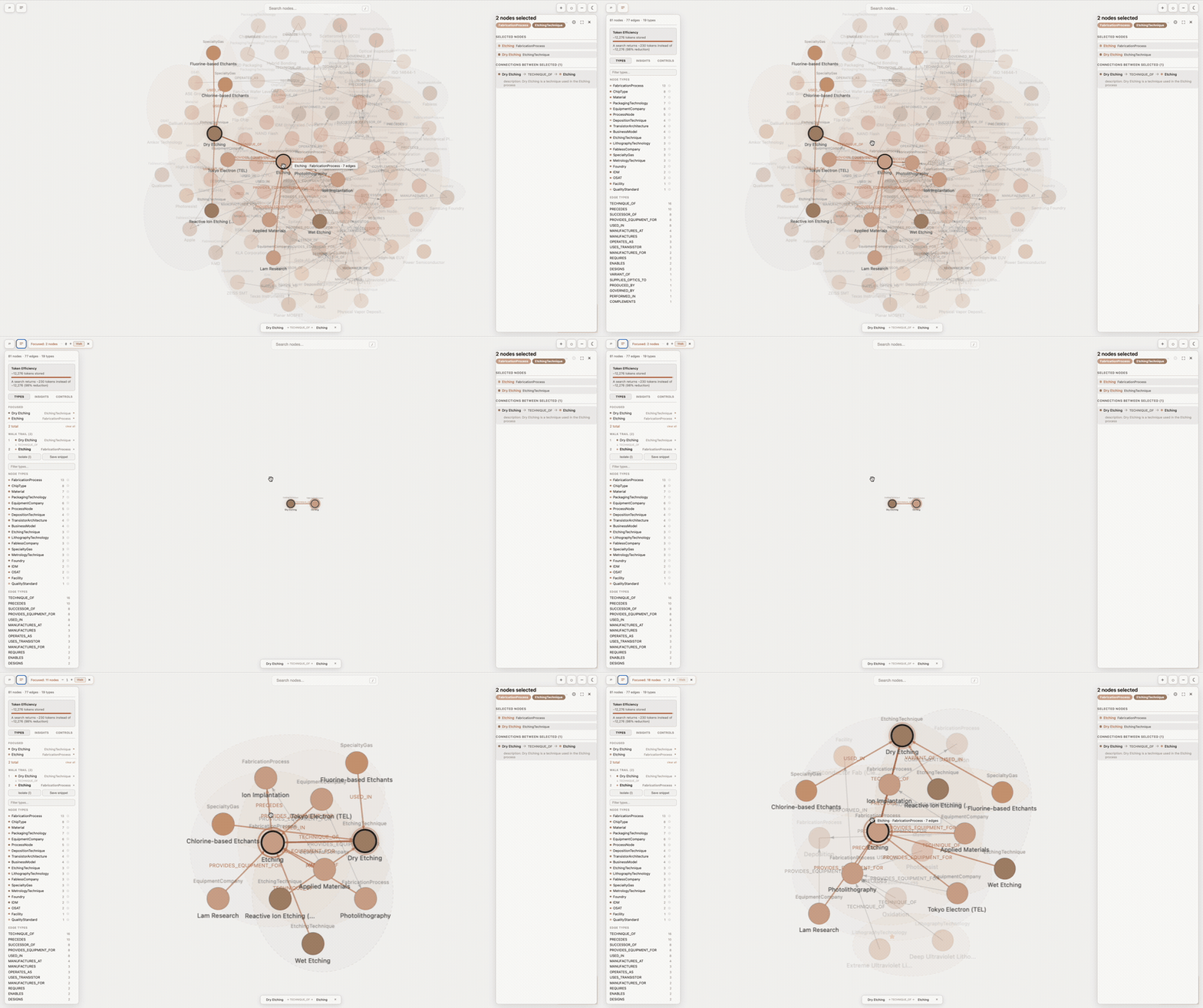
- Force-directed layout with live updates as you add knowledge
- Click nodes to explore relationships, properties, and connections
- Focus mode to zoom into a subgraph, walk mode to trace paths between ideas
- Type hulls group related things visually
- Vim-style keyboard navigation, undo/redo, search
This is where human understanding meets AI-generated knowledge — turning structured data into something you can see, navigate, and build on.
Get started
Recommended: Backpack App (free cloud account)
Sign up for a free account at app.backpackontology.com, then add Backpack to Claude Code:
claude mcp add backpack-app -s user --transport sse https://app.backpackontology.com/mcp/sse
Your knowledge syncs across devices, you can share with your team, and you get access to the web-based graph visualizer. On first run, a browser window opens for sign-in. After that, it's automatic.
Backpack Local (offline, private)
Prefer to keep everything on your machine? No account needed.
If you're using Claude Code, install the plugin — it bundles this MCP server together with two usage skills that teach Claude how to build and query learning graphs, including an autonomous mining loop for growing a graph from web sources:
/plugin marketplace add NoahIrzinger/backpack-ontology-plugin
/plugin install backpack-ontology@NoahIrzinger-backpack-ontology-plugin
Restart Claude Code (or run /reload-plugins) and you're ready. Plugin repo: backpack-ontology-plugin.
Without the plugin (advanced, or other MCP clients):
claude mcp add backpack-local -s user -- npx backpack-ontology@latest
This installs the MCP server directly but without the skills. You'll have the tools but not the guidance on how Claude should use them — the plugin is recommended unless you have a specific reason to skip it.
You can always move to Backpack App later by telling Claude "sync my backpack to the cloud".
Works with other AI tools
Backpack works with any tool that supports MCP. Here's how to set it up:
CursorAdd to ~/.cursor/mcp.json (or .cursor/mcp.json in your project):
{
  "mcpServers": {
    "backpack": {
      "command": "npx",
      "args": ["backpack-ontology@latest"]
    }
  }
}
Or configure through Cursor Settings > MCP.
WindsurfAdd to ~/.codeium/windsurf/mcp_config.json:
{
  "mcpServers": {
    "backpack": {
      "command": "npx",
      "args": ["backpack-ontology@latest"]
    }
  }
}
codex mcp add backpack -- npx backpack-ontology@latest
Or add to ~/.codex/config.toml:
[mcp_servers.backpack]
command = "npx"
args = ["backpack-ontology@latest"]
Click the MCP Servers icon in Cline's top bar, then add:
{
  "mcpServers": {
    "backpack": {
      "command": "npx",
      "args": ["backpack-ontology@latest"]
    }
  }
}
Add to ~/.continue/config.yaml:
mcpServers:
  - name: backpack
    command: npx
    args:
      - "backpack-ontology@latest"
Add to ~/.config/zed/settings.json:
{
  "context_servers": {
    "backpack": {
      "command": "npx",
      "args": ["backpack-ontology@latest"]
    }
  }
}
Note: Zed uses context_servers, not mcpServers.
Switching from Backpack Local to Backpack App
Already using Backpack Local and want to move to the cloud? One command uploads everything:
"Sync my backpack to the cloud"
Then add the cloud MCP server and you're done.
What to say to Claude
No commands to learn. Just talk naturally.
Remember something
"Remember that Acme Corp is on the Enterprise tier, main contact is Sarah Chen"
"Add our new vendor agreement details to backpack"
"Start a learning graph for our hiring process"
Find something
"What's in my backpack about Acme Corp?"
"Search backpack for anything related to compliance"
"What do we know about the deployment process?"
See the big picture
"Show me my learning graph"
"What's in my backpack?"
"Describe the clients graph"
Claude will open the graph visualizer so you can explore your knowledge visually.
Knowledge base
Each backpack includes a document-oriented knowledge base alongside its learning graphs. KB documents are markdown files stored per-mount, with support for multiple mount points (local directories, cloud, or extension-provided).
- KB mounts — register directories as document sources (
backpack_kb_mount), list active mounts (backpack_kb_mounts) - Document management — save, list, read, delete, and search documents across mounts (
backpack_kb_save,backpack_kb_list,backpack_kb_read,backpack_kb_delete,backpack_kb_search) - Graph-to-KB ingest — synthesize graph knowledge into KB documents (
backpack_kb_ingest)
Say to Claude:
"Save a document about our deployment process to the knowledge base"
"Search the KB for anything about compliance"
Cloud sync
Connect your local backpack to BackpackApp cloud for cross-device access and sharing.
- CloudCacheBackend — write-through cache that stores graphs locally and syncs to the cloud. Used by the viewer for seamless switching between local and cloud backpacks.
- Cloud tools — sign in (
backpack_cloud_login), list cloud graphs (backpack_cloud_list), search across them (backpack_cloud_search), and import to local (backpack_cloud_import)
Say to Claude:
"Sign in to Backpack cloud"
"What graphs do I have in the cloud?"
"Import the clients graph from cloud"
What people use it for
- Client management: keep track of accounts, contacts, contract details, and conversations across sessions
- Process documentation: capture how things are done so Claude can help consistently every time
- Project knowledge: architecture decisions, vendor relationships, compliance requirements
- Domain expertise: industry terminology, regulatory frameworks, best practices
- Team onboarding: new team members get Claude with your organization's context already loaded
How it works
You have one backpack. It goes everywhere with you. Inside it, you organize knowledge into learning graphs, each covering a different topic (clients, processes, compliance, etc.). Within each graph, information is stored as things connected by relationships. You don't need to think about the structure. Claude handles it automatically.
Token efficiency
Backpack uses progressive disclosure — it never loads the full graph into context. Each tool returns only what's needed.
Here's what a typical interaction looks like against a real 81-node graph (~12,000 tokens if loaded raw):
| What the AI does | Tokens returned | % of full graph |
|---|---|---|
| Describe structure | ~2,478 | 20% |
| Search for a topic (17 results) | ~429 | 3% |
| Get one node's full details | ~154 | 1% |
A describe → search → get_node interaction uses ~3,000 tokens instead of ~12,000. For smaller graphs (13 nodes, ~1,700 tokens), the savings are smaller because the metadata is a larger fraction of total data.
Results vary by graph size and operation. Node lookups and searches consistently use under 5% of the full graph. Describe uses 20–67% depending on graph size. Run the benchmark on your own graphs:
npx -p backpack-ontology@latest backpack-benchmark
Across sessions, the real value is that the graph exists at all. It's built once and queried forever — every future conversation uses structured lookups instead of re-explaining context from scratch.
Source metadata (automatic)
Every node extracted from an external source — email, JIRA, web page, document — automatically carries metadata that points back to where it came from. This enables traceability and staleness detection.
When Claude mines or extracts data, it attaches four properties to every node:
{
  "id": "n_vendor_abc",
  "type": "Vendor",
  "properties": {
    "name": "ABC Maintenance",

    // Automatic source metadata
    "source": "email:outlook/thread-xyz789",
    "source_type": "email",
    "source_date": "2026-04-10T14:22:00Z",
    "source_reference": "Subject: Vendor consolidation plan"
  }
}
| Field | What it is | Example |
|---|---|---|
source |
Pointer to original data | https://example.com/team, email:outlook/thread-123, jira:myproject/ISSUE-42 |
source_type |
System that owns this data | web, email, jira, slack, document |
source_date |
When the data was created/modified | ISO 8601 timestamp |
source_reference |
Human-readable context | "Team page", "Subject: Q2 planning", "ISSUE-42: Pricing" |
Why this matters:
- Traceability — You (or Claude) can always click back to the original source
- Staleness detection — Queries can see how fresh extracted data is and when to re-fetch
- No lock-in — Source pointers mean Backpack is an index layer, not a data warehouse. Original data stays where it is.
- Trust — You can show exactly where insights and recommendations come from
Claude always adds this metadata automatically. You never need to think about it — just let your AI mine data naturally.
Data and privacy
Backpack Local: your data is stored at ~/.local/share/backpack/graphs/<graph-name>/ as an append-only event log per branch (branches/<branch>/events.jsonl) plus a materialized snapshot cache (branches/<branch>/snapshot.json). Both are human-readable, backupable, and version-controlable. Graphs from earlier versions are migrated to this format automatically on first start — nothing to do.
Backpack App: your data is stored securely in our cloud infrastructure. See our privacy policy for details.
Telemetry: Backpack collects anonymous usage statistics (tool counts, session duration) to improve the product. No content, names, or personal data is ever collected. Opt out with DO_NOT_TRACK=1.
Reference
CLI commands
| Command | What it does |
|---|---|
npx backpack-ontology@latest |
Start the Backpack Local MCP server |
claude mcp add backpack-app ... --transport sse |
Connect to Backpack App cloud MCP |
npx -p backpack-ontology@latest backpack-sync |
Upload local learning graphs to Backpack App |
npx backpack-viewer@latest |
Open the graph visualizer (http://localhost:5173). Always include @latest — npx backpack-viewer without the version suffix reuses a cached older version. |
npx -p backpack-ontology@latest backpack-init |
Remove any leftover Backpack hooks from .claude/settings.json |
Multiple backpacks
A backpack is a directory of learning graphs. Most users start with one (personal, auto-created at ~/.local/share/backpack/graphs/) and never touch the registry. But you can register additional backpacks — a shared OneDrive folder, a project-specific directory, a network-mounted share — and switch between them with a single command. Only one backpack is active at a time; all reads and writes go to the active one.
Backpacks are stored as a list of paths in ~/.config/backpack/backpacks.json:
{
  "version": 2,
  "paths": [
    "/Users/me/.local/share/backpack/graphs",
    "/Users/me/OneDrive/work",
    "/Users/me/Dropbox/family-backpack"
  ],
  "active": "/Users/me/OneDrive/work"
}
The file is hand-editable — you can add paths directly if you prefer. Display names are derived from the last segment of each path (work, family-backpack), and colors are hashed from the path. No manual naming or coloring required.
Say to Claude:
"Register a backpack at /Users/me/OneDrive/work and switch to it."
"Which backpack am I in?"
"Switch to personal."
The viewer shows the active backpack in the sidebar header with a colored indicator — click it to switch. Per-user state (machine ID, telemetry, remote cache) stays at the default config location; only the graphs directory is shared.
Tools
Claude uses these automatically. You don't need to call them directly.
| What Claude does | How |
|---|---|
| Manage backpacks | backpack_register, backpack_switch, backpack_active, backpack_registered, backpack_unregister |
| See what's in the backpack | backpack_list, backpack_describe |
| Add a new learning graph | backpack_create |
| Find something | backpack_search, backpack_list_nodes |
| Get full details on an item | backpack_get_node, backpack_get_neighbors |
| Add or update knowledge | backpack_import_nodes (preferred, with always-on validation), backpack_add_node, backpack_update_node, backpack_add_edge |
| Audit and clean up drift | backpack_audit, backpack_audit_roles, backpack_normalize, backpack_health |
| Snapshot and revert | backpack_snapshot, backpack_versions, backpack_rollback, backpack_diff |
| Branches | backpack_branch_create, backpack_branch_switch, backpack_branch_list |
| Collaboration awareness | backpack_lock_status (reads the current edit heartbeat on shared graphs) |
| Knowledge base | backpack_kb_save, backpack_kb_list, backpack_kb_read, backpack_kb_delete, backpack_kb_search, backpack_kb_ingest, backpack_kb_mounts, backpack_kb_mount |
| Cloud sync | backpack_cloud_login, backpack_cloud_list, backpack_cloud_search, backpack_cloud_import |
| Delete | backpack_remove_node, backpack_remove_edge, backpack_delete |
Autonomous mining (plugin-only): the backpack-mine skill in the Claude Code plugin drives an iteration loop that finds sources on the web, extracts entities and relationships, validates each batch, and stops on convergence. Say "mine <topic> into a learning graph" and the skill takes over.
Configuration
| Variable | Effect |
|---|---|
XDG_DATA_HOME |
Change local data location (default: ~/.local/share) |
BACKPACK_DIR |
Override all Backpack directories |
DO_NOT_TRACK |
Disable anonymous telemetry |
Support
Questions, feedback, or partnership inquiries: [email protected]
License
Licensed under the Apache License, Version 2.0.
Contributing
Issues and pull requests are welcome on GitHub.
Yorumlar (0)
Yorum birakmak icin giris yap.
Yorum birakSonuc bulunamadi