noddle-draw
Health Warn
- License — License: MIT
- Description — Repository has a description
- Active repo — Last push 0 days ago
- Low visibility — Only 5 GitHub stars
Code Pass
- Code scan — Scanned 12 files during light audit, no dangerous patterns found
Permissions Pass
- Permissions — No dangerous permissions requested
No AI report is available for this listing yet.
Open-source anonymous diagram board — draw without an account, the link is the capability. Live at draw.noddle.dev
◇ noddle draw



Open-source anonymous diagram board — structured shapes and smart
connectors like Lucidchart, instant no-login drawing and link-sharing like
Excalidraw, plus an AI co-editor that edits the board with you (bring your
own API key).
▶ Try it now: https://draw.noddle.dev — no sign-up, you're drawing
in one second.
Part of the Noddle open-source suite.
Draw together — the link is the invite
Share the board URL and people are co-editing instantly: shared cursors,
presence, live state sync over WebSocket. No accounts anywhere — your identity
is auto-generated in your browser (rename it in the Share dialog).
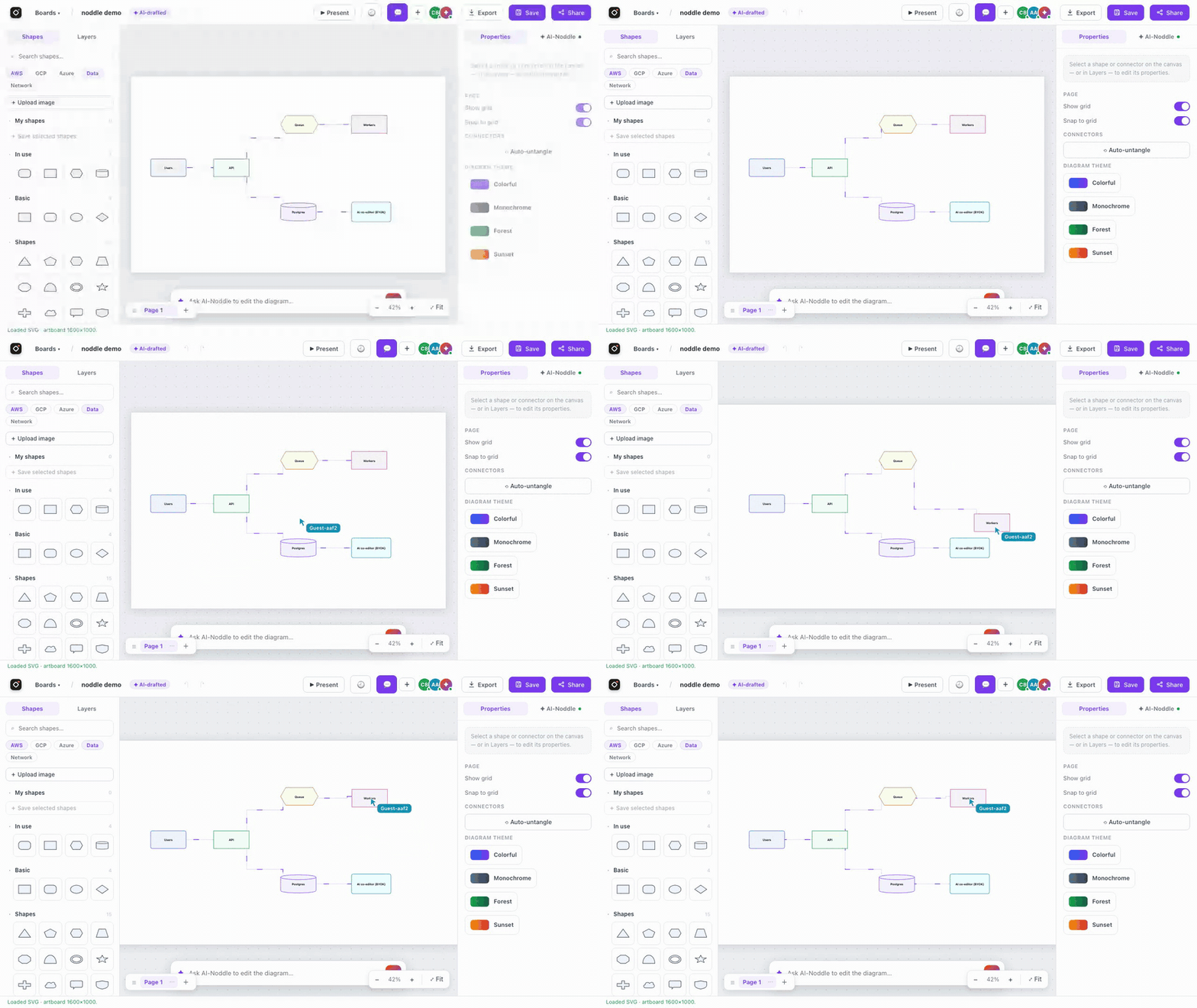
Real diagramming, with living connectors
47 shape kinds (flowchart, geometric, block arrows, UML-lite), cloud stencils
(AWS · Azure · GCP · Databricks · network), sticky notes, standalone text,
images, containers, multi-page boards, 28 starter templates and your own saved
"My shapes" — plus a hand-drawn sketch mode and idle shape animations
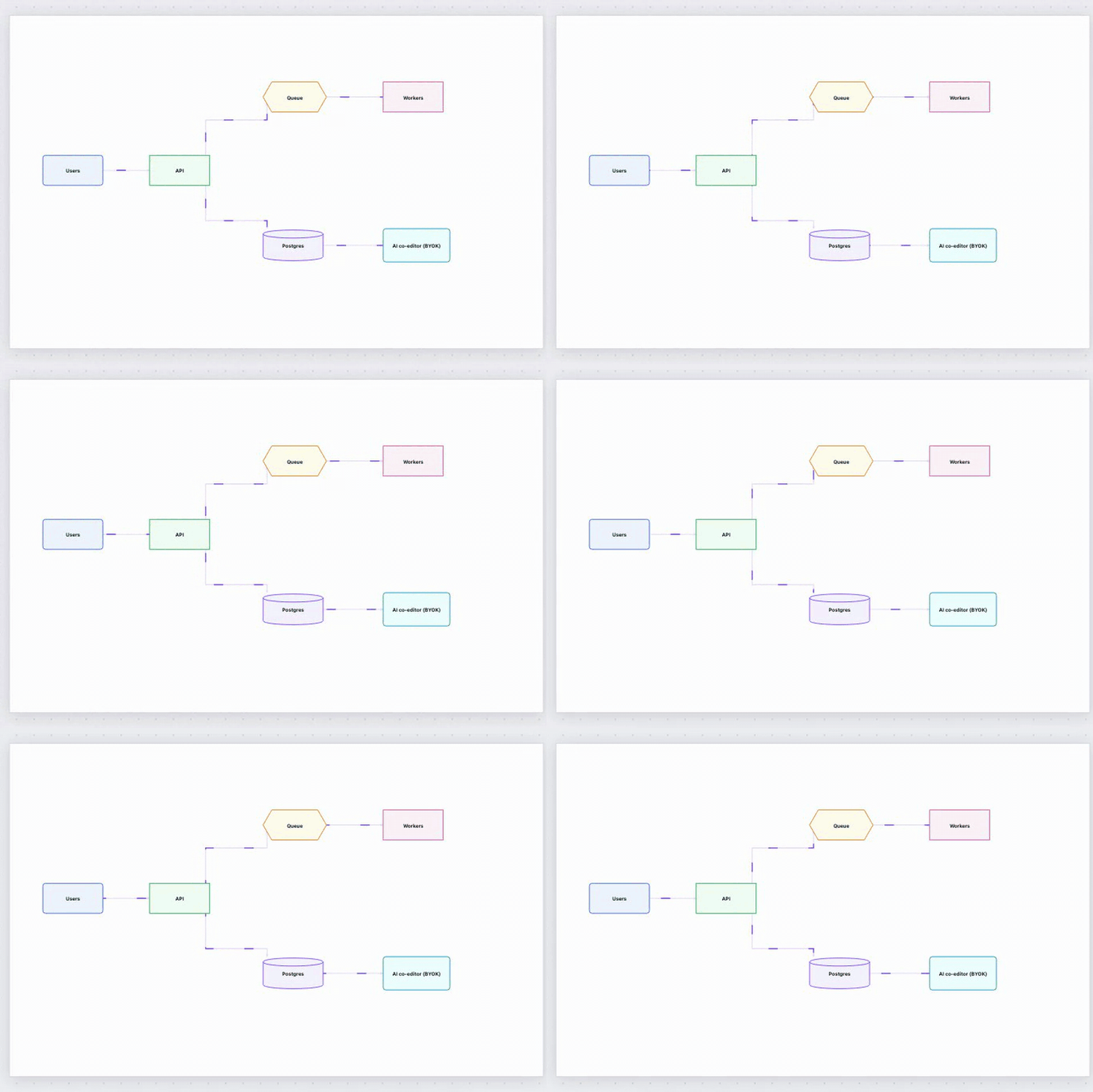
(pulse/glow/breathe/wobble). Connectors are orthogonal and auto-routed
(A* elbow routing with draggable waypoints) and can animate: dash, dots,
beam or pulse flows to show data moving through your system.
AI co-editor — your key, your browser (BYOK)
Chat with the board: "add an error-handling branch", "group these by
tier", image→diagram conversion (whiteboard photo → editable shapes),
text/Mermaid→diagram. Your key stays in your browser's localStorage and
rides each request as a header — the server proxies the call and never stores
it. A Test button proves the key works before you save it.
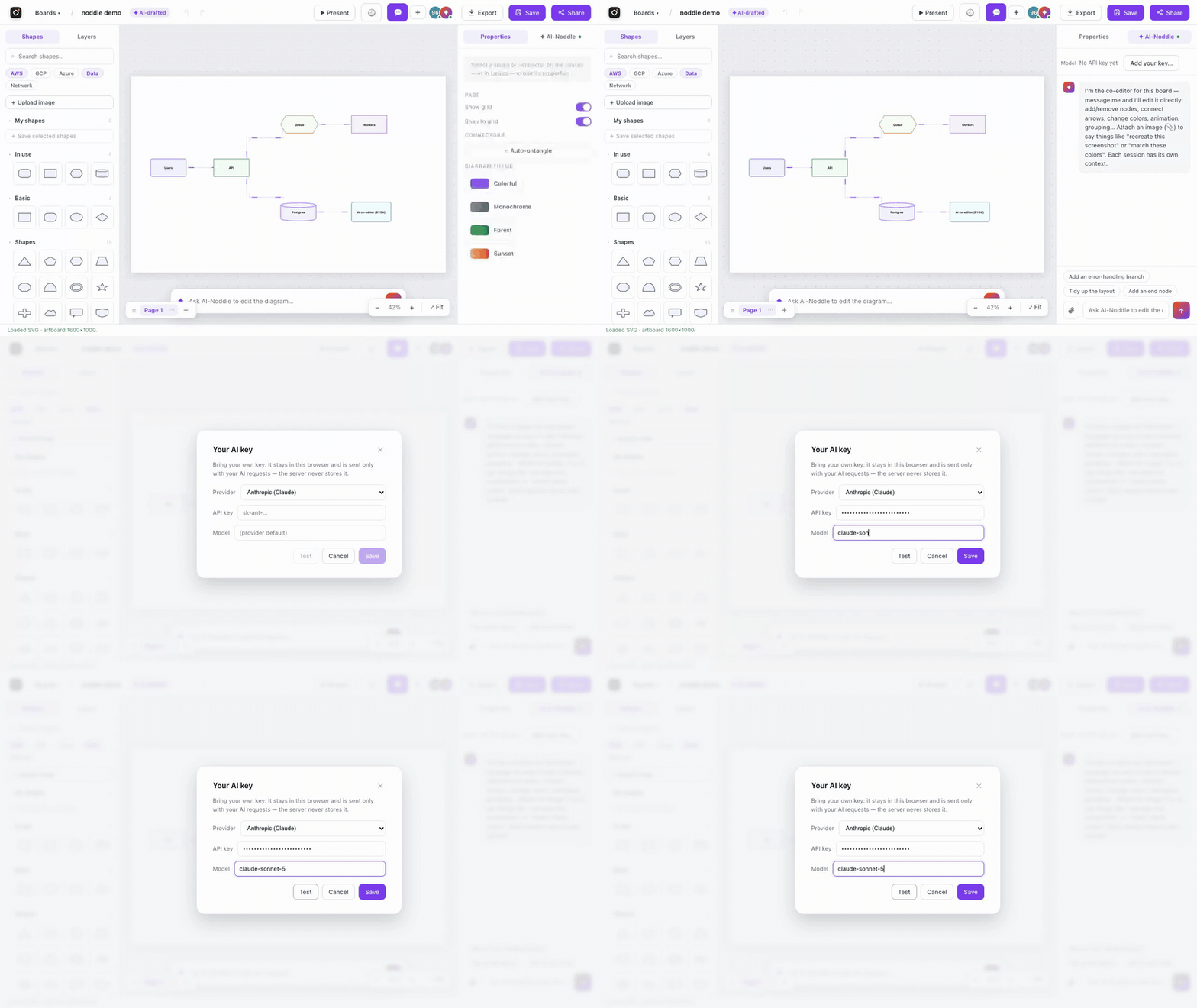
Bring your own key
Pick a provider in the AI-key dialog, paste a key, and you're set. The model
field is optional — leave it blank for the provider's default.
| Provider | Default model | Vision (image→diagram) |
|---|---|---|
| Anthropic (Claude) | claude-opus-4-8 |
✅ |
| OpenAI | gpt-4o |
✅ |
| Google Gemini | gemini-2.5-flash |
✅ |
| OpenRouter | you pick a provider/model slug |
depends on model |
| Custom (OpenAI-compatible) | you set the base URL + model | depends on model |
Free in ~2 minutes
Two one-click presets in the dialog set the provider/model/base for you — you
just paste a free key (no credit card):
- Google Gemini —
gemini-2.5-flash, free key from
aistudio.google.com/apikey. Best all
round: vision + reliable JSON. - Groq —
openai/gpt-oss-120bon the Groq
free tier via the Custom (OpenAI-compatible) provider. Blazing fast; text +
JSON (use Gemini when you need to turn a photo into a diagram).
No key at all? If the operator has configured a server-side free pool
(OPENROUTER_POOL_KEY), key-less visitors ride it automatically; otherwise the
AI simply stays off until you add a key.
Features
- ⚡ Zero friction — open the site, you're drawing.
/reopens the board
you were working on; the board URL is the sharing capability. - 🎨 Real diagramming — 47 shapes + cloud stencils, rotation, grouping
(⌘G), align/distribute, z-order, text wrap/formatting, type-to-edit,
rubber-band select across shapes and connectors, grid & snap. - 👥 Live collaboration — shared cursors, presence, per-page sync,
anonymous comment threads pinned to shapes, live rename, and per-board
version history with restore. - ✦ AI co-editor (BYOK) — chat edits, text/Mermaid→diagram, whiteboard
photo→editable shapes (background jobs), right-click "enrich with AI".
Concurrent-edit safe: its changes merge onto your latest board instead of
replacing it. - 📤 Export & import — SVG, PNG, animated GIF, per-page deck PNGs,
Mermaid, and a re-importable board JSON; imports draw.io files and pasted
images. - 🖥 Ways to show it — Present mode (pages become slides), focus mode
(\, just the canvas), collapsible panels ([/]), read-only/embed/{id}iframes, and a?keyboard-shortcuts cheat sheet. - 🧩 Agent-friendly — a small MCP server (get/create/update board,
list/add comments) lets AI agents edit boards through the REST API — the
board URL is the capability, no tokens needed.
Self-host in one command
docker compose up --build
# → http://localhost:8000  — start drawing, no sign-up
One container (FastAPI + prebuilt React SPA) plus Postgres.
Prefer a prebuilt image (no clone, no build)? Once the release image is
published to GHCR you can run it directly — single container, file storage,
no Postgres:
docker run -p 8000:8000 -v noddle_draw:/app/backend/storage ghcr.io/noddle-dev/noddle-draw:latest
Without Docker:
# backend
python3 -m venv .venv && source .venv/bin/activate
pip install -r backend/requirements.txt
cd backend && uvicorn main:app --reload --port 8000

# frontend (dev server with hot reload, proxies /api → :8000)
cd web && npm install && npm run dev   # → http://localhost:5173
No database needed for local hacking — without DATABASE_URL everything
persists to backend/storage/ files. Every server setting is optional and the
app degrades gracefully; see .env.example for the full list.
Architecture (short version)
Single deployable, clean layering:
backend/— FastAPI, hexagonal:api → services → domain, withinfrastructure/adapters (Postgres via psycopg, or plain files — chosen at
boot). WebSocket rooms for live collab. Whitelist SVG sanitizer on every
stored/generated SVG.web/— React + TypeScript (Vite). The editor engine (editor-core/) is
pure TypeScript with no React/DOM dependencies; state is Zustand; features
are vertical slices.mcp/— stdlib-only MCP server for AI agents.
Run the tests: python -m pytest backend/tests -q and cd web && npm run typecheck.
Security
Boards are protected by unguessable URLs (capability links) — the same model
as Excalidraw share links: anyone with a board's link can view and co-edit it,
so treat the link as the secret it is. Uploaded and AI-generated SVG is
sanitized server-side, and BYOK AI keys live only in your browser — the server
never stores or logs them.
Found a vulnerability? Please report it privately — see
SECURITY.md for the reporting channel, scope, and threat
model. Don't open a public issue for security problems.
Part of the Noddle suite
noddle draw is built and maintained by the noddle-dev
organization. Contributions welcome — see CONTRIBUTING.md
(short version: English only, tests green, respect the layering).
License
Reviews (0)
Sign in to leave a review.
Leave a reviewNo results found