conatus
Health Uyari
- License — License: AGPL-3.0
- Description — Repository has a description
- Active repo — Last push 0 days ago
- Low visibility — Only 8 GitHub stars
Code Gecti
- Code scan — Scanned 12 files during light audit, no dangerous patterns found
Permissions Gecti
- Permissions — No dangerous permissions requested
Bu listing icin henuz AI raporu yok.
A self-hosted task manager for projects, recurring work, reminders, collaboration and automation. Inspired by Todoist.

Conatus
Every goal starts with a next step.
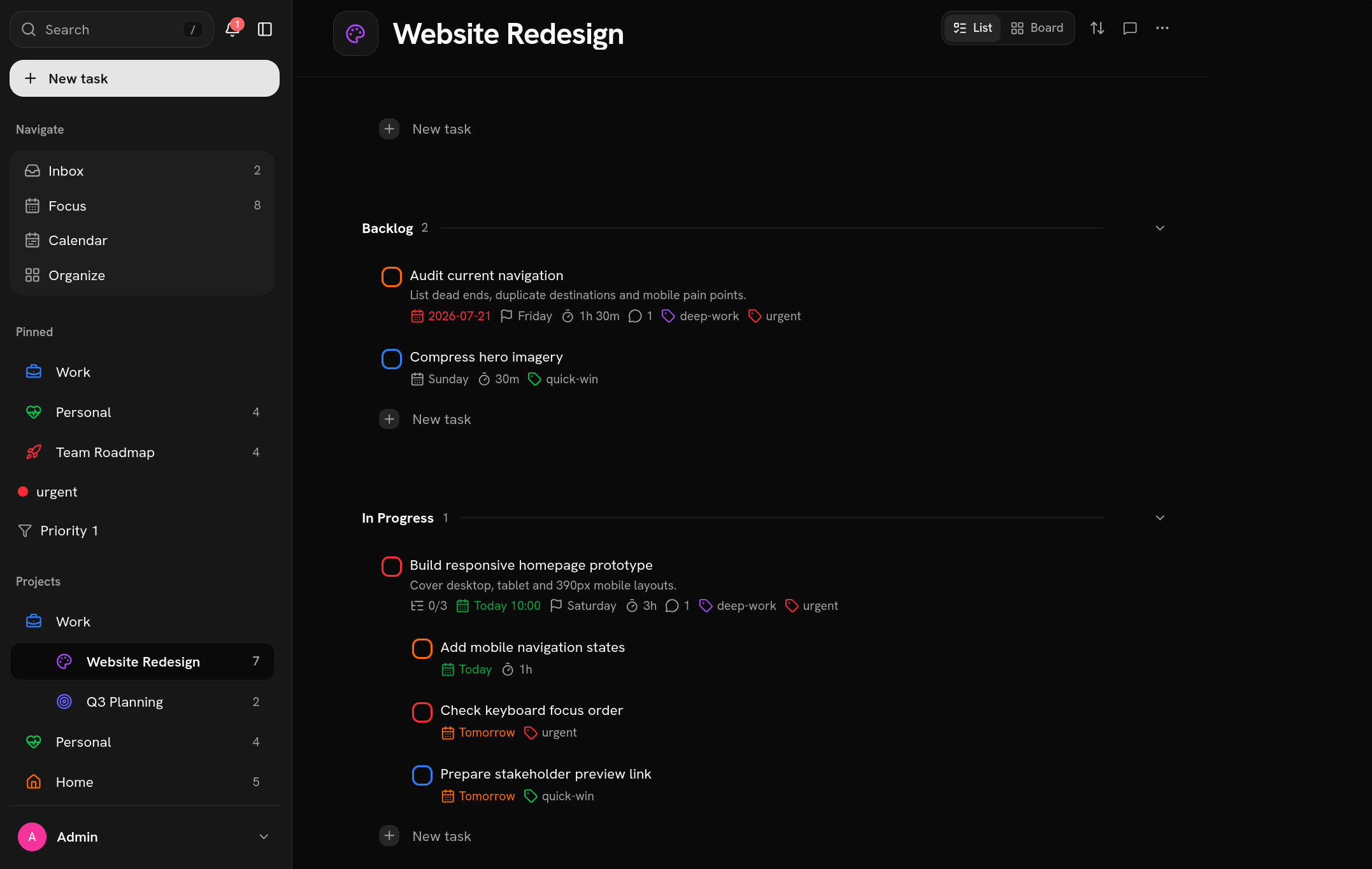
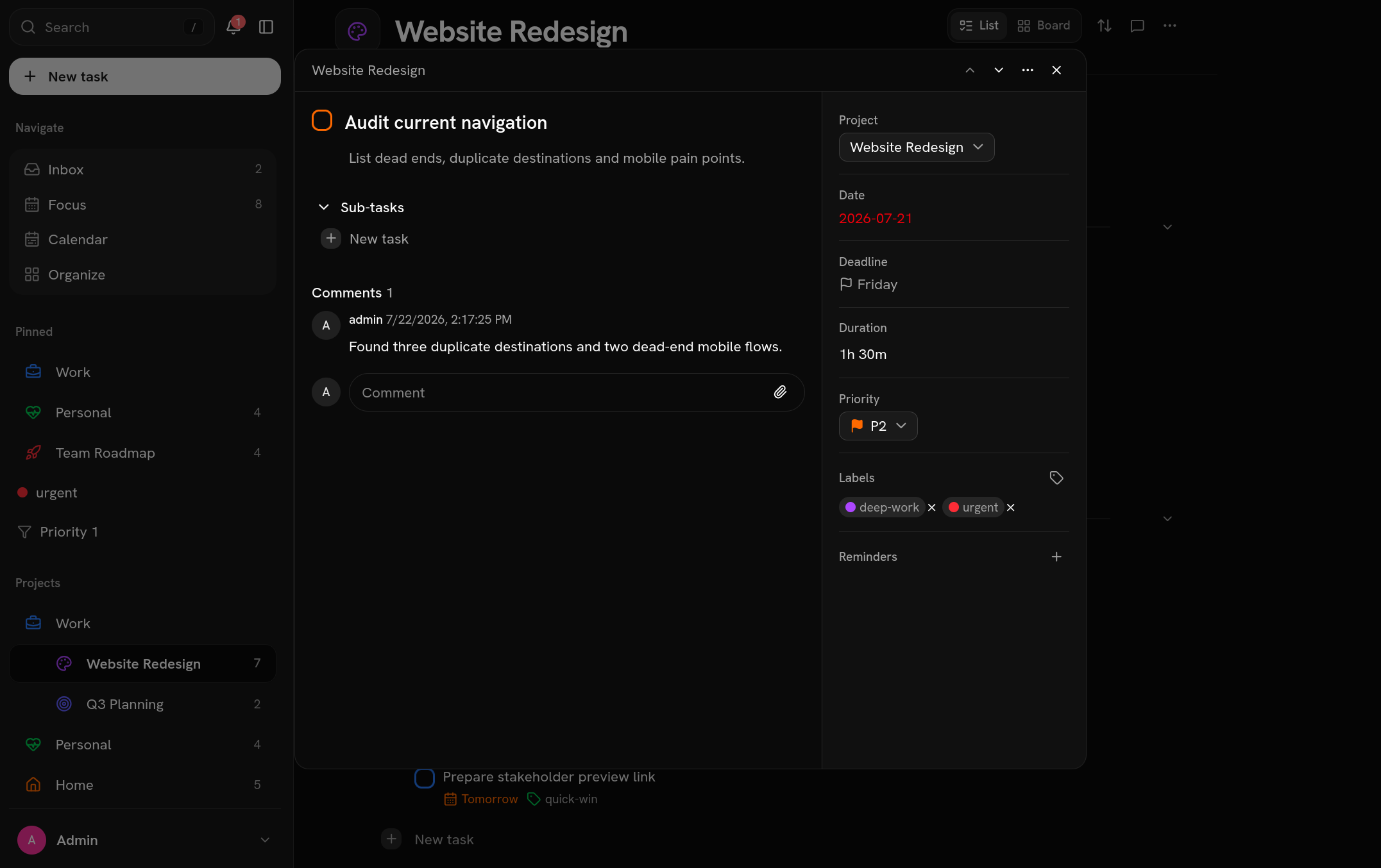
Conatus is a self-hosted task manager for projects, recurring work, reminders and collaboration inspired by Todoist.
- Organize work with projects, sections, labels and priorities
- Schedule recurring tasks, due dates, deadlines and reminders
- Collaborate through comments, file attachments and shared projects
- Import Todoist tasks and work from calendar, list or board views
- Connect through API tokens and webhooks
Type dates, times, durations, reminders, and repeats directly into a task name.
See the natural-language entry guide for supported
phrases and scheduling conventions.
Deploy Conatus
1. Get the Compose file and environment template
mkdir conatus
cd conatus

curl -O https://raw.githubusercontent.com/nojusmorkunas/conatus/main/docker-compose.yml
curl -o .env https://raw.githubusercontent.com/nojusmorkunas/conatus/main/.env.example
2. Edit your credentials
Open .env and set these values:
# Use latest after the first stable release.
# Use 0.2.0-beta.1 when installing the beta release.
CONATUS_VERSION=latest
CONATUS_PORT=4399

POSTGRES_USER=app
POSTGRES_PASSWORD=replace-with-a-long-random-password
POSTGRES_DB=app

AUTH_SECRET=replace-with-a-long-random-secret

S3_ACCESS_KEY=replace-with-a-random-access-key
S3_SECRET_KEY=replace-with-a-long-random-secret-key

# Optional: creates the first administrator on an empty database.
CONATUS_ADMIN_USERNAME=admin
CONATUS_ADMIN_PASSWORD=replace-with-a-long-random-password
If you use a domain or reverse proxy, also set AUTH_URL andPUBLIC_BASE_URL to the external HTTPS address.
3. Start Conatus
docker compose up -d
Docker Compose automatically pulls the Conatus application, operations,
PostgreSQL and MinIO images. Open http://localhost:4399
and sign in with the administrator credentials from .env.
After the first login, remove CONATUS_ADMIN_USERNAME andCONATUS_ADMIN_PASSWORD from .env.
For upgrades, update CONATUS_VERSION then run docker compose up -d again.
Migrations run automatically before the application starts, and upgrading from
any earlier published release is supported. Back up the database first, because
some migrations require a restore to roll back safely.
API and MCP access
Create a scoped access token in Settings. The token is shown only once,
so copy it before leaving the page. Send it as a bearer token to any protected
v1 API route:
curl -H "Authorization: Bearer tdm_..." "http://localhost:4399/api/v1/tasks?completed=false"
Tokens can be reviewed and revoked from Settings.
The OpenAPI 3.1 description is served at /api/v1/openapi.json. Mutating task
creation endpoints accept Idempotency-Key while list endpoints use opaque cursor
pagination.
The MCP server is developed and released separately at
nojusmorkunas/conatus-mcp.
It provides local stdio and remote Streamable HTTP transports so MCP-compatible
AI agents can manage tasks without direct database access. Remote mode supports
OAuth discovery, dynamic client registration, browser approval, S256 PKCE,
refresh-token rotation plus a static bearer fallback. A typical deployment usestasks.example.com for this app and mcp.example.com/mcp for the MCP sidecar.
The mcp Compose profile runs it as a sidecar from the published image; see that
repository's README for client configuration and CONATUS_MCP_VERSION in.env.example to pin a version.
Webhooks
Add HTTPS (or localhost) endpoints in Settings to receive task.created,task.completed, task.uncompleted, task.deleted, comment.added,project.created, project.archived and project.deleted events. Each POST body
is { type, taskContent, projectId, projectName, occurredAt }. Verify theX-Webhook-Signature header by computing an HMAC-SHA256 of the raw request body
with the webhook secret, which is shown only once when the endpoint is created.
Database migrations
npm run db:generate   # generate a migration from lib/db/schema.ts
npm run db:migrate     # apply migrations
npm run db:studio      # browse the database
Backups
The backup service in docker-compose.yml dumps the database on a timer
into the backups volume, keeping the newest BACKUP_KEEP dumps (default
7, every BACKUP_INTERVAL seconds, default 86400/daily). Override either
via env vars.
Restore a dump:
docker compose exec -T db pg_restore -U app -d app --clean --if-exists < /path/to/app-<timestamp>.dump
Manual dump:
docker compose exec db pg_dump -U app -Fc app > backup.dump
Scaling
Rate limits (registration, password reset, the public error-reporting endpoint,
etc.) are counted in memory inside each app container, not shared across
containers. If you scale the app service to more than one replica, each
replica enforces the limit independently, so the effective limit is the
configured value multiplied by the replica count.
Contributing
See CONTRIBUTING.md for local setup and verification
steps.
License
AGPL-3.0-or-later. See LICENSE.
Yorumlar (0)
Yorum birakmak icin giris yap.
Yorum birakSonuc bulunamadi