perplexity-cli
Health Gecti
- License — License: Apache-2.0
- Description — Repository has a description
- Active repo — Last push 0 days ago
- Community trust — 35 GitHub stars
Code Gecti
- Code scan — Scanned 12 files during light audit, no dangerous patterns found
Permissions Gecti
- Permissions — No dangerous permissions requested
Bu listing icin henuz AI raporu yok.
An open-source AI agent that brings the real-time intelligence of Perplexity AI to your command line, seamlessly integrating powerful models and tools into your daily workflow.
Perplexity CLI


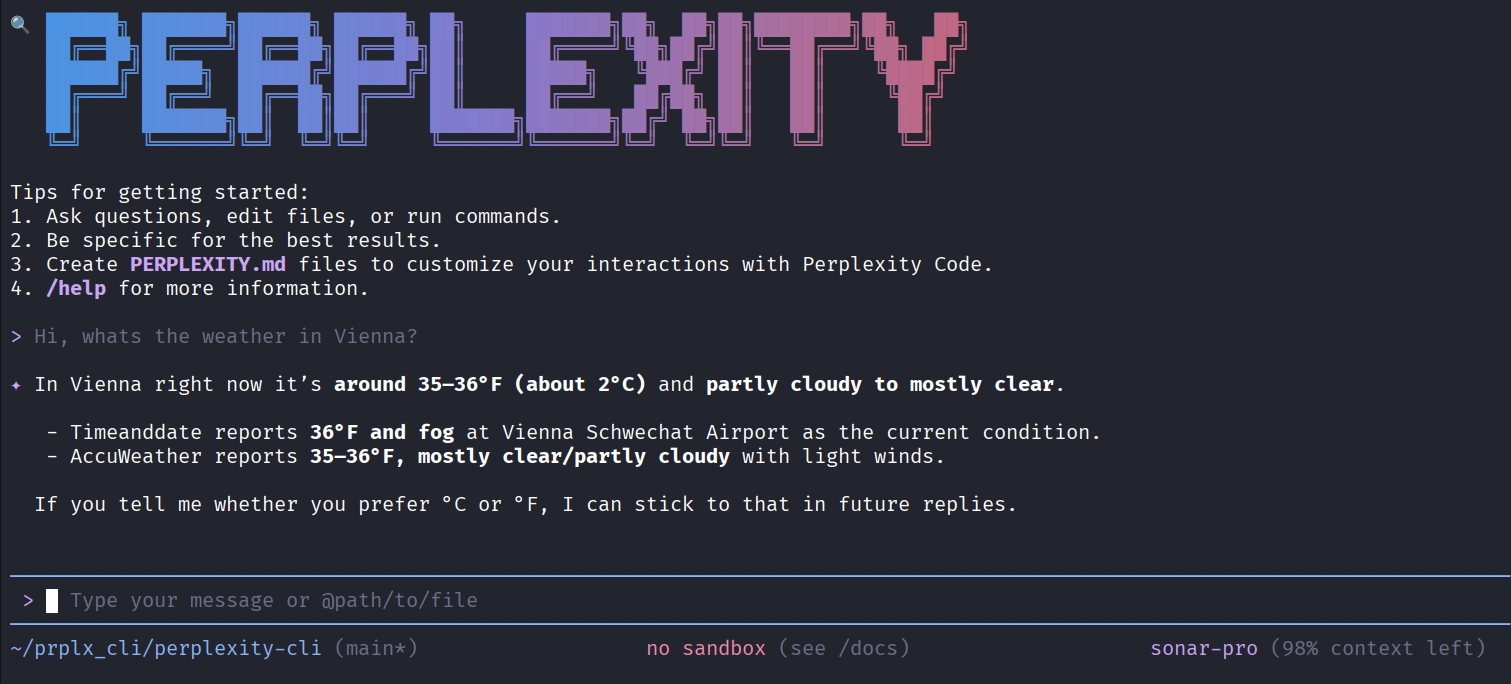
A command-line interface for interacting with Perplexity AI's Sonar models directly from your terminal.
🚀 Why Perplexity CLI?
- 🔍 AI-Powered Research: Access to Perplexity's advanced search and reasoning capabilities
- 📚 Citation Support: Get responses backed by real sources and citations
- 🌐 Real-Time Information: Leverage up-to-date web search for current information
- 💡 Advanced Reasoning: Utilize Sonar models optimized for complex analysis
- 💻 Terminal-First: Designed for developers who live in the command line
- 🔧 Tool Integration: Built-in web search, fetch, and multi-tool workflows
Features
- � Interactive Mode: Real-time streaming responses with beautiful terminal UI
- ⚡ Fast & Efficient: Optimized for developer productivity
- 🎨 Beautiful Themes: Dark blue Perplexity theme with customizable alternatives
- 📝 Command History: Navigate through previous prompts with arrow keys
- 🔌 MCP Support: Model Context Protocol support for custom integrations
- 📊 Citation Tracking: View sources and citations for AI responses
- 🔄 Checkpoint System: Save and resume conversations
Quick Start
Prerequisites
- Node.js 20.0.0 or higher
- A Perplexity API key (get one at https://www.perplexity.ai/settings/api)
- macOS, Linux or Windows
Installation
npm install -g @perplexity-cli/perplexity-cli
Configuration
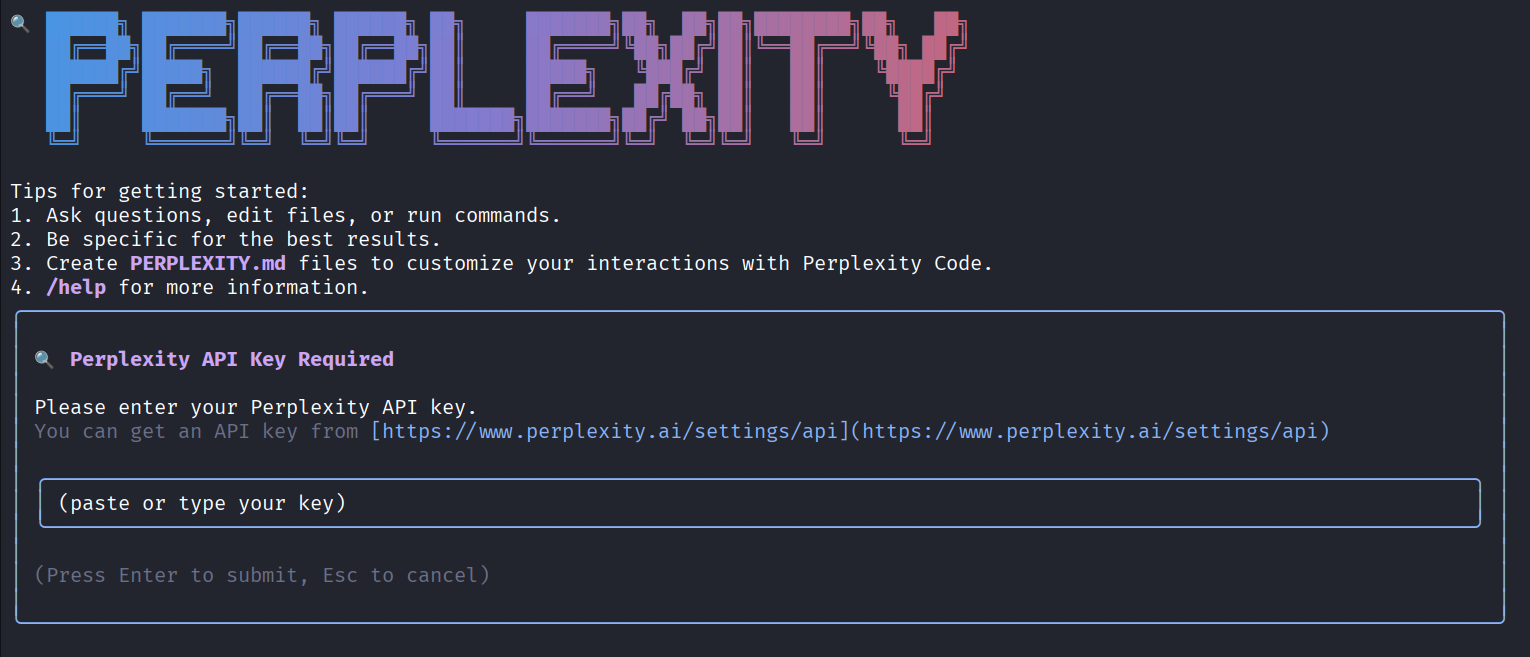
Set your Perplexity API key as an environment variable:
export PERPLEXITY_API_KEY=your_api_key_here
Or start Perplexity CLI and enter your api key there.
Basic Usage
Interactive mode
Start in current directory
perplexity
Include multiple directories
perplexity --include-directories ../lib,../docs
Use specific model
perplexity -m sonar-pro
Available Models
- sonar-pro: Advanced model for complex reasoning and research
- sonar: Balanced performance for general use
- sonar-reasoning-pro: Precise reasoning offering Chain of Thought
- sonar-deep-research: Expert level research model
Non-interactive mode for scripts
Get a simple text response:
perplexity -p "Explain the architecture of this codebase"
For more advanced scripting, including how to parse JSON and handle errors, use
the --output-format json flag to get structured output:
perplexity -p "Explain the architecture of this codebase" --output-format json
For real-time event streaming (useful for monitoring long-running operations),
use --output-format stream-json to get newline-delimited JSON events:
perplexity -p "Run tests and deploy" --output-format stream-json
📚 Documentation
Getting Started
- Quickstart Guide - Get up and running
quickly. - Authentication Setup - Detailed
auth configuration. - Configuration Guide - Settings and
customization. - Keyboard Shortcuts - Productivity
tips.
Core Features
- Commands Reference - All slash commands
(/help,/chat, etc). - Custom Commands - Create your own
reusable commands.- Context Files (PERPLEXITY.md) - Provide persistent
context to Perplexity CLI.
- Context Files (PERPLEXITY.md) - Provide persistent
- Checkpointing - Save and resume
conversations. - Token Caching - Optimize token usage.
Tools & Extensions
- Built-in Tools Overview
- MCP Server Integration - Extend with custom
tools. - Custom Extensions - Build and share your own
commands.
Advanced Topics
- Headless Mode (Scripting) - Use Perplexity CLI in
automated workflows. - Architecture Overview - How Perplexity CLI works.
- IDE Integration - VS Code companion.
- Sandboxing & Security - Safe execution
environments. - Trusted Folders - Control execution
policies by folder. - Telemetry & Monitoring - Usage tracking.
- Tools API Development - Create custom tools.
- Local development - Local development
tooling.
Troubleshooting & Support
- Troubleshooting Guide - Common issues and
solutions. - FAQ - Frequently asked questions.
- Use
/bugcommand to report issues directly from the CLI.
Using MCP Servers
Configure MCP servers in ~/.perplexity/settings.json to extend Perplexity CLI with
custom tools:
> @github List my open pull requests
> @slack Send a summary of today's commits to #dev channel
> @database Run a query to find inactive users
See the MCP Server Integration guide for setup
instructions.
Development
Building from Source
# Download latest version of node
curl -o- https://raw.githubusercontent.com/nvm-sh/nvm/v0.40.3/install.sh | bash

# in lieu of restarting the shell
\. "$HOME/.nvm/nvm.sh"

# Download and install Node.js:
nvm install 24

# Clone the repository
git clone https://github.com/NoQuli/perplexity-cli.git
cd perplexity-cli

# Install dependencies
npm install

# Build
npm run build

# Run locally
npm start
Running Tests
npm test
Security
⚠️ Never commit your API key to version control. Always use environment variables or the .env file (which should be in .gitignore).
License
Apache-2.0 License - See LICENSE for details.
Contributing
Contributions are welcome! Please see CONTRIBUTING.md for guidelines.
Built with ❤️ using the architecture from Gemini CLI
Yorumlar (0)
Yorum birakmak icin giris yap.
Yorum birakSonuc bulunamadi